Top VPNs for Nvidia Shield: Easy Installation, Unlimited Streaming, and Troubleshooting
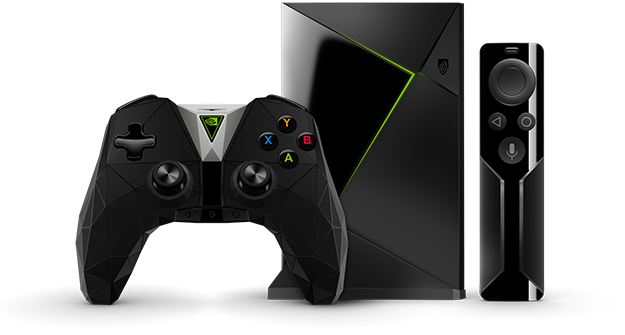
If you are a fan of streaming and own an Nvidia Shield, you may be familiar with the problem of content restrictions and geo-blocking. Thankfully, using a VPN (Virtual Private Network) can help you bypass these restrictions and enjoy unlimited streaming on your Nvidia Shield device. In this article, we will provide you with recommendations for the best VPNs to use with Nvidia Shield, as well as a guide on how to install a VPN on your device.
How to Install VPN on Nvidia Shield
Installing a VPN on your Nvidia Shield is a straightforward process. There are several VPN providers offering dedicated apps for the Nvidia Shield platform. After finding a good VPN provider, you can download and install the VPN app from the Google Play Store. Once the app is installed, you can open it using your remote or a mouse if you have one. Remember to choose a VPN provider that offers a user-friendly interface and good privacy features to ensure your online security and privacy.
Best VPNs for Nvidia Shield
ExpressVPN is one of the best VPNs for Nvidia Shield. It is a highly reliable VPN provider with multiple server locations around the world and excellent speeds. ExpressVPN also offers a user-friendly app that works seamlessly with Nvidia Shield, ensuring you can watch your favorite shows without any problems.
CyberGhost is another VPN provider that is highly recommended for Nvidia Shield. It is known for its extensive network, offering over 6,000 servers in multiple locations. With its user-friendly app and high-speed connections, CyberGhost is a great choice for streaming on Nvidia Shield.
VyprVPN is a VPN provider backed by one of the largest internet conglomerates in the world, which ensures its reliability and security. It offers a user-friendly app that is easy to install and configure on Nvidia Shield. VyprVPN allows you to unblock geo-restricted content, including popular streaming platforms like Netflix, Amazon Prime, and Disney+.
Conclusion
In conclusion, using a VPN on your Nvidia Shield is a great way to enjoy unlimited streaming and bypass content restrictions. The recommended VPNs, such as ExpressVPN, CyberGhost, and VyprVPN, offer excellent security, fast speeds, and reliable connections. Installing a VPN on your Nvidia Shield is a simple process, and with the right VPN provider, you can ensure your privacy and enjoy a seamless streaming experience.
Best VPNs for Nvidia Shield
If you’re looking to enhance your streaming experience on the Nvidia Shield, using a VPN is a great solution. It provides a secure and private internet connection, allowing you to access geo-restricted content and protect your online privacy. Here are some of the best VPNs for Nvidia Shield:
ExpressVPN

ExpressVPN is a popular choice for Nvidia Shield users. It has a large network of servers across the globe, offering fast and reliable connections. With its easy-to-use app, you can quickly toggle the VPN on and off. ExpressVPN also supports the new Lightway protocol, which provides an exceptional streaming experience.
NordVPN
NordVPN is another top VPN option for Nvidia Shield. It offers a large number of servers in various locations, ensuring you can access content from anywhere in the world. NordVPN has strong security features and is known for its ability to bypass geo-restrictions, making it a good choice for streaming services like Netflix and BBC iPlayer.
Surfshark
If you’re looking for a budget-friendly VPN for your Nvidia Shield, Surfshark is a great option. Despite its low price, Surfshark offers unlimited simultaneous connections and a wide selection of servers. It also has a CleanWeb feature that blocks ads and malware, ensuring a smooth and uninterrupted streaming experience.
CyberGhost
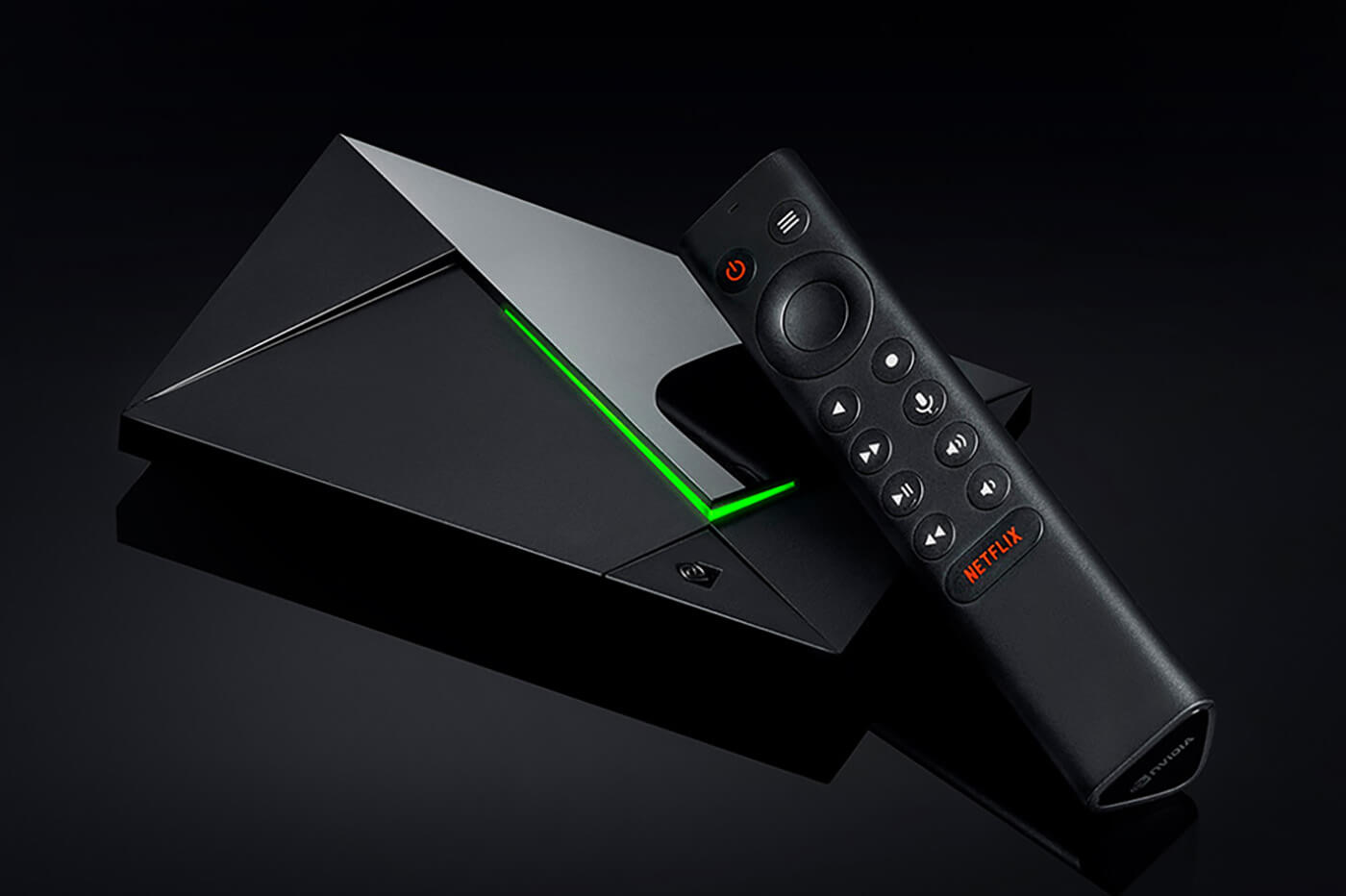
CyberGhost is a user-friendly VPN that is compatible with Nvidia Shield. It has a dedicated app for Android devices and offers a streamlined interface. With its vast server network, CyberGhost allows you to access content from numerous countries. It also has specialized servers for streaming and torrenting, providing fast and reliable connections.
With these VPNs, you can sideload the app onto your Nvidia Shield and enjoy unlimited streaming. They offer secure and private access to the internet, allowing you to bypass geo-restrictions and protect your online privacy. Start using a VPN on your Nvidia Shield and enhance your streaming experience now.
Protect Your Nvidia Shield with the Best VPN
When it comes to protecting your Nvidia Shield, a fast and secure VPN is essential. With the increasing number of online threats and privacy concerns, using a VPN can ensure that your device and personal information remain safe.
One of the best VPN options for Nvidia Shield is VyprVPN. With its slick and user-friendly interface, VyprVPN makes it easy to connect to a secure server. The app is available for download on the Google Play Store, and once installed, you can select from many server locations across the world.
With VyprVPN, you can enjoy unlimited streaming and access geo-restricted content from any country. The VPN also provides advanced security features and offers a zero-logs policy, ensuring that your online activities remain private.
In addition to its security features, VyprVPN also offers fast speeds and unlimited bandwidth. This means that you can enjoy buffer-free streaming and download large files without any interruptions. Whether you’re watching a Dolby Atmos movie or playing a graphics-intensive game, VyprVPN ensures that your internet connection remains fast and reliable.
VyprVPN is also very affordable, offering both monthly and annual subscription options. With their value-added features and competitive pricing, VyprVPN is a cost-effective choice for Nvidia Shield users.
Another excellent VPN choice for Nvidia Shield is NordVPN. NordVPN is known for its advanced security features and its ability to bypass geoblocks. With NordVPN, you can connect to servers in over 60 countries, giving you access to a wide range of content from all around the world.
As an added bonus, NordVPN offers a feature called “SmartPlay,” which automatically selects the best server for your needs. This ensures that you get the fastest speeds and optimal performance while using the VPN.
If you’re looking for a free VPN option, ProtonVPN is a great choice. ProtonVPN is a us-based VPN provider that offers a free and paid version of their service. While the free version has some limitations, it still provides a high level of security and privacy.
In summary, protecting your Nvidia Shield with a VPN is a smart decision. Not only does it keep your device and personal information safe, but it also allows you to access geo-restricted content and enjoy fast internet speeds. Whether you choose VyprVPN, NordVPN, or ProtonVPN, you can rest assured that your Nvidia Shield will be well-protected.
Enhance Your Streaming Experience with a VPN on Nvidia Shield
If you own an Nvidia Shield and love streaming, there are several options available to you in order to enhance your streaming experience. One of the best options is to use a VPN, particularly NordVPN’s service.
Why NordVPN is the Best VPN for Nvidia Shield
NordVPN is a top choice when it comes to VPNs for Nvidia Shield. With their annual subscription, you can secure your streaming and online activities with their rock-solid privacy features. NordVPN offers a wide range of servers all around the world, ensuring that you always have fast and reliable connections for unlimited streaming.
What sets NordVPN apart is their use of modern protocols like NordLynx and Lightway. These protocols not only provide faster speeds but also offer enhanced security to protect you from any malicious online threats. With a strict no-logs policy and a 30-day money-back guarantee, NordVPN is a trusted choice for Nvidia Shield users.
Why Using a VPN on Nvidia Shield is Important
The Nvidia Shield is a powerful device for streaming movies, TV shows, and games. However, without a VPN, you may face some limitations. Some streaming services, like BBC iPlayer, may not be accessible in certain regions. By connecting to a VPN server located in a supported region, you can easily bypass these restrictions and enjoy unlimited streaming.
A VPN also ensures your online privacy and security. By encrypting your internet connection, a VPN protects your personal data from potential hackers and cyber threats. This is particularly important when you’re connected to public Wi-Fi networks or streaming through third-party apps.
How to Install a VPN on Nvidia Shield
Installing a VPN on Nvidia Shield is a simple process. First, you need to subscribe to a VPN service like NordVPN. Then, download and install the NordVPN app onto your Nvidia Shield. Once installed, open the app and connect to a server of your choice. With NordVPN’s simultaneous connections feature, you can also connect your other devices and enjoy secure streaming across all your devices.
In conclusion, using a VPN on Nvidia Shield can greatly enhance your streaming experience. NordVPN is an all-around VPN service that offers fast and reliable connections, as well as top-notch privacy features. With their affordable annual subscription, you can enjoy unlimited streaming and secure access to all your favorite content on Nvidia Shield.
Secure Your Nvidia Shield with a Reliable VPN
If you own an Nvidia Shield and want to enhance its security and privacy while using various streaming apps, a reliable VPN is a must-have. With the right VPN app installed on your Nvidia Shield, you can protect your online activities from prying eyes, bypass geographical restrictions, and enjoy unlimited streaming.
One highly recommended VPN for Nvidia Shield is ProtonVPN. ProtonVPN provides top-notch security features, including AES-256 encryption, a strict no-logs policy, and a built-in kill switch. With ProtonVPN, you can browse the internet privately and safely, knowing that your data is protected.
Why Choose ProtonVPN for Nvidia Shield?
- Unblocks Streaming Services: ProtonVPN allows you to access popular streaming platforms like Netflix, Hulu, and Amazon Prime Video, so you can watch your favorite shows and movies without any restrictions.
- High-Speed Connection: ProtonVPN offers fast and stable connection speeds, ensuring smooth streaming and gaming experiences on your Nvidia Shield.
- Wide Compatibility: ProtonVPN is compatible with Nvidia Shield as well as other devices, such as Windows, Mac, iOS, and Android. You can use one ProtonVPN account to secure multiple devices.
- Easy Setup: Installing and configuring ProtonVPN on your Nvidia Shield is simple and straightforward. Just download the app from the Google Play Store and follow the on-screen instructions to set it up.
- Stealth VPN Protocol: ProtonVPN offers a stealth mode feature called Secure Core, which helps bypass censorship and VPN blocking, particularly in countries like China where the internet is heavily regulated.
- Reliable Customer Support: ProtonVPN provides excellent customer support, with a knowledgeable team ready to assist you with any problems or questions you may have.
With ProtonVPN protecting your Nvidia Shield, you can browse, stream, and play games without any worries about your online privacy and security. Don’t leave your Nvidia Shield and personal data vulnerable to cyber threats, get the reliable protection of ProtonVPN today!
Stay Anonymous While Streaming on Nvidia Shield with a VPN
When it comes to streaming devices, Nvidia Shield is among the best options available. Whether you’re a fan of movies, TV shows, or gaming, Nvidia Shield provides an excellent platform for entertainment. However, to enhance your streaming experience and keep your online activities private and secure, it is highly recommended to use a VPN.
Here’s why using a VPN on Nvidia Shield is useful:
- Stay anonymous: By using a VPN, you can mask your IP address and browse the internet anonymously. This helps protect your online identity and activity from prying eyes.
- Access geo-restricted content: VPNs allow you to connect to servers in different countries, which can help you bypass geo-restrictions and access content that is otherwise unavailable in your region.
- Enhanced security: VPNs encrypt your internet traffic, making it harder for hackers and third parties to intercept and exploit your personal information.
How to Install a VPN on Nvidia Shield
Installing a VPN on Nvidia Shield is easy and straightforward. Here are the steps to get started:
- Choose a VPN provider: There are many VPN providers available, each with its own set of features and pricing options. Some popular options include VyprVPN, CyberGhost, and ExpressVPN.
- Download and install the VPN app: Most VPN providers offer dedicated apps for Nvidia Shield. You can find these apps in the Google Play Store or sideload them onto your device.
- Set up your VPN: Once you have installed the VPN app, open it and follow the instructions provided to set up your VPN connection.
- Connect to a VPN server: After setting up your VPN, you can choose a server location and connect to it. It is recommended to choose a server outside of your country for enhanced privacy and access to geo-blocked content.
- Start streaming anonymously: Once you are connected to a VPN server, you can start streaming on Nvidia Shield knowing that your online activities are secure and anonymous.
Recommendations for VPNs on Nvidia Shield
While there are many VPN providers available, here are a few recommendations specifically for Nvidia Shield:
- VyprVPN: VyprVPN is a reliable VPN provider that offers fast speeds, a zero-logs policy, and the ability to unblock streaming services. It also has a user-friendly app for Nvidia Shield.
- CyberGhost: CyberGhost is another excellent VPN option for Nvidia Shield. It has a large network of servers, strong security features, and a user-friendly interface.
- ExpressVPN: ExpressVPN is known for its excellent performance and strong security capabilities. It has a dedicated app for Nvidia Shield and is able to unblock popular streaming services like Netflix and Amazon Prime.
Remember to regularly update and protect your VPN app to ensure the best performance and security. Additionally, choose a VPN provider that offers a money-back guarantee, so you can try their service risk-free before committing to a long-term subscription.
In conclusion, installing and using a VPN on Nvidia Shield is a simple and effective way to stay anonymous and enjoy unlimited streaming. With the right VPN provider and proper setup, you can safely access thousands of apps and applications from around the world, all while keeping your online activities private.
Unlock Geo-Restricted Content on Nvidia Shield with a VPN
If you own an Nvidia Shield, you know that it provides a little box of unlimited entertainment. But sometimes, when you’re searching for content, you might come across geo-restrictions that prevent you from accessing certain websites or streaming services. That’s where a VPN can come in handy.
When it comes to unlocking geo-restricted content on your Nvidia Shield, we recommend considering ExpressVPN. It’s one of the best VPN providers out there, known for its fast and secure connections. It also offers a slick and easy-to-use app that natively supports Nvidia Shield, making it a perfect choice for streaming.
With ExpressVPN, you can enjoy unlimited streaming of your favorite content, including British TV shows on BBC iPlayer. The VPN masks your IP address and encrypts your connection, allowing you to access geo-restricted services from anywhere in the world.
One of the great features of ExpressVPN is its compatibility with a wide range of devices. Whether you’re using an Nvidia Shield Pro or any other Nvidia Shield model, ExpressVPN can be easily installed and configured. Simply download the app from the Google Play Store, sign in, and you’re good to go. You never have to worry about your online privacy and security since ExpressVPN keeps no logs of your activity.
Another reason why ExpressVPN is a top choice for Nvidia Shield users is its impressive performance. It doesn’t throttle your internet connection, allowing you to stream in HD or even 4K without any lag or buffering. Plus, ExpressVPN has servers in over 90 countries, so you can easily bypass geo-restrictions and access content from all around the world.
When it comes to pricing, ExpressVPN may not be the cheapest option, but it’s definitely worth the investment if you want the best streaming experience on your Nvidia Shield. The provider offers different pricing packages, and you can even take advantage of their 30-day money-back guarantee to test the service and see if it meets your needs.
In conclusion, if you want to unlock geo-restricted content on your Nvidia Shield and enjoy unlimited streaming, ExpressVPN is the way to go. Its compatibility, secure connection, and impressive performance make it the perfect VPN for Nvidia Shield users. With ExpressVPN, you can access websites and streaming services from all over the world without worries about your privacy or internet connection quality.
Bypass ISP Throttling on Nvidia Shield with a VPN
If you’re a pro user of Nvidia Shield and love streaming movies and TV shows, you may have encountered the frustration of ISP throttling. This is when your internet service provider intentionally slows down your internet connection, making it difficult to stream content smoothly.
The good news is that you can bypass ISP throttling on Nvidia Shield by using a VPN. A VPN, or Virtual Private Network, encrypts your internet traffic and routes it through a server in a different location. This not only protects your privacy, but also allows you to access the internet without any restrictions or throttling from your ISP.
When it comes to choosing a VPN for Nvidia Shield, there are plenty of options available. One top recommendation is Surfshark, an affordable and feature-rich VPN that offers unlimited bandwidth and high speeds. With Surfshark, you can connect up to 7 devices simultaneously, so you can enjoy streaming on multiple devices without any interruptions.
Installing a VPN on Nvidia Shield is easy. Simply download the VPN app from the Google Play Store and follow the setup instructions. Once you’re connected to a VPN server, you can safely surf the web, watch your favorite movies and TV shows, and bypass any ISP throttling.
In my opinion, Surfshark is an excellent choice for Nvidia Shield because it not only offers exceptional speeds, but also provides advanced features like ad-blocking and malware protection. Plus, they offer a 30-day money-back guarantee, so if you’re not satisfied with the service, you can always get your money back.
If you’re looking for an alternative, another great option is ExpressVPN. Known for its fast speeds and wide range of server locations, ExpressVPN ensures that you can stream content without any buffering or slowdowns. They also have a user-friendly interface and support for multiple platforms, including Android, iOS, Windows, and Mac.
Before you choose a VPN for Nvidia Shield, it’s important to check if the VPN has servers in the country you want to connect to. This is especially important if you want to watch region-restricted content, as some VPNs may be blocked by streaming platforms like Netflix or Hulu.
In conclusion, using a VPN is the best way to bypass ISP throttling on Nvidia Shield and enjoy unlimited streaming. Whether you choose Surfshark, ExpressVPN, or any other VPN provider, make sure to read reviews and do your research to find the one that best suits your needs. Once you have a VPN installed on your Nvidia Shield, you can say goodbye to buffering and slow internet speeds!
Get the Most Out of Nvidia Shield with a VPN
If you own an Nvidia Shield TV, you know how incredible it is for streaming and gaming. But did you know that by using a VPN, you can unlock even more possibilities and enhance your overall experience?
Why should you use a VPN on your Nvidia Shield?
– Privacy and Security: A VPN encrypts your internet connection, keeping your online activities private and protecting your sensitive information from hackers and cyber threats.
– Unlimited Streaming: With a VPN, you can access geo-restricted content from around the world. Whether it’s movies, TV shows, or sports events, you can enjoy unlimited streaming without any limitations.
– Unblocking Capabilities: Some streaming platforms and ISPs may block certain content or throttle your connection speed. A VPN can bypass these restrictions, allowing you to enjoy a smooth and buffer-free streaming experience.
How to install a VPN on Nvidia Shield
Installing a VPN on your Nvidia Shield is simple and straightforward. Follow the steps below:
- Subscribe to a reliable VPN provider that offers Nvidia Shield compatibility. Some popular options include NordVPN, ExpressVPN, Surfshark, and CyberGhost.
- Go to the Google Play Store on your Nvidia Shield and search for the VPN app you chose.
- Download and install the VPN app on your Nvidia Shield.
- Open the VPN app and sign in using your subscription credentials.
- Select a server location from the available options. Choosing a server closer to your physical location will result in faster connection speeds.
- Once connected, you can start streaming and gaming with the full capabilities of your Nvidia Shield, without any worries of geo-restrictions or throttling.
Benefits of using a VPN on Nvidia Shield
– Access to Geo-Restricted Content: With a VPN, you can unblock streaming platforms, such as Netflix, Hulu, and Disney+, and access their full libraries of content, no matter where you are in the world.
– Enhanced Gaming Experience: A VPN can reduce ping and provide a stable and secure connection while playing online games on your Nvidia Shield.
– Simultaneous Connections: Most VPN providers offer multiple simultaneous connections, allowing you to protect all your devices with a single subscription.
– Dolby Atmos Support: Some VPNs, like NordVPN, support Dolby Atmos audio, providing you with an immersive sound experience while streaming your favorite movies and TV shows.
Remember, when choosing a VPN for your Nvidia Shield, consider factors like server locations, connection speed, and reliability. Look for VPN providers that offer a money-back guarantee, so you can try them out risk-free. Get the most out of your Nvidia Shield by enjoying unlimited streaming, secure browsing, and ultimate freedom.
Enjoy Unlimited Streaming on Nvidia Shield with the Best VPN
If you’re an avid Nvidia Shield user, you know that having a reliable and fast VPN is essential to enjoy unlimited streaming. With the right VPN, you can unlock geo-restricted content, protect your privacy, and enjoy a seamless streaming experience.
When it comes to selecting the best VPN for Nvidia Shield, there are several factors to consider. You want a VPN that can handle high-speed streaming, provide excellent security features, and offer a wide range of server locations.
The top VPN services recommended for Nvidia Shield:
- NordVPN: With its fast speeds and extensive server network, NordVPN is a popular choice. It operates on the secure and fast NordLynx protocol, ensuring your online activities remain private and secure.
- VyprVPN: Known for its fast speeds and user-friendly interface, VyprVPN offers a vast selection of server locations, including major US-based markets. It also features a Stealth protocol to help you bypass any restrictions.
- Surfshark: This VPN is known for its unlimited simultaneous connections feature, making it a preferred choice for families or users with multiple devices. It offers fast speeds, strong security, and a no-logs policy.
These VPN services work seamlessly with Nvidia Shield, allowing you to stream your favorite content without experiencing any performance issues. They’re designed to provide a fast and secure connection, ensuring you can enjoy your favorite streaming services without any limitations.
Additionally, a good VPN can help you bypass geo-restrictions, allowing you to access popular streaming platforms like Netflix, Hulu, BBC iPlayer, and more. Whether you want to watch American TV shows or access international content, a VPN will help you do so safely and securely.
In my opinion, the best method to install a VPN on Nvidia Shield is by using a mouse. Nvidia Shield doesn’t have a touch screen, so navigating through the installation process with a mouse makes it much easier and faster.
To install a VPN on Nvidia Shield, log in to your Google Play Store account, search for your preferred VPN service, and select “Install.” Once the installation is complete, open the VPN app, log in to your account, and connect to a server. It’s that simple!
In conclusion, if you want to enjoy unlimited streaming on Nvidia Shield, it’s highly recommended to use a VPN service. Not only will it help you bypass restrictions and access geo-restricted content, but it will also provide you with an added layer of privacy and security while you’re online.
Why You Need a VPN for Nvidia Shield
If you own an Nvidia Shield and love to sideload popular streaming applications, we’ve got some news for you. As of June 2021, there have been some issues with accessing certain applications on the device due to regional restrictions or other limitations. But here’s where a VPN comes in handy.
A VPN (Virtual Private Network) allows you to bypass these restrictions and access a wide range of applications and content that may not be available in your region. With a VPN, you can choose from multiple server options and connect to different locations around the world, giving you the freedom to enjoy unlimited streaming on your Nvidia Shield.
One of the recommended VPNs for Nvidia Shield is CyberGhost. It provides a rock-solid service and works seamlessly with popular streaming platforms like Netflix, Plex, and Amazon Prime. While some VPNs may not work with these platforms, CyberGhost guarantees a hassle-free streaming experience.
If you’re worried about the technical aspects, don’t be. CyberGhost offers an easy-to-use mobile app that makes it simple to set up and use their VPN service. They also offer a range of plans, so you can choose the one that works best for your streaming needs.
Why choose CyberGhost for Nvidia Shield?
1. Fast and reliable streaming: With CyberGhost, you don’t have to worry about buffering or slow connections. Their servers are optimized for streaming, ensuring smooth and uninterrupted playback.
2. Access to geo-restricted content: By clicking a few buttons, you can choose the server location you want to connect to, giving you access to content from around the world.
3. Nordlynx protocol: CyberGhost utilizes the Nordlynx protocol, which is faster and offers better security than other protocols like OpenVPN. This means you can enjoy a faster and more secure streaming experience on your Nvidia Shield.
4. Easy setup and user-friendly interface: Setting up a VPN on Nvidia Shield can be a hassle, but CyberGhost makes it easier with its user-friendly interface. Simply download the app, sign in, and you’re good to go.
5. Full compatibility: CyberGhost works seamlessly with Nvidia Shield, giving you full access to all its features and capabilities. Whether you’re using the device at home or while traveling, CyberGhost has you covered.
So, if you want to enjoy unlimited streaming on your Nvidia Shield and access content that is not available in your region, a VPN is the perfect solution. With CyberGhost, you can say goodbye to restrictions and hello to a world of entertainment.
Protect Your Data with the Best VPN for Nvidia Shield
If you own an Nvidia Shield and care about protecting your data and online privacy, using a reliable VPN is essential. With so many VPN providers to choose from, it can be overwhelming to find the best one. That’s where CyberGhost comes in as a standout option for Nvidia Shield users.
CyberGhost is a reputable VPN service that offers excellent security features. It is known for its zero-logs policy, which means that it does not keep any records of your online activities. This ensures that your data remains private and secure.
One of the advantages of using CyberGhost is its wide server network, with locations all around the world. Whether you’re looking to access geo-restricted content or want a higher level of anonymity, there’s always a server available to meet your needs.
When it comes to performance, CyberGhost doesn’t disappoint. Its speeds are consistently fast and reliable, allowing you to enjoy unlimited streaming and gaming without any interruptions. Plus, the VPN offers support for a wide range of protocols, including OpenVPN and Lightway.
Another key feature of CyberGhost is its user-friendly interface. With its simple and intuitive design, it’s easy to set up and use the VPN on your Nvidia Shield. You can also switch between different servers with just a few clicks, making it convenient to connect to the optimal server for your needs.
Aside from CyberGhost, there are also other VPN providers that offer excellent features for Nvidia Shield users. ExpressVPN is another popular choice, offering a great balance of speed, security, and overall performance. NordVPN is also worth considering, especially for its strong emphasis on privacy and its advanced security features.
In conclusion, using a VPN on your Nvidia Shield is a wise decision to protect your data and enjoy unlimited streaming and gaming. CyberGhost and other reputable VPN providers offer a range of features that ensure your online activities remain secure and private. So why wait? Start using a VPN on your Nvidia Shield today and experience a safer and more enjoyable online experience.
Choose the Right VPN for Nvidia Shield
When it comes to choosing the right VPN for Nvidia Shield, there are a few key factors to consider. One of the most important things to look for is a VPN that is compatible with Nvidia Shield. Many VPNs are only available for desktop or mobile devices, so make sure the one you choose works on Nvidia Shield.
In addition to compatibility, you’ll want to consider factors like speed, security, and ease of use. VPNs like NordVPN and CyberGhost are known for offering fast speeds and strong security features. In the case of NordVPN, they even offer a special protocol called NordLynx, which can reduce ping and improve speed.
Another important factor to consider is the ability to unblock content. If you want to access streaming services like Netflix, Disney+, or Hulu from different regions, you’ll need a VPN that offers reliable unblocking capabilities. Both NordVPN and CyberGhost are known for their ability to unblock popular streaming services.
In addition to these features, it’s also worth considering the value for money offered by the VPN provider. Some VPNs, like Surfshark, offer multiple pricing plans that give you the option to save money by subscribing for a longer period. Others, like NordVPN and CyberGhost, offer a 30-day money-back guarantee so you can try their service risk-free.
In my opinion, NordVPN and CyberGhost are both excellent choices for Nvidia Shield. They offer all-around performance, strong security settings, and the ability to unblock popular streaming services. Plus, they have user-friendly apps that make it easy to toggle VPN on and off with just a few mouse clicks.
- Compatible with Nvidia Shield
- Fast speeds and strong security features
- Unblocks popular streaming services
- Value for money with multiple pricing plans
- User-friendly apps for easy toggling
If you’re looking for a VPN that is easy to use, offers a variety of features, and works seamlessly with Nvidia Shield, I would highly recommend NordVPN or CyberGhost. They are both trusted, US-based VPN providers that have a proven track record of providing secure and reliable service.
By choosing the right VPN for Nvidia Shield, you can ensure that all of your online activities are safe, secure, and private. Whether you’re streaming movies and TV shows, accessing geo-restricted content, or just browsing the web, a VPN will protect your data and give you peace of mind.
How to Install VPN on Nvidia Shield
If you own an Nvidia Shield, a fully-featured VPN is a must-have to protect your online activities and shield your device from potential threats. Fortunately, there are several VPN providers that offer dedicated apps for Nvidia Shield, making the installation process quick and easy.
When choosing a VPN for Nvidia Shield, there are a few key features you should look for. Firstly, make sure the VPN provider has a wide network of servers so that you can access content from different countries. Secondly, check if the VPN offers fast speeds to ensure smooth streaming and gaming. Lastly, consider the protocols provided by the VPN, as they will determine the level of security and privacy.
One popular VPN for Nvidia Shield is CyberGhost. With just a few clicks, you can open the CyberGhost app and start protecting your privacy and accessing content from all over the world. Another great option is ExpressVPN, which offers a slick and user-friendly interface for easy navigation. Surfshark is also worth considering, as it provides top-notch security features and unlimited simultaneous connections.
Once you’ve chosen a VPN provider, the installation process is straightforward. You can download and install the VPN app directly from the Google Play Store on your Nvidia Shield. Some VPNs may require additional steps, such as importing configuration files or manually setting up OpenVPN.
After installing the VPN app, open it and select a server location. If you want to access region-restricted content, choose a server in the desired country. For example, if you want to watch American TV shows or stream content from Hulu, select a server in the United States. You can then launch your streaming apps on your Nvidia Shield, and the VPN will optimize your connection to ensure smooth and fast streaming.
It’s important to keep in mind that some streaming services, such as Netflix or Amazon Prime, may have measures in place to block VPNs. However, many VPN providers are actively working to bypass these restrictions, and some have dedicated servers specifically for streaming purposes.
In conclusion, installing a VPN on your Nvidia Shield is a simple process that can greatly enhance your online experience. By choosing a reliable VPN provider and following the installation guide, you can enjoy unlimited streaming, protect your privacy, and optimize your connection for top-performance.
Step-by-Step Guide to Setting Up a VPN on Nvidia Shield
1. Find a VPN Provider
To start, you need to find a suitable VPN provider that offers VPN services for Nvidia Shield. There are numerous options available such as ExpressVPN, Surfshark, NordVPN, and more. Look for a provider that suits your needs in terms of performance, pricing, and features.
2. Install the VPN Application
Once you have chosen a VPN provider, you need to install the VPN application on your Nvidia Shield. You can do this by either sideloading the app or by searching for the VPN app on the Google Play Store on your Nvidia Shield.
3. Set up the VPN
After installing the VPN application, open it and follow the on-screen instructions to set up your VPN connection. You may need to enter login credentials or choose a server from the provider’s drop-down menu. Once configured, you’re ready to connect to the VPN.
4. Connect to the VPN
After setting up the VPN, you can now connect to it. Simply click the “Connect” button or use the provided keyboard shortcut. Once connected, your Nvidia Shield is now protected by the VPN, and you can enjoy secure and private streaming.
5. Enjoy Unlimited Streaming
With the VPN enabled on your Nvidia Shield, you can now enjoy unlimited streaming of your favorite movies, TV shows, and games. The VPN ensures that your data remains encrypted and your online activities are hidden from prying eyes.
6. Advanced Settings (Optional)
If you want to further customize your VPN experience on Nvidia Shield, you can explore the advanced settings offered by the VPN application. This can include options for split tunneling, DNS settings, or choosing specific servers for different applications.
Remember, using a VPN on your Nvidia Shield can not only provide you with access to geo-restricted content but also enhance your online privacy and security. So, after a few simple steps, you can connect to the best VPN and get the most out of your Nvidia Shield streaming experience.
Easy Ways to Install a VPN on Nvidia Shield
If you want fast and secure internet on your Nvidia Shield, it’s a good idea to have a VPN installed. A VPN can help you play games, stream content, and browse the web without any limitations. In this article, we will explore easy ways to install a VPN on your Nvidia Shield.
Method 1: Manual Installation
1. Before getting started, you need to subscribe to a VPN service. One popular option is Surfshark, a high-quality VPN with zero-logs and excellent unblocking capabilities.
2. On your Nvidia Shield, go to the Google Play Store and search for the Surfshark VPN app. It should be available for installation.
3. Download and install the Surfshark app on your Nvidia Shield.
4. Launch the Surfshark app and log in with your credentials.
5. Once logged in, you can choose your preferred VPN protocols, set up a list of apps to be excluded from the VPN, and enable features like MultiHop and CleanWeb, which helps protect against malware and ads.
6. After configuring the settings, click on the “Connect” button to establish a VPN connection.
7. You can now enjoy unlimited streaming and secure browsing on your Nvidia Shield.
Method 2: Import VPN Settings
If you already have a VPN subscription and want to import the VPN settings to your Nvidia Shield, follow these steps:
1. Go to the Google Play Store on your Nvidia Shield and search for the VPN app you want to use.
2. Download and install the app on your Nvidia Shield.
3. Open the app and log in with your VPN credentials.
4. Look for an option to import VPN settings, usually found in the app’s settings or configuration menu.
5. Select the import option and follow the instructions to import your VPN settings. This may involve entering a server address, choosing preferred encryption, and other options.
6. Once the VPN settings are imported, you can connect to the VPN network with a single click.
7. Enjoy a secure and private internet connection on your Nvidia Shield.
These are the two easiest ways to install a VPN on your Nvidia Shield. By following these steps, you can optimize your internet connection, unblock geo-restricted content, and enjoy a better streaming experience on your Nvidia Shield.
Recommended VPN Providers for Nvidia Shield
If you own an Nvidia Shield and want to enhance your streaming experience, using a VPN is a great idea. By using a VPN, you can enjoy unlimited streaming, access geo-restricted content, and ensure your online privacy and security. To help you make the right choice, here are some recommended VPN providers for Nvidia Shield:
VyprVPN
VyprVPN is one of the top choices for Nvidia Shield users. It offers a fully-featured VPN service with advanced privacy features. With VyprVPN, you can enjoy fast and secure connections, bypass geo-restrictions, and protect your online privacy. The VPN has its own proprietary network and is based in the US, ensuring a reliable and secure connection. VyprVPN is compatible with Nvidia Shield and provides a user-friendly interface.
CyberGhost
If you’re looking for a VPN provider that offers a user-friendly interface and tons of features, CyberGhost is a great choice. It has a large server network, allowing you to access content from all over the world. CyberGhost offers high-speed connections and strong encryption to ensure your online safety. With its integrated ad blocker and automatic kill switch, you can enjoy a seamless streaming experience on your Nvidia Shield.
NordVPN
NordVPN is a popular choice among VPN users, and it is also compatible with Nvidia Shield. It has a large server network, with servers in over 60 countries. NordVPN offers high-speed connections and strong encryption to protect your privacy and secure your online activities. With features like double VPN, obfuscated servers, and dedicated IP addresses, NordVPN is a reliable VPN option for Nvidia Shield users.
ExpressVPN
If you’re willing to invest in a pro-level VPN provider, ExpressVPN is worth considering. It offers a user-friendly interface and fast, reliable connections. ExpressVPN provides advanced privacy features and strong encryption to ensure your online security. With its unlimited bandwidth and server locations in over 90 countries, you can access geo-restricted content and enjoy smooth streaming on your Nvidia Shield.
Surfshark
If you’re on a budget but still want a reliable VPN for your Nvidia Shield, Surfshark is a great choice. It offers a fully-featured VPN service at an affordable price. Surfshark provides high-speed connections, unlimited simultaneous connections, and strong encryption. With its clean, user-friendly interface, Surfshark makes it easy to set up and use a VPN on your Nvidia Shield.
When choosing a VPN provider for your Nvidia Shield, keep in mind factors such as privacy, speed, server network, and compatibility. Consider your specific streaming needs and choose a VPN that suits them best. A free trial or money-back guarantee is always a helpful method to test out the service before committing. With a reliable VPN, you can access the full range of content available on your Nvidia Shield and enjoy a safer and more private streaming experience.
Comparison of the Best VPNs for Nvidia Shield
When it comes to selecting a VPN for your Nvidia Shield, there are many factors to consider. The monthly subscription cost, the streaming capabilities, and the protocols supported are all important factors to take into account. After careful research and analysis, we have compiled a list of the best VPNs for Nvidia Shield.
VyprVPN
VyprVPN is an exceptional VPN provider with a slick interface and advanced features. They offer a wide selection of servers to choose from, including some of the largest in the world. With their pro protocol, you can enjoy streaming at up to 10 Gbps, ensuring a seamless streaming experience on Nvidia Shield. Additionally, VyprVPN offers a 30-day money-back guarantee, so you can try it out risk-free.
ExpressVPN
ExpressVPN is another top-notch VPN provider that is highly recommended for Nvidia Shield. They have a user-friendly interface and a wide range of server choices, allowing you to connect to the best server for your needs. Their network is backed by advanced protocols and provides exceptional speed for streaming. ExpressVPN also offers a 30-day money-back guarantee, so you can test it out before deciding if it’s the right VPN for you.
NordVPN
If you want a VPN that offers excellent security features and a large number of servers, NordVPN is a great choice. With over 5,000 servers to choose from, you can always find a fast and reliable connection for streaming on Nvidia Shield. NordVPN also has a strict no-logs policy, ensuring your online activities remain private. They offer a 30-day money-back guarantee, so you can give it a try without any risk.
Surfshark
Surfshark is a US-based VPN provider that offers a solid all-around VPN experience. They have an easy-to-use interface and a wide network of servers, making it easy to find the best server for streaming on Nvidia Shield. Surfshark also provides strong security features and the ability to toggle between different protocols. They offer a 30-day money-back guarantee, so you can test it out before committing.
CyberGhost
CyberGhost is a popular VPN provider that offers a wide range of server choices and excellent streaming capabilities. They have a user-friendly interface and a dedicated Nvidia Shield app, making it easy to set up and get started. CyberGhost also provides additional security features, such as protection against malicious websites. They offer a 45-day money-back guarantee, one of the longest in the industry.
IPVanish
IPVanish is an excellent VPN provider that offers a great combination of speed and security. They have a user-friendly interface and offer a wide selection of servers to choose from. IPVanish also supports a range of advanced protocols, making it a great choice for streaming on Nvidia Shield. They offer a 30-day money-back guarantee, allowing you to try it out risk-free.
In conclusion, when selecting a VPN for your Nvidia Shield, it’s important to consider factors such as streaming capabilities, server choices, and security features. The VPNs mentioned above are some of the best options available and offer excellent performance on Nvidia Shield. Consider your specific needs and preferences before making your final decision.
Find the Perfect VPN for Nvidia Shield
When it comes to using a VPN service with your Nvidia Shield, it’s important to find the perfect one that meets all your needs. Whether you’re streaming, gaming, or simply browsing the internet, having a reliable and secure VPN is essential.
One of the key aspects to consider when selecting a VPN for your Nvidia Shield is the speed it offers. You want a VPN that can handle the high-speed requirements of streaming and gaming without any lag or interruptions. Additionally, cost is another factor to consider. Some VPNs may offer faster speeds but at a higher cost, while others may provide slower speeds but at a more affordable price. It’s up to you to find the right balance.
Another important consideration when selecting a VPN for Nvidia Shield is the protocol it uses. While there are many different VPN protocols available, it’s best to choose one that offers a good combination of security and speed. OpenVPN is often considered the preferred protocol due to its high level of security and decent speeds. However, other protocols such as IKEv2 and WireGuard may offer faster speeds but may not be as secure.
In terms of accessibility, it’s important to find a VPN that is easy to install and use on your Nvidia Shield. Some VPNs offer native apps for the Nvidia Shield, making the installation process simple and straightforward. Others may require sideloading or using Google’s Android TV app to access the VPN service. Regardless of the method, having step-by-step instructions or customer support available can greatly assist in the setup process.
Lastly, a good VPN for Nvidia Shield should also offer additional features such as a kill switch, DNS leak protection, and the ability to switch between different server locations. These features add an extra layer of security and flexibility to your VPN experience.
By taking into account factors such as speed, cost, protocol, accessibility, and additional features, you can find the perfect VPN for your Nvidia Shield. Whether you’re streaming your favorite movies and TV shows, gaming with friends, or simply browsing the internet, a reliable and secure VPN will ensure that your online activities are protected and enjoyable.
FAQ:
What is a VPN and why do I need it for Nvidia Shield?
A VPN, or Virtual Private Network, is a service that allows you to create a secure connection to another network over the Internet. In the case of Nvidia Shield, using a VPN can help protect your privacy and security while streaming content online. It encrypts your internet traffic, hides your IP address, and allows you to access geo-restricted content. So, a VPN is essential for Nvidia Shield users who want to enjoy unlimited streaming while ensuring their online safety.
Can I use a free VPN for Nvidia Shield?
Yes, you can use a free VPN for Nvidia Shield. However, it’s important to note that free VPNs often come with limitations and drawbacks. Most free VPNs have restrictions on bandwidth, server locations, and may display ads. Additionally, they may not offer the same level of security and privacy as premium VPN services. For the best streaming experience and enhanced security, it’s generally recommended to opt for a paid VPN service.
Will using a VPN affect my internet speed on Nvidia Shield?
Using a VPN can potentially affect your internet speed on Nvidia Shield. Since a VPN encrypts your data and routes it through a remote server, it may introduce a small amount of latency. This can result in slightly slower internet speeds compared to not using a VPN. However, the impact on speed is usually minimal, especially if you choose a high-quality VPN service with fast servers. It’s also worth noting that factors such as your internet connection speed and the distance to the VPN server can influence the overall speed you experience while using a VPN on Nvidia Shield.
Videos:
I Would NEVER Use the Firestick Without CHANGING These Settings
I Would NEVER Use the Firestick Without CHANGING These Settings by Richman Knows Tech 8 months ago 12 minutes, 9 seconds 1,426,797 views
SUPERCHARGE Your Nvidia Shield TV | Make It Faster By Changing These 3 Settings
SUPERCHARGE Your Nvidia Shield TV | Make It Faster By Changing These 3 Settings by Triple M 4 months ago 4 minutes, 20 seconds 17,955 views
