7 TunnelBear: Easy Access to Kodi Add-Ons with Simple User Interface
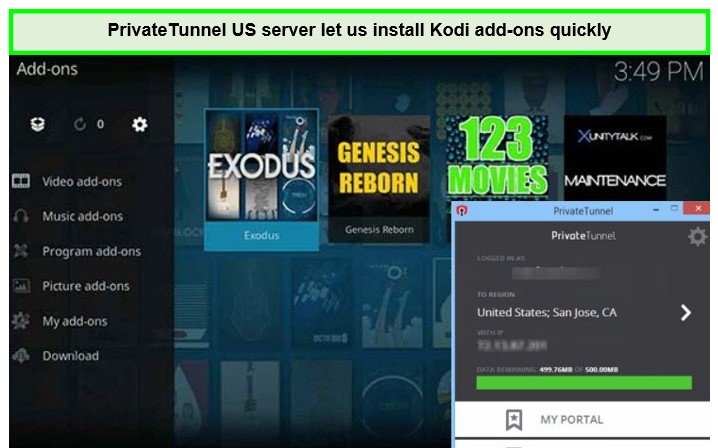
When it comes to streaming media from Kodi addons, having a reliable VPN is essential to ensure that your online activities remain private and secure. One such VPN that offers a free option and helps you access content from Kodi addons is TunnelBear. With its simple user-interface, TunnelBear enables you to easily connect to their network of servers and securely browse the internet without any worries.
TunnelBear offers a free plan with a 500MB monthly data cap, which is perfect for occasional Kodi streaming. If you require more data, they also have paid plans available that give you unlimited browsing and connectivity on multiple devices simultaneously. With their strict no-logging policy and strong encryption protocols like WireGuard and IKEv2, you can be sure that your online activities are safe from any prying eyes or attacks.
Installing TunnelBear is a breeze, as it only requires a few simple steps. Once installed, you can click and connect to any server from a wide range of countries, giving you access to content from different Kodi addons. Whether you want to watch movies, TV shows, or listen to music, TunnelBear provides a seamless and smooth streaming experience.
One of the standout features of TunnelBear is its user-friendly interface. Even if you’re new to VPNs, you won’t have any problems navigating through their app or changing settings. The built-in VPN manager also enables you to easily switch between different servers and customize your connectivity options. Whether you’re a beginner or an experienced VPN user, TunnelBear caters to all levels of expertise.
When choosing a VPN for Kodi, it’s important to avoid ones that have bandwidth caps or spyware. TunnelBear offers plenty of data and ensures that your browsing sessions are always secure and private. With their 30-day money-back guarantee, you can try out their paid plans risk-free and see if it meets your streaming needs.
In conclusion, TunnelBear is a reliable and user-friendly VPN that enables you to access content from Kodi addons without any hassle. Whether you’re a casual user or a dedicated streamer, TunnelBear has the features and connectivity options to give you a safe and smooth streaming experience. So give it a try and enjoy seamless access to all your favorite media on Kodi.
Free VPN for Kodi – 7 TunnelBear

When it comes to finding a free VPN for Kodi, TunnelBear is a popular choice. With its user-friendly interface, TunnelBear makes it easy to use and bypass any geo-restricted sites or blocks that may be in place. Additionally, TunnelBear offers various protocols and IP addresses to choose from, ensuring that you can access the content you want without any limitations.
1. Simple User Interface
TunnelBear’s simple user interface makes it easy for anyone to use and navigate. Whether you’re a beginner or experienced Kodi user, you can quickly install and download the VPN application without any issues.
2. Bypass Geo-Restrictions
If you’re looking to access geo-restricted content on Kodi, TunnelBear is known for its ability to bypass such restrictions. Whether you want to watch movies, TV shows, or sports events, TunnelBear can help you access them all.
3. Multiple IP Address Options
TunnelBear offers a range of IP addresses from different countries, allowing you to choose the one that best suits your needs. Whether you want to access content from the United States, Canada, or even the Virgin Islands, TunnelBear has you covered.
4. Updated Protocol Options
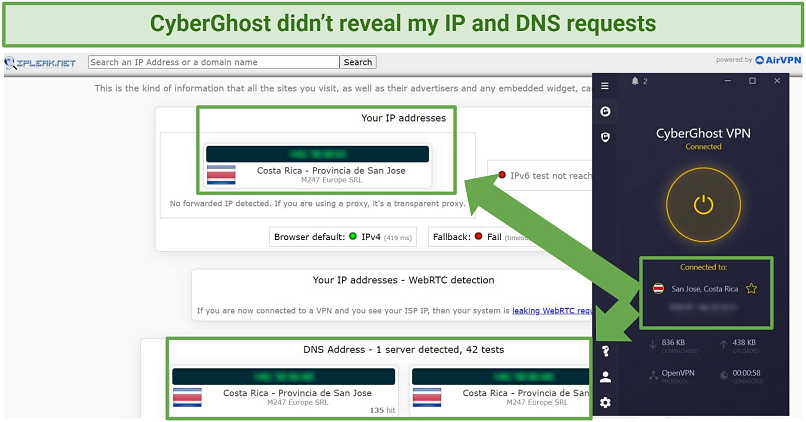
TunnelBear keeps its protocols up to date to ensure excellent performance and security. With options such as OpenVPN, IKEv2, and IPSec, you can choose the one that offers the fastest and most secure connection for your Kodi streaming needs.
5. No Data Logging
TunnelBear has a strict no-logs policy, ensuring that your online activities and personal information remain private. You can use TunnelBear for Kodi without worrying about your data being tracked or stored by the VPN provider.
5. Free Version with Limitations
While TunnelBear offers a free version, it does come with some limitations. The free version only offers a limited amount of data per month, which may not be sufficient for heavy Kodi users. However, if you’re only using Kodi occasionally, the free version should be enough to meet your needs.
6. Accidental Switch Protection
If you accidentally disconnect from the VPN while using Kodi, TunnelBear has a feature that automatically blocks all internet traffic until the VPN connection is re-established. This ensures that your online activities remain private and secure.
7. Overall Ease of Use
TunnelBear is known for its ease of use, making it a popular choice among VPN users. Whether you’re a beginner or experienced with VPNs, TunnelBear offers a straightforward and user-friendly experience that allows you to access Kodi content without any hassle.
In conclusion, TunnelBear is a reliable and user-friendly free VPN for Kodi. With its simple interface, ability to bypass geo-restrictions, and various protocol options, TunnelBear makes it easy to access Kodi content from anywhere in the world.
Simple User-Interface to Easily Access Content From Kodi Addons
When using Kodi to watch movies and TV shows, having a simple user-interface is essential to easily access content from various Kodi addons. One VPN that provides a seamless experience is TunnelBear.
TunnelBear offers a user-friendly interface that makes connecting to a VPN server quick and effortless. With just a few clicks, you can install and set up TunnelBear on your devices, including Firestick.
One outstanding feature of TunnelBear is its high speeds, which will ensure that you can watch movies and TV shows without any buffering or lag. With no speed caps, you can enjoy your favorite content without any problems.
TunnelBear also has a strict no-logs policy, which means that your online activities will be kept private. This is especially useful when it comes to using third-party Kodi addons, as it adds an extra layer of security to protect your data.
In addition to its strong privacy features, TunnelBear also supports torrenting, making it a great tool for those who want to download and share files safely. With TunnelBear, you can connect to servers in over 23 countries, ensuring that you always have a fast and reliable connection.
If you’re looking for a free VPN for Kodi that offers both simplicity and security, TunnelBear is a great choice. With its easy-to-use interface and reliable connection, you can easily access content from Kodi addons and watch movies and TV shows without any trouble.
Best Free Kodi VPNs – Fast Work on All Devices in 2023
Introduction
Kodi is a popular media player that allows users to stream content from various addons. However, due to geo-restrictions and blocked content, it is important to use a VPN to enhance your Kodi experience and protect your online privacy. In 2023, there are several free VPNs that offer fast and reliable service on all devices.
1. ProtonVPN
ProtonVPN is one of the best free VPNs for Kodi in 2023. It allows users to access blocked content from Kodi addons and ensures their online protection. The user-friendly interface and fast connection speed make it a popular choice among Kodi users. ProtonVPN also offers a paid plan with additional features for more advanced needs.
2. CyberGhost
CyberGhost is another top choice for a free Kodi VPN in 2023. It enables users to browse the internet anonymously and access blocked content from Kodi addons. With its no-logs policy and outstanding support, CyberGhost is a reliable tool to protect your privacy while streaming on Kodi.
3. TunnelBear
TunnelBear is a user-friendly VPN that provides fast and secure connections for Kodi users in 2023. Its split tunneling feature allows users to select which apps or devices to protect, making it convenient for streaming sessions. TunnelBear’s free plan offers up to 500MB of data per month, which is suitable for shorter streaming sessions.
4. Atlas VPN
Atlas VPN is a free VPN that offers fast speeds and reliable protection for Kodi users in 2023. It allows users to access geo-blocked content from Kodi addons and ensures their online privacy. Atlas VPN’s no-logs policy and advanced encryption keep your information safe from third-party analysis and spyware.
5. Windscribe
Windscribe is a popular free VPN for Kodi that offers fast and secure connections. It allows users to download files while protecting their privacy and enables access to blocked content from Kodi addons. Windscribe’s free plan offers up to 10GB of data per month, making it suitable for most Kodi users’ needs.
The Importance of Using a VPN for Kodi
Using a VPN for Kodi in 2023 is essential for several reasons. Firstly, it protects your online privacy and data from potential risks and dangers. Secondly, it allows you to access blocked content and addons that might be unavailable in your location. Finally, a VPN ensures a faster and smoother streaming experience by reducing buffering and eliminating ISP throttling.
Tips for Choosing the Best Free Kodi VPN
- Look for a VPN that offers fast connection speeds to avoid buffering issues while streaming on Kodi.
- Choose a VPN with a user-friendly interface and easy installation process.
- Ensure the VPN supports the devices you plan to use for Kodi streaming.
- Check for a VPN’s no-logs policy to ensure your online activities are not being tracked.
- Consider the data limitations or restrictions imposed by the free VPN plan.
Conclusion
In 2023, there are several free VPN options available to enhance your Kodi experience. ProtonVPN, CyberGhost, TunnelBear, Atlas VPN, and Windscribe are some of the best choices that offer fast speeds, reliable protection, and access to blocked content. Choosing the right VPN will ensure a seamless streaming experience and protect your online privacy while using Kodi addons.
FAQ:
Can I use TunnelBear VPN for free?
Yes, TunnelBear offers a free version of their VPN service. However, the free version has a limited amount of data that you can use per month. If you need more data, you can upgrade to a paid plan.
Is TunnelBear VPN compatible with Kodi?
Yes, TunnelBear VPN is compatible with Kodi. You can easily access content from Kodi addons while using TunnelBear VPN. It provides a simple user interface that makes it easy to connect to a VPN server and start streaming.
How do I install TunnelBear VPN on Kodi?
To install TunnelBear VPN on Kodi, first, you need to download the TunnelBear VPN app and install it on your device. Once installed, open the app and create a TunnelBear account. Then, choose a VPN server location and connect to it. Finally, open Kodi and start accessing content from Kodi addons.
Does TunnelBear VPN slow down internet speed?
TunnelBear VPN may slightly decrease your internet speed. The extent of the speed reduction depends on various factors such as the distance between your location and the VPN server, the number of users connected to the server, and the overall network congestion. However, TunnelBear VPN strives to provide fast and reliable connections.
Can I use TunnelBear VPN on multiple devices?
Yes, TunnelBear VPN allows you to use the same VPN account on multiple devices. This means you can use TunnelBear VPN on your computer, smartphone, tablet, and other supported devices simultaneously.
Is my online activity secure with TunnelBear VPN?
Yes, TunnelBear VPN encrypts your internet traffic, making it secure from third-party surveillance, hackers, and other malicious activities. It uses strong encryption protocols to protect your online privacy and ensure that your data remains private.
What is the difference between the free and paid versions of TunnelBear VPN?
The free version of TunnelBear VPN has a limited amount of data that you can use per month (500MB). It also has a limited number of VPN server locations available. The paid versions of TunnelBear VPN offer unlimited data usage and access to a wider range of VPN server locations. Additionally, the paid versions provide priority customer support and other premium features.
Videos:
NEW KODI 20.0 FULL RELEASE – Easy Install
NEW KODI 20.0 FULL RELEASE – Easy Install by Free Tech 5 months ago 3 minutes, 45 seconds 417,005 views
