How to Use ExpressVPN with Netflix: Fix It Not Working – Extensive Server Network

Netflix has quickly become one of the most popular streaming platforms, offering a wide range of movies, TV shows, and original series. However, due to geo-restrictions, certain libraries may not be available in your region. This is where a VPN like ExpressVPN comes in handy. It allows you to bypass these restrictions through its extensive server network.
ExpressVPN is known for its high speeds and reliable servers, perfect for streaming movies and shows on Netflix. With over 3,000 servers in 160 locations across 94 countries, you can be sure to find a server that works with Netflix. Whether you’re using a Windows, Mac, iOS, or Android device, ExpressVPN supports all major platforms and operating systems, giving you the flexibility to watch Netflix on any device you choose.
To use ExpressVPN with Netflix, simply download and install the client on your device. Once installed, connect to any server location of your choice. ExpressVPN’s Smart Location feature can automatically connect you to the optimal server for Netflix. However, if you’re experiencing any issues, you can manually switch to an alternate server.
It’s worth noting that some versions of Netflix may block VPN services, but ExpressVPN has found a solution. By constantly testing and double-checking its servers, ExpressVPN ensures that all its servers are optimized for Netflix and can bypass any blocking issues. If you’re still having trouble accessing Netflix, ExpressVPN’s customer support team is available 24/7 to help you resolve any issue you may encounter.
ExpressVPN also provides an added layer of security and privacy. Its strict no-logs policy means that none of your browsing or streaming activities are recorded or stored. This gives you peace of mind knowing that your online activities are private and secure.
In conclusion, ExpressVPN is the perfect solution for using Netflix without any restrictions. Its extensive server network, fast speeds, and compatibility with various devices make it the top choice among VPN services. So, if you’re looking to access Netflix libraries from around the world, don’t wait any longer. Get ExpressVPN and start enjoying your favorite shows and movies today!
How to Use ExpressVPN with Netflix
If you want to access Netflix from a different country or region, using a VPN is a great option. ExpressVPN is one of the best services to use, as it has a fast and extensive server network that can bypass Netflix’s block on international content.
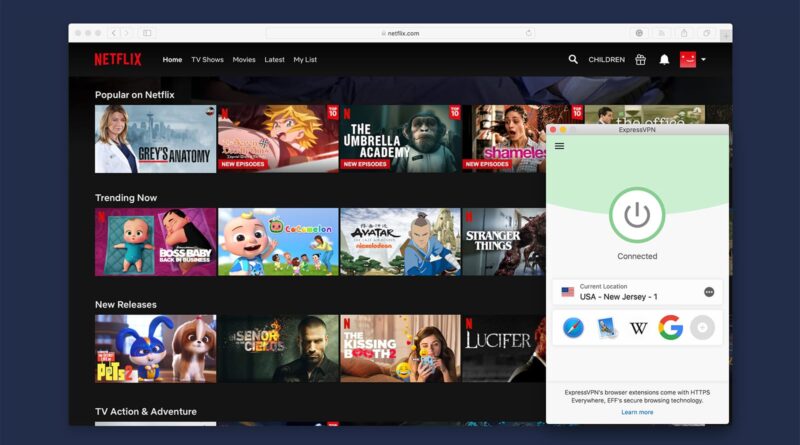
To use ExpressVPN with Netflix, you’ll first need to sign up for an account. Once you’ve registered and installed ExpressVPN on your device, you can choose from their extensive list of servers. For example, if you want to access the US version of Netflix, you can choose a server located in New Jersey.
After connecting to the server, you can open Netflix and enter your login credentials. ExpressVPN will mask your IP address and make it appear as if you’re accessing Netflix from the country where the server is located, allowing you to watch content that is not available in your region.
It’s important to note that while ExpressVPN is one of the best VPN options for Netflix, it’s not the only one. There are several alternatives, such as NordVPN, that offer similar compatibility and functionality. However, ExpressVPN has gained popularity for its fast and reliable servers.
To ensure a smooth streaming experience, it’s recommended to choose servers that are optimized for streaming and have high traffic capacity. ExpressVPN offers a Smart Location feature that automatically connects you to the best server based on your location, making it even easier to watch your favorite Netflix shows and movies.
In some cases, you may encounter issues with ExpressVPN not working with Netflix. This could be due to Netflix’s efforts to block VPN traffic or the cache on your device. If you experience any issues, ExpressVPN provides a helpful troubleshooting guide on their website to help you resolve the problem.
In conclusion, if you want to access international content on Netflix, using a VPN like ExpressVPN is the best workaround. With its extensive server network and fast speeds, you can bypass Netflix’s geographical restrictions and enjoy your favorite shows and movies from anywhere in the world.
Fixing ExpressVPN Not Working with Netflix
Using ExpressVPN with Netflix can be a great way to access a whole host of movies and TV shows from different regions. However, there are times when users may encounter issues where ExpressVPN is not working with Netflix. This can be frustrating, but there are several steps you can take to fix the problem.
1. Double-check your ExpressVPN settings
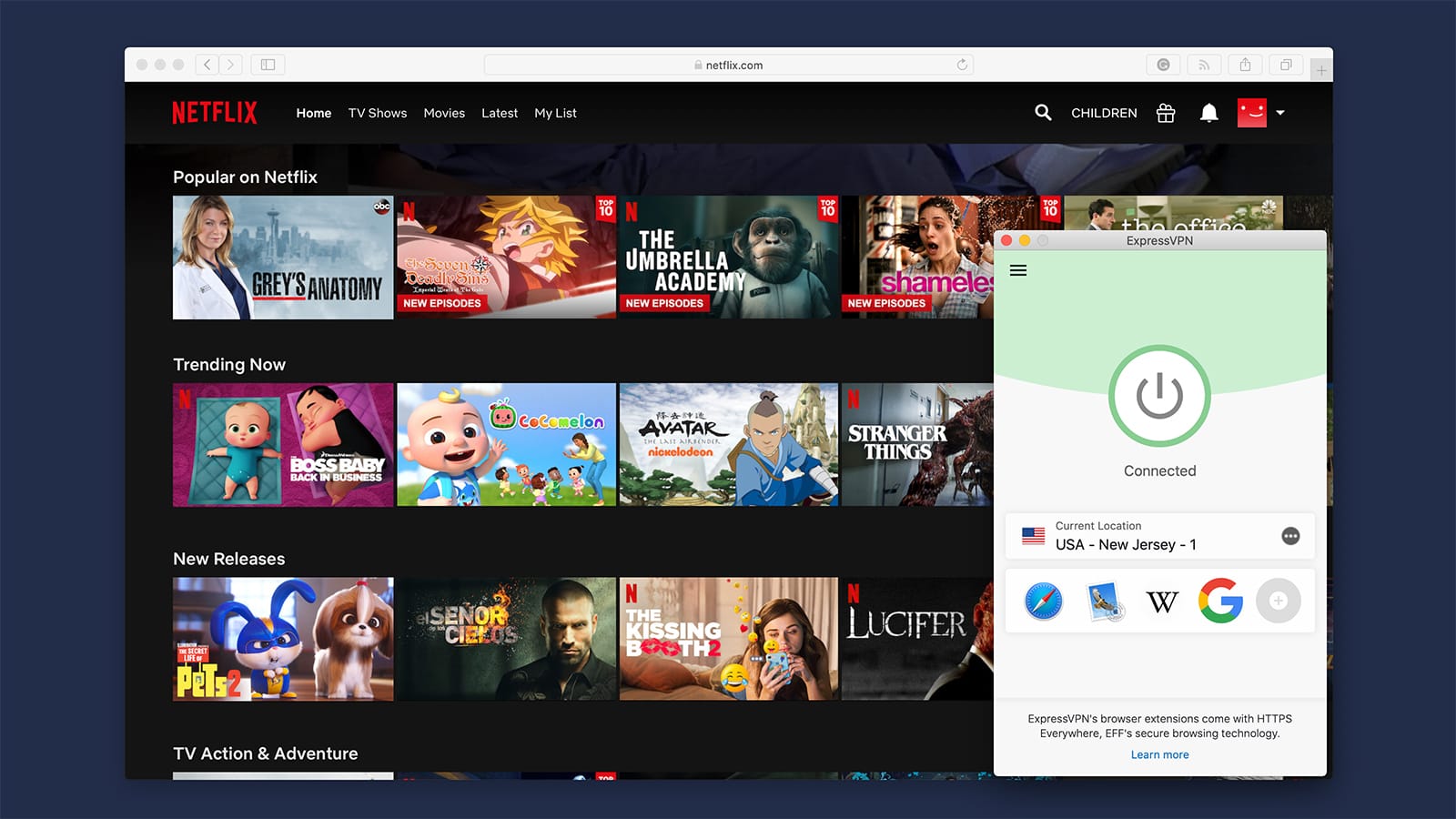
First, make sure that you have the correct settings activated in your ExpressVPN client. Ensure that you are connected to a server location that supports Netflix streaming and that you have selected the correct protocol (such as OpenVPN) that is compatible with Netflix.
2. Clear your browser cache
Clearing your browser cache can help resolve any caching issues that may be interfering with the connection between ExpressVPN and Netflix. This can be done by going into your browser’s settings and clearing the cache.
3. Uninstall and reinstall ExpressVPN
If the problem persists, try uninstalling and reinstalling the ExpressVPN program. This can help reset any settings or configurations that may be causing the issue.
4. Switch to a different server location
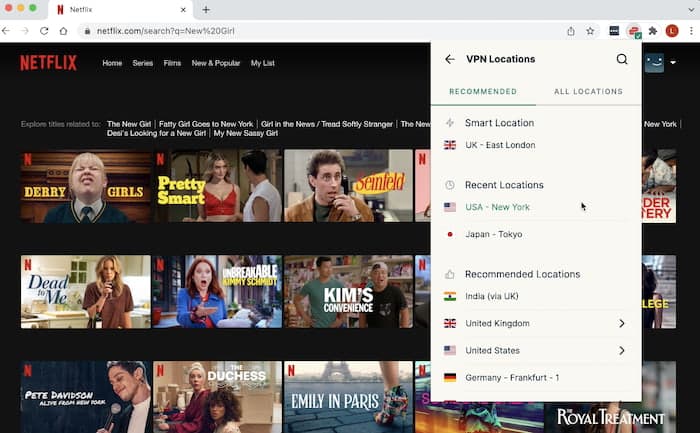
ExpressVPN has a vast network of server locations, and sometimes certain servers may be experiencing issues with Netflix. Try switching to a different server location to see if that resolves the problem.
5. Contact ExpressVPN support
If none of the above solutions work, it is recommended to contact ExpressVPN support for further assistance. They can help identify any specific issues and provide guidance on how to resolve them.
By following these steps, you should be able to fix the issue of ExpressVPN not working with Netflix and enjoy seamless streaming of movies and TV shows from all around the world.
Using ExpressVPN’s Extensive Server Network for Netflix
ExpressVPN is a reliable and popular VPN service that allows users to access geo-blocked content on Netflix from various locations around the world. By connecting to one of ExpressVPN’s numerous servers located in different countries, you can bypass regional restrictions and gain access to a wider library of movies and TV shows.
To use ExpressVPN with Netflix, simply download and install the ExpressVPN app on your device. Once the app is installed, you can easily switch between different server locations to find the one that works best for you. This allows you to circumvent any blocks or issues that may prevent Netflix from working properly.
ExpressVPN provides a solution to the common problem of Netflix not working by offering a vast selection of servers in different regions. Whether you want to watch a show that is popular in the United States or access content from a specific country, ExpressVPN has you covered. With its extensive server network, you can ensure a fast and reliable connection to Netflix.
One useful feature of ExpressVPN is its ability to automatically select the best server for you based on your location and connection speed. This saves you the hassle of manually choosing a server and guarantees the best possible performance when streaming Netflix.
If you encounter any issues with ExpressVPN and Netflix, there are a few steps you can take to solve them. First, make sure that you have the latest version of the ExpressVPN app installed, as updates often include bug fixes and improvements. You can also try uninstalling and reinstalling the app, as this can resolve conflicts or cache issues that may be affecting your connection.
If the problem persists, you can reach out to ExpressVPN’s customer support for assistance. Their team is available 24/7 and can help troubleshoot any issues you may be experiencing with Netflix or other applications.
In conclusion, ExpressVPN’s extensive server network allows Netflix users to access content from different regions and enjoy a wider selection of movies and TV shows. With its fast and reliable connections, ExpressVPN is a great option for anyone looking to bypass geo-restrictions and enjoy a seamless streaming experience.
Choosing NordVPN as an Alternative to ExpressVPN
If you are looking for an alternative to ExpressVPN, NordVPN is a great choice. With NordVPN, you get a wide range of configuration options that can cater to your specific needs. It supports up to 8 simultaneous connections, which means you can use it on multiple devices at once.
One of the main advantages of NordVPN is its extensive server network. It has over 5,500 servers in 59 countries, giving you plenty of options to choose from. NordVPN works with most streaming platforms, including Netflix, Amazon Prime Video, and Hulu. It also unblocks content that is geographically restricted, so you can access your favorite movies and TV shows from anywhere in the world.
In terms of speed, NordVPN is very fast and reliable. It has been tested to offer consistently high speeds, which means you can stream and download content without any issues. NordVPN supports OpenVPN, which is one of the most secure VPN protocols available. It also offers features like Double VPN, which adds an extra layer of encryption to your traffic, and CyberSec, which blocks ads and malware.
NordVPN is compatible with all major operating systems and devices, including Windows, Mac, Linux, Android, and iOS. It also supports routers and gaming consoles, so you can protect your entire network. NordVPN has user-friendly apps that are easy to configure and use, making it a great choice for beginners. It also offers advanced settings for more experienced users who want more control over their VPN connection.
If you choose NordVPN as your alternative to ExpressVPN, you will have access to a 30-day money-back guarantee. This means you can try it out risk-free and get a full refund if you are not satisfied. NordVPN also has a responsive customer support team that is available 24/7 to assist you with any issues or questions you may have.
Вопрос-ответ:
Can I use ExpressVPN with Netflix?
Yes, you can use ExpressVPN with Netflix. ExpressVPN has a dedicated server network that is optimized for streaming, including Netflix. This means that you can access Netflix and stream your favorite shows and movies without any issues.
What should I do if Netflix is not working with ExpressVPN?
If Netflix is not working with ExpressVPN, there are a few steps you can take to fix the issue. First, try connecting to a different server location in ExpressVPN’s server network. Sometimes, certain server locations can be blocked by Netflix. If that doesn’t work, you can also try clearing your browser cache and cookies, as well as disabling any browser extensions or plugins that could be interfering with the connection. If all else fails, you can contact ExpressVPN’s customer support for further assistance.
Does ExpressVPN work with Amazon Fire TV?
Yes, ExpressVPN is compatible with Amazon Fire TV. You can easily set up and install ExpressVPN on your Amazon Fire TV device by following the step-by-step instructions provided by ExpressVPN. Once installed, you can use ExpressVPN to access geo-restricted content on your Amazon Fire TV, including streaming services like Netflix, Hulu, and Amazon Prime Video.
How do I use ExpressVPN with Netflix?
To use ExpressVPN with Netflix, first, make sure you have an active ExpressVPN subscription. Then, download and install the ExpressVPN app on your device. Open the app, sign in with your ExpressVPN account, and connect to a server location that is optimized for streaming, such as the United States. Once connected, you can open the Netflix app or website and start streaming your favorite content.
What is an extensive server network?
An extensive server network refers to a large number of servers located in various countries and cities around the world. ExpressVPN has an extensive server network, with thousands of servers in over 160 locations across 94 countries. This extensive server network allows ExpressVPN users to connect to the fastest and most reliable server locations, ensuring optimal performance and a wide range of options for bypassing geo-restrictions and accessing content from different regions.
Is ExpressVPN the best VPN for streaming Netflix?
ExpressVPN is widely regarded as one of the best VPNs for streaming Netflix. It has a dedicated server network that is optimized for streaming, including Netflix, and is known for its fast and reliable connections. ExpressVPN also offers unlimited bandwidth, allowing users to stream their favorite shows and movies without any buffering or interruptions. Additionally, ExpressVPN has strong security features and a user-friendly interface, making it a popular choice for both streaming and online privacy.
Видео:
How To Use Surfshark Tutorial [Complete Setup & How To Installation Guide]
How To Use Surfshark Tutorial [Complete Setup & How To Installation Guide] by VPN Schooling 1 day ago 3 minutes, 18 seconds 1,076 views
Expressvpn Review Netflix Is ExpressVPN good for Netflix?
Expressvpn Review Netflix Is ExpressVPN good for Netflix? by OnlyVpn’s 2 months ago 3 minutes, 10 seconds 1,569 views
ExpressVPN Netflix How To Use ExpressVPN To Watch Netflix! [Guide To Unblock Netflix In 2023]
ExpressVPN Netflix How To Use ExpressVPN To Watch Netflix! [Guide To Unblock Netflix In 2023] by Lewis T 3 years ago 4 minutes, 4 seconds 39,483 views
