Get the Best VPN for Fire Stick: Access More Location Options – FastestVPN Supports Multiple Amazon FireStick Devices
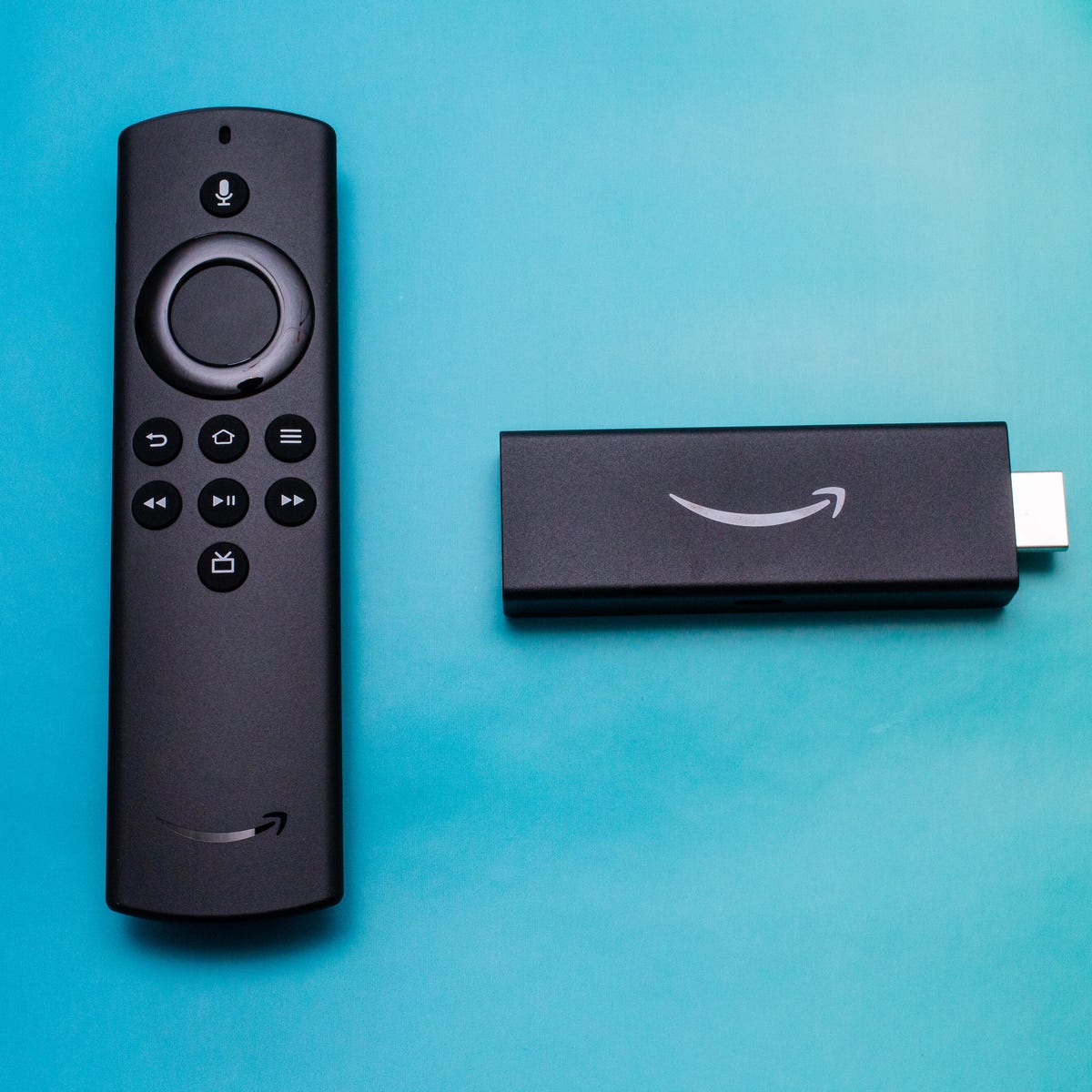
Are you looking to enhance your Fire Stick experience? With the use of a VPN, you can unlock a whole new world of possibilities. Not only does it allow you to access more location options, but it also provides security, privacy, and anonymity. If you’re new to the idea of using a VPN on your Fire Stick, don’t worry – we’re here to help you understand the steps and answer any questions you may have along the way.
With a VPN, you can connect to the internet from anywhere in the world. Whether you’re traveling abroad or simply want to try out a different location, a VPN allows you to access the internet as if you were in that specific country. By connecting to a VPN server, your online activities are encrypted and routed through a gateway, making it virtually impossible for anyone to track or monitor your online history.
When it comes to VPNs for Fire Stick, one of the best options out there is FastestVPN. This VPN works seamlessly with your Amazon Fire Stick device, and it offers numerous features that make it a top choice for users. With FastestVPN, you can enjoy fast and secure connections, along with access to numerous server locations around the world. The user-friendly interface and easy setup process make it a convenient and hassle-free option for anyone.
FastestVPN also provides embedded DNS leak protection, which keeps your data and online history safe and secure. With FastestVPN, you can enjoy quick connection speeds, ensuring that you can stream movies, TV shows, and other content without any buffering issues. The 24/7 customer support is available to assist you with any questions or concerns you may have, making your VPN experience even more smooth and user-friendly.
So why wait? Get the best VPN for your Fire Stick today and unlock a whole new world of entertainment. With FastestVPN, you can enjoy watching your favorite shows and movies from anywhere in the world, with enhanced security and privacy. Try it out now and see the difference it makes in your streaming experience.
Why You Need a VPN for Fire Stick
Using a VPN with your Fire Stick is a crucial step to ensure more privacy and security during your online activities. With a VPN, you can browse the Internet anonymously and privately, without worrying about your data being collected or your online activity being monitored. This is especially important when streaming content on platforms like Fire TV, as it helps you avoid location-based restrictions and access more location options.
One of the main reasons why you need a VPN for your Fire Stick is to access geo-restricted content. With a VPN, you can connect to servers in different locations and access content that might not be available in your region. For example, you can unlock streaming services like Netflix, Hulu, Amazon Prime Video, and YouTube and enjoy a wider range of movies, TV shows, and other entertainment options.
Additionally, a VPN for Fire Stick allows you to switch between multiple servers to find the one that suits your needs. If you encounter slow speeds on one server, you can easily switch to a faster server to ensure smooth streaming and browsing. This is especially useful when streaming high-definition content or engaging in activities that require a fast and reliable internet connection.
With a VPN, you can also protect your Fire Stick from potential security risks. By encrypting your internet connection, a VPN ensures that your data is safe from hackers and other malicious third parties. This is important, as streaming platforms often collect user data for analytics and targeted advertising. With a VPN, you can prevent these platforms from collecting your personal information and browsing history.
Furthermore, a VPN lets you access online content from anywhere in the world. Whether you’re traveling or simply want to access region-specific content, a VPN can help you bypass location-based restrictions and enjoy your favorite online content. With thousands of servers available, you can easily find a server that provides a fast and reliable connection, no matter where you are.
In conclusion, a VPN is a must-have for Fire Stick users who want to enjoy a more private, secure, and unrestricted online experience. Whether you need to access geo-restricted content, protect your online activity, or enjoy faster streaming speeds, a VPN like the fastestvpn is key to getting the most out of your Fire Stick.
Access More Location Options with a VPN
When using a Fire Stick, it’s important to have a VPN to access more location options. A VPN, or Virtual Private Network, allows you to change your IP address and connect to servers in different locations around the world. This opens up a whole new world of content and experiences for Fire Stick users.
With a VPN, you can access geo-restricted content that is usually blocked in your region. For example, if you want to watch a favorite TV show or download an app that is only available in a specific country, a VPN can help you bypass these restrictions and access that content from anywhere.
One of the key features of a VPN is the ability to hide your online activity and keep your connection private. When you use a VPN, your data is encrypted and routed through a secure server, making it difficult for anyone to track or collect your personal information. This is especially important when using third-party apps or streaming services on your Fire Stick.
A VPN is also helpful in preventing ISP throttling, which can slow down your internet connection when streaming videos or using social media. With a VPN, your connection is encrypted, making it difficult for your ISP or anyone else to determine what you are doing online.
In addition to providing more location options and a private connection, a VPN can also improve your streaming experience. With a VPN, you can bypass buffering and enjoy faster streaming speeds. This is especially useful when watching high-definition content or live sports.
To start using a VPN on your Fire Stick, you can follow a few simple steps. First, you will need to download and install a VPN app from the Amazon Appstore. Once installed, you can open the app and choose a server location from the available options. From there, you can connect to the server and start enjoying a more diverse range of content on your Fire Stick.
In conclusion, a VPN is a valuable tool for Fire Stick users who want to access more location options and enhance their streaming experience. Whether you want to watch your favorite shows from anywhere in the world or protect your online privacy, a VPN can give you the speed, security, and access you need. Try a VPN on your Fire Stick and discover the benefits for yourself.
Enhance Your Streaming Experience with a VPN
When it comes to streaming, having a reliable VPN can greatly enhance your experience. With a VPN, you have access to a wider range of location options, allowing you to unlock content that may not be available in your country.
Not only that, but a VPN ensures that your devices are protected and your online activities are kept private. By encrypting your internet connection, a VPN prevents anyone from collecting your data and tracking your online behavior.
One of the best VPN options available for streaming is FastestVPN. Powered by lightning-fast speeds, it supports various devices, including Fire Stick, making it a smart choice for Fire TV users. With FastestVPN, you can access websites and streaming platforms without any restrictions or throttling.
Moreover, with FastestVPN’s wide range of location options, you can browse the internet as if you were in a different country. This not only helps you access geo-restricted content but also keeps your online activities safer and more private than ever before.
FastestVPN offers a convenient and secure way to improve your streaming experience. With just a few clicks, you can install the FastestVPN app or browser extension and start enjoying a faster and more secure online experience.
FastestVPN also provides 24/7 customer support, so if you ever have any questions or issues, you can always ask for assistance. And to give you peace of mind, FastestVPN offers a 15-day money-back guarantee, allowing you to try out their service without any risk.
If you are looking for the fastest and most reliable VPN for Fire Stick and other devices, FastestVPN is the one for you. With its lightning-fast speeds, strong encryption, and support for multiple devices, it is the perfect solution to enhance your streaming experience and keep your online activities protected.
Protect Your Privacy with a VPN
In today’s digital age, where our personal information is constantly at risk, it is important to take steps to protect our privacy. One effective way to do this is by using a Virtual Private Network (VPN). With a VPN, you can create a secure and encrypted connection between your device and the internet, ensuring that your data remains private and protected.
A VPN works by routing your internet traffic through servers located in different locations around the world. This not only helps to protect your privacy, but also allows you to access geo-blocked content and bypass censorship. When you connect to a VPN, your IP address is masked, making it more difficult for anyone to track your online activities.
One of the most important features to look for in a VPN is speed. You don’t want a VPN that slows down your internet connection, especially if you use it for streaming or gaming. Look for a VPN that offers fast servers and high-speed connections to ensure a smooth and seamless online experience.
Another important aspect to consider when choosing a VPN is the number of servers and locations available. The more servers a VPN has, the more options you have when it comes to accessing content from different countries. This is particularly important if you want to access content that is only available in certain regions or if you frequently travel to different countries.
Security is also a top priority when it comes to VPNs. Make sure to choose a VPN that offers strong encryption to protect your data from hackers and cybercriminals. Look for VPNs that use protocols like OpenVPN or IKEv2, which are considered to be the most secure.
When choosing a VPN, it’s important to consider the ease of use. Look for a VPN that has a user-friendly interface and offers apps for various platforms, including Windows, Mac, Android, and iOS. This will make it easier for you to set up and use the VPN on your preferred device.
In conclusion, using a VPN is a smart and effective way to protect your privacy online. With a VPN, you can hide your IP address, encrypt your internet connection, and access geo-restricted content. Just make sure to choose a reliable VPN provider that offers fast servers, strong security features, and a user-friendly interface.
Why Choose PureVPN for Fire Stick
PureVPN is the best VPN for Fire Stick with a user-friendly interface and a wide range of features that enhance your streaming experience. With PureVPN, you can access more location options and enjoy content from anywhere in the world.
One of the main reasons to choose PureVPN for Fire Stick is its high-speed connections. PureVPN is built on the fastestVPN technology, ensuring that you have a fast and reliable connection without any buffering or lag. Whether you’re streaming videos, browsing the internet, or downloading files, PureVPN keeps your connection fast and secure.
Another great feature of PureVPN is its 24/7 customer support. If you ever need help or have any questions, their support team is always available to assist you. Whether it’s troubleshooting an issue or helping you find the best server for your purpose, PureVPN’s customer support is there to help.
PureVPN also offers a wide range of server locations, with more than 2,000 servers in 140+ countries. This means that you can access geo-restricted content from anywhere in the world. Whether you want to watch Netflix, Hulu, or BBC iPlayer, PureVPN has a server in the location you need.
PureVPN is also known for its strong security and privacy features. It uses military-grade encryption to protect your data and keep your online activities private. With PureVPN, you can browse the internet without worrying about your data being stored or your browsing history being tracked.
If you’re not sure if PureVPN is the right VPN for you, you can try it out risk-free with their 31-day money-back guarantee. This allows you to subscribe to PureVPN and test it out on your Fire Stick to see if it meets your needs. If you’re not satisfied, you can get a full refund.
In conclusion, PureVPN is the best VPN for Fire Stick, offering fast and secure connections, a wide range of server locations, 24/7 customer support, and strong security features. Whether you’re streaming videos, browsing the internet, or accessing geo-restricted content, PureVPN helps you enjoy a better streaming experience on your Fire Stick.
Easy to Use Interface
Using a VPN on your Fire Stick should be quick and easy, allowing you to enjoy a seamless streaming experience. With a user-friendly interface, PureVPN ensures that you can easily install and connect to their app without any hassle. You don’t need to be a tech expert to get started, as the step-by-step process is designed to be short and simple.
One of the key advantages of PureVPN is its straightforward interface that lets you connect to any server location with just a few clicks. Whether you want to access content from a specific region or unblock blocked websites, the intuitive layout of the app makes it easy for you to determine the best option for your needs.
Additionally, PureVPN provides a functional interface that stores your connection details, making it fast and convenient to connect to the same server or gateway in the future. This saves you time and allows for a smoother streaming experience each time you use the VPN on your Fire Stick.
Fast and Stable Connection
When it comes to streaming movies and TV shows online, having a fast and stable internet connection is crucial. If your connection is slow or unstable, then you may experience buffering issues and have to wait minutes or even hours to watch your favorite content.
This is where a VPN like PureVPN can help. With PureVPN, you can choose from a selection of more than 2,000 servers in 141 countries, ensuring that you have access to a fast and stable connection no matter where you are. Whether you’re at home or traveling, PureVPN has you covered.
Not only does PureVPN provide fast speeds, but it also helps to ensure your online safety and privacy. With features like a no-log policy, AES 256-bit encryption, and a kill switch, PureVPN helps to keep your personal information secure and your online activity private. This means that you can browse the internet, stream movies, and access blocked websites without having to worry about your data being tracked or leaked.
Additionally, PureVPN allows you to unblock geo-restricted content and access more location options. Whether you want to watch shows that are only available in certain countries or access websites that are blocked in your region, PureVPN’s wide server network and fast speeds make it easy to bypass these restrictions and enjoy a world of online content.
Getting started with PureVPN is easy. Simply sign up for an account, choose your preferred payment method, and download the PureVPN app. Once installed, you can connect to a server with just a few clicks and start enjoying a fast and stable internet connection.
If you ever need help or have any questions, PureVPN offers 24/7 customer support. Whether you need assistance setting up your VPN or have a general inquiry, the PureVPN support team is available to help. You can reach them through live chat or email, and they’ll be happy to assist you.
Overall, PureVPN is the best choice when it comes to getting a fast and stable connection for your Fire Stick. With its wide server network, advanced security features, and excellent customer support, PureVPN helps you enjoy a secure and seamless streaming experience.
Wide Range of Server Locations
When it comes to accessing more location options and enjoying a seamless streaming experience on your Fire Stick, having a wide range of server locations is essential. With numerous server locations to choose from, you can gain access to geo-restricted content and enjoy a faster streaming experience.
One VPN provider that offers a wide range of server locations is PureVPN. With over 2,000 servers spread across 140 countries, you can easily connect to servers in different regions and access content that is otherwise blocked in your location. Whether you want to stream online videos, access blocked websites, or protect your data, PureVPN has got you covered.
Another VPN service, FastestVPN, also offers a wide range of server locations for Fire Stick users. With servers in 31 countries, you can easily switch between different locations and enjoy a fast and secure connection. Whether you’re visiting websites, streaming videos on YouTube, or accessing your favorite social media platforms like Facebook, FastestVPN has the server locations you need.
With numerous server locations to choose from, you can enjoy a fast and reliable connection without any performance slowdowns. Whether you want to stream video content, browse the web, or download files, having access to a wide range of server locations is essential to ensure a smooth online experience.
So, if you’re looking to get the best VPN for Fire Stick and access more location options, trust providers like PureVPN and FastestVPN. With their wide range of server locations and risk-free trial periods, you can try out their services and choose the one that suits your needs the best. Enjoy a fast and secure connection, access geo-restricted content, and stream without any limitations on your Fire Stick.
Multiple Device Support
When it comes to using a VPN on your Firestick, having multiple device support is essential. With the right VPN, you can extend your protection to all the devices in your home network, including your Firestick and other devices such as your smartphone, tablet, or computer. This means that you can enjoy a secure and private online experience on all your devices, without any limitations.
A functional VPN should provide support for various operating systems, including Windows, Mac, iOS, and Android. This ensures that no matter what device or platform you are using, you can easily set up and use the VPN without any hassle.
Not only does multiple device support give you the freedom to secure all your devices, but it also allows you to access more location options. By connecting to different servers located in various countries, you can bypass geo-restrictions and access content that is not available in your region. This opens up a world of possibilities, allowing you to unblock popular streaming platforms like Netflix, YouTube, Hulu, and more.
In addition, a VPN with multiple device support can also help you protect your devices from throttling. Internet service providers often intentionally slow down your internet speed, especially when you are streaming or downloading large files. With a VPN, you can bypass this throttling by connecting to lightning-fast servers located in different locations. This ensures that you get the best possible speeds, no matter where you are.
So, when choosing a VPN for your Firestick, make sure to select one that offers multiple device support. This way, you can enjoy a seamless and secure online experience on all your devices, and unlock a world of content and possibilities.
Try PureVPN Risk-Free for 31 Days!
If you want to enjoy a more secure online experience with your Amazon Fire Stick, PureVPN is the best option available. With PureVPN, you can access more location options and unblock your favorite websites and streaming services.
PureVPN is compatible with the latest Fire Stick devices, including the 3rd generation Fire TV Stick and the Fire TV Stick 4K. With PureVPN, you can easily switch between different server locations to browse the internet without any restrictions.
One of the key features of PureVPN is its fast and reliable speeds. The service has a vast network of servers worldwide, which allows it to handle a large number of users and provide fast and stable connections. Whether you want to stream movies, download files, or browse social media sites like Facebook, PureVPN will ensure a smooth and uninterrupted experience.
With PureVPN, your data will be fully protected and secure. The service uses strong encryption protocols to keep your online activities private and anonymous. PureVPN does not collect or store any user data, so you can trust that your information is safe.
How to Get Started with PureVPN:
- Visit the PureVPN website and choose a plan that suits your needs.
- Download the PureVPN app on your Fire Stick device and open it.
- Choose a server location from the available options.
- Click on the “Connect” button to establish a secure connection.
With PureVPN, you can now enjoy a fast and secure online connection wherever you are. Whether you are at home or traveling, PureVPN will keep your data protected and allow you to access your favorite content without any restrictions.
Try PureVPN risk-free for 31 days and experience the benefits for yourself. If you are not satisfied with the service, you can easily get a refund within the first 31 days of your subscription.
Don’t miss out on the opportunity to enhance your Fire Stick experience with PureVPN. Sign up today and enjoy a safer, faster, and more functional streaming experience.
No-Logs Policy
One of the key features to consider when choosing a VPN for your Fire Stick is the no-logs policy. A no-logs policy means that the VPN provider does not keep any records of your online activity. This is important because it ensures that your privacy is protected and your online activities remain anonymous.
PureVPN is a VPN provider that offers a strict no-logs policy. This means that they do not keep any records of your online activity, including which websites you visit or the content you access. This is crucial for protecting your privacy and ensuring that your online activities cannot be traced back to you.
With a no-logs policy in place, you can browse the internet with peace of mind, knowing that your online activities are not being monitored or tracked. This is especially important when using your Fire Stick, as it allows you to access a wide range of content from different locations without the risk of being blocked or your personal data being compromised.
Additionally, a no-logs policy ensures that your connections and data are kept secure and encrypted. This means that your online activities and personal information, such as your IP address and location, are protected from potential hackers or cybercriminals. It also ensures that your browsing data is not being used for any other purposes, such as for targeted advertising or analytics.
When choosing a VPN for your Fire Stick, look for providers that offer a no-logs policy to ensure your privacy and security are maintained while you enjoy streaming videos and accessing geo-restricted content.
/7 Customer Support
If you have any questions or need help with your VPN connection, PureVPN offers /7 customer support to assist you. Whether you are having trouble getting started or need troubleshooting assistance, their knowledgeable team is available at any time, day or night, to provide you with the support you need.
When you subscribe to PureVPN, you gain access to their 03+ server locations across the globe. This means that you can switch to any location you desire and access blocked websites and content. Whether you want to stream your favorite shows from another country or improve the speed and security of your connection, PureVPN has the options to meet your needs.
One of the most important features of a VPN is its ability to keep your data safe. PureVPN uses high-grade encryption to ensure that your information is protected from hackers and cyber threats. This means that your online activities are private and your sensitive data is secure. With PureVPN, you can browse the web with confidence, knowing that your safety is their top priority.
When it comes to streaming, PureVPN is a top choice for Fire Stick users. With their fast and reliable connections, you can enjoy seamless streaming without any buffering or lag. PureVPN supports multiple streaming platforms, including Netflix, Amazon Prime Video, and Hulu, so you never have to miss out on your favorite shows and movies.
Additionally, PureVPN offers a user-friendly interface that makes it easy to connect to a server in just a few steps. Their VPN app is compatible with Fire Stick, so you can install it directly on your device and start enjoying the benefits of a VPN in minutes. This eliminates the need for any additional setup or configuration, making it quick and hassle-free to get started with PureVPN.
Whether you’re a beginner or an advanced user, PureVPN’s customer support is there to help you understand the ins and outs of their VPN service. They can provide you with step-by-step instructions on how to subscribe, install, and use the PureVPN extension on your Fire Stick. No matter what question or concern you may have, their team is dedicated to providing you with the assistance you need.
If you’re looking for a VPN that offers /7 customer support, multiple server options, and fast streaming speeds, PureVPN is an excellent choice. With their secure encryption and user-friendly interface, you can enjoy a safer and more private online experience. Don’t settle for less when it comes to your online security and privacy – choose PureVPN and enhance your Fire Stick experience today.
Affordable Pricing Plans
When looking for the best VPN for your Fire Stick, it’s important to consider the pricing plans available. A VPN should provide a safer and more secure browsing experience without breaking the bank.
One of the key factors to consider when choosing a VPN is its pricing plans. A good VPN will offer affordable pricing options that suit different budget needs. Some VPN providers offer different plans based on the length of the subscription, such as monthly, yearly, or multi-year plans. Users can choose the plan that best fits their needs and budget.
Another factor to consider is the value for money. A good VPN should provide fast speeds and unlimited bandwidth to ensure smooth streaming of content. It should also offer unique features like the ability to access blocked content from anywhere in the world, keeping your browsing history private, and providing security while using public Wi-Fi networks.
For those who are new to using a VPN, many providers offer a free trial period or a money-back guarantee. This allows users to try out the VPN and see if it meets their needs before committing to a long-term plan.
In summary, when choosing the best VPN for your Fire Stick, it’s important to consider the pricing plans offered, the features provided, and the value for money. By finding a VPN that meets your needs and budget, you can enjoy a safer and more secure browsing experience while accessing your favorite content on your Fire Stick.
Money-Back Guarantee
When it comes to selecting the best VPN for your Fire Stick, one of the most important factors to consider is the money-back guarantee. This feature helps you understand if the VPN service is right for you, without any financial risk.
With numerous VPN options available in the market, it can be challenging to distinguish the best one. However, a money-back guarantee is a clear indication that a VPN service provider is confident in their product and performance.
Let’s take PureVPN as an example, a highly recommended VPN for Fire Stick. PureVPN offers a 31-day money-back guarantee, which gives you plenty of time to test out their service and evaluate if it meets your specific needs.
Whether you want to access geo-restricted content, improve your online privacy, or secure your connection on public Wi-Fi, a money-back guarantee ensures that you have the option to unsubscribe and get your money back if you are not satisfied with the service.
Another advantage of a money-back guarantee is that it allows you to subscribe to a VPN service with confidence and peace of mind. You don’t have to worry about wasting your money if the VPN service doesn’t live up to your expectations.
To initiate the money-back guarantee process, you can contact the VPN provider’s customer support. They will guide you through the necessary steps to get your refund promptly.
In summary, a money-back guarantee is a crucial factor to consider when choosing the best VPN for your Fire Stick. It ensures that you have the opportunity to test the service, understand its basic functions, and evaluate its speeds and performance within a specific time frame.
Key Points:
- A money-back guarantee allows you to test a VPN service without financial risk.
- PureVPN offers a 31-day money-back guarantee for Fire Stick users.
- It gives you the option to unsubscribe and receive a refund if you are not satisfied with the service.
- Contact customer support to initiate the money-back guarantee process.
Install and Set Up PureVPN on Fire Stick
Step 1: Open the Amazon App Store
To get started, open the Amazon App Store on your Fire Stick. Using the Fire Stick remote, navigate to the magnifying glass icon and search for “PureVPN.”
Step 2: Download and Install PureVPN
Select the PureVPN app from the search results and click on the “Get” button to start the download and installation process. Wait for the app to install on your Fire Stick.
Step 3: Create a PureVPN Account
Once the app is installed, launch it and sign up for a new account. Provide your email address and create a strong password. After completing the registration, log in to your PureVPN account.
Step 4: Connect to a Server
When you are logged in to PureVPN, you will see a list of different server options. Choose the server location that you want to connect to. PureVPN has over 2 million+ IP addresses available for you to choose from.
Step 5: Test the Connection
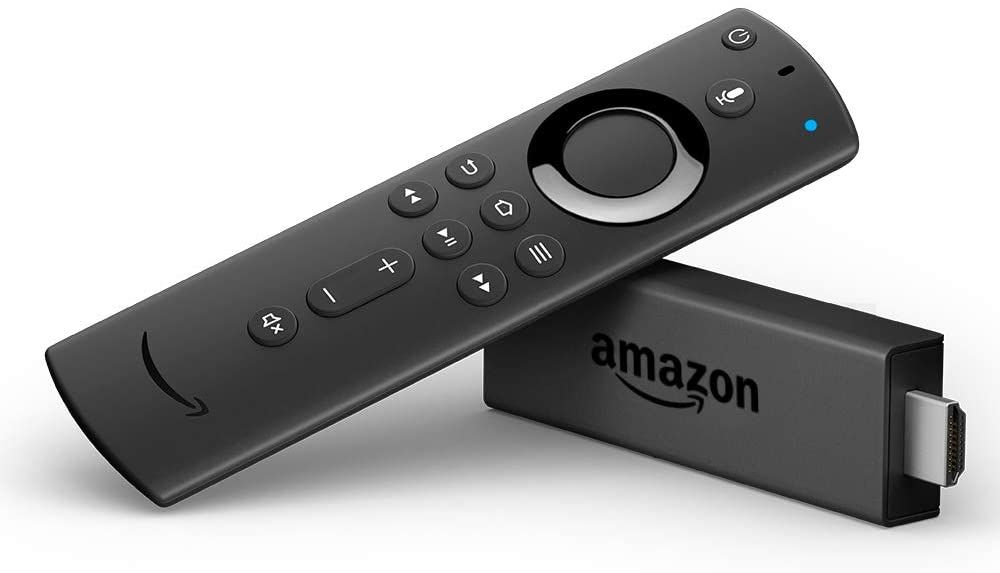
After selecting a server, click on the “Connect” button to establish a secure VPN connection. PureVPN will automatically find the fastest server for you to ensure optimal performance.
Step 6: Enjoy Private and Secure Streaming
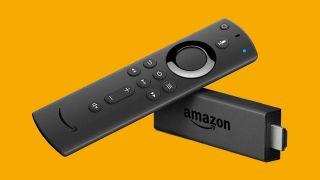
Once the connection is established, you can start using your Fire Stick to stream your favorite shows, movies, and online content. PureVPN provides a secure and private connection to enhance your streaming experience and ensure your online safety.
Step 7: Easily Switch Between Servers
If you frequently switch between different streaming options or want to access content from various locations, PureVPN allows you to easily switch between servers. Simply select a new server location from the list and click on the “Connect” button.
Step 8: Disconnect and Exit
When you no longer need to use the PureVPN app, you can disconnect from the server by clicking on the “Disconnect” button. Then, exit the app and continue using your Fire Stick as usual.
In short, installing and setting up PureVPN on your Fire Stick is a quick and convenient process. By following these simple steps, you can enhance your streaming performance, access more location options, and ensure your online privacy and security while using your Fire Stick device.
Get Started with PureVPN on Fire Stick Today!
Accessing restricted content on your Fire Stick is now easier than ever with PureVPN. Whether you want to unblock websites, enhance your streaming experience, or improve your online privacy, PureVPN has all the essential features you need.
With PureVPN, you can connect to a network of over 6,500 servers in 140+ countries. This unique feature allows you to switch your virtual location and access content that is typically not available in your region.
For years, PureVPN has been providing VPN services that guarantee the most secure and fast internet connection. By using PureVPN on your Fire Stick, you can browse the web without worrying about your online activity being tracked or your connection being throttled.
With just a few simple steps, you can get PureVPN up and running on your Fire Stick. Simply download the PureVPN app from the Amazon Appstore, install it on your device, and connect to any server of your choice. In a matter of minutes, you’ll be able to enjoy a fast and secure browsing experience.
This is why millions of users choose PureVPN as their go-to VPN. With PureVPN, you can keep your online activity private and access the content you want, when you want it. And if you have any questions or need assistance, PureVPN’s 24/7 customer support team is always here to help.
So why wait? Click here to get started with PureVPN on your Fire Stick today! Experience the most secure and functional VPN on the market, and enjoy fast streaming speeds, unlimited bandwidth, and numerous server options to unblock shows and improve your overall Fire Stick experience.
Вопрос-ответ:
How does FastestVPN support multiple Amazon FireStick devices?
FastestVPN supports multiple Amazon FireStick devices by offering dedicated apps that are compatible with FireStick. You can install the FastestVPN app on all your FireStick devices and connect them to the VPN simultaneously. This allows you to protect and secure your internet connection on multiple FireStick devices at the same time.
Is it legal to use a VPN on Fire Stick?
Yes, it is completely legal to use a VPN on Fire Stick. VPNs are legal tools that provide privacy and security to internet users. However, the legality of using a VPN can vary from country to country, so it’s important to familiarize yourself with the laws of your own country before using a VPN.
Видео:
100% FREE VPN FIRESTICK | UNLIMITED DATA | NO LOGS | NO CREDIT CARD | ANDROID | IPHONE
100% FREE VPN FIRESTICK | UNLIMITED DATA | NO LOGS | NO CREDIT CARD | ANDROID | IPHONE by FireTVSticks 8 months ago 8 minutes, 5 seconds 136,360 views
