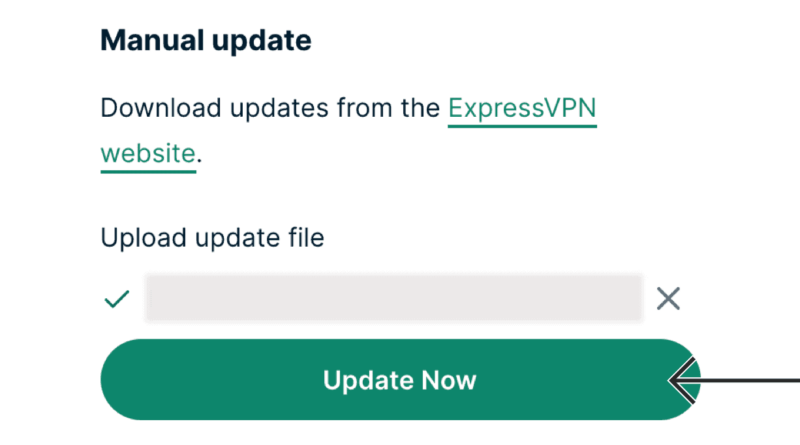
ExpressVPN Router Review: Does It Work? (2023 Setup Guide)
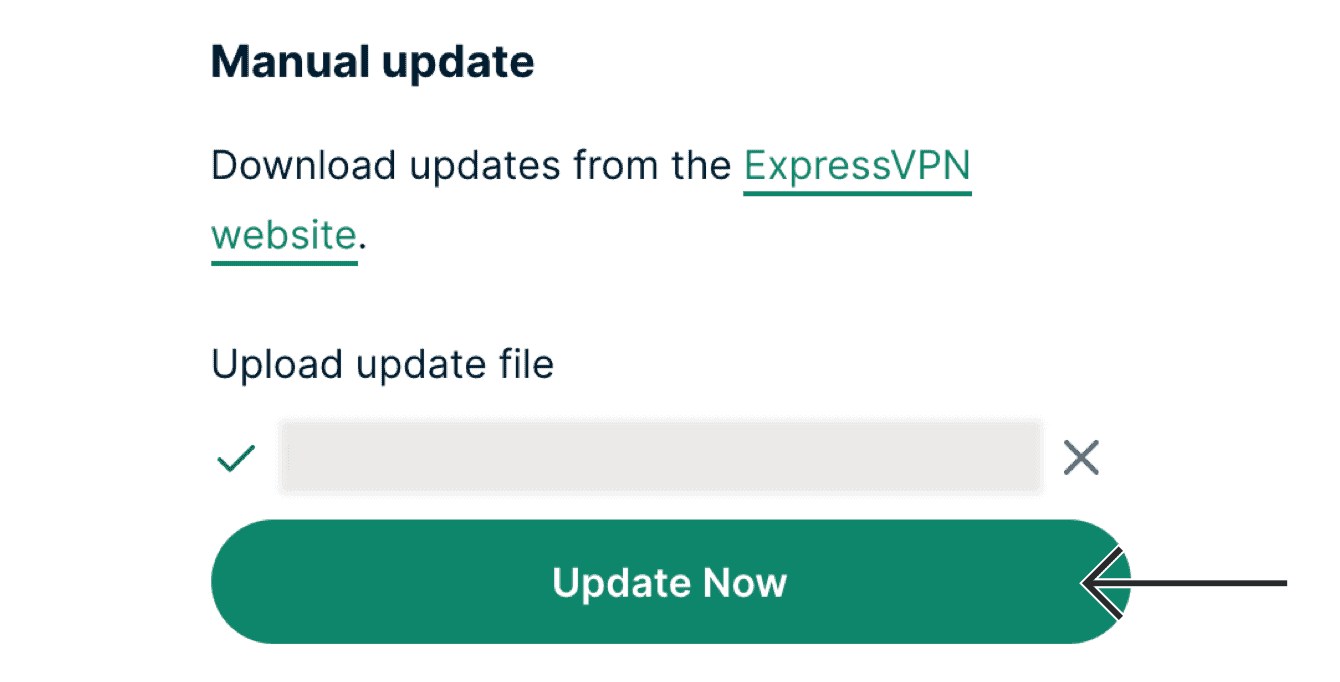
ExpressVPN is widely regarded as one of the best VPN services available, offering fast and secure internet connections to users worldwide. But does it work on routers? In this article, we will take an in-depth look at ExpressVPN’s router capabilities and whether it is a suitable option to consider for your online privacy needs.
Setting up a VPN on your router has several advantages, including the ability to protect all devices connected to your network, such as smartphones, tablets, smart TVs, and gaming consoles. ExpressVPN offers a dedicated router app that supports a range of popular router models from brands like Linksys, Asus, and Netgear, among others. This allows you to easily install and configure ExpressVPN on your existing router without the need for any third-party firmware.
ExpressVPN’s router setup guide provides step-by-step instructions on how to flash your router with the ExpressVPN firmware and configure essential settings for optimal performance. The setup process is intuitive and user-friendly, making it suitable even for those with limited technical expertise.
Once the ExpressVPN router installation is complete, you can enjoy all the benefits of using the VPN service. ExpressVPN’s advanced features, such as split tunneling, DNS leak protection, and IPv6 leak protection, will keep your online activities secure and private. Additionally, ExpressVPN’s MediaStreamer feature allows you to access popular streaming services like Netflix, Hulu, and Amazon Prime Video, even on devices that do not support VPN connections, such as smart TVs and game consoles.
ExpressVPN Router Review
If you’re looking for a reliable VPN service to protect your online privacy and bypass geographic restrictions, ExpressVPN is a top choice. But what about using it with a router? In this review, we’ll explore the features and performance of ExpressVPN when used with a router.
Setup and Installation
Setting up ExpressVPN on a router is relatively easy. The router guide provided by ExpressVPN is comprehensive and walks you through the process step-by-step. While the setup process may vary slightly depending on your router model, the guide will provide enough information for you to get started quickly.
Router Compatibility
ExpressVPN is compatible with a wide range of router models. Whether you have a popular brand like Linksys, Netgear, or Asus, or a lesser-known model, ExpressVPN will likely be compatible. The router compatibility index on the ExpressVPN website will help you determine if your specific router is supported.
Security and Privacy
Using ExpressVPN with a router provides an extra layer of security for all your connected devices. By encrypting your internet traffic at the router level, you can ensure that all devices on your network are protected. ExpressVPN also offers features like DNS leak protection and a kill switch to further enhance your security and privacy.
Performance and Speed
When using ExpressVPN with a router, the performance and speed will depend on your internet connection and the capabilities of your router. In our tests, we found that ExpressVPN provided a stable and fast connection for browsing, streaming, and downloading. However, it’s important to note that the speed may be lower compared to using ExpressVPN on a device directly connected to the internet.
Compatibility with Streaming Services
If you’re someone who enjoys streaming content from services like Netflix, BBC iPlayer, or Amazon Prime Video, using ExpressVPN with a router will allow you to bypass geographic restrictions and access content from different locations. With ExpressVPN, you can easily select servers in different countries to access the content you want.
Managing Connections and Settings
ExpressVPN provides a user-friendly interface to manage your router connections and settings. You can easily view and disconnect devices connected to your router, configure startup settings, and use quick shortcuts to access important features. ExpressVPN also allows you to manage your subscription and uninstall the service if needed.
Conclusion
Overall, using ExpressVPN with a router is a convenient and effective way to protect all your connected devices and bypass restrictions. It provides high-level security, allows you to access streaming services from different locations, and offers an intuitive interface to manage your router settings. If you’re looking for a VPN provider that works well with routers, ExpressVPN is definitely worth considering.
Benefits of Using ExpressVPN Router
When it comes to ensuring your privacy online, using a VPN is essential. However, manually configuring a VPN on each device can be a hassle. That’s where ExpressVPN Router comes in.
Complete Network Protection: By installing ExpressVPN Router, you can protect your entire network with just one setup. This means that every device, whether it’s your computer, smartphone, or even your smart TV, will automatically be connected to the VPN tunneling and enjoy increased security and privacy.
Optimal Connection Speeds: ExpressVPN Router offers blazing-fast connection speeds, ensuring that you never experience a lag while browsing or streaming. Whether you’re downloading large files, streaming HD videos, or gaming online, ExpressVPN Router provides reliable and high-speed connections.
Bypassing Geo-Restrictions: ExpressVPN Router supports multiple VPN locations, giving you the flexibility to access geo-restricted content from anywhere in the world. Whether you want to watch your favorite shows on streaming services or access websites that are blocked in your region, ExpressVPN Router has got you covered.
Easy Installation and Setup: ExpressVPN Router is compatible with a wide range of router models, including popular brands like Linksys and D-Link. Installing and configuring ExpressVPN Router is a straightforward process that can be completed in just a few minutes, and it comes with a comprehensive setup guide to help you every step of the way.
24/7 Customer Support: ExpressVPN Router provides exceptional customer support in multiple languages. Whether you need help with the installation, troubleshooting, or understanding the features, their support team is always available to assist you via live chat, email, or phone.
Money-Back Guarantee: ExpressVPN Router offers a 30-day money-back guarantee, allowing you to try their service risk-free. If you’re not happy with the VPN router or it didn’t meet your expectations, you can uninstall it and get a full refund, no questions asked.
Overall, using ExpressVPN Router offers a whole range of benefits, including enhanced privacy and security, faster connection speeds, and the ability to bypass geo-restrictions. With easy installation and excellent customer support, it’s a reliable and cost-effective solution for protecting your entire network.
ExpressVPN Router Setup Guide (2023)
If you’re looking to set up ExpressVPN on your router, this step-by-step guide will provide you with all the information you need. Setup ExpressVPN on a router allows you to protect and secure all devices connected to your home network, ensuring that your online activity remains private and secure.
Step 1: Choose a Compatible Router
To set up ExpressVPN on your router, you need a compatible router model. ExpressVPN supports routers that run certain firmware, such as DD-WRT or Tomato. You can check the ExpressVPN website for a list of compatible routers.
Step 2: Configure ExpressVPN on Your Router
Once you have a compatible router, you can follow the step-by-step instructions provided by ExpressVPN to configure the VPN software on your router. This usually involves accessing the router’s admin settings and entering specific VPN server details provided by ExpressVPN.
Step 3: Verify Your Connection
After setting up ExpressVPN on your router, it’s essential to verify that your connection is working correctly. You can do this by visiting a website that can detect your IP address and location. If the website shows a different IP address and country, you can be confident that your connection is protected and secure.
Step 4: Select the Best Server for Streaming
ExpressVPN has a vast network of servers located worldwide. To get the best streaming experience, you can choose the server location closest to your physical location. This will help ensure fast and stable streaming without any buffering or connection issues.
Step 5: Enjoy Secure and Unblocking
With ExpressVPN set up on your router, you can enjoy secure and unrestricted access to the internet. ExpressVPN provides excellent security features, such as AES-256 encryption and a strict no-logs policy, keeping your online activity private and protected.
Additional Tips and Troubleshooting
If you experience any issues or need further assistance, ExpressVPN offers 24/7 customer support. Their support team can guide you through any troubleshooting steps needed to resolve the problem.
Finally, always make sure to check if certain websites or streaming platforms need to be excluded from the VPN connection. Some websites or services may not work properly while connected to ExpressVPN, so it’s essential to exclude them from the VPN’s protection if needed.
In summary, setting up ExpressVPN on your router allows you to keep all your devices protected and secure while enjoying fast and unrestricted access to online content. By following the step-by-step guide outlined above, you can ensure a smooth and successful ExpressVPN router setup.
Features of ExpressVPN Router
ExpressVPN Router offers a wide range of features that make it an excellent choice for anyone looking to enhance their online security and privacy. Whether you’re a beginner or an advanced user, ExpressVPN Router has something to offer.
First and foremost, ExpressVPN Router allows you to connect up to five devices to the VPN — regardless of whether they are Windows computers, phones, or firesticks. This means you can configure all your devices to use the VPN at the same time, saving you time and making it easier to keep your whole network protected.
ExpressVPN Router supports multiple protocols, such as OpenVPN and IKEv2, ensuring a secure connection no matter which device you use. Additionally, ExpressVPN Router has a strict no-logs policy, so you can rest assured that your online activities will never be recorded or stored.
ExpressVPN Router also provides quick and easy setup guides for different routers, such as Tomato and DD-WRT, making it accessible to users with any type of router. Furthermore, ExpressVPN Router comes with a browser extension for Chrome, which automatically protects your connection when you’re browsing the web.
The high-speed connection of ExpressVPN Router ensures that you can stream, download, and browse the web without experiencing any slowdowns. ExpressVPN Router also offers a split tunneling feature, allowing you to selectively route your traffic through the VPN or your normal connection.
ExpressVPN Router also has a kill switch feature, which automatically disconnects your internet connection if the VPN connection drops. This ensures that your real IP address is never exposed, even for a brief moment.
ExpressVPN Router provides a wide range of server locations, allowing you to easily connect to a nearby server or bypass geo-restrictions to access content from different countries. ExpressVPN Router also offers 24/7 customer support if you ever have any issues or questions regarding their service.
In conclusion, ExpressVPN Router offers a comprehensive set of features that ensure your online privacy and security. Whether you’re a beginner or an advanced user, ExpressVPN Router has the features and support you need to keep your internet connection protected.
Performance of ExpressVPN Router
The performance of ExpressVPN Router is crucial for ensuring a secure and reliable VPN connection. With ExpressVPN, you can expect a high-quality VPN service that works well with your router.
When you sign up for an ExpressVPN account, you will receive an extension that allows you to easily sign in and select the best server for your needs. This extension works seamlessly with the router, making it convenient to make changes and manage your VPN connection.
ExpressVPN uses tunneling technology to create a secure and vpn-protected connection. This means that all of your online activities, whether you are using your computer, phone, or any other device tied to the router, will be encrypted and protected.
Thanks to the ExpressVPN router, you can use the same VPN connection for all of your devices without the need to install the VPN software on each one. This makes it easy to access vpn-protected content on your TV, gaming console, and more.
ExpressVPN offers a wide selection of protocols to choose from, allowing you to select the most suitable one for your needs. Whether you need split tunneling, casting, or switching between protocols, ExpressVPN has options for you. Plus, the intuitive installation process makes it easy to set up your router and get started.
One of the best-reviewed features of ExpressVPN Router is its speed. With servers in over 160 countries, ExpressVPN ensures fast and reliable connections at all times. Whether you need to download large files, stream content, or simply browse the web, ExpressVPN offers the optimal speeds for your needs.
In summary, ExpressVPN Router offers a complete and reliable solution for secure and efficient VPN connection. With its wide range of features, fast speeds, and reliable performance, ExpressVPN is the top choice for those looking to enjoy a hassle-free and secure browsing experience.
Pros and Cons of ExpressVPN Router
Pros
- High-speed servers: ExpressVPN Router provides a wide range of servers with high-speed connections, allowing for seamless browsing and streaming.
- Intuitive setup guide: The step-by-step setup guide makes it easy for beginners to configure and install ExpressVPN on their router.
- Secure protocols: ExpressVPN Router supports various protocols, including OpenVPN, giving users flexibility and enhanced security.
- Money-back guarantee: The 30-day money-back guarantee ensures that users can try out ExpressVPN Router risk-free and receive a refund if not satisfied.
- Leak protection: ExpressVPN Router offers leak protection, ensuring that users’ IP addresses and DNS information remain hidden.
- Wide server selection: With over 3,000 servers in 160 locations, ExpressVPN Router allows users to connect to different locations and bypass geo-restrictions.
- Obfuscation feature: ExpressVPN Router includes an obfuscation feature that helps to mask VPN traffic, making it harder for ISPs or governments to detect and block.
Cons
- May require third-party firmware: Some routers may need third-party firmware to install ExpressVPN Router, which could complicate the setup process.
- Compatibility limitations: Not all routers are compatible with ExpressVPN Router, and users may need to purchase a specific router model to use the service.
- No free subscription: Unlike some other VPN services, ExpressVPN Router does not offer a free subscription, and users need to purchase a subscription plan to access the service.
- Limited customer support options: ExpressVPN Router’s customer support mainly relies on FAQs and guides, lacking live chat or phone support options.
- No DNS or WebRTC functionality: ExpressVPN Router does not offer built-in DNS or WebRTC functionality, requiring users to manually configure these settings.
- Additional fee for VPN extension: ExpressVPN Router charges an extra fee for using the VPN extension on browsers.
- Possible router flashing required: Some routers may require flashing their firmware to set up ExpressVPN Router, which can be technical and time-consuming.
Is ExpressVPN Router Worth It?
If you’re looking for a reliable VPN provider that offers seamless integration with your router, ExpressVPN is definitely worth considering. With ExpressVPN router setup, you can enjoy the benefits of a secure and private internet connection for all devices in your home or office.
One of the main advantages of using ExpressVPN router is the convenience it offers. Instead of installing the VPN client on each individual device, you can simply connect to the VPN through your router. This means that all your devices, including smart TVs, gaming consoles, and streaming devices like the Amazon Fire Stick, can be protected with just one setup.
In addition to providing security, ExpressVPN also allows you to access geo-restricted content, thanks to its vast server network. You can use ExpressVPN router to unblock popular streaming platforms like Netflix, Hulu, and BBC iPlayer, no matter where you are located. This opens up a world of entertainment options that might be otherwise unavailable in your region.
ExpressVPN offers a variety of protocols and tunneling options to ensure your data is protected at the highest level. Whether you prefer OpenVPN or another protocol, you can easily configure your router to use the best-reviewed option. Plus, ExpressVPN supports IPv6, so you can be confident that your internet connection is future-proof.
Setting up ExpressVPN router is quick and easy, with step-by-step instructions provided by the provider. They even offer a handy setup extension for popular router brands like D-Link, making the process even simpler. And if you ever run into any issues, ExpressVPN’s customer support team is available 24/7 to provide assistance.
If you’re worried about making a commitment, ExpressVPN offers a 30-day money-back guarantee. This means you can try out their router service risk-free and decide if it meets your needs. With ExpressVPN’s reliable and fast connections, you’ll likely find that the benefits far outweigh any potential drawbacks.
In conclusion, if you’re looking to enhance your online security and access a wide range of streaming content, investing in ExpressVPN router can be a wise decision. Not only will it protect all your devices with just one setup, but it will also provide you with the peace of mind that your data is always secure and your online activities remain private.
ExpressVPN Router Customer Reviews
ExpressVPN router offers an excellent solution for those looking for a complete and user-friendly VPN experience. Many customers have praised the reliable and high-speed connections that this router provides. With its easy-to-use interface, it has quickly become a top choice for those who want to enjoy secure browsing, streaming, and downloading.
One customer commented, “I was able to set up the ExpressVPN router in no time. The step-by-step instructions provided in the setup guide were clear and easy to follow. I am now able to stream my favorite shows without any buffering or lag. Thank you ExpressVPN for making my online experience so smooth!”
Another customer highlighted the convenience of using the ExpressVPN router. They said, “I have multiple devices that need to be connected to a VPN, and ExpressVPN router was the perfect solution. I can now easily add all my devices, including my smart TV, Android phone, and wireless speakers, to enjoy a secure browsing experience.”
Customers have also praised the strong encryption and security features of the ExpressVPN router. One customer mentioned, “I feel much more secure browsing the internet after installing the ExpressVPN router. The advanced encryption and protocols ensure that my personal information and browsing history are protected. With ExpressVPN, I have peace of mind.”
If you are looking to unblock streaming services while traveling or from a remote location, ExpressVPN router is an excellent choice. Customers have confirmed that they have successfully unblocked popular streaming platforms like Netflix, BBC iPlayer, and more. With a wide range of server locations to choose from, you can easily manage your preferred remote location for better streaming options.
The ExpressVPN router also offers quick and easy installation. Many customers appreciated the compatibility of this router with various router models, including Netgear and DD-WRT. With its obfuscation feature, you can bypass VPN restrictions and enjoy a seamless browsing experience.
In conclusion, customer reviews for the ExpressVPN router are overwhelmingly positive. From its quick and easy setup to its fast speeds, strong encryption, and excellent streaming capabilities, this router is a top choice for those looking to enhance their online security and bypass restrictions.
ExpressVPN Router vs Other VPN Routers
When it comes to choosing a VPN router, there are many options available. However, ExpressVPN Router stands out from the crowd with its ease-of-use and superior security features.
The step-by-step setup guide for ExpressVPN Router makes it easier than ever to connect your devices and manage your VPN protection. Unlike other VPN routers, ExpressVPN offers a real-time connection log that allows you to monitor your activity and make any necessary changes.
ExpressVPN Router also offers a wide range of protocols, including OpenVPN, L2TP/IPSec, and PPTP. This allows you to choose the best protocol for your specific needs, whether it’s for streaming HD content, remote access, or just general browsing.
One of the key advantages of ExpressVPN Router is its intuitive interface. With just a few steps, you can easily set up and connect your router to the VPN servers. There’s no need to manually switch between different locations or worry about disconnecting and reconnecting.
ExpressVPN Router offers complete privacy and protection. It encrypts your internet traffic and hides your IP address, ensuring that your online activities are secure and anonymous. If there are any DNS leaks, ExpressVPN Router will automatically detect and fix them.
Unlike other VPN routers, ExpressVPN Router also supports IPv6 tunneling, which is useful if your ISP has switched to IPv6. This ensures that your internet traffic is encrypted and protected, regardless of the IP version used.
If you ever encounter any issues or have questions, ExpressVPN provides excellent customer support. Their guides and knowledge base are comprehensive and easy to follow. You can also reach out to their support team via phone, email, or live chat.
In conclusion, ExpressVPN Router is the best choice when it comes to VPN routers. Its ease-of-use, security features, and comprehensive guides make it a top pick for anyone looking to protect their privacy and enjoy a hassle-free VPN experience.
Common Issues and Troubleshooting with ExpressVPN Router
Configuring the ExpressVPN Router can sometimes be a bit challenging, but with a few troubleshooting tips, you can easily resolve common issues. Whether you are using a Linksys, D-Link, or DD-WRT router, these steps should help you get back on track.
1. Slow Download Speed:
If you are experiencing slow download speeds, it could mean that your router settings are not optimized. In the ExpressVPN app, go to the settings menu and choose the “Speed Test” option. Select the server with the highest speed and connect to it to maximize your download speed.
2. Inability to Detect ExpressVPN Router:
If the ExpressVPN app cannot detect the ExpressVPN Router, make sure that your router is properly configured and connected to the internet. Additionally, check if your ExpressVPN subscription is still active. If the issue persists, try restarting your router and reinstalling the ExpressVPN app.
3. IPv6 Leak:
If you notice an IPv6 leak while using ExpressVPN Router, it means that your internet traffic is being exposed. To fix this, go to the ExpressVPN app’s settings menu and enable the “IPv6 Leak Protection” feature. This will ensure that your IP address is secure and protected.
4. Difficulty Installing on Sabai or Smart Router:
Installing ExpressVPN Router on Sabai or Smart routers may require additional steps. Follow the instructions provided by Sabai or Smart to complete the installation process. If you encounter any issues, reach out to ExpressVPN’s customer support for further assistance.
5. Problems with ExpressVPN Browser Extension:
If you are having trouble with the ExpressVPN browser extension, try reinstalling it or clearing your browser cache. If the issue persists, make sure that the browser extension is compatible with your browser version. You can also reach out to ExpressVPN support for more guidance.
6. Limited Features on Mobile Devices:
Keep in mind that the ExpressVPN Router may have limited features when used on mobile devices such as smartphones or tablets. This is because the router is primarily designed for browsing on computers or streaming devices. To access the full range of features, use the ExpressVPN app directly on your mobile device.
By following these troubleshooting tips, you should be able to overcome common issues that may arise while using ExpressVPN Router. Remember, it’s always a good idea to reach out to ExpressVPN’s customer support if you need further assistance. Happy browsing!
How to Contact ExpressVPN Router Support
If you are experiencing any issues with your ExpressVPN router, or if you have any questions or concerns, you can easily contact ExpressVPN’s customer support team for assistance. They are available 24/7 and are dedicated to helping you with any security or setup-related problems you may encounter.
To get in touch with ExpressVPN’s router support, there are several options available to you. One of the most common methods is to use their live chat feature. You can access this by going to the ExpressVPN website and clicking on the live chat button located in the bottom right corner of the page. This allows you to have a real-time conversation with a support representative who can help resolve your issue.
If you prefer to contact them through email, you can send a message to their support team at support@expressvpn.com. Make sure to provide a detailed description of your problem, as well as any relevant information about your router setup or device you are using. This will help the support team better understand your issue and provide you with a more accurate solution.
Another option is to browse through ExpressVPN’s FAQs and troubleshooting guides. They have a comprehensive knowledge base that covers a wide range of topics, from account setup and installation to troubleshooting common issues. You can access this information by visiting the ExpressVPN website and navigating to their support section. This is a great resource for finding answers to common problems without having to reach out to support directly.
If none of these options help resolve your issue, ExpressVPN also offers a 30-day money-back guarantee. If you decide that ExpressVPN’s router service isn’t the right fit for you, you can request a refund within 30 days of your purchase. This provides you with added peace of mind and ensures that you can try out their services risk-free.
Overall, ExpressVPN’s router support is top-notch and their customer service representatives are knowledgeable and friendly. Whether you need assistance with installation, troubleshooting, or just have a general question, ExpressVPN is there to help you every step of the way.
Using ExpressVPN Router with Firestick
The combination of the ExpressVPN router and Firestick can provide a powerful and versatile solution for accessing content securely and privately. By connecting your Firestick to the ExpressVPN router, you can ensure that all the data flowing through your streaming device is encrypted and routed through different servers for enhanced privacy.
To set up the ExpressVPN router with Firestick, you will need to follow a few simple steps. First, make sure you have a compatible router that supports ExpressVPN. Some of the best-reviewed routers for this purpose include the TP-Link Archer C7, Netgear R7000, and Asus RT-AC5300.
Once you have the router, you can start the installation process by connecting it to your modem and your Firestick to the router using an HDMI cable. You will also need to connect your computer or phone to the router’s Wi-Fi network. To do this, you can find the Wi-Fi network name and password on the bottom of the router or in the router’s settings.
Next, you will need to sign up for an ExpressVPN account and copy your unique activation code. You can do this by visiting the ExpressVPN website and following the instructions to create an account and purchase a subscription plan.
Installing ExpressVPN on the Router:
- In your computer or phone’s web browser, enter the router’s IP address to access its settings.
- Find the option to install custom firmware on the router and follow the instructions to install the ExpressVPN firmware.
- Once the firmware is installed, go to the ExpressVPN website and download the configuration files for the router.
- Upload the configuration files to the router’s settings and follow the instructions to complete the installation.
After installing ExpressVPN on your router, you can manage your VPN connection by logging into the router’s web interface and configuring the desired settings. This allows you to choose different VPN protocols, enable the kill switch feature, and set up special options such as split tunneling or media streaming optimization.
Now that your ExpressVPN router is set up and connected to your Firestick, you can enjoy a secure and unrestricted streaming experience. ExpressVPN offers high-speeds, no-logs policy, and a large network of servers, ensuring that you can access content from different regions without any restrictions or limitations.
One of the most convenient features of using ExpressVPN with Firestick is that it can automatically connect to the VPN whenever you start your Firestick. This eliminates the need to manually connect every time and ensures that you are always protected and anonymous when streaming content.
Thanks to the combination of ExpressVPN’s quick connection and the power of Firestick, you can enjoy HD streaming without any buffering or lag. With speeds reaching up to 200 Mbps, you can stream your favorite shows and movies in high quality.
In conclusion, using ExpressVPN with Firestick provides a complete solution for secure and private streaming. By installing ExpressVPN on a compatible router and connecting your Firestick to it, you can unlock a world of content while ensuring your data remains protected and your online activities remain anonymous.
Is There a Monthly Fee for Using Firestick?
If you are wondering if there is a monthly fee for using Firestick, the answer is no, there is no monthly fee for simply owning a Firestick. However, there are several optional subscriptions and services that you can choose to pay for if you want to access additional content.
The basic Firestick device allows you to stream content from popular services like Netflix, Hulu, and Amazon Prime Video. All you need is a high-speed internet connection and a compatible TV with an HDMI input. Once you have set up your Firestick, you can easily manage your streaming subscriptions and enjoy a wide range of TV shows, movies, and other media.
Some popular subscription options that require additional fees include streaming services like Disney+, HBO Max, and Spotify. These services typically offer a monthly or annual subscription plan that gives you access to a larger library of content.
Additionally, you may also incur additional costs if you choose to purchase or rent movies and TV shows through the Amazon Prime Video marketplace. These costs can vary depending on the specific content and whether it is available for free with your subscription or requires an additional payment.
It’s important to note that while Firestick itself does not have a monthly fee, you will still need to pay for your internet service separately. The Firestick relies on a stable internet connection to stream content, so having a reliable internet service provider is crucial for a smooth streaming experience.
Benefits of Using Firestick
The Firestick is a popular streaming device that offers several benefits for users looking to enhance their entertainment experience. Here are some of the key advantages of using a Firestick:
1. High Speeds:
The Firestick is designed to deliver fast and reliable streaming speeds, allowing you to enjoy your favorite shows and movies without buffering or interruptions.
2. Wide Protocol Support:
With the Firestick, you have the flexibility to choose from a variety of protocols to optimize your streaming experience. Whether you prefer OpenVPN or another protocol, the Firestick has you covered.
3. Browser Extension Compatibility:
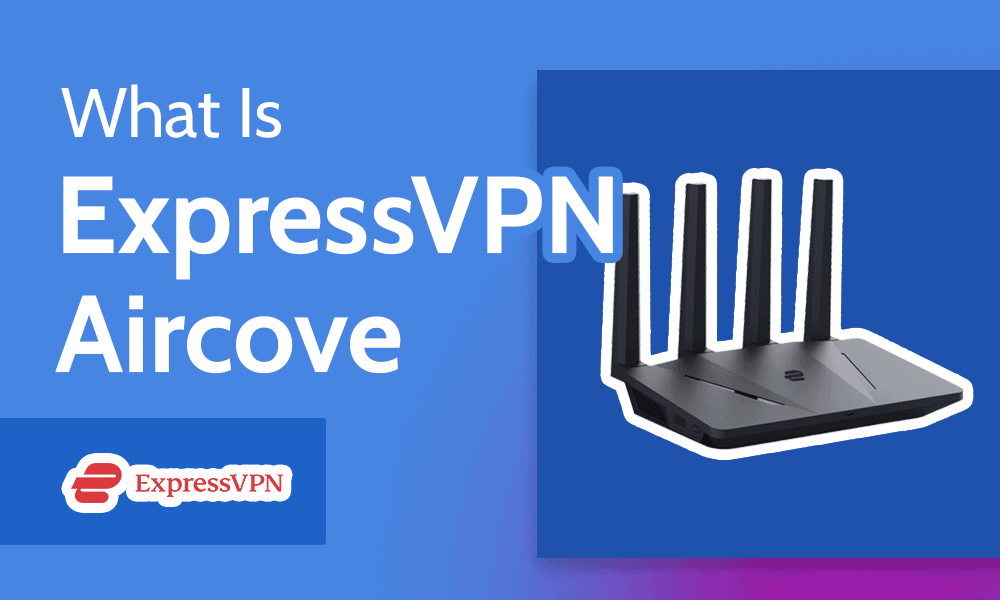
The Firestick also supports browser extensions, making it easy to access your favorite websites and social media platforms directly from your TV. This feature allows for a more seamless browsing experience.
4. Unblock Restricted Content:
By using a Firestick, you can easily bypass geo-restrictions and access blocked content from anywhere in the world. This is particularly useful for streaming services like Netflix, Hulu, and BBC iPlayer.
5. User-Friendly Interface:
The Firestick’s interface is designed to be user-friendly and intuitive, making it accessible to both beginners and experienced users. It’s straightforward to navigate, making it easy to find and stream your favorite content.
6. Tested Router Compatibility:
The Firestick has been extensively tested and listed to work seamlessly with popular router models such as the Sabai VPN Router. This ensures a smooth and hassle-free setup process.
7. Multi-Device Support:
The Firestick allows you to connect multiple devices to your VPN account, ensuring that all your devices are protected and can access geo-restricted content. Whether it’s your TV, computer, or mobile phone, the Firestick has you covered.
8. Stream-Optimized Servers:
ExpressVPN offers a wide range of servers optimized for streaming, ensuring that you can enjoy high-quality content without any performance issues. These servers are specifically designed to handle streaming traffic.
9. Comprehensive Security Features:
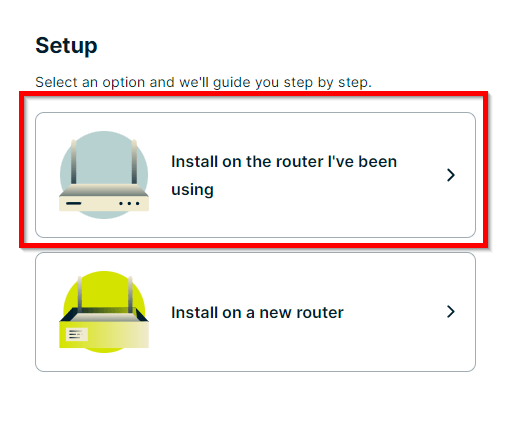
With the Firestick, you’ll have access to a range of security features, including encryption, DNS leak protection, and a kill switch. These features ensure that your online activities are secure and protected.
10. Easy Setup:
The Firestick can be easily set up by following a few simple steps. Whether you choose to connect it directly to your TV or use a mirror casting feature, the setup process is quick and hassle-free.
In conclusion, using a Firestick offers a range of benefits, including high speeds, wide protocol support, browser extension compatibility, the ability to unblock restricted content, a user-friendly interface, tested router compatibility, multi-device support, stream-optimized servers, comprehensive security features, and easy setup. With these advantages, the Firestick provides a convenient and efficient way to enjoy your favorite streaming content.
Comparison of Firestick Subscription Plans
When choosing a Firestick subscription plan, it’s important to consider the number of locations available for you to connect to. Some plans offer a limited number of locations, while others provide a wide range of options. Additionally, manually configuring each device can be time-consuming and inconvenient. With a Firestick subscription plan, you can easily set up and configure your VPN on each device without any hassle.
Another important factor to consider is the ability to cast content from different streaming services. Some subscription plans may not support casting, making it difficult to watch your favorite shows and movies on the big screen. However, with a Firestick subscription plan, you can easily cast content from various streaming services directly to your TV.
Changes to your VPN settings can also be a hassle, especially if you need to manually configure each device. A Firestick subscription plan allows you to easily turn on or off your VPN traffic with just a few clicks. You can also set up split-tunneling, which allows you to choose which apps or programs will be routed through the VPN and which ones will have direct access to the internet.
Furthermore, having nearby servers listed and easily accessible in the Firestick interface is a major advantage. It allows you to quickly locate and connect to the best server for your needs, such as accessing geo-restricted content or ensuring high-speed streaming. With a Firestick subscription plan, you can easily switch between different server locations with just a few clicks.
Price is also an important consideration when choosing a Firestick subscription plan. Different providers offer different pricing options, so it’s essential to compare the costs and features of each plan. Additionally, some plans may offer additional security features such as leak protection and a kill switch, ensuring that your connection is always secure.
In summary, a Firestick subscription plan offers a straightforward and convenient way to access VPN-protected content on your Firestick device. Whether you want to access geo-restricted content, ensure high-speed streaming, or enhance your online security, a Firestick subscription plan provides the necessary tools and features to do so.
Can You Use ExpressVPN Router with Firestick?
If you’re wondering whether you can use ExpressVPN with your Firestick, the answer is yes! ExpressVPN supports a wide range of devices, including Firestick. By installing ExpressVPN on your router, you can protect all devices connected to your network, including your Firestick.
Setting up ExpressVPN on your Firestick is easy. Simply follow the installation guides provided by ExpressVPN, and you’ll be able to access the benefits of ExpressVPN on your streaming device. Whether you’re using a newer Firestick or an older version, ExpressVPN is available and compatible with Android-based devices.
With ExpressVPN on your Firestick, you can enjoy a secure and private internet connection. ExpressVPN’s high-speed servers ensure optimal speeds for streaming, allowing you to access your favorite content without any lag or buffering. Additionally, ExpressVPN’s split tunneling feature allows you to select which apps and websites you want to route through the ExpressVPN tunnel, giving you more control over your online privacy.
By using ExpressVPN on your Firestick, you can also bypass geo-restrictions and access content from different locations. Whether you want to stream movies, TV shows, or live sports, ExpressVPN’s vast server network allows you to connect to servers in different countries, expanding your entertainment options.
ExpressVPN’s excellent service extends beyond Firesticks. By installing ExpressVPN on your router, you can protect all your devices, including phones, tablets, and gaming consoles, without the need to download and install the ExpressVPN app on each device. With ExpressVPN’s router installation option, you can enjoy complete online privacy and security.
In summary, you can definitely use ExpressVPN with your Firestick. Whether you prefer the default Firestick setup or want to install ExpressVPN directly on your Firestick, ExpressVPN’s support for Firesticks and easy installation process makes it a popular choice among users. So why wait? Click the link to get started with ExpressVPN and enjoy a secure and private streaming experience on your Firestick.
Вопрос-ответ:
What is ExpressVPN Router?
ExpressVPN Router is a device that allows you to connect multiple devices in your home network to a VPN server. It helps you to secure your internet connection and protect your privacy.
How does ExpressVPN Router work?
ExpressVPN Router works by creating a secure connection between your devices and a VPN server. When you connect to the VPN router, all the internet traffic from your devices is encrypted and routed through the VPN server, hiding your IP address and securing your data.
What are the benefits of using ExpressVPN Router?
Using ExpressVPN Router has several benefits. It allows you to protect multiple devices in your home network with a single VPN connection. It also helps you to bypass geographical restrictions and access content that is blocked in your region. Additionally, it provides an extra layer of security by encrypting your internet traffic.
Can I use any router with ExpressVPN?
No, not all routers are compatible with ExpressVPN. However, ExpressVPN provides a list of supported router models on their website. You can check if your router is supported and follow the setup instructions provided by ExpressVPN.
Is it easy to set up ExpressVPN Router?
Setting up ExpressVPN Router can be relatively easy if you follow the step-by-step instructions provided by ExpressVPN. However, it may require some technical knowledge, especially if you need to flash your router’s firmware. If you’re not comfortable with the process, you can also consider purchasing a pre-configured router from ExpressVPN.
Can I disconnect from the server location?
Yes, you can disconnect from the server location by simply turning off the VPN connection on your router. Most routers that are compatible with ExpressVPN have a dedicated switch or button to turn the VPN connection on and off.
What happens if I disconnect from the server location?
If you disconnect from the server location, your internet traffic will no longer be routed through the VPN server. Your devices will use the regular internet connection provided by your ISP, and your IP address will not be hidden. It’s important to note that if you were accessing content that is blocked in your region through the VPN server, you may no longer be able to access that content after disconnecting from the server location.
Видео:
ExpressVPN Router Review – Best VPN Router + Software for Streaming?
ExpressVPN Router Review – Best VPN Router + Software for Streaming? by Tom Spark’s Reviews 2 years ago 14 minutes, 8 seconds 10,183 views
