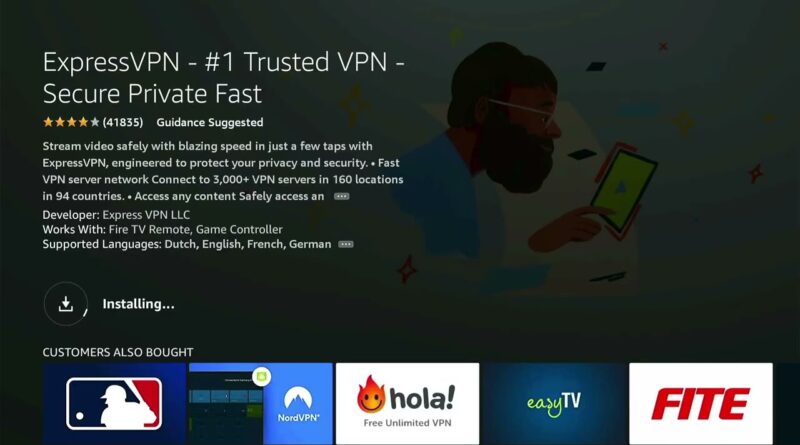
Does ExpressVPN Work With Firestick – Find Out if ExpressVPN is Compatible With Amazon Fire Stick
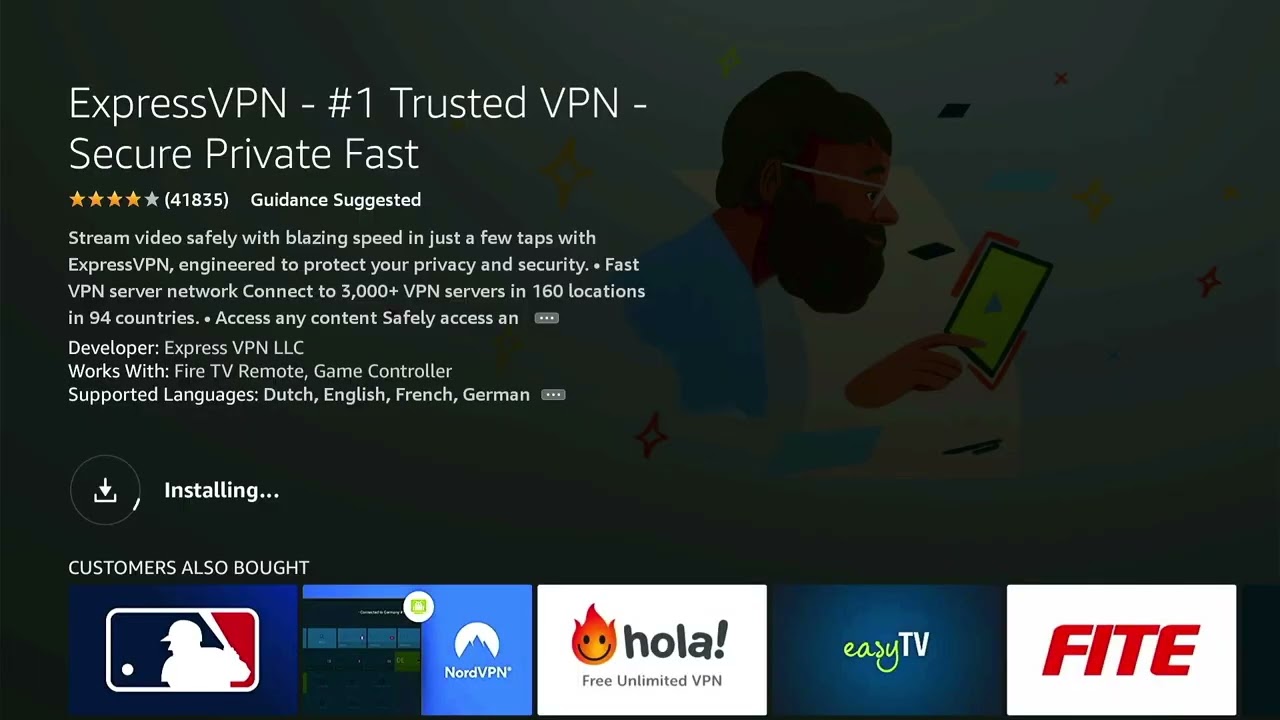
If you’re wondering whether ExpressVPN is compatible with Amazon Fire Stick, the answer is a resounding yes! ExpressVPN is one of the leading VPN providers in the market, and it works seamlessly with the Firestick to provide you with a secure and private streaming experience.
There are a few different methods you can use to get ExpressVPN up and running on your Firestick. The most common method is to pair your Firestick with ExpressVPN using the dedicated app available in the Amazon Appstore. Another option is to sideload ExpressVPN using the Downloader app, which allows you to install apps from third-party sources.
When it comes to choosing protocols, ExpressVPN offers a range of options to cater to your needs. You can choose between OpenVPN UDP, OpenVPN TCP, and IKEv2 protocols. Since Firestick doesn’t support the OpenVPN protocol, it’s recommended to use the IKEv2 protocol for optimal performance.
If you’re not familiar with sideloading or what’s required, don’t worry. ExpressVPN has a comprehensive FAQ section on their website that provides step-by-step instructions on how to sideload the app using the Downloader. Once you have ExpressVPN installed, you’ll have access to a wide range of server locations to choose from.
If you’re looking to stream content from a specific country or region, ExpressVPN has you covered. With their wide server network, you can easily connect to a server in the desired location and enjoy unrestricted access to geo-blocked content. ExpressVPN also offers a MediaStreamer feature that allows you to unblock content on devices that don’t support VPN, such as smart TVs or game consoles.
Finally, if you’re still unsure whether ExpressVPN will work with Firestick or want to test it out before committing, you can take advantage of their 30-day money-back guarantee. This allows you to try out the service and see if it meets your needs. With ExpressVPN, you can stream with peace of mind, knowing that your connection is secure and your privacy is protected.
Does ExpressVPN Work With Firestick?
If you’re wondering whether ExpressVPN works with Firestick, the answer is yes! ExpressVPN is compatible with Amazon Fire Stick, allowing you to protect your online privacy and access geo-restricted content on your Fire TV device.
To use ExpressVPN on Firestick, you’ll need to first open the Amazon Appstore on your device. From there, you can search for ExpressVPN and download the application. Once the installer is downloaded, you’ll be asked to open it and proceed with the installation.
After installing ExpressVPN on your Firestick, you’ll need to sign in with your ExpressVPN account. Once you’re signed in, you’ll need to choose a server location from the available options, including locations that have been specifically added for Amazon Fire TV devices.
Once you’ve selected a server location, ExpressVPN will automatically connect to that server, providing you with a secure and encrypted connection. You can then use your Firestick to access geo-restricted content from all over the world, including streaming services like Netflix, Hulu, and BBC iPlayer.
If you ever need to disconnect from the VPN server, you can simply navigate to the ExpressVPN app on your Firestick and click on the disconnect button. This will ensure that your connection is no longer routed through the VPN server and your regular internet connection will be restored.
In conclusion, ExpressVPN is a great option for Firestick users who want to enhance their online privacy and access geo-restricted content. With easy installation and a wide range of server locations to choose from, ExpressVPN is a reliable choice for streaming on your Fire TV device.
Find Out if ExpressVPN is Compatible With Amazon Fire Stick
If you are wondering whether ExpressVPN is compatible with Amazon Fire Stick, the answer is yes! ExpressVPN is indeed compatible with Fire Stick, providing an easy and secure way to access your favorite streaming apps and content.
To begin using ExpressVPN on your Fire Stick, you can open the Amazon Appstore on your device and search for “ExpressVPN” in the search bar. The ExpressVPN app should appear in the search results and you can select it to start the installation process.
Once the installation is complete, you can open the ExpressVPN app on your Fire Stick. From there, you can choose to connect to the best server based on your location or select a specific server from the list provided. ExpressVPN offers a wide range of server options, giving you the flexibility to unblock content from different regions.
In addition to the ExpressVPN app, you also have the option to sideload the ExpressVPN APK onto your Fire Stick if you prefer. This allows you to install the app directly onto your device without using the Amazon Appstore. However, keep in mind that sideloading apps carries its own risks and may not be suitable for everyone.
Once ExpressVPN is installed and running on your Fire Stick, you can enjoy all the benefits it provides, including the ability to unblock streaming services like Netflix, Amazon Prime Video, and more. With ExpressVPN, you can also ensure your online privacy and security while using your Fire Stick.
If you ever need to uninstall ExpressVPN from your Fire Stick, you can simply go to the Apps section on your device’s settings, select ExpressVPN, and choose the “Uninstall” option. This will remove the app from your Fire Stick.
In conclusion, ExpressVPN is compatible with Amazon Fire Stick and provides a reliable and secure way to access streaming content. Whether you choose to install it via the Amazon Appstore or sideload the APK, ExpressVPN offers a range of options to suit your needs.
Can You Use ExpressVPN’s MediaStreamer on Fire OS?
When it comes to using ExpressVPN on your Firestick, there are several ways to go about it. If you’ve decided that MediaStreamer is the better option for you, here’s what you need to know.
ExpressVPN’s MediaStreamer
ExpressVPN’s MediaStreamer is a DNS-based service that allows you to access region-locked content on your Fire OS device. It works by redirecting your internet traffic through a DNS server located in a different country or region. This can be handy if you want to access content that is not available in your current location.
How to Use ExpressVPN’s MediaStreamer on Fire OS
To use MediaStreamer on your Firestick, you’ll need to configure it manually. Here’s a step-by-step guide:
- Open the Firestick settings menu and navigate to the Network section.
- Scroll down and select “Wi-Fi” or “Ethernet,” depending on your connection type.
- Select your Wi-Fi network or Ethernet connection and scroll down to “Advanced options.”
- Toggle on the “Static” option and enter the DNS server addresses provided by ExpressVPN.
- Save your settings and exit the menu.
- Finally, open the ExpressVPN app on your Firestick and connect to a server of your choice.
Once connected, your Firestick will now have access to content from a different country or region.
Benefits and Limitations of MediaStreamer
Using ExpressVPN’s MediaStreamer has its advantages and limitations. One benefit is that it allows you to access region-locked content without the need for a separate VPN app. Additionally, MediaStreamer is a good option if you want to conserve bandwidth, as it doesn’t encrypt your data.
However, it’s worth noting that MediaStreamer doesn’t provide the same level of privacy and security as using a full VPN app. Your internet traffic will not be encrypted, which means it may be visible to your ISP or other third parties. If privacy is a concern for you, it’s better to use the full ExpressVPN app instead.
In summary, if you’re looking to access region-locked content on your Firestick, ExpressVPN’s MediaStreamer is a possible solution. Just keep in mind the limitations and weigh the benefits against the need for encryption and privacy.
ExpressVPN and Amazon Fire Stick Compatibility
ExpressVPN is a popular VPN application that allows you to secure your internet connection and protect your privacy. If you have an Amazon Fire Stick, you may be wondering whether ExpressVPN is compatible with it.
The good news is that ExpressVPN does work with Amazon Fire Stick. You can easily install the ExpressVPN application on your Fire Stick and enjoy all the benefits it has to offer.
To install ExpressVPN on your Fire Stick, you will need to follow a few simple steps. First, you need to go to the Amazon Appstore on your Fire Stick and search for ExpressVPN. Select the ExpressVPN app from the search results and click on the “Get” or “Download” button to start the installation process.
Once the installation is complete, you can launch the ExpressVPN app from your Fire Stick’s home screen. You will need to sign in with your ExpressVPN account details. If you don’t have an account yet, you can create one on the ExpressVPN website.
After signing in, you can select a server location from the list of available options. ExpressVPN has servers in over 160 locations around the world, so you can easily connect to a server in the country or region you need.
ExpressVPN also provides a convenient feature called “Favorites.” This allows you to save your preferred server locations for quick and easy access. To add a server to your favorites, simply select the star icon next to the server location.
If, for any reason, ExpressVPN does not work on your Fire Stick, there are a few troubleshooting steps you can try. First, make sure you have the latest version of the ExpressVPN app installed. You can check for updates in the Amazon Appstore.
If the app is up to date and still not working, you can try uninstalling and reinstalling it. To uninstall ExpressVPN, go to the settings on your Fire Stick, select “Applications,” then “Manage Installed Applications,” find ExpressVPN in the list, and select “Uninstall.”
Another option is to contact ExpressVPN’s customer support for further assistance. They can help you troubleshoot any issues you may be experiencing and find a solution.
In conclusion, ExpressVPN is compatible with Amazon Fire Stick and can be easily installed and used to secure your internet connection while streaming content. Whether you want to access geo-restricted content or enhance your online privacy, ExpressVPN is a reliable choice for Fire Stick users.
Using ExpressVPN on Firestick: What You Need to Know
If you are looking to protect your online privacy while using your Amazon Fire Stick, you should consider using ExpressVPN. ExpressVPN is one of the most popular and reliable VPN services available today, and it can be easily installed and used on a Firestick device.
Supported Firestick Versions
ExpressVPN is compatible with the latest Firestick versions, including Fire TV Stick 4K, Fire TV Stick Lite, and older models. However, it does not work with first-generation Fire TV Sticks, so keep that in mind if you have an older device.
Installation and Setup
There are two ways to install ExpressVPN on Firestick. The first method is by directly downloading and installing the ExpressVPN app from the Amazon Appstore. The second method, known as sideloading, involves installing the ExpressVPN APK file manually. Both methods are straightforward and easy to follow.
Working with ExpressVPN
Once you have installed ExpressVPN on your Firestick, you can connect to any of their server locations around the world. ExpressVPN supports multiple VPN protocols, including OpenVPN UDP, OpenVPN TCP, and IKEv2. You can choose the protocol that works best for your needs.
If you only want to use ExpressVPN for streaming, you can connect to their “MediaStreamer” DNS service. This service allows you to access geo-restricted content without encrypting your internet connection, making it faster for data-intensive activities.
Using ExpressVPN with Firestick Apps
After installing ExpressVPN, you can easily use it with your favorite Firestick apps. Simply open the app and connect to the desired server location. ExpressVPN will automatically encrypt your connection and route it through the chosen server, ensuring your online activities remain private and secure.
If you ever want to uninstall ExpressVPN from your Firestick, you can do so by going to the “Settings” menu, selecting “Applications,” then “Manage Installed Applications.” Scroll down and find the ExpressVPN app, select it, and choose the “Uninstall” option.
Final Thoughts
Using ExpressVPN with Firestick is a great way to protect your privacy and access geo-restricted content. Whether you want to stream movies and TV shows, browse the web, or keep your online activities hidden from prying eyes, ExpressVPN is a reliable and user-friendly choice. So go ahead and give it a try!
Setting Up ExpressVPN on Firestick – Step by Step Guide
If you have an Amazon Fire Stick and want to use ExpressVPN to secure your internet connection, follow this step by step guide to get started:
1. Check Your Firestick’s Compatibility
Before starting the installation process, make sure your Amazon Fire Stick is compatible with ExpressVPN. ExpressVPN is compatible with 2nd generation and later Fire Stick models.
2. Install the Downloader App
If you don’t have the Downloader app installed on your Fire Stick, go to the Amazon Appstore and search for “Downloader”. Install it on your device to proceed with the ExpressVPN installation.
3. Install ExpressVPN
Once you have the Downloader app installed, open it and enter the following URL: “https://www.expressvpn.com/setup”. This will direct you to the ExpressVPN download page. Select the Fire Stick version and click on “Download”.
4. Sideloading the ExpressVPN APK
After the download completes, return to the Downloader app and select the “Install” option to sideload the ExpressVPN APK file onto your Fire Stick.
5. Install OpenVPN
Once ExpressVPN is installed, open the app and select “Install” to install the OpenVPN software, which is required for ExpressVPN to work properly on your device.
6. Pairing the Device
After the OpenVPN installation, you need to pair your ExpressVPN account with your Fire Stick. Follow the on-screen instructions to complete the pairing process.
7. Choosing a Server
Once your device is paired, you can choose a server based on your location or specific requirements. ExpressVPN offers a wide range of servers to connect to for optimal performance and security.
8. Connect and Enjoy
Now that ExpressVPN is set up on your Fire Stick, you can connect to your desired server and start enjoying a secure and private internet browsing experience. You can also use ExpressVPN’s MediaStreamer feature to access geo-restricted content. Subscribe to ExpressVPN to get the most out of your Fire Stick and other supported devices.
ExpressVPN and Firestick: Benefits and Features
If you have an Amazon Fire Stick and want to ensure your online activities are secure and private, ExpressVPN is a great option. With an ExpressVPN account, you can connect multiple devices, including your Firestick, to their secure servers.
When using ExpressVPN with your Firestick, you can enjoy numerous benefits. Firstly, ExpressVPN allows you to access geo-restricted content, meaning you can even watch content that is not available in your country or region. This feature opens up a whole world of entertainment possibilities for Firestick users.
Another advantage of using ExpressVPN on your Firestick is that it is easy to install. Simply download and install the ExpressVPN app from the Amazon App Store on your Firestick. Once installed, you can easily navigate through the app, connect to one of the available servers and start using ExpressVPN to protect your data and privacy.
ExpressVPN also offers a feature called Split Tunneling, which allows you to choose which apps and services on your Firestick are connected to the VPN. This is useful if you have data-intensive apps or streaming services that may work better without the VPN, while still keeping your other apps and activities protected.
If you’re concerned about the compatibility of ExpressVPN with Firestick Lite or older Firestick models, rest assured that ExpressVPN works with all Firestick devices. Whether you have the latest version or an older model, ExpressVPN can be easily installed and used.
If you’re looking for an alternative VPN for Firestick, you can also try NordVPN. NordVPN offers similar features and benefits, including a wide range of servers and strong encryption protocols. However, it’s always a good idea to compare different VPNs and choose the one that best suits your needs.
In conclusion, ExpressVPN is a reliable and user-friendly VPN option for Firestick users. It allows you to access geo-restricted content, protects your data and privacy, and offers easy installation and navigation. Whether you choose ExpressVPN or another VPN service, using a VPN on your Firestick is a smart move to ensure your online activities are secure and private.
ExpressVPN and Firestick: How to Unlock Geo-Restricted Content
If you are an Amazon Fire Stick user, you may have encountered the frustration of not being able to access certain content due to geo-restrictions. However, with ExpressVPN’s compatibility with Firestick, you can unlock all the geo-restricted content and enjoy a seamless streaming experience.
What’s ExpressVPN and how does it work on Firestick?
ExpressVPN is one of the best VPNs available, offering a wide range of server locations in different countries. To use ExpressVPN on Firestick, you will need to sideload the ExpressVPN app onto your device. This can be done by using the Downloader app or by using the Aptoide TV app. Once you have the ExpressVPN app installed, you can easily connect to any server location of your choice and enjoy unrestricted access to geo-restricted content.
How to install ExpressVPN on Firestick
- First, make sure your Amazon Fire Stick is connected to the internet.
- From the home screen, go to the “Search” option and type in “ExpressVPN”.
- Select the ExpressVPN app from the search results and click on “Download” or “Get” to install it.
- Once the installation is complete, open the ExpressVPN app and sign in with your account credentials.
- After logging in, select a server location from the available options.
- Finally, click on the “Connect” button to establish a VPN connection.
Once you are connected to ExpressVPN, you can enjoy all the benefits of a secure and unrestricted internet browsing experience on your Firestick. You can now access geo-restricted content, browse anonymously, and protect your online privacy.
How does ExpressVPN on Firestick make it better?
Using ExpressVPN on Firestick allows you to access content that is not available in your country. For example, if you want to watch a show that is only available in the US, you can connect to a US server and unlock the content. This makes ExpressVPN on Firestick a must-have for any streaming enthusiast.
Another advantage of using ExpressVPN on Firestick is the ability to download and install apps that are not available in the Amazon Appstore. By using ExpressVPN, you can bypass regional restrictions and download apps from different countries’ app stores.
ExpressVPN also offers a lightweight version of its app called ExpressVPN Lite, which is specifically designed for Firestick and other streaming devices. This makes the app faster and more responsive, ensuring a smooth streaming experience.
If you are looking for the best VPN for your Firestick, ExpressVPN is definitely worth considering. Its wide range of server locations, easy installation process, and user-friendly interface make it the top choice for unlocking geo-restricted content on Firestick.
ExpressVPN and Firestick: Enhancing Privacy and Security
If you’re looking to enhance your privacy and security while using your Amazon Fire Stick, ExpressVPN is a reliable and convenient option. It works directly with Firestick, allowing you to encrypt your internet connection and browse the web anonymously.
ExpressVPN is based on OpenVPN, which is an open-source VPN protocol known for its strong encryption and security features. This means that all of your data will be encrypted and secure while using ExpressVPN on your Firestick device.
With ExpressVPN installed on your Firestick, you can connect to servers in countries all over the world. This opens up a wide range of possibilities, including unblocking geo-restricted content on streaming services like Netflix. ExpressVPN also supports other popular streaming services, so you can enjoy your favorite shows and movies without any limitations.
To install ExpressVPN on your Firestick, you’ll need to open the Amazon Appstore on your device. From there, you can search for “ExpressVPN” and select the app. After signing in to your ExpressVPN account, you can choose from a variety of protocols and server locations to connect to.
Once you’re connected to an ExpressVPN server, all of your internet traffic will be routed through that server, providing an additional layer of privacy and security. ExpressVPN also offers a kill switch feature, which will automatically disconnect your internet connection if the VPN connection drops, ensuring that your data remains protected.
If you’re concerned about data-intensive activities like streaming, ExpressVPN is a great choice. It has fast servers that can handle high-quality video streaming without buffering. So, you can stream your favorite content on platforms like Amazon Prime Video, Hulu, and more, without any issues.
If you’re interested in using another VPN provider with your Firestick, NordVPN is another popular option. It also offers a dedicated app for Firestick and supports a wide range of services, including Netflix and Amazon Prime Video. However, ExpressVPN is known for its fast and reliable connection speeds, making it a preferred choice for many Firestick users.
What’s the Difference Between ExpressVPN and Other VPNs?
One of the main advantages of ExpressVPN is its user-friendly interface and easy installation process. You can install the app directly from the Amazon Appstore, eliminating the need to sideload apps or use a separate installer.
Additionally, ExpressVPN offers a wide range of server locations and protocols to choose from. This gives you the flexibility to select the best server based on your location and preferences. Whether you want to unblock a specific streaming service or simply ensure maximum privacy, ExpressVPN has the options you need.
In conclusion, if you’re looking to enhance your privacy and security on your Amazon Fire Stick, ExpressVPN is a reliable and user-friendly option. Its compatibility, fast connection speeds, and wide range of server locations make it an excellent choice for Firestick users.
ExpressVPN vs. Other VPN Services for Firestick
When it comes to choosing a VPN for your Firestick, there are several factors to consider. ExpressVPN is one popular option, but how does it compare to other VPN services?
Firstly, ExpressVPN offers a wide range of protocols to choose from. This allows you to find the one that works best for your Firestick and provides a secure connection. Other VPN services may offer a more limited selection of protocols, making ExpressVPN a better option for Firestick users.
Another advantage of using ExpressVPN is its easy installation process. You can simply install the application from the Amazon App Store and set up your account. Other VPN services may require sideloading, which can be a more complex process.
ExpressVPN also offers a large number of server locations, giving you more options for connecting to different countries. This is especially useful if you want to access geo-restricted content, such as streaming services like Netflix. Other VPN services may have a more limited number of server locations, making ExpressVPN a better choice for unblocking content.
Finally, ExpressVPN provides excellent customer support. If you encounter any issues or have questions, you can easily reach out to their support team for assistance. Some other VPN services may not offer the same level of customer support, which can be frustrating if you run into any problems.
In conclusion, while there are other VPN services available for Firestick, ExpressVPN offers a number of advantages. From a wide range of protocols to easy installation and excellent customer support, ExpressVPN is a solid choice for Firestick users looking for better streaming and online security.
ExpressVPN and Firestick: Customer Reviews and Testimonials
ExpressVPN is a popular choice among Firestick users, and customers have shared their positive experiences with using the VPN service on their streaming devices.
One of the main benefits of using ExpressVPN with Firestick is its ability to handle data-intensive streaming. Customers have praised the VPN for its ability to provide a fast and reliable connection, allowing them to enjoy their favorite shows and movies without buffering issues.
Users have also appreciated the open and user-friendly interface of ExpressVPN on Firestick. With just a few clicks, they can connect to a VPN server of their choice and access content from different country/region locations.
ExpressVPN has been praised for its compatibility with popular streaming services like Netflix. By simply connecting to a VPN server in a supported location, customers have been able to access a wider range of content that may not be available in their region.
Customers have also shared their positive experiences with the installation process of ExpressVPN on Firestick. Many have found the step-by-step instructions provided by ExpressVPN easy to follow, allowing them to set up the VPN on their devices within minutes.
In case any issues arise, ExpressVPN offers excellent customer support. Users can directly contact the support team for assistance on how to install or uninstall the VPN on Firestick, or for any other inquiries they may have.
Overall, customers have found that ExpressVPN works well with Firestick, offering better streaming performance and access to geo-restricted content. Whether it’s for streaming, security, or privacy purposes, ExpressVPN has proven to be a reliable choice for Firestick users.
Common Issues and Troubleshooting with ExpressVPN on Firestick
1. Compatibility with Firestick
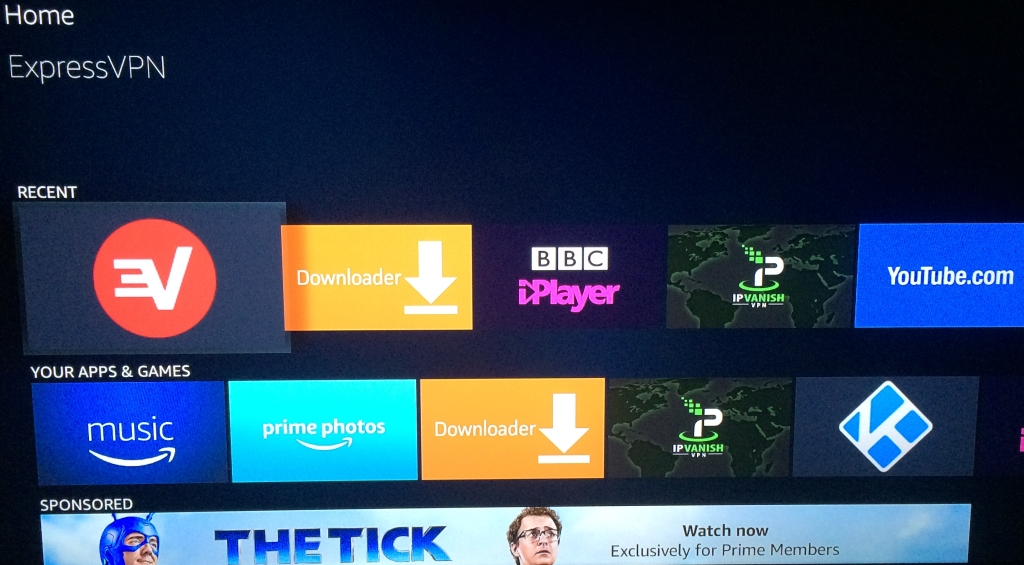
If you’re wondering whether ExpressVPN works with Firestick, the answer is yes. ExpressVPN is compatible with Amazon Fire Stick, allowing you to stream content from various apps while keeping your online activities secure.
2. Installation and Setup
To install ExpressVPN on Firestick, you need to sideload the app since it’s not available in the Amazon Appstore. Don’t worry, it’s a straightforward process. Simply follow the step-by-step instructions provided by ExpressVPN on their website to install the app on your Firestick device.
3. Connecting to a VPN Server
Once you have ExpressVPN installed on your Firestick, you need to connect to a VPN server. Open the ExpressVPN app on Firestick, and select a server location from the available options. It’s best to choose the server closest to your current location for better performance.
4. Issues with Streaming Apps
If you’re experiencing issues with streaming apps while using ExpressVPN on Firestick, there are a few things you can try. First, make sure that both the app you want to use and ExpressVPN are updated to their latest versions. You can also try turning off your Firestick and turning it back on to see if that resolves the issue. If all else fails, you can contact ExpressVPN’s support team for further assistance.
5. Unblock Streaming Services
If you want to unblock streaming services that are not supported by ExpressVPN’s Firestick application, there is another option. You can use ExpressVPN’s MediaStreamer feature, which allows you to configure your DNS settings on Firestick to bypass geo-restrictions. Simply follow the instructions provided by ExpressVPN to set up MediaStreamer on your Firestick device.
6. Casting to other Devices
While ExpressVPN does not support casting from Firestick to other devices directly, you can still accomplish this by using a third-party app. One option is to sideload the Google Cast Receiver app on your Firestick, which will enable you to cast content from your Firestick to other devices, such as smart TVs. However, keep in mind that this may have limitations and may not work as seamlessly as built-in casting features.
7. Free Trial and Subscription
If you’re not sure if ExpressVPN is the right fit for you, you can take advantage of their free trial. ExpressVPN offers a 30-day money-back guarantee, allowing you to try the service risk-free. If you’re satisfied with the experience, you can then subscribe to one of their plans to continue using ExpressVPN on your Firestick and other devices.
ExpressVPN and Firestick: Frequently Asked Questions
Does ExpressVPN work with Firestick?
Yes, ExpressVPN is compatible with Amazon Fire Stick. You can easily install and use ExpressVPN on your Firestick to secure your online activities and access geo-restricted content.
What are the benefits of using ExpressVPN on Firestick?
Using ExpressVPN on Firestick offers several benefits, including:
- Enhanced online privacy and security
- Access to geo-blocked streaming services
- Protection against ISP throttling
- Anonymity while browsing the internet
How can I download ExpressVPN on Firestick?
To download ExpressVPN on your Firestick, simply follow these steps:
- Go to the Amazon Appstore on your Firestick
- Search for “ExpressVPN” in the search bar
- Select the ExpressVPN app from the search results
- Click on the “Get” button to download and install the app
Can I use ExpressVPN on Firestick to stream content?
Yes, you can use ExpressVPN on Firestick to stream content from popular streaming services like Netflix, Hulu, and more. By connecting to a server location supported by these services, you can bypass geo-restrictions and enjoy a wide range of content.
What is the difference between ExpressVPN’s Firestick app and MediaStreamer?
The main difference between ExpressVPN’s Firestick app and MediaStreamer is that the Firestick app provides a full VPN experience, encrypting all your internet traffic. On the other hand, MediaStreamer is a DNS-based service that can be set up on your Firestick to access streaming services but does not encrypt your data.
How do I install ExpressVPN on Firestick using Downloader?
If you prefer not to use the Amazon Appstore, you can install ExpressVPN on Firestick using the Downloader app. Here’s how:
- Open the Downloader app on your Firestick
- Enter the ExpressVPN download URL in the app
- Follow the prompts to download and install the ExpressVPN APK file
- Open the ExpressVPN application and log in to your account
- Connect to a server location of your choice and start using ExpressVPN on your Firestick
What should I do if ExpressVPN is not working with certain apps on Firestick?
If ExpressVPN is not working with certain apps on your Firestick, you can try the following troubleshooting steps:
- Make sure you are connected to an ExpressVPN server
- Clear the cache and data of the app you’re having issues with
- Restart your Firestick and try again
- Update the ExpressVPN app to the latest version
- Try connecting to a different server location
Is ExpressVPN Worth It for Firestick Users?
If you are a Firestick user, you may be wondering if ExpressVPN is worth it for your streaming needs. The answer is a resounding yes. ExpressVPN is fully compatible with Firestick devices and provides a wide range of benefits and features that make it an excellent choice for Firestick users.
Easy to Use and Setup
ExpressVPN is incredibly easy to use and set up on your Firestick. With just a few clicks, you can install the ExpressVPN application on your Firestick device and connect to a server location of your choice. You can easily scroll through the available locations and choose the one that suits your streaming needs the best.
Enhanced Security and Privacy
When using ExpressVPN on your Firestick, you can rest assured that your online activities are protected. ExpressVPN uses industry-leading encryption and security protocols to keep your data secure and private. This means that your streaming activities are hidden from prying eyes, ensuring a safe and secure streaming experience.
Access to Streaming Content
ExpressVPN allows you to access geo-restricted streaming content from around the world. Whether you want to watch Netflix, Amazon Prime Video, or any other streaming service, ExpressVPN has servers in multiple countries that can help you bypass geographic restrictions and unlock a world of streaming content.
Faster Streaming Speeds
ExpressVPN offers fast and stable server connections, which means you can enjoy buffer-free streaming on your Firestick. The high-speed servers ensure smooth playback and faster download speeds, allowing you to stream your favorite content without any interruptions.
24/7 Customer Support
If you ever encounter any issues while using ExpressVPN on your Firestick, their customer support team is available 24/7 to assist you. Whether you have trouble connecting to a server or need help troubleshooting, their knowledgeable support staff will be there to help you every step of the way.
In conclusion, ExpressVPN is definitely worth it for Firestick users. With its easy setup, enhanced security, access to streaming content, faster speeds, and reliable customer support, ExpressVPN provides an excellent streaming experience for Firestick users. So go ahead and give it a try!
Choosing the Right ExpressVPN Plan for Firestick
If you want to use ExpressVPN on your Firestick, you will need to choose the right plan that is compatible with this device. ExpressVPN offers different plans that you can select based on your needs and preferences.
When it comes to using ExpressVPN on Firestick, you can take advantage of the vast server network that ExpressVPN provides. With over 3,000 servers in more than 90 countries/regions, you will have plenty of options to connect to a server that works best for you.
ExpressVPN supports multiple protocols including OpenVPN UDP, OpenVPN TCP, and IKEv2. However, your Firestick can only use the OpenVPN protocols. So, when setting up ExpressVPN on your Firestick, make sure to choose the right protocol that is compatible with your device.
To install ExpressVPN on Firestick, you have a few options. The easiest way is to download the ExpressVPN app directly from the Amazon Appstore. However, if you prefer a different method, you can sideload the ExpressVPN APK using a file browser.
Once you have installed ExpressVPN on your Firestick, you will need to sign in with your ExpressVPN account. This will give you access to all the features and servers that ExpressVPN offers.
Keep in mind that using a VPN on Firestick can require a significant amount of data, especially if you stream videos or use data-intensive applications. So, make sure you have a sufficient data plan to avoid any disruptions.
In conclusion, when choosing the right ExpressVPN plan for Firestick, consider the number of servers available, the protocols supported, and the installation method that works best for you. With ExpressVPN’s security and wide range of server options, you can enjoy a reliable and secure VPN connection on your Firestick.
ExpressVPN and Firestick: Exclusive Discounts and Offers
If you are an Amazon Firestick user, you may be wondering if ExpressVPN is compatible with your device. The answer is yes!
ExpressVPN is fully compatible with Firestick, Fire TV, and Fire TV Cube. Whether you have the Fire TV Stick Lite, 2nd generation Fire TV Stick, or a different generation, ExpressVPN will work with it.
To set up ExpressVPN on your Firestick, you can either install it directly from the Amazon App store or sideload the APK file. If you choose to sideload, you will need to enable Apps from Unknown Sources in the device settings and then download the VPN APK.
Once you have installed ExpressVPN, open the app and sign in with your credentials. From there, you can connect to a server of your choice and start enjoying the benefits of a secure and private internet connection.
One of the advantages of using ExpressVPN on Firestick is that it allows you to access geo-restricted content. You can connect to servers in different countries or regions to bypass content restrictions and access your favorite apps and streaming services.
Another feature worth mentioning is the ability to use ExpressVPN to mirror your Firestick screen on other devices. This is particularly useful if you want to watch content on a larger screen or show photos or videos to others.
ExpressVPN also offers exclusive discounts and offers for Firestick users. This can make it even more affordable to protect your online privacy and unlock a world of entertainment on your Amazon Firestick device.
If you have any questions or need assistance, you can contact ExpressVPN’s customer support or follow their FAQ section for more information on how to get ExpressVPN working on your Firestick.
Вопрос-ответ:
Is ExpressVPN compatible with Amazon Fire Stick?
Yes, ExpressVPN is compatible with Amazon Fire Stick. You can download the ExpressVPN app on your Fire Stick and use it to protect your online privacy and access geo-restricted content.
Does ExpressVPN work with all generations of Fire Stick?
Yes, ExpressVPN works with all generations of Fire Stick. Whether you have the first generation Fire Stick or the latest Fire Stick 4K, you can download the ExpressVPN app and use it to protect your online privacy and access geo-restricted content.
Can I use ExpressVPN on multiple Fire Sticks at the same time?
Yes, you can use ExpressVPN on multiple Fire Sticks at the same time. ExpressVPN allows for simultaneous connections on different devices, so you can protect your online privacy and access geo-restricted content on all your Fire Sticks with a single ExpressVPN subscription.
Is it difficult to set up ExpressVPN on Fire Stick?
No, setting up ExpressVPN on Fire Stick is not difficult. The process is straightforward and only takes a few minutes. You just need to download the ExpressVPN app from the Amazon App Store, sign in with your ExpressVPN account, and connect to a VPN server. ExpressVPN also provides step-by-step instructions and support to help you with the setup process.
Can I use ExpressVPN to access streaming services on my Fire Stick?
Yes, you can use ExpressVPN to access streaming services on your Fire Stick. ExpressVPN allows you to bypass geo-restrictions and access content from all over the world. Whether you want to watch Netflix, Hulu, Amazon Prime Video, or any other streaming service, ExpressVPN will help you unlock the content and enhance your streaming experience.
Is ExpressVPN the best VPN for Fire Stick?
ExpressVPN is one of the best VPNs for Fire Stick due to its fast and reliable servers, strong encryption, and user-friendly app. It also offers a 30-day money-back guarantee, so you can try it risk-free. However, the best VPN for Fire Stick may vary depending on your specific needs and preferences, so it’s always a good idea to compare different VPN providers before making a decision.
Видео:
EXPRESSVPN REVIEW FOR AMAZON FIRESTICK [HOW TO USE, TUTORIAL & SPEEDS] ✅ [2023]
EXPRESSVPN REVIEW FOR AMAZON FIRESTICK [HOW TO USE, TUTORIAL & SPEEDS] ✅ [2023] by Lewis T 3 years ago 13 minutes, 50 seconds 1,541 views
How to Setup a VPN on an Amazon Fire TV Stick | Step-by-Step Tutorial
How to Setup a VPN on an Amazon Fire TV Stick | Step-by-Step Tutorial by All Things Secured 4 years ago 2 minutes, 30 seconds 135,449 views
How to Install ExpressVPN on Firestick – Complete Guide
How to Install ExpressVPN on Firestick – Complete Guide by VPN Wisdom 11 months ago 5 minutes, 23 seconds 9,491 views
