
What is a VPN on iPhone and Do You Need One: 2023 Update
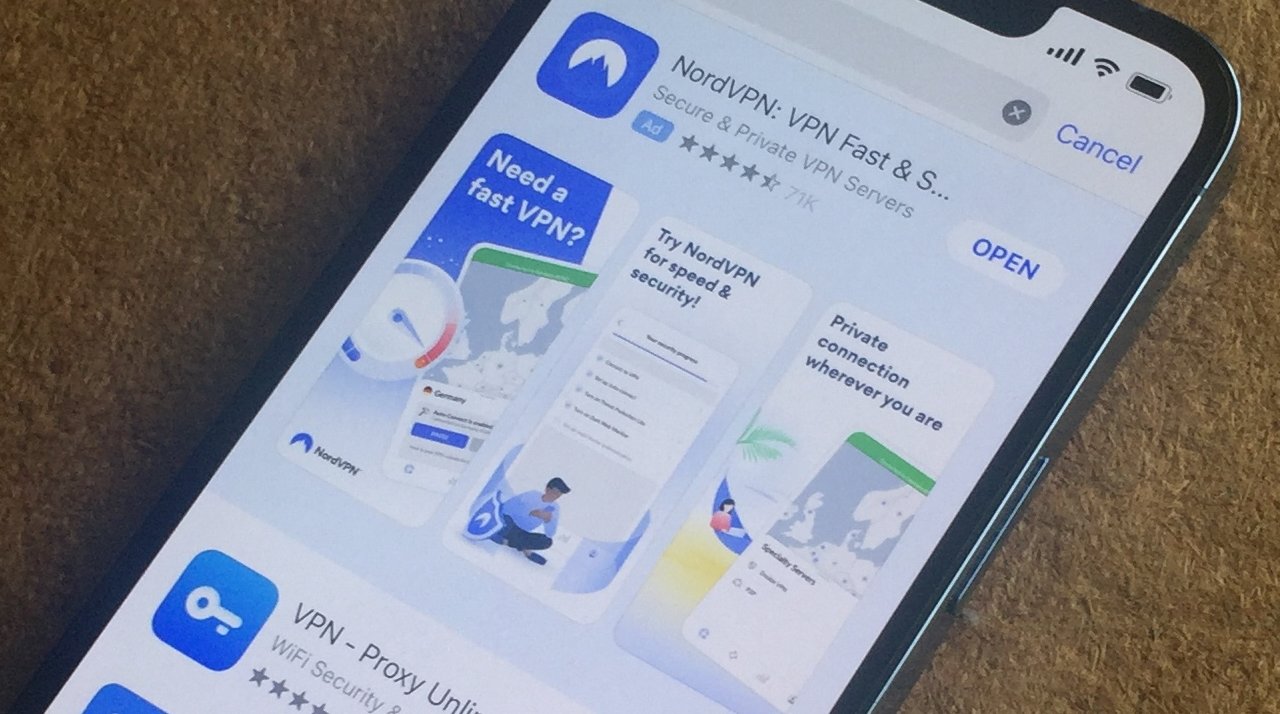
When it comes to online privacy and security, a virtual private network (VPN) is a well-known tool that has gained popularity in recent years. With the rise in cyber threats and data breaches, many iPhone users are now considering whether they should be carrying a VPN on their devices. With the introduction of WireGuard, a new favorite protocol, the choice becomes even more tempting.
ExpressVPN and NordVPN are two popular VPN server products that are available for iPhone users. These applications allow users to establish a secure connection between their iPhone and the server, encrypting all data that is sent and received. The truth is, using a VPN on your iPhone is always a good idea, regardless of whether you have something to hide or not. VPNs can protect your online activity from prying eyes, keeping your personal information safe.
One of the most significant benefits of using a VPN on your iPhone is the ability to access geo-restricted content. Many streaming platforms and websites have restrictions based on location, and using a VPN allows you to bypass these restrictions and access the content you want. Additionally, using a VPN on your iPhone opens up a whole new world of possibilities for those who frequently connect to public Wi-Fi networks. Public Wi-Fi networks are notorious for their lack of security, and using a VPN on your iPhone ensures that your data stays protected.
While there are many benefits to using a VPN on an iPhone, there are also some drawbacks to consider. One of the main concerns is the performance of the VPN. Having a VPN running in the background can slow down your internet connection, making it difficult to stream or download large files. Additionally, some VPN providers have strict no-logs policies, meaning they do not keep any information about your online activity. However, not every VPN provider is transparent about their logging policies, so it’s important to do your research before choosing one.
If you’re looking for a VPN to use on your iPhone, there are plenty of options to choose from. TunnelBear, PureVPN, and NordVPN are some of the most popular choices. Whether you need a VPN for security, accessing geo-restricted content, or simply to protect yourself while browsing the internet, there is a VPN out there that will work for you. Just make sure to do your research, read the FAQ, and check the provider’s no-logs policy before making a decision.
In conclusion, having a VPN on your iPhone is a must-have in today’s digital age. With the ever-increasing threats to online privacy and security, it’s important to take steps to protect yourself. Whether you choose to use a VPN for security, accessing geo-restricted content, or other reasons, having a VPN on your iPhone can provide you with peace of mind and keep your personal information safe.
Understanding the Role of VPN

In today’s increasingly digital world, the need to protect our online privacy and secure our personal data has become paramount. With cyber threats on the rise and privacy concerns growing, individuals and businesses alike are turning to Virtual Private Networks (VPNs) to take control of their online security.
A VPN, or Virtual Private Network, is a powerful tool that allows users to create a secure and private connection over a public network. By encrypting your internet traffic and routing it through a remote server, a VPN helps to safeguard your data and identity from prying eyes.
One of the main advantages of using a VPN is the ability to save yourself from potential risks when accessing the internet. By masking your IP address and hiding your online activities, a VPN adds an extra layer of security to your browsing experience.
Additionally, VPNs are favorites among individuals who want to access geo-restricted content. With a VPN, you can bypass censorship and access websites and streaming services that may be blocked in your region. This is particularly useful for travelers who want to watch their favorite shows or use certain applications while abroad.
When considering whether or not you need a VPN, it’s important to weigh the pros and cons. While a VPN can enhance your privacy and security, it may also affect your internet speed. Due to the encryption process and the distance between your device and the VPN server, there may be a slight decrease in your connection speed.
It is crucial to choose a reliable VPN service that has a robust infrastructure behind it. Well-known VPN providers, such as ExpressVPN, CyberGhost, and NordVPN, have a large number of servers and offer fast and reliable connections.
In conclusion, a VPN plays a vital role in ensuring your online privacy and security. Whether you need to protect sensitive data, access geo-restricted content, or simply browse the internet anonymously, a VPN is a valuable tool to have in your digital toolbox.
Benefits of Using VPN on Your iPhone:
1. Private and Secure: Installing a VPN on your iPhone creates a private and encrypted tunnel between your device and the internet. This ensures that your online activities and personal information are kept safe from prying eyes.
2. Battery Saving: By using a VPN, your iPhone shows significant battery savings compared to when you’re not using one. This is because the VPN optimizes your internet connection, allowing your device to conserve energy.
3. Access Geo-Restricted Content: With a VPN, you can bypass geo-restrictions and access content that is otherwise unavailable in your country. Whether you’re abroad or want to stream content from another region, a VPN opens up a world of possibilities.
4. Enhanced Online Security: A VPN adds an extra layer of security while you’re connected to public Wi-Fi networks. It protects your data from potential hackers or malicious entities that may be lurking on the same network.
5. Anonymous Browsing: When you use a VPN, your IP address is masked and replaced with the IP address of the VPN server you’re connected to. This makes it difficult for websites and online services to identify you and track your online activities.
6. Secure Online Banking: When accessing your bank accounts or conducting financial transactions on your iPhone, using a VPN ensures that your sensitive information is encrypted and protected from potential threats.
7. Unlock Discounts and Save Money: Some online services, such as shopping websites, may offer different prices or discounts based on your location. By connecting to a VPN server from a different location, you can find better deals and potentially save money.
8. Easy to Use: VPN apps for iPhone are user-friendly and easy to navigate. Connecting to a VPN server and switching between different locations can be done with just a few taps on your screen.
9. Ironclad Security: Reputable VPN services like CyberGhost and TunnelBear use industry-standard encryption protocols, ensuring that your data is protected behind a secure firewall.
10. 45-Day Money-Back Guarantee: Many VPN providers offer a 45-day money-back guarantee, allowing you to try the service risk-free. If you’re not satisfied with the VPN, you can easily get a refund.
In conclusion, using a VPN on your iPhone has numerous benefits when it comes to privacy, security, accessibility, and savings. It’s a smart move to safeguard your online activities and keep your personal information protected while enjoying the convenience of connecting to the internet anytime, anywhere.
Increased Privacy and Security
When it comes to privacy and security, using a VPN on your iPhone can have several benefits. VPNs provide a higher level of transparency and control over your online activities, making it harder for anyone to trace your actions back to you. With a VPN, your internet traffic is encrypted, meaning that it is scrambled and protected from prying eyes. This encryption creates an ironclad barrier that ensures your data is safe, even when using public Wi-Fi networks.
One popular VPN application that offers these features is TunnelBear. TunnelBear’s strict no-logs policy shows that they don’t keep track of your online activity, giving you full peace of mind that your privacy is protected. Their infrastructure is well-developed and ensures that your connection is secure anytime, anywhere. Additionally, using TunnelBear on your iPhone won’t drain your battery as quickly as some other VPN products, making it a convenient option for on-the-go security.
Another VPN worth considering is CyberGhost. CyberGhost offers a wide range of advanced features to keep you safe online. With their strict no-logs policy and military-grade encryption, you can browse and stream media with confidence. CyberGhost also offers an ad-blocking feature, so you can enjoy a seamless browsing experience without interruptions. Their user-friendly interface makes it easy to connect to a VPN server in just a few taps, ensuring that your data is always protected.
Whether you’re accessing sensitive information on your iPhone or simply browsing the web, using a VPN can help safeguard your privacy and security. With the increasing number of cyber threats and the need for online anonymity, it’s likely that VPNs will continue to be an essential tool for iPhone users in the years to come. So, if you want to ensure that your personal information stays safe and your online activities remain private, investing in a VPN is a cheap and effective solution.
In conclusion, having a VPN on your iPhone is important for increased privacy and security. By using a VPN like TunnelBear or CyberGhost, you can protect your data from being traced back to you, encrypt your internet traffic, and browse securely on any Wi-Fi network. With the added benefits of no-logs policies and user-friendly interfaces, using a VPN on your iPhone is a smart choice for anyone who values their online privacy.
Accessing Restricted Content
One of the main reasons why many iPhone users choose to use a VPN is to access restricted content. Whether it’s streaming services, social media platforms, or websites that are blocked in certain countries or regions, a VPN allows you to bypass these restrictions and access the content you want.
Private and Secure Browsing
When you connect to a VPN on your iPhone, your internet traffic is encrypted and routed through a private tunnel. This means that your online activities are hidden from prying eyes, such as hackers, government agencies, and even your internet service provider (ISPs). So, if you’re connecting to a public Wi-Fi network, a VPN can provide an extra layer of security to keep your data safe.
No Location-Based Restrictions
Many online services, such as streaming platforms and websites, have location-based restrictions. For example, certain movies or TV shows may only be available in specific countries. By using a VPN, you can effectively change your virtual location and access content that is otherwise unavailable in your region. This is especially useful if you’re traveling abroad and want to continue enjoying your favorite shows and movies.
Protecting Your Personal Information
By using a VPN on your iPhone, you can protect your personal information from being intercepted or tracked. This is important when you’re performing sensitive tasks such as online banking or shopping, as it prevents potential attackers from gaining access to your financial information or other personal data.
Improved Performance and Speed
While using a VPN may have some drawbacks, such as slightly slower internet speeds and limited server choices, many reputable VPN providers offer fast and reliable connections. You can choose from a variety of VPN products that prioritize performance and provide optimized servers for streaming or other specific purposes. So, even though your connection is routed through a VPN server, you can still enjoy a smooth browsing experience.
Conclusion
A VPN for your iPhone can provide you with a range of benefits, whether you want to access restricted content, browse the internet securely, protect your personal information, or enhance your online performance. With many VPN providers offering dedicated apps for iPhones and straightforward installation and setup processes, it is easier than ever to enjoy the advantages of a VPN on your iPhone.
Enhanced Online Anonymity
One of the key advantages of using a VPN on your iPhone is the enhanced online anonymity it provides. When you connect to a VPN, your internet traffic is encrypted and rerouted through a remote server. This means that your original IP address and location are masked, keeping your online activities private and safe. Whether you’re accessing sensitive information, browsing the web, or streaming your favorite media, a VPN ensures that your personal data stays protected.
Using a VPN on your iPhone also helps to keep your data secure when using open Wi-Fi networks. Public Wi-Fi networks can be a hotspot for hackers, as they can easily exploit vulnerabilities to intercept your data. By using a VPN, your internet connection is secured and encrypted, making it much more difficult for anyone to eavesdrop on your online activities.
Many VPN services have dedicated apps for iPhones, making it easy to turn on the VPN and connect to a server with just a few taps. Some popular VPN apps for iPhones include ExpressVPN and TunnelBear. These apps offer a user-friendly interface and provide a wide range of server options for you to choose from.
Benefits of Using a VPN on iPhone
- Enhanced Online Anonymity: A VPN masks your original IP address and location, keeping your online activities private and secure.
- Access to Restricted Content: With a VPN, you can bypass geographic restrictions and access websites and services that may be blocked in your region.
- Secure Data on Public Wi-Fi: Using a VPN on your iPhone ensures that your data is encrypted and protected when connecting to open Wi-Fi networks.
- Bypass ISP Throttling: Some ISPs may limit your internet speeds for certain activities. A VPN can help bypass these restrictions and enjoy faster and uninterrupted browsing and streaming.
Drawbacks of Using a VPN on iPhone
- Reduced Internet Speed: Using a VPN can sometimes slow down your internet connection, depending on the server you’re connected to.
- Additional Cost: While there are free VPN options available, many reliable VPN services require a subscription fee.
- Compatibility Issues: Some VPN services may not be compatible with all iPhone models or may have limitations on simultaneous device connections.
Overall, using a VPN on your iPhone can greatly enhance your online privacy and security. Whether you’re browsing the web, accessing sensitive information, or simply wanting to ensure your data remains secure while connected to public Wi-Fi networks, a VPN is a valuable tool that provides peace of mind.
Protection Against Cyber threats
When it comes to cybersecurity, an iPhone VPN service can be a valuable tool for protecting your personal information and safeguarding your online activities. With the increasing number of cyber threats in today’s digital landscape, it is crucial to take steps to secure your data.
What is a VPN on iPhone, and how can it help? A VPN, or Virtual Private Network, creates a secure connection between your iPhone and the internet by routing your online traffic through an encrypted tunnel. This tunnel ensures that your data is protected from potential hackers, cybercriminals, and other prying eyes.
One of the drawbacks of using iPhone’s built-in VPN feature is that it lacks advanced features and is limited in terms of server options and customization. This is where third-party VPN services like ExpressVPN and TunnelBear come in. ExpressVPN, for example, offers a wide selection of servers in various locations around the world, ensuring faster speeds and a more secure connection.
ExpressVPN, for example, not only provides top-notch security but also offers a 45-day money-back guarantee. This means that you can try out their service risk-free and get a full refund if you’re not satisfied with the results. Their no-logs policy ensures that your online activities remain private and secure.
What should you consider when choosing a VPN service for your iPhone? First and foremost, make sure the VPN service you choose offers strong encryption to protect your data from interception and eavesdropping. Additionally, look for a service that has a user-friendly interface, fast connection speeds, and reliable customer support.
If you need help setting up a VPN on your iPhone, most VPN providers offer step-by-step guides and video tutorials on their websites. These resources can help you install and configure the VPN service on your device, so you can enjoy secure browsing and peace of mind.
Overall, a VPN on iPhone is an essential tool in today’s digital age. It provides an extra layer of security, ensuring that your personal information and online activities are protected from potential threats. Whether you’re browsing the web, connecting to public Wi-Fi networks, or watching your favorite shows, a VPN can keep you safe and secure. So, don’t wait any longer and start protecting yourself with a reliable VPN service today!
Safely Using Public Wi-Fi Networks
Public Wi-Fi networks can be a convenient way to stay connected while on the go, but they also come with their own set of risks. In order to protect your personal information and maintain your privacy, it’s important to take certain precautions when using these networks.
1. Understand the Truth about Public Wi-Fi
Public Wi-Fi networks may not always be as secure as you think. Hackers can easily intercept your data and gain access to your sensitive information such as passwords, credit card numbers, and personal messages.
2. Work with a VPN
A VPN, or Virtual Private Network, is a technology that creates a secure connection between your device and the internet. It encrypts your data and masks your IP address, making it nearly impossible for anyone to intercept or track your online activities. Installing a VPN application, like ExpressVPN, on your iPhone or Android device can provide you with the necessary security and privacy while using public Wi-Fi networks.
3. Enjoy Secure Internet Access Anywhere
With a VPN, you can connect to the internet securely from anywhere, whether you’re at a coffee shop, airport, or hotel. It ensures that your data is protected even when connected to untrusted networks.
4. Bypass Geo-Restrictions and Access Blocked Content
A VPN can also help you bypass geo-restrictions and access blocked content. For example, you can use a VPN to stream Netflix shows that may not be available in your region.
5. Be Mindful of Performance Drawbacks
While using a VPN can provide you with security benefits, it can also impact your internet speeds. The encryption process can slow down your connection, depending on the VPN service and your internet connection speed.
6. Keep Your VPN Application Up to Date
It’s important to regularly update your VPN application to ensure that you have the latest security features and bug fixes. Before connecting to a public Wi-Fi network, make sure your VPN application is running and up to date.
7. Be Cautious When Providing Sensitive Information
Avoid entering sensitive information, such as login credentials or credit card details, while connected to a public Wi-Fi network. It’s always better to wait until you’re on a secure and trusted network before providing such information.
8. Use HTTPS Websites and SSL Connections
Whenever possible, use websites that have HTTPS encryption and SSL connections. These provide an additional layer of security, making it harder for hackers to intercept your data.
9. Keep an Eye on Your Device
Be vigilant about keeping your device secure while using public Wi-Fi networks. Avoid leaving your device unattended or unlocked, as it increases the risk of unauthorized access to your personal information.
In conclusion, using public Wi-Fi networks can be risky, but with the right precautions, you can safely enjoy the convenience they offer. A VPN is a valuable tool for protecting your privacy and keeping your data encrypted while connected to these networks. Remember to stay cautious, keep your devices updated, and be mindful of the information you share online.
Choosing the Right VPN Service
When it comes to choosing a VPN service for your iPhone, there are a few key factors to consider. First and foremost, you want a VPN that offers lightning-fast performance and speed. This will ensure that your internet connection remains smooth and uninterrupted, even when using data-intensive applications or streaming media.
Another important aspect to consider is security. A VPN acts as a shield between your iPhone and the rest of the internet, keeping your private data safe from prying eyes. Look for a VPN that offers strong encryption protocols, such as OpenVPN or IKEv2, to ensure that all your online activities are encrypted and protected.
Many VPNs also offer additional features like ad-blocking, malware protection, and support for torrenting. If you frequently use public Wi-Fi networks, you may also want to look for a VPN that offers a kill switch, which automatically disconnects your iPhone from the internet if the VPN connection drops, keeping your IP address and data safe from any potential vulnerabilities.
When it comes to finding the right VPN service, there are plenty of options to choose from. Some popular VPNs that are compatible with iPhones include ExpressVPN, CyberGhost, and NordVPN. These providers offer user-friendly applications that are easy to install and use on your iPhone, making it a breeze to protect your online privacy.
Before making a decision, it’s always a good idea to read reviews and compare different VPN services. Look for user feedback, performance tests, and pricing plans to help you determine which VPN is the best fit for your needs. Many VPNs also offer free trial periods or money-back guarantees, so you can test out the service before committing to a long-term subscription.
In conclusion, a VPN is a necessary tool for protecting your online privacy and security. While the built-in security features on your iPhone are a great starting point, a VPN adds an extra layer of protection, ensuring that your personal information and online activities are kept private. Whether you need a VPN to access geo-restricted content, protect your data on public Wi-Fi, or simply browse the internet anonymously, finding the right VPN service is essential.
How to Install CyberGhost on Your iPhone
Installing a VPN on your iPhone is a smart move to protect your online privacy and secure your sensitive data. One popular VPN option is CyberGhost, known for its user-friendly interface and advanced features.
Step 1: Download the CyberGhost app
To install CyberGhost on your iPhone, go to the App Store and search for “CyberGhost VPN”. Once you find it, tap on the app and click on the “Get” button to download it to your device.
Step 2: Launch the app
Once the installation is complete, locate the CyberGhost app on your iPhone’s home screen and tap on it to launch the application. The app opens to a clean and intuitive interface, making it easy to navigate.
Step 3: Connect to a server
After launching the app, you will see a large “Start Trial” button. Tap on it, and you will be asked to create an account or log in if you already have one. Once logged in, you can choose a server from a wide list of locations.
Step 4: Enjoy secure browsing
With CyberGhost, your internet traffic is encrypted, protecting your data from potential hackers and surveillance. Your IP address is hidden, making it harder for others to identify or track your online activities. Whether you’re browsing the web, accessing streaming services like Netflix, or using public Wi-Fi, CyberGhost keeps you protected.
Step 5: Take advantage of extra features
CyberGhost offers additional features such as ad blocking, malware protection, and automatic Wi-Fi protection. These features enhance your online experience and ensure that you’re safe from any potential threats.
The dark truth about using VPNs on iPhones
While VPNs like CyberGhost provide security and privacy benefits, it’s important to note that they aren’t foolproof. Some VPNs may experience slower speeds due to the encryption process, and not all VPNs are compatible with all devices or streaming services. Additionally, some VPNs keep logs of user activity, potentially compromising your privacy.
In conclusion, if you value your online privacy and want to add an extra layer of security to your iPhone, installing a VPN like CyberGhost is a wise choice. Just keep in mind the pros and cons of using VPNs and choose a reliable and reputable service that fits your needs.
Downloading the CyberGhost App
If you’re looking for the best VPN app for your iPhone, you can’t go wrong with CyberGhost. With its top-notch security features and user-friendly interface, it’s a must-have for anyone who values their online privacy. Downloading the CyberGhost app is quick and easy, so you can start enjoying its benefits in no time.
Step 1: Find the CyberGhost App
First, open the App Store on your iPhone and search for “CyberGhost VPN”. The app should appear in the search results. Alternatively, you can click on this link to directly access the app’s page on the App Store.
Step 2: Install the App
Once you’ve found the CyberGhost app, click on the “Get” button to start the installation process. You may be prompted to enter your Apple ID password or use Touch ID/Face ID for authentication. After that, the app will begin downloading and installing on your iPhone.
Step 3: Set Up Your CyberGhost Account
After the app is installed, open it and you’ll be prompted to create a new account or log in if you already have one. Follow the on-screen instructions to set up your account, including choosing a username and password. You may also be offered various subscription options, so choose the one that best suits your needs.
Step 4: Connect to a VPN Server
With your account set up, you can now connect to a VPN server using the CyberGhost app. Simply open the app and tap the “Power” button. You’ll be presented with a list of server locations to choose from. Select the one that’s closest to you or choose a specific location if you’re looking to access content from abroad.
Once connected, the CyberGhost app secures your internet connection by encrypting your data and hiding your IP address. This means that your online activities, such as browsing the web, sending emails, or streaming media, are protected from prying eyes.
Downloading the CyberGhost app for your iPhone is a smart move if you want to take control of your online privacy and security. With its reliable infrastructure and strict no-logs policy, you can browse the internet with peace of mind. Stay connected and protected anytime you’re on Wi-Fi, whether it’s at home or in public places.
Creating an Account
When it comes to using a VPN on your iPhone, one of the first steps is to create an account with a VPN service provider. This account will give you access to all the features and benefits that come with using a VPN.
1. Choose a Reliable VPN Provider: Start by selecting a reputable VPN provider that offers an ironclad privacy policy and strict no-logs policy. Some popular VPN services for iPhones include ExpressVPN, NordVPN, PureVPN, and CyberGhost.
2. Download and Install the VPN App: Once you’ve selected a VPN provider, visit their website or go to the App Store to download and install their VPN app on your iPhone. Most VPN providers offer apps that are compatible with iOS devices.
3. Sign Up and Log In: After installing the app, open it and sign up for a new account using your email address and a strong password. Once you’ve created an account, log in using your credentials.
4. Choose a VPN Server: The VPN app will usually open to a main screen or tab where you can select a server to connect to. Choose a server location that suits your needs. VPN providers typically offer servers in various countries, allowing you to access content from anywhere in the world.
5. Connect to the VPN: When you’re ready to connect to the internet securely, simply tap the connect button on the VPN app. This will establish an encrypted tunnel between your iPhone and the VPN server, keeping your data safe from prying eyes.
6. Enjoy Private and Secure Browsing: Once connected, you can browse the internet, stream shows, download files, or carry out any online activity knowing that your data is encrypted and your privacy is protected. VPNs like ExpressVPN, NordVPN, PureVPN, and CyberGhost offer lightning-fast speeds, ensuring a seamless browsing experience.
Setting Up Your VPN Connection
Overview
Setting up a VPN connection on your iPhone can provide you with numerous benefits and enhanced privacy while browsing the internet. However, it is important to understand both the pros and cons before proceeding with the setup.
The Pros
- Enhanced Security: A VPN encrypts your internet connection, ensuring that your online activity remains private and secure from potential hackers.
- Access to Restricted Content: With a VPN, you can bypass geographical restrictions and access websites, apps, and streaming services that are blocked in your region.
- Protection from Advertisers: VPNs can block annoying ads and prevent advertisers from tracking your online behavior, providing a more seamless and enjoyable browsing experience.
- Improved Connection Speeds: Certain VPN services offer lightning-fast servers, allowing you to stream and download content without any buffering or slowdown.
The Cons
- Reduced Connection Speeds: While some VPNs boast fast servers, others may cause a slight decrease in connection speeds due to the encryption process.
- Finding a Reliable Service: With numerous VPN providers available, it can be challenging to find a trustworthy and transparent service that meets your specific needs.
How to Set Up
Setting up a VPN connection on your iPhone is a relatively straightforward process. Here’s a step-by-step guide to help you get started:
- Choose a VPN Provider: Research different VPN providers and choose one that offers the features and servers you require.
- Install the VPN App: Download and install the VPN app from the App Store, or manually configure the VPN settings using the provided server information.
- Connect to a Server: Launch the VPN app and connect to a server location of your choice. This will route your internet traffic through the selected server, making it appear as though you’re browsing from that location.
- Enjoy Private and Secure Browsing: Once connected, all of your internet activity will be encrypted and protected, allowing you to browse privately, securely, and without restrictions.
Additional Tips
- Keep Your VPN App Open: To fully benefit from the VPN, make sure to keep the app running in the background, especially when accessing sensitive information or connecting to public Wi-Fi networks.
- Switch Servers for Better Performance: If you encounter slow speeds or connectivity issues, try switching to a different server location for improved performance.
- Take Advantage of Discounts: Many VPN providers offer discounts for longer subscription plans, so consider signing up for an extended period to save money.
- Stay Informed with Transparency Reports: Look for VPN providers that regularly publish transparency reports, which provide insights into their data handling practices, security measures, and any requests for user information from authorities.
By following these steps and considering these tips, you can set up a VPN connection on your iPhone and enjoy a private and secure browsing experience from anywhere in the world.
Customizing Your VPN Settings
When it comes to VPNs on your iPhone, customizing your settings can enhance your online security and provide a better browsing experience. One important setting to consider is the type of encryption used by your VPN service. Encryption is key because it ensures that your data is protected and cannot be intercepted by anyone.
1. Choosing the right VPN service is essential when customizing your settings. There are many options available, but not all of them offer the same level of security and reliability. Take the time to research and find a reputable VPN service that meets your specific needs and expectations.
2. Installing a VPN on your iPhone is a straightforward process, and many VPN providers offer dedicated apps that make it easy to set up and configure your VPN. Once installed, you can access the VPN service anytime you need it, whether you’re connected to Wi-Fi or using mobile data.
3. One of the main reasons you may need a VPN on your iPhone is to access geo-restricted content. For example, if you’re traveling abroad and want to watch your favorite TV shows or stream movies on Netflix, a VPN can help you bypass location restrictions and enjoy your content anywhere.
4. Apple’s devices are known for their strict security measures, but having a VPN adds an extra layer of protection and anonymity to your internet browsing. By encrypting your data, you can ensure that your online activities are safe from prying eyes, including advertisers and your ISP.
5. Furthermore, customizing your VPN settings allows you to be in control of your online experience. You can choose specific servers to connect to for faster speeds or to access content from different regions. Some VPNs even offer features like split-tunneling, which lets you decide which apps should use the VPN and which should not.
In summary, customizing your VPN settings on your iPhone can provide enhanced security and greater freedom when browsing the internet. By choosing the right VPN service, installing it on your device, and customizing the settings to meet your needs, you can enjoy a safe, encrypted, and unrestricted online experience.
Connecting to a VPN Server
When it comes to online security and privacy, having a VPN on your iPhone can be very beneficial. A VPN, short for Virtual Private Network, allows you to create a secure and encrypted connection to a remote server, giving you a private and protected internet experience.
How Does It Work?
When you connect to a VPN server, all of your internet traffic is routed through that server before reaching its destination. This means that anyone trying to trace your online activities will only be able to see the VPN server’s IP address, not your own.
Not only does a VPN keep your internet activity private, but it also helps you bypass geographical restrictions. For example, if you’re abroad and want to access content that is only available in your home country, a VPN can help you do that by making it appear as though you are accessing the internet from your home country.
Choosing the Right VPN
There are many VPN providers available, offering different features and levels of security. Two popular options are CyberGhost and PureVPN. CyberGhost is well-known for its no-logs policy and dedicated servers optimized for streaming services like Netflix. PureVPN, on the other hand, offers high-speed performance and a wide range of servers in different countries.
Before choosing a VPN, it’s important to consider your specific needs. If privacy and transparency are your top priorities, then CyberGhost’s no-logs policy may be the best choice for you. If performance and a wide range of server locations are more important, then PureVPN might be the better option.
Pros and Cons
There are several advantages to using a VPN on your iPhone. It provides an extra layer of security, protects your personal information from hackers and spyware, and allows you to access geo-restricted content. However, there are also some drawbacks. A VPN can slow down your internet connection, and some VPN providers may collect and sell your data to advertisers. It’s important to choose a reputable VPN service that prioritizes user privacy.
Conclusion
In conclusion, a VPN on your iPhone can help you keep your internet activity private, bypass geographical restrictions, and protect your personal information from hackers and spyware. Whether you’re using it for work or leisure, a VPN is a must-have tool for online security and privacy.
Verifying Your VPN Connection
When using a VPN on your iPhone, it is important to verify that your connection is secure and functioning properly. This is because a VPN provides encryption and creates a secure tunnel for your internet traffic, ensuring that your data is protected from prying eyes.
The Importance of VPN Verification
Verifying your VPN connection is crucial because it ensures that your internet activity is being routed through the VPN and not leaking out. Without proper verification, your data can be vulnerable to cyber threats and surveillance.
There are several ways to check if your VPN connection is working correctly. First, you can visit a website or use an app that displays your IP address and location. If the IP address and location shown are different from your actual ones, it means that your VPN is working.
Another way to verify your VPN connection is to perform a leak test. There are online tools available that can check if your VPN is leaking any information, such as your real IP address or DNS queries. TunnelBear and CyberGhost, for example, offer these leak tests on their websites.
The Truth About VPN Speeds
One of the common concerns when using a VPN is the impact on internet speeds. While it is true that a VPN may slightly decrease your connection speed, the difference is generally negligible, especially when using reputable VPN services like PureVPN or ExpressVPN.
However, it is worth noting that some free or very cheap VPNs may have slower speeds due to limited server infrastructure or crowded networks. So, if you require fast and consistent speeds, it is recommended to invest in a premium VPN service.
The Pros and Cons of VPNs
Using a VPN on your iPhone has numerous benefits, including enhanced security, access to geo-restricted content, and protection of sensitive data. However, there are also some drawbacks to consider.
Pros:
- Secure encryption of your internet traffic
- Ability to access geo-restricted content while abroad
- Protects your sensitive data, such as online banking activity
- Keeps your online activity private from ISPs and government surveillance
Cons:
- Potential impact on internet speeds
- Some VPNs may have limited server options or infrastructure
- Free VPNs may have privacy concerns or limited features
- Using a VPN can drain your device’s battery faster
Overall, using a VPN on your iPhone can provide an added layer of security and privacy, allowing you to browse the internet and access online services with peace of mind. Just make sure to choose a reliable VPN service and regularly verify your connection to ensure its effectiveness.
Disconnecting from the VPN Server
When it comes to using a VPN on your iPhone, there may be times when you need to disconnect from the VPN server. Whether you’re done with your secure browsing session or you want to switch to a different server, knowing how to disconnect from the VPN is important.
How to Disconnect from a VPN on iPhone
Disconnecting from a VPN on iPhone is easy. Simply follow these steps:
- Go to the Settings app on your iPhone.
- Scroll down and tap on the VPN option.
- Tap on the toggle switch next to the VPN connection you want to disconnect from.
- Confirm the disconnection by tapping on “Disconnect” in the pop-up message.
The Importance of Disconnecting from a VPN
While using a VPN is essential for protecting your privacy and security, there are times when you may want to disconnect. For example, if you’re using a VPN to access region-restricted content, you may want to disconnect when you’re done watching the content to restore normal functionality.
Benefits of Disconnecting from a VPN
Disconnecting from a VPN offers several benefits. It allows you to access local services and websites, as some online platforms may block traffic from VPN servers. It also helps improve the performance of your device, as using a VPN can sometimes slow down your internet connection due to the encryption and rerouting of traffic.
Common Scenarios for Disconnecting from a VPN
Here are some common scenarios where disconnecting from a VPN on iPhone is necessary:
- When you want to access local services or websites that are unavailable with a VPN connection
- When you experience issues with the VPN connection and need to troubleshoot
- When you want to switch to a different VPN server to access region-specific content
Choosing the Right VPN for iPhone
When it comes to choosing the best VPN for iPhone, there are several factors to consider. Some popular VPN options for iPhone include NordVPN, ExpressVPN, and PureVPN. These VPNs offer secure and private browsing, no-logs policies, and reliable performance. Additionally, they provide user-friendly apps and a wide range of servers worldwide, allowing you to connect from anywhere and enjoy deals and discounts when browsing or banking online.
To find the best VPN for your needs, consider factors such as the VPN’s infrastructure, transparency, and their ability to bypass geo-restrictions. It’s also important to read user reviews and look for features like a kill switch and split tunneling to enhance your privacy and security even further.
Keeping Your iPhone Safe with a VPN
A VPN is an essential tool for keeping your iPhone safe while connected to public Wi-Fi networks or browsing abroad. It encrypts your internet traffic and creates a private tunnel between your device and the VPN server, making it difficult for anyone to intercept or track your online activity.
In conclusion, whether you’re using a VPN for personal or business purposes, knowing how to disconnect from a VPN on your iPhone is important. It allows you to switch servers, access local services, and optimize your device’s performance when needed. Additionally, choosing the right VPN for iPhone ensures that your data is protected and your online activities remain private and secure.
Troubleshooting VPN Issues
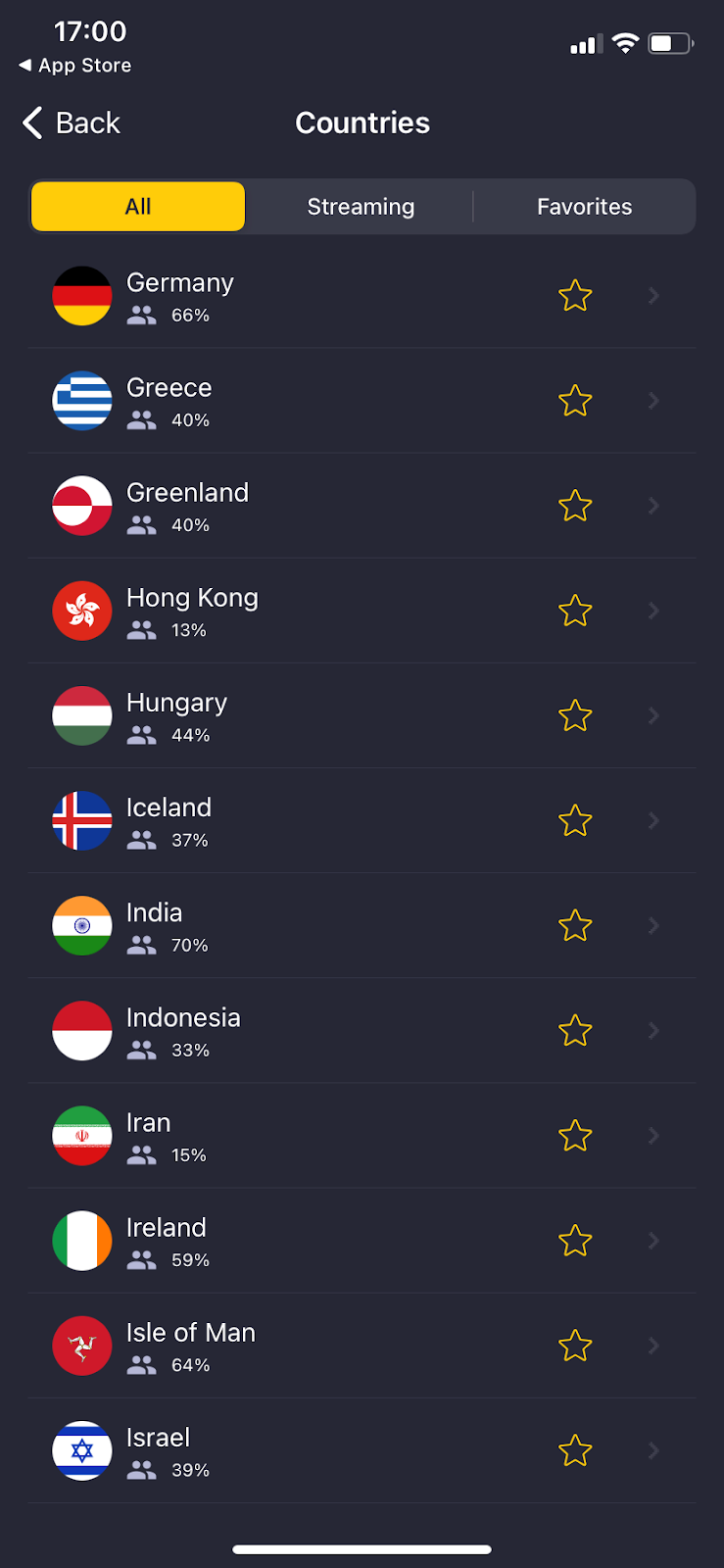
If you’re experiencing issues with your VPN on your iPhone, there are a few things you can do to troubleshoot and resolve the problem. Here are some common problems and their solutions:
1. Slow Connection Speeds
If you notice that your internet speed is slower when using a VPN, it could be because the VPN server you are connected to is too far away. Try connecting to a server that is closer to your physical location to improve the speed.
2. VPN Not Connecting
If your VPN is not connecting, make sure you have a stable internet connection. You can also try restarting your iPhone and the VPN app to see if that resolves the issue.
3. Inability to Access Streaming Services
If you are unable to access streaming services or watch your favorite shows using the VPN, it could be because the streaming service has detected and blocked the VPN server’s IP address. In this case, try connecting to a different server or contact the VPN’s customer support for assistance.
4. Security Concerns
If you are concerned about the security of your personal data when using a VPN, choose a reputable VPN service that offers strong encryption and follows strict privacy policies. Avoid using free or cheap VPN services, as they may not provide the same level of security.
5. VPN Disconnects Frequently
If your VPN connection frequently disconnects, it could be due to network issues or a problem with the VPN app. Try connecting to a different VPN server or updating the VPN app to the latest version.
6. Difficulty Accessing Certain Websites
If you are having trouble accessing certain websites while using the VPN, it could be because those websites have implemented measures to block VPN connections. In this case, try connecting to a different server or temporarily disable the VPN to access the websites.
7. DNS Leaks
A DNS leak occurs when your iPhone’s DNS requests are not encrypted and can be tracked by your ISP or other entities. To prevent DNS leaks, make sure your VPN app has DNS leak protection enabled. You can also run a DNS leak test to check for any leaks.
Remember, troubleshooting VPN issues can vary depending on the specific VPN service and the settings on your iPhone. If you’re still experiencing problems, refer to the VPN provider’s FAQ or contact their customer support for further assistance.
Вопрос-ответ:
What is a VPN on iPhone and how does it work?
A VPN, or Virtual Private Network, on iPhone is a technology that allows users to create a secure connection to a network over the internet. It works by encrypting the user’s internet traffic and routing it through a server located in a different location, thus providing anonymity and protection from hackers and other malicious entities.
Why would I need a VPN on my iPhone?
There are several reasons why you might need a VPN on your iPhone. Firstly, it helps protect your privacy by encrypting your internet traffic and preventing anyone from monitoring your online activities. Secondly, it allows you to access geographically restricted content by masking your IP address and making it appear as if you are browsing from a different location. Lastly, it can help secure your connection when using public Wi-Fi networks, as it creates a secure tunnel for your data to pass through.
Can I use a VPN on my iPhone for free?
Yes, there are several VPN apps available for free on the App Store that you can use on your iPhone. However, it’s important to note that free VPNs often come with limitations such as data caps, slower speeds, and limited server locations. Additionally, some free VPNs may track and sell your data for advertising purposes, so it’s important to choose a reputable VPN provider if you decide to go for a free option.
How do I set up a VPN on my iPhone?
Setting up a VPN on your iPhone is a straightforward process. First, you need to download a VPN app from the App Store. Once the app is installed, open it and follow the on-screen instructions to create an account. After creating an account, you can choose a server location and connect to the VPN. Most VPN apps have a simple interface with a connect/disconnect button, making it easy to use for beginners.
Is using a VPN on my iPhone legal?
Using a VPN on your iPhone is legal in most countries. However, it’s important to note that while VPNs are legal, the activities conducted through them may not be. For example, using a VPN to engage in illegal activities such as hacking or copyright infringement is still illegal regardless of whether you’re using a VPN or not. It’s always recommended to use a VPN for legitimate purposes and to comply with the laws and regulations of your jurisdiction.
Can I use a VPN on my iPhone to bypass internet censorship?
Yes, using a VPN on your iPhone can help bypass internet censorship imposed by governments or organizations. By routing your internet traffic through a server located in a different country, a VPN can help you access websites and services that are otherwise blocked or restricted in your location. However, it’s important to note that some countries have strict laws against using VPNs to bypass censorship, so it’s crucial to research and understand the legal implications before using a VPN for this purpose.
What are the potential drawbacks of using a VPN on my iPhone?
While using a VPN on your iPhone has numerous benefits, there are some potential drawbacks to consider. Firstly, using a VPN may result in slower internet speeds due to the additional encryption and routing processes. Secondly, some websites and services may block or restrict access to users using VPNs, as they may be seen as a potential security risk. Lastly, some VPNs may require a subscription fee for full access to their features, so you may need to consider the cost aspect as well.
Видео:
How to Setup a VPN on iPhone (in 2023)
How to Setup a VPN on iPhone (in 2023) by BizBuddy 2 years ago 5 minutes, 44 seconds 50,567 views
How To Use a VPN On ANY iPhone! (2023)
How To Use a VPN On ANY iPhone! (2023) by LoFi Alpaca 5 months ago 2 minutes, 40 seconds 13,189 views
Do we still need VPN’s in 2023?
Do we still need VPN’s in 2023? by WhatGear 6 months ago 9 minutes, 48 seconds 2,236 views
