
Protect Your Online Security with ExpressVPN for iPhone and Its Free Alternative
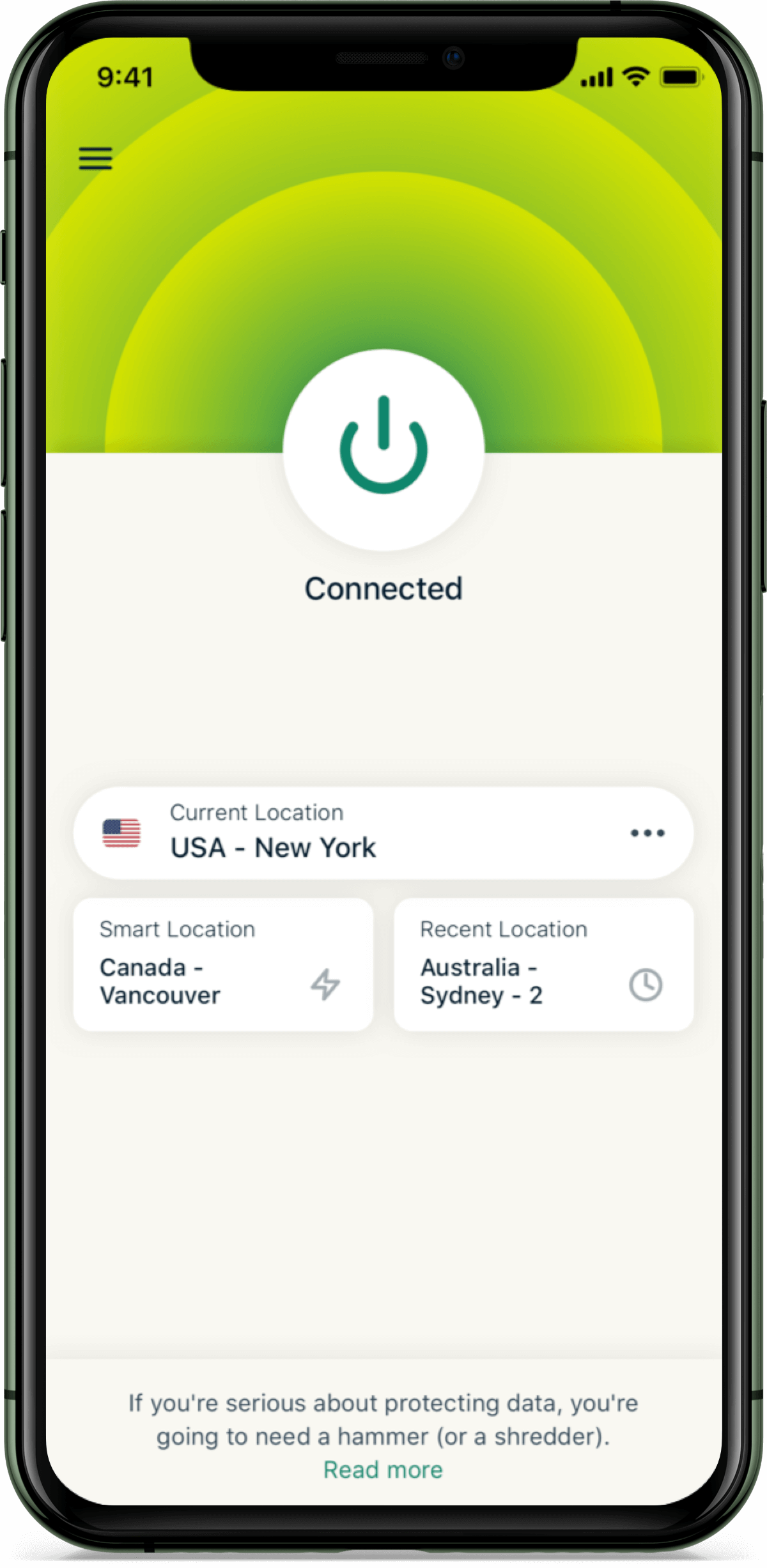
Nowadays, it’s essential to secure your online security no matter where you live or travel. ExpressVPN for iPhone is a fantastic choice for those who want to protect their data and browse the internet safely. With its easy-to-use iOS app, ExpressVPN provides a secure and encrypted connection to protect your information from prying eyes.
ExpressVPN isn’t available in China, where internet censorship is prevalent. But don’t worry, an alternative is here – the free VPN apps! While they may not offer the same level of security and speed as ExpressVPN, they can still provide some level of protection when you’re overseas or in a country where VPNs are not legal.
One of the popular free alternatives for iPhone users is the Tor browser. Tor enables you to browse the internet anonymously by routing your connection through multiple servers across the world. Although it may be slow at times, it’s a reliable and open-source software that’s been widely used by those who value their online privacy.
Working with a VPN on your iPhone can have its quirks and technical issues, but the benefits are worth it. If you encounter any issues, ExpressVPN’s customer support team is there to help you. You can also restart your phone or switch between different protocols, such as TCP or UDP, to ensure a stable and secure connection.
In conclusion, whether you choose ExpressVPN or its free alternative, securing your online connection on your iPhone is essential in today’s digital world. Don’t leave your data vulnerable while using public Wi-Fi or traveling abroad. Remember to download and use a recommended VPN app to protect your information and browse the internet with peace of mind.
Protect Your Online Security with ExpressVPN for iPhone
ExpressVPN for iPhone is a highly recommended VPN service that can protect your online security while browsing the web. With ExpressVPN, you can keep your personal information safe and secure, regardless of your location or the network you are connected to.
By using ExpressVPN, you can protect your privacy and encrypt your internet traffic, preventing anyone from intercepting or accessing your data. This is especially important when using public Wi-Fi networks, as they are often targeted by hackers.
ExpressVPN lets you choose from a wide range of server locations in different countries, allowing you to bypass content restrictions and access services that may be blocked in your current location. For example, if you are in China and want to access regular Chinese websites or apps, ExpressVPN can help you do so by making it look like you are browsing from a different country.
Setting up ExpressVPN on your iPhone is simple and can be done in just a few seconds. All you need to do is download and install the ExpressVPN app from the App Store, sign in with your account, and choose a server location. ExpressVPN will then establish a secure tunnel between your device and the server, protecting your online activities.
If you encounter any issues with ExpressVPN not working on your iPhone, there are a few troubleshooting options you can try. First, make sure you have the latest version of the app installed. If that doesn’t work, you can try reconnecting to a different server or using different VPN protocols, such as OpenVPN or IKEv2. In some cases, reinstalling the app may also solve any problems you are experiencing.
If you want a free alternative to ExpressVPN for your iPhone, you can try PrivateVPN. While it offers a more limited number of server locations and features compared to ExpressVPN, it still provides a reliable and secure VPN service for your device. PrivateVPN also supports various protocols and has a user-friendly iOS app.
In conclusion, ExpressVPN for iPhone is a highly recommended VPN service that can protect your online security and privacy. By encrypting your internet traffic and allowing you to browse from different countries, ExpressVPN ensures that your personal information is safe and that you can access blocked content. And if you encounter any issues, there are troubleshooting options available to help you get back online and protected in no time.
Stay Safe and Secure Online
In today’s digital age, it is important to prioritize your online security. With the increasing number of cyber threats and data breaches, taking steps to stay safe and secure online is essential.
1. Use a Virtual Private Network (VPN)
A VPN is an excellent tool that helps protect your online privacy and security. It creates a secure connection between your device and the internet by encrypting your data. By using a VPN, you can browse the internet anonymously and securely, even when connected to public Wi-Fi networks.
2. Secure Your Personal Information
Be cautious and careful with your personal information. Avoid sharing sensitive data online, especially on unsecured websites. Keep your passwords strong and unique, and use two-factor authentication whenever possible. Additionally, regularly update your software and operating systems to ensure you have the latest security patches.
3. Be cautious with Emails and Links
Many cyberattacks and scams are initiated through phishing emails and malicious links. Always be wary of emails or messages from unknown senders, and avoid clicking on suspicious links. If an email looks suspicious or asks for personal information, double-check its legitimacy before taking any action.
4. Stay Updated on Security Best Practices
Keeping yourself informed about the latest security best practices can go a long way in protecting your online safety. Stay updated on the latest cybersecurity news, follow reputable sources, and educate yourself on common security threats. By staying informed, you can better recognize potential risks and take appropriate precautions.
5. Use Secure Protocols and Encryption
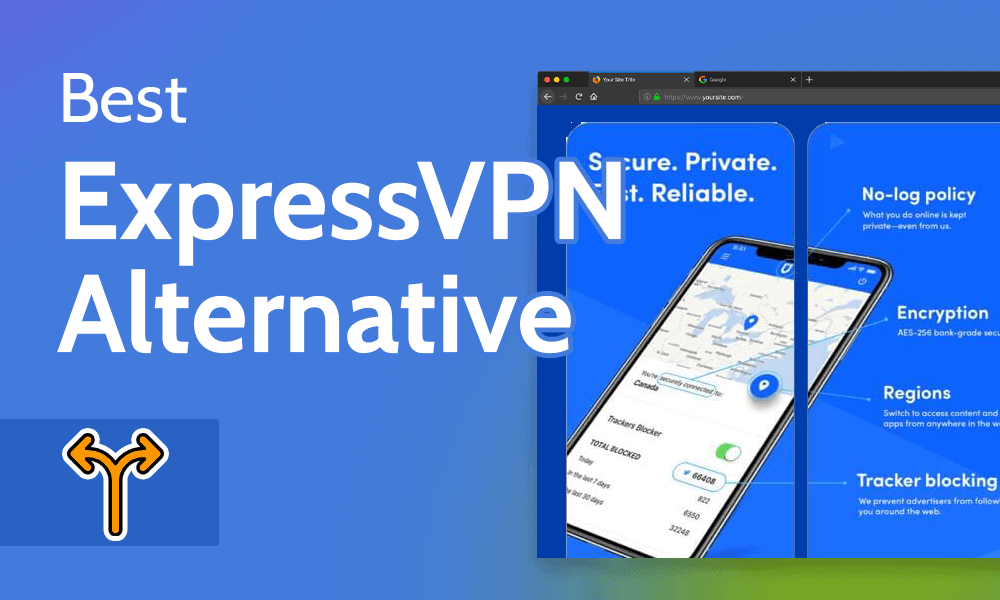
When transmitting sensitive information online, ensure you are using secure protocols and encryption. HTTPS is the most common secure protocol used by websites, and it encrypts data during transmission. Additionally, consider using end-to-end encryption for messaging and communication apps to protect your conversations from unauthorized access.
By following these steps and being proactive about your online security, you can help protect yourself from cyber threats and stay safe while browsing the internet.
Why You Need a VPN for iPhone
If you own an iPhone, it’s important to consider using a VPN for enhanced online security and protection. A VPN, such as ExpressVPN or its free alternatives, can provide a range of benefits for iPhone users.
Protection from Cyber Threats
Using a VPN on your iPhone offers protection from cyber threats, such as hacking attempts, identity theft, and data breaches. By encrypting your internet connection, a VPN ensures that your personal information and sensitive data remain secure.
Access Restricted Content
A VPN allows you to access restricted content and bypass censorship. Whether you want to stream content from different countries or use certain apps and websites that are blocked in your country, a VPN can provide you with the necessary access.
Anonymity and Privacy
A VPN helps maintain your anonymity and privacy online by masking your IP address and encrypting your internet traffic. This makes it more difficult for third parties to track your online activities or collect your personal information.
Secure Public Wi-Fi Connections
When you connect to public Wi-Fi networks, your data is vulnerable to interception by hackers. By using a VPN on your iPhone, you can ensure that your connection is encrypted and secure, even when using public Wi-Fi hotspots.
Switch Virtual Locations
With a VPN, you can easily switch your virtual location to access content and services that may be restricted in your current country. For example, if you’re traveling abroad and want to access streaming services from your home country, a VPN can help you bypass geo-restrictions.
Recommended VPNs for iPhone
While there are many VPN options available, ExpressVPN is highly recommended for its reliable performance, user-friendly interface, and extensive server network. For those looking for a free alternative, there are also several reputable VPNs that offer limited features.
In conclusion, using a VPN on your iPhone is essential for protecting your online security, accessing restricted content, maintaining privacy, and securing public Wi-Fi connections. It’s important to choose a reputable VPN provider, such as ExpressVPN, to ensure the best possible protection for your mobile device.
Benefits of Using ExpressVPN for iPhone
1. Secure your online activities: ExpressVPN for iPhone provides a secure connection that encrypts your data and protects your online privacy. It ensures that your personal information and browsing history remain private and protected from hackers or other malicious entities.
2. Access blocked content: ExpressVPN allows you to bypass geographical restrictions and access blocked content from anywhere in the world. Whether you’re traveling overseas or living in a country with strict internet censorship, ExpressVPN helps you to access streaming services, social media platforms, and other websites that may be blocked or restricted.
3. Faster streaming: ExpressVPN for iPhone recommends the use of its dedicated servers for streaming content. Its fast and reliable network ensures smooth streaming of your favorite movies and TV shows without buffering or lagging issues. You can also connect to servers in specific countries, such as Hong Kong or Taiwan, to access region-locked streaming content.
4. Enhanced security: ExpressVPN provides additional security features such as a built-in kill switch and DNS leak protection. These features ensure that your online activities are not exposed in case your VPN connection drops or if there are any DNS leak issues.
5. Automatic updates: ExpressVPN for iPhone automatically sends updates to your device to keep the app and its security protocols up to date. This ensures that you are always protected from the latest threats and vulnerabilities.
6. Wide device compatibility: ExpressVPN is compatible with a wide range of devices, including iPhones, iPads, and other mobile devices. You can easily connect and use ExpressVPN on your iPhone, ensuring that your online activities are secure no matter where you are.
7. 24/7 customer support: ExpressVPN provides round-the-clock customer support to assist you with any issues or questions you may have. Their support team is available via live chat, email, or phone, ensuring that you receive timely assistance for any pressing concerns.
In conclusion, ExpressVPN for iPhone offers a wide range of features and benefits to enhance your online security and privacy. Whether you’re looking to access blocked content, secure your online activities, or enjoy faster streaming, ExpressVPN is a reliable and recommended VPN service for iPhone users.
How to Set Up ExpressVPN on Your iPhone
Setting up ExpressVPN on your iPhone is a simple and straightforward process. Just follow these steps to get started:
- Download and install the ExpressVPN app from the App Store. The app can be easily found by searching for “ExpressVPN” in the search bar.
- Purchase a subscription: To protect your online security and privacy, ExpressVPN is a paid service. You can choose from different subscription plans and pick the one that best suits your needs.
- Open the app: Once the installation is complete, open the ExpressVPN app on your iPhone.
- Sign in and establish a secure session: Use your ExpressVPN username and password to sign in to the app. If you don’t have an account, you can create one via the app or visit the ExpressVPN website.
- Select a server location: ExpressVPN lets you pick from a wide range of server locations around the world. Choose a server based on your desired location or specific needs. For example, if you are in Japan and want to access content restricted to the United States, you can select a server in the US.
- Connect and stay protected: Once you have chosen a server, simply press the “Connect” button to establish a secure connection. ExpressVPN uses the OpenVPN protocol, which is a recommended protocol for securely transmitting data and preventing unauthorized access.
After following these steps, ExpressVPN will be set up and ready to use on your iPhone. You can now browse the internet securely, protect your online privacy, and access geo-restricted content from anywhere in the world.
ExpressVPN’s app for iPhone is user-friendly and reliable, providing an effective tool for preventing online security threats. Whether you are traveling or using public Wi-Fi networks, ExpressVPN ensures that your data is encrypted and your online activities remain private and secure.
In case you encounter any issues during the installation or while using the app, you can contact ExpressVPN’s support team for assistance. They are available 24/7 and are always ready to help you with any questions or concerns you may have.
Now that you know how to set up ExpressVPN on your iPhone, you can try it out and experience the benefits of a secure and private internet connection. Don’t wait any longer – protect your online security and enjoy unrestricted access to content with ExpressVPN.
Advanced Features of ExpressVPN for iPhone
ExpressVPN for iPhone offers advanced features that enhance your online security and privacy. In this review, we will explore the most notable features that make ExpressVPN a popular choice among users.
1. Extensive Server Network
ExpressVPN has an extensive network of servers, with over 3,000 servers in 160 locations across 94 countries. This allows you to access restricted content and websites from anywhere in the world.
2. Trusted Security Protocols
ExpressVPN uses the latest security protocols, including OpenVPN UDP/TCP, L2TP/IPSec, and IKEv2 protocols. These protocols ensure that your internet connection remains encrypted and secure, protecting your personal information from hackers and surveillance.
3. Automatic Protocol Selection
ExpressVPN for iPhone includes an automatic protocol selection feature. This feature chooses the best protocol for your device and network, ensuring optimal security and performance.
4. Split Tunneling
Split tunneling is another advanced feature offered by ExpressVPN. It allows you to choose which apps or websites use the VPN connection and which ones don’t. This gives you more control over your internet traffic and can help optimize your connection speed.
5. TrustedServer Technology
ExpressVPN utilizes TrustedServer Technology, which ensures that all servers run on RAM only and never write data to the hard drive. This makes it impossible for data to be stored or accessed by third parties, providing an extra layer of security.
6. Trusted Third-Party Audits
ExpressVPN goes through regular external audits by trusted third-party security firms. These audits verify that ExpressVPN operates within their stated privacy policy and does not log user activity. This ensures that your data and online activities are kept private and secure at all times.
7. 24/7 Customer Support
ExpressVPN offers 24/7 customer support via live chat. Their team of experts is always available to assist you with any questions or issues you may have. This ensures that you can get help whenever you need it, giving you peace of mind.
In conclusion, ExpressVPN for iPhone offers advanced features that make it a top choice for users seeking enhanced online security and privacy. With its extensive server network, strong security protocols, and additional features like split tunneling and TrustedServer Technology, ExpressVPN provides a comprehensive solution for protecting your internet connection.
Protect Your Data with ExpressVPN’s Encryption Technology
When it comes to securing your online data, ExpressVPN’s encryption technology is the real deal. With this advanced technology, your personal information is protected from being detected or accessed by unauthorized individuals.
ExpressVPN reps on their website claim that they use state-of-the-art encryption methods to ensure the highest level of security for their users. This means that even if someone were to intercept your data, it would be nearly impossible for them to decipher it.
Whether you’re using ExpressVPN on your iPhone or any other device, the encryption technology ensures that your sensitive information, such as credit card details or local files, remains secure.
One of the key features of ExpressVPN is its ability to bypass geo-restrictions. If you’re traveling abroad and want to access content that is only available in your home country, ExpressVPN enables you to connect to a server in that country and access the content as if you were there.
ExpressVPN provides a range of encryption protocols to choose from, including OpenVPN, which is considered one of the most secure protocols available. This protocol is supported on most devices, including iPhone and Mac, making it a popular choice among ExpressVPN users.
In addition to providing top-notch security, ExpressVPN offers unlimited bandwidth, meaning you can use the VPN as much as you want without worrying about any restrictions. This is especially useful if you frequently stream videos or download large files.
ExpressVPN also has a strict no-logs policy, meaning they don’t keep any records of your online activities. This further enhances your privacy and ensures that your data is not being collected or shared.
If you’re looking for an alternative to ExpressVPN, there are plenty of options available. One popular choice is NordVPN, which offers similar features and protection. However, keep in mind that ExpressVPN has a larger network of servers and supports more countries, as well as providing faster connection speeds.
In conclusion, when it comes to protecting your online data, ExpressVPN’s encryption technology is a reliable option. Whether you’re at home or on a trip overseas, ExpressVPN ensures your data remains secure and your online activities remain private. So, why wait? Install ExpressVPN or try out their free alternative today!
Surf the Web Anonymously with ExpressVPN for iPhone
In today’s digital age, online privacy and security have become increasingly important. By using a VPN (Virtual Private Network), you can protect your personal information and browse the web anonymously. ExpressVPN for iPhone is a powerful tool that enables you to do just that.
With ExpressVPN, you can live stream your favorite shows, switch between different server locations, and select from a wide range of countries to access content that is typically restricted in your region. This means that even if you’re overseas, you can still enjoy unrestricted access to your favorite websites and apps.
One of the most important features of ExpressVPN is its encryption and protection. By using this VPN on your iPhone, you’re ensuring that your internet connection is secure and your data is encrypted. This is especially useful when using public Wi-Fi networks in cafes, hotels, or airports, where your personal information can be at risk if not properly protected.
In addition to its powerful features, ExpressVPN for iPhone is extremely user-friendly. You can easily download and install the app from the App Store, and with just a few clicks, you can start using it to secure your online activities. The app also provides frequent updates, so you can always stay up to date with the latest security fixes and improvements.
Alternatively, if you’re looking for a free VPN option for your iPhone, you can consider the following steps:
- Go to the App Store and search for a free VPN app.
- Select a VPN app with good user reviews and a high rating.
- Download and install the app on your iPhone.
- Open the app and follow the on-screen instructions to set up a VPN connection.
It’s important to note that while free VPNs can provide some level of protection, they often have limitations, such as limited bandwidth or restricted server locations. Additionally, some free VPNs may display ads or collect your data for targeted advertising purposes, so it’s important to read the privacy policy before using them.
In conclusion, whether you choose to use ExpressVPN for iPhone or a free VPN alternative, it’s essential to take steps to protect your online security and privacy. Using a VPN can help you surf the web anonymously, access geo-restricted content, and secure your personal information from potential threats.
Secure Your iPhone from Hackers and Malware
When it comes to the security of your iPhone, it is important to be proactive and take necessary steps to protect your device from hackers and malware. With the increasing number of cyber threats, it is crucial to secure your personal information and keep your iPhone safe.
One option that has been tested and proven to provide a high level of security is ExpressVPN for iPhone. With its strong encryption and IP address masking, ExpressVPN ensures that your internet activity is protected and your online identity is secure. It also gives you the ability to access blocked websites and bypass censorship restrictions. If you are concerned about your privacy and want to keep your online activities private, ExpressVPN is the ideal solution for your iPhone.
If you are looking for a free alternative, there are other options available. One such option is using a proxy or mirrored websites. By using proxies, you can bypass certain restrictions and access blocked websites. However, it is important to note that proxies may not provide the same level of security as ExpressVPN and may not be as reliable.
Another option to consider is using a VPN alternative. While VPN alternatives may not offer the same level of encryption and protection as ExpressVPN, they can still provide a certain level of security. Some VPN alternatives offer limited access to certain sites or have restrictions on certain types of content. However, they can still be a viable option if you are looking for basic protection.
When it comes to securing your iPhone, it is important to find the right solution that meets your needs. Whether you choose ExpressVPN for its strong encryption and full protection, or opt for a free alternative like proxies or VPN alternatives, make sure to take steps to secure your online security.
Free Alternative to ExpressVPN for iPhone
If you’re looking for a free alternative to ExpressVPN for your iPhone, there are a few options available that can help you secure your online activities without breaking the bank. One popular choice is the TunnelBear VPN app.
TunnelBear offers a free plan that allows you to use their VPN service for up to 500MB of data per month. While this may not be enough for heavy internet users, it can still be sufficient for light browsing, checking email, and other basic online tasks.
Another option is the ProtonVPN app. ProtonVPN is a reputable VPN provider that offers a free plan with some limitations. While the free plan does not provide access to all of ProtonVPN’s servers and features, it still offers a decent level of security and privacy protection. Plus, ProtonVPN has a strict no-logging policy, which means they do not store any data about your online activities.
If you’re willing to pay a little for a more comprehensive VPN service, you might consider NordVPN. NordVPN offers a 30-day money-back guarantee, so you can try their service risk-free. NordVPN has a large network of servers in different countries, supports multiple connections at once, and even enables you to access online content that is restricted in your country.
In short, while ExpressVPN is a popular and reliable VPN service for iPhone users, there are free alternatives available that can provide you with the basic security and privacy protection you need. Whether you choose TunnelBear, ProtonVPN, or NordVPN, using a VPN can help protect your personal information while using your iPhone for various online activities.
Comparing Free VPNs for iPhone
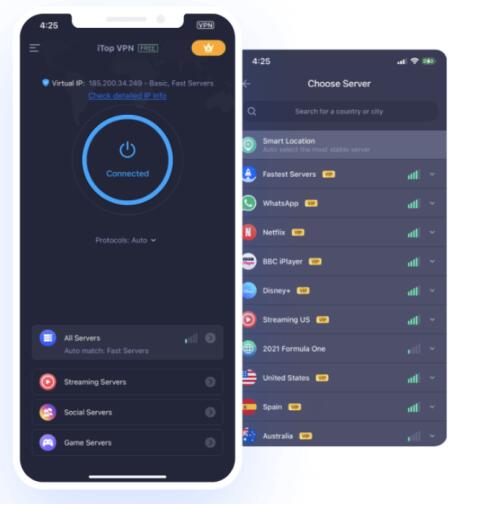
When it comes to securing your online security on your iPhone, there are a few free VPN options available. However, it is important to understand the differences between these VPNs to make an informed decision about which one is the best fit for your needs.
One free VPN alternative is the ExpressVPN app for iPhone. This app provides automatic protection and encryption for your connections, ensuring that your data is secure. It also offers a wide range of servers in different locations overseas, allowing you to access content that may be restricted in your home country. Additionally, ExpressVPN offers strong bandwidth and allows you to connect multiple devices.
Another alternative to consider is a free VPN service that requires a one-time purchase. While this may not provide all the features and services of a paid VPN, it can still offer some level of protection and encryption for your connections. However, it is important to note that these free VPN services may have limitations, such as slower speeds or a limited number of servers.
What sets ExpressVPN apart from most other free VPNs is its dedicated app for iPhone. This app is user-friendly and easy to install, providing a seamless browsing experience. Additionally, ExpressVPN frequently updates its servers to ensure a strong and unrestricted connection. It also offers various protocols to choose from, depending on your needs and preferences.
While ExpressVPN is a reliable choice, there are other free VPNs for iPhone that can also provide a level of protection. For example, the app from VPN provider NordVPN offers a short trial period with unlimited bandwidth. This can be a good alternative if you are only looking for temporary protection and want to avoid any additional costs.
When considering free VPNs for iPhone, it is important to be cautious. Some free VPNs may collect your data and sell it to third parties, compromising your privacy. Be sure to uninstall any VPN apps that you no longer use and frequently ask questions about their data policies before using them.
Here’s a comparison of some popular free VPNs for iPhone:
- ExpressVPN: Offers a dedicated app for iPhone with automatic protection and encryption. Provides strong bandwidth and multiple server locations overseas.
- NordVPN: Offers a short trial period with unlimited bandwidth. Can be a good alternative for temporary protection.
In conclusion, while there are free VPN options available for iPhone, it is important to consider the features, services, and privacy policies of each VPN before making a decision. ExpressVPN is a reliable choice with its dedicated app and strong connection, while other free VPNs may offer short-term protection.
Why You Should Avoid Free VPNs for iPhone
1. Limited Security: Free VPNs often lack the robust security features provided by reputable VPN services like ExpressVPN. This means that your online activities and personal data may be vulnerable to surveillance or hacking attempts.
2. Unreliable Performance: Free VPNs may not work properly or consistently. You might experience frequent disconnections, slow speeds, or issues with connecting to certain websites or services.
3. Limited Server Locations: Free VPNs typically have a limited number of server locations. This means that you may not be able to access content that is blocked in your region or enjoy the benefits of an overseas IP address.
4. No Customer Support: Free VPNs generally do not provide reliable customer support. If you encounter any problems or have questions, you may not be able to get the assistance you need.
5. Privacy Concerns: Free VPNs often collect and sell user data to cover their costs. This can compromise your privacy and defeat the purpose of using a VPN in the first place.
6. Outdated Protocols: Free VPNs may use outdated or insecure protocols, making them less effective at keeping your online activities private and secure.
7. Limited Device Support: Free VPNs may only support a limited number of devices, such as iPhones or iPads. If you want to secure multiple devices, you may need to purchase a premium VPN service or use an alternative method.
8. Legal and Security Risks: Some free VPNs are actually malware or spyware in disguise. Downloading a free VPN from unreliable sources can expose your device and personal information to various risks.
9. Limited Data and Bandwidth: Free VPNs often impose restrictions on the amount of data you can use or the bandwidth available. This can be inconvenient, especially if you frequently stream or download large files.
10. Lack of Extra Features: Free VPNs usually lack the additional features and benefits offered by premium VPNs, such as obfuscation to bypass VPN detection, unlimited server switching, or access to real-time proxy servers.
Server Locations and Issues
When it comes to VPN providers, the number and location of their servers play a crucial role in determining the quality of service they offer. ExpressVPN boasts a wide range of servers spread across numerous countries, allowing users to choose from a variety of server locations. This enables users to bypass geo-restrictions and access content that might otherwise be blocked in their country.
ExpressVPN currently offers more than 3,000 servers in 94 countries, providing users with a vast selection of options. This extensive network of servers ensures that users can enjoy a fast and stable connection, regardless of their location. The servers are frequently updated and tested to ensure optimal performance.
However, there might be instances when certain servers are not working as expected. This can happen due to various reasons such as maintenance or technical issues. ExpressVPN’s dedicated team works diligently to address these issues promptly and ensure that users have a smooth and uninterrupted experience.
Another advantage that ExpressVPN offers is obfuscation. This feature allows users to mask their VPN traffic as regular internet traffic, making it more difficult for third parties to detect and block the VPN connection. This can be particularly useful when trying to bypass strict censorship or surveillance measures imposed by certain countries.
For those looking for a free alternative, there are several VPN apps available that offer a limited number of servers for free. However, it is important to note that free VPNs usually have more restrictive terms and conditions, and their servers may not be as reliable as the ones offered by paid providers like ExpressVPN. Additionally, free VPNs often have limitations on data usage and may display ads.
In conclusion, server location and availability are crucial factors to consider when choosing a VPN provider. ExpressVPN offers a wide range of servers in various countries, ensuring a fast and stable connection for users. While occasional server issues may arise, ExpressVPN’s dedicated team works quickly to address and resolve them. Additionally, the obfuscation feature allows users to bypass censorship and surveillance measures. For those looking for a free alternative, it is important to be aware of the limitations and potential drawbacks of using free VPN services.
Common Server Issues with ExpressVPN for iPhone
When it comes to ensuring your online security and unrestricted access to websites and streaming services, ExpressVPN is a recommended choice. However, like any other VPN service, it can encounter some server issues that may affect your experience.
1. Server Connection Problems
One of the common issues ExpressVPN users may face is difficulty in establishing a connection to a server. This can happen due to various reasons, such as server maintenance or high traffic. If you encounter this problem, try selecting a different server or contact the customer support for assistance.
2. Slow Server Speed
If you notice a significant decrease in your internet speed while using ExpressVPN, it could be due to the server you’re connected to. Some servers may experience high bandwidth usage or have restrictions that limit the speed. In such cases, you can try switching to a different server or protocol to improve the speed.
3. Blocked by Websites or Streaming Services
Although ExpressVPN is known for its ability to bypass geo-restrictions and access content from overseas, there might be instances when certain websites or streaming services block its servers. If you encounter this issue, you can try selecting another server or contacting ExpressVPN support for updates on which servers are currently working with the blocked services.
4. Server Address Not Found
At times, ExpressVPN may not be able to establish a connection with a server due to issues with the server address. This could happen if the server is down or the address is not recognized. When this occurs, it’s recommended to try selecting a different server or contacting ExpressVPN support for assistance.
Conclusion
While ExpressVPN is an intuitive VPN service that works smoothly on iPhone, users may occasionally encounter some common server issues. If you come across any of these issues, try the recommended troubleshooting steps or reach out to ExpressVPN’s customer support for further assistance. Remember to keep your VPN software up to date to ensure optimal performance and protection for your online activities.
Troubleshooting Server Issues with ExpressVPN for iPhone
If you are experiencing server issues with your ExpressVPN for iPhone, there are a few troubleshooting steps you can take to resolve the problem.
Check your internet connection
The first step is to make sure that your internet connection is working properly. Try connecting to a different Wi-Fi network or use a mobile data connection to see if the issue is related to your network.
Check if the server is available
Next, check if the server you are trying to connect to is available. ExpressVPN has servers in many countries, so try connecting to a different server to see if the issue is specific to a particular server or country.
Update the ExpressVPN app
If you are running an outdated version of the ExpressVPN app, you may encounter server issues. Make sure to update the app to the latest version to ensure compatibility with the server network.
However, if your ExpressVPN for iPhone still doesn’t work after updating, try resetting your internet connection or even reinstalling the app to see if that resolves the issue.
Contact ExpressVPN support
If the above steps do not resolve the server issues, it is recommended to contact ExpressVPN’s support team for further assistance. They have dedicated representatives who can help troubleshoot and resolve any issues you may be experiencing.
For users who prefer an alternative to ExpressVPN, there is a free open-source VPN service called Shadowsocks. It uses protocols that are not easily blocked by streaming sites or internet service providers, allowing for unrestricted access to the internet.
Here’s a step-by-step guide on the installation and setup of Shadowsocks:
- Visit the Shadowsocks website and download the app for your desired platform (Android, iOS, Windows, Mac).
- After the download is complete, open the app and follow the on-screen instructions to complete the installation process.
- Once the installation is complete, open the Shadowsocks app and enter your desired server settings or select from the available list of servers.
- Connect to the server and enjoy unrestricted access to the internet.
With these troubleshooting steps and alternative options, you should be able to resolve any server issues you encounter with ExpressVPN for iPhone and ensure a secure and reliable VPN connection.
How to Contact ExpressVPN Support for Server Issues
1. Visit the ExpressVPN Website
If you are experiencing server issues with ExpressVPN, the best way to contact their support team is by visiting their official website. From there, you can find various contact options to reach out for assistance.
2. Email Support
One of the recommended ways to contact ExpressVPN support is through email. By sending an email to their support team, you can describe the server issues you are facing in detail. They will then get back to you with a resolution or further steps to troubleshoot the problem.
3. Live Chat Support
For more immediate assistance, ExpressVPN offers live chat support. By accessing the live chat feature on their website, you can directly communicate with a support representative. This way, you can quickly explain the server issues and receive real-time guidance to resolve them.
4. Support Ticket
If your server issues are complex and require detailed investigation, you can submit a support ticket to ExpressVPN. This allows you to provide comprehensive information about the problem, making it easier for their support team to understand and address the issue.
5. Community Forum
ExpressVPN has a community forum where users can engage with each other and the support team to discuss server issues. By posting about your problem on the forum, you may receive helpful suggestions or solutions from other ExpressVPN users or the support team themselves.
6. Social Media
ExpressVPN also has a presence on social media platforms such as Twitter and Facebook. You can try reaching out to their support team through these channels by sending them a direct message or mentioning them in a post. However, keep in mind that response times may vary.
Remember, when contacting ExpressVPN for server issues, provide as much information as possible to help them understand the problem. This can include details about the specific server, any error messages you encountered, and the steps you have already tried on your own.
Вопрос-ответ:
Can I use ExpressVPN for iPhone to secure my online security?
Yes, you can use ExpressVPN for iPhone to secure your online security. ExpressVPN is a trusted and reliable VPN service that encrypts your internet connection and protects your data from hackers and surveillance. It provides a secure and private connection, allowing you to browse the web anonymously and access blocked content.
Is ExpressVPN for iPhone a free service?
No, ExpressVPN for iPhone is not a free service. It requires a subscription, but it offers a 30-day money-back guarantee, allowing you to try the service risk-free. ExpressVPN is known for its high-quality and reliable service, making it worth the investment for those who prioritize online security and privacy.
Is there a free alternative to ExpressVPN for iPhone?
Yes, there is a free alternative to ExpressVPN for iPhone. One such alternative is TunnelBear. TunnelBear offers a free plan that provides limited data usage per month. While it may not have all the features and server options of ExpressVPN, it is a good option for those who want to try a VPN without making a financial commitment.
What is the automatic protocol option in ExpressVPN for iPhone?
The automatic protocol option in ExpressVPN for iPhone allows the app to automatically select the best protocol for your connection. The protocol determines how your data is transmitted and encrypted. By choosing the automatic option, ExpressVPN will select the most suitable protocol based on factors such as speed and security, ensuring you have the best possible VPN experience.
Can I manually select a protocol in ExpressVPN for iPhone?
Yes, you can manually select a protocol in ExpressVPN for iPhone. The app offers a range of protocols to choose from, including OpenVPN (UDP and TCP), IKEv2, and IPSec. Each protocol has its own advantages and disadvantages in terms of speed and security. By manually selecting a protocol, you have more control over your VPN connection.
Видео:
"I Remove This Mysterious Tiny Chip Before Using The Phone!" Edward Snowden
"I Remove This Mysterious Tiny Chip Before Using The Phone!" Edward Snowden by BrainStation 2 years ago 8 minutes, 30 seconds 7,268,326 views
Best Alternatives to ExpressVPN Now?
Best Alternatives to ExpressVPN Now? by Tom Spark’s Reviews 1 year ago 5 minutes, 37 seconds 3,791 views
Are free VPNs safe?
Are free VPNs safe? by ExpressVPN 5 months ago 2 minutes, 59 seconds 1,652 views
