
Issues with iOS 16 and ExpressVPN: Why You Need the Best VPN for Android
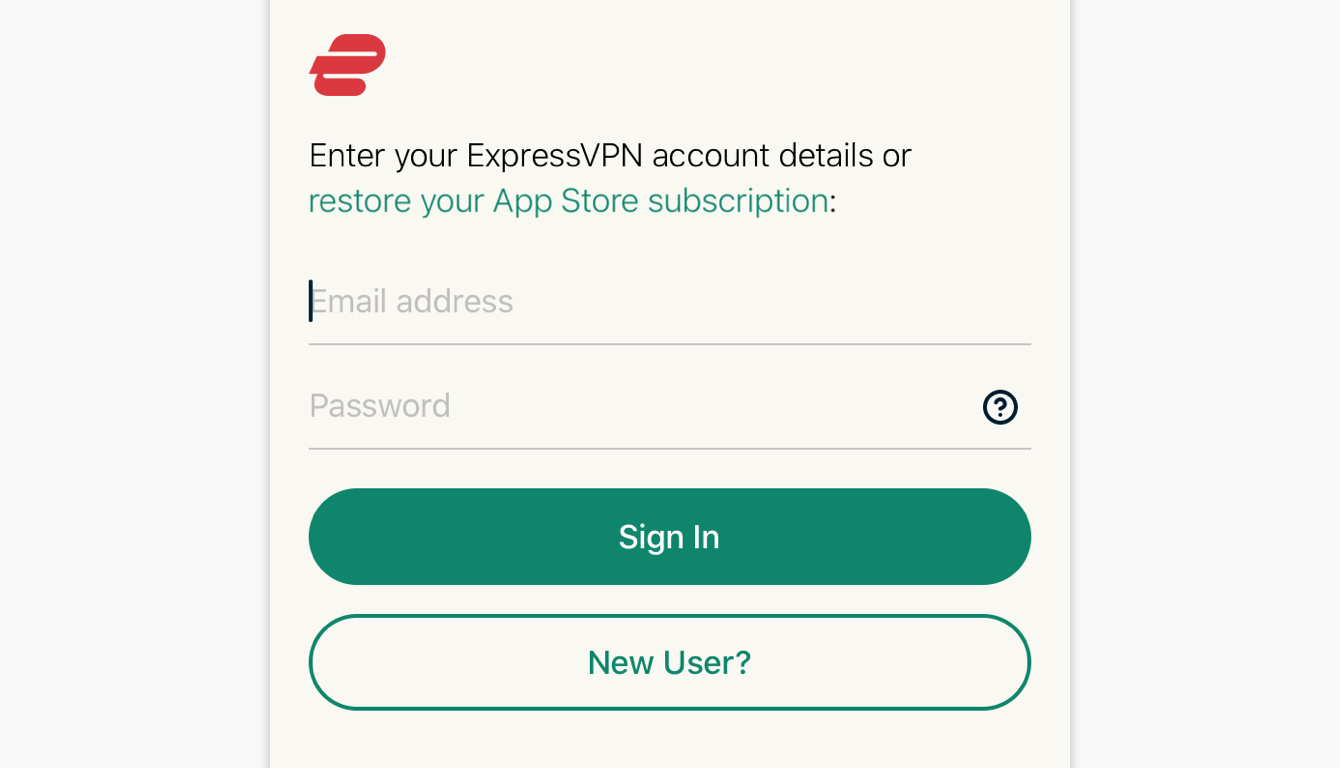
ExpressVPN is considered one of the best VPNs for Android, and it has recently released its latest version for iOS. However, some users have reported issues with the connection and performance of ExpressVPN on iOS 16. In this article, we will discuss what’s new in ExpressVPN for iOS, the identified issues, and how to best use the VPN on your iPhone.
ExpressVPN for iOS offers several features that make it a popular choice for anyone looking for a fast and secure VPN connection. The app provides additional encryption to protect your data and virtual location, allowing you to browse the internet anonymously and access geo-restricted content. With ExpressVPN, you can also stream videos and browse websites with ease.
However, with the latest iOS 16 update, some users have experienced connection problems and slower performance when using ExpressVPN. These issues have been identified by ExpressVPN and they are working on resolving them as quickly as possible. In the meantime, it is recommended to follow a few steps to improve your VPN experience on iOS 16.
Firstly, make sure you have the latest version of ExpressVPN installed on your iPhone. Visit the App Store to check for any available updates. Secondly, check your internet connection and ensure it is stable. If you are experiencing slow speeds or frequent disconnections, try switching to a different server location within the ExpressVPN app. This might help improve your connection.
If the issues persist, you can also reach out to ExpressVPN’s customer support for further assistance. They have a dedicated team that can help troubleshoot any problems you may encounter with the app. Additionally, consider providing them with detailed information about the issues you’re experiencing, such as any error messages or screenshots, as this can help their support team identify and resolve the problems more efficiently.
In conclusion, while there have been some issues identified with ExpressVPN on iOS 16, it is still considered one of the best VPNs for mobile devices. By following the recommendations above and staying up to date with the latest information and updates from ExpressVPN, you can continue to enjoy a fast and secure VPN connection on your iPhone.
Issues with iOS 16 and ExpressVPN: What’s New, Best VPN for Android
Introduction
With the release of iOS 16 and the latest version of ExpressVPN, several issues have been identified that may affect the performance and functionality of the VPN on iPhones and other iOS devices. In this article, we will discuss the new features introduced in iOS 16, the problems encountered with ExpressVPN, and the best VPN options for Android devices.
iOS 16 and ExpressVPN
The new features in iOS 16 have been designed to provide additional security and privacy for iPhone users. However, it seems that these enhancements have caused compatibility issues with ExpressVPN. Users have reported issues with establishing a stable and fast connection, as well as difficulties in accessing certain websites and streaming videos.
Encryption and Data Privacy
ExpressVPN, known for its strong encryption and commitment to data privacy, has been working diligently to resolve these compatibility issues. As of the latest version of the ExpressVPN app, users can expect improved performance and a more reliable VPN connection on iOS 16.
Best VPN for Android
If you are an Android user and experiencing similar issues with ExpressVPN on iOS 16, it might be worth considering alternatives for a smooth and secure VPN experience. There are many VPNs available for Android devices that offer fast and reliable connections, robust encryption, and a user-friendly interface.
Conclusion
In conclusion, the introduction of iOS 16 has brought several new features that have affected the performance of ExpressVPN on iPhones and other iOS devices. Users may experience difficulties in establishing a stable connection and accessing certain websites. ExpressVPN is actively working on resolving these issues to provide a satisfactory experience for its users. In the meantime, Android users can explore alternative VPN options to ensure a secure and fast browsing experience on their devices.
ExpressVPN and iOS 16 Compatibility Problems
If you own an iPhone and use ExpressVPN as your preferred VPN service, you might encounter compatibility issues when upgrading to iOS 16. It has been identified that the latest version of ExpressVPN’s iOS app is not fully compatible with iOS 16, leading to some functionality limitations.
ExpressVPN is regarded as one of the best VPNs for both Android and iOS devices, providing fast and secure browsing experience. However, with the release of iOS 16, some users have reported issues with their ExpressVPN connection. It is important to consider these compatibility problems and take necessary steps to ensure a seamless experience while using ExpressVPN on iOS 16.
The identified issues mainly revolve around the virtual private network (VPN) connection established through ExpressVPN’s iOS app. Some users have reported that the connection drops frequently or fails to establish entirely. This can be frustrating, especially when trying to access geo-restricted content or ensuring online privacy and security.
ExpressVPN has acknowledged these compatibility problems and is working towards releasing an updated version of their iOS app that fully supports iOS 16. In the meantime, users can try using ExpressVPN on other compatible devices like Android smartphones or desktop browsers, or consider using alternative VPN solutions that have confirmed compatibility with iOS 16.
When choosing an alternative VPN, it is essential to ensure that it meets your specific requirements. Consider factors such as data encryption, connection speed, server locations, and additional features offered. Reading reviews and comparing different VPN services can help in making an informed decision.
ExpressVPN has provided a description of their latest APK version for Android, which suggests that it is fully compatible with Android devices, including those running the latest operating system versions. Users can find detailed information about the features and how to install and use ExpressVPN on their Android device through the provided description and in-app tutorials.
Overall, while ExpressVPN and iOS 16 compatibility problems have been identified, there are alternative solutions and workarounds available. Whether you decide to wait for the updated iOS app or explore other VPN services, the goal is to ensure a fast and secure browsing experience on your iPhone or any other device.
ExpressVPN: The Best VPN for Android Devices
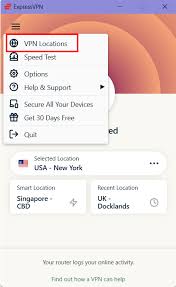
ExpressVPN is considered one of the best VPNs for Android devices. With its many features and fast connection, it is an ideal choice for anyone looking to protect their virtual data and browse the internet securely.
One of the key features of ExpressVPN is its strong encryption. This ensures that your online activities and personal information are kept private and secure from any potential threats or hackers.
The latest version of ExpressVPN for Android has additional features and improvements that make it even more reliable and user-friendly. It has been designed to meet the requirements of Android users and provide them with the best browsing experience.
ExpressVPN for Android is compatible with both smartphones and tablets, ensuring that anyone can enjoy its benefits regardless of their device. Whether you’re using an Android phone or an iOS-based device like an iPhone or iPad, ExpressVPN has got you covered.
In the app description, ExpressVPN highlights how easy it is to use their VPN service on Android devices. They provide a step-by-step guide on how to install the APK file and set up the VPN connection in the mobile browser. This ensures that even beginners can easily navigate through the process and start securing their online activities.
To give potential users a better idea of what to expect, ExpressVPN also provides screenshots of the app in action. This gives users a visual representation of how the app looks and functions on an Android device.
Overall, ExpressVPN is widely considered the best VPN for Android devices due to its fast connection, strong encryption, and user-friendly features. Whether you’re concerned about your online privacy or want to access region-restricted content, ExpressVPN is a reliable choice that will meet your needs.
ExpressVPN for iOS: Advanced Features and Benefits
ExpressVPN offers a feature-packed version of the popular VPN service for iOS users. Whether you’re using an iPhone or iPad, ExpressVPN provides a fast and secure connection that ensures your data and privacy are protected.
Advanced Encryption and Protocols
ExpressVPN uses industry-leading encryption to secure your online activities. With AES-256 encryption and support for protocols like OpenVPN, IKEv2, and L2TP/IPsec, your data is protected from any potential threats or hackers.
Virtual Location and IP Address Concealment
By connecting to one of ExpressVPN’s many virtual locations around the world, you can browse the internet with a different IP address, making it difficult for anyone to track or identify your online activities. This feature is particularly useful for accessing geo-restricted content.
Easy-to-Use Interface and Compatibility
ExpressVPN’s iOS app is user-friendly, allowing anyone to connect to a VPN server with just a few taps. The interface is simple and intuitive, making it accessible for both beginners and experienced VPN users. The app is also compatible with various iOS devices, including iPhones and iPads.
Additio
ExpressVPN: Requirements and Additional Information
Requirements
ExpressVPN is a fast and reliable VPN service that is available for both Android and iOS devices. To use ExpressVPN on your Android device, you will need to have Android version 5.0 or later installed on your mobile device. For iOS devices, you will need to have iOS version 11.0 or later.
Additionally, to maximize your experience with ExpressVPN, it is recommended to have a stable internet connection. A connection with a minimum download speed of 25 Mbps will ensure smooth browsing, streaming, and downloading of data through the VPN.
Additional Information
ExpressVPN is considered one of the best VPN services available, offering a virtual private network that ensures the privacy and security of your data. With ExpressVPN, you can browse the internet anonymously and securely, as your IP address will be masked and your internet traffic encrypted.
ExpressVPN provides a user-friendly interface that makes it easy for anyone to use, whether they are new to VPNs or not. The latest version of ExpressVPN is available as an APK file for Android and can be downloaded from the official website. For iOS users, ExpressVPN is available through the App Store.
In the description of ExpressVPN, you will find information about its features, such as its fast and reliable connection, its ability to bypass censorship and access geo-restricted content, and its compatibility with many streaming platforms. The description also provides screenshots and videos that demonstrate how to use ExpressVPN and what’s new in the latest version.
It is important to note that ExpressVPN is committed to protecting the privacy of its users and does not collect any personally identifiable information. Their strict no-logs policy ensures that your online activities are not tracked or identified by ExpressVPN. This makes it a trusted choice for users who value their privacy and security while browsing the internet.
In conclusion, whether you are using ExpressVPN on your Android or iOS device, you can enjoy a fast and secure connection, and have peace of mind knowing that your data is protected. With its user-friendly interface, compatibility with multiple platforms, and strong encryption, ExpressVPN is considered one of the best VPN options available.
ExpressVPN Android: Your Ultimate Privacy Solution
If you’re looking for the best VPN for Android, ExpressVPN should be considered your top choice. With its fast and secure connection, ExpressVPN ensures that your data is encrypted and protected from anyone trying to intercept it.
With ExpressVPN for Android, you can browse the internet with peace of mind, knowing that your online activities are invisible to prying eyes. ExpressVPN uses the latest encryption technology to ensure that your personal information and browsing history are secure.
What’s New in ExpressVPN Android:
- ExpressVPN has introduced a new virtual private network (VPN) protocol for Android, providing an additional layer of security and faster connection speeds.
- The latest version of ExpressVPN for Android has been optimized for mobile devices, ensuring smooth performance and improved user experience.
- ExpressVPN now supports and is compatible with the latest Android operating systems, including the recently identified issues with iOS 16.
How ExpressVPN Works:
ExpressVPN creates a secure tunnel between your Android device and the internet, routing your data through several servers located around the world. This ensures that your IP address is masked and your online activities are anonymous.
ExpressVPN’s easy-to-use Android app allows you to connect to the VPN with just a few taps. Simply download the ExpressVPN APK, install it on your Android device, and you’re ready to go. You can also use ExpressVPN on other devices, such as your iPhone or browser.
Your Ultimate Privacy Solution:
ExpressVPN is considered the best VPN for Android due to its many features and benefits. It not only protects your online privacy, but it also allows you to access blocked websites and stream videos without any restrictions. With ExpressVPN, you can browse the internet freely and securely from anywhere in the world.
ExpressVPN Android Requirements:
- Android version: Requires Android 5.0 or higher
- Storage: Requires 35 MB of free space
- Permissions: Requires permission to access network state and to connect and disconnect from Wi-Fi
With ExpressVPN for Android, you can enjoy the best VPN experience on your mobile device. Whether you’re concerned about your online privacy or want to access geo-restricted content, ExpressVPN has you covered.
ExpressVPN APK: Description and Key Features
The ExpressVPN APK is a mobile application version of ExpressVPN that provides virtual private network (VPN) services. It can be used on both Android and iOS devices, including iPhone’s with the latest iOS version. The APK allows users to browse the internet securely and anonymously, while also enabling them to bypass any restrictions or blocks that may be in place.
Description:
ExpressVPN is considered one of the best VPN options available to mobile users. Its fast connection and strong encryption ensure that your data is protected and your browsing activities remain private. With ExpressVPN, anyone can easily mask their IP address and location, making it harder for third parties to track or identify them.
ExpressVPN also provides additional features such as split tunneling, which allows users to choose which apps or browser tabs go through the VPN and which ones do not. This gives users more control over their internet connection and how their data is routed.
Key Features:
- Strong encryption: ExpressVPN uses AES-256 cipher with SHA-256 HMAC authentication for secure and private communication.
- Fast connection: ExpressVPN offers high-speed servers located in multiple countries, ensuring a smooth browsing experience.
- Bypassing restrictions: The VPN allows users to access geo-restricted content or websites that may be blocked in their region.
- Anonymous browsing: ExpressVPN masks your IP address and location, keeping your online activities anonymous and private.
- Split tunneling: The feature allows users to choose which apps or browser tabs go through the VPN and which ones do not.
- Mobile and cross-platform support: ExpressVPN is compatible with both Android and iOS devices, providing VPN services on the go.
In summary, the ExpressVPN APK is a highly regarded VPN application that offers strong encryption, fast connection, and the ability to bypass restrictions. Its mobile and cross-platform support make it an ideal choice for anyone looking for the best VPN for their Android or iOS device.
ExpressVPN APK: New Features of the Latest Version
The latest version of ExpressVPN APK brings several new features and improvements to enhance your virtual private network (VPN) experience on your Android mobile device. Here is a description of some of the new features:
- New Design: The latest version of ExpressVPN has an updated and more user-friendly interface, making it easier for anyone to navigate and use the app.
- Faster Connection: The new version of ExpressVPN offers faster connection speeds, allowing you to browse the internet and stream videos seamlessly.
- Improved Encryption: ExpressVPN now uses even stronger encryption algorithms to ensure that your data is securely protected while using the VPN.
- Enhanced Privacy: The latest version of ExpressVPN includes additional privacy features, such as a kill switch that automatically disconnects your internet connection if the VPN connection drops, preventing any data leakage.
- Optimized for Android: ExpressVPN has been optimized specifically for Android devices, ensuring a smooth and seamless experience while using the app on your mobile.
ExpressVPN APK has become the best VPN for Android due to its many features and high-quality performance. It allows you to connect to virtual servers located in different countries, giving you access to geo-restricted content and websites.
In addition, ExpressVPN APK can be used on other platforms, such as iOS, giving you the flexibility to protect your data on multiple devices. The app is compatible with all major operating systems and can be used on iPhone and iPads.
ExpressVPN is known for its commitment to privacy and security. It does not log any user activity or retain any identifiable information, ensuring that your online activities remain private and anonymous.
If you’re wondering how ExpressVPN works, it provides a secure tunnel through which your data is encrypted and sent to the VPN server, making it virtually impossible for anyone to intercept or access your data. It also masks your real IP address, providing an additional layer of anonymity.
In conclusion, the latest version of ExpressVPN APK comes with new features and improvements that enhance your VPN experience on your Android device. With its fast connection speeds, strong encryption, and additional privacy features, it remains the best VPN choice for anyone looking to protect their data and browse the internet securely on their Android device.
What’s New in ExpressVPN: The Latest Updates
ExpressVPN Version 10.2.0
ExpressVPN has released its latest version, 10.2.0, with several new features and improvements for your VPN connection. Whether you use ExpressVPN on your iPhone, Android, or desktop browser, these updates will enhance your online experience and provide additional security.
Enhanced Encryption
One of the key updates in this version is the enhanced encryption. ExpressVPN has considered the latest security protocols and has implemented them to ensure that your data is protected. Whether you are browsing, streaming videos, or accessing sensitive information, you can be confident that your connection is secure and your privacy is maintained.
Improved Speed and Performance
In addition to the enhanced encryption, ExpressVPN has also improved the speed and performance of their VPN. With the new version, you can expect faster connection speeds and improved stability. Whether you are browsing websites or streaming videos, you will notice a significant difference in the speed and quality of your VPN connection.
Additional Features and Requirements
The latest version of ExpressVPN also introduces several additional features and requirements. For Android users, there is a new ExpressVPN APK that brings new features and improvements to the app. For iOS users, ExpressVPN has identified and fixed several issues with iOS 16 to ensure a seamless experience on your iPhone. Additionally, ExpressVPN has updated its virtual browser to support the latest browser versions.
What’s Next for ExpressVPN
ExpressVPN is committed to providing the best VPN experience for its users. They are constantly working on new features and improvements to enhance your online security and privacy. Stay tuned for future updates and make sure you have the latest version of ExpressVPN installed on your device to enjoy all the benefits it offers.
ExpressVPN: Video Overview and Screenshots
If you are looking for the best VPN for Android and iOS, ExpressVPN is considered one of the top options available. With its many features and fast connection, ExpressVPN meets the requirements of anyone looking to protect their mobile data and browse the web securely.
ExpressVPN’s latest version, the 16.0 apk for Android and iOS, offers additional features and improvements. It provides a virtual private network (VPN) that encrypts your data, making it safe from anyone trying to access your information.
Through ExpressVPN, you can browse the internet anonymously, as your IP address is masked and your online activities are not easily identified. This provides privacy and security in an increasingly connected world.
The video overview of ExpressVPN showcases how to use the VPN app on both Android and iOS devices. It gives a step-by-step description of how to install the app, configure the settings, and establish a secure connection. The video also highlights the features of ExpressVPN and provides a visual demonstration of how it works.
In addition to the video, ExpressVPN also provides screenshots of the app on its website. These screenshots give users a preview of what they can expect when using ExpressVPN, including the user interface, server locations, and options available.
Whether you are using ExpressVPN for personal or business reasons, it is important to have a VPN that meets your needs. With ExpressVPN’s latest version and its extensive features, you can trust that your data is secure and your online activities are protected.
ExpressVPN Android: A Comprehensive Review
ExpressVPN is one of the best VPNs for Android devices, providing a fast and secure connection for users. The latest version of ExpressVPN Android has several new features that make it even more reliable and user-friendly.
New Features
The latest version of ExpressVPN for Android has identified and considered the needs of Android users. It offers a virtual private network (VPN) that encrypts your data, ensuring your online activities remain private and secure. Additionally, ExpressVPN for Android allows you to browse the internet anonymously, preventing anyone from tracking your online activities.
Connection and Speed
ExpressVPN for Android offers a fast and stable connection, allowing you to stream videos and browse the internet without any buffering or lag. The VPN provides a secure and encrypted connection, ensuring that your data is protected from hackers and other online threats.
Easy to Use
The ExpressVPN Android app is easy to use, with a user-friendly interface that makes it simple to connect to the VPN. With just a few taps, you can secure your internet connection and protect your privacy while using your mobile device.
Additional Information
ExpressVPN Android requires Android 5.0 or higher to run smoothly. You can download the ExpressVPN APK directly from their website or the Google Play Store. The app provides a detailed description of its features and additional requirements, ensuring that you have all the information you need before installing and using the VPN on your Android device.
Conclusion
ExpressVPN Android is the best VPN for Android devices, offering a fast and secure connection, advanced encryption, and user-friendly interface. Whether you want to browse the internet anonymously or access geo-restricted content, ExpressVPN Android is a reliable choice.
ExpressVPN: Unparalleled Security and Performance
ExpressVPN is considered one of the best VPN providers for Android and iOS devices due to its unparalleled security and performance. With the latest version, ExpressVPN ensures that your data is encrypted and protected while you browse through the internet.
One of the outstanding features of ExpressVPN is its fast and stable connection. Whether you are streaming videos, browsing websites, or downloading files, ExpressVPN ensures a seamless experience without compromising your internet speed.
ExpressVPN provides additional security features, such as virtual server locations and split tunneling. Virtual server locations allow you to connect to servers in different countries, providing you with more options for accessing geo-restricted content. Split tunneling, on the other hand, allows you to choose which apps or traffic go through the VPN, giving you more control over your online activities.
ExpressVPN uses industry-leading encryption methods to secure your data. The VPN connection is identified by the latest version of iOS, ensuring that no one can intercept or access your sensitive information. ExpressVPN also has a strict no-logs policy, meaning they do not store any information about your online activities.
If you are an Android user, ExpressVPN offers an APK version that you can easily download and install on your mobile device. It provides a user-friendly interface and step-by-step instructions on how to set up the VPN connection. ExpressVPN is compatible with most Android devices and offers support for multiple protocols, including OpenVPN and IKEv2.
ExpressVPN also offers a browser extension for additional convenience. This extension allows you to quickly connect to the VPN and access blocked websites directly from your browser. ExpressVPN’s browser extension is available for popular browsers like Chrome, Firefox, and Safari.
In summary, ExpressVPN stands out for its unparalleled security and performance. Whether you are using an Android or iOS device, ExpressVPN provides the necessary features and encryption to ensure your data remains secure and your online activities anonymous. With ExpressVPN, you can browse the internet with peace of mind, knowing that your privacy is protected.
ExpressVPN vs Other VPNs: Key Differences Explained
When it comes to choosing a VPN service, there are several key differences to consider between ExpressVPN and other providers. These differences can greatly impact the level of security, speed, and features that you get with a VPN, and it’s important to understand them before making a decision.
ExpressVPN’s Strong Encryption and Fast Connection
One of the main advantages of ExpressVPN is its strong encryption and fast connection. ExpressVPN uses the latest encryption protocols to ensure that your data is secure and protected. Additionally, its high-speed servers provide fast and reliable connections, allowing you to browse the internet without any lag or buffering.
Additional Features offered by ExpressVPN
ExpressVPN offers a range of additional features that set it apart from other VPN providers. For example, ExpressVPN has a split tunneling feature that allows you to choose which apps or websites go through the VPN and which ones go through your regular internet connection. This can be especially useful if you want to access local services while using a VPN.
Compatibility and Ease of Use
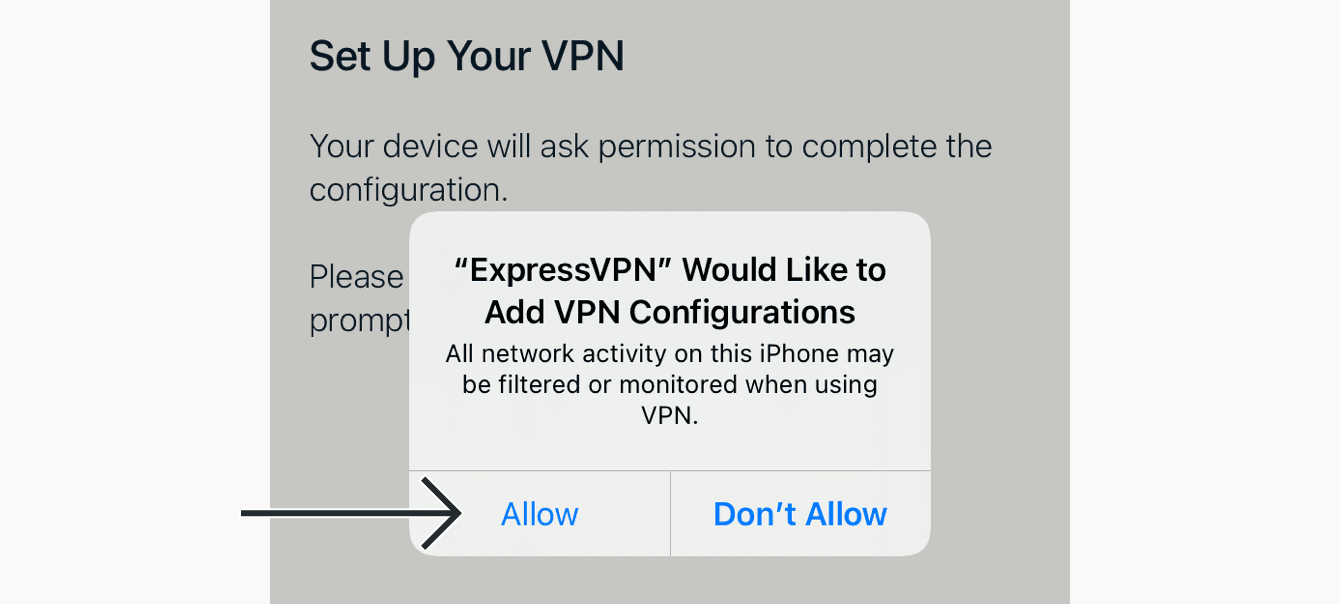
ExpressVPN is compatible with a wide range of devices, including Windows, Mac, iOS, Android, and more. The user-friendly interface and simple setup process make it easy for anyone to use, regardless of their technical expertise. ExpressVPN also provides detailed guides and tutorials to help you set up and troubleshoot any issues that may arise.
Customer Support and Reliability
ExpressVPN is known for its excellent customer support and reliability. Their customer support team is available 24/7 and can assist you with any problems or questions you may have. Additionally, ExpressVPN has a strict no-logging policy, meaning that they do not keep any records of your online activities, ensuring your privacy and anonymity.
Price and Plans
ExpressVPN offers different pricing plans to suit various needs and budgets. While it may have a slightly higher price compared to some other VPN providers, the features and performance it offers make it well worth the investment. ExpressVPN also offers a 30-day money-back guarantee, allowing you to try it out and see if it meets your requirements.
In summary, ExpressVPN stands out from other VPN providers due to its strong encryption, fast connection, additional features, compatibility, customer support, and reliability. Whether you are using it for personal or business purposes, ExpressVPN is considered one of the best VPNs available in the market.
ExpressVPN for Android: Installation and Setup Guide
ExpressVPN is a popular VPN service that provides fast and secure internet access on Android devices. Whether you want to protect your online privacy or bypass geo-restrictions, ExpressVPN is considered one of the best options available. In this guide, we will walk you through the installation and setup process for ExpressVPN on your Android device.
Requirements:
Before you begin, make sure your Android device meets the following requirements:
- Android version 4.1 or above
- An active internet connection
Installation:
To install ExpressVPN on your Android device, follow these simple steps:
- Visit the Google Play Store and search for “ExpressVPN”.
- Identify the ExpressVPN app by the ExpressVPN logo.
- Tap on the app to open its description page.
- Click on the “Install” button to download and install the latest version of ExpressVPN.
Setup:
Once you have installed ExpressVPN on your Android device, follow these steps to set it up:
- Open the ExpressVPN app on your Android device.
- Sign in with your ExpressVPN account credentials.
- Upon signing in, you will see the main screen of the ExpressVPN app.
- Tap on the “Connect” button to establish a VPN connection.
- ExpressVPN will automatically select the best available server for you, but you can also choose a specific server from the list of available locations.
- Once connected, your data will be encrypted, and your IP address will be masked, ensuring a secure and private online experience.
Features:
ExpressVPN for Android offers several features to enhance your online experience:
- Fast and reliable connection speeds.
- Access to geo-restricted content and bypassing of internet censorship.
- Additional security with AES-256 encryption.
- Protection against DNS leaks.
- An easy-to-use interface with a one-click connect feature.
- 24/7 customer support to assist with any issues or questions you may have.
With ExpressVPN for Android, you can enjoy a fast and secure internet connection on your mobile device. Download the ExpressVPN APK and start browsing the web with peace of mind.
ExpressVPN: How to Stay Anonymous and Secure Online
ExpressVPN is a virtual private network (VPN) service that allows you to stay anonymous and secure while browsing the internet. With ExpressVPN, you can protect your personal information and ensure that your online activities remain private.
ExpressVPN offers many features that make it an excellent choice for staying anonymous and secure online. It provides fast and reliable connections, making it suitable for streaming videos or downloading files. Whether you’re using an iPhone, Android device, or desktop computer, ExpressVPN has a version that meets your needs.
When you connect to ExpressVPN, your connection is encrypted, providing an additional layer of security. This means that no one can intercept or access your data, ensuring that your personal information remains safe. ExpressVPN also hides your IP address, making it impossible for anyone to track your online activities.
One of the best features of ExpressVPN is its strict no-logging policy. This means that your online activities are not recorded or monitored by ExpressVPN. They do not collect any information that could be used to identify you, ensuring complete privacy while using their service.
ExpressVPN is also compatible with a wide range of devices and operating systems. Whether you’re using Windows, macOS, Android, or iOS, you can easily install and configure ExpressVPN to meet your specific requirements. They also offer a user-friendly mobile app for Android and iOS, making it easy to connect to the VPN from your smartphone or tablet.
For those concerned about the latest security vulnerabilities, ExpressVPN regularly updates its software to ensure that you’re protected against any potential threats. They also provide step-by-step guides and tutorials on their website, explaining how to set up and use ExpressVPN to maximize your online security.
In summary, if you’re looking to stay anonymous and secure online, ExpressVPN is considered one of the best VPN providers available. With its fast connections, strong encryption, and no-logging policy, you can browse the internet with peace of mind, knowing that your personal information is protected.
ExpressVPN APK: Benefits and Advantages
What is ExpressVPN?
ExpressVPN is a virtual private network (VPN) service that allows anyone to securely connect to the internet and browse the web anonymously. It is considered one of the best VPNs available for both iOS and Android devices.
Features of ExpressVPN APK
The ExpressVPN APK version offers several additional benefits and features compared to its desktop or browser version. With the APK, users can enjoy fast and encrypted connections, ensuring the security and privacy of their data while browsing the internet.
Fast and Reliable Connection
ExpressVPN is known for its fast and reliable connection, allowing users to stream videos and browse websites without any buffering or lag. Whether you are using it on your Android or iOS device, ExpressVPN will provide a seamless and uninterrupted internet experience.
Enhanced Security and Privacy
ExpressVPN uses industry-leading encryption protocols to protect your online activities from prying eyes. It ensures that your data remains secure and private, making it nearly impossible for anyone to intercept or identify your online activities.
Compatibility and Ease of Use
ExpressVPN APK is compatible with both Android and iOS devices. It can be easily installed and used on any Android or iPhone device, meeting the requirements of mobile users who value convenience and ease of use.
Additional Features and Benefits
The ExpressVPN APK version also offers additional features such as split tunneling, which allows users to route specific apps or websites through the VPN while accessing others directly. It also provides access to servers in multiple countries, giving users the ability to bypass geo-restrictions and access content from anywhere in the world.
ExpressVPN APK Screenshots
To get a better understanding of the ExpressVPN APK version, here are a few screenshots that showcase its user interface and features:
- Screenshot 1: ExpressVPN APK homepage
- Screenshot 2: Server selection screen
- Screenshot 3: Split tunneling settings
Conclusion
In conclusion, the ExpressVPN APK version offers many benefits and advantages for mobile users. Its fast and reliable connection, enhanced security and privacy features, and compatibility with both Android and iOS devices make it the best VPN solution for anyone looking to browse the internet safely and anonymously.
ExpressVPN for Android: Troubleshooting and FAQs
ExpressVPN for Android is a fast and reliable virtual private network (VPN) service that allows you to browse the internet securely and anonymously on your Android mobile device. If you are experiencing any issues or have questions about the service, we have provided some troubleshooting steps and FAQs below to help you.
Troubleshooting
- If you are unable to connect to ExpressVPN on your Android device, first ensure that you have a stable internet connection. If the problem persists, try switching to a different server location or protocol to see if that resolves the issue.
- If you are experiencing slow connection speeds, it could be due to various factors. Try connecting to a different server location or using the ‘Speed Test’ feature in the ExpressVPN app to identify the fastest server for your needs.
- If ExpressVPN is not working with a particular app or browser on your Android device, make sure that you have enabled the ‘VPN Split Tunneling’ feature in the app settings. This allows you to choose which apps or browsers use the VPN connection and which ones do not.
FAQs
Q: Is ExpressVPN available for iPhone?
A: Yes, ExpressVPN is available for iPhone. You can download the ExpressVPN app from the App Store and follow the same steps for installation and setup as on an Android device.
Q: What are the system requirements for using ExpressVPN on Android?
A: The latest version of ExpressVPN for Android requires Android 5.0 or above. Please make sure that your device meets these requirements before installing the app.
Q: Are there any additional features for ExpressVPN on Android?
A: Yes, ExpressVPN offers additional features on Android, such as the ‘Network Protection’ feature that automatically connects to a VPN when you join an untrusted Wi-Fi network, and the ‘Kill Switch’ feature that blocks internet traffic if the VPN connection is interrupted.
Q: How can I get the ExpressVPN APK file for Android?
A: You can download the ExpressVPN APK file directly from the ExpressVPN website if it is not available in the Google Play Store. Please note that downloading APK files from unofficial sources is not recommended for security reasons.
Q: What’s new in the latest version of ExpressVPN for Android?
A: You can find a detailed description of the latest version’s features, improvements, and bug fixes in the app’s release notes on the Google Play Store.
ExpressVPN: Protect Your Privacy on iOS 16
ExpressVPN is one of the best VPNs for iOS 16, allowing you to protect your privacy and secure your data on your iPhone or iPad. With the latest version of ExpressVPN, you can be confident that your online activities will remain private and secure.
With ExpressVPN, you can browse the internet anonymously and securely. It encrypts all your internet traffic, ensuring that no one can intercept or access your data. Whether you’re using your iPhone, iPad, or any other iOS 16 device, ExpressVPN will keep your information safe from hackers and other malicious entities.
One of the key features of ExpressVPN is its fast and reliable connection. No matter where you are in the world or what type of internet connection you have, ExpressVPN will provide you with a fast and stable VPN connection. Whether you’re streaming videos, downloading files, or browsing websites, you can count on ExpressVPN to deliver a seamless and high-speed experience.
In addition to its fast connection speeds, ExpressVPN offers a wide range of virtual locations to choose from. With servers in many countries around the world, you can access geo-restricted content and bypass internet censorship. Whether you’re traveling or simply want to watch your favorite TV shows from another country, ExpressVPN will help you achieve that.
ExpressVPN also offers a user-friendly interface that is easy to navigate. Whether you’re a VPN beginner or an experienced user, you will find ExpressVPN’s app intuitive and straightforward to use. Simply download the app from the App Store, open it, and connect to the VPN server of your choice with just a few taps.
If you’re concerned about the security of your personal information, ExpressVPN is the solution. It ensures that all your data is protected with AES-256 encryption, which is considered one of the most secure encryption algorithms. This means that even if someone intercepts your data, they won’t be able to decrypt it without the encryption key.
ExpressVPN is committed to keeping your privacy intact. It does not keep any logs of your online activities, ensuring that your browsing history, IP address, and other sensitive information are not stored. With ExpressVPN, you can browse the internet with peace of mind, knowing that your privacy is protected.
ExpressVPN Android: Tips and Tricks for Optimal Performance
ExpressVPN is a popular VPN service that provides a fast and secure connection for Android devices. Whether you are a new or existing user, it’s important to optimize the performance of your ExpressVPN app on your Android device. Here are some tips and tricks to help you get the best out of ExpressVPN on Android:
1. Keep the App Up to Date
Always make sure that you are using the latest version of the ExpressVPN app on your Android device. The latest version comes with additional features, performance enhancements, and bug fixes to improve your experience. You can easily update the app through the Google Play Store.
2. Considered Best VPN for Android
ExpressVPN is widely considered as one of the best VPN options for Android devices. With its advanced encryption and virtual browser features, ExpressVPN ensures that your data and information will be secured while browsing the internet. It allows you to bypass any restrictions and access geo-blocked content.
3. Check System Requirements
Before installing ExpressVPN on your Android device, check that your device meets the necessary requirements. ExpressVPN is compatible with Android 5.0 and above. It’s also advisable to have a stable internet connection for optimal performance.
4. Fast Connection Speeds
ExpressVPN is known for its fast connection speeds, but there are several factors that can affect your overall speed. To get the best performance, connect to a server that is close to your physical location and choose a server with low usage. You can also try switching between different servers to find the one that provides the fastest speed.
5. Use ExpressVPN for Streaming and Torrenting
ExpressVPN is an excellent choice for streaming videos, whether it’s on Netflix, Amazon Prime, or other platforms. You can also use ExpressVPN for torrenting, as it provides a secure and anonymous connection for downloading files. By connecting to a server in a torrent-friendly location, you can avoid any potential issues.
6. Explore the ExpressVPN App Features
Take the time to explore the various features available in the ExpressVPN app for Android. These can include options such as split tunneling, network protection, and a kill switch. By customizing the settings to your preferences, you can enhance your privacy and security while using ExpressVPN.
By following these tips and tricks, you can ensure that your ExpressVPN experience on Android is optimal and provides the best performance for your online activities.
Вопрос-ответ:
What are the new features in the latest version of ExpressVPN for iOS?
The latest version of ExpressVPN for iOS, iOS 16, brings several new features and improvements. Some of the new features include enhanced security protocols, improved connection speed, and optimized user interface. It also offers better stability and compatibility with the latest iOS devices.
Is ExpressVPN the best VPN option for Android?
Many consider ExpressVPN to be the best VPN option for Android. It offers a wide range of features and benefits, including strong encryption, secure server connections, high-speed performance, and a user-friendly interface. It also has a large number of servers spread across various locations around the world, ensuring reliable and fast connections.
What are the requirements to use ExpressVPN on Android?
To use ExpressVPN on Android, you need a device running Android 4.1 or higher. You also need an active subscription to ExpressVPN, which can be purchased through the app or their official website. Additionally, you will need an internet connection and sufficient storage space on your Android device to download and install the ExpressVPN app.
Can you provide a description of ExpressVPN for Android?
ExpressVPN for Android is a VPN app that provides secure and private internet browsing on Android devices. It allows users to connect to servers in different locations around the world, giving them access to geo-restricted content and bypassing internet censorship. The app offers strong encryption, fast connection speeds, and a user-friendly interface. It also has features like split tunneling and a kill switch for added security.
Видео:
Best Free VPN For iPhone | 3 FREE iOS VPN Options (2023)
Best Free VPN For iPhone | 3 FREE iOS VPN Options (2023) by VPNpro 8 months ago 5 minutes, 36 seconds 322,570 views
