
Explore the Main Features of Free VPN for PC
Are you looking for a totally free VPN solution that can afford you financial security and unrestricted browsing? Look no further! In this article, we will explore the world of free VPNs for PC and help you find the perfect solution for your browsing needs. Whether you want to access blocked content, protect your personal information, or bypass censorship, there are plenty of options available for you to choose from.
One of the most popular free VPN clients is TurnSafe VPN. It is compatible with PC, Mac, iPhone, and Android devices, making it the ideal solution for millions of people worldwide. With its ultra-fast servers and protected browsing, you can easily explore the web without any limitations. Plus, TurnSafe VPN has been reviewed as one of the best free VPNs for PC, ensuring that your online activities are always kept private and secure.
If you are an avid Netflix’s user and have been frustrated by their regional blocks, you can now rejoice! The Hola VPN extension for PC allows you to access Netflix’s content from any location, giving you unlimited streaming options. This free VPN solution is easy to install and use, providing you with an inner IP address that unlocks access to Netflix’s extensive library. Say goodbye to those annoying “this content is not available in your country” messages!
For those who value both privacy and speed, Ultrasurf VPN is the perfect choice. With its user-friendly interface and ultra-fast servers, Ultrasurf offers an unparalleled browsing experience. It protects your online activities and hides your IP address, ensuring that you can browse the web without any worries. Whether you’re torrenting, streaming, or simply browsing, Ultrasurf VPN has got you covered.
No matter what your browsing needs are, there is a free VPN solution out there that can address them. From blocking unwanted ads to securing your financial transactions, these VPNs offer a compelling solution to enhance your online experience. So why wait? Choose the best free VPN for PC today and unlock a world of unlimited possibilities.
What is a VPN and how does it work?
A VPN (Virtual Private Network) is a service that allows you to create a secure connection to another network over the Internet. It provides you with a private and encrypted connection, keeping your personal information and online activities safe from prying eyes.
When you connect to a VPN, your device (whether it’s a PC, laptop, or smartphone) creates a secure and encrypted connection to a VPN server located in a different geographical location. This server acts as a middleman between your device and the websites or services you are trying to access.
The VPN server masks your IP address, replacing it with its own address, making it appear as if you are browsing the internet from the location of the server. This allows you to bypass geographic restrictions and access websites and services that may be unavailable in your region.
Not only does a VPN provide you with access to geographically restricted content, but it also enhances your online security and privacy. By encrypting your internet traffic, a VPN ensures that your personal information and browsing activities are protected from hackers and other malicious individuals who may be snooping on your connection.
Additionally, a VPN can be used to protect your privacy when connected to public Wi-Fi networks. Public Wi-Fi networks are often unsecured, making it easy for hackers to intercept your data. By using a VPN, your traffic is encrypted, making it much more difficult for hackers to access your sensitive information.
There are many VPN services available, both free and paid. Each service may offer different features and levels of security, so it’s important to choose a reliable and trustworthy VPN provider. Some of the best free VPNs for PC include Betternet, Browsec VPN, SetupVPN, and Windscribe, among others. These VPNs offer a range of features such as fast connection speeds, access to blocked websites, and cross-platform compatibility.
Benefits of using a VPN for PC
Using a VPN (virtual private network) for your PC offers numerous benefits that can enhance your online experience. This article will outline some of the main advantages and reasons why it’s important to use a VPN.
Enhanced security and privacy
One of the primary reasons to use a VPN is to ensure your online activities and personal information are safe and secure. A VPN creates a secure and encrypted connection between your PC and the VPN server, protecting your data from hackers, snoops, and other malicious activities that may occur on the public network. This helps to hide your IP address and prevents others from tracking your online activities.
Access to blocked content
A VPN can help you bypass geographic restrictions and access blocked content. Whether you want to watch Netflix’s worldwide library, avoid censorship in certain countries, or access region-specific websites or services, a VPN can provide you with the freedom to browse the internet without limitations.
Faster and anonymous downloads
Many VPN providers offer fast and reliable connections, allowing you to download files, stream videos, and browse the internet without any slowdowns. Additionally, using a VPN can add an extra layer of anonymity to your downloads, keeping your online activities private and protecting you from potential copyright infringement issues.
Protection against malware and phishing
A VPN can help protect your PC against malware and phishing attacks by encrypting your internet traffic and blocking malicious websites. This can prevent your personal information, such as passwords and credit card details, from being exposed to malicious actors.
Easy-to-use and user-friendly
Most VPN services offer user-friendly software and apps that are easy to install and use. They often provide simplified interfaces with features such as one-click connections, automatic server selection, and advanced security options. This makes it easy for both beginners and advanced users to take advantage of the benefits of a VPN on their PC.
In conclusion, using a VPN for your PC can provide you with enhanced security, access to blocked content, faster downloads, protection against malware and phishing, and an easy-to-use interface. These compelling reasons make a VPN an essential tool for anyone who values their online freedom and privacy.
Freedom to access any website or content
When it comes to browsing the internet, there are often limitations and restrictions placed on what you can access. However, with a free VPN for PC, you can enjoy the freedom to access any website or content without any hassle or roadblocks.
Whether you want to play the latest online games, stream your favorite movies and TV shows, or simply explore the web without any limitations, a free VPN is the perfect solution. It allows you to beat geographically-based restrictions and access content that is otherwise unavailable in your region.
One popular free VPN app that provides this freedom is Hola. With its ultra-fast servers and secure browsing, Hola ensures that you can browse the web without any worries. Your browsing activities are protected from snoops, ensuring that your personal information remains safe and secure.
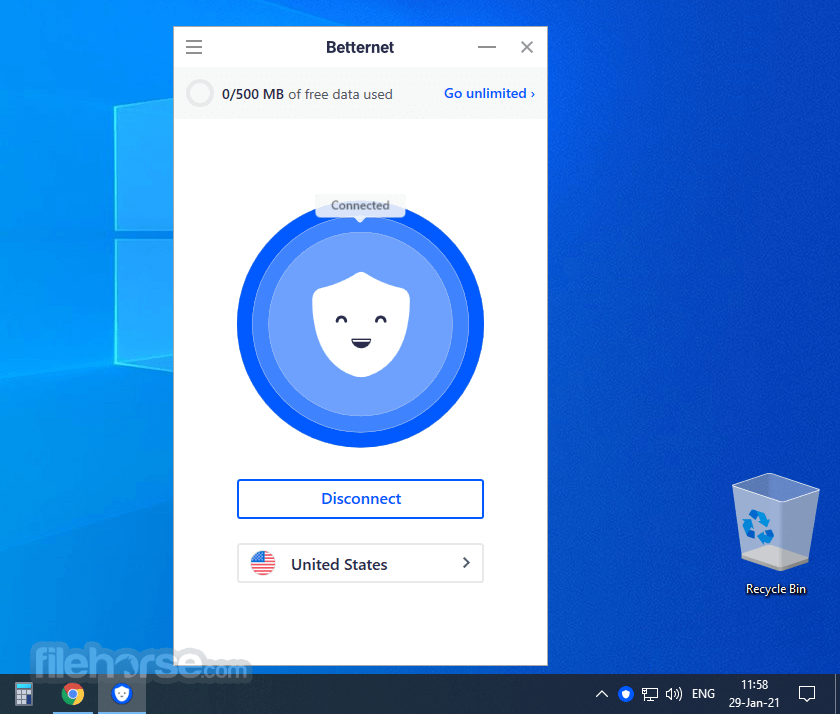
Another compelling option is Betternet. This free VPN program not only derails any restrictions you may face, but it also provides an extra layer of security for your online activities. With Betternet, you can hide your real IP address and enjoy a secure and encrypted connection.
For those looking for a lifetime VPN solution, ProtonVPN is a top choice. With its free version, you can unlock the PC platform and enjoy unlimited browsing and downloads. ProtonVPN has received positive reviews from its users for its emphasis on security and privacy, making it a preferred choice for many.
Whether you need a VPN for streaming, gaming, or simply browsing the web, there are plenty of options out there that can cater to your specific needs. Don’t let restrictions and limitations on the internet be a burden, choose a free VPN that can provide you with the freedom to access any website or content.
Enhancing online security and privacy
In today’s digital world, where we rely heavily on the internet and media for various activities, it has become vital to prioritize online security and privacy. With the increasing threat of phishing attacks and unauthorized access to personal information, using a reliable VPN service is crucial.
The benefits of using a free VPN
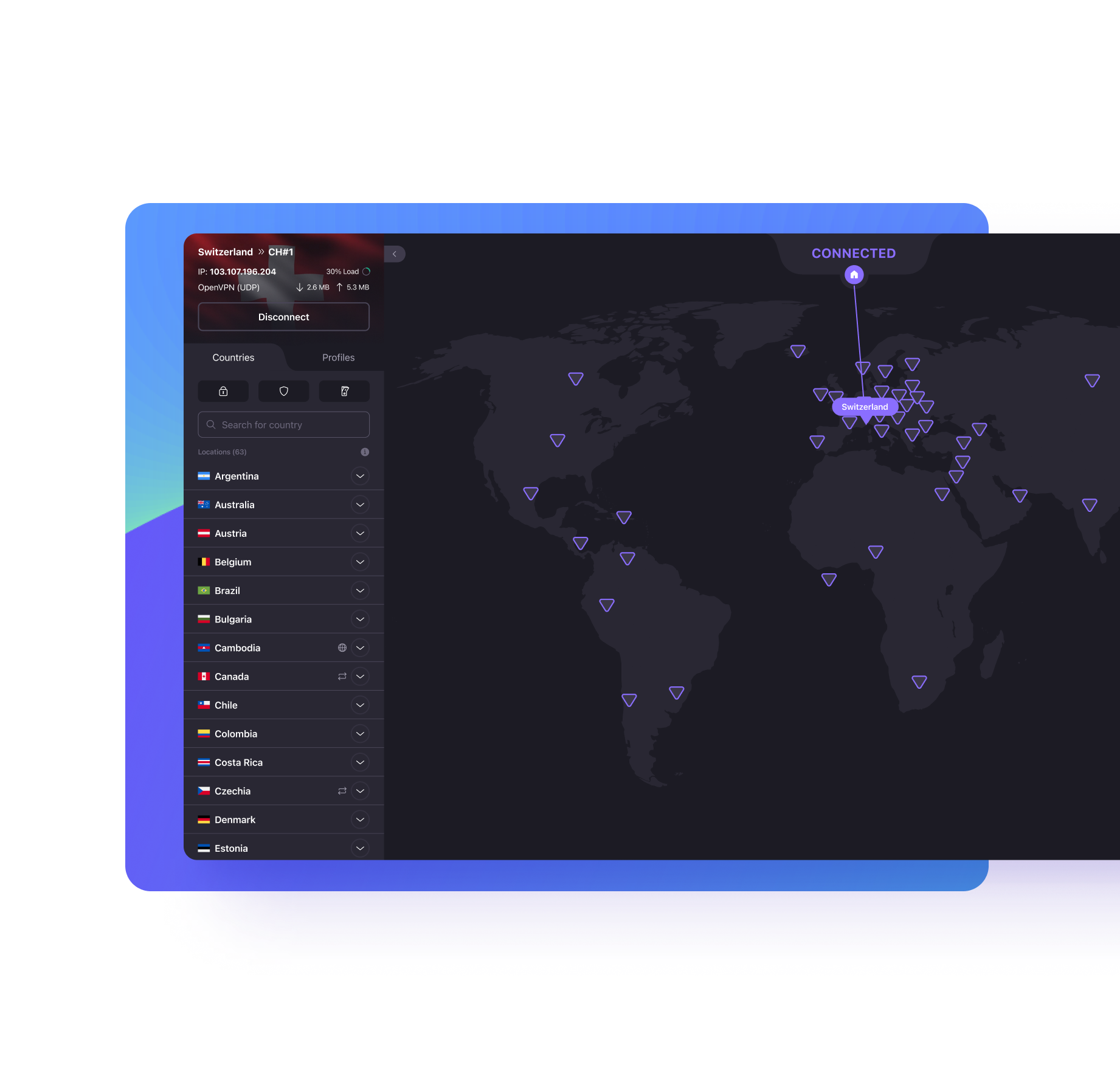
- Protecting sensitive data: A free VPN such as Hoxx VPN, Cross VPN, or Planet VPN enables users to encrypt their internet connection, safeguarding personal and financial information from potential hackers.
- Bypassing restrictions: Many countries have restrictions on certain websites and online content. With a VPN, users can access blocked content and services, allowing them to navigate the internet freely.
- Enhanced anonymity: By hiding your IP address, a VPN allows you to browse the web anonymously, preventing snoopers from tracking your online activities.
- Secure Wi-Fi usage: Free VPNs like OoKu VPN, SetupVPN, AVG Secure VPN, or Browsec VPN provide a secure connection when using public Wi-Fi networks, protecting your data from potential threats.
Popular free VPN options
One popular free VPN option is UltraSurf. It allows users to browse the internet without leaving any trace and protects against censorship and surveillance. Another alternative is SpyOff VPN, which offers a simplified setup and strong security features.
For PC users, Hide.me VPN offers a free version with limited features, while IPVanish VPN is a professional solution with advanced encryption and server options. Softonic and Free VPN Proxy also provide free VPN services for PC users.
Conclusion
In a world where privacy and security are paramount, using a free VPN can significantly enhance your online experience. Whether you want to protect your personal information, bypass restrictions, or browse the web anonymously, there are various free VPN options available to meet your needs. Remember to choose a reliable and trusted VPN service to ensure your online safety.
Anonymity and bypassing censorship
Anonymity and bypassing censorship are two key reasons why people choose to use a free VPN for their PC. With a VPN, you can’t be traced back to your real IP address, allowing you to browse the internet without the fear of being tracked by snoops or hackers.
Furthermore, a VPN can help you bypass censorship and access blocked websites. Whether you’re in a country with strict internet regulations or your school or workplace blocks certain websites, a VPN can provide a solution. With a VPN, you can unblock sites like Instagram, YouTube, and top anime streaming sites, giving you access to the content you want.
One popular free VPN for PC is TouchVPN. This simple and easy-to-use app has become a remedy for millions of users worldwide. With its cross-platform compatibility, it can be used on Windows, Mac, and even iPhone. It offers features like IP address hiding and browsing protection, ensuring your online activities are kept private and protected.
Another well-reviewed free VPN is Betternet. This VPN has a lifetime free plan and offers a simplified user interface, making it easy for even the most novice users to use. Betternet also allows you to access blocked websites and hide your IP address, ensuring you can browse the internet with peace of mind.
If you’re looking for a more advanced solution, you can consider SoftEther VPN. This free and open-source VPN software is compatible with multiple platforms and offers high-speed performance. It can be used for both personal and business (B2B) purposes, providing a secure and encrypted connection to a virtual private network (VPN) server.
One popular VPN service is IPVanish. It offers a free trial and a paid version with a price that varies depending on the license and the number of devices you want to protect. IPVanish is compatible with Windows, Mac, iOS, and Android platforms, making it a versatile solution for all your browsing and media needs.
Globus Free VPN is another option to consider. This free VPN for PC offers a simple and user-friendly interface with features like anonymous browsing, protection against phishing and spam, and the ability to unblock websites. It’s compatible with multiple platforms, including Windows, Mac, and Android.
In conclusion, whether you’re looking for a simple and free VPN like TouchVPN or Betternet, or a more advanced solution like SoftEther VPN or IPVanish, there are plenty of options available to protect your privacy and bypass censorship while browsing the internet.
Avoiding geographical restrictions and streaming limitations
If you want to unlock websites and streaming platforms that are restricted in your region, a Free VPN for PC is the solution you need. By using a VPN, you can bypass the geographical restrictions put in place by services like Netflix, Hulu, and BBC iPlayer, allowing you to access a wider range of content.
There are several options available for free VPNs, such as SpyOff, Betternet, and Ultrasurf. These VPNs offer a simple and easy-to-use setup, making it a breeze to get started. With these free VPNs, you can stream your favorite TV shows and movies without any limitations.
Using a VPN not only helps you with streaming, but it also provides an additional layer of security. By encrypting your online traffic, a VPN protects your private information from hackers and data breaches. This is especially important when accessing sensitive websites such as online banking or shopping platforms.
Whether you are a professional who needs to access blocked websites or an individual who wants to stream content from different regions, a free VPN for PC is a valuable tool. These VPNs are compatible with various platforms, including Windows, Mac, and even mobile devices like iPhone. With just a few clicks, you can easily set up a VPN and start enjoying a more secure and unrestricted online experience.
Don’t let geographical restrictions or streaming limitations be a burden. With a free VPN for PC, you can beat every obstacle in your way and unlock the full potential of the internet.
Choosing the right VPN for your PC
With the rise of the internet, protecting your online privacy has become crucial. One of the easiest and most effective ways to do so is by using a Virtual Private Network (VPN) on your PC. However, choosing the right VPN can be a daunting task with the plethora of options available.
Free VPNs
There are many free VPNs available, but not all of them are reliable and secure. It’s important to choose a VPN from a trusted source like Softonic, a platform known for its reliable software. Make sure to read reviews and check the reputation of the VPN creator before downloading.
Compatibility and Security
When selecting a VPN, ensure that it is compatible with your PC’s operating system (OS). Some VPNs may only support specific systems, so it’s crucial to check if your VPN of choice is compatible with your OS. Additionally, ensure that the VPN has strong security features to protect you from snoops, phishing attacks, malware, and other cyber threats.
Speed and Performance
A fast VPN with a reliable client software is essential for a smooth browsing experience. Choose a VPN that offers fast server connections to avoid any burden on your PC’s performance. Look for VPNs that have a low number of users per server, as this can affect the speed and performance of your connection.
Data Protection
When choosing a VPN, consider how it handles your personal data. Look for VPNs that have a strict no-logs policy and do not collect or store any of your personal information. This will ensure that your online activities remain private and secure.
Limitations and Restrictions
Before settling on a VPN, be aware of any limitations and restrictions it may have. Some free VPNs may have data caps or only offer limited server locations. Additionally, some VPNs may not allow you to access certain websites or streaming services. Assess your needs and choose a VPN that aligns with them.
Conclusion
Choosing the right VPN for your PC is essential to protect your online privacy and security. Consider factors such as compatibility, security features, speed, data protection, and any limitations or restrictions. By selecting a reliable and trustworthy VPN, you can browse the internet with peace of mind knowing that your personal information is protected.
Factors to consider when selecting a free VPN
When it comes to selecting a free VPN, there are several factors that you should consider to ensure you choose the best option for you. Here are some important factors to keep in mind:
- Speed and performance: Look for a VPN that provides fast and reliable connection speeds, so you can browse and stream without any interruptions.
- Security and privacy: Choose a VPN that offers strong encryption protocols and has a strict no-logs policy to ensure your online activities remain private and secure.
- Compatible devices and platform support: Make sure the VPN is compatible with your device’s operating system, whether it’s a PC, Mac, Android, or iOS.
- Number of server locations: A larger number of server locations means you can access content from different regions and enjoy a better browsing experience.
- Bandwidth and data limits: Some free VPNs impose restrictions on bandwidth or data usage, so make sure the one you choose offers enough for your needs.
- User-friendly interface: Look for a VPN with a user-friendly interface that makes it easy to connect to servers and navigate the program.
- Additional features: Some free VPNs offer additional features like ad-blocking, malware protection, and browser extensions. Consider which features are important to you.
- Customer support: Check if the VPN provider offers reliable customer support in case you run into any issues or have questions.
By considering these factors, you can select the best free VPN for your PC that meets your needs for security, privacy, and browsing experience.
Popular free VPN options for PC
You can find a number of free VPN options for your PC that provide a network solution at zero cost. These top VPNs offer a range of features for your browsing needs, ensuring your online activities remain private and secure.
1. SoftEther VPN
SoftEther VPN is a free and open-source VPN program that can be used on multiple platforms, including Windows. It was made to provide a secure and easy-to-use VPN solution and is compatible with a variety of apps and browsers. SoftEther VPN also offers features such as hiding your IP address and accessing blocked websites.
2. Hamachi
Hamachi is a free VPN service that allows you to create a private network without the need for complex setup. It is compatible with Windows PCs and offers secure browsing and access to blocked sites. Hamachi also provides a user-friendly interface and supports cross-platform connectivity.
3. Betternet VPN
Betternet VPN is a popular free VPN option that provides unlimited browsing and hides your IP address to ensure your online privacy. It offers a user-friendly interface and can be easily installed on a PC running Windows. Betternet VPN also unblocks websites and protects you from phishing attempts.
4. Surfshark VPN
Surfshark VPN is a free VPN service that offers an easy-to-use browser extension for securing your online activities. It provides a wide range of features, including hiding your IP address, bypassing blocks, and protecting against malware. Surfshark VPN also offers a private DNS and has a strict no-logs policy.
5. TunnelBear VPN
TunnelBear VPN is a popular free VPN option that allows you to browse privately and securely. It offers a user-friendly interface and can be easily installed on a PC. TunnelBear VPN provides a limited amount of free data per month, but you can upgrade to a paid version for unlimited browsing.
These free VPN options for PC provide a secure and private browsing experience without the burden of a price tag. Whether you are looking to hide your IP address, access blocked sites, or protect against phishing attempts, these VPNs have got you covered.
Pros and cons of using a free VPN
A free VPN can offer many benefits, but it also comes with its own set of drawbacks. Understanding the pros and cons can help you make an informed decision about whether to use a free VPN for your PC.
Pros:
- Privacy protection: A free VPN can help hide your online activities and keep your personal information secure.
- Access to blocked sites: With a free VPN, you can bypass censorship and access websites that may be restricted in your country.
- Zero-cost: Free VPNs don’t require a subscription fee, making them an affordable option for many people.
- Easy to use: Most free VPNs have a simple and user-friendly interface, making it easy for anyone to set up and use.
- Unveiled features: Some free VPN providers offer additional features like ad-blocking or malware protection, enhancing your browsing experience.
Cons:
- Slow browsing speed: Since free VPNs operate on limited server resources, your browsing speed may be slower compared to a paid VPN.
- Limited server options: Free VPNs usually have a limited number of servers, which may limit your access to certain regions.
- Privacy concerns: Some free VPNs may collect and sell your data to third parties, compromising your privacy.
- Security risks: Free VPNs may not provide the same level of encryption and security measures as paid VPNs, leaving you vulnerable to cyber threats.
- Ads and pop-ups: Many free VPNs display ads and pop-ups, which can be annoying and interrupt your browsing experience.
Overall, a free VPN can be a convenient and cost-effective solution for users who only need basic protection and access to limited sites. However, for those who prioritize privacy and security, investing in a paid VPN with more advanced features may be a better choice.
Setting up a free VPN on your PC
With the increasing need for online security and privacy, setting up a free VPN on your PC has become a popular choice. A VPN, or Virtual Private Network, allows you to browse the internet securely and privately by creating a secure connection to a server located in a different geographically location.
Why do you need a VPN?
There are numerous reasons why you might want to use a VPN for your PC. First and foremost, it provides an extra layer of security by encrypting your internet traffic and protecting your personal information from snoops, hackers, and other online threats. Additionally, a VPN allows you to access blocked websites and bypass censorship, making it easier to browse the internet freely and without restrictions.
The easiest way to set up a free VPN for your PC
When it comes to setting up a free VPN for your PC, there are several options to choose from. One of the most popular choices is Hola, a free VPN service that offers easy installation and registration process. Another option is Browsec, which provides a user-friendly interface and allows you to choose from a variety of servers located in different countries.
If you’re looking for a more secure and reliable option, IPVanish is a top-rated VPN service that offers ultra-fast connections and advanced security features. It also has a no-logs policy, meaning your browsing history and personal information will not be recorded or stored.
Benefits of using a free VPN for your PC
Using a free VPN for your PC can bring many benefits. Firstly, it ensures your online activities are protected, keeping your personal and financial information safe from phishing attempts and other cyber threats. Additionally, it allows you to access geo-restricted content, such as streaming services or websites that are not available in your region.
Moreover, a VPN provides an extra layer of protection when using public Wi-Fi networks, preventing others from intercepting your data and spying on your online activities. It also helps you to bypass censorship and unlock content that may be blocked in your country.
Conclusion
Setting up a free VPN on your PC is a simple and effective way to enhance your online privacy and security. With a variety of options available, you can easily find a VPN service that suits your needs and preferences. Whether you’re browsing the internet, streaming your favorite series, or using social media platforms like Instagram, a VPN will ensure your personal information and browsing history remain protected.
Tips and Best Practices for Using a Free VPN on PC
Using a free VPN on your PC can provide an easy and simple solution to safeguard your online activities. With an ultra-fast and easy-to-use platform, VPNs like Hola and TurnSafe have gained fame among millions of people worldwide.
1. Choose a Reliable VPN
When selecting a free VPN for your PC, it’s important to choose a reliable one. Look for reputable VPN providers such as IPVanish and Hoxx, as they offer a simplified and user-friendly client with strong security features.
2. Protect Your Privacy
One of the main reasons why people turn to a free VPN is to shield their browsing history and secure their personal information. A VPN can encrypt your internet connection, preventing anyone from intercepting your data, including ISPs, hackers, and even the government.
3. Avoid Phishing and Malware Attacks
A free VPN can also act as an antivirus that blocks phishing attempts and malware downloads. It adds an extra layer of security by verifying website authenticity, ensuring that you don’t fall victim to malicious websites.
4. Access Geo-Restricted Content
Many free VPNs allow you to access geo-restricted content by masking your IP address. Whether you want to watch Netflix’s US library or play an online game with worldwide servers, a VPN can bypass these restrictions and provide you with unlimited access.
5. Be Mindful of Limitations
While free VPNs offer many benefits, it’s important to be aware of their limitations. Some providers may have data or speed limits, and they might display ads or even sell your data to make a profit. Read through reviews and check the VPN’s license to ensure your privacy is protected.
6. Use Multiple VPN Alternatives
For added security and flexibility, consider using multiple free VPN alternatives. By using different VPNs for specific tasks or regions, you can ensure a more secure and reliable connection. Just make sure to choose VPNs with a solid track record and positive user reviews.
7. Stay Updated and Secure
As with any software program, it’s crucial to keep your VPN client up to date. Updates often include security patches that address vulnerabilities and improve performance. Additionally, make sure you have a reputable antivirus program installed to further enhance your online security.
In summary, using a free VPN on your PC can provide an easy and simple way to enhance your online security and privacy. By selecting a reliable VPN and implementing these best practices, you can browse the internet without the fear of being tracked or your data being derailed.
How to maximize the performance of your free VPN
1. Choose a reliable free VPN provider
When selecting a free VPN for your PC, it is important to choose a provider that offers a reliable and secure network. Look for providers that have a good track record, positive user reviews, and a range of servers in different locations.
2. Update your VPN software regularly
VPN software updates often include important bug fixes and performance improvements. By keeping your VPN software up to date, you can ensure that you are using the latest and most secure version, which will help maximize the performance of your free VPN.
3. Connect to servers in geographically close locations
When using a free VPN, connecting to servers that are located closest to your physical location can help improve performance. This is because the distance between your PC and the VPN server can impact speed and latency.
4. Avoid overcrowded servers
Free VPN providers often have limited server resources, leading to overcrowded servers. This can result in slower speeds and reduced performance. To maximize your VPN performance, try to avoid connecting to servers that are experiencing high traffic.
5. Check your internet connection speed
Before using a free VPN, it’s a good idea to check your internet connection speed without the VPN enabled. This will give you a baseline measurement to compare against when using the VPN. If you notice a significant decrease in speed, consider trying a different VPN provider.
6. Optimize your PC’s performance
A VPN can put additional strain on your PC’s resources, so it’s important to optimize your computer’s performance to get the most out of your free VPN. This includes closing unnecessary applications, clearing temporary files, and running regular maintenance tasks.
7. Be aware of limitations and restrictions
While free VPNs offer a convenient and cost-effective solution for browsing the web securely and privately, they often come with limitations and restrictions. These can include limited server locations, slower speeds, and data caps. Understanding and accepting these limitations will help you make the most of your free VPN.
8. Consider upgrading to a paid VPN
If you find that the performance of your free VPN is consistently poor, it may be worth considering upgrading to a paid VPN. Paid VPNs generally offer faster speeds, more server locations, and additional features that can enhance your browsing experience.
Common issues and troubleshooting solutions
If you are using a free VPN for your PC, you may encounter some common issues. Here, we outline these issues and provide troubleshooting solutions to help you overcome them:
Social media and content blocks
One of the main reasons why people use free VPN services is to unblock social media and access restricted content. However, not all VPNs are created equal. Some may overlook certain blocks or have limitations in terms of the websites or content they can unblock. In such cases, it’s recommended to explore alternatives like Ultrasurf or paid services like IPVanish, which offer more reliable and comprehensive solutions.
Slow connection speeds
A free VPN may provide you with a protected path to browse the internet, but it may also come with slower connection speeds. This can be a burden, especially if you frequently stream videos or download large files. To avoid this issue, you can try using a paid VPN service that offers faster and more reliable connections. Some top options include Hotspot Shield, ProtonVPN, and Ultra-fast VPN.
Security and privacy concerns
While free VPNs claim to protect your privacy and secure your online activities, it’s important to note that not all of them can be trusted. Some may log your data or have weak encryption protocols, which can leave your information vulnerable to hackers or surveillance. To ensure your security and privacy, it’s advisable to opt for a professional and reputable VPN service, even if it comes at a cost.
IP address and location stumps
Another common issue with free VPNs is that they may only offer a limited number of server locations, making it difficult to access content from specific regions or countries. If you need a VPN to unlock geo-restricted content, it’s important to choose a service that has a wide range of server locations worldwide. This will give you more freedom and flexibility to browse the internet with an IP address from any country of your choice.
Compatibility issues with different operating systems
Free VPNs may also have compatibility issues with certain operating systems (OS). For example, some VPNs may work well on Windows PCs but not on Macs or Linux machines. If you are experiencing compatibility issues with your current free VPN, you can try using a different service that specifically supports your OS. It’s always a good idea to check the system requirements and supported platforms before downloading and installing a VPN.
In conclusion, while free VPNs provide a solution to hide your IP address and access restricted content, they often come with limitations and potential security risks. To ensure a seamless and secure browsing experience, it’s worth considering paid VPN services or exploring alternative options that offer better performance and protection.
Risks and Limitations of Using a Free VPN
While a free VPN can be an enticing option for those looking to protect their privacy online, it is important to understand the risks and limitations associated with these services. Here, we outline some of the key considerations:
Data Snoops:
One of the main concerns with using a free VPN is the potential for your data to be intercepted by third parties. Some free VPNs have been known to sell user data to advertisers or other organizations, compromising your privacy and security.
Download Limitations:
Many free VPNs impose download limitations, which can significantly impact your online experience. These restrictions can range from a certain limit of data usage per day or month, making it challenging to engage in activities such as streaming or large file downloads.
Browsing Speed:
Free VPNs often have slower browsing speeds compared to paid alternatives. This can be attributed to the limited number of servers available, as well as the high number of users on the same server. As a result, your internet connection may become sluggish or unreliable.
Limited Server Options:
Free VPNs usually offer a limited number of server locations for users to choose from. This can be a significant limitation if you need to access content that is geographically restricted or blocked in your region.
Intrusive Ads:
As a way to monetize their services, many free VPNs bombard users with intrusive ads. These ads can disrupt your browsing experience and may even contain malware that derails your online security.
Lack of Customer Support:
Free VPNs typically do not offer the same level of customer support as their paid counterparts. This means that if you encounter any issues or have questions, it can be challenging to find assistance or get a timely resolution.
Overall, while a free VPN may seem like an easy and cost-effective solution for online privacy and security, it is important to weigh the risks and limitations. For a more reliable and comprehensive protection, it may be worth considering a paid VPN service that offers better features, server options, and customer support.
Alternatives to free VPNs for PC
While free VPNs may seem like an attractive option for those who want to protect their privacy and browse the internet without any restrictions, there are several alternatives that offer better features and security.
1. Paid VPNs
One alternative to free VPNs is to opt for a paid VPN service. These VPNs are developed by professional teams who prioritize security and privacy. They offer a wide range of features, including fast and unlimited browsing, the ability to unblock restricted websites and streaming services such as Netflix, and compatibility with various operating systems.
2. Proxy Servers
Proxy servers can also be used as an alternative to free VPNs. These servers act as an intermediary between your computer and the internet, allowing you to browse the web with a different IP address. While they may not offer the same level of security as VPNs, they can be a good option for bypassing blocked websites.
3. Paid VPN Browser Extensions
Another alternative is to use a paid VPN browser extension. These extensions can be added to popular browsers like Chrome and offer similar features to traditional VPN software. They are easy to use and provide an extra layer of privacy and security while browsing the internet.
4. VPNs for Business
For businesses or organizations that require VPN services, investing in a professional VPN solution may be a better option. These VPNs offer dedicated servers, secure connections, and additional features tailored for organizational use.
5. Self-hosted VPNs
If you have the technical knowledge and resources, setting up your own self-hosted VPN can be a good alternative to free VPNs. This allows you to have complete control over your VPN server and ensures that your data is not shared with any third parties.
Overall, while free VPNs may sound appealing, they often come with limitations and potential security risks. By exploring these alternatives, you can find a VPN solution that best suits your needs and offers the level of privacy and security you desire.
Вопрос-ответ:
What is a free VPN for PC?
A free VPN for PC is a software that allows you to connect to a virtual private network (VPN) without any cost. It enables you to browse the internet securely and anonymously by encrypting your internet connection and hiding your IP address.
How does a free VPN for PC work?
A free VPN for PC works by creating a secure and encrypted connection between your computer and the VPN server. When you connect to the VPN server, all the data you send and receive is encrypted, making it virtually impossible for anyone to intercept or eavesdrop on your internet activity.
Are free VPNs for PC safe to use?
While free VPNs for PC can offer some level of security and privacy, it’s important to be cautious. Some free VPNs may track and sell your personal data, display ads, or even contain malware. It’s recommended to choose a reputable and trustworthy free VPN provider to ensure your safety and privacy.
What are the limitations of free VPNs for PC?
Free VPNs for PC often come with certain limitations. These can include limited bandwidth, slower connection speeds, restricted server locations, and a limited number of simultaneous connections. Additionally, some free VPNs may have data caps, meaning you can only use a limited amount of data before reaching a limit.
Can I use a free VPN for PC to bypass geo-restrictions?
Yes, you can use a free VPN for PC to bypass geo-restrictions and access content that is blocked in your country or region. By connecting to a VPN server in a different country, you can make it appear as if you are browsing from that country, allowing you to access geo-restricted websites and services.
Видео:
What’s the Best FREE VPN for Windows 11? | 2023 Review
What’s the Best FREE VPN for Windows 11? | 2023 Review by Panda Tech 1 month ago 10 minutes, 24 seconds 9,402 views
