Best Android VPN Apps 2022 – Top Paid and Free Options
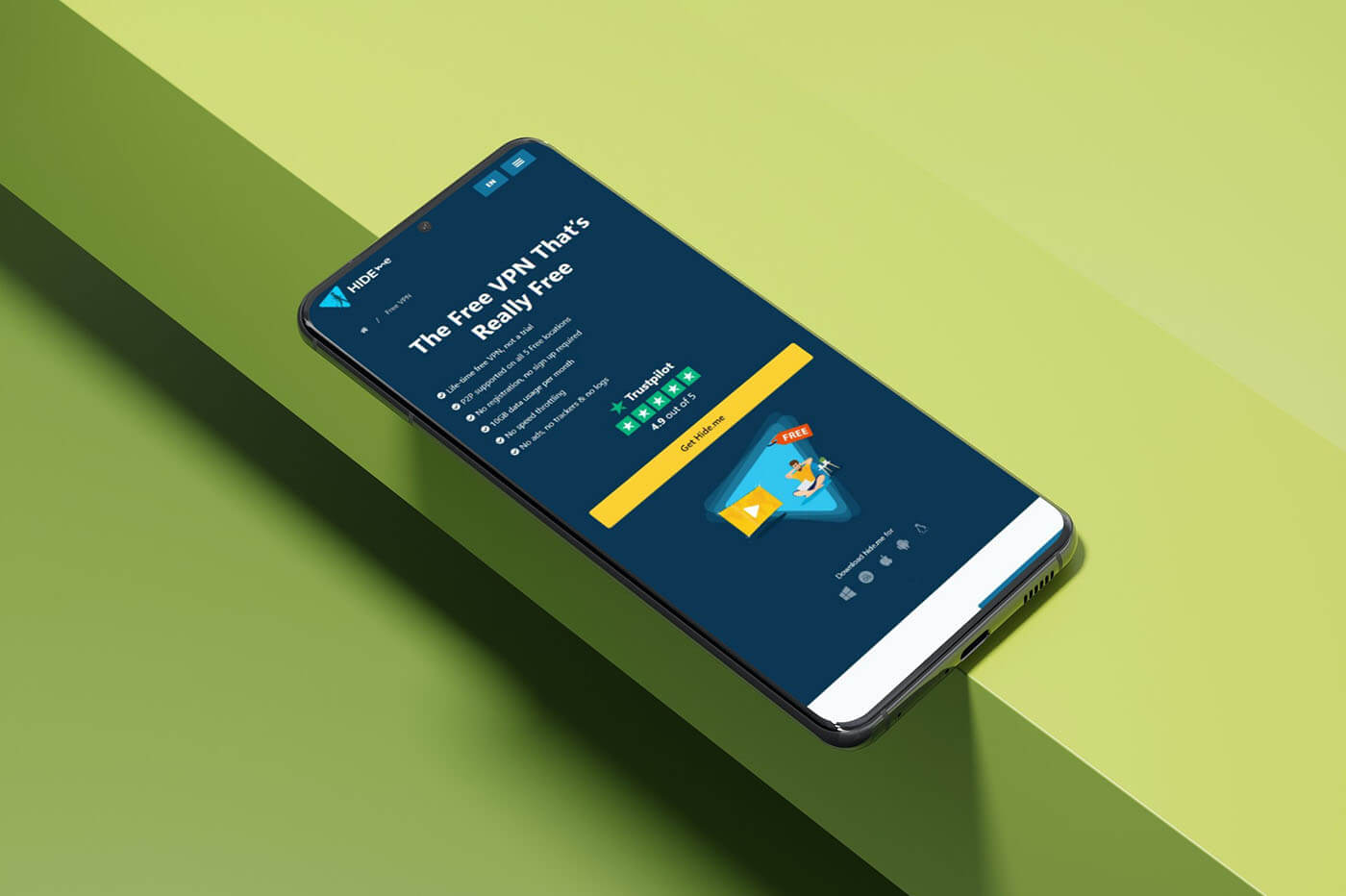
If you’re an Android user, you know the need for a reliable VPN app. Whether you want to unlock restricted content or protect your browsing privacy, having a VPN app is a must. With so many options available on the Google Play Store, it can be a headache to choose the best one. But don’t worry, we’ve got you covered!
One of the top picks for Android VPN apps is NordVPN. With over 8 million downloads and a 4.7-star rating, it’s safe to say that NordVPN is a trusted choice. It offers super-fast speed, military-grade encryption, and access to servers across 59 countries, including the United States, China, and Russia. Whether you want to browse the web anonymously or unblock restricted content on YouTube and Facebook, NordVPN has you covered.
Another great option is ExpressVPN. With over 9 million downloads and a 4.6-star rating, ExpressVPN is known for its easy-to-use interface and fast connection speeds. It has servers in 94 countries, giving you plenty of options to choose from. ExpressVPN also offers a built-in kill switch and DNS leak protection, ensuring your online activities remain private and secure.
If you’re looking for a free VPN app, SpeedVPN and RusVPN are two good choices. While they may not have all the features of paid options like NordVPN or ExpressVPN, they do the job well enough for most users. SpeedVPN allows you to connect to servers in multiple countries, including the United States and China. RusVPN, on the other hand, offers unlimited bandwidth and does not log your online activities.
In conclusion, if you want the best Android VPN app, you can’t go wrong with NordVPN or ExpressVPN. Both offer top-notch security, fast connection speeds, and a wide range of server options. If you’re on a budget or just want a free option, SpeedVPN and RusVPN are worth considering. No matter which app you choose, having a VPN on your Android phone is essential in today’s world of increased government surveillance and online threats.
Benefits of Using VPN Apps
Using VPN apps on your Android phone can bring you a range of benefits, adding an extra layer of security and privacy to your online activities. Here are some key advantages:
- Bypassing Geo-restrictions: VPN apps allow you to access blocked websites and services in your country. For example, if you want to access Facebook or WhatsApp in China, where they are blocked, using a VPN can help you unblock these apps and use them without any loss of functionality.
- Anonymity and Privacy: VPN apps encrypt your data and route it through secure servers, making it difficult for anyone to trace your online activities back to your device. This is especially important when browsing on public Wi-Fi networks.
- Enhanced Security: VPN apps create a secure connection between your Android phone and the server, protecting your sensitive information from hackers and cybercriminals.
- Access to Restricted Content: VPN apps allow you to access region-locked content, such as streaming services or websites that are only available in certain countries. You can use apps like ExpressVPN or Surfshark to watch Netflix shows that are not available in your country.
- Improved Speed and Performance: By choosing a VPN server with a lower ping, you can improve your browsing and streaming experience. VPN apps like ProtonVPN or SpeedVPN provide fast and reliable connections, ensuring smooth online activities.
- Multiple Simultaneous Connections: Many VPN apps offer the option to connect multiple devices at the same time. This means you can protect your Android phone, tablet, and other devices with just one VPN subscription.
In conclusion, using VPN apps on your Android phone can help you overcome geo-restrictions, ensure privacy and security, access restricted content, and improve your overall online experience. With a wide range of VPN apps available in 2022, you have plenty of options to choose from based on your specific needs.
Comparison of Top Paid VPN Apps for Android
1. ExpressVPN
ExpressVPN has been consistently ranked as the top pick among Android users, with over 10 million downloads on the Google Play Store. With its user-friendly interface and fast servers in over 90 countries, ExpressVPN offers great connectivity and allows you to unlock websites and services that may be restricted in your region. The app also provides secure and anonymous browsing, protecting you from surveillance and other online threats.
2. RusVPN
RusVPN is a reliable and affordable VPN service that has gained popularity among Android users. With servers in over 30 countries, RusVPN allows you to access geo-restricted content from around the world. The app offers fast speed and strong security features, ensuring that your data is protected while browsing. RusVPN also provides great customer support and offers a cost-effective solution for those looking for a reliable VPN option.
3. SpeedVPN
If you’re looking for a fast and easy-to-use VPN app, SpeedVPN is a great choice. With just one tap, you can connect to servers in multiple countries and enjoy secure and anonymous browsing. The app offers unlimited bandwidth and does not require any registration. SpeedVPN also provides high-speed servers that ensure smooth and seamless browsing experience.
4. Turbo VPN
Turbo VPN is another popular VPN app for Android users. It offers a free version with limited features, as well as a premium version for those who want additional benefits. With servers in over 50 countries, Turbo VPN allows you to unblock websites and services, including Facebook, YouTube, and WhatsApp. The app provides fast and stable connections, ensuring that you can browse without any interruptions.
5. Thunder VPN

Thunder VPN is a reliable VPN app that provides fast and secure browsing experience. With servers in multiple countries, Thunder VPN allows you to bypass government surveillance and access geo-restricted websites. The app offers unlimited bandwidth and does not require any registration. Thunder VPN also provides strong encryption to protect your data and privacy while browsing.
Conclusion
When choosing the best paid VPN app for Android, it’s important to consider factors such as server locations, speed, and security features. ExpressVPN, RusVPN, SpeedVPN, Turbo VPN, and Thunder VPN are all great options that offer different benefits and cater to the needs of different users. Whether you want to access geo-restricted content, protect your privacy, or enhance your browsing experience, there’s a VPN app out there that can meet your needs.
Review of Free VPN Apps for Android
When it comes to finding a free VPN app for your Android device, you have several options to choose from. While paid VPN apps typically offer more advanced features and better performance, the free ones can still be a good pick if you’re on a budget or only need basic protection.
- SpeedVPN: This free VPN app is a popular choice among Android users. It offers a fast and reliable connection, allowing you to browse the internet without any noticeable slowdown. However, the free version has limitations, such as a limited number of server options and slower speeds compared to the premium versions.
- ExpressVPN: Known for its high-speed connections and wide range of server locations, ExpressVPN is another great option. While the free version of ExpressVPN is limited in terms of features and server access, it still provides a decent level of privacy and security for your browsing activities.
- Surfshark: With its user-friendly interface and unlimited device connections, Surfshark is a popular choice among Android users. The free version of Surfshark offers basic protection and unrestricted access to websites, but it has limitations on the number of server locations and slower speeds compared to the paid version.
If you want to have a full range of features and unrestricted access to servers across different countries, you may want to consider upgrading to a paid VPN service. With a paid VPN app, you won’t have to worry about data restrictions, blocked websites, or slow speeds. Some popular paid VPN services for Android include NordVPN, ExpressVPN, and Surfshark.
In conclusion, while the free VPN apps mentioned above can provide basic protection and access to blocked websites, they may have limitations in terms of server options, speeds, and data restrictions. If you want the ultimate VPN experience with faster speeds, multiple server locations, and simultaneous connections, it’s probably best to choose a paid VPN service. However, if you’re on a budget or only need basic protection, the free options can still be a good bet.
Choosing the Right VPN App for Android
When it comes to securing your online activities and protecting your privacy on an Android device, using a VPN app is crucial. With so many options available, it’s important to choose the right VPN app for your needs. Here are some factors to consider:
1. Strong Security Features
Look for a VPN app that offers strong encryption protocols like OpenVPN or IKEv2. These protocols ensure that your data is protected and secure while browsing the internet or using apps.
2. Wide Server Network
Choose a VPN app that offers a wide network of servers located in different countries. This allows you to bypass geo-restrictions and access blocked websites or apps from anywhere in the world.
3. Simultaneous Connections
If you want to secure multiple devices with a single VPN app, look for one that allows simultaneous connections. This way, you can protect your Android phone and other devices at the same time.
4. Fast and Stable Connectivity
Avoid VPN apps that slow down your internet speed or cause frequent disconnections. Look for apps that offer fast and stable connectivity, ensuring a seamless browsing experience.
5. User-Friendly Interface
Choose a VPN app that is easy to install and use. A user-friendly interface makes it hassle-free to connect to a VPN server and choose the desired location.
6. Updated and Reliable Service
Make sure to choose a VPN app that is regularly updated and offers reliable service. This ensures that you have the latest security features and fixes any bugs or issues.
7. Free or Paid Options
Decide whether you want to go for a free VPN app or invest in a paid one. Free VPN apps usually have limitations in terms of data usage or server locations, while paid options offer more features and better performance.
With these factors in mind, you can find the best VPN app for your Android device. Whether you want to unblock websites, access blocked apps, or protect your privacy, a VPN app is the ultimate browsing tool in 2022 and beyond.
Security Features Offered by Android VPN Apps
When it comes to protecting your online privacy and security, Android VPN apps offer a range of security features to keep your data safe. These apps encrypt your internet connection, allowing you to browse the web without worrying about hackers or surveillance.
One of the key security features offered by Android VPN apps is the ability to hide your IP address. When you connect to a VPN server, your traffic is routed through the server, and your IP address is replaced with the server’s IP address. This makes it virtually impossible for anyone to trace your online activities back to your device.
Another important security feature is the ability to bypass geo-restrictions. Many websites and online services restrict access based on your location. For example, certain streaming platforms like Netflix and YouTube may only be available in specific countries. With an Android VPN app, you can choose a server location from around the world and access blocked content with ease.
In addition to IP address masking and bypassing geo-restrictions, Android VPN apps provide features like DNS leak protection, kill switch, and split tunneling. DNS leak protection ensures that your DNS queries are not exposed to third parties, while the kill switch cuts off your internet connection if the VPN connection drops, preventing any data leaks. Split tunneling allows you to route some of your traffic through the VPN, while keeping other traffic directly through your ISP.
Some of the best Android VPN apps also offer advanced features like multi-hop VPN, which routes your traffic through multiple servers for added privacy, and obfuscated servers, which help you bypass even the most stringent censorship measures. These apps also provide protection against malware and phishing attempts, ensuring that your device stays secure while you browse the internet.
In conclusion, Android VPN apps offer a wide range of security features to protect your online privacy and security. Whether you want to access blocked content, browse anonymously, or protect your device from cyber threats, there is an Android VPN app that can cater to your needs. Just remember to choose a reputable VPN provider and regularly update your app for the best security performance.
Speed and Performance of Android VPN Apps
When it comes to choosing a VPN app for your Android phone, one of the key factors you need to consider is its speed and performance. Whether you’re using it for browsing, streaming, or accessing blocked websites, you want a VPN app that can offer fast and reliable connection.
One great option that has been praised for its fantastic speed and performance is RusVPN. This VPN app has servers in over 40 countries, including China, making it a great choice if you need to access websites blocked by the Chinese government. With RusVPN, you can enjoy great speeds with minimal ping loss and get a secure connection across all your devices.
Another top choice for speed and performance is ProtonVPN. With servers in over 50 countries, including the United States and China, ProtonVPN offers fast and stable connections. It also provides strong protection against surveillance and data loss, making it a great option for secure browsing and accessing blocked websites.
If you’re looking for a cheaper or even free option, Betternet and SpeedVPN are worth considering. Both of these VPN apps have updated servers and offer decent speeds for browsing and accessing websites. However, the free versions may come with some limitations, such as limited data or slower connection speeds.
For those who prioritize both speed and security, NordVPN is a great bet. With its double VPN feature, it encrypts your data twice for an extra layer of protection. NordVPN also offers simultaneous connections on up to 6 devices, making it a great choice if you want to use VPN on multiple devices simultaneously.
In conclusion, when it comes to speed and performance, there are several great Android VPN apps to choose from. Depending on your needs and budget, you can pick one that suits you best. Whether you’re accessing blocked websites, streaming on YouTube, or just browsing the web, these VPN apps can help you get a fast and secure connection.
Privacy Policies of Android VPN Apps
When choosing an Android VPN app, it’s essential to consider the privacy policies of the service providers. Many VPN apps claim to offer complete privacy and security, but not all of them deliver on these promises. It’s crucial to understand the privacy policies of different VPN apps to ensure that your data and online activities are protected.
1. RUSVPN is a great option for Android users who want to access blocked websites and secure their online activities. This app is easy to install and offers a wide range of server options across different countries, including China and Russia. One downside is that the free version has limited server access, and the paid version can be a bit costly.
2. Thunder VPN is another popular Android VPN app that offers secure browsing and access to geo-restricted content. It has a simple and user-friendly interface and provides fast connection speeds. However, the free version of Thunder VPN may come with a loss in service quality, and the app may be more suitable for casual users rather than those who need constant VPN access.
3. NordVPN is one of the top VPN services available for Android devices. It offers a high level of security and privacy, with a strict no-logs policy. NordVPN has a large number of servers worldwide, allowing users to choose from different locations and access blocked content. The app may be a bit pricier compared to other VPN options, but the added security and performance make it worth considering.
4. Betternet is a free VPN app that allows users to surf the internet anonymously. It claims to offer unlimited bandwidth and does not require any registration or login. However, Betternet has faced some criticism regarding its privacy policies and data collection practices, so it may not be the best option for users who prioritize privacy.
5. ExpressVPN is considered one of the best VPN services overall, and its Android app is no exception. It offers fast and secure access to websites and services across different countries. ExpressVPN has a strict no-logs policy and provides top-notch encryption to protect user data. The only downside is that it may be a bit more expensive compared to other VPN options.
In conclusion, when choosing an Android VPN app, it’s important to consider factors such as privacy policies, server options, cost, and performance. Apps like RUSVPN, Thunder VPN, NordVPN, Betternet, and ExpressVPN offer different features and cater to different user needs. It’s essential to determine your specific requirements and choose a VPN app that provides the right balance of privacy, security, and convenience.
Compatibility with Android Devices
When it comes to compatibility with Android devices, there are several VPN apps that stand out from the rest. These apps, including Turbo VPN, SpeedVPN, Surfshark, and NordVPN, are specifically designed to work seamlessly with Android smartphones and tablets.
Google knows how important it is for Android users to have access to the best VPN options, which is why they have updated their services for 2022. The Google Play Store offers a wide range of VPN apps, both free and paid, that are compatible with Android devices of all versions.
If you’re wondering why you would need a VPN app for your Android phone in the first place, here’s why: these apps allow you to unblock websites and apps that may be blocked or restricted in your country. For example, if you’re in the United States and want to access YouTube videos that are only available in Russia, you can simply use a VPN app like RUSVPN to bypass these restrictions and watch your favorite videos.
Not only do VPN apps like Turbo VPN and NordVPN help you unblock content, but they also provide a secure and private browsing experience. With the increasing number of cyber threats and data breaches, it’s more important than ever to protect your personal information. VPN apps encrypt your internet connection and hide your IP address, making it difficult for anyone to track your online activities.
In addition to accessing geo-restricted content and enhancing your online security, VPN apps also allow you to save money. Many streaming services, such as Netflix and Hulu, offer different libraries of content depending on your location. By using a VPN app, you can switch to a server in a different country and access their library of movies and TV shows. This can be especially beneficial if you’re traveling and want to watch content from your home country.
How to choose the best VPN app for your Android device?

With so many options available, it can be overwhelming to pick the best VPN app for your Android device. Here are a few tips to help you make the right choice:
- Consider your needs: Think about what you want to use the VPN app for. Do you want to unblock streaming services, enhance your online security, or both? This will help you narrow down your options.
- Read reviews: Look for reviews from other Android users to get an idea of the app’s performance, speed, and reliability. You can find these reviews on the Google Play Store or on technology websites.
- Check server locations: Ensure that the VPN app has servers in the locations you wish to access. For example, if you want to watch content from the UK, make sure the app has servers in the UK.
- Compare pricing: While there are free VPN apps available, they often have limitations and may not offer the same level of security as paid apps. Consider your budget and compare the cost of different VPN apps.
- Look for additional features: Some VPN apps offer additional features like ad-blocking, malware protection, and automatic Wi-Fi protection. These features can enhance your browsing experience and keep your device safe.
- Consider simultaneous connections: If you have multiple devices that need VPN protection, check how many simultaneous connections the app allows. This will determine how many devices you can connect at the same time.
- Try before you buy: Many VPN apps offer a free trial or a money-back guarantee. Take advantage of these offers to test the app and see if it meets your needs before committing to a subscription.
In conclusion, having a VPN app on your Android device is a great way to unlock content, enhance your online security, and save money. With so many options available, including Turbo VPN, Surfshark, and NordVPN, you can find a VPN app that suits your needs at a cost that fits your budget. Just remember to consider factors like server locations, pricing, and additional features before making your final pick.
Customer Support of Android VPN Apps
When it comes to using Android VPN apps, having reliable customer support is essential. Whether you’re a beginner or an experienced user, there are times when you just need assistance to unlock the ultimate potential of your VPN app. With so many options available, you want to ensure that you can reach out to someone when you have questions or face any issues.
The top Android VPN apps offer excellent customer support to guide you through any technical difficulties. From live chat support to helpful articles and FAQs, these apps have got you covered. Here are some of the best VPNs for Android that provide great customer support:
NordVPN
If you’re looking for a VPN with stellar customer support, NordVPN is a top choice. They offer 24/7 live chat support, so you can get assistance whenever you need it. NordVPN also has a handy knowledge base and support ticket system for more complex inquiries.
ProtonVPN
ProtonVPN is known for its strong focus on user privacy, and they don’t disappoint when it comes to customer support. They provide 24/7 email support and have an active community forum where you can find answers to common questions. ProtonVPN also offers detailed setup guides to help you get started.
SpeedVPN
SpeedVPN is a free option that offers decent customer support for those on a budget. While their support options may not be as extensive as the paid VPN apps, they have a ticketing system where you can request assistance. The response time may not be as quick, but it’s still a helpful resource.
In conclusion, having reliable customer support is crucial when choosing an Android VPN app. The top VPN providers mentioned above offer various support options to address any issues or questions you may have. Remember to consider their customer support along with other factors such as speed, security, and pricing when making your decision.
Encryption Protocols Used by Android VPN Apps
When it comes to protecting your online activities and maintaining privacy on your Android device, using a VPN app is essential. These apps use encryption protocols to secure your internet connection and keep your data safe from prying eyes.
1. OpenVPN
OpenVPN is one of the most popular and widely-used encryption protocols among Android VPN apps. It is an open-source technology that provides strong encryption and security, making it a reliable option for protecting your online activities.
2. L2TP/IPsec
L2TP/IPsec is another commonly used encryption protocol in Android VPN apps. It offers a high level of security and is known for its ability to bypass firewalls and provide excellent privacy protection.
3. PPTP
PPTP is an older encryption protocol that may not offer the same level of security as OpenVPN or L2TP/IPsec. While it is still supported by some Android VPN apps, it is not the recommended choice for those concerned about online privacy.
4. WireGuard
WireGuard is a newer encryption protocol that has gained popularity in recent years. It offers faster connection speeds and improved security compared to older protocols. Many Android VPN apps now offer WireGuard as an option for users.
5. IKEv2
IKEv2 is a secure and efficient encryption protocol that is often used in combination with IPsec. It provides strong encryption and is known for its stability and fast connection speeds.
When choosing an Android VPN app, it’s important to consider the encryption protocols they support. Look for apps that offer options like OpenVPN and WireGuard, as these protocols provide the highest level of security. Additionally, make sure the app is regularly updated to ensure it incorporates the latest security features and protocols.
In conclusion, using a VPN app with strong encryption protocols is crucial for safeguarding your online activities and protecting your privacy on your Android device. Choose a reputable VPN service, such as RusVPN, Thunder VPN, or Surfshark, that offers a wide range of encryption protocols and keeps your data secure while you access websites, stream videos, or browse the internet. Remember, a secure and free VPN service may not always be the best option, so it’s worth investing in a premium service for enhanced protection.
Pricing and Subscription Options for Android VPN Apps
When it comes to choosing an Android VPN app, there are a variety of pricing and subscription options available. Each app offers different features and plans to meet the needs of users.
Free VPN Apps
Some VPN apps offer a free option, allowing users to access a limited number of servers and features. These free plans are usually ad-supported and may have slower speeds compared to paid options. However, they still provide a certain level of protection and are a good choice for casual browsing or accessing websites blocked in certain countries.
Paid VPN Apps
Paid VPN apps offer a more comprehensive and secure experience for Android users. These apps typically provide simultaneous connections for multiple devices, united with full access to their server network, allowing users to get an easy and fast browsing experience. They also offer additional features such as ad and malware blocking, split tunneling, and a kill switch for enhanced privacy and security.
Most paid VPN apps offer different subscription options, including monthly, yearly, or even multi-year plans. The cost varies depending on the length of the subscription and the features included. Some VPN apps also provide a 30-day money-back guarantee, allowing users to try out their service risk-free.
Popular VPN Apps and Their Pricing
ExpressVPN is one of the top VPN apps for Android, offering a wide range of features including unlimited bandwidth and server switches. With pricing starting at $6.67 per month for an annual subscription, it is considered a great option for users looking for ultimate protection and fast speeds.
Surfshark is another popular choice, with pricing starting at $2.49 per month for a 2-year subscription. This VPN app offers unlimited simultaneous connections and is known for its strict no-logs policy, making it a great choice for privacy-conscious users.
Betternet is a free VPN app for Android that offers a premium version starting at $4.99 per month. While the free version is limited in terms of server access and speed, the premium version provides a faster and more reliable connection.
In Conclusion
When it comes to Android VPN apps, the pricing and subscription options vary. Free VPN apps offer a basic level of protection, while paid VPN apps provide a more comprehensive and secure experience. Consider your needs and budget when choosing the right VPN app for your Android device, as the right pick can unlock access to a world of online content while keeping your data protected.
Reviews and Ratings of Android VPN Apps
When it comes to choosing a VPN app for your Android phone, there are plenty of options available. But which ones are the best? Here, we have reviewed and rated some of the top Android VPN apps in terms of their performance, features, and user feedback.
1. Surfshark
Surfshark is a popular VPN app that offers excellent protection and connectivity. It has a large number of servers in different countries, including China, and allows you to access blocked websites and apps. The app is easy to use and offers fast connection speeds. With Surfshark, you can also connect multiple devices simultaneously, making it a great choice for families or individuals with multiple devices.
2. ProtonVPN
ProtonVPN is known for its strong security and commitment to privacy. It offers a free version with limited features and a paid version with more advanced features. The app has servers in over 50 countries, including China, and provides fast and stable connectivity. ProtonVPN is also a great option for accessing websites and apps that are blocked in certain countries, such as Facebook in China.
3. Thunder VPN
Thunder VPN is a free VPN app with a simple and user-friendly interface. It offers fast connection speeds and has servers in multiple countries, including the United States. Thunder VPN is a great choice for browsing the internet securely and anonymously, especially when using public Wi-Fi networks. However, the free version of the app may have some limitations and ads.
4. Betternet
Betternet is another free VPN app that provides decent protection and accessibility. It has servers in multiple countries, including China, and allows you to access blocked websites and apps. Betternet is easy to install and use, making it a good option for beginners. However, some users have reported connectivity issues and slower speeds compared to other VPN apps.
5. Starry VPN
Starry VPN is a relatively new VPN app that aims to provide maximum security and privacy. It has servers in multiple countries, including China, and offers fast and stable connectivity. Starry VPN also claims to have a strict no-logs policy, ensuring that your browsing data remains private. The app is regularly updated to fix any bugs and improve performance.
In conclusion, there are several great Android VPN apps available that offer different features and performance levels. Choose the one that best suits your needs and browsing habits, taking into consideration factors such as server locations, connection speeds, and cost. Whether you need to access blocked websites, protect your data, or browse anonymously, there is a VPN app out there that can meet your requirements.
Tips for Using VPN Apps on Android
If you are looking for the best VPN apps to use on your Android device in 2022, there are several tips and tricks you should keep in mind. These tips will help you make the most out of your VPN services and ensure a secure and smooth browsing experience.
1. Choose a reliable VPN service
First and foremost, it’s important to choose a reliable VPN service. There are many options available in the market, both paid and free. Some of the best VPN apps in 2022 include ExpressVPN, NordVPN, Surfshark, and Turbo VPN. Do your research and choose a VPN service that suits your needs and requirements.
2. Install and set up the VPN app
Once you have chosen a VPN service, the next step is to install and set up the VPN app on your Android phone. This is a simple process that usually involves downloading the app from the Google Play Store and following the on-screen instructions. Make sure to grant the necessary permissions to the app.
3. Connect to a server
After installing the VPN app, you will need to connect to a server. Most VPN apps have a list of servers to choose from, including options from different countries. If you want to access content that is blocked in your region, you can choose a server from a different country, such as the United States or the United Kingdom.
4. Ensure a fast and stable connection
If you’re concerned about the speed and stability of your VPN connection, there are a few things you can do to optimize it. First, choose a server that is geographically closer to your location. This will help reduce latency and improve speed. Additionally, make sure you’re connected to a reliable Wi-Fi or mobile data network.
5. Use VPN for specific apps
If you don’t want to use the VPN for all your internet traffic, you can choose to use it only for specific apps. Many VPN apps allow you to select which apps should go through the VPN tunnel and which should not. This can be useful if you want to use certain apps, like social media or messaging apps, without going through the VPN.
6. Take advantage of additional features
Many VPN apps offer additional features that can enhance your browsing experience. For example, ExpressVPN has a split tunneling feature, which allows you to route some of your traffic through the VPN and some directly through your regular internet connection. Other VPN apps may offer ad blocking, malware protection, or even dedicated IP addresses.
7. Stay updated
Finally, make sure to keep your VPN app updated. VPN providers frequently release updates to improve security, performance, and add new features. By keeping your app updated, you can ensure that you’re always using the latest and most secure version of the VPN software.
In conclusion, using VPN apps on Android devices is a great way to ensure your online privacy and security. By following these tips, you can make the most out of your VPN service and enjoy a safe and unrestricted browsing experience.
Popular Android VPN Apps in China
Accessing popular websites and services like YouTube, Google, and WhatsApp in China can be challenging due to the country’s strict internet censorship and surveillance. However, with the right VPN app, you can easily bypass these restrictions and enjoy a free and open browsing experience.
1. ExpressVPN
ExpressVPN is one of the best VPN options for Android users in China. With its fast connection speed and extensive server network, ExpressVPN allows you to unblock popular websites and access content from around the globe. It also offers a secure and encrypted connection, protecting your data from surveillance.
2. Surfshark
Surfshark is another fantastic VPN app that provides reliable and fast access to restricted content in China. With its large server network and strong encryption, Surfshark ensures that your online activities remain private and secure. It also offers a built-in ad blocker and unlimited simultaneous connections.
3. RusVPN
RusVPN is a popular choice for Chinese users who want to unblock websites and access content from outside of China. With its high-speed servers and strong encryption, RusVPN ensures that your browsing experience remains seamless and secure. It also offers a user-friendly interface and a free version with limited features.
4. ProtonVPN
ProtonVPN is a reliable VPN service that offers a free version for Android users in China. While the free version has some limitations, it still provides secure and encrypted browsing, protecting your data from surveillance. ProtonVPN also offers a paid version that allows for more server options and faster connection speeds.
5. Starry VPN
Starry VPN is a great choice for users in China who want to access restricted content without any noticeable loss in connection speed. With its fast servers and strong encryption, Starry VPN ensures that your online activities remain private and secure. It also offers a user-friendly interface and a variety of server locations to choose from.
In conclusion, when choosing a VPN app for Android users in China, it’s important to prioritize speed, encryption, and server options. ExpressVPN, Surfshark, RusVPN, ProtonVPN, and Starry VPN are all popular options that can provide the necessary protection and access to popular websites and services.
Bypassing Censorship with VPN Apps in China
The internet censorship in China has always been a headache for both local residents and foreign visitors. However, with the help of VPN apps, bypassing these restrictions has become a fantastic option. These apps offer a way to access blocked websites and apps such as WhatsApp, Facebook, and YouTube within the country.
One of the top choices for VPN apps in China is SpeedVPN. With servers located in the United States, it offers fast browsing speed with minimal data loss— a great option if you’re concerned about speed and stability. Another popular choice is Betternet, which has updated its servers to unlock even more restricted websites. ExpressVPN is also a reliable option, although it comes with a cost compared to the free options.
NordVPN is another option worth considering. It offers free servers in China, but the browsing speed may be noticeably slower compared to the paid ones. However, if you choose to upgrade to their paid plans, you’ll have access to faster servers worldwide. With any of these VPN apps, you can tap into the ultimate unblocking service, choosing your preferred location to browse with ease.
If you’ve been using free VPN apps in China, you’ve probably encountered some limitations. These apps may have a limited number of servers, and some websites or apps may still be blocked. But with the options mentioned above, you can have a wider range of choices to bypass censorship and access the content you want.
In conclusion, if you’re in China and want to bypass the government’s internet censorship, installing a VPN app is your best option. It’s easy to use and provides access to a vast range of websites and apps. Choose from the options mentioned above, and you’ll be connected and browsing freely in no time.
FAQ:
What are the best free Android VPN apps in 2022?
There are several excellent free Android VPN apps available in 2022. Some of the top options include ProtonVPN, TunnelBear, and Windscribe. These apps offer a range of features and functionality, including secure encryption, fast connection speeds, and a large number of servers to choose from. While free VPNs may have some limitations, such as data caps or slower speeds compared to paid options, they can still provide a high level of security and privacy for everyday internet use.
What are the advantages of using a paid Android VPN app?
Using a paid Android VPN app offers several advantages compared to free options. Firstly, paid VPNs often have faster connection speeds and more reliable servers, ensuring a smoother browsing experience. Additionally, paid VPNs generally have stronger encryption protocols and more advanced security features, providing a higher level of protection for your online activities. Paid VPNs also often offer a larger number of server locations to choose from, allowing you to access geographically-restricted content with ease. Finally, paid VPNs usually have dedicated customer support, ensuring that any issues or questions you have can be resolved quickly and efficiently.
Can I use an Android VPN app to access streaming services like Netflix?
Yes, many Android VPN apps can be used to access streaming services like Netflix. However, it’s important to note that not all VPNs are able to bypass the geo-restrictions put in place by these services. Therefore, if you are specifically looking to use a VPN to access Netflix or other streaming platforms, it’s important to choose a VPN that is known to work reliably with these services. Some VPNs even have dedicated servers specifically optimized for streaming, ensuring a smooth and uninterrupted viewing experience.
Are there any risks associated with using Android VPN apps?
While using Android VPN apps can provide increased security and privacy, there are some potential risks to be aware of. Firstly, it’s important to choose a reputable VPN provider, as some free or lesser-known VPNs may not offer the same level of security and privacy as trusted options. Additionally, using a VPN can sometimes lead to slower internet speeds, particularly if you are connecting to a server located far away from your current location. Finally, it’s worth noting that some websites and online services may block access from VPN IP addresses, so you may encounter difficulty accessing certain content while connected to a VPN.
Videos:
Best VPN for Android 2022 | Top 3 VPN picks for your device 💪
Best VPN for Android 2022 | Top 3 VPN picks for your device 💪 by VPNpro 1 year ago 7 minutes, 25 seconds 43,228 views
