VPN Router Pre-Configuration: How to Easily Enable and Disable VPN on Your Router
Connecting to a VPN is a crucial step in ensuring your online security and privacy. With the increasing number of cyber threats and hacking attempts, it is essential to protect your personal information and browsing activity. One of the most convenient ways to secure your connection is by using a VPN router. This article will guide you through the process of quickly turning on and off a VPN on your router, along with its advantages and disadvantages.
When it comes to VPN routers, there are multiple options available in the market. Popular router brands like Netgear offer VPN-compatible firmware that allows you to easily install and configure a VPN connection. Whether you are using an iOS, Windows, or Mac device, setting up a VPN on your router is quite straightforward.
The advantages of using a VPN on your router are significant. Firstly, by setting up a VPN connection on your router, you can ensure that all your connected devices will automatically have their internet traffic encrypted. This means that your browsing activity, data transfers, and online communications will be secure and protected from prying eyes. Secondly, by using a VPN on your router, you can access geo-restricted content and bypass censorship. This is especially useful if you are traveling or living abroad and want to access content that is only available in your home country.
However, there are also some disadvantages to consider. One of the main drawbacks is that a VPN router may require additional configuration and technical knowledge. Installing and setting up a VPN on your router may not be as straightforward as using a VPN client on your device. Furthermore, not all routers are compatible with VPN firmware, so you may need to purchase a specific router model or check if your existing router is compatible.
Another disadvantage is that turning on and off a VPN on your router may not work for all devices. Some operating systems or devices may not support VPN connections on a router level, meaning you would need to configure the VPN connection on each individual device. In this case, using a VPN client would be a more suitable option.
In conclusion, the option to quickly turn on and off a VPN on your router is a convenient feature, but it may not work for all devices and operating systems. The advantages of using a VPN on your router include enhanced security, privacy, and access to geo-restricted content. However, it is essential to consider the additional configuration required and the compatibility of your router before making a decision. Choose the VPN solution that best fits your needs and always prioritize your online security.
VPN Router Pre-Configuration: How to Turn On and Off VPN on Router
Setting up a VPN on your router can greatly enhance your online privacy and security. However, it’s important to know how to turn on and off the VPN on your router for various reasons. In this guide, we will walk you through the steps to quickly enable or disable VPN on your router.
To turn on the VPN on your router, you will first need to access the router’s web interface. The specific steps to access the web interface may vary depending on the router model, but generally, you can do so by entering the router’s IP address in a web browser.
Once you are logged in to the router’s web interface, look for the VPN settings. This could be under a specific tab or section, depending on your router’s firmware. Select the option to enable VPN and choose the desired settings for your VPN connection.
After configuring the VPN settings, you will need to enter the VPN connection details, such as the VPN server address and your login credentials. This information is usually provided by your VPN service provider. Make sure to save the settings and apply the changes.
To turn off the VPN on your router, simply access the router’s web interface again and navigate to the VPN settings. Look for the option to disable VPN and save the changes to apply them.
By turning on and off the VPN on your router, you can easily switch between using a VPN for encrypted internet traffic or accessing the internet without a VPN. This gives you more control over your online privacy and ensures that your data is safe and secure.
Some routers also offer additional functionality, such as the ability to turn on and off the VPN using a physical button or switch. This can be a convenient way to quickly toggle the VPN connectivity without having to access the router’s web interface.
It’s worth noting that while using a VPN router provides many advantages, there are also some disadvantages. One of the cons is that not all routers support VPN pre-configuration, so you may need to install custom firmware or upgrade your router. Additionally, some devices like smart TVs or gaming consoles may not be compatible with VPN routers. However, there are solutions available to overcome these limitations, such as using VPN apps on individual devices or setting up a VPN directly on the device.
In conclusion, knowing how to turn on and off the VPN on your router is a good skill to have for controlling your internet connectivity and ensuring your personal data is protected. It’s important to weigh the pros and cons and consider your specific needs before deciding on implementing a VPN router pre-configuration. If you have any questions or need further assistance, feel free to contact your VPN service provider or consult additional sources for guidance.
Advantages and Disadvantages of Installing a VPN on Your Router
When it comes to VPNs, there are several options available to users. One popular option is to install a VPN on your router, which can provide many advantages. However, it’s important to consider both the pros and cons before making a decision.
The Pros of Installing a VPN on Your Router
- Secure all devices: By installing a VPN on your router, you can ensure that all devices connected to your network are protected. This includes PCs, Macs, smartphones, and more.
- Easy setup: Setting up a VPN on your router is usually a straightforward process. Many router models come with built-in VPN capabilities, making it easy for you to enable and configure the VPN.
- Always connected: Once the VPN is installed on your router, all devices connected to your network will automatically have VPN connectivity. You don’t have to worry about manually connecting individual devices.
- Encrypts all connections: A VPN on your router ensures that all internet traffic from your devices is encrypted. This adds an extra layer of security and privacy.
- Access geo-restricted content: By connecting to a VPN server in a different location, you can access content that might be restricted in your country. This is especially useful for streaming services.
The Cons of Installing a VPN on Your Router
- Limited options: Not all routers support VPN installations. You need to make sure that your router is compatible and has the necessary firmware.
- Potential connectivity issues: Installing a VPN on your router might cause connectivity issues with certain devices or applications. It’s important to do some research and choose a VPN product that is known to work well with your router model.
- Reduced internet speed: Using a VPN can sometimes result in slower internet speeds. This is especially true when multiple devices are connected to the VPN on your router.
- VPN settings are no longer device-specific: By installing the VPN on your router, the VPN settings are applied to all devices connected to the network. This means that you might not have the same level of control and customization options as you would with a device-specific VPN installation.
It’s important to weigh the advantages and disadvantages of installing a VPN on your router before making a decision. While it can provide benefits such as enhanced security and access to geo-restricted content, there are also potential downsides to consider, such as limited compatibility and potential connectivity issues. Make sure to do thorough research and choose the option that best fits your needs and preferences.
Installing a VPN on Router
Installing a VPN on a router provides many advantages and can be a useful method to quickly enable and disable VPN access for all connected devices in your home or office. With a VPN installed on your router, every device that connects to your network will automatically benefit from the VPN service without the need to individually configure each device.
One of the main advantages of installing a VPN on your router is the enhanced security it provides. By encrypting all data transmitted between your devices and the internet, a VPN helps protect against data theft and unauthorized access. This is particularly important when using public Wi-Fi networks or when accessing sensitive information.
There are different ways to install a VPN on a router, depending on the router model. Some popular router brands like Netgear offer built-in VPN support, which makes the process easier. However, even if your router doesn’t have built-in VPN support, you can still install a VPN by using firmware like DD-WRT or Tomato.
To install a VPN on your router, you will need to choose a VPN service provider and follow their instructions for router configuration. Once you have selected a VPN provider, they will provide you with the necessary information, such as VPN server addresses and authentication details, which you will need to enter into your router’s VPN settings page.
Once the VPN is installed on your router, all devices that connect to the router will automatically be connected to the VPN. This eliminates the need to individually configure each device and ensures that every device benefits from the enhanced security and privacy provided by the VPN.
However, there are some disadvantages to installing a VPN on a router. One of the drawbacks is that it can be more difficult to adjust specific settings or access certain websites and services that may be blocked by the VPN. In addition, the process of setting up and configuring a VPN on a router can be more complex compared to installing it on a single device.
In conclusion, installing a VPN on your router can offer numerous advantages, such as enhanced security and privacy for all connected devices. However, it is important to consider the potential disadvantages, like limited access to certain websites and a more complex setup process. It is recommended to consult with the VPN service provider for guidance and to carefully follow their instructions for the router configuration.
How to Quickly Turn Off VPN on Router
Turning off a VPN connection on your router is a straightforward process that can be done using different methods. Whether you are using an Android device, PC, or Windows, here are some ways to quickly turn off VPN on your router:
Using the Router’s Admin Page
One common way to turn off VPN on your router is by accessing the router’s admin page. After logging in, navigate to the VPN settings and look for the option to disconnect or turn off the VPN connection. This method works for most router models and provides an easy way to disable the VPN functionality.
Switching to a Different VPN Connection
If you have multiple VPN connections set up on your router, you can simply switch to another connection to turn off the current one. This can be done through the router’s VPN settings page by selecting a different VPN profile or by disabling the current connection and enabling a different one.
Using the VPN Disconnect Button
Some VPN routers come with a physical or virtual disconnect button that allows you to quickly turn off the VPN connection. This button can be found on the router itself or in the router’s firmware interface. Simply press the button to disconnect from the VPN.
Disabling VPN on Individual Devices
If you want to turn off VPN only for specific devices, you can do so by disabling the VPN connection on those devices. This can be done through the device’s network settings or VPN client. By disconnecting individual devices from the VPN, you can keep the VPN active for other devices connected to the router.
While there are various methods to quickly turn off VPN on your router, it’s important to note the advantages and disadvantages of doing so. The advantages include faster internet speeds, compatibility with certain home devices, and access to region-restricted content. However, turning off the VPN removes the encrypted and secure connection it provides, putting your online privacy at risk. Consider these factors before deciding to turn off the VPN on your router.
Quick Tip: VPN on Router for Android Users
Android users often find themselves needing a quick and easy way to enable VPN on their devices. One solution is to set up VPN on their router, allowing for a seamless and secure connection across all of their devices.
With VPN on router, Android users can quickly enable and disable the VPN service without having to manually configure it on their individual devices. They can simply connect to the router’s Wi-Fi network and enjoy a secure and encrypted connection.
One advantage of using a router with VPN capabilities is that it allows for multiple devices to be connected at once, sharing the same VPN connection. This is especially useful in the case of families or small businesses who want to ensure that all of their devices are protected.
There are various routers available on the market that offer VPN functionality, such as Netgear, Linksys, and Asus. Users can easily upgrade their existing routers to support VPN or purchase a new one with VPN capabilities.
Once the router is set up with VPN, all devices connected to it, including Android devices, will automatically be routed through the VPN service. This means that all internet traffic will be encrypted and secure, protecting users’ data and privacy.
Using VPN on router is also a good idea for Android users who frequently connect to public Wi-Fi networks. By connecting to the router’s VPN service, users can ensure that their data is safe even when using potentially insecure networks.
However, there are some disadvantages to consider when using VPN on router for Android. The setup process may be more complex compared to installing a VPN app directly on the device. Additionally, certain VPN providers may not offer support for router configurations.
In conclusion, setting up VPN on a router can be a convenient solution for Android users who want to always have their devices connected to a secure and encrypted VPN service. While there are some disadvantages, the benefits of using VPN on router outweigh the cons for many users.
Is It a Good Idea to Turn Off the VPN on Your Router?
When it comes to protecting your personal information and ensuring your online security, using a VPN (Virtual Private Network) is a popular method. By connecting through a VPN, you can encrypt your internet traffic and browse the web with privacy. Many people choose to set up a VPN directly on their routers for convenience and to protect all devices connected to their home Wi-Fi. However, there may be situations where you want to turn off the VPN on your router.
Advantages of Turning Off the VPN on Your Router:
- If you want to access certain apps or websites that may not work properly with a VPN, turning off the VPN on your router allows you to bypass the VPN and access those apps or websites.
- In some cases, certain devices or services may require you to turn off the VPN on your router. For example, some smart home devices or gaming consoles might not connect properly with a VPN-enabled router.
- If you are encountering slow internet speeds while connected to the VPN, turning it off on your router can help improve your browsing experience.
Disadvantages of Turning Off the VPN on Your Router:
- By turning off the VPN on your router, you are potentially leaving your internet connection vulnerable to interception and unauthorized access. This can put your personal and confidential information at risk.
- If you frequently switch between using the VPN and not using it, manually turning the VPN on and off on your router can be time-consuming and inconvenient.
- While connected to the VPN, your IP address is masked, making it difficult for others to track your online activities. Turning off the VPN on your router removes this protection and allows your internet service provider or other entities to monitor your online behavior.
In the end, whether it is a good idea to turn off the VPN on your router depends on your specific needs and requirements. If you need to access certain apps or websites that do not work with a VPN, turning it off might be okay in some cases. However, it is important to understand the potential risks and take necessary precautions to protect your personal information and privacy when connected to the internet.
VPN on Router: Quick Instructions for iOS
Using a VPN on your router allows you to make sure that all the devices connected to your network are using a secure connection. This is particularly useful when you have multiple devices at home and want to ensure that all your data is encrypted and safe.
For iOS devices, the process of setting up a VPN on your router is quite straightforward. However, it does require some initial configuration and management. Here are some quick instructions on how to do it:
- First, you need to install a VPN client on your iOS device. There are many VPN providers available, so choose one that meets your needs and preferences.
- After installing the VPN client, open it and adjust the settings according to your preferences. Most VPN applications have an easy-to-use interface, making it simple to connect/disconnect to a VPN server.
- Next, you need to access the web interface of your router. This can typically be done by typing the IP address of your router into a web browser.
- Once you are in the router settings, look for the VPN section. This will vary depending on the router model, so refer to your router’s user manual or the manufacturer’s website for specific instructions.
- In the VPN section, you will typically find options to enable/disable the VPN and configure the server settings. Enter the necessary information, such as the VPN server address, username, and password.
- After configuring the VPN settings on your router, save the changes and restart your router if required.
- Now, on your iOS device, navigate to the VPN settings and toggle the VPN switch to “on”.
- You should now be connected to the VPN through your router. You can verify this by checking the VPN icon in the status bar of your iOS device.
By using a VPN on your router, you can enjoy the advantages of encrypted and safe internet connections for all your iOS devices. This can be especially helpful when accessing sensitive data or when using public Wi-Fi networks. Additionally, it saves you the time and hassle of individually configuring VPN settings on each device.
In conclusion, setting up a VPN on your router is a convenient way to ensure secure connections for all your iOS devices. While the initial setup may require some adjustments, once it’s done, you can enjoy the benefits of a VPN without the need for extra configuration on your individual devices.
How to Turn On VPN on Router Quickly
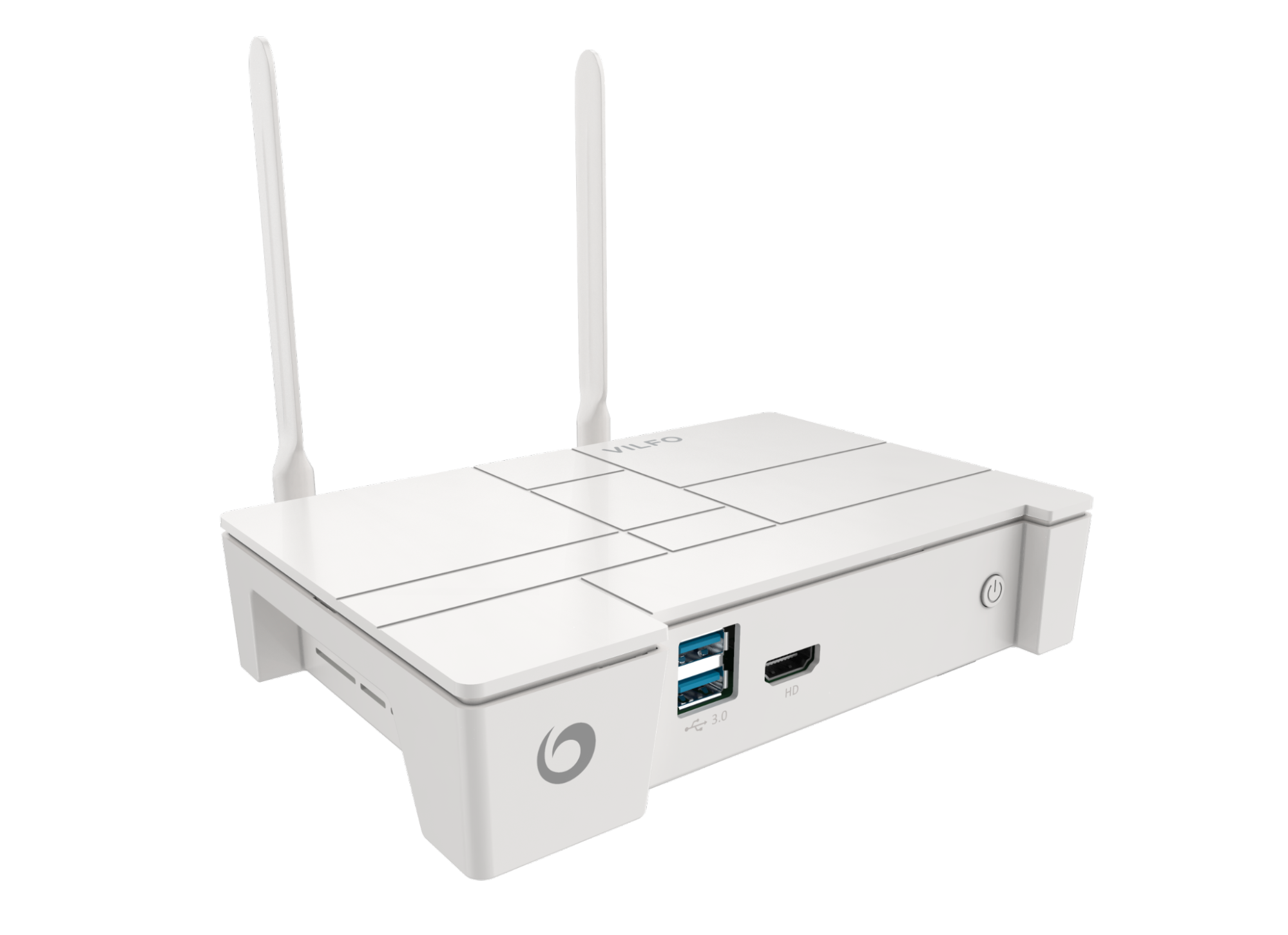
If you are looking for a quick and efficient way to enable VPN on your router, there are a few steps you can follow to ensure a smooth setup process. With VPN installed on your router, you can enjoy a secure and private internet connection for all your devices. Here’s how you can turn on VPN on your router quickly:
- Choose a VPN router: Start by selecting a VPN router that suits your needs. Some popular options include Netgear, Asus, and Linksys routers.
- Install VPN software: Once you have your router, you will need to install the VPN software. Visit the VPN provider’s website and download the appropriate software for your router model.
- Upgrade router firmware: In order to enable VPN, make sure your router firmware is up to date. If there is an available firmware upgrade, download and install it before proceeding.
- Login to your router: Use a web browser to access your router’s admin page. This is usually done by entering the router’s IP address in the browser’s address bar.
- Turn on VPN: Once logged in, look for the VPN settings page. Enable the VPN feature and select the VPN server you want to connect to.
- Configure VPN settings: In the VPN settings page, you may have options to configure additional settings like encryption protocols, DNS leak prevention, and kill switch functions. Adjust these settings according to your preferences.
- Save settings and connect: After configuring the VPN settings, save the changes and initiate the VPN connection. This will establish a secure and encrypted connection between your router and the VPN server.
- Test the connection: Once the VPN connection is established, test your internet connection to ensure that it is now routed through the VPN server. You can visit websites like whatismyip.com to check if your IP address has changed.
By following these steps, you can quickly turn on VPN on your router and enjoy the advantages of a secure and private internet connection for all your devices. Keep in mind that each router model may have slightly different steps, so it’s always recommended to refer to the user manual or contact the manufacturer for specific instructions.
Sources to Find More Information
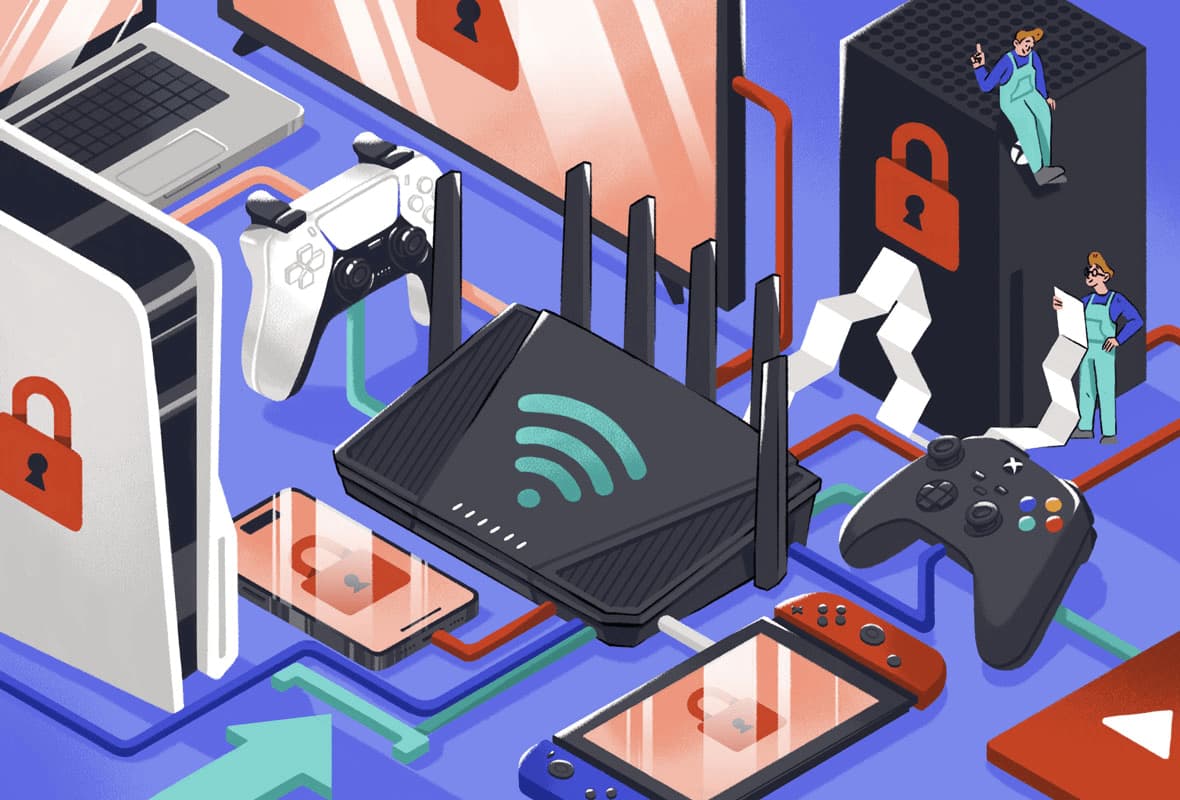
If you require more information on VPN router pre-configuration and want to quickly turn on and off VPN on your router, there are several sources you can consult to help you with the process. These sources will provide you with the necessary knowledge and steps to set up and manage your VPN connection on your router.
Online Forums and Communities
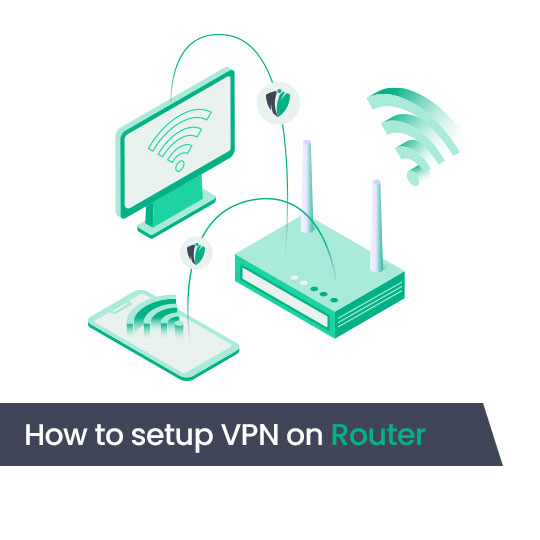
Online forums and communities dedicated to VPN and networking topics are excellent sources for finding more information. Websites like Reddit, Stack Exchange, and forums hosted by router manufacturers are great places to ask questions and seek advice from experienced users. These communities often have threads and discussions related to VPN router pre-configuration, providing valuable insights and tips.
Router Manufacturer’s Website and Documentation
If you are using a specific brand of router, such as Netgear or Linksys, their official websites and documentation are the best places to start. These websites usually have dedicated sections to guide users through the setup process for VPN on their routers. You can find step-by-step instructions, FAQs, and troubleshooting guides that can help you quickly configure VPN on your specific router model.
Online Tutorials and Videos
There are numerous online tutorials and videos available that provide detailed instructions on how to set up VPN on different router models. Websites like YouTube and online tutorial platforms host a variety of videos and articles created by experts in the field. These resources often include easy-to-follow demonstrations and explanations, helping you understand the process and make the necessary configuration adjustments.
VPN Service Provider Documentation
If you are using a VPN service, their official documentation should have information on how to configure VPN on routers. Most reputable VPN service providers offer tutorials and guides specifically tailored to different router models and brands. This documentation can help you select the appropriate VPN protocol and guide you through the setup process to ensure secure and reliable VPN connectivity for your entire network.
In conclusion, finding reliable sources of information is crucial when it comes to VPN router pre-configuration. Online forums, router manufacturer’s websites, online tutorials, and VPN service provider documentation are all valuable sources where you can learn how to quickly turn on and off VPN on your router. Exploring these sources will enable you to make informed decisions, choose the best setup method for your needs, and ensure the safe and efficient operation of your VPN connectivity.
Quick Way to Turn VPN On and Off on Router
If you’re wondering how to quickly turn on and off a VPN on your router, here is a simple solution. Many VPN routers offer a user-friendly interface that allows you to easily toggle the VPN connectivity. This feature is especially useful if you frequently switch between using a VPN and accessing the internet without one.
But which VPN router should you choose? There are multiple options available on the market, each with its own set of advantages and disadvantages. To find the right one for you, it’s important to consider factors such as the number of devices and connections it supports, the firmware it runs on, and the number of servers it has available.
Once you have chosen a VPN router and installed it, you can view the router’s settings to enable or disable the VPN functionality. This can usually be done through a web-based interface where you can adjust various settings, including the VPN connection.
Here’s a quick step-by-step guide on how to turn on and off a VPN on a router:
- Access the router’s web interface by typing the router’s IP address in your web browser.
- Login using the router’s admin credentials. These are usually provided by the manufacturer.
- Locate the VPN settings in the router’s configuration menu.
- Enable or disable the VPN connection by toggling the corresponding option.
- Save the changes and exit the router’s interface.
It’s important to note that turning on the VPN on your router will secure all devices connected to it, including your PC, Mac, and mobile devices. This means that all data transmitted between your devices and the internet will be encrypted, ensuring that your personal and confidential information remains protected from prying eyes.
However, there are some disadvantages to using a VPN on your router. For instance, it may slightly reduce your internet speed due to the overhead of encryption and the additional routing. Additionally, if the VPN connection drops, all your internet traffic will be routed through your regular ISP, potentially exposing your data.
A quick way to circumvent these disadvantages is to have a VPN client installed on your devices. This allows you to easily turn on and off the VPN as needed, while still benefiting from the added security and privacy when connected to VPN servers. In this case, you can choose to use a VPN client for Windows, Mac, or even mobile devices.
So, whether you prefer turning on and off the VPN on your router or using a VPN client on your devices, it’s important to consider your specific needs and requirements when choosing a VPN solution.
Advantages of Using VPN on Router
1. Enhanced Security: Using a VPN on your router ensures that all data transmitted between your connected devices and the internet is encrypted. This provides an additional layer of security, protecting your sensitive information from hackers and other malicious actors.
2. Simplicity and Convenience: With a VPN installed on your router, you don’t have to individually configure each device to use a VPN. This saves time and effort, especially if you have multiple devices that need VPN protection.
3. Access to Geo-Restricted Content: By connecting to a VPN server located in a different country, you can bypass geo-restrictions and access content that may not be available in your region. This is particularly useful for streaming services and accessing websites blocked by government censorship.
4. Protection for IoT Devices: VPN on a router protects all the devices connected to it, including IoT devices like smart home appliances and wearables. This ensures that your IoT devices are secure and their data remains private.
5. Privacy: Using a VPN on your router helps protect your online privacy by masking your IP address and preventing your internet service provider (ISP) from tracking your online activities. This allows you to browse the web anonymously.
6. Consistent Connectivity: When you connect to a VPN through your router, the VPN tunnel is always on. This means that even if your device disconnects from one network and connects to another, it will remain protected by the VPN.
7. Compatibility with Multiple Devices: Installing a VPN on your router ensures that all the devices connected to it, regardless of their operating system (Windows, iOS, Android), can benefit from VPN protection.
VPN Router Setup for Windows 10
If you want to access the internet without worrying about your personal information and traffic being exposed, using a VPN router is a good option. With a VPN router, you can easily set up a secure connection and enjoy the advantages of VPN technology.
Advantages of VPN Router Setup
When it comes to VPN router setup for Windows 10, there are several advantages to consider. First, you can connect multiple devices to the router and ensure that all of them are protected. This means that any device connected to the router will have its internet traffic encrypted and secure.
Another advantage is the ease of use. Once the VPN router is properly set up, all devices connected to it will automatically go through the VPN connection. There is no need to install VPN software on each individual device or worry about turning the VPN on and off.
Furthermore, VPN routers offer better management and control over your VPN connections. You can easily disconnect or reconnect to the VPN network with the click of a button on the router’s interface.
Disadvantages of VPN Router Setup
While VPN router setup has its advantages, there are also a few disadvantages to consider. One potential disadvantage is the need to purchase a compatible VPN router. Not all routers support VPN functionality, so you may need to do some research to find a router that meets your needs.
Additionally, setting up a VPN router may require technical configuration and knowledge, especially if you want to customize specific settings or integrate it with existing network infrastructure.
Setting Up a VPN Router on Windows 10: Step-by-Step Guide
To set up a VPN router on Windows 10, follow these steps:
- Choose a suitable VPN service provider and sign up for their service.
- Connect your Windows 10 computer to the VPN router using an Ethernet cable or Wi-Fi connection.
- Access the router’s management interface by typing its IP address into a web browser.
- Find the VPN settings section and enter the necessary information provided by your VPN service provider (such as server address, username, and password).
- Save the settings and apply them to activate the VPN connection.
- Once the connection is established, all your internet traffic will be routed through the VPN network.
- To disconnect from the VPN, simply access the router’s management interface and turn off the VPN connection.
Conclusion
Setting up a VPN router for Windows 10 can provide you with a secure and convenient way to access the internet. By using a VPN router, you can protect all your connected devices and ensure your privacy online. Although there may be some initial setup and configuration required, the benefits of using a VPN router outweigh the disadvantages, making it a worthwhile investment.
VPN Apps: Pros and Cons
When it comes to using a VPN, there are various options available, and one of the most popular ones is using VPN apps. These apps make it easy to install, set up, and manage your VPN connection right from your device. However, like any other technology, VPN apps have their own set of advantages and disadvantages.
Pros of VPN Apps:
- Easy Installation and Setup: With VPN apps, you can quickly install and set up the VPN on your device without any technical knowledge. It simplifies the process and ensures that even a novice user can get their VPN up and running in no time.
- Multiple Device Support: VPN apps are available for various platforms like Windows, Mac, Android, and iOS. This means you can easily install and use them on your preferred device, regardless of the operating system.
- Access to Multiple Servers: VPN apps provide you with a wide range of servers to choose from. This gives you the option to select the server that suits your needs and allows you to access content from different regions.
- Enhanced Security: Using a VPN app ensures that your internet traffic is encrypted, making it secure and private. This is particularly important when connecting to public Wi-Fi networks, as it protects your sensitive data from potential hackers.
- Quickly Switch Between Locations: VPN apps often come with a built-in server selection feature, allowing you to quickly switch between different locations with just a few clicks. This is especially useful when you want to access geo-restricted content.
Cons of VPN Apps:
- Subscription Fees: While some VPN apps offer free versions, most reliable ones require a subscription fee. This can be a drawback for users who are looking for a completely free solution.
- Reduced Internet Speed: The process of encrypting and routing your internet traffic through VPN servers can sometimes cause a decrease in internet speed. Depending on your connection and the VPN service, this reduction can be noticeable.
- Compatibility Issues: VPN apps may not work well with all devices or routers. Some older routers may not be able to handle the VPN app, while some devices may experience compatibility issues with certain VPN apps.
- Privacy Concerns: While VPN apps are designed to enhance privacy, it’s important to choose a reputable and trustworthy app. Some VPN apps may collect and store user data, potentially compromising your privacy.
- Limited Personalization: VPN apps often limit advanced settings and options. If you prefer to have more control over your VPN connection and want to customize various settings, using a VPN app may not be the ideal choice.
In conclusion, VPN apps provide an easy way to access VPN services on your device, with advantages like easy installation, multiple device support, and enhanced security. However, they also come with some drawbacks, including subscription fees, potential speed reduction, and compatibility issues. It’s important to consider these pros and cons before deciding to use VPN apps on your device.
Disadvantages of Installing a VPN on Your Router
1. Decreased Speed: One of the main disadvantages of installing a VPN on your router is the potential decrease in internet speed. Since all the devices connected to the router will be using the VPN, the bandwidth may be shared, resulting in slower performance compared to a direct connection.
2. Limited Server Selection: When you install a VPN on your router, you are restricted to the servers offered by the VPN provider. This means that you may not have access to the same range of servers as you would with a VPN app installed on your device. Limited server selection can potentially impact the quality of your VPN connection.
3. Difficult to Switch On and Off: Unlike with a VPN app, where you can easily switch the VPN on or off with just a few taps, turning the VPN on or off on a router requires more steps. You may need to access the router’s management page, navigate through various menus, and configure the VPN settings. This can be time-consuming and inconvenient, especially if you frequently need to switch between VPN and non-VPN connections.
4. Lack of Device-Specific VPN Configuration: When you install a VPN on your router, all devices connected to that router will use the VPN. This means that you cannot selectively choose which devices use the VPN and which ones do not. If you have devices that require internet access without going through the VPN, you may need to disable the VPN temporarily or use a different network.
5. Potential Data Disconnect: If the VPN connection on your router fails or disconnects for any reason, all devices connected to the router will lose their VPN protection. It may take time for the connection to be re-established, putting your personal and confidential data at risk. With a VPN app on your device, you have more control and can quickly reconnect to the VPN servers.
While there are advantages to installing a VPN on your router, it’s important to consider these disadvantages before making a decision. Evaluate how turning on a VPN on your router may impact your internet speed, switching convenience, device-specific configuration needs, and potential data disconnects. Taking all these factors into account will help you make an informed decision about whether installing a VPN on your router is the right choice for your home network.
How to Turn VPN Off Using Remote Access Phonebook
Turning off a VPN is a simple task that can be done using the remote access phonebook feature on your router. This feature allows you to easily manage your VPN connections and switch them off when needed.
By accessing the remote access phonebook, you can view the list of connected VPN servers and choose the option to turn off the VPN connection. This is especially useful if you have multiple devices connected to your router and want to disable the VPN on a specific device.
One of the main advantages of using the remote access phonebook to turn off your VPN is the convenience it offers. Instead of having to manually navigate through different settings on your router, you can easily access the phonebook and disable the VPN with just a few clicks.
Another advantage is that this functionality is available on various router models and firmware versions. Whether you have a Netgear, TP-Link, or any other brand of router, you should be able to find the remote access phonebook option in the router’s management interface.
However, there are also some disadvantages to consider when using the remote access phonebook to turn off your VPN. One disadvantage is that the option to disable the VPN connection may not always be available or easily accessible on all router models. In some cases, you may need to search for additional sources or contact your router’s manufacturer for guidance.
Furthermore, while turning off the VPN on your router will prevent your devices from connecting to the internet through the VPN tunnel, it does not guarantee complete privacy and security. Your internet traffic may still be visible to your ISP or other third parties, so it’s important to be aware of this and take additional precautions if needed.
In conclusion, the remote access phonebook is a convenient option for turning off VPN on your router. It provides an easy way to manage your VPN connections and disable them when needed. However, it’s important to be aware of the limitations and consider other ways to protect your internet traffic and ensure your privacy and security.
How Does VPN Work on Your Router: MAC Users
If you’re a MAC user and want to ensure the security and privacy of your online activities, using a VPN service on your router is a great option. By setting up a VPN on your router, all devices connected to your home Wi-Fi network will be automatically protected and encrypted. This means that every device, including your MAC, will benefit from the added security that a VPN provides.
When it comes to setting up a VPN on your MAC router, there are a few ways to do it. One popular option is to use a VPN router, such as a Netgear router, that comes with built-in VPN functionality. These routers are specifically designed to make it easy to quickly turn on and off the VPN service on your router.
Another method is to manually configure the VPN settings on your MAC router. This involves logging into the router’s admin interface and entering the necessary VPN server information. While this method may be a bit more complex, it allows for more control and customization of the VPN settings.
Once the VPN is set up on your MAC router, you can quickly turn it on and off using a VPN switch or icon that appears on your MAC device. This makes it easy to switch between using the VPN for secure browsing and accessing the internet without the VPN for faster speeds.
There are several advantages to using a VPN on your MAC router. First and foremost, it allows you to secure all devices connected to your home Wi-Fi network, not just your MAC. This means that your phonebook, tablets, and other devices are protected from hackers and identity theft.
In addition, using a VPN on your MAC router allows you to access geographically restricted content. For example, if you want to watch a show that is only available in another country, you can simply connect to a VPN server in that country and access the content as if you were physically located there.
Вопрос-ответ:
How do you turn on and off VPN on a router?
To turn on and off VPN on a router, you need to access the router’s settings. Depending on the router model and firmware, the steps might vary, but generally, you would go to the router’s admin page, navigate to the VPN settings section, and toggle the VPN on or off.
What are the advantages and disadvantages of installing a VPN on your router?
Installing a VPN on your router has several advantages. Firstly, it provides VPN protection to all devices connected to the router, ensuring privacy and security for all your internet traffic. Secondly, it eliminates the need to install a separate VPN client on each device, making it more convenient. However, there are some disadvantages as well. VPN performance might be slower due to the increased workload on the router, and some router models might not be compatible with certain VPN protocols.
How does VPN work on your router?
When you set up a VPN on your router, it acts as a gateway between your devices and the internet. All the traffic from your devices is encrypted and tunneled through the VPN server, making it secure and private. The VPN on your router can also help bypass geographical restrictions and censorship by masking your IP address with the VPN server’s IP address.
How can you turn off VPN on a router using remote access phonebook?
To turn off VPN on a router using remote access phonebook, you can use a VPN app on your mobile device. These apps often provide a user-friendly interface to manage your VPN connections. By accessing the app and selecting the router’s VPN connection, you can easily turn off the VPN.
What are the sources for VPN apps on different platforms?
VPN apps can be sourced from various platforms. For iOS devices, you can find VPN apps on the App Store. On PC, you can download VPN apps from the official websites of VPN service providers or from trusted software download platforms. On Android devices, VPN apps are available on the Google Play Store.
Is it a good idea to turn off the VPN on your router?
Whether it is a good idea to turn off the VPN on your router depends on your specific needs and circumstances. If you no longer require the privacy and security provided by the VPN, or if you are experiencing performance issues, then turning off the VPN on your router might be a reasonable decision. However, it is generally recommended to keep the VPN enabled for enhanced online protection.
Видео:
How to setup VPN on home router. Tutorial
How to setup VPN on home router. Tutorial by A2T 3 years ago 9 minutes, 19 seconds 147,848 views
Changing Country on VPN Router
Changing Country on VPN Router by Liberty Shield 5 years ago 2 minutes, 17 seconds 10,042 views
