How to Buy More ExpressVPN Accounts and Subscriptions
ExpressVPN is a popular VPN service that provides secure and private internet access. If you want to connect multiple devices or give access to friends and family, you may need to purchase additional accounts and subscriptions.
There are several ways to purchase additional ExpressVPN accounts and subscriptions. One option is to use the ExpressVPN website, where you can enter your payment details and purchase the desired package. You can pay with a credit card, PayPal, or Paymentwall, giving you flexibility in choosing your preferred payment method.
An alternative option is to purchase additional subscriptions through the Apple In-App Purchase feature. If you’re an Apple user, you can connect your ExpressVPN account to your Apple ID and make the purchase directly in the ExpressVPN app. This can be convenient if you want to manage all your subscriptions in one place.
If you prefer to purchase via Paymentwall, you can use services like NordVPN or mytoolz.net to buy ExpressVPN accounts. These websites provide a secure platform where you can enter your payment details and have the purchased account credentials forwarded to your email address. This can be a good option if you want to maintain anonymity.
Purchasing Additional ExpressVPN Accounts and Subscriptions
If you want to purchase additional ExpressVPN accounts and subscriptions, you can easily do so using different payment methods available. ExpressVPN offers various options to cater to the needs and preferences of its subscribers.
Method 1: Credit Card or PayPal
On the ExpressVPN website, each account or subscription page provides the option to pay with either a credit card or PayPal. Simply choose your preferred method and follow the instructions to complete the purchase.
Method 2: Paymentwall
Another option to purchase additional ExpressVPN accounts or subscriptions is through Paymentwall. This payment method offers various options, including popular ones like credit cards and PayPal, as well as alternative methods depending on your location.
Method 3: Apple In-App Purchase
If you’re an Apple device user, you can also make your ExpressVPN account or subscription purchases through Apple’s in-app purchase functionality. This allows you to conveniently pay using your Apple ID and payment information already associated with it.
Method 4: Telegram Bot
For those who prefer a more convenient way of purchasing, ExpressVPN also provides the option to buy additional accounts or subscriptions via Telegram. By using the ExpressVPN bot on Telegram, you can seamlessly make your purchase and receive your subscription details.
Method 5: Other Online Platforms
ExpressVPN accounts or subscriptions can also be purchased from external online platforms. Websites like https://mytoolz.net, https://pastebin.com, or http://sspotifydownloader.net offer ExpressVPN credentials, accounts, or subscriptions for free or for purchase.
ExpressVPN Accounts
To access ExpressVPN services, you need an ExpressVPN account. This account will give you the identity to connect to a VPN server and securely browse the internet.
To purchase an ExpressVPN account, you have various payment methods available. You can use your credit card or PayPal to make the purchase. Additionally, ExpressVPN supports Paymentwall, which allows you to pay with a variety of payment options such as cryptocurrency, gift cards, and more.
If you want to purchase additional ExpressVPN accounts or subscriptions, you can do so by visiting the ExpressVPN website. On the website, you will find a dedicated page where you can enter your payment details and choose the subscription plan you want to purchase.
If you prefer to make the purchase via the Apple App Store, ExpressVPN also offers in-app purchase options. You can download the ExpressVPN app from the App Store, and then choose the subscription plan you want to purchase. The payment will be billed to your Apple ID.
Once you have purchased an ExpressVPN account or subscription, you will receive your login credentials via email. You can use these credentials to log in to the ExpressVPN app or website and start using the VPN service.
ExpressVPN also offers a 30-day money-back guarantee. If you’re not satisfied with the service, you can request a refund within this time period. Simply contact ExpressVPN customer support, and they will assist you with the refund process.
Credit Card, Paypal, Paymentwall
If you want to purchase additional ExpressVPN accounts or subscriptions, you have several payment options available. You can use your credit card, Paypal, or Paymentwall to complete the purchase.
If you choose to use a credit card, you will need to enter your card details on the payment page. Make sure to provide the correct information to avoid any issues with the transaction. ExpressVPN uses a secure payment gateway, so your data is safe.
If you prefer to use Paypal, you can select this option during the checkout process. You will be redirected to the Paypal website, where you can log in to your account and authorize the payment. Once the payment is complete, you will receive a confirmation email with the details of your purchase.
Paymentwall is another payment option for purchasing additional ExpressVPN accounts or subscriptions. Paymentwall supports various payment methods, including credit cards, e-wallets, and bank transfers. Simply choose the Paymentwall option and follow the instructions provided on the payment page.
By providing multiple payment options, ExpressVPN ensures that subscribers can easily make a purchase using their preferred method. Whether you choose to use a credit card, Paypal, or Paymentwall, you can rest assured that your personal and financial information is secure.
Apple In-App Purchase
If you’re an Apple user, you can easily purchase additional ExpressVPN subscriptions and accounts through Apple’s In-App Purchase feature. This method is convenient and secure, as it allows you to make purchases directly from your Apple account, without the need to enter your credit card or PayPal credentials each time.
To purchase an additional ExpressVPN account or subscription via Apple In-App Purchase, simply go to the ExpressVPN website or download the ExpressVPN app from the App Store. Once you open the app, you will be prompted to choose the subscription plan you want to purchase. After selecting the desired plan, you can proceed with the payment using your Apple ID and password.
With Apple In-App Purchase, you can subscribe to ExpressVPN on a monthly or annual basis. The purchased subscription will be tied to your Apple ID, so you can use it across all of your Apple devices. If you have multiple devices and want to use ExpressVPN on each of them, you will need to purchase a separate subscription for each device.
After the purchase is complete, your ExpressVPN account will be automatically connected to your Apple ID. You will receive an email with instructions on how to download and install the ExpressVPN app on your device. Alternatively, you can also find the download link for the app on the ExpressVPN website or in the App Store.
ExpressVPN Accounts
Purchasing Additional ExpressVPN Accounts and Subscriptions

If you want to purchase additional ExpressVPN accounts and subscriptions, there are several ways you can do so. You have the option to pay via credit card, Paypal, Paymentwall, or Apple In-App Purchase.
Using Credit Card or Paypal
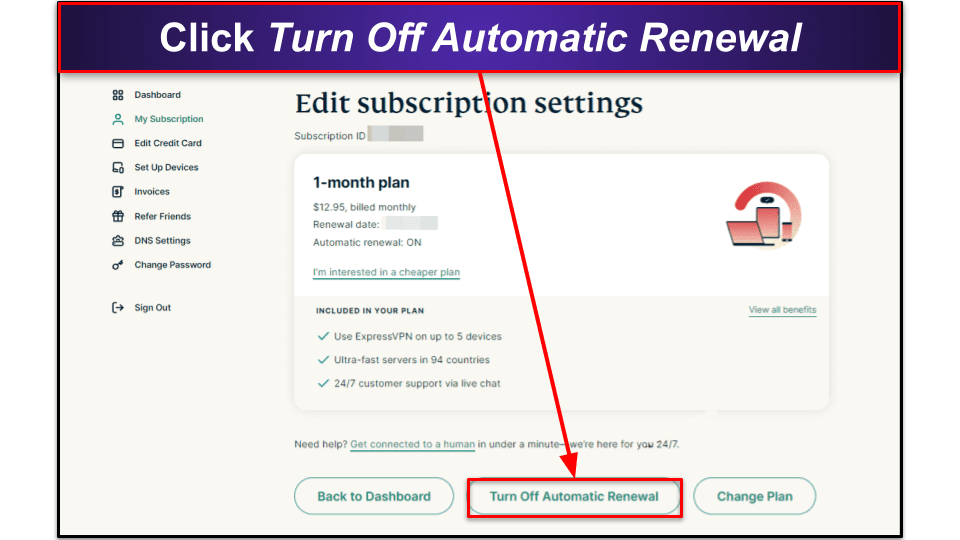
To purchase additional accounts using your credit card or Paypal, visit the ExpressVPN website or use a trusted reseller. Enter your account credentials and proceed to the payment page. From there, you can select the number of subscriptions you want to purchase and enter your credit card or Paypal details to complete the transaction.
Paymentwall and Apple In-App Purchase
If you prefer to use Paymentwall or Apple In-App Purchase, you can follow the same process as mentioned above. For Paymentwall, you may need to provide additional identity verification and address information. For Apple In-App Purchase, you can make the purchase directly through your Apple account.
Additional ExpressVPN Accounts via Resellers
If you want to purchase additional ExpressVPN accounts at a discounted price, you can also consider using trusted resellers. Resellers often offer special deals and promotions, allowing you to save money while connecting with ExpressVPN.
Downloading ExpressVPN
Once you have purchased your ExpressVPN account, you can download the software or mobile app from the official ExpressVPN website. Simply follow the instructions provided and enter your account details to get started with your VPN subscription.
Benefits of Additional ExpressVPN Accounts
Purchasing additional ExpressVPN accounts allows you to connect multiple devices to the VPN simultaneously. This is especially useful if you have multiple devices or if you want to share your subscription with family or friends. With each additional account, you can give others access to the benefits of ExpressVPN for a more secure and private online experience.
Purchasing an additional ExpressVPN Subscription
If you want to purchase an additional ExpressVPN subscription, there are several ways you can do so.
Via the ExpressVPN website:
- Visit the ExpressVPN site (https://www.expressvpn.com/) and click on the “Get ExpressVPN” button.
- You will be redirected to a page where you can choose the subscription plan you want to purchase.
- Enter your payment details, such as your credit card or PayPal credentials, to complete the purchase.
Via the Apple App Store or Google Play Store:
- Open the App Store or Google Play Store on your device.
- Search for “ExpressVPN” and download the ExpressVPN app.
- Open the app and sign in to your ExpressVPN account, or create a new account if you don’t have one.
- Go to the “Subscriptions” section and choose the additional subscription you want to purchase.
- Enter your Apple ID or Google Play Store credentials to complete the purchase. The subscription will be linked to your ExpressVPN account.
Via Paymentwall:
- Go to the ExpressVPN website (https://www.expressvpn.com/) and click on the “Get ExpressVPN” button.
- On the payment page, select “Paymentwall” as the payment method.
- Follow the instructions to make the payment using your preferred method, such as credit card, PayPal, or other available options.
- Once the payment is processed, the additional subscription will be added to your ExpressVPN account.
By following these steps, you can purchase an additional ExpressVPN subscription via the ExpressVPN website, Apple or Google app stores, or Paymentwall. Each method offers a secure and convenient way to purchase an additional subscription to enhance your ExpressVPN experience.
Subscriptions purchased via credit card, Paypal, or Paymentwall
If you want to purchase additional ExpressVPN accounts or subscriptions, you have several options available to you. You can choose to purchase them using a credit card, Paypal, or Paymentwall. Each method has its own advantages and gives you the flexibility to select the one that suits your preferences and needs.
When you purchase a subscription via credit card, Paypal, or Paymentwall, you can do so directly from the ExpressVPN website. All you need to do is enter your payment details, such as your credit card information or Paypal account details, and complete the purchase. This way, you can quickly and easily obtain the additional ExpressVPN subscription you want.
If you prefer purchasing via an in-app purchase, you can do so if you are using the ExpressVPN app on an Apple device. With the Apple In-App Purchase option, you can buy additional subscriptions directly from the app itself. Simply follow the prompts and provide the necessary information, and your subscription will be activated instantly.
After purchasing your additional ExpressVPN subscription via credit card, Paypal, or Paymentwall, you will receive an email confirmation with the necessary credentials to download and connect to the ExpressVPN service. This way, you can start enjoying the benefits of ExpressVPN on multiple devices simultaneously.
Remember, ExpressVPN allows you to connect to their VPN service using multiple devices with a single subscription. By purchasing additional accounts or subscriptions, you can give your friends or family members access to the high-speed, secure VPN service. Each subscriber will have their own login credentials and can enjoy the full benefits of ExpressVPN.
So whether you choose to purchase via credit card, Paypal, or Paymentwall, or prefer to use the in-app purchase option on Apple devices, ExpressVPN offers flexible and convenient ways to obtain additional subscriptions for your needs.
Express VPN
If you want to protect your online privacy and identity, ExpressVPN is a reliable and trusted VPN service that provides a secure connection for your internet activities. Subscribers can purchase additional accounts and subscriptions for ExpressVPN using various payment methods.
Purchasing ExpressVPN Accounts and Subscriptions
To purchase an additional ExpressVPN account or subscription, you can use different payment options such as credit card, PayPal, Paymentwall, or Apple In-App Purchase. Each method ensures a secure transaction and allows you to enjoy the benefits of ExpressVPN.
Using Credit Card or PayPal
If you prefer to use your credit card or PayPal, you can visit the ExpressVPN website and navigate to the “Account” section. From there, you can add additional accounts or subscriptions to your current plan. Simply enter your payment details and confirm the purchase to get started with ExpressVPN.
Apple In-App Purchase
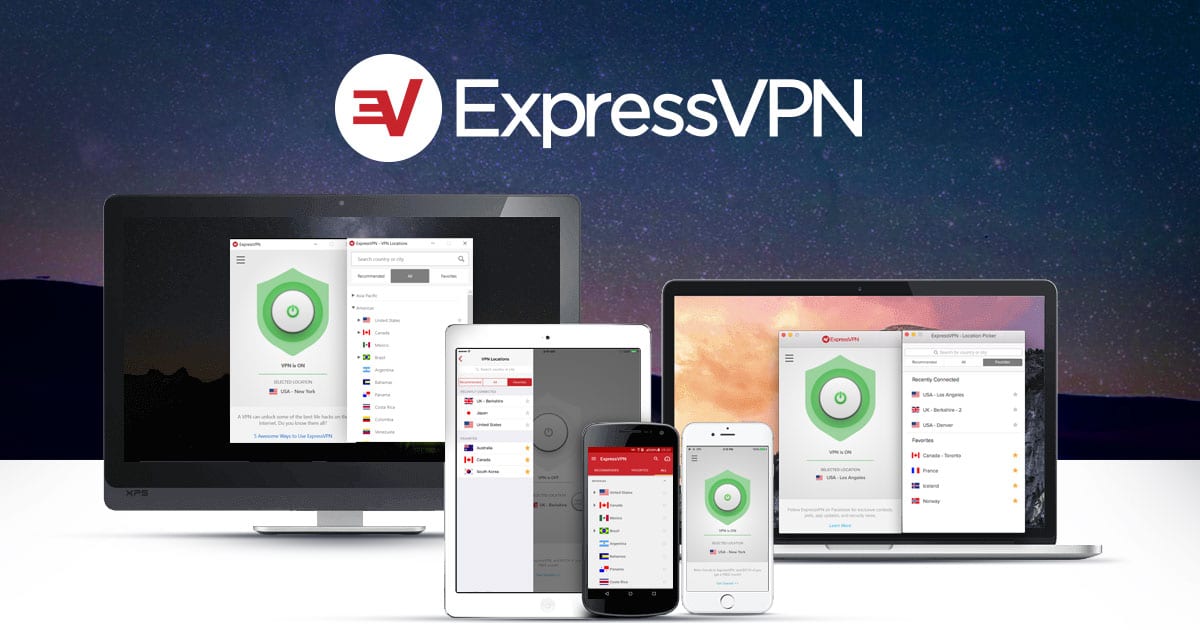
For Apple users, you can conveniently purchase ExpressVPN subscriptions via an in-app purchase. This option is available on the App Store, and it allows you to pay for ExpressVPN using your Apple ID credentials. Simply download the ExpressVPN app, enter your Apple ID password, and choose the subscription plan that suits your needs.
Paymentwall and Other Options
If you prefer alternative payment methods, such as Paymentwall, you can visit the ExpressVPN website and select this option during the purchase process. Paymentwall allows you to pay for ExpressVPN using various regional payment options, ensuring you have a seamless experience.
You can also find ExpressVPN subscriptions and accounts on trusted websites such as https://mytoolz.net and https://spotifydownloader.net. These platforms offer the opportunity to purchase ExpressVPN accounts at discounted prices or even for free. However, it’s important to note that using cracked accounts or unauthorized sources may compromise your online security and violate the terms of service.
To ensure a safe and reliable VPN service, it is recommended to purchase ExpressVPN subscriptions directly from the official ExpressVPN website or authorized resellers. This way, you can enjoy all the benefits and features that ExpressVPN offers without any risks to your online privacy and security.
Subscriptions purchased via Apple in-app purchase
Subscriptions to ExpressVPN can also be purchased through the Apple in-app purchase option. To do this, you can follow these steps:
- Go to the App Store on your Apple device and search for the ExpressVPN app.
- Click on the app and then select the Get or Download button to install the app on your device.
- Once the app is installed, open it and click on the Sign In button.
- If you already have an ExpressVPN account, enter your login credentials. If not, you can create a new account by clicking on the Create Account button.
- After signing in, navigate to the Subscription page within the app.
- Click on the Choose Plan or Buy ExpressVPN button to view the available subscription options.
- Select the desired subscription plan and click on the Buy or Purchase button.
- Follow the prompts to complete the Apple in-app purchase process, which may involve providing your payment details, such as your credit card or PayPal account.
- Once the purchase is confirmed, the subscription will be purchased and the ExpressVPN app will be activated.
- You can now connect to an ExpressVPN server and enjoy secure and private browsing.
Please note that the subscriptions purchased via the Apple in-app purchase option are tied to your Apple ID and can only be used on devices using the same Apple ID. If you want to use ExpressVPN on additional devices outside of the Apple ecosystem, you will need to purchase additional subscriptions or use alternative payment methods such as credit card, PayPal, or Paymentwall.
Purchasing an additional ExpressVPN Account
If you want to purchase an additional ExpressVPN account, you can do so by following these simple steps:
- Visit the ExpressVPN website and navigate to the “Subscriptions” or “Accounts” page.
- Choose the additional subscription plan you want to purchase.
- Click on the “Purchase” button to proceed with the payment.
- You can pay for your additional ExpressVPN account using various payment methods such as credit card, PayPal, or Paymentwall.
- If you prefer to use PayPal as your payment method, you can enter your PayPal credentials on the site or via the ExpressVPN app.
- If you choose to pay by credit card, you will be forwarded to a secure payment page where you can enter your card details.
- Once your payment is processed, you will receive an email with the necessary instructions and credentials to activate your additional ExpressVPN account.
By purchasing an additional ExpressVPN account, you can connect to the VPN from multiple devices at the same time and enjoy all the benefits of a secure and unrestricted internet connection.
Вопрос-ответ:
Can I purchase additional ExpressVPN accounts?
Yes, you can purchase additional ExpressVPN accounts. You can do this by visiting the ExpressVPN website and selecting the desired plan and payment method.
What payment methods can I use to purchase ExpressVPN accounts?
You can use credit card, PayPal, or Paymentwall to purchase ExpressVPN accounts. These are the accepted payment methods for ExpressVPN subscriptions.
Can I purchase ExpressVPN subscriptions through Apple in-app purchase?
Yes, you can purchase ExpressVPN subscriptions through Apple in-app purchase. This is a convenient method if you prefer to make payments through your Apple ID.
How can I purchase an additional ExpressVPN subscription?
To purchase an additional ExpressVPN subscription, you need to log in to your ExpressVPN account. Once logged in, you can select the subscription plan you want and choose a payment method to complete the purchase.
What happens if I purchase an ExpressVPN subscription via Apple in-app purchase?
If you purchase an ExpressVPN subscription via Apple in-app purchase, your payment will be handled through your Apple ID. This means your payment method will be linked to your Apple account instead of directly to ExpressVPN.
Видео:
How to use Expressvpn in 2023 The Only Express VPN Tutorial You’ll Need!
How to use Expressvpn in 2023 The Only Express VPN Tutorial You’ll Need! by Geekman 1 year ago 8 minutes, 18 seconds 24,779 views
