How to Change Your Location with a VPN and Why You Should
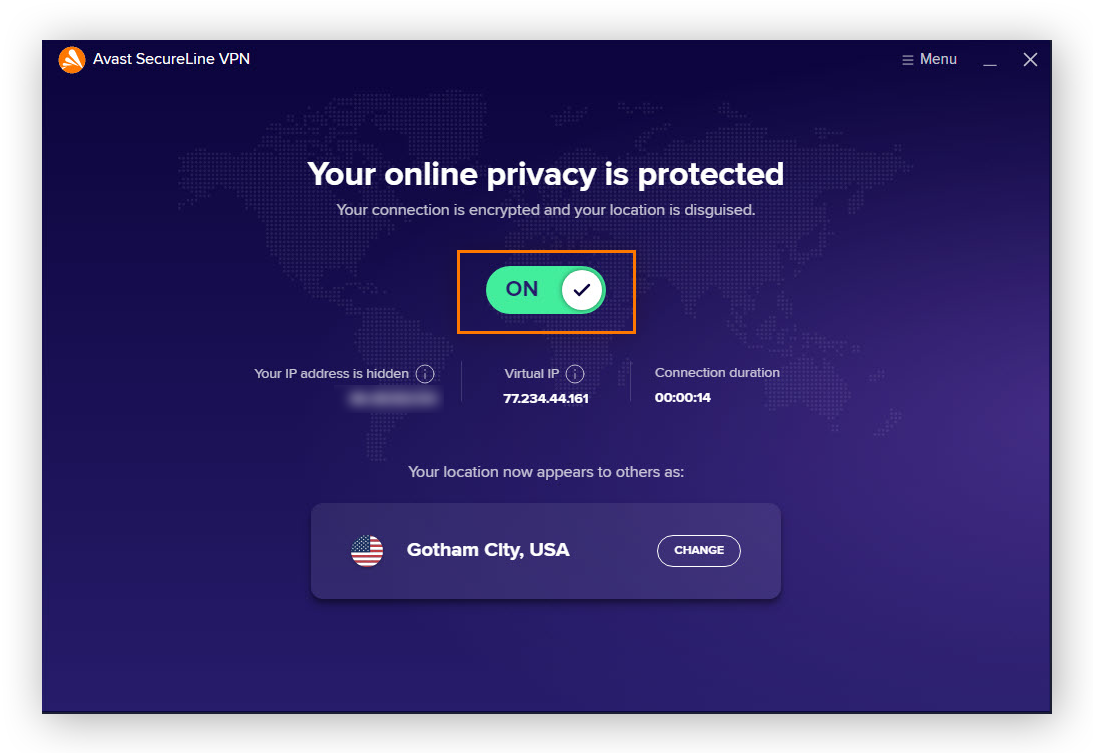
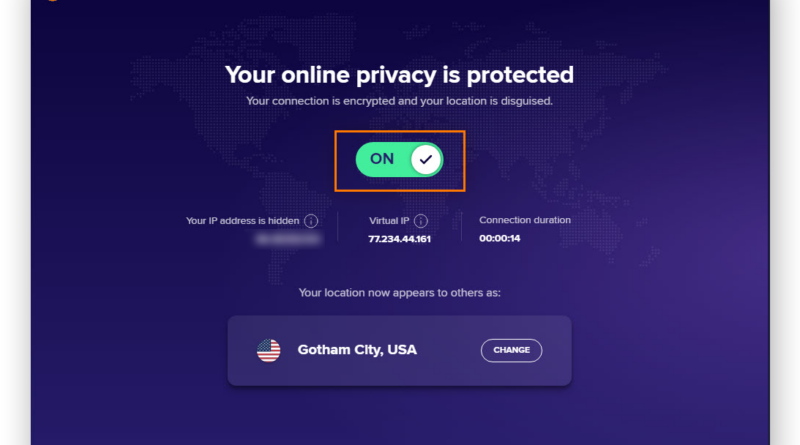
Have you ever wanted to browse the internet as if you were in a different city or even a different country? With the help of a Virtual Private Network (VPN), this is now possible. A VPN allows you to change your location by masking your IP address and routing your internet traffic through a server in a different geographic location.
There are several reasons why you might want to change your location with a VPN. One of the most common reasons is to access content that is restricted to certain regions. For example, streaming services like Netflix and Hulu have different libraries of movies and TV shows for each country. By changing your location with a VPN, you can access the content that is normally only available to users in that specific country.
Changing your location with a VPN is also helpful if you want to protect your privacy and security. When you connect to the internet without a VPN, your IP address is visible to anyone who knows how to track it. This means that your internet service provider, advertisers, and even hackers can see your online activity. By using a VPN, you can hide your real IP address and encrypt your data, making it much more difficult for anyone to track or intercept your online communications.
So, how do you change your location with a VPN? The process is quite simple. First, you need to choose a VPN service provider. There are many VPN providers out there, both free and paid, so it’s important to do your research and choose one that best suits your needs. Once you’ve chosen a VPN provider, you will need to download and install their software or app on your device.
Once you have the VPN software installed, you can open it and choose a server from the list of available locations. Most VPN providers offer servers in multiple countries, so you can choose any location you want. Some VPN providers even have specialized servers for specific purposes, such as streaming or torrenting.
After you’ve selected a server, you can now connect to it and change your virtual location. Once the connection is established, all your internet traffic will be routed through the VPN server, making it appear as if you are browsing from the location of that server. This means that any website or service you visit will see the VPN server’s IP address instead of your own.
It’s important to note that changing your location with a VPN only affects the location that websites and services see. It does not change your physical location or your street address. So, if you’re wondering whether you can use a VPN to bypass certain restrictions or access services that are only available in specific countries, the answer is yes, but be aware that you are still subject to the laws and regulations of the country you are physically located in.
In conclusion, changing your location with a VPN can help you access restricted content, protect your privacy and security, and browse the internet with more freedom. If you’ve never used a VPN before, give it a try and see how it can enhance your online experience.
What Are the Best VPNs to Change Your IP Address
When it comes to changing your IP address, using a reliable VPN is important. There are plenty of VPN services available, but not all of them would meet your expectations. Therefore, it is essential to choose the right VPN that can provide you with the desired results.
One of the top VPNs that you should consider is Surfshark. Their VPN service is compatible with various platforms, such as Android, iOS, and Windows, allowing you to change your IP address while using different devices. Surfshark provides a secure tunnel for your data, ensuring that your online activities remain private and safe.
Another VPN that comes highly recommended is NordVPN. With NordVPN, you can easily change your IP address with just a few clicks. They offer a wide range of server locations around the world, allowing you to browse the internet as if you were in a different city or country. NordVPN also protects your data from any potential threats, ensuring your privacy while online.
ExpressVPN is another good choice to consider when it comes to changing your IP address. It offers fast and reliable connections to servers all over the world, making it easy to access restricted content or bypass geo-blocking. ExpressVPN provides a user-friendly interface and supports various devices, making it convenient to change your IP address.
Lastly, CyberGhost is a VPN service that many users find helpful in changing their IP address. With CyberGhost, you can easily hide your IP address and access websites and online services that may be limited or blocked in your country. They have a vast number of server locations and provide a simple and intuitive interface for users to easily change their IP address.
In conclusion, using a VPN to change your IP address offers many benefits and can help you overcome restrictions and protect your privacy online. Surfshark, NordVPN, ExpressVPN, and CyberGhost are just a few examples of the best VPNs available that can provide you with the tools to change your IP address safely and easily.
Why Would I Want to Hide My IP Address?
Hiding your IP address is a safe and justifiable practice for several reasons. By hiding your IP address, you can protect your privacy and save yourself from potential threats. When you browse the internet, your IP address is like your digital fingerprint, which can be used by hackers and cybercriminals to track your online activities and steal your personal information.
One of the main reasons to hide your IP address is to access geo-restricted content. Many online streaming services and websites broadcast their content only in certain countries or regions. By hiding your IP address, you can change your virtual location and access content that is otherwise not available in your country.
Moreover, hiding your IP address can prevent advertisers from targeting you with personalized ads. By using your IP address as a clue, advertisers can determine your location and browsing habits to deliver targeted advertisements. By hiding your IP address, you can break free from this tracking and enjoy a more private online experience.
Hiding your IP address also adds an extra layer of security to your online activities. When you connect to the internet through a VPN, your data is encrypted and sent through a secure tunnel to the VPN server. This ensures that your sensitive information, such as passwords and financial details, is protected from potential eavesdroppers.
In addition, hiding your IP address provides you with the ability to bypass internet censorship and access restricted websites and services. Many countries impose strict internet regulations, blocking access to certain websites and platforms. By hiding your IP address, you can bypass these restrictions and freely browse the internet.
Furthermore, when you hide your IP address, you can also prevent your internet service provider (ISP) from tracking and logging your online activities. ISPs can monitor your browsing habits and collect data about your online behavior. By hiding your IP address, you can keep your internet activities private and prevent your ISP from selling or sharing your data.
So, whether you want to watch geo-restricted content, protect your privacy, secure your online activities, or bypass censorship, hiding your IP address is a good practice. By using a reliable VPN service, you can easily change your virtual location and enjoy a safer and more unrestricted internet experience.
What Is an IP Address
An IP address, or Internet Protocol address, is a unique numerical identifier assigned to each device connected to a computer network that uses the Internet Protocol for communication. It serves as a way for devices to identify and communicate with each other across the internet.
IP addresses are made up of a series of numbers, divided by periods (.) – like 192.168.0.1. They can be either IPv4 or IPv6 addresses. IPv4 addresses are the most common and consist of four sets of numbers from 0 to 255. IPv6 addresses, on the other hand, are longer and consist of eight groups of four hexadecimal numbers, separated by colons.
When you connect to the internet, your ISP (Internet Service Provider) assigns you an IP address that represents your physical location. This address can be used to determine the country and even the city you are connecting from. Websites and online services can use your IP address to track your location and provide region-specific content.
This is where using a VPN (Virtual Private Network) can be helpful. By using a VPN, you can change your IP address to appear as if you are browsing from a different country. A VPN creates a secure tunnel between your device and a remote server. When you connect to the internet through the VPN, your traffic is routed through this server, which then assigns you a new IP address based on the server’s location.
By changing your IP address with a VPN, you can bypass geographic restrictions and access content that may be blocked in your country. This is particularly helpful for streaming services, as some content may only be available in certain markets. Additionally, using a VPN can help enhance your online privacy and security, as it hides your real IP address and encrypts your internet traffic, making it more difficult for third parties to track your online activities.
There are many VPN providers available, such as Surfshark, that offer both free and paid options. Before choosing a VPN provider, make sure to research their privacy policies and security measures to ensure your data is being handled safely.
How to Change Your IP Address with a VPN And Other Tools – ZDNET Recommends
If you want to change your IP address for various reasons, such as accessing restricted content or enhancing your online privacy and security, using a VPN is one of the best options available. With the wide range of VPN services available, you can easily find one that suits your needs and preferences.
When you connect to a VPN, it creates a secure tunnel between your device and a server located in a different country or region. This allows you to browse the internet as if you were in that location, hiding your true IP address and making it appear as though you are in a different country.
One of the most popular VPN services is Surfshark, which ZDNET highly recommends for its excellent features and user-friendly interface. It offers a large number of server locations across the globe, giving you access to different markets and unlocking content that may be restricted in your home country.
To change your IP address using Surfshark or any other VPN service, simply follow these instructions:
- Download and install the VPN software on your device (available for Windows, Mac, iOS, and Android).
- Launch the VPN software and log in with your account details.
- Select a server location from the provided list. You can choose any location where the VPN service has servers.
- Click the “Connect” button to establish a secure connection to the selected server.
Once connected, your IP address will automatically change to the IP address associated with the server you selected. This allows you to browse the internet with a different IP address, effectively changing your virtual location.
It’s important to note that while some VPN services offer free plans or special deals, using a reliable and secure VPN service is essential. Free VPNs often come with limitations, such as slower speeds and data restrictions. Moreover, they may not provide the same level of security and privacy as paid VPN services.
By using a VPN to change your IP address, you can easily overcome geo-restrictions, access content from different countries, and enhance your online security. Whether you’re an average internet user or a tech-savvy individual, a VPN is a valuable tool that everyone should consider using to protect their privacy and enjoy a more open and secure internet browsing experience.
FAQ
Q: How do I change my location with a VPN?
A: To change your location with a VPN, you need to start by finding a reliable VPN service provider. Once you have chosen a provider, you will need to download and install their VPN software or app to your device. Then, you can open the app and select a server location from a list of available options. Once connected to the server in your desired location, your IP address will be masked, making it appear as though you are browsing from that country.
Q: Why should I change my location with a VPN?
A: There are several reasons why you might want to change your location with a VPN. For example, you may want to access geo-restricted content that is only available in certain countries. Additionally, by changing your location, you can hide your IP address and browse the internet anonymously, adding a layer of security and protecting your personal information from thieves and invasive tracking. VPNs can also help you bypass internet restrictions imposed by your ISP or government.
Q: What is a VPN and how does it work?
A: A VPN, or Virtual Private Network, is a service that creates a secure and encrypted tunnel between your device and the internet. When you connect to a VPN server, your internet traffic is routed through this tunnel, making it appear as if it is coming from the server’s location rather than your own. This allows you to change your virtual location and secure your connection, protecting your data and privacy.
Q: Are there free VPN services available?
A: Yes, there are free VPN services available, but it’s important to note that these services usually come with limitations. Free VPN providers may have slower connection speeds, limited server options, and may collect and sell your data to third parties. Additionally, free VPNs may not always be reliable and can pose security risks. If you want a more secure and reliable VPN experience, it is recommended to choose a paid VPN service.
Q: Why would I want to change my geographic location?
A: There are plenty of reasons why you might want to change your geographic location. For example, if you want to access content that is only available in certain countries, like streaming services or websites with regional restrictions. Changing your location can also help you bypass internet censorship and access blocked websites. Additionally, some online shopping websites may offer different prices or availability based on your location, so changing your location with a VPN can help you save money on purchases.
“`html
How to Change Your IP Address with a VPN and Why You Should
Changing your IP address is possible with a VPN, and it brings numerous benefits.
By changing your IP address, you can modify your virtual location on the internet. This means that websites and online services will recognize your location as the one provided by the VPN server rather than your actual location.
How does it work?
When you connect to a VPN server, your internet traffic is routed through that server, and your IP address is replaced with the server’s IP address. This allows you to appear as if you are browsing the internet from a different location.
Why should you hide your IP address?
There are several reasons why you may want to hide your IP address. First, it provides an extra layer of privacy and security since your real IP address is not exposed. Second, it allows you to bypass geo-restrictions and access content that may be blocked in your location.
- For example, users in one country may not have access to certain streaming services, but by changing their IP address with a VPN, they can unblock those services.
- Another reason to change your IP address is to avoid targeted advertising. Advertisers often use your IP address to track your online behavior and deliver personalized ads. By changing your IP address, you can prevent this tracking and enjoy a more private browsing experience.
- Additionally, changing your IP address can also be useful when conducting online research or price comparison. Different locations may have different prices for goods and services, and by changing your IP address, you can see and compare prices from various locations.
How to change your IP address with a VPN?
- The first step is to choose a reliable VPN provider. There are plenty of VPN services available, so be sure to choose one that fits your needs.
- Once you have selected a VPN provider, you will need to sign up for an account and download their VPN app or software. Most VPN providers have apps for various devices, including Windows, macOS, iOS, Android, and others.
- After installing the VPN app, open it and log in using your account credentials. Then, you will need to select a VPN server location. The server location you choose will determine your virtual geographic location. Many VPN providers offer a list of server locations to choose from.
- Select a server located in the desired country or city and connect to it. The VPN app will establish a secure tunnel between your device and the server, and your IP address will be changed to match the server’s IP address.
Conclusion
Changing your IP address with a VPN is a powerful tool that can enhance your online privacy, security, and access to geo-restricted content. It is important to choose a reliable VPN provider and follow the instructions provided to ensure a smooth and secure connection.
How to Change IP Address on My Device
If you are concerned about your online security and privacy, changing your IP address can be a helpful step to take. By doing so, you can hide your current IP address and make it difficult for thieves and advertisers to track your online activities.
There are several ways to change your IP address, but using a VPN service is one of the most secure and recommended methods. A VPN, or Virtual Private Network, allows you to connect to a server in a different geographic location, which will assign a new IP address to your device. This not only helps in hiding your real IP address but also encrypts your data for a secure connection.
If you are using Windows, there are various VPN tools available that can help you change your IP address. One such tool is the OpenVPN client, which is a popular choice among users. To change your IP address using OpenVPN, you can follow the manual settings provided by your VPN service provider.
If you are an Apple user, you can change your IP address by going to the Network Preferences on your Mac. Under the TCP/IP tab, you can edit your IP address, subnet mask, and router address manually.
Another way to change your IP address is by using proxy servers. Proxy servers act as intermediaries between your device and the websites you visit, hiding your real IP address and sending data through a different IP address. However, keep in mind that not all proxy servers offer the same level of security, so it’s important to choose a reliable and safe proxy server.
In summary, changing your IP address can help protect your online privacy and security. Whether you choose to use a VPN service or a proxy server, the key is to ensure that your data is encrypted and your identity is masked from potential threats. So, take the necessary steps to change your IP address and enjoy a safer and more secure online experience.
What If I Can’t Change My Location with VPN
While VPNs are a great tool for changing your location and accessing content from around the world, there may be instances where you are unable to change your location using a VPN. Here are some common scenarios where this might happen:
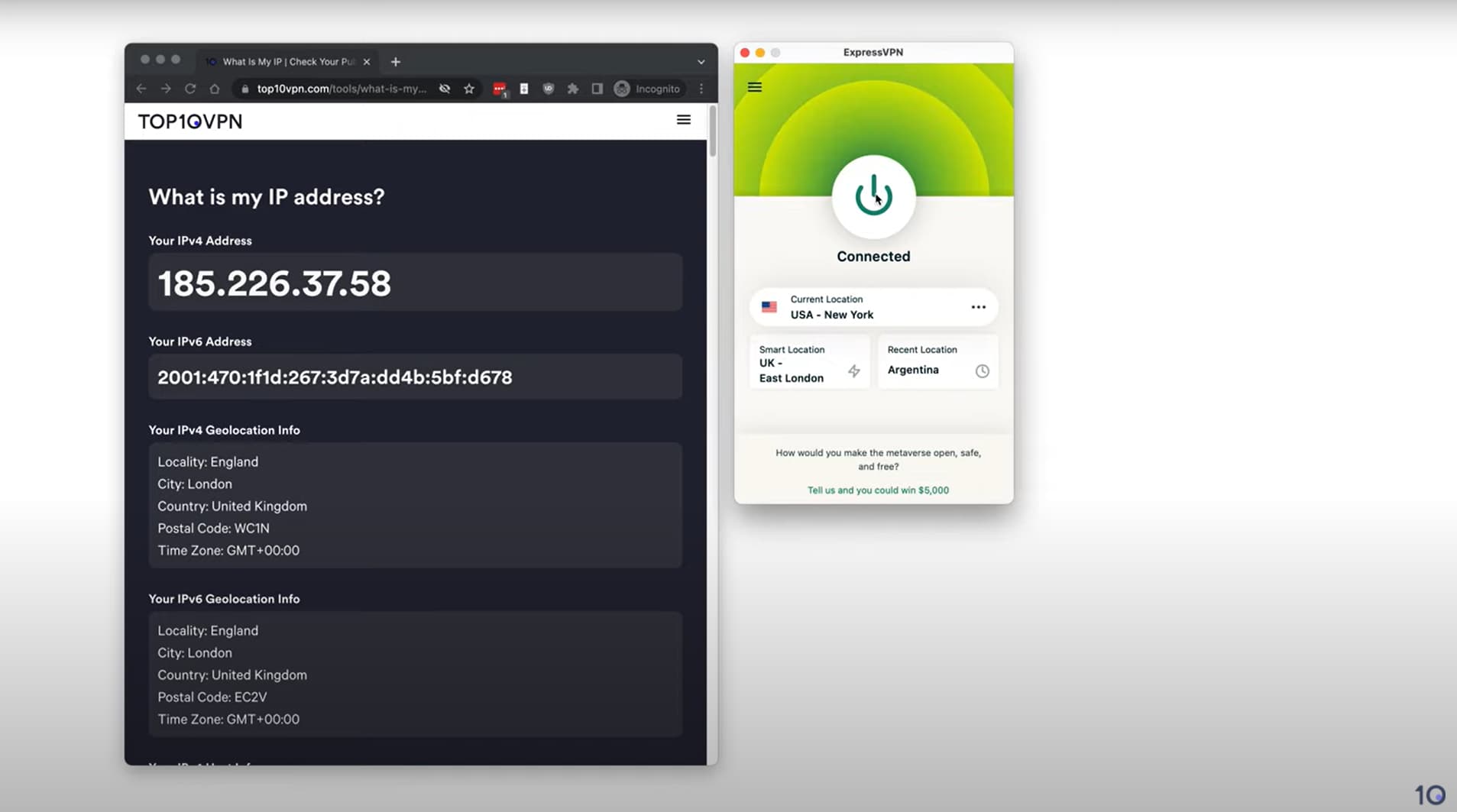
- IPv6 and VPN compatibility: Some VPN providers may not support IPv6, which could result in your actual IP address being exposed and your location not being changed.
- Geolocation blocking: Some services, especially streaming platforms, have measures in place to detect and block VPN traffic. If you encounter a geolocation block, you may not be able to change your location.
- Invasive methods: Some websites and services employ more advanced methods to determine a user’s location, such as browser fingerprinting or GPS data. In these cases, simply using a VPN may not be enough to change your location.
- Physical location limitations: VPNs work by routing your internet traffic through servers located in different regions. If there are no VPN servers available in the region you want to change to, you may not be able to alter your location.
If you find yourself unable to change your location with a VPN, there are still other tools and methods you can try. For example, you can use proxy servers or Tor to mask your IP address and change your apparent location. Additionally, you can reach out to your VPN provider’s support team for assistance, as they may have specific recommendations or workarounds for your situation.
Why Should One Hide Location
There are several reasons why you may want to hide your location on the internet. When you send your Internet traffic through a VPN service, it does more than just create a secure and private tunnel between you and the websites you visit. It also hides your IP address, which is the geographic location tied to your internet service provider.
One of the main reasons why you may want to hide your location is to protect your privacy. Invasive platforms, such as social media sites, can track your location and use that information for targeted advertising or other purposes without your explicit consent.
Above all, hiding your location can help you bypass geographic restrictions. For example, if you want to access content that is only available in another country, using a VPN can make it appear as though you are browsing from that country, allowing you to access the desired content.
Another reason to hide your location is for security reasons. When you’re connected to a public Wi-Fi network, such as in a coffee shop or airport, your traffic is vulnerable to interception by hackers. By using a VPN, your data is encrypted and secured, protecting you from potential attacks.
Choosing the right VPN provider is important. Surfshark, for example, uses secure servers located all around the world to help you hide your location. So, whether you’re on an Android or Apple device, you can easily mask your IP address and connect to a server in another country.
Overall, hiding your location with a VPN can help you browse the internet anonymously and safely. Whether you want to protect your privacy, access restricted content, or ensure your online security, a VPN is a valuable tool that you should consider using.
Вопрос-ответ:
How does changing my location with a VPN work?
A VPN (Virtual Private Network) allows you to connect to a server located in a different country, which then changes your IP address and masks your real location. Your internet traffic is encrypted and routed through the VPN server, making it appear as if you are browsing from that server’s location.
Is it legal to change my location with a VPN?
Using a VPN to change your location is generally legal, but it depends on the specific laws and regulations of your country. In most countries, VPN usage is legal and widely accepted. However, there may be some restrictions in certain regions, so it’s always a good idea to check your local laws before using a VPN for location change purposes.
Can I change my location on any device with a VPN?
Yes, you can change your location on any device that supports VPN connections. This includes smartphones, tablets, laptops, and even smart TVs. Most VPN providers offer apps for various platforms, making it easy to set up and use a VPN on your preferred device.
Why should I change my location with a VPN?
There are several reasons why you might want to change your location with a VPN. Firstly, it can help you bypass geolocation restrictions and access content that is blocked in your country. Secondly, it improves your online privacy and security by hiding your real IP address and encrypting your internet traffic. Additionally, it can be useful for accessing region-specific services, such as streaming platforms or online marketplaces.
Can changing my location with a VPN help me save money?
Yes, changing your location with a VPN can potentially help you save money. Some online stores and booking websites offer different prices depending on your location. By connecting to a VPN server in a different country, you can compare prices and potentially find better deals or discounts that are not available in your actual location.
Are there any risks or disadvantages of changing my location with a VPN?
While using a VPN to change your location can have many benefits, there are some potential risks and disadvantages to be aware of. Firstly, not all VPN providers are trustworthy, so it’s important to choose a reputable and reliable provider to ensure your data privacy and security. Additionally, changing your location with a VPN can sometimes result in slower internet speeds due to the encryption and routing processes. Finally, some online services and websites may actively block VPN usage, so you may encounter difficulties accessing certain content.
Are there any free VPNs that allow location change?
Yes, there are free VPNs available that allow you to change your location. However, it’s important to note that free VPNs often come with limitations and drawbacks. They may have slower speeds, data caps, or limited server options. Additionally, some free VPNs may collect and sell your data, compromising your privacy. If you’re serious about changing your location with a VPN, it’s recommended to invest in a paid VPN service for better performance, security, and support.
Видео:
Can a VPN Change Your Location?
Can a VPN Change Your Location? by Site Builder Studios 1 year ago 2 minutes, 21 seconds 7,350 views
Change IP Address – Hide IP Address and Location using Free VPN
Change IP Address – Hide IP Address and Location using Free VPN by mmk 3 years ago 6 minutes, 11 seconds 292,430 views
