Cisco AnyConnect Secure Mobility Client for Windows – Ensures Secure and Reliable Internet Connection
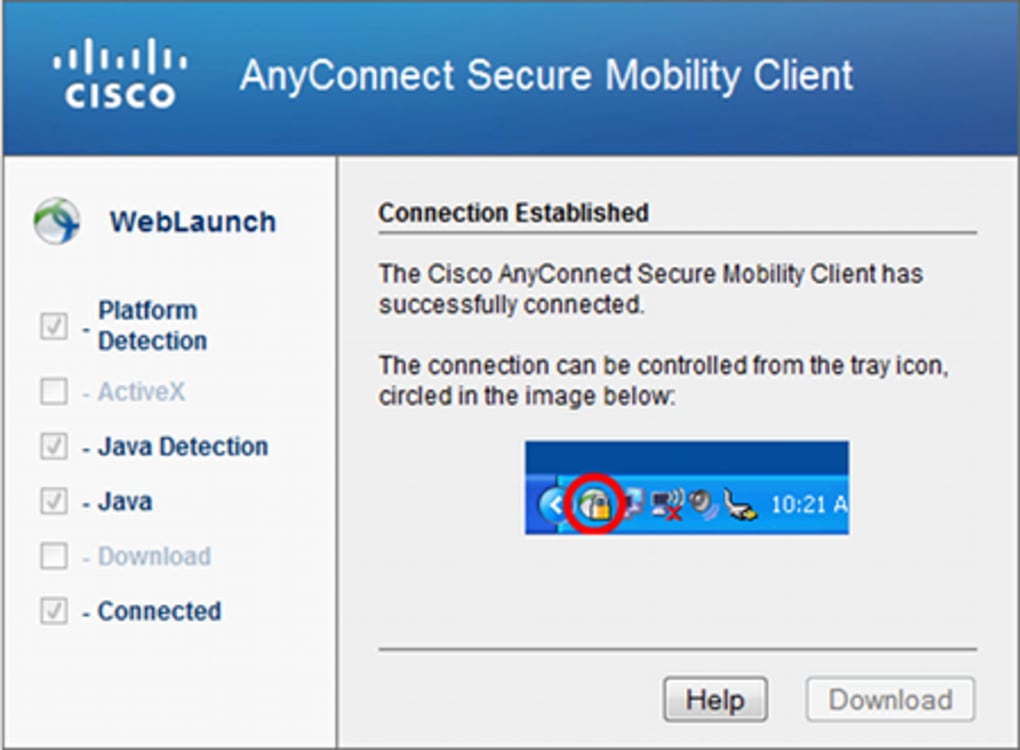
The Cisco AnyConnect Secure Mobility Client for Windows is a highly supported and powerful tool that allows users to securely connect to the internet. By running the installation, a pop-up appears, allowing users to manually configure their networks and ensure a secure and reliable connection. Before proceeding with the installation, users can always check these features to ensure internet connectivity.
In order to ensure a secure and reliable internet connection, the Cisco AnyConnect Secure Mobility Client offers a range of powerful features. One of these features is the ability to push VPN profiles to the user’s device. This ensures that the latest optional configurations are always applied, providing a powerful choice of methods to securely connect to the internet.
The Cisco AnyConnect Secure Mobility Client is not limited to the Windows platform; it is also available for Linux devices. By using the directory, users can easily navigate through the infrastructure pane and securely connect to the internet. The client can be installed on multiple devices, allowing for easy deployment across the network. Service profiles can also be enabled, allowing end-points to securely connect to the internet, providing more flexibility and options for users.
In conclusion, the Cisco AnyConnect Secure Mobility Client is a powerful tool that ensures secure and reliable internet connection. With its wide range of features and support for multiple platforms, users can confidently connect to the internet while ensuring their technical needs are met. Whether for personal or professional use, the Cisco AnyConnect Secure Mobility Client provides a secure and reliable option for internet connectivity.
Cisco AnyConnect Secure Mobility Client for Windows
Cisco AnyConnect Secure Mobility Client for Windows is a powerful VPN software that provides secure and reliable internet connections across a range of devices. It is available for download and installation on Windows computers, and supports a wide range of VPN functionalities.
About Cisco AnyConnect Secure Mobility Client
The Cisco AnyConnect Secure Mobility Client is a software module that is installed on end-points and provides VPN support. It allows users to connect to VPN servers and access the internet securely from any location. The client has a user-friendly interface and supports multiple VPN profiles, allowing users to connect to different servers and configure their connection settings.
Features and Functionality
- Secure and Reliable Connections: Cisco AnyConnect provides secure and reliable internet connections by encrypting the data transmitted between the client and the VPN server.
- Multiple VPN Profiles: Users can create and manage multiple VPN profiles, allowing them to easily switch between different VPN servers and configurations.
- Automatic Configuration: The software can automatically configure the VPN connection based on the selected profile, eliminating the need for manual configuration.
- Cloud-Based VPN: Cisco AnyConnect supports cloud-based VPN services, allowing users to connect to VPN servers located in different regions across the world.
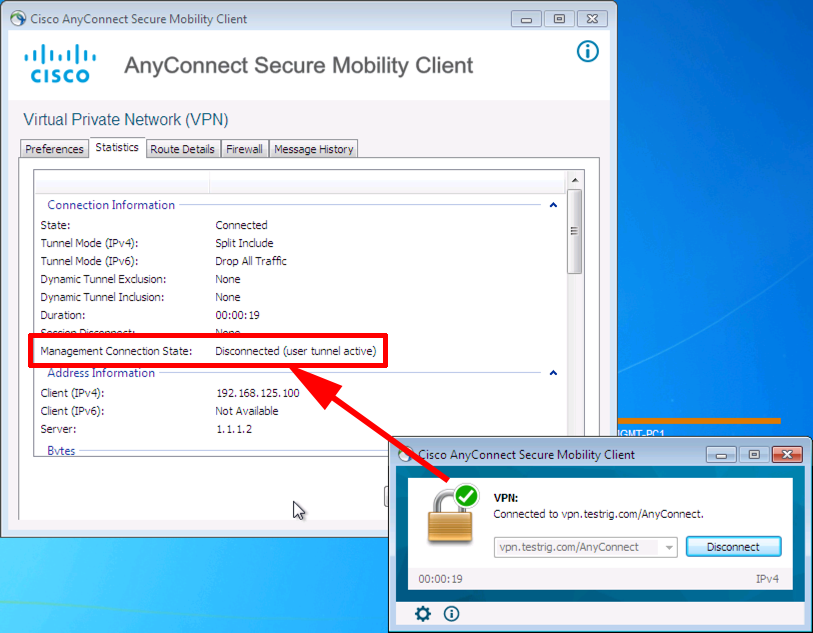
- Enhanced Visibility: The client provides enhanced visibility into the VPN connection, displaying information about the current connection status, speed, and data usage.
- Support for Various Devices: The Cisco AnyConnect client is supported on a wide range of devices, including desktops, laptops, tablets, and smartphones.
Installation and Setup
Installing and configuring Cisco AnyConnect Secure Mobility Client on Windows is a straightforward process. Users need to download the client software from the official Cisco website and follow the installation steps. Once installed, they can launch the client and select the desired VPN profile to establish a secure internet connection.
In conclusion, Cisco AnyConnect Secure Mobility Client for Windows is a reliable and secure VPN solution for individuals and businesses. With its powerful features and easy-to-use interface, it provides a convenient choice for securing internet connections and accessing resources from remote locations.
Ensure Secure and Reliable Internet Connection
In today’s fast-paced digital world, it is imperative to have a secure and reliable internet connection in order to run various applications, access cloud services, and securely transmit data. Cisco AnyConnect Secure Mobility Client for Windows provides a powerful solution for ensuring a secure and reliable internet connection.
Introduction to Cisco AnyConnect Secure Mobility Client
Cisco AnyConnect Secure Mobility Client is a powerful tool that allows users to securely connect to their network from any location and on any device. Whether you are using a Windows, Linux, or Mac operating system, this client provides a seamless and reliable connection to your organization’s network.
Securely Access Your Network
When using Cisco AnyConnect Secure Mobility Client, you can safely access your organization’s network and resources. The client offers various authentication methods, including username and password, certificate-based authentication, and multi-factor authentication, ensuring that only authorized users can access the network.
In addition to secure authentication methods, the client also offers the option to automatically launch a VPN connection when you open a specific application or access a specific website. This ensures that your connection is always secure, without the need for manual intervention.
Reliable Connection for Multiple End-Points
Cisco AnyConnect Secure Mobility Client allows you to establish reliable connections to multiple end-points. Whether you need to connect to different branch offices, remote servers, or cloud services, the client can handle it all. This ensures that you have a consistent and reliable connection, no matter where your resources are located.
Easy Configuration and Usage
The client provides an easy-to-use interface for configuring your connection settings. You can easily select the VPN server or location you want to connect to, upload the necessary certificates or configuration files, and configure various connection options. Once configured, you can simply click the “Connect” button to establish a secure and reliable connection.
Powerful Security Features
Cisco AnyConnect Secure Mobility Client offers powerful security features to ensure the confidentiality and integrity of your data. It encrypts all data transmitted between your device and the network, protecting it from unauthorized access. Additionally, the client can integrate with various directory services, such as Active Directory, to provide centralized user authentication and management.
Ensure a Reliable Internet Connection with Cisco AnyConnect Secure Mobility Client
In conclusion, Cisco AnyConnect Secure Mobility Client is a powerful tool that ensures a secure and reliable internet connection. With easy configuration, powerful security features, and support for multiple operating systems and end-points, this client provides a comprehensive solution for securely accessing your network and resources.
AnyConnect Profiles
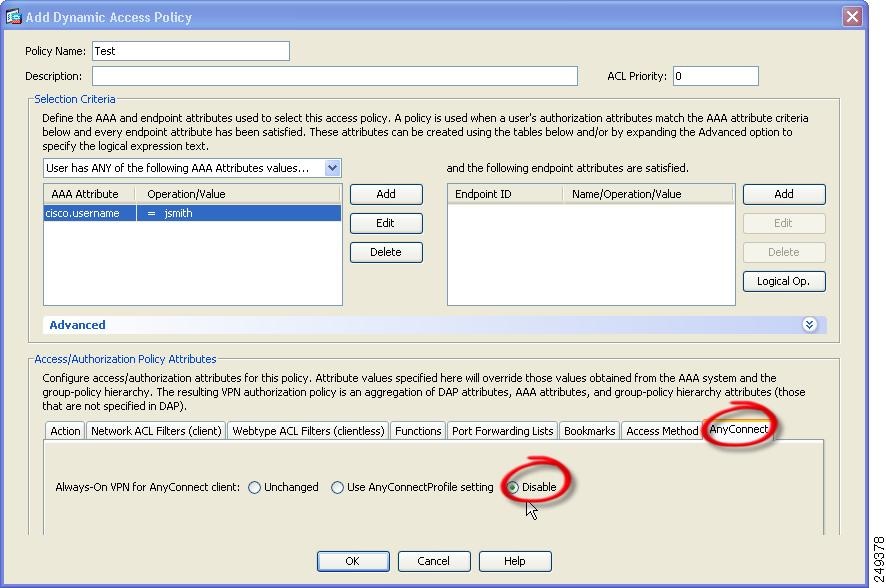
The AnyConnect Profiles provide options for configuring the Cisco AnyConnect Secure Mobility Client to meet specific needs and ensure a secure and reliable internet connection. These profiles can be created and managed by the system administrator, allowing them to define various settings for the VPN connection.
AnyConnect offers a range of features and settings that can be configured in the profiles, including options for data encryption, VPN server addresses, and connection timeout settings. The profiles can also specify the authentication methods to be used, such as username/password or certificate-based authentication.
For instance, a system administrator can create a profile for Linux clients that enables specific network connectivity and usage policies. Another profile can be created for mobile devices, allowing users to connect securely to the VPN and surf the internet without compromising their data security.
Using AnyConnect Profiles is easy. Once the client program is installed on the device, the user can launch the AnyConnect application and select the desired profile from the list of available profiles. The selected profile’s settings will then be pushed to the client, ensuring a secure and reliable VPN connection.
Moreover, the AnyConnect Profiles can be saved and downloaded from a central server, making it easy to configure multiple devices with the same profile settings. This allows for consistent and standardized VPN connectivity across a network of devices.
In summary, AnyConnect Profiles are a powerful feature of Cisco AnyConnect Secure Mobility Client that offers a range of options for creating and managing VPN connections. With the ability to configure settings for different devices and user needs, these profiles ensure secure and reliable internet connectivity.
Вопрос-ответ:
What is Cisco AnyConnect Secure Mobility Client for Windows?
Cisco AnyConnect Secure Mobility Client is a software application designed to provide a secure and reliable internet connection for Windows users. It enables users to connect to VPN networks, ensuring their data is encrypted and protected from unauthorized access.
How does Cisco AnyConnect Secure Mobility Client work?
Cisco AnyConnect Secure Mobility Client works by establishing a secure tunnel between the user’s device and the VPN server. This tunnel encrypts the data traffic, making it virtually impossible for anyone to intercept or access the data. It also authenticates the user’s identity before allowing them to connect to the network.
Is Cisco AnyConnect Secure Mobility Client compatible with all versions of Windows?
Cisco AnyConnect Secure Mobility Client is compatible with Windows 7, Windows 8, and Windows 10. It also supports both 32-bit and 64-bit versions of these operating systems.
Can I use Cisco AnyConnect Secure Mobility Client to connect to any VPN network?
Yes, Cisco AnyConnect Secure Mobility Client can be used to connect to any VPN network that supports the Cisco AnyConnect protocol. It is widely compatible with VPN servers and can be easily configured to connect to different networks.
Is Cisco AnyConnect Secure Mobility Client free to download and use?
No, Cisco AnyConnect Secure Mobility Client is not free. It is a licensed software that requires a valid license to be used. However, many organizations provide the client to their employees as part of their VPN service.
Are there any alternatives to Cisco AnyConnect Secure Mobility Client for Windows?
Yes, there are several alternatives to Cisco AnyConnect Secure Mobility Client for Windows. Some popular alternatives include OpenVPN, NordVPN, and ExpressVPN. It is recommended to choose a client that meets your specific needs and requirements.
Видео:
How to download and install Cisco anyconnect mobility vpn client | vpn client download and install
How to download and install Cisco anyconnect mobility vpn client | vpn client download and install by Rahul Jagdhane 2 years ago 2 minutes, 23 seconds 17,723 views
Cisco Tech Talk – Configure AnyConnect VPN Client on a Windows Computer
Cisco Tech Talk – Configure AnyConnect VPN Client on a Windows Computer by Cisco 1 year ago 5 minutes, 16 seconds 22,554 views
DONIDCR VERSP-MIS ACCESS USING VPN
DONIDCR VERSP-MIS ACCESS USING VPN by Marsyangdi Rural Municipality 4 months ago 8 minutes, 19 seconds 722 views
