
All You Need to Know about FortiClient VPN: App Information, Auto Blocking System, Two Factor Authentication, and More
FortiClient VPN is a powerful tool that provides secure access to your company’s network and resources. Whether you are working from home or on the go, this app ensures that your internet connection is safe and your data is protected.
One of the key features of FortiClient VPN is its auto blocking system, which helps prevent harmful and malicious websites from accessing your computer. It uses advanced filtering techniques to identify and block potentially harmful content, ensuring that you stay protected while browsing the web.
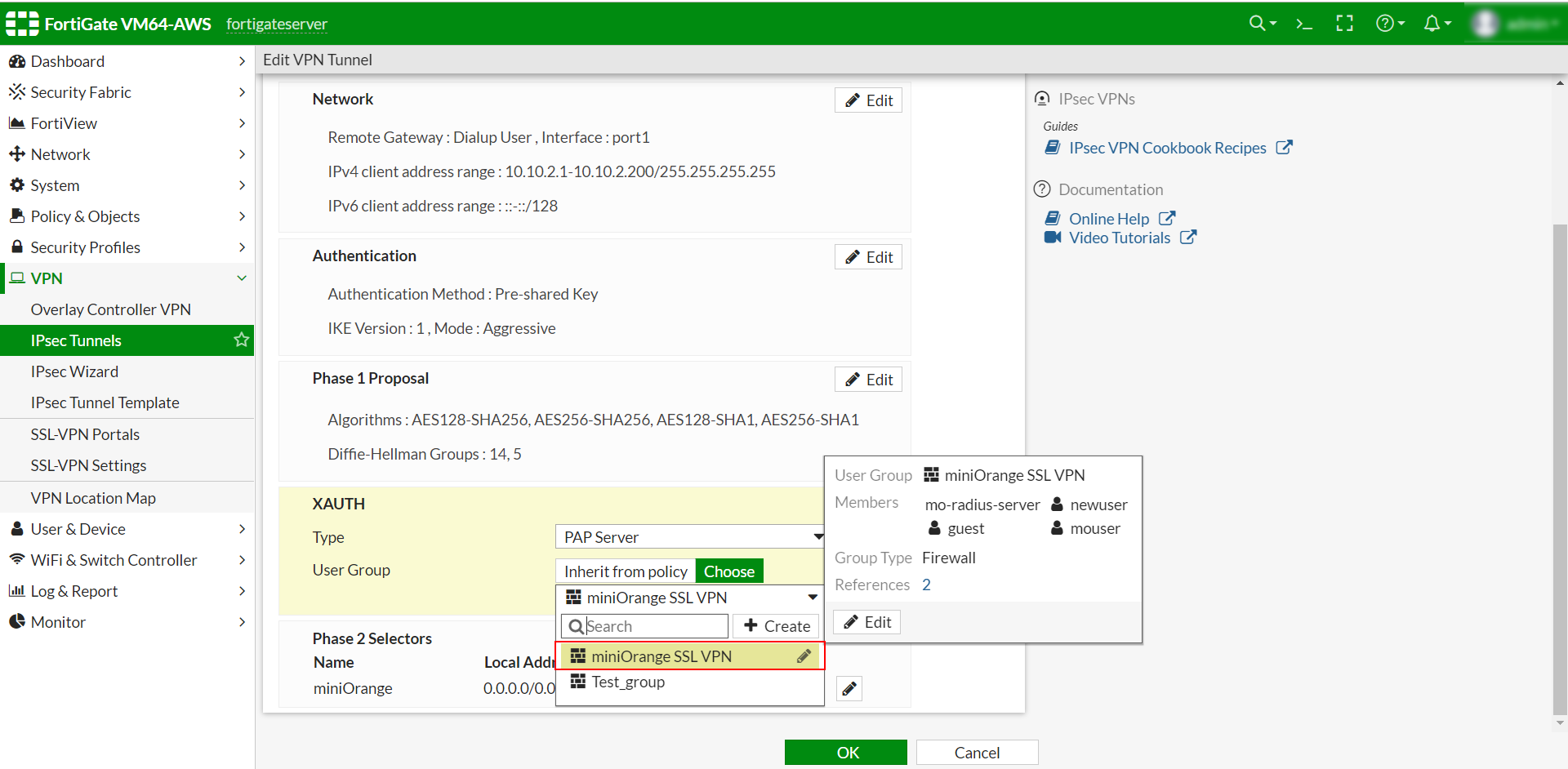
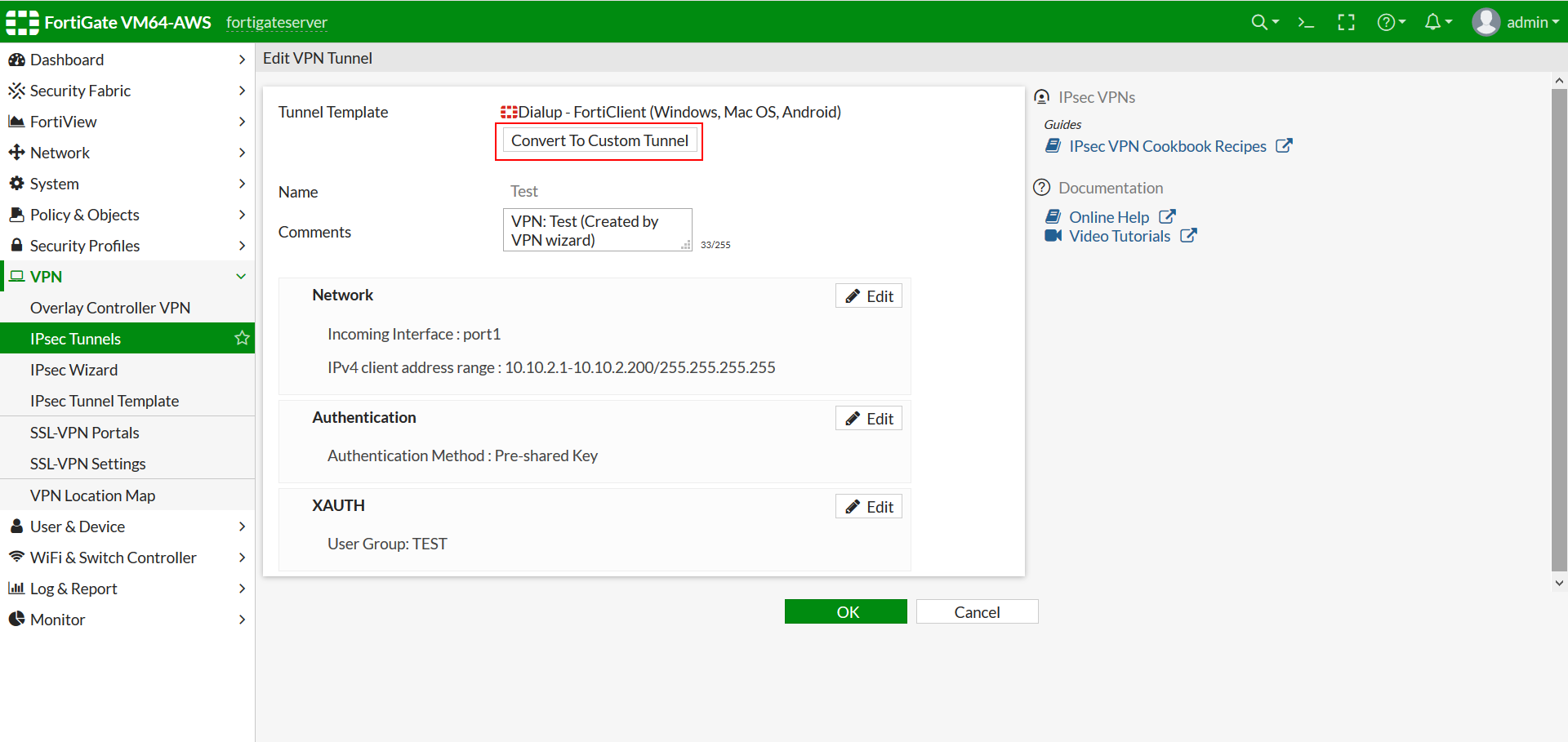
In addition, FortiClient VPN supports two factor authentication, providing an extra layer of security. With this feature enabled, you’ll need to enter a unique code generated by an authenticator app or sent to your mobile device, in addition to your username and password, to log in to the VPN. This greatly reduces the risk of unauthorized access to your network resources.
FortiClient VPN is available for both Windows and Mac operating systems, making it a versatile tool for remote workers. Installing the app is easy, just follow the instructions provided on the download page. Once installed, FortiClient VPN allows you to open a secure tunnel to your company’s network, giving you access to all the resources you need to complete your tasks.
Another useful feature of FortiClient VPN is its built-in anti-malware system. It scans files that you download from the internet and blocks any that are found to be malicious or harmful. This ensures that your computer stays protected from any potential threats, giving you peace of mind as you work.
In summary, FortiClient VPN is a powerful and reliable tool that provides secure access to your company’s network resources. Its auto blocking system, two factor authentication, and anti-malware capabilities make it a must-have for remote workers who want to ensure the safety of their data. Download FortiClient VPN today and experience the benefits for yourself.
Safe Access
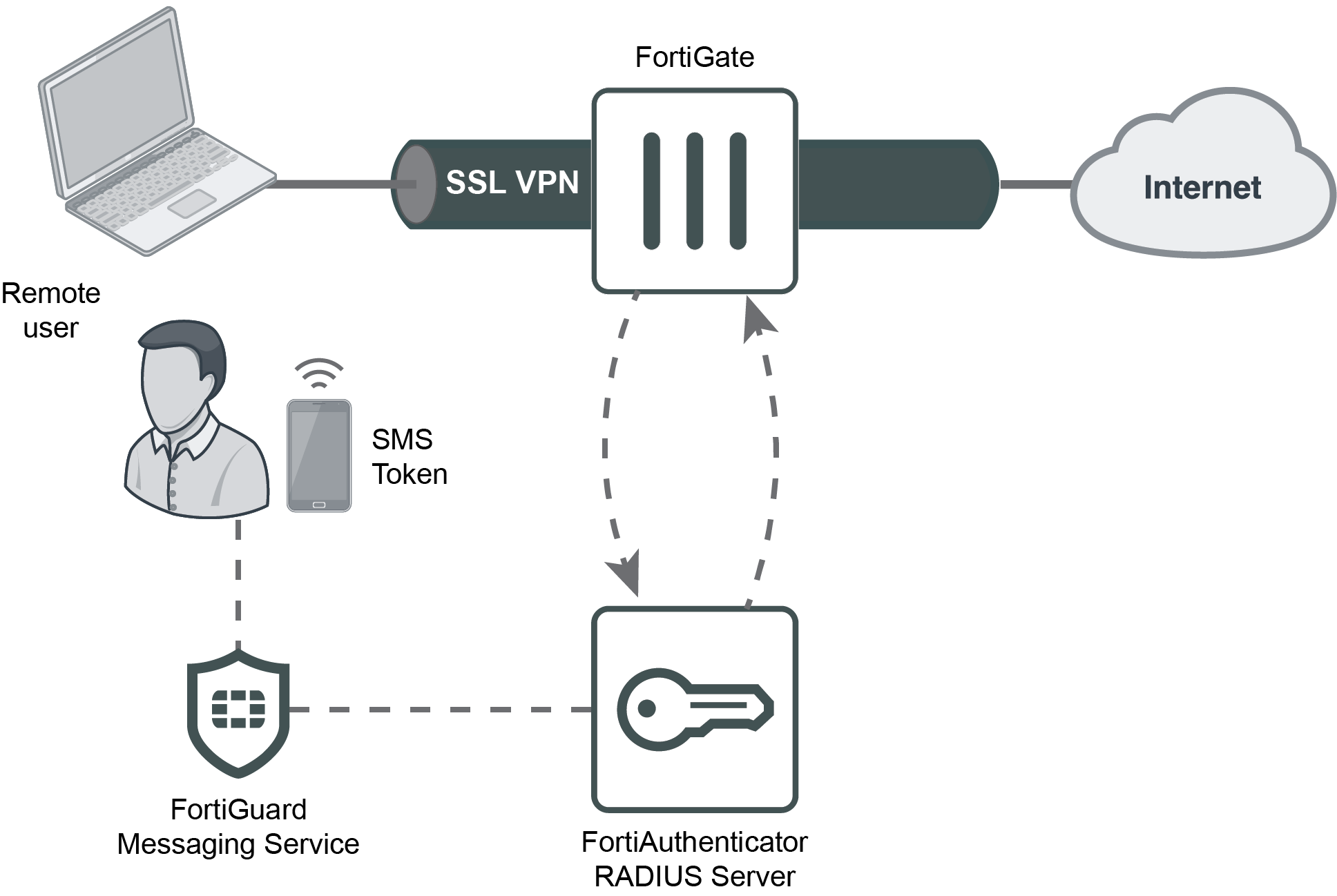
Safe Access is a feature provided by FortiClient VPN that allows users to safely access restricted internet services. It is available for both 32-bit and 64-bit systems, and can be installed through an easy-to-use installer.
Once the installation is complete, users can log in to the app and connect to the Fortinet network to establish a secure tunnel for web browsing and other networking tasks. The app provides a wide range of features, including an anti-malware filter and a two-factor authentication system, to ensure a safe and protected online experience.
One of the pros of using Safe Access is that it allows users to download and watch videos from YouTube without any issue. It also provides good blocking capabilities, allowing users to select and filter the services they want to access.
However, there are some cons to consider. The app may have compatibility issues with certain Mac systems, and the modified YouTube information feature may not be available for all users. Additionally, while the app is free to download, some features may require a premium subscription.
In case of any installation or configuration issues, users can refer to the instructions provided in the app. FortiClient VPN also offers a support network that can help users solve any technical problems that may arise.
Overall, Safe Access is a reliable and secure option for those who need to access restricted internet services. Its combination of advanced filtering features and two-factor authentication ensures the protection of sensitive information and provides a safe online environment.
Web Filter
What is a Web Filter?
A web filter is a tool that helps to control and manage internet access by blocking or allowing certain websites or web content based on predefined rules. It is designed to protect users from accessing harmful or inappropriate websites and to ensure a safe and secure online experience.
Features of Web Filter
- Web filter provides the ability to restrict access to certain websites or web content, ensuring that users only visit approved sites.
- It blocks access to known malicious or harmful websites, protecting users from potential cyber-attacks or malware infections.
- With web filter, you can create and manage different access policies for different user groups, allowing organizations to enforce their internet usage policies.
- It allows for filtering based on categories such as adult content, gambling, social media, or streaming sites, giving administrators granular control over internet access.
- A web filter can provide detailed reporting and analytics about users’ internet activity, helping organizations to identify potential risks and address them proactively.
How does Web Filter work?
A web filter works by monitoring and inspecting web traffic, analyzing URL’s and their content against predefined rules or databases of known malicious or inappropriate sites. It uses a variety of techniques such as keyword filtering, DNS filtering, and content analysis to determine whether a website should be allowed or blocked.
The Verdict on Web Filter
In conclusion, a web filter is a valuable tool that helps organizations ensure a safe and secure internet environment by controlling and managing internet access. It provides the ability to block access to harmful or inappropriate websites, enforce internet usage policies, and gain insights into users’ internet activity. Implementing a web filter can greatly enhance an organization’s security posture and protect users from potential cyber threats.
A Good Anti-malware
FortiClient is a good anti-malware solution that provides free protection for Windows, Mac, and Android devices. With its advanced features and easy installation process, FortiClient is a reliable choice for protecting your computer from malware and other security threats.
Pros:
- FortiClient offers a wide range of services, including malware detection, web filtering, and VPN support.
- The free version of FortiClient provides basic protection and is suitable for most users.
- FortiClient’s user-friendly interface makes it easy to navigate and configure settings.
- It has a built-in VPN that allows you to securely connect to a remote network.
- The auto-blocking system helps prevent unauthorized access and provides an extra layer of security.
Instructions for Installation:
- Download the FortiClient installer from the official website.
- Run the installer and follow the on-screen instructions.
- Select the desired features and click “Next” to proceed with the installation.
- After the installation is complete, launch FortiClient and configure the settings according to your preferences.
- If you encounter any issues or need help, FortiClient’s support page provides helpful information and troubleshooting steps.
License and Support:
FortiClient is free for personal use, but a license is required for commercial use. It offers both online and offline support, with a dedicated support desk to assist with any networking or installation issues.
The Verdict:
Overall, FortiClient is a good anti-malware solution that provides essential features and protection. Its user-friendly interface, free version availability, and reliable support make it a suitable choice for individuals and businesses.
Fortinet VPN Instructions Windows and Mac Print
FortiClient VPN is a free, easy-to-use VPN client that provides secure and reliable networking access for Windows and Mac operating systems. Whether you are working from home or on the go, FortiClient VPN allows you to connect to the internet and access your company’s network safely.
Instructions for Windows:
- Download the FortiClient VPN app from the official Fortinet website.
- Once the file is downloaded, open it to start the installation process.
- Select the appropriate options for your 32-bit or 64-bit Windows operating system.
- Follow the on-screen instructions to complete the installation.
- After installation, open the FortiClient VPN app.
- Login with your credentials.
- Select the network connection you want to use.
- Enter the Two Factor Authentication code provided by your company.
- Click on “Connect” to establish a secure VPN connection.
Instructions for Mac:
- Go to the Fortinet website and download the FortiClient VPN app for Mac.
- Once the file is downloaded, open it and follow the on-screen instructions to install the app.
- After installation, open the FortiClient VPN app.
- Login with your credentials.
- Select the network connection you want to use.
- Enter the Two Factor Authentication code provided by your company.
- Click on “Connect” to establish a secure VPN connection.
FortiClient VPN is a powerful tool that not only provides secure connectivity but also includes features such as anti-malware protection. After following these instructions, you should have a safe and reliable VPN connection on your Windows or Mac. For more information on how to use FortiClient VPN, you can refer to the official Fortinet website or watch instructional videos on YouTube.
Features
The FortiClient VPN app provides a range of useful features to enhance your internet security and connectivity. Here are some of its key features:
- Easy Installation: FortiClient VPN is quick and easy to download and install on both Windows and Mac operating systems. Simply follow the provided instructions and you’ll be up and running in no time.
- Secure Connection: By establishing a tunnel between your device and the Fortinet network, FortiClient VPN ensures that all of your internet traffic is encrypted and secure. This helps to protect your sensitive information from being intercepted or compromised.
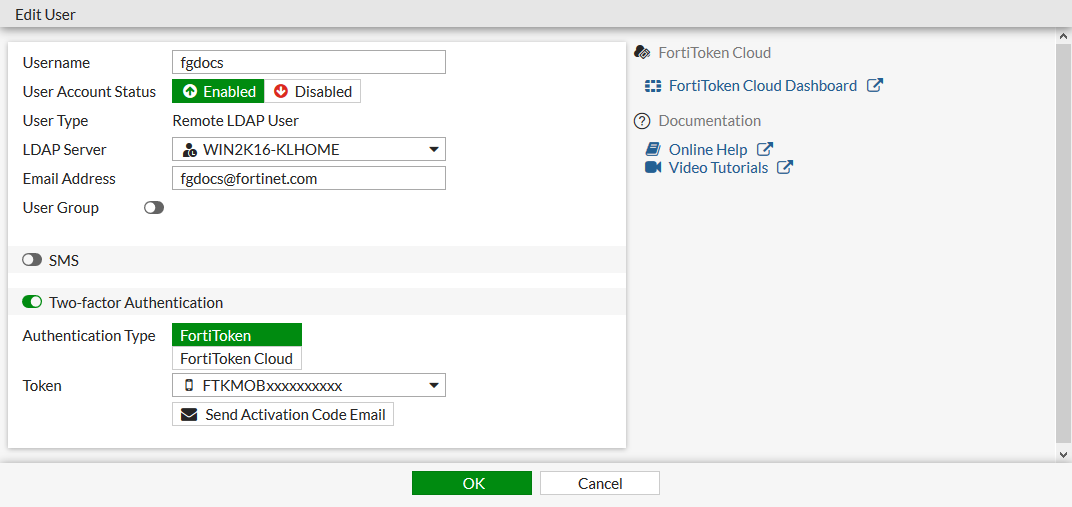
- Two-Factor Authentication: To further enhance security, FortiClient VPN supports two-factor authentication. This means that in addition to your password, you’ll need to enter a unique code generated by a separate authentication device or app.
- Auto Blocking System: FortiClient VPN includes an advanced auto blocking system that detects and blocks malicious websites and content in real-time. This helps to ensure that you can browse the internet safely and reduces the risk of falling victim to cyber threats.
- Anti-Malware Protection: FortiClient VPN also includes built-in anti-malware protection, which scans and detects malware and viruses on your device and removes them before they can cause any harm. This provides an additional layer of security to keep your device and data safe.
- App Information Control: FortiClient VPN allows you to control which apps and processes are allowed to access the internet. This helps you to manage your network bandwidth and ensures that only authorized apps can connect to the internet.
- Free to Use: FortiClient VPN is available for free, making it an accessible and cost-effective tool for individuals and businesses looking to enhance their internet security.
With its wide range of features, FortiClient VPN is a good tool for anyone looking to ensure a secure and reliable internet connection. Whether you’re using it for personal or professional reasons, FortiClient VPN’s features make it a valuable addition to your networking setup.
How does FortiClient VPN Work
FortiClient VPN is a powerful networking tool that provides internet security and access to restricted web content. After downloading and installing the FortiClient VPN app on your PC or Mac, you can open the application and login using your Fortinet license. Once logged in, you can select the features you want to use, such as the auto-blocking system, two-factor authentication, or the anti-malware filter.
When you click on the “Connect” button, FortiClient VPN will create a secure tunnel between your computer and the Fortinet network. This tunnel allows you to access the internet through FortiClient’s network, providing enhanced security for your online activities. It also allows you to bypass any restrictions or filters that may be in place on your local network.
FortiClient VPN works by modifying your computer’s networking settings to redirect all internet traffic through the Fortinet network. This ensures that all your online activities are protected and filtered for any potential threats. It also ensures that any restricted or blocked websites can be accessed without any issues.
Once the FortiClient VPN connection is established, you can perform various networking tasks and access resources on the internet as if you were on the Fortinet network. This includes accessing internal company resources, video conferencing, streaming videos on YouTube, or accessing your company’s help desk support.
In case you need assistance with the installation or usage of FortiClient VPN, you can refer to the FAQ section on Fortinet’s website. They provide step-by-step instructions and answers to common questions to help you troubleshoot any issues you may encounter. You can also print out the instructions for future reference.
In summary, FortiClient VPN is a powerful networking tool that provides internet security and access to restricted web content. It works by creating a secure tunnel between your computer and the Fortinet network, allowing you to access the internet through FortiClient’s secure infrastructure. It provides enhanced security features such as an auto-blocking system, two-factor authentication, and an anti-malware filter to ensure the safety of your online activities.
Safe Internet Connection
When it comes to securing your internet connection, FortiClient VPN is a top choice. This software provides a safe and encrypted tunnel for your PC to connect to the web, ensuring that your sensitive information and data remain protected.
FortiClient VPN offers a range of features to give you peace of mind while browsing the internet. With its two-factor authentication code, it provides an extra layer of security by requiring a unique code in addition to your login credentials. This authenticator allows for a strong and secure connection, safeguarding against any unauthorized access.
Not only does FortiClient VPN enable safe internet connectivity, but it also offers an auto-blocking system. This feature detects and blocks any harmful or malicious IP addresses, preventing them from accessing your network. This proactive approach keeps your PC and network shielded from potential threats.
FortiClient VPN works well on both Windows and Mac operating systems. It supports both 32-bit and 64-bit versions, making it compatible with a wide range of devices. Whether you’re a home user or part of a business network, FortiClient VPN provides efficient and reliable internet connection through its easy-to-use installer and user-friendly interface.
Additionally, FortiClient VPN offers helpful FAQ’s, video tutorials, and step-by-step instructions on how to configure the software for your specific needs. Whether you want to access restricted websites, securely share files, or connect to your company’s network remotely, FortiClient VPN has got you covered.
In summary, FortiClient VPN is a reliable and secure solution for ensuring a safe internet connection. Its various features, such as two-factor authentication, an auto-blocking system, and easy installation, make it a good choice for individuals and businesses alike. With FortiClient VPN, you can browse the web freely, knowing that your information is protected and your connection secure.
Operating system support of FortiClient
FortiClient is a free app that provides VPN, web filtering, and network monitoring features. It is compatible with various operating systems, allowing users to securely connect to the internet and protect their sensitive information.
FortiClient supports both Windows and Mac operating systems, making it accessible to a wide range of users. Windows users can download and install FortiClient’s 64-bit installer from the Fortinet website, while Mac users can find the app on the Mac App Store.
Once installed, FortiClient can be used to establish a secure VPN connection, protecting your online activities from harmful networking issues. The app also provides an auto-blocking system that helps solve networking problems and ensure a safe internet connection.
For additional security, FortiClient offers two-factor authentication. This feature requires users to provide a login code in addition to their password, providing an extra layer of protection against unauthorized access. The authentication code can be generated through the app or received via email or SMS.
FortiClient’s operating system support and wide range of features make it a valuable tool for individuals and businesses alike. Whether you need to secure your personal computer or protect an entire network, FortiClient can help.
YouTube Video Filter
If you are looking for a way to filter YouTube videos on your device, FortiClient VPN is the ideal solution. With its authentic features and secure connection, it allows you to configure a filter that meets your specific needs.
FortiClient VPN is available for both 32-bit and 64-bit operating systems, making it compatible with a wide range of devices. Whether you are using a PC or a Mac, you can download and install FortiClient VPN without any issues.
The installation instructions are easy to follow, and there are FAQ’s available on Fortinet’s website to help you with any networking or configuration issues you may encounter. Once you have installed FortiClient VPN, you can open the app and select the video filter tool.
The video filter tool allows you to select specific categories or keywords that you want to block from appearing on YouTube. You can also print out a license code for future reference.
One of the pros of using FortiClient VPN for filtering YouTube videos is that it is a free tool that comes with the fortinet software. It also has a two-factor authentication system, which adds an extra layer of security to your browsing experience.
Additionally, FortiClient VPN has an auto-blocking system in place, which means that if any harmful or modified content is detected, it will be blocked automatically. This ensures that you can surf the web safely and without any worries.
In conclusion, if you are looking for a good video filter for YouTube, FortiClient VPN is a reliable and effective tool. It offers a range of features, provides excellent support, and is compatible with various devices and operating systems. Give it a try and experience a safer and more secure browsing experience on YouTube.
Our Verdict
FortiClient VPN is a reliable and easy-to-use tool that provides secure access to your network. It offers a wide range of features, including two-factor authentication and an auto-blocking system, to ensure the safety of your data.
One of the pros of FortiClient VPN is its user-friendly interface. You can easily configure and connect to your VPN network, making it a good choice for both beginners and advanced users. The installation process is also quick and hassle-free.
With FortiClient VPN, you can enjoy a secure and private browsing experience. It uses IPsec tunneling to ensure that your data is protected from harmful modifications or unauthorized access. This is especially important when accessing sensitive information or using public Wi-Fi networks.
Another useful feature of FortiClient VPN is its anti-malware capabilities. It includes an integrated antivirus and web filtering system that helps to detect and solve any potential security issues. This ensures that your internet connection is always safe and secure.
Overall, FortiClient VPN is a reliable and efficient tool for securing your internet connection. Whether you need to access your work network or simply browse the web securely, FortiClient VPN provides the necessary tools and support to make it happen. Its range of features, ease of use, and strong security make it a good choice for anyone looking for a VPN solution.
FortiClient VPN free download for PC Windows 10/8/7/11
If you are looking to download FortiClient VPN for your PC running on Windows 10/8/7/11, you are in the right place. FortiClient VPN is a software that provides secure internet connections and various services to keep your online activities safe. Whether you want to access restricted websites, work remotely, or just browse the internet, FortiClient VPN is a good choice for you. It offers features like anti-malware protection, auto blocking system, two-factor authentication, and more.
In order to download FortiClient VPN for your PC, you should follow the instructions below:
- Go to the official FortiClient VPN website.
- Select the operating system of your PC (Windows).
- Choose the version (32-bit or 64-bit) that matches your PC.
- Click on the “Download” button to start the download.
- Once the file is downloaded, open it and follow the installation instructions.
- After the installation is complete, launch the FortiClient VPN app on your PC.
- On the login page, enter your username and password.
- Click on the “Login” button to access the FortiClient VPN features.
With FortiClient VPN, you can easily connect to the internet and perform various tasks securely. It allows you to access websites, watch videos on platforms like YouTube, and connect to your office network from anywhere. Its two-factor authentication code provides an extra layer of security to ensure that only authorized users can access your network.
One of the pros of FortiClient VPN is that it is free to download and use. It also has a user-friendly interface that makes it easy to navigate and configure. However, there are some cons to consider, such as occasional issues with blocking certain websites and the need for proper configuration for some network setups.
In conclusion, FortiClient VPN is a good choice for individuals who want to have a secure and private internet connection. The free download for PC Windows 10/8/7/11 allows you to enjoy its features and benefits. If you have any further questions, you can check out the FAQ section on the official FortiClient VPN website or watch tutorial videos on platforms like YouTube to get more information.
Auto Blocking System
The FortiClient VPN app provides an auto blocking system that helps enhance the security of your internet connection. With this feature, FortiClient can automatically detect and block any malicious or suspicious activity on your network.
To configure the auto blocking system, you can select the specific criteria you want to use for blocking. This can include things like IP addresses, protocols, or specific applications. Once configured, FortiClient will automatically block any incoming or outgoing connections that match the specified criteria.
The auto blocking system is a good feature to have as it helps protect your network from potential attacks or unauthorized access. It can also help prevent the spread of malware or other malicious software.
One issue that users may face with the auto blocking system is false positives, where legitimate connections are mistakenly blocked. In this case, you can modify the blocking criteria or whitelist certain IPs or applications to allow the connections.
FortiClient also supports two-factor authentication (2FA) to provide an extra layer of security when logging into the VPN. With 2FA, users are required to enter a code generated by a trusted device, in addition to their username and password.
To enable two-factor authentication, you need to set up a trusted device and link it to your FortiClient account. The app will then generate a unique code that you need to enter during the login process.
The auto blocking system, combined with two-factor authentication, helps ensure that only authorized users can access your network and VPN. It adds an extra layer of security to protect your sensitive information.
If you encounter any issues or have questions about the auto blocking system or two-factor authentication, FortiClient provides a comprehensive FAQ section on their website. Additionally, you can find step-by-step instructions on how to install and configure the app for both Windows 32-bit and 64-bit versions.
In conclusion, the auto blocking system and two-factor authentication are key features of the FortiClient VPN app that help enhance the security of your internet connection. They work together to protect your network from potential threats and ensure only authorized users can access your sensitive information.
Pros
The FortiClient VPN is a useful tool for securing your network and providing secure access to your internal resources. It offers several advantages that make it a good choice for VPN users.
1. Easy installation and setup
The FortiClient VPN provides a simple installer that guides you through the process of setting up and configuring the VPN. The installation process is straightforward, and the provided instructions are easy to follow.
2. Enhanced security
The FortiClient VPN uses advanced security features, such as IPsec tunneling and two-factor authentication, to ensure the confidentiality and integrity of your data. It also provides anti-malware protection, blocking harmful files from downloading and infecting your system.
3. Multiple authentication options
FortiClient VPN supports various authentication methods, including username and password, SAML, and client certificates. This flexibility allows you to choose the most convenient and secure authentication method for your organization.
4. User-friendly interface
The FortiClient VPN provides a user-friendly interface that makes it easy to connect to the VPN, select the desired network, and access your resources. The interface is intuitive and provides helpful information and FAQs to guide users.
5. Free version available
Fortinet offers a free version of FortiClient VPN that provides basic VPN capabilities. While the free version may have some limitations, it can still be a useful tool for small-scale or personal use.
6. Central management console
The FortiClient VPN can be managed through a central management console, allowing administrators to easily monitor and configure multiple VPN clients. This centralized approach simplifies the management of VPN connections and enhances security.
7. Auto-blocking system
The FortiClient VPN includes an auto-blocking system that can block malicious connections and protect your network from harmful activities. This feature helps to proactively identify and mitigate potential threats.
8. Wide compatibility
The FortiClient VPN is compatible with various operating systems, including Windows, macOS, and Linux. It also provides a 32-bit and 64-bit installer, ensuring compatibility with different system configurations.
Why should I use FortiClient VPN?
FortiClient VPN is an essential tool for anyone looking to enhance their online security and privacy. Here are a few reasons why you should use it:
- Open-source Code: FortiClient VPN is built on open-source code, which means it is continuously updated and improved by a community of developers.
- Secure Connection: FortiClient VPN allows you to establish a secure and encrypted connection to the internet, ensuring that your online activities are protected from harmful threats.
- Two-Factor Authentication: FortiClient VPN supports two-factor authentication, adding an extra layer of security to your login process.
- Auto Blocking System: FortiClient VPN’s auto-blocking system helps to filter out restricted websites and keeps your browsing experience safe.
- App Information: FortiClient VPN provides detailed information about the apps running on your device, helping you identify any potential security issues.
- Free to Use: FortiClient VPN is available as a free download, allowing you to enjoy its security features at no cost.
- 24/7 Support: FortiClient VPN provides 24/7 support through its FAQ’s, online forums, and customer service, ensuring that you have access to help whenever you need it.
In summary, FortiClient VPN offers a range of features and benefits that make it a good choice for enhancing your online security and privacy. By selecting and installing FortiClient VPN, you can give yourself peace of mind and enjoy a safer and more protected internet browsing experience.
ITS Help Desk
The ITS Help Desk is a service provided by our organization to assist users with any technical issues or questions they may have regarding their IT systems and connections. Whether you need help troubleshooting a connection problem or setting up a video conference, our team is here to assist you.
If you are having trouble with the FortiClient VPN app, our Help Desk can provide you with information and instructions on how to install and configure the software for your specific operating system. We can also provide guidance on selecting the appropriate two-factor authentication code and assist with any other related issues you may encounter.
When it comes to FortiClient VPN, one of the frequently asked questions (FAQ’s) we receive is, “Why do we need to use this software?” The answer is simple – FortiClient VPN provides a secure and encrypted connection to the internet, protecting your sensitive information and ensuring that your online activities are safe from harmful threats. It also includes an anti-malware system to further enhance your security.
In the case of the auto-blocking system, FortiClient VPN can automatically block restricted websites and malicious IP addresses, keeping your network and devices secure. It also provides a good solution for accessing web-based services that may be restricted in your location.
Our Help Desk can assist you with troubleshooting any issues you may encounter while using FortiClient VPN. Whether you need help with modifying the configuration file, solving connection problems, or understanding the two-factor authentication process, our team will provide you with the necessary guidance and instructions.
In summary, the ITS Help Desk is here to ensure that your FortiClient VPN experience is smooth and problem-free. We strive to provide you with the necessary tools and support to keep your internet connection secure and your online activities protected. If you have any questions or need assistance, don’t hesitate to reach out to our Help Desk team.
How do I download and install FortiClient VPN
If you want to download and install FortiClient VPN, you can follow these step-by-step instructions:
Instructions for downloading FortiClient VPN:
- Go to the Fortinet Support Download page on your web browser.
- Provide your login credentials to access the support portal.
- From the support portal, search for “FortiClient VPN” in the search bar.
- Select the appropriate operating system (Windows, Mac, or Linux) and the desired version (32-bit or 64-bit).
- Click on the “Download” button to begin the downloading process.
Instructions for installing FortiClient VPN:
- Locate the downloaded FortiClient VPN installer file on your computer.
- Double-click on the installer file to run it.
- Follow the on-screen instructions provided by the installer to complete the installation process.
- After the installation is complete, launch the FortiClient VPN app.
- Provide your login credentials and two-factor authentication code, if applicable.
- Connect to a network accessible through FortiClient VPN to start using its features.
By following these instructions, you should be able to successfully download and install FortiClient VPN on your computer. FortiClient VPN is a good choice for secure network access, and it offers a range of features to help you solve network-related issues.
Cons
While FortiClient VPN offers several pros, there are also some cons to consider:
- The app installation process can be complicated and time-consuming, especially for users who are not familiar with VPN software.
- FortiClient VPN is not available for all operating systems, with limited support for Mac and restricted features for 32-bit systems.
- Users may experience connectivity issues, such as slow connection or frequent disconnections, which can be frustrating and interrupt their work or browsing activities.
- The app may occasionally block legitimate websites or restrict access to certain web pages that are considered safe, leading to inconvenience and the need to manually modify the settings.
- FortiClient’s anti-malware features may not always effectively detect and remove all types of harmful or modified code, leaving your device vulnerable to security threats.
- The auto-blocking system, while designed to help filter out harmful traffic, may sometimes block legitimate connections, causing inconvenience and the need for manual intervention.
- FortiClient VPN does not provide a free version, and users must purchase a license to access all of its features.
Overall, while FortiClient VPN offers good protection and access to restricted networks, users may encounter issues related to installation, connectivity, and occasional blocking of legitimate websites or connections.
Solve Restricted Networking Issue
If you are facing restricted networking issues on your PC or operating system, FortiClient VPN can help you solve them. With its advanced features and tools, FortiClient VPN provides a secure and unrestricted access to the internet by bypassing any network filters or restrictions imposed by your network administrator.
To solve restricted networking issues, you should install FortiClient VPN on your PC. Once installed, you can open the FortiClient VPN console and select the appropriate configuration settings for your network. This will allow you to access restricted websites, download and print documents, and use other web services that were previously blocked.
FortiClient VPN acts as a tunnel between your device and the internet, ensuring safe and secure communication. It also provides anti-malware and anti-phishing protection, blocking any harmful websites or files from entering your network.
One of the key features of FortiClient VPN is its two-factor authentication code, which adds an extra layer of security to your network. After entering your login credentials, you will be required to provide a unique code generated by the FortiClient VPN app on your mobile device. This code ensures that only authorized users can access your network.
To solve restricted networking issues, FortiClient VPN also includes an auto-blocking system. This tool automatically detects and blocks any suspicious or unauthorized activities on your network, helping to prevent any potential security breaches.
In summary, if you are facing restricted networking issues, FortiClient VPN can help you solve them. Its advanced features, such as the two-factor authentication code and auto-blocking system, ensure a safe and secure network environment. By installing and configuring FortiClient VPN on your PC, you can overcome any network restrictions and enjoy unrestricted access to the internet and its services.
FAQ’s on FortiClient VPN
1. What is FortiClient VPN?
FortiClient VPN is a tool developed by Fortinet that provides secure and private access to a network through a virtual private network (VPN) tunnel. It allows users to connect to a remote network and access resources over the internet.
2. How can I install FortiClient VPN on my PC?
To install FortiClient VPN on your PC, you can download the installation files from Fortinet’s website and follow the on-screen instructions. Make sure you select the correct version for your operating system (32-bit or 64-bit).
3. What are the key features of FortiClient VPN?
FortiClient VPN provides a range of features including secure remote access, two-factor authentication, automatic blocking of malicious websites, anti-malware protection, and web filtering. It also allows for easy configuration and management through the FortiClient console.
4. Why should I use FortiClient VPN?
FortiClient VPN is a good choice for secure remote access to a network, as it provides strong security measures such as encryption and two-factor authentication. It also offers additional features such as web filtering and anti-malware protection to keep your connection safe.
5. How do I solve the “FortiClient VPN app cannot open” issue?
If you are facing issues with opening the FortiClient VPN app, you can try reinstalling the app or restarting your PC. If the problem persists, you can contact Fortinet’s support desk for further assistance.
6. How can I give restricted access to certain websites or apps using FortiClient VPN?
You can give restricted access to certain websites or apps by using the web filtering feature of FortiClient VPN. This allows you to select and filter the websites or apps that can be accessed through the VPN, giving you control over the network access.
7. What is the two-factor authentication code used for?
The two-factor authentication code is an additional security measure used to verify your identity when connecting to the FortiClient VPN. This code is generated by a separate device or app and is required along with your username and password to establish a secure connection.
8. Can I use FortiClient VPN for free?
Yes, FortiClient VPN is available for free for personal use. However, there are certain features and services that may require a paid license. You can check Fortinet’s website for more information on the available license options.
9. How can FortiClient VPN help with the security of my network?
FortiClient VPN helps in securing your network by providing a secure and encrypted connection between your device and the network. It also includes features such as anti-malware protection and web filtering to prevent and detect malicious activities on the network.
10. How to configure IPSec VPN with FortiClient VPN?
To configure IPSec VPN with FortiClient VPN, you can follow the step-by-step instructions provided by Fortinet. The configuration includes selecting the appropriate settings and entering the required information, such as the IP address and authentication details, for connecting to the VPN.
11. What is the verdict on using FortiClient VPN?
The verdict on using FortiClient VPN is positive, as it offers a secure and reliable solution for remote access to a network. It provides strong security measures, easy configuration, and additional features for enhanced network protection.
12. How can I download FortiClient VPN for Mac?
To download FortiClient VPN for Mac, you can visit Fortinet’s website and navigate to the download section. Select the appropriate version for your Mac operating system and follow the instructions to install the app.
Вопрос-ответ:
Why should I use FortiClient VPN?
FortiClient VPN provides a secure internet connection and helps protect your privacy while browsing the internet. It also has features like an auto-blocking system and two-factor authentication, which enhance the security of your online activities.
How does the auto-blocking system work in FortiClient VPN?
The auto-blocking system in FortiClient VPN monitors network traffic and blocks any suspicious or potentially harmful connections automatically. This helps protect your device from malware, phishing attempts, and other online threats.
How can FortiClient VPN solve restricted networking issues?
FortiClient VPN allows you to bypass restrictions imposed by firewalls or network administrators and access restricted websites or services. It creates a secure connection tunnel through which your internet traffic is passed, bypassing any restrictions or limitations.
What are the pros of using FortiClient VPN?
Some pros of using FortiClient VPN include a safe internet connection, two-factor authentication for enhanced security, an auto-blocking system to protect against online threats, and the ability to bypass restricted networks or websites.
How do I download and install FortiClient VPN?
To download and install FortiClient VPN, you can visit the official Fortinet website and navigate to the “Downloads” section. From there, you can choose the appropriate version for your operating system (Windows or Mac) and follow the on-screen instructions to complete the installation process.
What are the operating systems supported by FortiClient?
FortiClient VPN is supported on various operating systems, including Windows 10, Windows 8, Windows 7, Mac OS X 10.14 (Mojave), Mac OS X 10.13 (High Sierra), and Mac OS X 10.12 (Sierra).
Видео:
How to Make a VPN IP Look like a Normal IP – Unblock Websites that Block VPNs
How to Make a VPN IP Look like a Normal IP – Unblock Websites that Block VPNs by Tom Spark’s Reviews 2 years ago 8 minutes, 33 seconds 57,064 views
firewall training for beginners – Email 2FA
firewall training for beginners – Email 2FA by Forti Tip 3 years ago 3 minutes, 12 seconds 5,466 views
Two factor authentication for Fortinet Fortigate SSL VPN LoginTC User Experience
Two factor authentication for Fortinet Fortigate SSL VPN LoginTC User Experience by LoginTC 3 years ago 38 seconds 207 views
