Protect Your Privacy: How VPNs Hide Your Location and Prevent Location Tracking
When it comes to browsing the internet, your location can be easily tracked. This is where using a VPN comes in handy. A VPN, or Virtual Private Network, is a service that allows you to hide your real IP address and location.
With a VPN, you’ll be able to browse the internet without having to worry about advertisers and websites knowing your precise location. This is because when you connect to a VPN server, it acts as a middleman between your device and the websites you visit.
When you connect to a VPN, your data is encrypted, making it nearly impossible for anyone to see your online activity. This includes your location, as well as the content you access and the websites you visit.
Moreover, a VPN not only hides your location, but it also prevents location tracking. Websites and apps often use cookies and GPS data to track users and gather information about their preferences and habits. However, with a VPN, your real location is masked, making it difficult for websites to track your movements.
It’s important to note that while a VPN can hide your location and prevent tracking, it does not completely erase your online presence. Websites can still collect some information such as your IP address and device type. However, this information is limited and does not reveal your exact location.
Why Is Location Tracking a Concern?
Location tracking can be a major concern for individuals who value their privacy and security. When your location is tracked, it can easily be used to determine your physical whereabouts at any given moment. This information can then be used to gather more personal data about you, such as your daily routines, preferences, and habits.
Location tracking is not limited to just your GPS coordinates. It can also involve tracking your IP address, which can reveal your general location. For example, if you have an iPhone, certain apps may use your GPS to track and store your location data. Even if you have your GPS turned off, these apps may still be able to determine your location based on Wi-Fi networks and cell towers in your area.
Furthermore, location tracking can also be used to deliver targeted content and advertisements to you. This may seem convenient, but it comes at the cost of your privacy. By knowing your location, companies can tailor their content and ads specifically to you, potentially infringing on your right to choose and control the information you see.
Although there are some features and settings available on devices that aim to prevent location tracking, they may not be foolproof. In many cases, your location can still be tracked through other means, such as IP address or cookies. Even if you take steps to manually disable tracking on your device, you may still be subject to tracking through other apps or services.
This is where a virtual private network (VPN) can be an effective tool in preventing location tracking. When you connect to a VPN, your internet traffic is encrypted and routed through a server located in a different location. This allows you to hide your true location and instead appear as if you are located in the same location as the server you are connected to.
By using a VPN, you can prevent any kind of tracking that relies on your location data. Whether it’s tracking based on your GPS coordinates, IP address, or any other method, a VPN can help to keep your location private and secure. With this added layer of protection, you’ll have more control over your online privacy and ensure that your personal data is not being used without your consent.
Understanding VPN and Its Role in Hiding Your Location
When it comes to online tracking, Virtual Private Networks (VPNs) can be a game-changer. By using a VPN, you can hide your location and prevent location tracking. However, it is important to understand how VPNs work and what they can actually do to ensure your privacy.
A VPN is a service that allows you to create a secure connection to the internet. When you use a VPN, your data is encrypted and routed through a remote server, which masks your real IP address. This means that even if someone is trying to track your online activities, they will only see the IP address of the VPN server, not your actual location.
It is important to note that while a VPN can hide your location, it does not completely eliminate the possibility of tracking. Some websites and apps may still be able to collect information about your device and location through other means, such as GPS or cookies. However, a VPN can prevent most forms of tracking and provide an additional layer of security.
One of the key features of a VPN is that it allows you to choose the location of the server you connect to. This means that you can appear to be browsing from a different country, which can be useful for accessing geo-restricted content or protecting your privacy in countries with strict internet censorship.
When choosing a VPN, it is important to consider the provider’s privacy policy and the features they offer. Some VPNs may keep logs of your online activities, defeating the purpose of using a VPN for privacy. Additionally, not all VPNs offer the same level of encryption and security, so it is important to choose a reputable provider.
In conclusion, a VPN can be an effective tool for hiding your location and preventing location tracking. It encrypts your data and masks your IP address, making it difficult for others to track your online activities. However, it is important to remember that no technology is foolproof, and there may still be ways for others to track you. By using a VPN along with other security measures, you can enhance your privacy online.
How Does VPN Prevent Location Tracking?
Virtually every device you use, whether it’s a smartphone, a tablet, or a laptop, has a unique IP address assigned to it. This IP address is like a virtual GPS that identifies your device’s location on the internet. However, when you connect to the internet through a VPN, your device’s IP address is masked and replaced with a different one.
When you use a VPN, your internet traffic is routed through a server located in a different location. This means that websites and online services see the IP address of the VPN server instead of your actual IP address. It’s as if you’re accessing the internet from a different location.
By hiding your real IP address and instead using the IP address of the VPN server, a VPN prevents location tracking. Websites and online services that track your location based on your IP address will only see the IP address of the VPN server, not your actual location.
Additionally, a VPN encrypts your internet traffic, making it difficult for anyone to intercept and decipher your data. This adds an extra layer of security and privacy, as your online activities and personal information are protected from prying eyes.
Moreover, a VPN can also prevent location tracking through other means, such as cookies. Websites often use cookies to gather information about your browsing habits and create a profile of your interests. With a VPN, your IP address and browsing data are hidden, making it difficult for websites to track you and show targeted ads based on your location.
In conclusion, a VPN prevents location tracking by hiding your real IP address and encrypting your internet traffic. It allows you to browse the internet anonymously and access content that may be restricted in your location. With a VPN, you can enjoy privacy, security, and freedom online.
Does VPN Ensure Complete Anonymity?
A VPN, or Virtual Private Network, is a valuable tool for protecting your online privacy and security. It can help hide your location and prevent location tracking, but does it ensure complete anonymity?
While a VPN can provide a certain level of anonymity, it’s important to understand that it is not foolproof. A VPN works by creating a secure and encrypted connection between your device and the server you are connecting to. This means that your data is protected from being intercepted and tracked by hackers or other third parties.
However, it’s important to note that a VPN does not hide your IP address completely. Your IP address is a unique identifier that can reveal your approximate location. Although a VPN can mask your IP address and make it appear as though you are located in a different country, it doesn’t completely hide it.
Another thing to consider is that a VPN may not be able to prevent tracking entirely. While it can hide your location and prevent websites from knowing where you are, there are still other ways that websites can track you. For example, they can use cookies or utilize other tracking features to monitor your online activities.
In addition, some devices like smartphones with GPS capabilities may still track your location even if you are using a VPN. The GPS feature on your device can reveal your precise location, which can override the IP address masking provided by the VPN.
So, while a VPN can provide a certain level of anonymity and help protect your privacy, it’s important to understand its limitations. It can hide your location and prevent some forms of tracking, but it cannot guarantee complete anonymity. The best way to ensure your privacy is to use a combination of different tools and practices, such as using a VPN, disabling tracking features on your device, and being cautious about the content you share online.
Is VPN Effective in Hiding GPS Location?
VPN, or Virtual Private Network, is commonly known for its ability to hide your IP address and prevent location tracking. However, when it comes to hiding your GPS location, the effectiveness of VPN may vary.
GPS, or Global Positioning System, is a technology that uses satellite signals to accurately determine your physical location. This location data is often used for various purposes, such as navigation, tracking, and targeting location-based ads. While a VPN can hide your IP address and prevent location tracking based on your IP, it may not necessarily hide your GPS location.
GPS location tracking works by using signals transmitted by satellites to determine the exact location of a GPS-enabled device, such as a smartphone or a GPS tracker. This information is then sent to the servers of location-tracking services, which can be used to track the device’s movements.
Although a VPN can hide your IP address, which is used to determine your approximate location, it does not have the same capability to hide your GPS location. GPS location tracking is based on the data transmitted by your device, and a VPN does not have control over this data. While a VPN can prevent others from tracking your location based on your IP address, it cannot prevent your device from transmitting GPS location data.
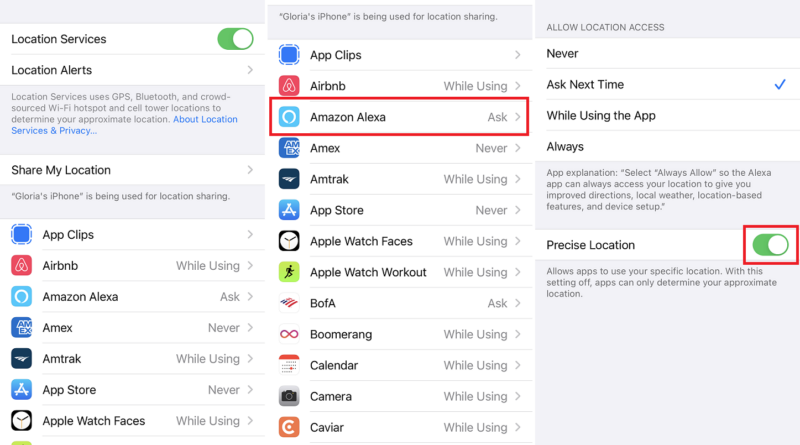
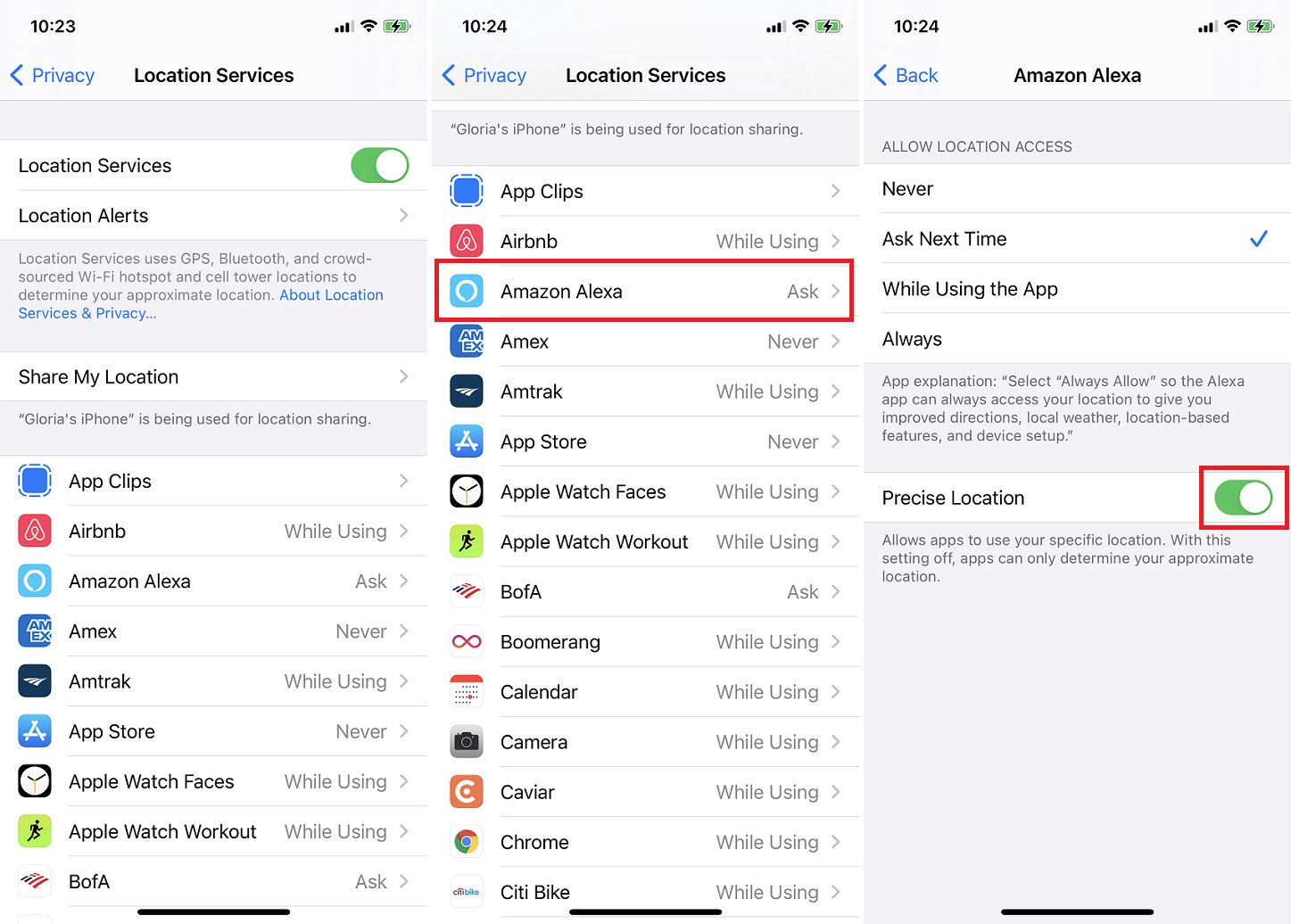
However, there are some features and settings on your device that can help prevent GPS location tracking. For example, on an iPhone, you can disable location services for individual apps or completely turn off the GPS functionality. By doing so, you’ll be able to prevent your device from transmitting GPS location data, even if you are connected to a VPN.
It’s important to note that many VPN providers advertise their ability to hide your location, and while they can hide your IP address, they may not necessarily hide your GPS location. If you are concerned about GPS location tracking, it’s recommended to take additional measures to protect your privacy, such as disabling location services or using a device-specific anti-tracking feature.
Does VPN Hide Your Location or Just Your IP Address?

A VPN, or Virtual Private Network, offers various features that can help protect your online privacy and security. One of the main benefits of using a VPN is the ability to hide your IP address, but what about your location?
When you connect to a VPN, your internet traffic is routed through a remote server. This server acts as a middleman between your device and the websites or services you’re accessing. By doing so, the VPN masks your original IP address and assigns you a new one from the server’s location, making it harder for anyone to track your online activities.
However, it’s important to note that while a VPN can hide your IP address, it doesn’t necessarily hide your physical location. Your actual location can still be determined through other means, such as GPS data from your device or other tracking techniques.
This means that if a website or service is using GPS data, they can still pinpoint your location even if you’re connected to a VPN. Additionally, some websites and services may use other tracking methods, such as cookies or advertisements, to gather information about your location and browsing habits.
That being said, a VPN can still prevent most location tracking attempts. By hiding your IP address and encrypting your internet traffic, it makes it much more difficult for websites, advertisers, and other entities to track your online activities and determine your location.
So, while a VPN can’t guarantee complete anonymity and location privacy, it does provide a significant level of protection against location tracking. If you’re concerned about your privacy and want to hide your location as much as possible, using a VPN is a good first step. Just keep in mind that other factors, such as GPS data and website tracking techniques, may still reveal your physical location.
How VPN Works on iPhone to Hide Your Location
When you use a VPN on your iPhone, it will mask and hide your location, making it difficult for others to track your activities online.
However, it’s important to note that while a VPN does hide your location, it does not just magically change your physical location. If you are in New York, for example, and connect to a VPN server in London, your physical location will still be in New York. But, to websites and online services, it will appear as if you are browsing the internet from London.
This is possible because a VPN creates a secure and encrypted connection between your iPhone and the VPN server. When you browse the internet through this virtual tunnel, all your data and traffic go through the VPN server, making it seem like you are accessing content from a different location.
Additionally, a VPN also prevents location tracking by hiding your IP address, which is a unique identifier for your device on the internet. Websites and online services often use your IP address to track your online activities and serve location-based content or targeted advertisements. By using a VPN, your IP address is replaced with the IP address of the VPN server, making it difficult for anyone to track your actual location.
To further enhance your privacy, some VPNs offer additional features such as blocking cookies and preventing device tracking. Cookies are small files stored on your device that websites use to remember your preferences and track your browsing habits. With a VPN, you can prevent websites from storing cookies on your iPhone, further protecting your privacy and preventing tracking.
In conclusion, using a VPN on your iPhone will hide your location and prevent location tracking by creating a virtual tunnel between your device and the VPN server, masking your IP address, and providing additional privacy features. With a VPN, you’ll be able to browse the internet anonymously and securely, without leaving a trace of your actual location.
The Benefits of Using VPN to Hide Your Location
Using a VPN can provide several benefits when it comes to hiding your location and preventing location tracking.
Protecting Your Online Privacy: By using a VPN, you can hide your IP address and make it more difficult for anyone to track your online activities and location. This means that websites, advertisers, and other third parties won’t be able to gather information about your real location.
Anonymous Browsing: When you connect to the internet through a VPN, your internet traffic is routed through a server located in a different location. This helps to mask your true location and makes it more difficult to track your online activities.
Bypassing Geographical Restrictions: VPNs can also help you access geo-blocked content by allowing you to connect to servers located in different countries. This means that you can access streaming services, websites, or other content that may be restricted in your current location.
Securing Public Wi-Fi Connections: Public Wi-Fi networks are often not secure, which can leave your personal information vulnerable to hackers. By using a VPN, you can encrypt your internet connection and protect your data from being intercepted.
Preventing Targeted Advertising: VPNs can prevent websites and advertisers from tracking your online activities and using this information to serve you targeted ads. This can help to reduce the amount of personalized ads you see while browsing the internet.
Multiple Device Support: VPNs can be used on various devices, including computers, smartphones, and tablets. This means that you can hide your location and protect your online privacy on all of your connected devices.
Overall, using a VPN to hide your location has numerous benefits, including protecting your online privacy, bypassing geographical restrictions, and securing your internet connection. It’s important to choose a reliable VPN service that offers the features you need and ensures your data is kept safe and private.
Factors to Consider When Choosing a VPN Service
When selecting a VPN service, there are several important factors to consider. The first is the data privacy offered by the VPN. You want to ensure that your personal data and online activities are protected and not logged or tracked by the VPN provider. Look for a VPN that has a strict no-logging policy and strong encryption protocols.
Another crucial factor is the location of the VPN servers. You’ll want to choose a VPN service that has servers in the locations you need to access. This will help you hide your actual IP address and appear as if you are browsing from a different location. Make sure the VPN offers servers in the countries you need and that those servers are reliable and fast.
Advertisement and tracking prevention features are also important to consider. Some VPNs offer ad-blocking features that can prevent advertisements from tracking your online activities and gathering your data. Look for a VPN that offers these features if you want to enhance your privacy and browsing experience.
Device compatibility is another factor to keep in mind. Ensure that the VPN service you choose is compatible with the device(s) you plan to use it on. Whether you have an iPhone, Android, or another device, make sure the VPN has dedicated apps or is compatible with the device’s operating system.
Lastly, consider the price of the VPN service. While there are many free VPN options available, they often come with limitations such as data caps or slower speeds. If you want a reliable and feature-rich VPN, consider investing in a paid service. Compare prices and features to find the best value for your needs.
Tips for Maximizing Location Privacy with VPN
When it comes to protecting your location privacy, using a VPN can be a powerful tool. Not only does a VPN create a virtual tunnel between your device and the internet, but it also helps to mask your true IP address and hide your physical location from prying eyes.
1. Choose a VPN that does not keep logs
One important factor to consider when selecting a VPN is to ensure that it does not keep any logs of your online activities. This way, even if someone were to request your browsing history or connection logs, there would be no records of your location or online activities.
2. Opt for a VPN with strong encryption
Another key feature to look for in a VPN is strong encryption. By encrypting your internet traffic, a VPN makes it nearly impossible for anyone to intercept and decipher your data, ensuring that your location remains hidden and your online activities private.
3. Use a VPN on all your devices
To maximize your location privacy, it is important to use a VPN on all of your devices, including your smartphone, laptop, and tablet. By doing so, you’ll be able to maintain your privacy and secure your location regardless of the device you’re using.
4. Be cautious of location tracking on websites and apps
While a VPN can hide your true location, it’s important to note that some websites and apps can still track your location using other means such as GPS or IP address. Therefore, it is essential to be cautious and mindful of the permissions you grant to these platforms to prevent any potential breaches in your location privacy.
5. Clear your cookies and browsing history regularly
Regularly clearing your cookies and browsing history can help prevent websites from tracking your location and personalizing content based on your previous browsing activities. By doing so, you can maintain a higher level of anonymity and protect your location privacy.
6. Enable location services selectively
In cases where you do need to share your location with certain apps or services, make sure to enable location services selectively. This way, you maintain control over which apps are allowed access to your location data and minimize the risk of unwanted location tracking.
By following these tips and utilizing the features of a VPN, you can greatly enhance your location privacy and prevent unwanted tracking of your data. Remember, it’s important to prioritize your privacy in the digital age, and a VPN can be a valuable tool in achieving this.
Common Misconceptions about VPN and Location Tracking

There are several common misconceptions about VPNs and location tracking that are important to address. One of the most prevalent misconceptions is that a VPN can completely hide your location. While a VPN can mask your IP address and prevent websites and advertisers from tracking your physical location, it does not completely hide your whereabouts. Your device may still have GPS features activated, which can reveal your location.
Another misconception is that using a VPN will prevent all forms of location tracking. While a VPN can obstruct website tracking and prevent advertisers from obtaining your location data, it does not necessarily prevent all types of tracking. For example, some apps and mobile services may still be able to track your location, even when using a VPN.
Some people believe that using a VPN means they can browse the internet without leaving any kind of digital footprint. However, this is not entirely true. While a VPN can prevent websites from tracking your IP address and online activities, it does not eliminate all traces of your online presence. Cookies and other tracking mechanisms can still be used to collect information about your browsing habits, even with a VPN.
It is also important to note that using a VPN can sometimes lead to unintended consequences. For example, certain websites or content may be restricted based on your geographical location. When using a VPN, you may encounter difficulties accessing such content, as your location is masked and websites may not recognize your actual location.
In conclusion, while a VPN can help protect your privacy and hide your physical location to a certain extent, it does not provide absolute anonymity or remove all forms of location tracking. It is important to understand the limitations of VPNs and take additional measures to protect your privacy online.
Legal Implications and Ethical Considerations of Using VPN
Using a VPN can have legal implications and ethical considerations that users should be aware of. While VPNs are legal in most countries, there are some exceptions. For example, in countries like China and Russia, the use of VPNs is heavily regulated or even banned. It’s important to research and understand the specific legal context and regulations of the country you are in before using a VPN.
Additionally, using a VPN to engage in illegal activities is not justified. While a VPN can hide your location and protect your privacy, it does not grant you immunity to commit crimes. Law enforcement agencies can still track illegal activities through other means, such as monitoring online behavior or accessing data from ISPs.
From an ethical standpoint, using a VPN to hide your true location and prevent location tracking raises some ethical dilemmas. While it can be beneficial to protect your privacy and prevent targeted advertising, there may be situations where hiding your location could be considered deceptive or unethical. For example, if you use a VPN to access content that is geographically restricted and you do not have the legal right to access it, you are potentially violating copyright laws or terms of service.
Moreover, VPNs can also be exploited by malicious actors for illegal activities. Since a VPN routes your internet traffic through a different server, it can be used to mask the true identity of individuals engaged in hacking, fraud, or other cybercrimes. It is important for users to be responsible and avoid using VPNs for illegal purposes.
In conclusion, while VPNs can provide security and privacy benefits, their use should be approached with caution and an understanding of the legal and ethical implications. Users should use VPNs in a lawful manner and consider the potential consequences of their actions. It’s advisable to carefully research and abide by the laws and regulations of the country you are in, and to use VPNs responsibly to protect your privacy without engaging in illegal activities.
VPN vs Other Methods of Hiding Location
When it comes to hiding your location and preventing location tracking, there are several methods you can use. One of the most popular and effective methods is using a virtual private network (VPN). A VPN allows you to connect to the internet through a remote server, which masks your IP address and makes it appear as if you are browsing from a different location.
Unlike other methods, such as using incognito mode on your browser or disabling GPS on your device, a VPN provides comprehensive protection for all your online activities. With a VPN, not only will your IP address be hidden, but also your location information that can be tracked through GPS or Wi-Fi signals.
Using a VPN also prevents websites and online advertisers from collecting your data and tracking your online behavior. While some websites may still use cookies to track your browsing activity, a VPN can help prevent this by encrypting your internet traffic and making it more difficult for these trackers to identify your real location.
Another advantage of using a VPN is that it works across different devices, including computers, smartphones, and tablets. Whether you are using an iPhone, Android device, or a desktop computer, a VPN will provide the same level of protection and hide your location.
However, it is important to note that while a VPN can hide your location and prevent location tracking to a great extent, it is not foolproof. Some sophisticated tracking methods can still bypass the VPN’s encryption and identify your real location. Additionally, if you have installed any location-based apps or have enabled location services on your device, your location may still be visible to certain apps or services.
In conclusion, while a VPN is a powerful tool for hiding your location and preventing location tracking, it is important to be aware of its limitations. It is always recommended to combine the use of a VPN with other privacy measures, such as disabling location services and regularly clearing your browsing history and cookies, to ensure maximum privacy and security online.
How VPN Protects Your Location Data from Hackers
Your location data is constantly at risk of being hacked or tracked by malicious actors online. However, with the use of a VPN, you can ensure that your location remains hidden and your data stays protected.
When you connect to a VPN, it assigns you a virtual IP address – a different location than your actual address. This means that any websites or services you visit will see the virtual IP address instead of your real one, making it nearly impossible for hackers to track your physical location.
Additionally, a VPN encrypts your internet traffic, making it unreadable to anyone who might intercept it. This ensures that even if someone manages to track your virtual IP address, they won’t be able to see what websites or content you are accessing.
Furthermore, VPNs also prevent location tracking through various other means. For example, when you visit a website, it often places cookies on your device to track your activity. However, with a VPN enabled, the websites will only see the virtual IP address and not your real location.
In some cases, companies and advertisers use GPS or Wi-Fi signals to track your physical location and serve you location-based content or ads. However, when you use a VPN, your real location is hidden, and they will only see the virtual IP address assigned by the VPN.
In conclusion, a VPN is a powerful tool that can protect your location data from hackers. By assigning you a virtual IP address, encrypting your internet traffic, and preventing various forms of tracking, a VPN ensures that your location remains hidden and your data stays secure. Whether you are using a computer, smartphone, or any other device, a VPN is a must-have tool to safeguard your online privacy.
Can Governments Track Your Location Despite VPN?
VPN (Virtual Private Network) is often used to hide your location and prevent location tracking. However, there are instances where governments can still track your location, even with a VPN.
One such example is when you’re using an iPhone. iPhones have GPS capabilities that can track your location with or without a VPN. This means that even if you’re connected to a VPN, your device’s GPS can still reveal your actual location.
Another potential way your location can be tracked despite using a VPN is through cookies. Some websites use cookies to track your browsing behavior and gather information about your location. Even with a VPN, these cookies can still be used to track your online activities and determine your real location.
While VPNs are designed to prevent location tracking, they are not foolproof. Certain tracking mechanisms, such as GPS and cookies, can still bypass the protection offered by a VPN.
However, it’s important to note that not all tracking attempts will succeed when using a VPN. VPNs can mask your IP address and encrypt your internet traffic, making it difficult for anyone, including governments, to track your location accurately.
Additionally, VPNs offer features that can further enhance your privacy and prevent location tracking. These features include changing your IP address, encrypting your data, and providing anonymity while browsing the internet.
In conclusion, while VPNs are a valuable tool for hiding your location and preventing location tracking, they may not be able to completely eliminate all tracking attempts. It’s still important to be cautious and mindful of the kind of content you access online to protect your privacy and location.
The Future of VPN and Location Privacy
With the increasing use and reliance on technology in our daily lives, preserving location privacy has become a vital concern. VPNs have emerged as an effective tool to hide your location and prevent location tracking.
Traditionally, location tracking has been done through GPS or IP address tracking. However, VPNs can provide a virtual IP address that masks your real IP address, preventing any tracking attempts. This means that even if a website or app tries to gather your location data, it will only see the IP address of the VPN server you are connected to, not your actual location.
Furthermore, VPNs offer additional features that enhance your location privacy. For example, many VPNs have built-in ad and tracking blockers, which prevent websites from using cookies or other tracking techniques to monitor your online activities and location.
It’s important to note that while VPNs can hide your location and prevent tracking, they do not completely eliminate all forms of tracking. Certain apps and devices, such as smartphones with GPS capabilities, may still be able to pinpoint your location even when connected to a VPN.
In the future, the development of more advanced VPN technologies may further enhance location privacy. For instance, VPNs could potentially integrate with other privacy-focused tools, such as secure browsers or encrypted messaging apps, to create a more comprehensive privacy solution.
As the demand for privacy and security grows, VPNs will continue to evolve and adapt to provide users with better location privacy. Whether you’re using an iPhone, Android device, or any other device, using a VPN will give you peace of mind knowing that your location is hidden and your online activities are protected.
Вопрос-ответ:
How does a VPN hide my location?
A VPN hides your location by routing your internet traffic through a server in a different location. When you connect to the internet through a VPN, your real IP address is masked and replaced with the IP address of the VPN server you are connected to. This makes it appear as though you are accessing the internet from the location of the VPN server, rather than your actual location.
Can VPNs prevent location tracking?
Yes, VPNs can prevent location tracking. By masking your IP address and routing your internet traffic through a different server, VPNs make it difficult for websites, advertisers, and other entities to track your physical location. However, it’s worth noting that while a VPN can prevent location tracking to a certain extent, it’s not a foolproof solution and some advanced tracking techniques may still be able to determine your location.
Do I need to install any special software to use a VPN?
Yes, to use a VPN you typically need to install special software or apps on your device. These applications are provided by the VPN service provider and allow you to connect to their servers and encrypt your internet traffic. Most VPN providers offer software for various operating systems such as Windows, macOS, Android, and iOS.
Is it legal to use a VPN to hide my location?
The legality of using a VPN to hide your location varies from country to country. In most countries, using a VPN is legal as long as you are not engaging in any illegal activities while connected to the VPN. However, there are some countries where the use of VPNs is strictly regulated or even banned. It’s important to check the laws and regulations regarding VPN usage in your country before using one to hide your location.
Can a VPN slow down my internet connection?
Yes, using a VPN can potentially slow down your internet connection. When you connect to the internet through a VPN, your data has to go through an extra step of encryption and routing, which can introduce some latency and decrease your internet speed. However, the extent of the slowdown depends on various factors such as the quality of the VPN server, your internet connection speed, and the distance between you and the VPN server. Choosing a reputable VPN provider and connecting to a nearby server can help minimize any slowdown.
Are there any disadvantages of using a VPN to hide my location?
While VPNs can be useful for hiding your location and protecting your online privacy, they also have some disadvantages. One of the main disadvantages is that using a VPN can potentially slow down your internet connection, as mentioned earlier. Additionally, some websites and services may block or restrict access to users who are connected through a VPN, as they can be associated with activities like online piracy. It’s also important to choose a reliable VPN provider, as some free VPNs may collect and sell your data.
Видео:
Can you be tracked with a VPN? | NordVPN
Can you be tracked with a VPN? | NordVPN by NordVPN 2 years ago 2 minutes, 37 seconds 24,906 views
Does a VPN Hide Search & Browsing History?
Does a VPN Hide Search & Browsing History? by VPN Wisdom 1 year ago 7 minutes, 41 seconds 13,986 views
