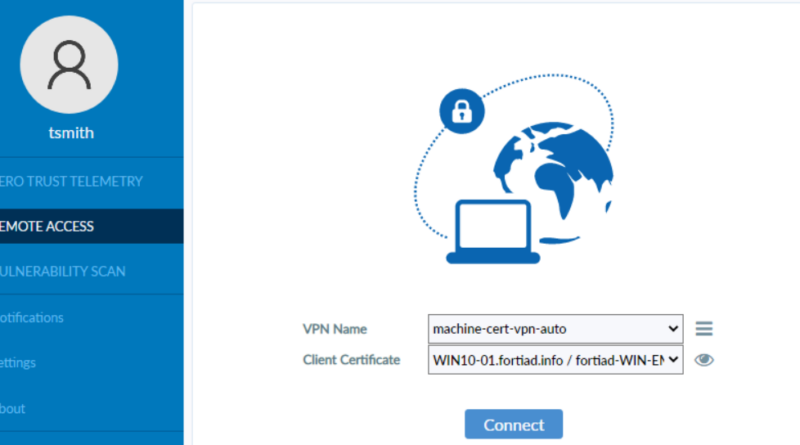
FortiClient for Windows: Strengthen Your System and Safeguard Your Data
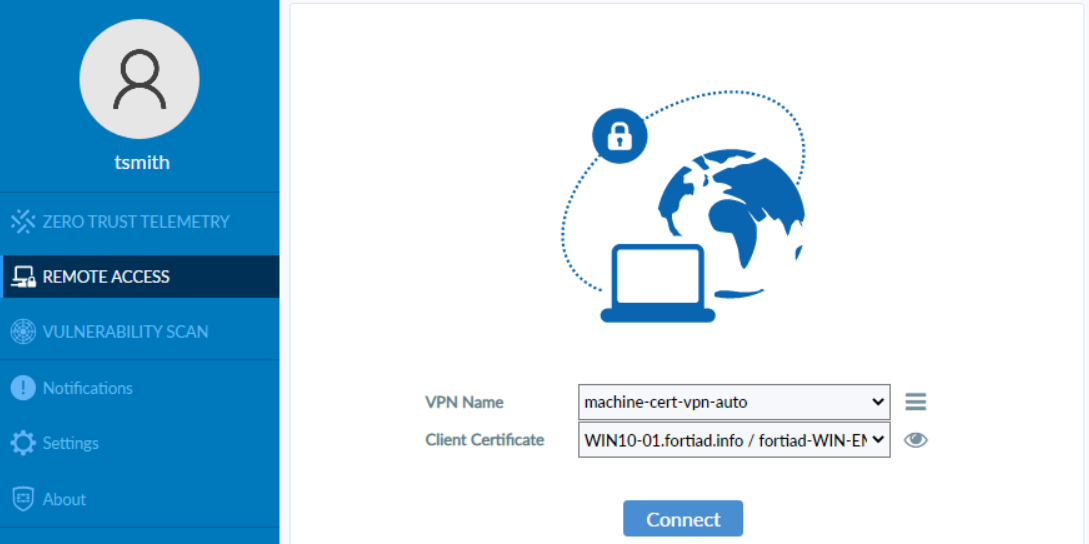
FortiClient for Windows is a powerful and user-friendly application that provides enhanced security and protection for your system. Whether you are a student at a university, a business professional, or simply an individual who wants to fortify their system and protect their data, FortiClient is the recommended solution. Once installed on your computer, FortiClient uses a multi-platform VPN client to provide secure and reliable connectivity to FortiGate or FortiClient EMS (Enterprise Management Server). It supports a wide range of protocols and features, making it a versatile and comprehensive security solution for your internet-connected device.
One of the key features of FortiClient is its built-in firewall, which provides further security by blocking known threats and unauthorized connections. This ensures that your data and system are protected from various types of cyber attacks. In addition, FortiClient offers an auto-connect feature, allowing you to automatically establish a VPN connection whenever you access the internet. This feature is especially useful when you are using public Wi-Fi networks or connecting to the internet from a region where internet security is known to be compromised.
Whether you need to access content that is region-locked or run applications that require an additional layer of security, FortiClient has got you covered. With its user-friendly interface and clear instructions, FortiClient makes it easy for you to connect to virtual private networks and securely browse the internet. Moreover, FortiClient is supported by FortiNet, a reputable vendor in the security industry, so you can be confident in the reliability and effectiveness of the program.
If you are looking for a solution to fortify your system and protect your data, look no further than FortiClient for Windows. Download it today and enjoy the peace of mind that comes with having enhanced security and connectivity on your computer.
Fortify Your System
In today’s digital world, it is essential to fortify your system against various cyber threats and protect your valuable data. FortiClient for Windows is a powerful program that provides additional security layers to ensure the safety of your system and sensitive information.
One of the key features of FortiClient is its built-in VPN (Virtual Private Network) connectivity, which can be used to establish a secure connection between your system and a remote server. This is particularly useful when accessing the internet from public or untrusted networks, as it encrypts your data and provides an alternative IP address to enhance your security.
FortiClient uses a user-friendly interface to provide a more intuitive experience. Once installed, it can be run in different modes based on your requirements. One popular mode is the auto-connect mode, where FortiClient will automatically establish a secure VPN connection whenever you connect to the internet. This ensures that your data is protected at all times, without any manual intervention.
FortiClient is recommended for use with FortiGate firewalls, which are owned and operated by Fortinet, a leading vendor in the security industry. When used in conjunction with FortiGate, FortiClient offers enhanced security features and protocols to further fortify your system against cyber threats.
For those who require a multi-platform solution, FortiClient is available for download across different operating systems, including Windows, Mac, and mobile platforms. This allows you to protect your system and data, regardless of the device you are using or the region you are located in.
In summary, FortiClient is a comprehensive solution that empowers you to fortify your system against potential security breaches. With its user-friendly interface, strong encryption protocols, and seamless integration with FortiGate firewalls, you can confidently protect your data and maintain a secure connection while accessing the internet.
Should you download FortiClient?
If you are looking to fortify your system and protect your data, downloading FortiClient is highly recommended. This program, available for Windows, offers a wide range of features that can enhance the security of your networks and ensure the safety of your information.
FortiClient provides a user-friendly interface and a variety of connectivity options. Whether you are at a university, workplace, or home, this application can establish a secure connection to the FortiGate firewall and protect your data from unauthorized access.
Once installed, FortiClient offers a virtual private network (VPN) mode where you can safely access your data from anywhere in the world through an internet-connected server. This feature is particularly useful for remote work or when you are traveling and need to connect to your company’s network. FortiClient supports various VPN protocols, giving you flexibility in choosing the most suitable option for your needs.
In addition, FortiClient offers a range of additional security features that can further fortify your system. It can automatically scan for malware and remove any threats it detects. It also provides protection against malicious websites and blocks potentially harmful content.
For those who are more technically inclined, FortiClient provides detailed instructions on how to configure the program to meet your specific security requirements. This level of customization allows you to tailor the program to your needs and ensure that it aligns with your organization’s security policies.
In summary, if you are looking for a reliable and comprehensive security program to protect your data, FortiClient is a recommended choice. Its advanced features, user-friendly interface, and multi-platform support make it an excellent alternative to other security vendors. Downloading FortiClient can enhance your system’s security and provide you with peace of mind knowing that your data is protected.
Is there a better alternative?
If you are looking for enhanced security features and a more reliable solution, there is a better alternative to FortiClient for Windows. This alternative is a VPN program that uses virtual private network (VPN) technology to provide a secure and encrypted connection for your data.
This alternative VPN solution is recommended for users who want to fortify their system and protect their data further. It can be installed on your computer, and it offers additional features such as auto-connect to known networks, multi-platform support, and connectivity through your university’s server.
This alternative VPN solution uses a vendor-supported application that is compatible with various operating systems, ensuring compatibility with your system. It also offers a user-friendly interface where you can easily configure your connection settings and take advantage of advanced features.
If you are concerned about your data security and privacy, this alternative VPN solution is the recommended choice. It provides enhanced security measures to ensure that your data remains protected, even when you are connected to an internet-connected network in a different region.
With this alternative VPN solution, you can browse the internet and access content that may be restricted in your region. It also offers faster and more stable connection speeds compared to FortiClient, ensuring a smoother online experience.
So, if you are looking for a better solution than FortiClient for Windows, consider this alternative VPN program. With its enhanced security features, reliable connectivity, and user-friendly interface, you can fortify your system and protect your data with ease.
Our take
FortiClient for Windows is a powerful application that allows you to fortify your system and protect your data. With its wide range of features and enhanced security, it is a recommended solution for both personal and business use.
One of the key requirements for using FortiClient is to have a FortiGate firewall, as it uses this device for secure connectivity. Once you have this in place, you can download and run the FortiClient program on your computer.
FortiClient offers multi-platform support, allowing you to use it on different devices and operating systems. This is especially useful for businesses with a diverse staff and where there is a need to provide secure connections to remote networks.
One of the standout features of FortiClient is its auto-connect mode, which establishes a secure VPN connection to the selected FortiGate firewall. This ensures that your data is protected, even when you are connected to an internet-connected network.
FortiClient also offers additional security features such as virtual private network (VPN) protocols and enhanced firewall protection. These further fortify your system and provide better security against known threats.
If you are a student or a member of the university community, FortiClient is a recommended solution for accessing university content and services. It provides a secure connection to the university network, ensuring that your data is protected and that you can access the resources you need.
In conclusion, FortiClient for Windows is a reliable and robust solution for fortifying your system and protecting your data. It offers a wide range of features and is supported by Fortinet, a trusted vendor in the cybersecurity industry. Whether you are an individual user or a business, FortiClient can provide the security and connectivity you need.
FortiClient VPN
FortiClient VPN is a virtual private network (VPN) program provided by FortiNet that allows users to securely connect to their network from remote locations. With FortiClient VPN, you can fortify your system and protect your data while ensuring enhanced connectivity and security.
FortiClient VPN is recommended for users who need to access their organization’s networks from outside the office. Whether you are a student, employee, or a staff member, this program can take you through a secure connection to your organization’s server. It is also supported on multiple platforms, making it suitable for a wide range of users.
This user-friendly VPN client provides additional security features to further fortify your system. Once connected to the VPN server, FortiClient VPN can automatically tunnel your internet connection through the firewall, ensuring that your data remains secure. The program uses various security protocols to ensure the integrity and confidentiality of your data, such as IPSec and SSL VPN.
To start using FortiClient VPN, you should first download and run the program on your computer. Once installed, you can configure the VPN settings to connect to your organization’s network. FortiClient VPN offers a better alternative to traditional VPNs, as it offers better performance, scalability, and support for additional features. It is known for its reliability and ease of use.
FortiClient VPN is recommended for users in organizations such as universities, where remote access to the network is required. By using FortiClient VPN, you can securely access sensitive data and resources from anywhere in the world. This is especially important when working on an internet-connected computer outside of the organization’s network.
In summary, FortiClient VPN is a multi-platform VPN solution provided by FortiNet to fortify your system and protect your data. It offers a secure and reliable connection to your organization’s network, ensuring your privacy and security. With its user-friendly interface and additional security features, FortiClient VPN is a recommended choice for users who need remote access to their networks.
Where can you run this program?
The FortiClient program can be run on Windows operating systems. It is recommended to run the latest version of the program to ensure compatibility with your system.
FortiClient can be installed on computers connected to various networks, including home networks, university networks, and corporate networks. It supports both wired and wireless connections, making it versatile for different environments.
In addition to running the program on your own system, FortiClient can also be run in a virtual mode. This allows you to access the program remotely and take advantage of its enhanced security features from any internet-connected computer.
If you are using FortiClient on a computer owned by your university or company, please follow the instructions provided by your IT department. They may have a specific setup or configuration for the program to ensure a secure connection to their network.
FortiClient uses a VPN connection to provide a secure and encrypted connection to your network. It is recommended to use the auto-connect feature, which will automatically establish a VPN connection whenever you connect to an unsecured network.
FortiClient is a user-friendly program that is supported by Fortinet, a leading vendor in network security solutions. It is designed to fortify your system and protect your data from known threats and vulnerabilities. Once installed, FortiClient can provide additional firewall and security features to further enhance your system’s protection.
Forticlient vpn download
The Forticlient VPN download is the vendor-provided solution for secure connectivity to a Fortigate firewall. With its user-friendly features, Forticlient offers a range of protocols and connectivity options to fortify your system and protect your data.
Supported Protocols
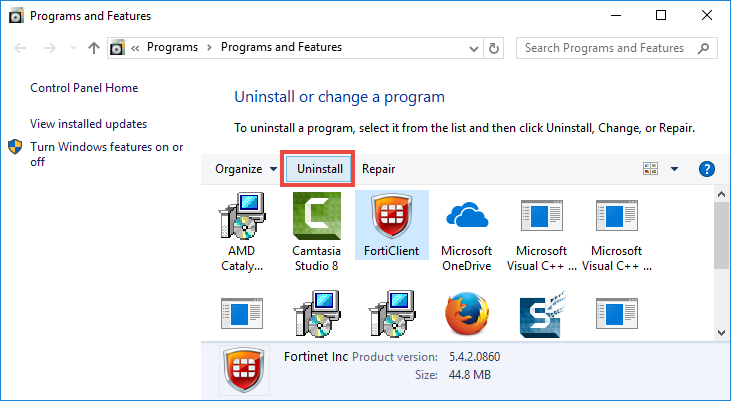
Forticlient supports various VPN protocols such as IPsec, SSL, and SSL-VPN. This allows for a secure and encrypted connection to your Fortigate firewall, ensuring that your internet-connected devices and data are protected.
Auto-Connect Functionality
The Forticlient VPN download includes an auto-connect feature, which can be enabled to automatically establish a VPN connection whenever your computer or device connects to the internet. This provides enhanced security and ensures that your data is always protected.
Virtual Private Network (VPN)
A virtual private network (VPN) is a secure connection that allows you to access university or company resources from anywhere in the world. With Forticlient, you can establish a VPN connection to your organization’s server, providing a secure alternative to a direct internet connection.
Recommended Solution

If you’re looking for a reliable and user-friendly VPN solution, Forticlient comes highly recommended. It offers a range of features and connectivity options to meet your security requirements and ensure that your data is protected from any unauthorized access or threats.
Download Forticlient for Windows
To download Forticlient for Windows, please visit the official Fortinet website. There, you will find the latest version of the program available for download. Once installed, you can further configure Forticlient to meet your specific needs and preferences.
Вопрос-ответ:
Where can I download FortiClient for Windows?
You can download FortiClient for Windows from the official website of Fortinet.
Is FortiClient compatible with other operating systems?
Yes, FortiClient is available for Windows, macOS, Linux, iOS, and Android.
Does FortiClient offer VPN services?
Yes, FortiClient provides VPN (Virtual Private Network) services for secure remote access to your network.
Can FortiClient help to protect my data?
Yes, FortiClient includes a wide range of security features such as antivirus, firewall, web filtering, and intrusion prevention to help protect your data.
Are there any alternative programs similar to FortiClient?
Yes, there are several alternative programs available such as Cisco AnyConnect, Pulse Secure, and OpenVPN.
Should I download FortiClient for Windows?
If you are looking for a comprehensive security solution for your Windows system, FortiClient can be a good choice. It offers a range of features to fortify your system and protect your data.
Видео:
FortiClient VPN | Downloading & Installing VPN Connection | Work From Home
FortiClient VPN | Downloading & Installing VPN Connection | Work From Home by Soni InfoTech 8 months ago 6 minutes, 38 seconds 3,039 views
