Fixing Forticlient Error: Failed To Establish The VPN Connection
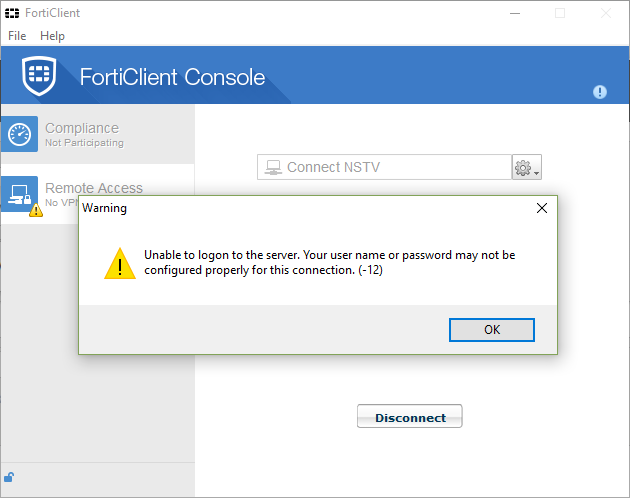
If you have ever encountered the “Failed to establish the VPN connection” error when using Forticlient, you are not alone. This error is a common issue that many Fortinet users face, and it can be frustrating, especially if you rely on VPN connectivity for work or personal use. In this article, we will discuss the possible reasons behind this error and provide you with troubleshooting tips to fix it.
First and foremost, it is essential to understand that there are several possible causes for the “Failed to establish the VPN connection” error. It might be due to incorrect login credentials, an issue with the VPN server, or a problem with your network connection. If you have recently changed your password, ensure that you have entered the updated password correctly. Double-checking the password is a simple yet crucial step that many users overlook.
Another possible reason for this error is a misconfiguration on the Fortigate firewall or the Forticlient application itself. Sometimes, Forticlient versions that are incompatible with your Fortigate firewall can cause connection issues. To troubleshoot this, ensure that you are using the latest version of Forticlient that is supported by your Fortigate firewall. Updating both the Forticlient application and the Fortigate firmware might fix the problem.
If you have ruled out the password and compatibility issues, there might be an issue with your network connectivity. Check if you can access other websites or resources on the internet to determine if the problem is specific to the VPN connection. Also, consider checking your network settings, such as DNS and proxy configurations, to ensure they are correct.
If none of the mentioned approaches have fixed the error so far, it is time to dig deeper into more advanced troubleshooting options. Fortinet offers an extensive knowledge base and community forum where users share their experiences and offer help for various Fortinet-related issues. Search for the error code or description on these platforms to see if others have encountered and fixed the same problem. You might find a specific solution that applies to your situation.
In conclusion, the “Failed to establish the VPN connection” error can occur due to many possible issues. Check your login credentials, update your Forticlient application and Fortigate firmware, ensure network connectivity, and explore advanced troubleshooting options. With the right steps and persistence, you can resolve this error and regain smooth VPN connectivity.
Fortinet Community: Fixing Failed To Establish The VPN Connection Forticlient Error
If you are facing the “Failed To Establish The VPN Connection Forticlient Error” while trying to connect to the VPN on your Windows machine, there are a few troubleshooting steps you can take.
Check your username and password
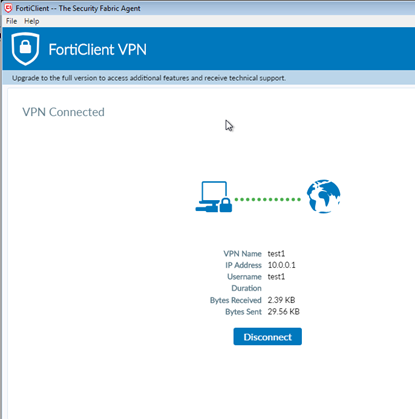
First, ensure that you are using the correct username and password. If you are unsure, contact your system administrator or IT support for the correct credentials.
Check your internet connectivity
Make sure you have a stable internet connection. If your connection is unreliable or weak, it can cause issues with establishing the VPN connection. Try connecting to a different network or resetting your internet router.
Update Forticlient
Check if there are any updates available for Forticlient. Outdated versions of the software may have compatibility issues that cause the VPN error. Install any available updates to ensure you are using the latest version.
Check network drivers
Issues with network drivers can also cause the VPN connection error. Try uninstalling and reinstalling the network drivers on your machine. You can do this through the Device Manager or using commands like “netcfg -d”.
Disable firewall and antivirus software
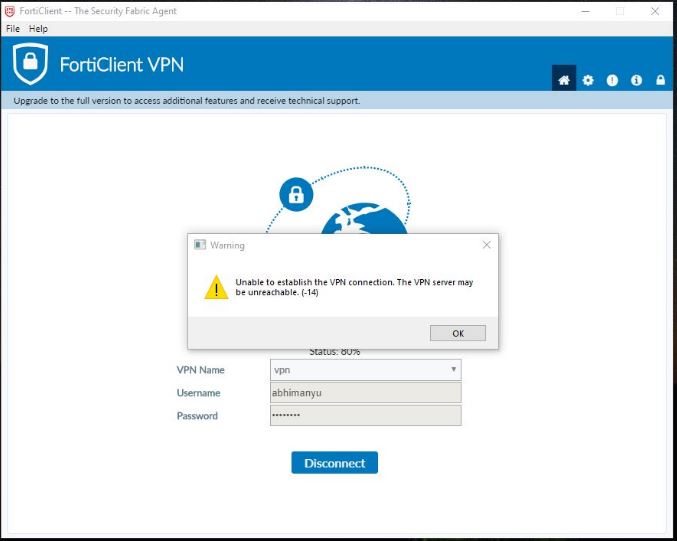
In some cases, firewall or antivirus software may be blocking the VPN connection. Temporarily disable these software and try connecting again.
Check VPN settings
If none of the above troubleshooting steps work, review the VPN settings on the Forticlient software. Ensure that the settings are aligned with the requirements of your VPN provider. Additionally, check if there are any specific error codes or error messages that can provide more insight into the issue.
Remember, these troubleshooting tips are general and may not apply to every specific scenario. Should you need more specific assistance, it is recommended to reach out to the Fortinet community or consult with your system administrator for further guidance.
Troubleshooting Tips for SSL VPN Connectivity Failure
If you are attempting to establish an SSL VPN connection and facing connectivity failure, there could be various reasons behind the issue. One possible reason is a mismatch between the SSL VPN settings on the FortiGate device and the client-side software, such as FortiClient.
To sort out the problem, you can start by checking the SSL VPN settings on the FortiGate device and ensuring that they match the settings configured in the FortiClient application. Make sure that the SSL VPN service is enabled on the FortiGate device and that the appropriate user groups have been granted access permissions.
Another possible issue could be related to firewall settings on either the client-side or the FortiGate device. Check whether any firewall rules are blocking the SSL VPN connectivity and adjust them accordingly to allow the required traffic.
If the SSL VPN connectivity failure persists, it may be helpful to use diagnostic tools provided by Fortinet to troubleshoot the issue. FortiAnalyzer, for example, is a powerful tool that can provide detailed information about failed connectivity attempts, helping you identify the source of the problem.
In some cases, the SSL VPN error may occur due to a misconfigured SSL VPN client software. You can try reinstalling the FortiClient application, making sure to install the latest available version. Additionally, double-check the SSL VPN settings in FortiClient, including the SSL VPN server address, port number, and user credentials.
If you are unable to establish an SSL VPN connection, make sure that the SSL VPN driver is installed and functioning correctly on the client-side. An outdated or missing driver can prevent the SSL VPN connection from establishing. You can try reinstalling the FortiClient application or updating the driver to resolve the issue.
Ultimately, if you still cannot establish an SSL VPN connection, it may be necessary to reach out to Fortinet support for further assistance. They can help diagnose the problem and provide specific guidance based on your unique setup and configuration.
Troubleshooting Tip: Possible reasons for FortiClient SSL VPN connectivity failure at specific percentages
The Fortinet Community offers valuable insights and troubleshooting tips for users encountering connectivity issues with FortiClient SSL VPN. One common problem that users might face is a failure to establish the VPN connection at specific percentages of the connection process. This article aims to provide possible reasons for this error and suggest troubleshooting approaches to fix the issue.
Possible Causes
- Software Mismatch: There might be a mismatch between the FortiClient software version and the Fortigate device firmware, causing the connection to fail at specific percentages.
- Network Configuration: The network configuration of the user’s machine or the Fortigate device could be incorrect or incompatible, resulting in a failed connection.
- Access Restrictions: There might be access restrictions or firewall rules in place preventing the FortiClient from establishing a connection.
Troubleshooting Tips
To resolve the SSL VPN connectivity failure at specific percentages issue, users can try the following troubleshooting steps:
- Check Software Compatibility: Verify whether the FortiClient software version and the Fortigate device firmware are compatible with each other. If not, update the software or the firmware accordingly.
- Verify Network Configuration: Ensure that the network configurations of both the user’s machine and the Fortigate device are correctly configured and match the required settings.
- Check Access Restrictions: Determine if there are any access restrictions or firewall rules blocking the VPN connection. Adjust or disable these restrictions as necessary.
- Test with Different Devices: Attempt the SSL VPN connection from different devices to identify if the issue is specific to a particular machine or user.
- Restart FortiClient Service: Stop and start the FortiClient service to refresh the connection and attempt to establish the VPN connection again.
- Utilize Advanced Troubleshooting Options: If the above steps do not resolve the issue, users can explore advanced troubleshooting options such as reviewing log files or contacting Fortinet support for assistance.
By following these troubleshooting tips and approaches, users can hopefully identify and fix the cause of their FortiClient SSL VPN connectivity failure at specific percentages. If the problem persists, seeking further assistance from Fortinet or the community may be necessary in order to resolve the issue.
Failed To Establish The VPN Connection Forticlient Error Fixed
If you’re facing the “Failed To Establish The VPN Connection” Forticlient error, don’t worry, we’ve got you covered. This error usually occurs when the system is unable to establish a connection with the VPN server. To fix this issue, there are several troubleshooting steps you can try.
1. Check your network settings
Make sure that your internet connection is working properly and that you have access to the VPN server. Check if the VPN settings are correct and that you have entered the right credentials.
2. Update Forticlient and drivers
Ensure that you are using the latest version of Forticlient and that your drivers are up to date. Sometimes, outdated versions of Forticlient can cause connection issues. Updating to the latest version can help resolve these problems.
3. Verify SSL VPN configuration
Check if the SSL VPN configuration settings are correct. Make sure that the SSL VPN settings on the Fortigate machine match the settings on your client machine. Any mismatch in the SSL VPN configuration can lead to connection failure.
4. Share knowledge and seek help
If you’re still unable to establish a connection, it’s possible that the problem is specific to your machine or group. Reach out to the Fortinet community or support team for assistance. You can also share your experience and troubleshoot with other users who may have encountered similar issues.
5. Use advanced commands and options
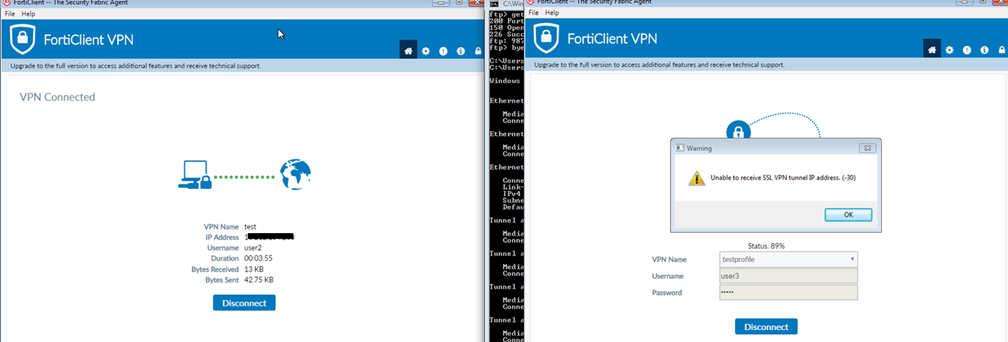
If you’re comfortable with advanced commands, you can try using specific commands and options to troubleshoot and fix the connectivity problem. Fortinet provides a range of commands and options that can help diagnose and resolve VPN connection errors.
By following these troubleshooting tips, you’ll be able to address the “Failed To Establish The VPN Connection” Forticlient error. Whether it’s a problem with your network settings, outdated Forticlient versions, or SSL VPN configuration mismatch, there are solutions available to get your VPN connection up and running again.
Вопрос-ответ:
Why am I getting the “Failed To Establish The VPN Connection Forticlient Error”?
The “Failed To Establish The VPN Connection Forticlient Error” can occur due to various reasons, such as incorrect configuration settings, network issues, or problems with the VPN server. It is important to troubleshoot the issue to determine the specific cause.
Can an unstable internet connection cause FortiClient SSL VPN connectivity failure?
Yes, an unstable internet connection can cause FortiClient SSL VPN connectivity failure. If your internet connection is not stable or experiencing packet loss, it can prevent the VPN connection from establishing successfully. To troubleshoot this issue, you can try resetting your internet connection, connecting to a different network, or contacting your internet service provider for assistance.
Видео:
FortiClient VPN not working in Window 11
FortiClient VPN not working in Window 11 by Din Vision 1 year ago 1 minute, 32 seconds 6,732 views
How to use FortiClient SSLVPN On Android Mobile.
How to use FortiClient SSLVPN On Android Mobile. by Vivek Pimple 2 years ago 5 minutes, 19 seconds 16,816 views
