
How to Get an ExpressVPN Free Trial in 2023: Quick and Easy Steps

ExpressVPN is one of the best VPN services available on the market today. With its lighting-fast servers and top-notch security features, it’s no wonder why so many people choose ExpressVPN for their digital privacy needs. However, with the average subscription costing around $12.95 per month, it’s understandable that some may want to try it out before committing to a long-term subscription. In this article, we will examine how to get an ExpressVPN free trial in 2023 and the steps you can take to make sure it works for you.
ExpressVPN doesn’t offer a free trial in the traditional sense, but there is a way to get a 30-day money-back guarantee. All you need to do is sign up for their service and use it for 30 days. If you’re not satisfied with the VPN’s performance or it doesn’t work for your specific needs, you can cancel it within the initial 30-day period and get a full refund, no questions asked. This is a great option for those who want to test out ExpressVPN without any risk.
To get started with your ExpressVPN free trial, simply follow these quick and easy steps:
- Go to the ExpressVPN website and select the plan that suits your needs (one month, six months, or one year).
- Enter your email address and choose a payment method (credit card, PayPal, or Bitcoin).
- Complete the payment process and download the ExpressVPN app for your desired device (Windows, Mac, iOS, Android, Firestick, PlayStation, or Chrome extension).
- Once the app is downloaded and installed, launch it and sign in using your ExpressVPN account credentials.
- Connect to a server of your choice (ExpressVPN has servers in over 160 locations worldwide).
- Start using ExpressVPN and test its performance for 30 days. You can browse the web, stream content, torrent files, and more.
- If you decide to cancel within the 30-day period, simply contact ExpressVPN’s customer support and request a refund. They are known for their excellent customer service and will process your refund as quickly as possible.
In fact, ExpressVPN works so well that you may find it difficult to cancel. With its lightning-fast speeds, unlimited bandwidth, and ability to bypass geo-restrictions, you’ll be able to enjoy your favorite streaming services like Netflix, Disney+, and more. ExpressVPN also offers easy-to-use apps for both mobile and desktop, making it convenient to protect your privacy and secure your internet connection wherever you are.
In conclusion, while ExpressVPN doesn’t offer a traditional free trial, you can still take advantage of their 30-day money-back guarantee to test the service and see if it’s the right fit for you. With its top-notch security features, extensive server network, and excellent customer support, ExpressVPN is often considered the best VPN available. So go ahead and get your ExpressVPN free trial in 2023 and experience the benefits of a premium VPN service.
Visit the ExpressVPN website
To get an ExpressVPN free trial, you need to visit the official ExpressVPN website. You can do this by clicking on the website link in this guide or by typing “ExpressVPN” into your preferred search engine. Once you are on the website, you will be able to explore all the features and benefits that ExpressVPN offers.
ExpressVPN is a popular and highly recommended VPN service that offers a free trial for new users. This trial allows you to test out ExpressVPN’s abilities and see if it is the right VPN for you. The free trial is a great option if you want to try out ExpressVPN before committing to a subscription.
One of the great things about ExpressVPN’s free trial is that it is a total of seven days, instead of the typical 30-day trial offered by most VPNs. This gives you ample time to thoroughly test out ExpressVPN’s features and see if it meets your needs.
To take advantage of ExpressVPN’s free trial, all you need to do is click on the “Get ExpressVPN” button or option on the website. This will guide you through the steps to download and install ExpressVPN on your device. ExpressVPN works across a wide range of devices, including Windows, Mac, iOS (iPhone and iPad), Android, Linux, and many more.
Once you have downloaded and installed ExpressVPN, you can start using it right away. ExpressVPN offers a simple and user-friendly interface that makes it easy to connect to a server and browse the internet securely. ExpressVPN also offers a variety of server locations to choose from, so you can easily access content from around the world.
ExpressVPN is known for its fast and reliable connection speeds, thanks to its proprietary protocol called Lightway. This means that you can play games, stream movies, and download files without any buffering or lag. ExpressVPN’s fast speeds make it an excellent choice for gaming consoles like PlayStation and Xbox, as well as streaming devices like Firestick and Chromecast.
In summary, visiting the ExpressVPN website is the first step to getting a free trial. By following the simple steps provided, you will be able to download and install ExpressVPN on your preferred device. You can then enjoy the benefits of ExpressVPN, knowing that your online activities are protected and secure. So why wait? Visit the ExpressVPN website today and take advantage of their seven-day free trial!
Click on the “Get ExpressVPN” button
If you’re wondering how to get an ExpressVPN free trial in 2023, you’ve come to the right place. One of the first steps is to click on the “Get ExpressVPN” button. This button is usually prominently displayed on the ExpressVPN website, making it easy for you to find and select.
Once you click on the button, you will be redirected to the ExpressVPN sign-up page. Here, you can choose the plan that suits your needs. ExpressVPN offers different subscription plans, and you can select the one that best fits your requirements.
ExpressVPN is known for its exceptional features that fully support streaming, gaming, and other online activities. With ExpressVPN, you can enjoy high-speed connections, unlimited bandwidth, and the ability to access geo-restricted content.
After selecting a plan, you will be asked to provide your email address to create your account. This is a quick and easy process, and you can proceed to download the ExpressVPN app on your desired device. ExpressVPN supports various operating systems and devices, including Windows, Mac, iOS, Android, and even gaming consoles like PlayStation and Xbox.
Once you have downloaded the app, you can start using ExpressVPN for free during the trial period. The trial period typically lasts for seven days, giving you ample time to test out the VPN service and its features. During this time, you can enjoy all the benefits of a paid subscription, including secure browsing, anonymous IP address, and the ability to bypass regional restrictions.
If you decide that ExpressVPN is not the right fit for you, you can cancel your subscription before the trial period ends. ExpressVPN offers a hassle-free cancellation process, and you won’t be charged anything if you cancel within the trial window.
In summary, getting an ExpressVPN free trial in 2023 is as easy as clicking on the “Get ExpressVPN” button, selecting a plan, providing your email address, downloading the app, and enjoying a seven-day trial period. This risk-free trial allows you to experience all the features and benefits of ExpressVPN without any commitment or subscription fees. So why not give it a try today?
Choose a subscription plan
When signing up for an ExpressVPN free trial, it’s important to select the right subscription plan that suits your needs. ExpressVPN offers several different plans, including a one-month, 6-month, and annual plan. Each plan comes with its own set of benefits and features, so it’s essential to examine them carefully before purchasing.
If you’re only looking to use ExpressVPN for a short period, then the one-month plan might be a better option for you. It offers a quick and limited 7-day free trial, allowing you to test out the service before committing. However, if you’re planning to use ExpressVPN for a longer period, the annual plan provides more value for your money, as it offers a 30-day money-back guarantee.
ExpressVPN’s subscription plans have become increasingly popular since they provide a range of useful features. For example, you can use ExpressVPN on your iPhone, Android phones, and other mobile devices. It’s also compatible with various operating systems, including Windows, Mac, and Linux. This wide availability ensures that you can access ExpressVPN from nearly any device or network.
Another key benefit of ExpressVPN’s subscription plans is the ability to enjoy unrestricted streaming. With ExpressVPN, you can access content from different streaming platforms, such as Netflix, Hulu, and Amazon Prime Video. This is especially useful for those who want to keep up with the latest movies and TV shows while keeping their online activities secure.
When selecting a subscription plan, it’s essential to consider your streaming and browsing habits. ExpressVPN’s services offer unlimited data and have no restrictions on bandwidth. This means you can stream, browse, and download as much as you want without worrying about any additional charges or risks.
Before making a decision, it’s always a good idea to visit the ExpressVPN website and take a look at the faqs and customer reviews. This will give you a better understanding of what to expect from the service and help you make an informed choice. ExpressVPN’s customer support is available 24/7 and can assist with any questions or concerns you may have.
In conclusion, choosing the right subscription plan is crucial when taking advantage of ExpressVPN’s free trial. Whether you opt for the one-month plan with its quick 7-day trial or the annual plan with its 30-day money-back guarantee, you can rest assured that ExpressVPN offers a reliable and secure service for all your online needs.
Enter your email address and create a password
If you want to try out ExpressVPN for free, you’ll need to enter your email address and create a password. This is a straightforward process that only takes a few moments. By providing your email address, you’ll be able to access the trial and explore all the features and benefits that ExpressVPN has to offer.
Creating a password is important because it ensures that only you can access your account and protects your privacy. Make sure to choose a strong and unique password that you can easily remember but that is difficult for others to guess. This will help keep your information secure and provide peace of mind.
After creating your account, you can choose from a variety of options to download ExpressVPN onto your devices. ExpressVPN can be used on phones, tablets, computers, and more, making it a versatile choice for all your online needs. Whether you frequently use your device for streaming, gaming, or just browsing the internet, ExpressVPN has you covered.
Once you start using ExpressVPN, you’ll quickly see why it’s so popular. With its lightning-fast speeds and total encryption, you can feel confident that your connection is secure and your data is protected. The 7-day trial is a great way to try out ExpressVPN and see if it meets your needs and expectations.
If you decide that ExpressVPN is the right fit for you after the trial ends, you have the option to choose from different subscription plans. ExpressVPN offers both monthly and annual plans, giving you flexibility and value. The annual plan is fully accommodating and offers the best value, so you’ll get more for your money in the long run.
If you have any questions or need assistance during the trial or subscription process, ExpressVPN has a team of editors who are ready to help. Their website is a valuable resource for FAQs, troubleshooting guides, and more. Additionally, ExpressVPN offers a 30-day money-back guarantee, so if you decide it’s not for you, you can cancel within that timeframe without any risks or questions asked.
So why not give ExpressVPN a try? Enter your email address and create a password today to get started on your VPN journey. With its user-friendly interface, exceptional security abilities, and wide range of device compatibility, ExpressVPN is the perfect choice for anyone looking to protect their online privacy and enjoy a faster, more secure internet connection.
Select a payment method
When signing up for an ExpressVPN free trial, you will need to select a payment method to proceed. ExpressVPN offers a variety of options that cater to different needs and preferences. One of the most popular methods is credit/debit card, which is widely accepted and convenient for most users. ExpressVPN also accepts alternative payment methods like PayPal, Bitcoin, and other digital currencies for those who prioritize privacy and anonymity.
If you choose the standard card payment method, you will be prompted to enter your card details, including the card number, expiration date, and security code. It’s important to note that ExpressVPN only accepts certain types of cards, such as Visa, Mastercard, American Express, and Discover. If you can’t find your preferred card option, you may need to consider an alternative payment method or contact ExpressVPN support for assistance.
ExpressVPN also offers the option to upgrade your plan during the free trial window. For example, if you initially signed up for the 7-day free trial, but now want to switch to a 30-day trial, you can easily do so by clicking on the “Upgrade” button on the ExpressVPN website. The upgraded plan will still be covered by the money-back guarantee, so you can enjoy the extended trial period with the assurance of a risk-free experience.
It’s worth mentioning that ExpressVPN has different pricing tiers depending on the length of your plan. The longer you commit to, the more cost-effective it becomes on a monthly basis. So if you’re planning to use ExpressVPN in the long-term, it might be a good idea to check out their 6 or 12-month plans, which offer great value for money. The shorter-term plans, such as the 1-month plan, can be useful if you only need a VPN for a limited period or want to test out the service before committing to a longer plan.
Enter your payment details
When signing up for the ExpressVPN free trial, you will need to enter your payment details. This is because ExpressVPN offers a 30-day money-back guarantee, which means you will be billed for the service initially but can request a full refund within 30 days if you choose to cancel.
To make it easier for you to select the best payment option, ExpressVPN offers a variety of deals and coupons. You can choose from monthly, annual, or even longer-term plans to suit your needs and budget. Keep in mind that the longer-term plans often come with better deals and discounts, so be sure to examine the options available.
ExpressVPN accepts various payment methods, including credit cards, PayPal, and even Bitcoin for those who prioritize privacy. Once you have selected your payment method, you can enter your payment details securely on the ExpressVPN website. The payment process is simple and user-friendly, ensuring a seamless experience for each user.
It’s also worth noting that ExpressVPN offers a 7-day free trial specifically for Firestick users. If you want to try out ExpressVPN on your Firestick device, you can take advantage of this trial period to see if it meets your needs. You won’t be billed for this trial period, and you can cancel at any time within the 7-day period if you decide it’s not for you.
If you have any questions or concerns about the payment process, ExpressVPN provides a comprehensive FAQs section on their website. This section covers frequently asked questions about payment details, approved payment methods, and how billing works.
In conclusion, entering your payment details when signing up for ExpressVPN’s free trial is a necessary step to access their service. With their 30-day money-back guarantee, you can feel confident in trying out ExpressVPN and see how it enhances your online privacy and security.
Review your order
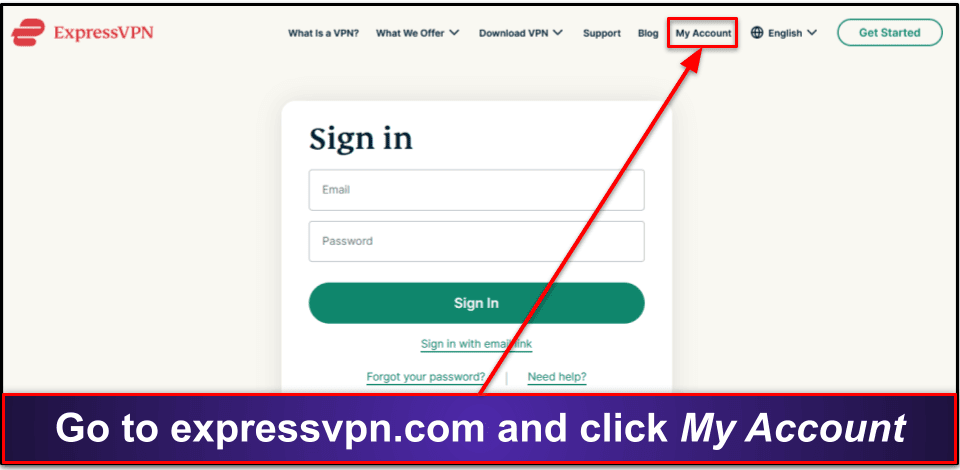
When it comes to securing your online privacy and accessing geo-restricted content, ExpressVPN is the best option available. With its superfast servers and secure browsing, ExpressVPN is a popular choice among users.
If you decide to get an ExpressVPN free trial, you’ll have the option to choose between a 7-day or 30-day trial period. The 7-day trial period is great if you want to examine the features and performance of the VPN before making a longer commitment.
ExpressVPN offers a 30-day money-back guarantee, so you can test it out on various platforms and devices without any cost. This guarantee ensures that if you’re not satisfied with the service within 30 days, you can get a full refund without any questions asked.
ExpressVPN is compatible with popular platforms like Android, iOS, Windows, Mac, and even Firestick. It’s also tested and proven to work well with streaming platforms like Netflix, making it the go-to VPN for accessing geo-blocked content.
With ExpressVPN’s easy-to-use interface, you’ll be able to locate and connect to a server of your choice within seconds. The average cost of an ExpressVPN subscription is more than worth it, considering the enhanced security and freedom it provides.
Today’s guide is all about how to get an ExpressVPN free trial and take advantage of any special discounts or deals available. You can choose the 7-day trial option or go for a longer subscription period of 3 months or more.
To get an ExpressVPN free trial, you can either use the referral link from a friend or sign up directly on their website. Once you provide your email and choose the desired subscription period, you’ll be able to enjoy ExpressVPN’s features without any charge.
In conclusion, ExpressVPN is a reliable and secure VPN service that offers a range of trial options and guarantees. Whether you need a VPN for streaming, secure browsing, or accessing geo-restricted content, ExpressVPN is the best choice.
So if you’re looking for a VPN to protect your devices and ensure your online privacy, try out an ExpressVPN free trial today and experience the benefits firsthand.
Click on the “Start Free Trial” button
If you’re interested in trying out ExpressVPN before committing to a paid plan, you’re in luck. ExpressVPN offers a seven-day free trial that allows you to test out their service and see if it meets your needs. To get started with your free trial, all you need to do is click on the “Start Free Trial” button on their website.
The free trial allows you to evaluate all the features and benefits of ExpressVPN without any limitations. You can explore their vast network of servers, select from their popular VPN locations across the globe, and experience their lightning-fast connections. Whether you want to stream content on platforms like Netflix, Disney+, or browse securely on your mobile device, ExpressVPN is a great solution.
To start your free trial, simply follow these quick and easy steps:
- Click on the “Start Free Trial” button on the ExpressVPN website.
- Select the plan you want to try out. ExpressVPN offers a 7-day free trial for their mobile VPN and a 30-day money-back guarantee for their standard plan.
- Enter your email address and choose a password.
- Choose a payment method. You won’t be charged anything during the free trial period.
- Complete the sign-up process and download the ExpressVPN app for your device.
- Once you’ve installed the app, log in with your credentials.
- You’re all set! Start using ExpressVPN and enjoy your free trial.
During the free trial, you’ll have access to all of ExpressVPN’s features, including their Lightway protocol which offers even faster and more secure connections. You can use ExpressVPN on multiple devices simultaneously, including Windows, Mac, iOS, Android, and even devices like Firestick and Chromebook.
It’s important to note that while the free trial is a great way to test out ExpressVPN, it does have some limitations. The trial period only lasts for seven days, so be sure to thoroughly evaluate the service during that time to determine if it’s the right fit for you. Additionally, the free trial doesn’t include all the features of a paid plan and you won’t have access to all servers available.
If you decide to upgrade to a paid plan, ExpressVPN offers a 30-day money-back guarantee so you can still try out the full service without any risk. If you’re unsure whether ExpressVPN is the right choice for you, you can also check out their FAQs section on their website for answers to commonly asked questions.
So, if you’re looking for a quick and easy way to get a free trial of ExpressVPN, click on the “Start Free Trial” button today and start enjoying the benefits of a reliable and secure VPN service.
Download and install the ExpressVPN app
One of the first steps to get an ExpressVPN free trial is to download and install the ExpressVPN app on your desired device. Whether you’re using a Windows PC, Mac, or Android device, ExpressVPN provides apps for various platforms. Simply click on the respective platform’s download link on the ExpressVPN website to download the app.
If you’re not sure which app to download for your device, ExpressVPN’s website has a handy guide to help you locate the correct app. It’s important to download the app from their official website to ensure you have the most reliable and secure version.
Once you’ve downloaded and installed the ExpressVPN app, you can select a 30-day free trial option. Unlike some VPNs that require payment upfront for their free trials, ExpressVPN offers a 30-day trial period without requiring any payment or credit card information.
During this trial period, you’ll have access to all of ExpressVPN’s features, including their fast speeds and extensive network of servers. This allows you to fully test the VPN’s capabilities and see if it meets your needs before committing to a subscription.
If the 30-day trial ends and you decide you want to continue using ExpressVPN, you can choose to subscribe and make the initial payment. But if you’re not satisfied and want to cancel, ExpressVPN has a no-questions-asked money-back guarantee. This means you can still get a full refund if you cancel within the first 30 days.
Launch the app and log in with your account credentials
After you have successfully signed up for ExpressVPN’s 7-day free trial, it’s time to launch the app and log in with your account credentials. Whether you are using an Android, iOS, or other compatible device, you can find the ExpressVPN app on popular platforms such as the Google Play Store or Apple App Store. Simply search for “ExpressVPN” and download the app.
Once the app is downloaded and installed, open it and log in with the account credentials you used during the signup process. This will grant you full access to ExpressVPN’s reliable and accommodating servers, allowing you to thoroughly test the service before deciding if you want to continue with a subscription. It’s an easy and risk-free way to examine the features and performance of ExpressVPN.
If you want to use ExpressVPN on multiple devices, you can easily switch between them in the app’s settings. ExpressVPN allows for simultaneous connections on up to 5 devices, so whether you want to use it on your Android phone, iPhone, Mac, Windows PC, or even your PlayStation console, you can do so without any hassle.
To help you with any questions or issues you may encounter during the free trial, ExpressVPN provides 24/7 customer support via live chat on their website. They also have a comprehensive help center where you can find answers to common questions and troubleshooting guides.
Once the free trial period is over, if you decide to continue with ExpressVPN, you can choose from different subscription plans. ExpressVPN offers one-month, 6 months, and 12 months plans. The longer the subscription, the more money you can save. ExpressVPN also frequently runs deals and promotions, so you may be able to find some great discounts or referral codes to apply towards your subscription.
ExpressVPN offers a 30-day money-back guarantee, which provides an additional assurance that you can keep your subscription and get a refund if you are not satisfied with the service. Their billing is easy and accommodating, accepting credit card payments as well as other popular payment methods.
Enjoy your ExpressVPN free trial
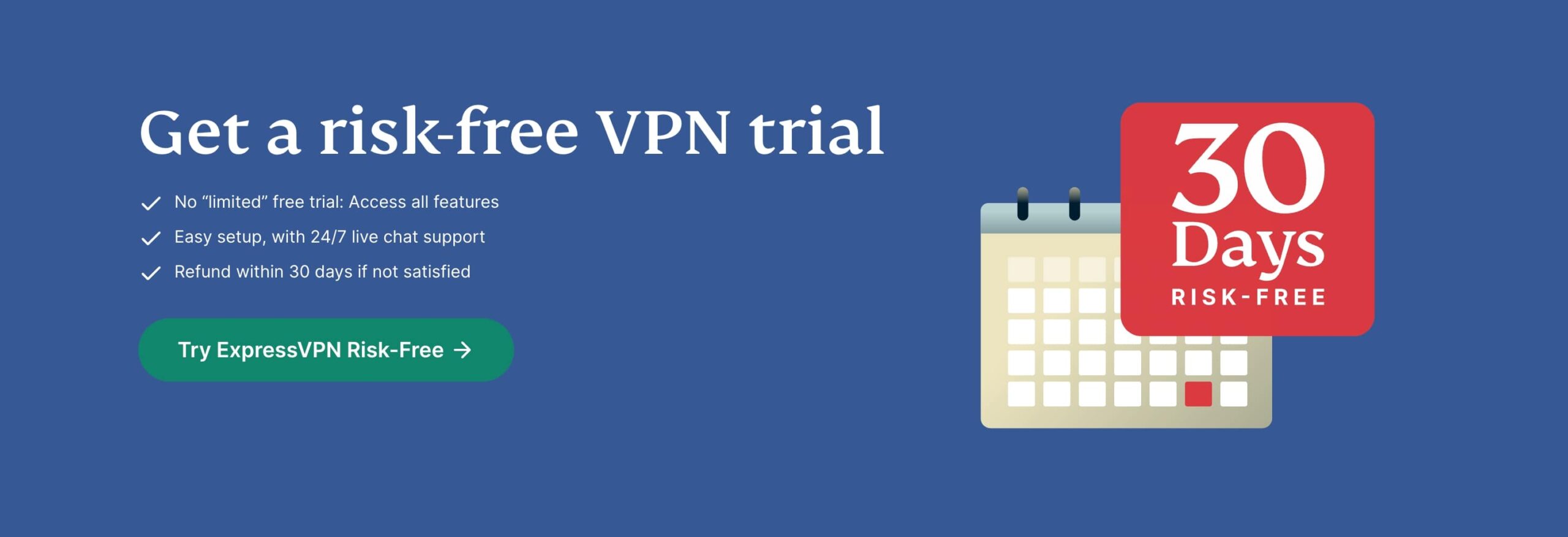
If you’re looking to try out ExpressVPN without any commitments, you’re in luck! ExpressVPN offers an easy and quick way to get an expressvpn free trial. Whether you’re using an iOS or Android device, there are multiple options available for you to choose from.
Instead of purchasing a full subscription right away, you can take advantage of the expressvpn free trial to examine its features and see if it meets your needs. There’s no risk involved, as you won’t be charged during the trial period.
ExpressVPN frequently offers free trials for 7 days or even for a total of 30 days, depending on the promotions available. This is a great opportunity to fully test out the service and see how it performs. You can use ExpressVPN on a variety of devices, including Firestick, PlayStation, Android phones, and more.
ExpressVPN’s free trial is a useful way to try out the service before committing to a subscription, especially if you’re unsure whether it’s the best option for you. With so many deals and discounts available, it’s always worth checking if a free trial is currently on offer.
Is ExpressVPN free?
No, ExpressVPN is not free. However, it does offer a trial period for new users to test out its services before committing to a paid subscription. During this trial period, users have the opportunity to experience the full range of ExpressVPN’s features and capabilities.
Unlike some other VPN providers that offer limited free versions or free trials with restricted features, ExpressVPN’s trial allows users to access all of its server locations and enjoy unlimited bandwidth.
To start your ExpressVPN free trial, you can sign up for an account on the ExpressVPN website or download the app from the App Store or Google Play Store. Once you’ve registered, you can choose the one-month plan and proceed to the payment options.
ExpressVPN offers a 30-day money-back guarantee, which means that if you decide the service isn’t what you expected within the first 30 days of purchasing a subscription, you can request a refund. This assurance gives you the peace of mind that you won’t be locked into a long-term commitment without being satisfied with the service.
If you are looking for a free VPN option, ExpressVPN might not be the best choice as it doesn’t offer a permanent free plan. However, considering the reliability, security, and performance that ExpressVPN provides, the subscription ̶ with its available deals and referral programs ̶ offers great value for money, especially for long-term users.
ExpressVPN is not free but offers a free trial
If you’re looking for a reliable and secure VPN service, ExpressVPN is one of the best options available. While it isn’t free, ExpressVPN does offer a free trial for users to test out the service before committing to a subscription.
The ExpressVPN free trial allows you to use their full range of features and access their extensive network of servers for a limited period of time. With the free trial, you can experience ExpressVPN’s lightning-fast speeds and robust security abilities, whether you’re on your Android device, iOS device, Playstation, Firestick, or more.
To get started, simply visit the ExpressVPN website and choose the 7-day free trial option. You’ll be prompted to enter your payment information, but don’t worry, you won’t be charged during the trial period.
If you decide that ExpressVPN is the right choice for you after the trial period, you can continue using their service by purchasing one of their affordable and accommodating subscription plans. ExpressVPN offers monthly and long-term plans, so you can choose the option that best fits your needs.
ExpressVPN also offers a 30-day money-back guarantee, so even if you do end up purchasing a subscription, you can still cancel within the first month and receive a full refund. This guarantee ensures that you have zero risk when trying out ExpressVPN.
So, if you’re looking for a high-quality VPN service that offers a free trial, look no further than ExpressVPN. With their 7-day trial, you’ll have plenty of time to fully test out their features and see how ExpressVPN can help keep your data secure and your online activities private.
The free trial gives you 30 days to test the service
ExpressVPN offers a generous 30-day free trial period for new users to try out its VPN service. This extended trial period allows you to fully explore all the features and capabilities of ExpressVPN without any limitations. Whether you’re an average user or an advanced VPN user, this trial period gives you ample time to test out the service and see if it meets your needs.
During the 30-day trial period, you’ll have access to all of ExpressVPN’s features and servers, with no restrictions on speed or bandwidth. This means you can enjoy superfast speeds and unlimited browsing or streaming on popular platforms like Netflix, Amazon Prime Video, and more. ExpressVPN is compatible with a wide range of devices, including Windows, Mac, iOS, Android, and even routers, so you’ll be able to use it across all your devices.
To get started with the free trial, simply follow these straightforward steps:
- Visit the ExpressVPN website and click on the “Get ExpressVPN” button.
- Choose a subscription plan that suits your needs, whether it’s a monthly, annual, or 6-month plan.
- Enter your email address to create an account and choose a payment method. ExpressVPN accepts various payment options, including credit card, PayPal, and Bitcoin.
- Once you’ve completed the payment process, you’ll receive a confirmation email with instructions on how to download and install the ExpressVPN app on your device.
- Follow the setup instructions to install the app on your device and log in with your account credentials.
- You can now start enjoying the benefits of ExpressVPN’s reliable and secure VPN service for a full 30 days.
- If you decide that ExpressVPN is not for you, simply cancel your subscription before the trial period ends, and you won’t be charged anything.
ExpressVPN’s free trial is completely risk-free, as you can cancel at any time without incurring any charges. However, given its popularity and the fact that it regularly offers some of the best deals in the VPN market, you’ll likely find ExpressVPN to be well worth the investment. With its superfast speeds, strong security measures, and ability to bypass geo-restrictions, ExpressVPN is widely used and approved by users across the globe.
If you have any questions or concerns about the free trial or how to use ExpressVPN, you can check out the FAQs section on the ExpressVPN website. They provide detailed answers to commonly asked questions and offer comprehensive guidance on various settings and functionalities of the VPN service. ExpressVPN’s customer support team is also available 24/7 to assist you with any issues you may encounter.
After the free trial, you need to subscribe to a paid plan
Once the expressvpn free trial ends, which is a great way to test out the capabilities of the service, you will need to choose a paid plan to continue using the VPN. Today’s digital world requires total privacy and assurance when it comes to data security, and ExpressVPN is one of the most secure and reliable VPNs available.
With a variety of subscription options available, you can choose the plan that best suits your needs. Whether you want the flexibility of a monthly plan or the cost-saving benefits of an annual plan, ExpressVPN has you covered. The prices are accommodating and competitive, considering the comprehensive services they offer.
ExpressVPN regularly updates their network of servers, ensuring that you’ll always have the ability to find a server that meets your requirements. Whether you’re looking to access geo-restricted content, ensure data privacy while torrenting, or enhance your online security, ExpressVPN has the servers and capabilities to meet your needs.
ExpressVPN is not just limited to desktop computers. You can also use it on your mobile devices, such as your iPhone or Android phone, ensuring that you have secure and superfast internet access wherever you are. ExpressVPN is also compatible with devices like Amazon Fire TV Stick, PlayStation, and more.
If you’re unsure about any aspect of ExpressVPN or need assistance with any technical issues, their customer support is top-notch. They provide an extensive FAQs section, as well as 24/7 live chat support to help you with any questions or concerns you may have. Their team is dedicated to ensuring that you have the best experience possible with the VPN service.
In conclusion, after trying the expressvpn free trial and experiencing its many benefits, subscribing to a paid plan is a good option. With its easy-to-use interface, secure network, and accommodating subscription options, ExpressVPN is one of the best VPN services available today.
A breakdown of the popular VPN’s costs
If you’re considering purchasing a VPN service, it’s important to understand the costs involved. In this guide, we will break down the costs associated with ExpressVPN, one of the most popular VPN services available.
One-month subscription: ExpressVPN offers a one-month subscription plan, which costs $12.95. This plan provides you with access to their full network of servers and all of their features.
6-month subscription: If you’re looking for a longer term commitment, ExpressVPN offers a six-month subscription plan. This plan costs $59.95, which comes out to be $9.99 per month.
12-month subscription: The most cost-effective option offered by ExpressVPN is their 12-month subscription plan. This plan costs $99.95, which breaks down to $8.32 per month. It’s a great option if you plan to use the service regularly.
Money-back guarantee: ExpressVPN offers a risk-free option for customers who are not satisfied with the service. They offer a 30-day money-back guarantee, so if you decide it’s not for you within the first 30 days, you can cancel and get a full refund.
Available platforms: ExpressVPN can be used on a wide range of devices and platforms, including Windows, Mac, Android, iOS, Linux, routers, gaming consoles (PlayStation, Xbox), and more. This allows you to protect your digital data and privacy on all of your devices.
Additional costs: It’s worth mentioning that ExpressVPN does not offer a free trial. However, they frequently offer special deals and discounts, such as referral codes or discounts for students, which can help you save money on your subscription.
Selecting the right plan: When choosing a subscription plan, it’s important to consider your usage patterns and the value you would get out of the service. If you need a VPN for a short period of time, the one-month plan might be a good option. However, if you plan to use the service long-term, the 12-month plan offers the best value.
In conclusion, the costs associated with ExpressVPN are straightforward and can be tailored to your specific needs. Whether you’re looking to protect your online activities, access geo-restricted content, or switch between different streaming services like Netflix, Amazon Prime, Disney+, etc., ExpressVPN offers a reliable and secure network at a reasonable cost.
ExpressVPN offers three subscription plans
When it comes to choosing a VPN service, ExpressVPN offers three subscription plans that cater to different needs and budgets. Whether you’re a digital nomad, a security-conscious individual, or a frequent traveler, ExpressVPN has the right plan for you.
The first option is the monthly plan. With this plan, you’ll be able to use ExpressVPN on any device, including your phones, tablets, and laptops. It’s a straightforward and easy-to-use option that gives you the flexibility to cancel anytime. The cost is $12.95 per month.
The second option is the 6-month plan. This plan allows you to use ExpressVPN for a total of 6 months. It offers a standard subscription at a discounted price of $9.99 per month, saving you money compared to the monthly plan.
The third and most popular option is the 12-month plan. With this plan, you’ll get a full year of ExpressVPN at a cost of $8.32 per month, after a 35% discount. It’s a great choice for those who want to commit to using a VPN for an extended period.
No matter which plan you choose, ExpressVPN offers a risk-free 30-day money-back guarantee. This means that if you’re not satisfied with the service within the first 30 days, you can get a full refund. It’s a no-risk way to try out ExpressVPN and see if it meets your needs.
ExpressVPN has a network of over 3,000 servers in 160 locations, giving you the freedom to access your favorite websites and streaming services from anywhere in the world. Whether you want to watch Netflix, switch between different servers, or use ExpressVPN on multiple devices, there are plenty of options to suit your needs.
If you’re unsure about using ExpressVPN, you can also take advantage of the referral program. By referring a friend, you’ll both receive 30 free days of ExpressVPN. It’s a win-win situation that allows you to share the benefits of ExpressVPN with your network.
In conclusion, ExpressVPN offers flexible and cost-effective subscription plans that cater to different needs and budgets. With a risk-free 30-day money-back guarantee, a large network of servers, and the option to refer friends, you can confidently try out ExpressVPN and enjoy a secure and superfast internet experience.
The monthly plan costs $12.95 per month
If you’re looking for a reliable and superfast VPN service, ExpressVPN is a great option. With its extensive network and top-notch features, it’s no wonder why it’s one of the most popular VPN providers out there. But before you decide to commit, it’s important to know about the pricing options. ExpressVPN offers a monthly plan that costs $12.95 per month.
While this may seem like a huge cost for some, ExpressVPN definitely has features and benefits that make it worth the money. First of all, the 30-day money-back guarantee ensures that if you’re not satisfied with the service, you can get a full refund. This guarantee is risk-free, so you won’t have to worry about losing your money.
But if you want to try it out for free before committing, ExpressVPN also offers a 7-day free trial. You can find and download the ExpressVPN app on various platforms, such as Windows, Mac, iOS, Android, and more. The trial allows you to thoroughly examine the service and see if it’s the right fit for your needs.
To sign up for the free trial, you’ll need to provide your email address and credit card information. Don’t worry, you won’t be charged during the trial period. If you decide that ExpressVPN is not for you, make sure to cancel your subscription before the trial ends to avoid any charges.
If you have a friend who is already an ExpressVPN user, you may be able to get a referral discount. ExpressVPN offers an accommodating referral program where both you and your friend can receive a discount. This is a great option if you’re looking for a more cost-effective way to enjoy ExpressVPN.
Whether you frequently use VPN services or are new to them, ExpressVPN is a straightforward and reliable choice. It uses top-of-the-line encryption to keep your data secure and allows you to select from a wide range of server options across the globe. Plus, it’s compatible with various devices, including mobile phones, so you can stay protected wherever you go.
The six-month plan costs $59.95 every six months
If you’re looking for a great value, ExpressVPN offers a six-month plan for just $59.95, which works out to be $9.99 per month. This plan is billed every six months, giving you access to all of ExpressVPN’s features and abilities. Whether you’re using an iPhone, Firestick, or Chrome browser, the six-month plan doesn’t have any limitations in terms of device usage.
ExpressVPN is one of the most popular VPN services available today, and for good reason. It uses the latest VPN technology, including their proprietary Lightway protocol, to ensure fast and secure connections. With ExpressVPN, your data is protected against any potential threats, and your privacy is always a top priority.
If you’re not sure if ExpressVPN is the right VPN for you, there’s no need to worry. ExpressVPN offers a risk-free 7-day free trial that allows you to fully examine their services and determine if they meet your needs. This trial is available for a limited time, so make sure to visit ExpressVPN’s website today to take advantage of this offer.
ExpressVPN also offers a 30-day money-back guarantee, which provides assurance that if you’re not satisfied with their service, you can get a full refund. This policy demonstrates ExpressVPN’s confidence in their product and their commitment to customer satisfaction.
When you select the six-month plan, you have the option to pay using credit card or PayPal. ExpressVPN also offers various coupons and discounts at times, so make sure to visit their website to see if any promotions are currently available.
Overall, the six-month plan from ExpressVPN offers a great value for those who want a better VPN experience. With no limitations on device usage, access to all of ExpressVPN’s features, and a risk-free 7-day trial, you can try ExpressVPN today and see for yourself why it’s one of the top VPNs on the market.
The annual plan costs $99.95 per year
If you’re looking for a reliable and secure VPN service, ExpressVPN is one of the top choices available in the market today. With its privacy policy and superfast network abilities, ExpressVPN offers a risk-free trial for those who want to thoroughly examine its features before committing to a plan.
The annual plan costs $99.95 per year and lets you enjoy all the benefits that ExpressVPN has to offer. Whether you want to use it on your computer, smartphone, or even streaming devices like Amazon Firestick or PlayStation, ExpressVPN has got you covered.
With this trial offer, you’ll have the chance to use ExpressVPN for a limited time and experience its lightning-fast speeds and excellent privacy features without any assurance. Once you click on the referral link, you can sign up for the trial and start testing it out right away.
ExpressVPN’s money-back guarantee ensures that you’re backed if you decide ExpressVPN isn’t the right fit for you. If at any time within the trial period, which can be up to 30 days, you’re not satisfied with the service, you can request a refund and get your money back.
To get started with the ExpressVPN trial, simply follow these easy steps:
Step 1: Click on the referral link
To access the trial offer, click on the referral link provided and you’ll be directed to ExpressVPN’s website.
Step 2: Sign up for the trial
Once you’re on the website, sign up for the trial by providing your email address and creating a password. This will create your ExpressVPN account.
Step 3: Download and install the ExpressVPN app
After signing up, download and install the ExpressVPN app on the device you want to use it on. ExpressVPN is compatible with various platforms, so you can easily install it on your preferred device.
Step 4: Start using ExpressVPN
Once the app is installed, launch it and log in with your ExpressVPN account credentials. You’ll now have access to ExpressVPN’s network and can start using it to browse the internet securely and privately.
With ExpressVPN’s trial offer, you can enjoy all the features and benefits of the service at no cost for a limited period of time. Don’t miss out on this opportunity to experience ExpressVPN’s capabilities and decide whether it’s the right VPN for you.
FAQ:
What is ExpressVPN?
ExpressVPN is a virtual private network service that allows users to hide their IP addresses and encrypt their online activities. It helps to protect your privacy and security while browsing the internet.
Why do I need a VPN free trial?
Getting a VPN free trial allows you to test out the service and determine if it meets your needs before committing to a paid subscription. It gives you an opportunity to experience the features and performance of ExpressVPN without any financial risk.
How long does the ExpressVPN free trial last?
The ExpressVPN free trial usually lasts for 7 days. During this time, you can access all the features and functions of the VPN service without any limitations.
Can I cancel my ExpressVPN free trial?
Yes, you can cancel your ExpressVPN free trial at any time during the trial period. Simply contact ExpressVPN customer support or go to your account settings to initiate the cancellation process. Keep in mind that if you don’t cancel before the trial ends, you will be automatically enrolled in a paid subscription.
Videos:
HOW TO USE EXPRESSVPN | ExpressVPN tutorial for 2023
HOW TO USE EXPRESSVPN | ExpressVPN tutorial for 2023 by CyberNews 3 months ago 9 minutes, 3 seconds 9,627 views
ExpressVPN Exposed 💥How to Get Premium Features for Free!🔝
ExpressVPN Exposed 💥How to Get Premium Features for Free!🔝 by vpnMentor 1 month ago 4 minutes, 5 seconds 1,720 views
How Do I Get ExpressVPN Free Forever?
How Do I Get ExpressVPN Free Forever? by VPN Wisdom 1 year ago 1 minute, 38 seconds 30,291 views
