
Download VPN for Windows PC or Laptop

When it comes to protecting your online privacy and security, using a VPN is a must. Whether you’re a hydra, seeking anonymity, or simply want to bypass geographical restrictions, having a reliable VPN is essential. Luckily, there are many VPN providers available that offer easy-to-use software for Windows PCs and laptops.
While there are numerous options to choose from, it’s important to find a VPN that ticks all the right boxes. The least you should look for is a VPN that offers a user-friendly interface, fast connection speed, and a wide range of server locations. In this article, we will compare three popular VPN providers: Surfshark, Mullvad, and ProtonVPN.
Surfshark is one of the most impressive VPN providers in the industry. Its intuitive and easy-to-use software is compatible with Windows PCs and laptops, making it a popular choice for many users. The VPN service offers over 3,200 servers in 65 different countries, providing users with plenty of options when it comes to server locations.
Mullvad is another great option for Windows users. The software is designed with simplicity in mind, and it takes only a few minutes to download and install. Mullvad uses the WireGuard protocol, which is generally considered to be the fastest and most secure VPN protocol. With servers in 36 countries, Mullvad helps you stay connected no matter where you are.
ProtonVPN is a reliable VPN provider that puts a strong emphasis on privacy and security. The software for Windows PCs and laptops is easy to use, and it provides a number of advanced features such as a kill switch and DNS leak protection. ProtonVPN has servers in 50 different countries, ensuring that you always have a fast and stable connection.
No matter which VPN provider you choose, downloading a VPN for your Windows PC or laptop is a wise decision. It helps you protect your online privacy, bypass geo-restrictions, and secure your internet connection. With so many options available, you’re sure to find one that meets your specific needs and requirements. So go ahead and download a VPN today!
Enhanced Security and Privacy
When it comes to using a VPN for your Windows PC or laptop, one of the biggest advantages is enhanced security and privacy. By using a virtual private network, you can encrypt your internet connection and protect your personal information from hackers and data thieves.
Not only does a VPN keep your online activities private, but it also allows you to browse the internet anonymously. By connecting to a server in a different country, you can mask your IP address and hide your true location, making it harder for anyone to track your online activities.
Finally, a VPN can also provide an additional layer of security when using public Wi-Fi networks. Public Wi-Fi networks are often targeted by hackers, but by using a VPN, you can protect your data and ensure that your online activities are secure.
If you’re considering using a VPN for your Windows PC or laptop, there are a few things to know. First, you should consider the type of VPN protocol the provider offers. Some popular options include OpenVPN, IKEv2, and L2TP/IPsec.
Additionally, you should look into the VPN provider’s privacy policy to ensure that they do not log or store your online activities. It’s also important to compare the different subscription options and pricing to find the best deal for your needs.
Setting up a VPN on your Windows PC or laptop is usually a straightforward process. Many VPN providers offer a setup wizard that guides you through the installation and configuration steps. Alternatively, you can manually configure the VPN by entering the server information and authentication details.
Once the VPN is set up, you can easily connect and disconnect with the click of a button. Most VPN apps provide an intuitive interface and allow you to switch between server locations with ease. This flexibility allows you to explore different virtual locations and access region-restricted content.
In conclusion, using a VPN for your Windows PC or laptop helps enhance your security and privacy while browsing the internet. It allows you to encrypt your connection, mask your IP address, and protect your personal information. Whether you’re a newbie or an industry expert, a VPN is a valuable tool to consider for your online activities.
Access Geo-Restricted Content
Are you tired of not being able to access your favorite content? Do you want to watch popular shows and movies that are only available in certain countries? With a VPN for Windows, you can easily bypass geo-restrictions and access content from around the world.
But how does it work? VPNs, like Mullvad and NordVPN, are a popular choice for Windows users. They offer a wide range of servers and locations to choose from, allowing you to connect to a server in a different country. This makes it appear as though you’re accessing the internet from that country, giving you access to geo-restricted content.
Another option is to use a VPN service that offers WireGuard, a new and faster VPN protocol. This protocol is only available on a few VPN services, like Mullvad and NordVPN, and it offers improved performance and security compared to older protocols.
When it comes to choosing a VPN for Windows, you have a number of options. ExpressVPN is often considered the best choice, as it offers a user-friendly interface, fast speeds, and a large number of servers in different locations. They also offer a 30-day money-back guarantee, so you can test the service and see if it meets your needs.
In today’s world, where privacy and security are of utmost importance, using a VPN is a must. Not only does it allow you to access geo-restricted content, but it also encrypts your data and protects your online activity from prying eyes. So why wait? Download a VPN for your Windows PC or laptop today and start enjoying a safer and more open internet.
Bypass Censorship and Firewalls
In today’s digital age, internet censorship and firewalls have become common obstacles for internet users around the world. To overcome these restrictions and regain access to blocked content, many people turn to VPN providers.
Once you download a VPN for your Windows PC or laptop, you gain the ability to bypass censorship and firewalls. VPNs reroute your internet connection through their servers, masking your true location and IP address. This means that everything you do online, from browsing websites to streaming videos, appears as if it’s coming from a different location.
With our VPN software, you can achieve this level of privacy and bypass censorship and firewalls with ease. Our user-friendly interface makes it a breeze to connect to a server and start accessing blocked content.
That’s not all – our VPN also offers additional tools and configurations to enhance your online experience. Whether you’re seeking faster streaming capabilities, enhanced security protocols, or the ability to download torrents, our VPN has got you covered.
One of our most popular features is the Kill Switch, which ensures that your connection is always secure. If your VPN connection drops for any reason, the Kill Switch immediately stops all internet traffic from getting through, keeping your data safe.
Another excellent feature we provide is the Double VPN, which allows you to route your connection through two different servers for an extra layer of encryption. This makes it even more challenging for anyone to intercept your data.
For those who are more tech-savvy, you can manually configure the VPN settings to meet your specific needs. This gives you complete control over your VPN experience.
We understand that privacy is of utmost importance, which is why our VPN keeps no logs of your online activity. Your internet history and personal information will remain private and secure.
Our VPN software also helps you save money. By routing your connection through a server in a different country, you can access exclusive deals and discounts that are not available in your region. For instance, you can take advantage of the best deals on flights, hotels, and online shopping.
And if you’re still not satisfied with our VPN, we offer a 45-day money-back guarantee, no questions asked. This ensures that you can try out our service risk-free and decide if it’s the right fit for you.
In conclusion, if you’re looking for an absolute solution to bypass censorship and firewalls, download our VPN for Windows PC or laptop. With its excellent features, unlimited capabilities, and user-friendly interface, you’ll be able to access blocked content, keep your privacy intact, and enjoy a secure and unrestricted internet experience.
Safe File Sharing and Torrenting
When it comes to safe file sharing and torrenting, having a reliable and secure VPN is essential. With the increase in online surveillance and the potential for privacy breaches, it’s important to protect your data and ensure your online activities remain private. By using a VPN, such as Surfshark or NordVPN, you can encrypt your internet connection and hide your IP address, making it difficult for anyone to track your online activities.
Why a VPN is important for file sharing and torrenting
Using a VPN while file sharing or torrenting can provide several benefits. First, it ensures that your download and uploads are encrypted, protecting your data from prying eyes. Second, it allows you to bypass geographic restrictions and access content that may be blocked in your region. Finally, it helps to mask your IP address, making it difficult for others to identify your location or trace your online activities back to you.
Features to look for in a VPN for file sharing and torrenting
When choosing a VPN for file sharing and torrenting, there are several key features to consider. Look for a VPN that offers high-speed connections, reliable protocols, and a large server network. Additionally, features like a kill switch, DNS leak protection, and a strict no-logs policy are crucial for maintaining privacy and security. Some VPN services even offer specialized servers for P2P file sharing, ensuring optimal performance and speed.
Choosing the best VPN for file sharing and torrenting
There are several VPN providers that excel in providing a safe and secure environment for file sharing and torrenting. Surfshark and NordVPN are two popular options that offer advanced features and robust security protocols. Both services have been tested and reviewed by industry experts, and they consistently appear at the top of the lists for best VPNs. Whether you’re using a Windows PC or laptop, these VPNs are easy to install and use, with user-friendly apps and straightforward settings.
In conclusion

When it comes to file sharing and torrenting, using a VPN is essential for protecting your privacy and ensuring your online activities remain secure. With features like encryption, IP masking, and high-speed connections, VPNs like Surfshark and NordVPN provide a safe and reliable solution for accessing and sharing files online. Test them out with the 30-day or even 45-day money-back guarantee, and find the one that suits your needs the best. So, start getting connected and feel confident that your online activities are shielded from prying eyes.
Prevent Online Tracking
With the increasing number of online threats and privacy concerns, it has become crucial to protect your personal information while browsing the internet. One effective way to ensure your online safety is by using a VPN. A VPN, or Virtual Private Network, creates a secure tunnel between your device and the internet, shielding your data from prying eyes.
There are many VPN applications available that cater to different needs and provide various features and functions. One popular VPN app to consider is TunnelBear. Known for its user-friendly interface and strong performance, TunnelBear offers a guarantee30-day guarantee for their subscription-based service. This guarantees that you can try out the app and test its capabilities before committing to a longer-term subscription.
If you are looking for a free VPN option, you may want to consider ProtonVPN. It offers a free version that can be used on multiple devices, providing a secure and safe browsing experience. However, it is important to note that the free version has certain limitations compared to the paid subscription.
For those who prioritize speed and performance, NordVPN is a top choice. It is based on the WireGuard protocol, which provides faster and more efficient connections. NordVPN has been tested and reviewed by PCMAG and has received high marks for its speed and functionality.
ExpressVPN is another VPN app worth considering. It offers a split tunnel feature that allows you to choose which apps or websites should go through the VPN and which should not. This can help optimize your internet speed and performance, especially for bandwidth-heavy tasks.
Regardless of which VPN app you choose, it is important to understand the benefits and functions they offer. Consider your specific needs and requirements for a VPN, such as the number of devices you are planning to use it on and the level of privacy and security you expect.
Remember, a VPN can help prevent online tracking and ensure your data remains protected while browsing the internet. It provides a safe and secure connection, guaranteeing your privacy and anonymity. Take the time to research and compare different VPN apps to find the one that best suits your needs.
Secure Online Banking and Shopping
When it comes to online banking and shopping, security is of utmost importance. With the increasing number of cyber threats, it has become essential to protect your personal and financial information while accessing these services.
One way to ensure your online security is by using a VPN (Virtual Private Network) service. VPNs create a secure and encrypted connection between your device and the internet, making it difficult for hackers to intercept your data.
There are many VPN providers available in the market, but not all of them offer the same level of security and features. Two popular VPN providers that are known for their security and reliability are ExpressVPN and TunnelBear.
ExpressVPN is a well-established VPN provider with servers in more than 90 countries. It offers advanced security features like split tunneling and strong encryption protocols to keep your data safe. With ExpressVPN, you can enjoy fast and stable connections for secure online banking and shopping.
TunnelBear, on the other hand, is a user-friendly VPN app that is perfect for beginners. It has a simple and intuitive interface that allows you to connect to the VPN with just a few clicks. TunnelBear also offers strong security measures and has servers in over 23 countries.
Before choosing a VPN for secure online banking and shopping, there are a few factors to consider. Firstly, make sure that the VPN provider has a strict no-logs policy, meaning they do not keep any record of your online activities. Additionally, look for VPNs that offer a money-back guarantee, such as the 45-day money-back guarantee offered by ExpressVPN.
Finally, it is important to remember that a VPN is not a substitute for practicing safe online habits. Always make sure to use strong and unique passwords, regularly update your software, and avoid accessing sensitive information on public Wi-Fi networks.
In conclusion, when it comes to secure online banking and shopping, using a VPN is a necessary step to protect your personal and financial information. ExpressVPN and TunnelBear are two reliable options to consider, based on their security features, server locations, and user-friendly interfaces. With the peace of mind that a VPN brings, you can confidently enjoy the convenience of online banking and shopping.
Protect Your Personal Data
In today’s digital age, it is more important than ever to protect your personal data and keep it secure. With the increasing number of cyber threats and the constant surveillance of online activities, ensuring the privacy of your personal information has become a top priority. One effective way to safeguard your data is by using a VPN (Virtual Private Network).
A VPN provides a secure and encrypted connection between your device and the internet. By utilizing a VPN, you can protect your personal data from being intercepted or accessed by unauthorized individuals. It acts as a tunnel, directing your online traffic through a private network, preventing anyone from monitoring your online activities.
Surfshark VPN:
One good VPN option for Windows PCs and laptops is Surfshark. With a user-friendly interface and a number of advanced features, Surfshark ensures that your personal data remains secure while you surf the web. It not only encrypts your internet connection, but it also provides protection against malware and phishing attempts. Surfshark also offers the ability to bypass geo-restrictions, allowing you to access content from anywhere in the world.
TunnelBear VPN:
Another great option for protecting your personal data is TunnelBear. With its deep focus on security, TunnelBear offers a built-in feature called “VigilantBear,” which ensures that your connection remains secure even if the VPN connection drops. This is especially useful for users who are not always aware of their VPN connection status. TunnelBear also offers a split-tunneling feature, where you can choose which apps or websites go through the VPN, giving you more control over your online privacy.
NordVPN:
If you are looking for a VPN with a good number of servers and intuitive capabilities, NordVPN is a reliable choice. It offers a large network of servers worldwide, ensuring a fast and secure connection. With NordVPN, you can also benefit from its advanced features like CyberSec, which blocks ads and malware, and Double VPN, which routes your online traffic through two different servers for an extra layer of security.
ProtonVPN:
For those concerned about privacy and accessing blocked content, ProtonVPN is a popular option. It is known for its strong focus on security and privacy and is based in Switzerland, a country with strict privacy laws. ProtonVPN offers a free tier that doesn’t show any ads and allows one device connection, making it a good choice for those on a budget. It also comes with a 30-day money-back guarantee, giving you the opportunity to try it out and decide if it’s the right option for you.
ExpressVPN:
ExpressVPN is a well-known VPN service that provides fast and reliable connections. With a wide range of servers and excellent performance, ExpressVPN is a popular choice among users. It offers a user-friendly interface and advanced features like split tunneling and network lock (kill switch) for added security. While it is a bit pricier compared to other options, ExpressVPN’s capabilities and reputation make it a worthwhile investment for protecting your personal data.
In summary, there are several VPN options available for Windows PCs and laptops that can help protect your personal data. Whether you choose Surfshark, TunnelBear, NordVPN, ProtonVPN, or ExpressVPN, each VPN has its own unique features and capabilities. It’s important to explore the settings and features of each VPN to find the one that best suits your needs. Consider factors such as security, number of servers, speed, and price when making your decision. With the right VPN, you can ensure that your personal data remains secure and protected while you surf the internet.
Avoid Bandwidth Throttling
If you’ve ever experienced slower internet speeds or limited access to certain websites, you may have fallen victim to bandwidth throttling.
Bandwidth throttling is when your internet service provider intentionally slows down your connection speed, usually after reaching a certain data limit or when using certain applications, like streaming services. This can be frustrating, especially if you’re trying to enjoy your favorite shows or movies.
Fortunately, using a VPN can help you avoid bandwidth throttling and enjoy faster, more reliable internet speeds. When you connect to a VPN server, your internet traffic is encrypted and routed through a secure tunnel. This makes it difficult for your ISP to detect and throttle your connection.
Moreover, using a VPN can also help you bypass restrictions imposed by your ISP or government, allowing you to access blocked websites and services. Whether you’re traveling or living in a country with strict internet censorship, a VPN can grant you access to the free and open internet.
When choosing a VPN, make sure to select a provider that offers a wide range of server locations. The more servers a VPN has, the better your chances of finding a fast and reliable connection. Look for providers that have servers in multiple countries, as this will give you more options to choose from.
Additionally, consider the VPN’s protocol options. While most VPNs offer the popular OpenVPN protocol, some providers also offer newer and faster protocols like WireGuard. These protocols can offer faster speeds and better performance, especially on mobile devices.
Lastly, read reviews and check user ratings to find a VPN that has a strong track record in avoiding bandwidth throttling. You can also test different VPNs yourself by taking advantage of their money-back guarantee or free trial periods. Remember, not all VPNs are created equal, so it’s important to find one that suits your needs.
Encrypt Your Internet Connection
When it comes to protecting your online privacy and security, it’s important to make sure that your internet connection is encrypted. Encrypting your internet connection ensures that your data is secure and cannot be intercepted or accessed by unauthorized parties.
One way to encrypt your internet connection is by using a VPN. A VPN, or Virtual Private Network, allows you to configure a secure and encrypted connection between your computer and the internet. When you connect to a VPN, your data is shielded from prying eyes and can only be accessed by the intended recipient.
Choosing the right VPN can be a bit overwhelming, but there are many options available that offer easy-to-use wizard-like interfaces and protocols to protect your connection. Surfshark is an impressive VPN app that comes with a user-friendly interface and operates on multiple operating systems, making it suitable for both PCs and laptops.
Surfshark offers a range of protocols, including WireGuard, which is known for its fast and secure performance. With Surfshark, you can generally connect to up to 3 devices simultaneously, making it a great option for those who want to secure their laptops, phones, and tablets all at once.
One of the best features of Surfshark is its 45-day money-back guarantee. This gives you plenty of time to test out the app and see if it meets your needs. If you’re not impressed, you can simply ask for a refund. Additionally, Surfshark offers affordable subscription options, with deals as low as $2.49 per month.
Setting up Surfshark is easy. The app walks you through the process, so even if you’re not tech-savvy, you can still configure it without any hassle. Once you’re connected, you can surf the web, stream videos, and download files, all while knowing that your connection is secure and your data is protected.
Surfshark also offers some additional features that further enhance your privacy and security. Their multi-hop feature allows you to connect to multiple VPN servers, creating an additional layer of encryption. They also have a built-in ad blocker and tracker blocker, ensuring that you are protected from intrusive ads and online tracking.
With Surfshark, you can choose from a wide range of server configurations, allowing you to connect to servers in different countries. This is particularly useful if you want to explore content from different regions or bypass geo-restrictions on certain websites and streaming platforms.
In conclusion, Surfshark is a reliable and user-friendly VPN that provides excellent protection for your internet connection. Its intuitive interface, strong encryption protocols, and additional features make it a great choice for anyone looking to encrypt their internet connection and stay safe online.
Hide Your IP Address
Introduction:
In today’s digital world, our online privacy is becoming increasingly important. One effective way to protect our privacy is by hiding our IP address. Your IP address is a unique identifier that reveals your location and can be used to trace your online activities. By hiding your IP address, you can maintain your anonymity and protect your personal information from prying eyes.
Why Hide Your IP Address?
There are several reasons why you may want to hide your IP address:
- Security: Hiding your IP address adds an extra layer of security to your online presence, making it difficult for cybercriminals to track or target you.
- Privacy: By hiding your IP address, you can prevent websites, advertisers, and government agencies from collecting and tracking your online activities.
- Access: Some websites or online services may be restricted based on geographic location. Hiding your IP address allows you to bypass these restrictions and access content from anywhere in the world.
How to Hide Your IP Address:
To hide your IP address, one popular method is to use a VPN (Virtual Private Network) service. VPNs create a secure and encrypted connection between your device and the internet, routing your internet traffic through their server and masking your real IP address.
- Choose a VPN service: There are numerous VPN services available for Windows, such as NordVPN, ProtonVPN, and WireGuard. Consider their features, pricing plans, and user reviews to find the best option for you.
- Download and install the VPN software: Once you have chosen a VPN service, download and install their Windows client software.
- Connect to a VPN server: Launch the VPN application and select a server location. This will assign you a new IP address from that location.
- Enjoy your hidden IP address: Once connected, your IP address will be hidden, and your online activities will be anonymous.
Conclusion:
Hiding your IP address is an essential step in protecting your online privacy and security. VPN services provide an effective and user-friendly solution to achieve this. By choosing a reliable VPN service, you can enjoy the benefits of hidden IP addresses, secure connections, and unrestricted access to online content.
Unblock Websites and Streaming Services
If you are using a PC or laptop and trying to access certain websites or streaming services that are blocked in your country or region, it can be quite frustrating. However, with the help of a VPN (Virtual Private Network), you can easily bypass these restrictions and gain access to the content you want.
Using a VPN is a great way to unblock websites and streaming services because it hides your IP address and encrypts your internet connection. This means that websites and streaming services cannot see your real location and think that you are accessing them from a different country. As a result, you can bypass geo-restrictions and access content that is otherwise unavailable to you.
There are many VPN options available for PC and laptops, each offering their own set of features and benefits. Some popular VPN services include NordVPN, ExpressVPN, and Mullvad. These VPNs have proven to be reliable and offer great performance for unblocking websites and streaming services.
One of the top VPNs for unblocking websites and streaming services is Mullvad. This VPN has an easy-to-use interface and offers extensive options for customization. It also has a strong focus on privacy and security, making it a great choice for those who want to browse the web anonymously.
Another popular VPN for unblocking websites and streaming services is Hotspot Shield. This VPN uses a proprietary protocol to ensure better performance and faster connections. It also has a user-friendly interface and offers a free version, making it a popular choice among users.
When choosing a VPN for unblocking websites and streaming services, it is important to consider factors such as speed, reliability, and ease of use. Make sure to read reviews and test different VPNs before making a decision. Additionally, pay attention to the pricing options and choose a VPN that fits your budget and requirements.
In conclusion, using a VPN is a great way to unblock websites and streaming services on your PC or laptop. Whether you are looking to access restricted content or simply want to browse the web privately, a VPN can give you the peace of mind you need. Take a look at the options available, choose the best VPN for your needs, and enjoy unrestricted access to the internet.
Easy to Use and Install
When it comes to downloading a VPN for your Windows PC or laptop, you want a service that is easy to use and install. With many options available, it’s important to find a VPN that simplifies the process and gets you connected quickly.
One great option is TunnelBear, a person-to-person VPN service that offers a simple and straightforward setup. The first step is to download the software from their official website. Once the download is complete, installation is a breeze. TunnelBear walks you through the setup process with easy-to-follow instructions, making it perfect for VPN beginners.
After the installation is complete, you can open the application and start using TunnelBear. The user-friendly interface allows you to connect to different servers with just a few clicks. You can choose from a list of available servers, which are organized by location. Whether you need to unblock websites, access streaming services, or simply browse the internet with added security, TunnelBear has got you covered.
TunnelBear also provides excellent speed, ensuring that your internet connection does not slow down significantly while using the VPN. This is an important consideration for users, as some VPNs can be slow and hinder your browsing experience. With TunnelBear, you can browse, stream, and download files at a faster speed without any noticeable lag.
If you’re new to VPNs, you may be wondering why you should consider using one. There are several reasons why VPNs are beneficial. First and foremost, they provide an added layer of security to your online activities. VPNs encrypt your internet connection, making it nearly impossible for anyone to track your online activities or steal your data.
In addition to security, VPNs can also help you access geo-restricted content. If you’ve ever tried to watch a show or movie on a streaming platform, only to be greeted with a message stating that it’s not available in your location, a VPN can help you bypass these restrictions. By connecting to a server in a different country, you can trick streaming services into thinking you’re accessing their content from an allowed location.
TunnelBear offers a wide range of servers in different countries, allowing you to access content from around the world. They also have user-friendly settings that you can customize to your liking. For example, you can enable the “VigilantBear” feature, which acts as a kill switch and prevents any internet traffic when the VPN connection is lost. This ensures that your online activities remain private at all times.
In conclusion, when it comes to downloading a VPN for your Windows PC or laptop, TunnelBear is an excellent option. With its user-friendly interface, easy installation process, and wide range of servers, it’s a great choice for both VPN beginners and experienced users alike. Whether you want to enhance your security, access geo-restricted content, or enjoy faster browsing speeds, TunnelBear has got you covered.
Multiple Server Locations
When it comes to choosing a VPN for your Windows PC or laptop, having multiple server locations is a crucial factor to consider. With a built-in network of servers in various locations, you can easily connect to a server that’s closer to your desired destination, resulting in faster and more reliable internet connection.
We’ve carefully selected VPNs that offer an excellent range of server locations. With a user-friendly interface and a step-by-step wizard, these VPNs make it easy to connect to different servers. Whether you need to access geo-restricted content, shield your corporate network, or simply want to surf the web anonymously, having multiple server locations gives you the flexibility to meet your specific needs.
One notable choice is TunnelBear, which offers servers in dozens of locations worldwide. The program’s intuitive interface and exclusive feature called “GhostBear” allow users to bypass VPN blocking and enhance privacy. Another popular option is Surfshark, with its extensive network of servers and excellent performance. It even has a built-in feature called “Camouflage Mode” that prevents your ISP from knowing you’re using a VPN.
If speed is your top priority, ExpressVPN is a standout choice. With its vast infrastructure and high-performance servers, you can enjoy blazing-fast internet speeds while staying secure. Hotspot Shield is another great option, with its advanced VPN technology that provides an exclusive “Catapult Hydra” protocol, resulting in faster and more stable connections.
When it comes to security, we are aware that not all VPNs are created equal. That’s why we’ve tested and compared different VPNs on factors like encryption, kill switch capabilities, and privacy policy. Most top-rated VPNs offer a guarantee of thirty-day money-back, giving you peace of mind when making your decision.
If you’re concerned about splitting your VPN connection, don’t worry. Many VPNs have a split tunneling feature that allows you to route specific traffic through the VPN while others bypass it. This could be particularly useful if you want to use certain applications or access local services.
In summary, when it comes to downloading a VPN for your Windows PC or laptop, having multiple server locations is crucial to ensure faster and more reliable internet connection. Choose a VPN with a wide range of servers, excellent performance, and strong security features. Consider the specific needs of your usage, whether it’s accessing geo-restricted content, enhancing privacy, or ensuring faster speeds. With the right VPN, you can enjoy a safer and more secure digital experience.
Fast and Stable Connection
When it comes to choosing a VPN, a fast and stable connection is one of the key considerations. With so many options available, it’s important to understand the advantages of a VPN that offers a high-performance connection.
One of the main advantages of a fast and stable VPN connection is that it allows you to do more online. Whether you want to stream your favorite shows, download large files, or simply browse the internet without lag, a VPN that delivers reliable speed can make all the difference.
When you compare different VPNs, you’ll find that some providers offer faster speeds than others. This is where a fast and stable VPN connection can help you make the right choice. With a 30-day money-back guarantee, you can be sure that your online activities are always protected.
Many VPNs use the OpenVPN protocol, which is known for its strong encryption and fast performance. This means that your data is encrypted and secure, while still allowing you to enjoy fast connection speeds. In our review, we found that our VPN’s speed was among the top five in PCMag’s tests.
Another advantage of a fast and stable VPN connection is that it helps keep your online activities private. Whether you’re sending emails, browsing social media, or streaming content, a reliable VPN will shield your data from hackers and others who may try to intercept it.
Setting up a VPN is easy and can be done manually or through an easy-to-use app. If you’re not sure how to install or configure a VPN, you can find step-by-step guides and FAQs on our website. We know that choosing the right VPN can be overwhelming, so we’ve made the process as simple as possible.
In conclusion, a fast and stable VPN connection offers many advantages, including faster speeds, strong encryption, and enhanced privacy. By choosing a VPN that provides high performance and reliable connection, you can enjoy a seamless online experience and peace of mind knowing that your data is secure.
24/7 Customer Support
When it comes to using a VPN on your Windows PC or laptop, having access to reliable customer support is essential. With VPN services, it’s not uncommon for users to have questions or encounter issues that require assistance. That’s why many top VPN providers offer 24/7 customer support to address any concerns you may have.
Whether you’re experiencing difficulties with the installation process, need help configuring your VPN settings, or have questions about specific features, knowledgeable support agents are available round the clock to assist you. You can typically reach out to them through various channels such as live chat, email, or even phone, ensuring that help is never far away.
For newbies or those seeking additional guidance, having access to a reliable customer support team can make all the difference. They can walk you through the installation process, guide you on choosing the best VPN settings for your needs, and provide troubleshooting assistance if you encounter any issues along the way.
In today’s fast-paced internet environment, where security and privacy are top concerns, having someone there to address your questions and concerns can bring peace of mind. It allows you to utilize your VPN to its full potential without worrying about any potential hiccups.
There are a few VPN providers that are particularly known for their exceptional customer support. One such example is ProtonVPN, which offers a 30-day money-back guarantee, allowing you to test their service and get a refund if it doesn’t suit your needs.
In addition to their reliable customer support, ProtonVPN also boasts an intuitive interface that even newbies can navigate easily. They have a range of customizable options, allowing you to tailor your VPN settings to your preferences. Whether you’re looking for faster performance, extra security features, or specific protocols, ProtonVPN has you covered.
Other VPN providers, such as NordVPN and ExpressVPN, also offer excellent customer support options. They have extensive knowledge bases with detailed tutorials and FAQs to help you find answers to common questions. Additionally, they provide regularly updated blog posts and online forums where you can connect with fellow users for advice and tips.
Overall, having access to 24/7 customer support is a crucial factor to consider when choosing a VPN for your Windows PC or laptop. Whether you’re a tech-savvy user or a newbie, having helpful support agents by your side can make your VPN experience smoother and more enjoyable.
Compatible with Various Devices
If you’re looking for a VPN that works on different devices, NordVPN should be your choice. It is compatible with Windows PC or laptop, as well as many other devices. Whether you’re using a desktop or a laptop, NordVPN has got you covered.
The NordVPN app is designed to work seamlessly on both Windows 10 and older versions. It is easy to install and offers a user-friendly interface. You can download the app from the official NordVPN website and install it on your Windows device with just a few clicks.
Once you have the app installed, you can explore all the features and functions it has to offer. NordVPN is known for its excellent security features, such as the kill switch and double VPN. It also unblocks geo-restricted content, allowing you to access your favorite websites and streaming platforms from anywhere in the world.
If you’re not a fan of using apps, NordVPN also provides manual configuration instructions. You can follow the steps listed below to manually configure NordVPN on your Windows device. There’s also a helpful FAQ section where you can find answers to frequently asked questions about NordVPN.
When it comes to speed, NordVPN is top-notch. It uses the OpenVPN protocol, which provides fast and reliable connections. You can stream HD videos, download large files, or browse the web without any buffering or lag. NordVPN uses advanced encryption to ensure your data is safe and secure while connected to public Wi-Fi networks.
In conclusion, NordVPN is a versatile and reliable VPN that works on various devices, including Windows PC or laptop. Whether you’re a beginner or an advanced user, NordVPN has the tools and configurations to meet your needs. With its excellent security features and fast connection speeds, you can enjoy a safe and private browsing experience. Try NordVPN today and see the difference for yourself!
Affordable Pricing Plans
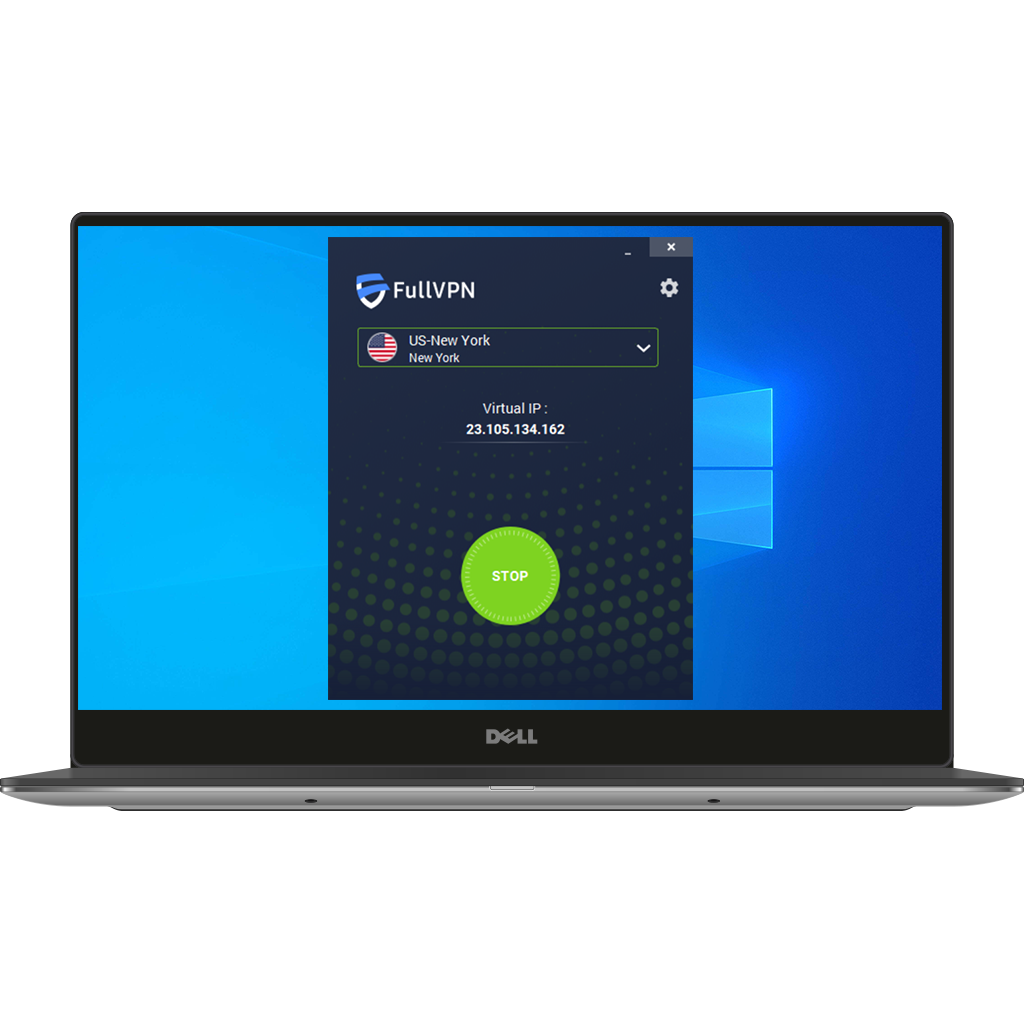
When looking for the right VPN service for your Windows PC or laptop, the pricing plans are an important consideration. You want a service that offers value for money without compromising on quality.
There are several VPN providers out there, each offering their own pricing options. Let’s take a look at two popular choices – ProtonVPN and Surfshark – and see what makes them stand out.
ProtonVPN
ProtonVPN offers a range of affordable pricing plans to suit your needs. They have a free plan, which is a great option if you’re new to VPNs or just want to test the service. For those who require a more comprehensive solution, there are several paid plans to choose from.
For just $5 per month, you can have access to their basic plan, which includes unlimited bandwidth and high-speed connections. They also offer a 30-day money-back guarantee, so you can try out the service with peace of mind.
Surfshark
Surfshark is another affordable VPN provider that offers a range of pricing plans. Their plans start at just $2.49 per month for a two-year subscription, making it one of the most cost-effective options on the market. They also offer a 30-day money-back guarantee, so you can try out the service without any risk.
Surfshark has built-in security features such as split tunneling, which allows you to choose which apps or websites use the VPN connection. This means you can still access local content while maintaining a secure connection for other activities.
In conclusion, both ProtonVPN and Surfshark offer affordable pricing plans with a range of features to choose from. Whether you’re a frequent traveler, avid streamer, or simply value your privacy online, these VPN services have you covered.
Download NordVPN for Windows PC or Laptop Now!
If you’re looking for a VPN that suits your Windows PC or laptop, NordVPN is an extensive and highly recommended choice. With its impressive features and user-friendly interface, NordVPN is sure to meet all your privacy and security needs.
One of the exclusive features of NordVPN is its high-speed connection. Whether you’re streaming online videos, downloading large files, or browsing the web, NordVPN ensures a reliable and fast connection.
NordVPN is based on cutting-edge technology and has been thoroughly tested to provide the best performance. With its WireGuard-based NordLynx protocol, NordVPN delivers faster speeds and stronger security.
Installing NordVPN on your Windows PC or laptop is incredibly easy. Just follow the step-by-step guides provided on the NordVPN website, and you’ll be up and running in no time. You can also watch tutorial videos that demonstrate how to set up NordVPN on your device.
One important aspect of NordVPN is its focus on privacy. NordVPN works by creating a secure and private connection between your computer and the internet. This way, your online activities and personal information are shielded from any prying eyes.
When it comes to VPN options, NordVPN offers a wide range of choices. You can choose from a list of servers located in various countries, use the NordVPN app for a user-friendly experience, or manually configure your settings with OpenVPN.
If you have any questions or concerns about using NordVPN, their customer support team is always available to assist you. You can reach out to them via email or through their live chat option, and they will be more than happy to help.
In the VPN industry, NordVPN impresses with its top-notch security features and reliable performance. Many industry experts and users consider it to be the best VPN for Windows PC or laptop.
So, don’t wait any longer! Download NordVPN now and secure your online experience on your Windows PC or laptop. Enjoy safe and anonymous browsing, stream your favorite content without any restrictions, and take control of your online privacy!
Вопрос-ответ:
What is a VPN and why do I need it for my Windows PC or laptop?
A VPN, or Virtual Private Network, is a technology that allows you to securely connect to the internet by encrypting your internet traffic and routing it through a server located in a different location. It provides privacy and anonymity by hiding your IP address and encrypting your data, making it difficult for hackers or government agencies to spy on your online activities. Using a VPN on your Windows PC or laptop is important as it protects your personal information and sensitive data from being intercepted or accessed by unauthorized individuals.
How can I download a VPN for my Windows PC or laptop?
To download a VPN for your Windows PC or laptop, you can visit the website of your preferred VPN provider and look for the download section. Most VPN providers offer a dedicated app for Windows that you can download and install. Simply click on the download button, follow the on-screen instructions, and the VPN app will be downloaded and installed on your computer. Once installed, you can launch the app, sign in with your VPN credentials, and start using the VPN service.
Are there any free VPN options for Windows?
Yes, there are free VPN options available for Windows. Many VPN providers offer a free version of their service with limited features and data usage. However, it’s important to note that free VPNs often come with limitations, such as slower speeds, limited server locations, and sometimes even display ads. Additionally, free VPNs may not offer the same level of security and privacy as paid VPNs. If you’re looking for a reliable and comprehensive VPN experience, it’s recommended to consider a paid VPN service.
Can I use a VPN on multiple Windows devices?
Yes, you can use a VPN on multiple Windows devices. Most VPN providers allow you to connect multiple devices simultaneously using a single VPN subscription. This means that you can use the same VPN account to secure your Windows PC, laptop, and even other devices such as smartphones or tablets. However, it’s important to check the terms and conditions of your VPN provider to ensure that multiple device connections are allowed, as some providers may have limitations on the number of simultaneous connections.
Will using a VPN slow down my internet connection on my Windows PC or laptop?
Using a VPN may slightly slow down your internet connection on your Windows PC or laptop. This is because the encryption and routing processes of the VPN can add some overhead to your internet traffic. However, the impact on your internet speed will depend on various factors such as the distance to the VPN server, the server load, and the speed of your original internet connection. In general, the slowdown is minimal and most users don’t experience significant performance issues when using a VPN.
Can I access geo-restricted content with a VPN on my Windows PC or laptop?
Yes, you can access geo-restricted content with a VPN on your Windows PC or laptop. By connecting to a VPN server located in a different country, you can bypass geographical restrictions and access websites, streaming services, or other online content that may be blocked or restricted in your location. For example, if a streaming service is only available in the United States, you can use a VPN to connect to a US server and access the service from anywhere in the world.
Is it legal to use a VPN on my Windows PC or laptop?
Yes, it is legal to use a VPN on your Windows PC or laptop in most countries. However, it’s important to note that the legality of using a VPN can vary depending on the country you’re in. In some countries, the use of VPNs may be restricted or regulated, particularly in countries with strict internet censorship or surveillance laws. It’s recommended to check the local laws and regulations regarding VPN usage in your country to ensure that you’re using a VPN in compliance with the law.
Видео:
How to Setup a VPN on a Computer (Step-by-Step Tutorial)
How to Setup a VPN on a Computer (Step-by-Step Tutorial) by All Things Secured 3 years ago 7 minutes, 32 seconds 213,774 views
