Best Free VPN for Firestick: Our Top 3 Favorites in 2023
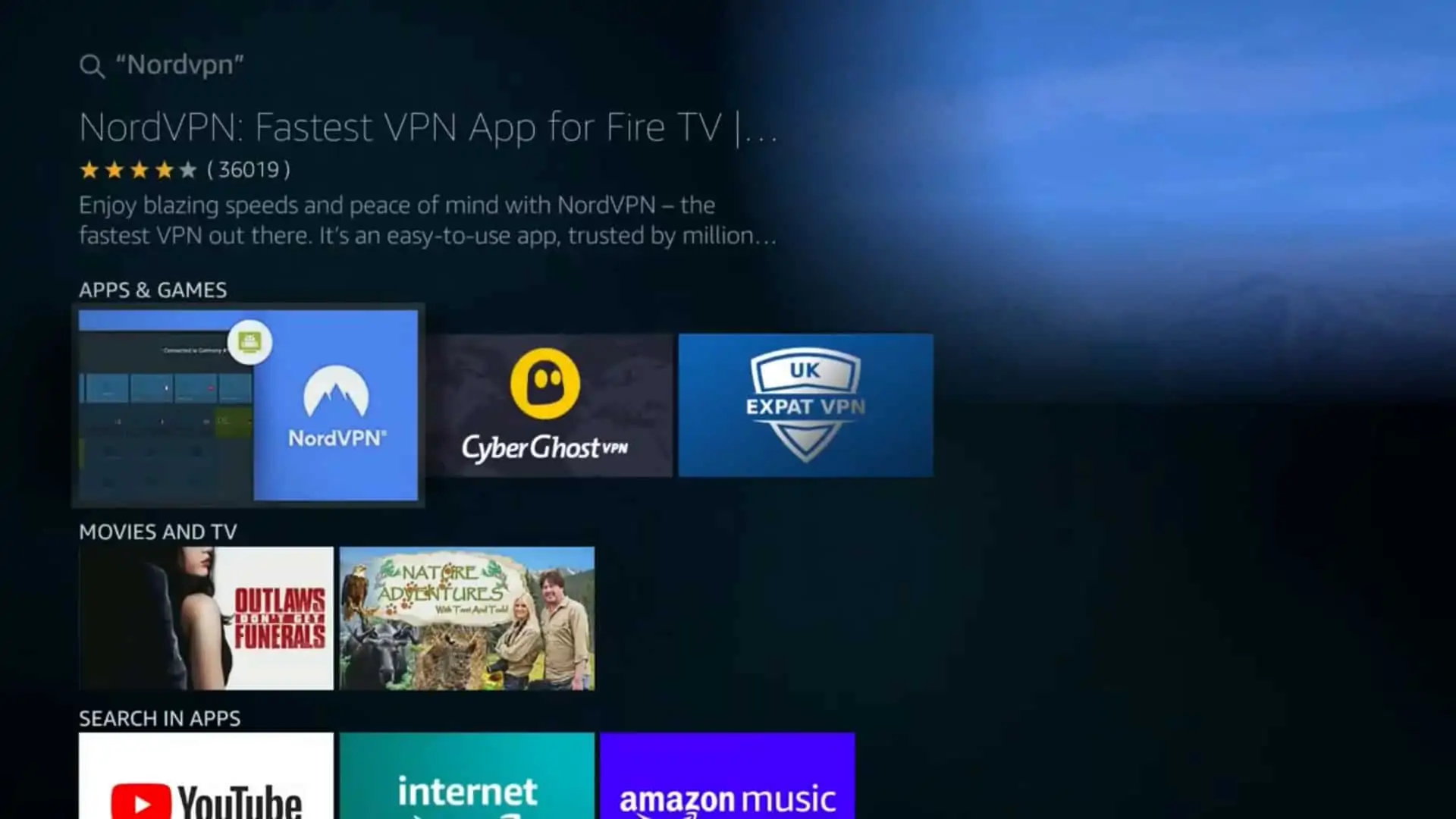
When it comes to using a VPN for your Firestick device, you may be wondering if it is worth it to pay for a subscription or if there are any good free options available. While there are certainly advantages to paying for a VPN, such as faster speeds and access to more servers, there are also some excellent free VPNs that can meet your needs.
One of our top free VPN picks for Firestick is ExpressVPN. This VPN is not only one of the fastest on the market, but it also provides rock-solid security and a wide range of protocols to choose from. Moreover, ExpressVPN supports up to 5 devices at once and offers a 30-day money-back guarantee, so you can try it risk-free.
Another great free VPN option for Firestick is IPVanish. With zero-logging, a no-logs policy, and excellent customer support, IPVanish is a top choice for those looking for a free VPN that can handle their streaming needs. It also offers a wide range of protocols to choose from and has a simple setup process.
Lastly, NordVPN is a free VPN for Firestick that offers a 30-day money-back guarantee and flexible trial period. It supports up to 6 devices and provides access to hundreds of servers located all over the world. With its strong encryption and no-logs policy, NordVPN is an excellent choice for those concerned about their security and privacy.
In summary, while paying for a Firestick VPN certainly has its advantages, there are some great free options available. ExpressVPN, IPVanish, and NordVPN are all top choices that provide excellent security, fast speeds, and access to geo-restricted websites and files. Whether you choose to pay for a VPN or go with a free option, having a VPN on your Firestick can greatly improve your streaming experience and help you protect your privacy.
Best Free VPN for Firestick 2023: Our Top 3 Favorites
When it comes to finding the best free VPN for Firestick in 2023, there are a few options that stand out above the rest. These VPNs offer a combination of excellent features, reliable performance, and the ability to work with your Firestick device.
1. ExpressVPN
ExpressVPN is one of the best VPNs available for Firestick, and it offers a free option that is definitely worth considering. While the free version may have some limitations, like a monthly data cap, it still provides a reliable connection and can help you bypass geo-blocking and protect your online activity. If you find it to be a great fit, you can always upgrade to the paid version for more features and unlimited data.
2. VyprVPN
VyprVPN is another top choice for a free VPN on Firestick. With a monthly data limit and a simple installation process, it’s a user-friendly option for those who want to protect their online privacy. VyprVPN provides multiple server locations, including the Netherlands, which is ideal for geo-unblocking and accessing content from different regions around the world.
3. PureVPN
Lastly, PureVPN is another excellent free VPN option for Firestick users. It offers a 7-day free trial, so you can test out all of its features and see how well it works with your Firestick. PureVPN has a large network of servers and provides great digital protection, making it a strong contender for the best free VPN for Firestick in 2023.
In conclusion, while paying for a Firestick VPN may provide additional benefits and features, these free options can still offer excellent protection and help you access content from around the world. ExpressVPN, VyprVPN, and PureVPN are all great choices to consider for your Firestick device. Make sure to check out their features and support options to find the best fit for your needs.
The Importance of Using a VPN for Firestick
Using a VPN (Virtual Private Network) for Firestick is crucial for several reasons. In today’s digital world, where online privacy and security are at stake, having a VPN is a must. Here’s why:
1. Enhanced Security and Privacy

When you use a VPN on your Firestick, all your internet traffic is encrypted and routed through a secure server, keeping your personal information and browsing activities safe from hackers and data snoopers. This extra layer of security is especially important when connecting to public Wi-Fi networks.
2. Bypass Geo-Restrictions
A VPN allows you to bypass geo-restrictions and access blocked content on your Firestick. By masking your IP address and making it appear as if you’re accessing the internet from a different location, you can unblock streaming platforms like Netflix, Hulu, and Amazon Prime Video, giving you a wider range of entertainment options.
3. Avoid ISP Throttling
Internet Service Providers (ISPs) often throttle or slow down your internet connection when they detect certain activities, such as streaming or downloading large files. By using a VPN on your Firestick, you can prevent your ISP from monitoring and throttling your connection, ensuring a smooth and uninterrupted streaming experience.
4. Protect Your Online Identity
Using a VPN on your Firestick helps maintain your online anonymity and protects your identity. It encrypts your internet traffic and masks your IP address, making it difficult for anyone to track your activities and trace them back to you. This is especially important if you engage in activities that require a high level of privacy, such as online banking or accessing sensitive information.
5. Access Restricted Websites
Some websites may be blocked or restricted in certain regions or countries. By using a VPN on your Firestick, you can bypass these restrictions and access any website you want, regardless of your physical location. This gives you the freedom to explore the internet without limitations.
Overall, using a VPN for Firestick offers numerous benefits in terms of security, privacy, and access to blocked content. While there are free VPN options available, it’s worth considering a paid VPN service for better reliability, faster connection speeds, and advanced features. Some top VPN options for Firestick include PureVPN, ExpressVPN, NordVPN, and CyberGhost, which offer excellent security and advanced features to meet your specific needs.
Top 3 Free VPN Providers for Firestick
If you’re looking for a free VPN for your Firestick, you’re in luck! We’ve scoured the internet to find the top three providers that offer a great combination of speed, usage, and connections. So, without further ado, here are our top picks:
1. Windscribe
- Server Locations: With servers in over 45 countries, including the Netherlands, Windscribe offers a wide range of options for protecting your Firestick.
- Features: Windscribe offers excellent features, including a built-in ad blocker and the ability to bypass geoblocks for streaming platforms like YouTube and Netflix.
- Speed: While some free VPNs may suffer from buffering and slow speeds, Windscribe provides reliable and fast connections for your streaming needs.
- Usage: Windscribe offers up to 10GB of monthly data usage, which is plenty for moderate Firestick usage.
2. Hide.me
- Server Locations: Hide.me has servers in several major countries, allowing you to protect your Firestick while browsing from around the world.
- Speed: Known for its excellent speeds, Hide.me ensures that you can stream videos on your Firestick without any buffering issues.
- Usage: With a daily limit of 2GB, Hide.me may be a great choice for occasional Firestick users who don’t need unlimited data.
- Support: Hide.me offers expert support through live chat, so you can get assistance whenever you need it.
3. VyprVPN
- Server Locations: With servers in over 70 countries, VyprVPN provides a vast network to choose from, meaning that you can access foreign content on your Firestick without issues.
- Speed: Using state-of-the-art protocols, VyprVPN delivers excellent speeds that are necessary for a flawless Firestick streaming experience.
- Features: One of VyprVPN’s standout features is the ability to switch servers without any interruptions to your live traffic, ensuring uninterrupted streaming sessions.
- Plans: While VyprVPN offers paid plans, it also offers a limited free plan that allows you to enjoy the benefits of their premium service at no cost.
In conclusion, while paying for a VPN can provide you with advanced features and better performance, these three free VPN providers – Windscribe, Hide.me, and VyprVPN – offer a great balance of speed, usage, and server options for your Firestick. So give them a try and enjoy a safer and more versatile streaming experience on your Firestick without breaking the bank.
Pros and Cons of Using a Free VPN for Firestick
Using a free VPN for Firestick can have its advantages and disadvantages. Here are some pros and cons to consider:
Pros:
- Cost: The biggest advantage of using a free VPN for Firestick is the cost. It allows you to protect your online activity without having to pay for a subscription.
- Privacy: A VPN encrypts your internet traffic, providing an extra layer of privacy and security. This can be especially important when streaming content on Firestick.
- Bypassing Geo-Restrictions: Free VPNs often offer servers in different locations, allowing you to bypass geo-restrictions and access content that may be blocked in your region.
- Multiple Platform Compatibility: Many free VPNs are compatible with multiple platforms, including Firestick and Android, making it easy to use the VPN on different devices.
Cons:
- Limited Server Locations and Bandwidth: Free VPNs usually have a limited number of server locations and bandwidth, which can result in slower performance and buffering issues when streaming.
- Poor Performance: Some free VPNs may have slower connection speeds and higher latency, leading to a decrease in overall performance and user experience.
- Ads and Pop-ups: Free VPNs often rely on ads and pop-ups to generate revenue, which can be annoying and intrusive, especially while streaming.
- No 24/7 Customer Support: Most free VPNs do not offer 24/7 customer support, so if you encounter any issues or need assistance, you may have to wait longer for a response.
- Data Logging: Some free VPNs may log and sell your data to third parties, compromising your privacy.
- Limited Features: Free VPNs usually offer limited features compared to paid VPNs, such as fewer server options, no kill switch, or no simultaneous connections.
While using a free VPN for Firestick can be convenient and cost-effective, it’s important to be aware of its limitations and potential drawbacks. For those who value optimal performance, advanced features, and greater privacy, a paid VPN subscription may be worth considering.
How to Set Up a Free VPN on Firestick
If you want to use a free VPN on your Firestick device, there are several steps you can follow to set it up:
- First, you need to find a reliable free VPN service that supports Firestick. There are many options available, but it’s important to choose a reputable one that offers good speeds and secure connections.
- Once you have chosen a VPN service, you will need to download and install the VPN app on your Firestick. Most VPN providers have dedicated apps for Firestick that can be easily installed from the Amazon App Store.
- After installing the VPN app, you will need to launch it and sign in to your account. If you don’t already have an account, you may need to create one on the provider’s website.
- Once you are logged in, you will usually have the option to connect to a VPN server. Select a server location that suits your needs. For example, if you want to access geo-restricted content from a specific country, choose a server located in that country.
- After selecting a server, you can usually connect to it with a single click. The VPN app will establish a secure connection and encrypt your internet traffic, ensuring your online activities are private and protected.
- Now that you are connected to the VPN server, you can safely stream or browse the internet on your Firestick. Your IP address will be hidden, and your online activities will be anonymous.
- When you are finished using the VPN, you can disconnect from the server by clicking on the disconnect button in the VPN app.
It’s important to note that free VPN services may have limitations compared to paid ones. For example, they may have slower speeds, limited server options, or data caps. Additionally, some free VPNs may display ads or collect user data, so it’s important to choose a reputable provider that respects your privacy.
In conclusion, setting up a free VPN on Firestick can be a convenient and cost-effective way to enhance your online security and access geo-restricted content. While paid VPN services generally offer better features and performance, there are some respectable free VPN options available that can meet your basic needs.
Is Paying for a Firestick VPN Worth It?
Using a VPN (Virtual Private Network) on your Firestick can provide an array of benefits, such as enhanced privacy, security, and access to geo-restricted content. While there are free VPN options available, paying for a Firestick VPN can offer a more reliable and comprehensive experience.
Hidden Benefits: One of the main advantages of a paid VPN is access to more advanced features and additional server locations. Free VPNs typically have limited server options and may not offer the same level of privacy and performance as a paid service.
Decent Trial Period: Many paid Firestick VPNs offer a trial period or money-back guarantee, allowing you to test the service before committing to a long-term plan. This provides an opportunity to evaluate the VPN’s performance, user interface, and compatibility with your specific Firestick device and apps.
Cheapest Plans: While paying for a VPN may seem like an additional expense, many providers offer affordable monthly or yearly plans. In some cases, the cost of a VPN subscription may be comparable to the price of a cup of coffee per month.
Access to Streaming Services: Paid Firestick VPNs often have dedicated servers for popular streaming platforms like YouTube, Hulu, and Netflix. This ensures a smooth streaming experience and enables you to bypass geo-restrictions and access content from different countries.
Top Picks: When it comes to paid Firestick VPNs, three providers that should be in the top of the table are ExpressVPNs, Atlas VPN, and Windscribe. Each of these VPNs offers a wide range of server locations, fast speeds, and strong encryption to ensure your online activities remain secure and private.
Complete Privacy and Security: Paid Firestick VPNs typically have robust privacy policies and encryption protocols that protect your data and online activities from prying eyes. They often undergo independent audits to verify that the VPN stores and handles user data in a secure and responsible manner.
Faster Speeds: Paid VPNs usually offer faster speeds compared to their free counterparts. This ensures a seamless streaming and browsing experience on your Firestick device, even when using bandwidth-intensive applications.
Simultaneous Connections: Paid Firestick VPNs often allow for multiple simultaneous connections, meaning you can protect multiple devices, such as smartphones, tablets, and smart TVs, with a single subscription.
Geo-Unblocking: Many paid VPNs have dedicated servers for bypassing geo-restrictions, allowing you to access content from different countries. This can be especially useful if you enjoy streaming international content or accessing region-specific services.
Split Tunneling: Some paid Firestick VPNs offer split tunneling, which enables you to select specific apps or websites to route through the VPN, while allowing others to use your regular internet connection. This can optimize your internet speeds and provide flexibility in managing your online activities.
Proper Client Support: Paid VPNs often have dedicated client support teams that can assist you with any issues or questions you may have about the VPN service. This level of support can be vital, especially if you are new to using VPNs or encounter technical difficulties.
Overall, paying for a Firestick VPN is worth it due to the added benefits, performance and features that it provides. While free VPNs may suffice for basic browsing needs, if you want complete privacy, security, and access to a wide range of online content, a paid Firestick VPN is the way to go.
Our Recommendation: IPVanish
If you’re looking for the best free VPN for Firestick, our top recommendation is IPVanish. This VPN provider has all the features you need to ensure a secure and reliable connection, making it the perfect choice for streaming and online activities.
✅ One of the best features of IPVanish is its rock-solid speeds. With servers in over 75 locations worldwide, you can access content from all around the globe without any issues. Whether you’re watching your favorite shows or playing online games, IPVanish ensures a smooth and lag-free experience.
Furthermore, IPVanish is known for its unblocking capabilities. It can bypass geo-restrictions and allow you to access content from various streaming platforms like Netflix, Hulu, and others. With IPVanish, you can watch your favorite shows and movies without any restrictions.
IPVanish also offers complete device compatibility, supporting all major platforms including Firestick, Android, iOS, Windows, Mac, and more. You can use IPVanish on up to 8 devices simultaneously, giving you complete control over your online privacy.
This VPN provider also offers a no-log policy, which means your online activities are not tracked or monitored. IPVanish keeps your data safe and secure, ensuring your privacy is protected at all times.
IPVanish has a user-friendly interface that makes it easy to navigate and use, even for beginners. It also provides 24/7 customer support to assist you with any issues or questions you may have.
If you decide to upgrade to a paid plan, IPVanish offers a 45-day money-back guarantee, so you can try it risk-free. With its state-of-the-art encryption and tunnelling protocols, IPVanish is definitely worth paying for if you want a reliable and secure VPN for your Firestick.
IPVanish FAQ
- Can IPVanish be used on multiple devices? – Yes, IPVanish can be used on up to 8 devices simultaneously.
- Does IPVanish offer a refund? – Yes, IPVanish offers a 45-day money-back guarantee.
- Where are IPVanish servers located? – IPVanish has servers in over 75 locations worldwide, including the Netherlands.
- What are the encryption capabilities of IPVanish? – IPVanish uses state-of-the-art encryption protocols to ensure your data is secure.
- Is IPVanish compatible with Linux? – Yes, IPVanish is compatible with Linux.
If you’re looking for the best VPN for Firestick, IPVanish is definitely one of the top choices. With its stable and fast connection, unblocking capabilities, and complete device compatibility, IPVanish has everything you need to enhance your streaming and online experience. Try IPVanish today and see the difference it makes!
FAQ:
What are the advantages of using a VPN on Firestick?
Using a VPN on Firestick has several advantages. Firstly, it provides anonymity and privacy by encrypting your internet traffic, preventing third parties from monitoring your online activities. Secondly, it allows you to access geo-restricted content by changing your virtual location. This means you can bypass censorship and access streaming services that are not available in your region. Lastly, a VPN can enhance your online security by protecting you from hackers and cyber threats, especially when using public Wi-Fi networks.
What are the top free VPN options for Firestick in 2023?
In 2023, some of the top free VPN options for Firestick include ProtonVPN, Windscribe, and TunnelBear. These VPNs offer a limited free plan with a decent amount of data allowance and reasonable speeds. However, it’s important to note that free VPNs often have limitations such as restricted server locations, slower speeds, and data caps. If you want unlimited access and better performance, you might consider upgrading to a paid VPN.
Is it worth paying for a Firestick VPN?
Whether it’s worth paying for a Firestick VPN depends on your specific needs and requirements. Paid VPNs generally offer more features, better performance, and greater security compared to free VPNs. They often have a larger number of server locations, faster speeds, and no data caps. Additionally, paid VPNs usually have dedicated customer support and can be used on multiple devices simultaneously. If you value privacy, security, and a premium user experience, it might be worth investing in a paid Firestick VPN.
Can I use a free VPN to stream content on Firestick?
Yes, you can use a free VPN to stream content on Firestick. However, free VPNs might have limitations that can affect your streaming experience. These limitations can include slower speeds, data caps, and restricted server locations. Consequently, you might experience buffering, lower video quality, or difficulties in accessing certain streaming services. If you are a heavy streamer and want smooth, uninterrupted streaming, it might be more beneficial to invest in a paid VPN that offers better performance and unlimited access.
Videos:
Best Free VPN 2023 | The ACTUAL 3 Best Free VPN to use in 2023
Best Free VPN 2023 | The ACTUAL 3 Best Free VPN to use in 2023 by VPNpro 6 months ago 8 minutes, 52 seconds 449,661 views
Secret Streaming Codes for Firestick you didn’t know existed
Secret Streaming Codes for Firestick you didn’t know existed by UGT 4 weeks ago 6 minutes, 45 seconds 60,273 views
STOP looking for a FREE VPN for Firestick 2023🔴
STOP looking for a FREE VPN for Firestick 2023🔴 by LeeTV 1 year ago 9 minutes, 55 seconds 7,806 views
