The Best VPNs for Chromebook in 2023: Our Top 7 Picks

When it comes to online security and privacy, using a VPN is often the best choice. However, finding the right VPN for your Chromebook can be a little challenging. Although there are fewer VPNs specifically optimized for Chrome OS, there are still some great options available to choose from.
In fact, we have looked into the available VPN services and found the top 7 picks for Chromebook users. These VPNs not only provide a secure and fast connection but also offer additional benefits like bypassing restrictions and accessing geo-restricted content.
One of our top recommendations is IPVanish. It is a reputable VPN service that comes with a simple and user-friendly interface. IPVanish is constantly working to improve its service, and it offers a wide range of servers in different countries. Whether you want to prevent your ISP from tracking your online activities or download torrents securely, IPVanish does it all.
Another great option is CyberGhost. This VPN service is known for its user-friendly apps and fast connection speeds. It also provides a wide range of server locations and includes a kill switch to protect your privacy in case the VPN connection drops. CyberGhost is often considered one of the best VPNs for streaming, as it can easily bypass geo-blocks and limitations imposed by platforms like Hulu or Netflix.
One VPN that stands out from the rest is Windscribe. Not only does it offer a total of 5 GB of free data per month, but it also has a simple and intuitive user interface. Windscribe is fast and secure and can be used for various purposes, including torrenting, VoIP calls, and accessing geo-restricted content.
If you’re concerned about your online privacy and want a VPN that doesn’t keep any logs, then look no further than NordVPN. This VPN service is based in Panama, which is known for its privacy-friendly laws. NordVPN offers a wide range of servers worldwide and even accepts Bitcoin payments for added anonymity.
Last but not least, we have ExpressVPN and Surfshark. Both of these VPNs are known for their fast and reliable connection speeds. ExpressVPN, in particular, is often considered the best VPN in the world, while Surfshark provides unlimited simultaneous connections, making it a great choice for users with multiple devices.
Now that you are aware of the best VPNs for Chromebook in 2023, it’s time to choose the one that suits your needs best. Whether you prioritize speed, security, or access to geo-restricted content, there is a VPN on this list that will meet your requirements. So, click the button below to read more about each VPN and make an informed decision for your online privacy and security needs.
NordVPN: The Ultimate Chromebook VPN Solution
When it comes to finding the best VPN for your Chromebook, NordVPN is the ultimate solution that offers a wide range of features and benefits.
NordVPN offers a longer and deeper connection that allows you to browse the internet securely and anonymously without any caps or limitations. With its advanced obfuscation mode, you can even bypass certain restrictions and access blocked websites in countries with increased censorship.
For those who prefer to keep their browsing activities local, NordVPN offers a split tunneling feature that allows you to choose which apps or websites you want to route through the VPN. This is especially useful for streaming services such as Netflix, Amazon Prime, and more, as it ensures fast and stable connections without any buffering.
In terms of security, NordVPN is known for its reliable and robust encryption protocols that protect your personal data from hackers and online threats. It also offers multiple server locations across the globe, allowing you to connect to the fastest and most secure servers wherever you are.
NordVPN also provides an easy-to-use Chrome extension that seamlessly integrates with your Chromebook. This extension not only encrypts your internet traffic but also blocks ads, trackers, and other online threats, providing you with a safer and more private browsing experience.
For beginners, NordVPN offers a simple and intuitive interface that makes it easy to navigate and customize your VPN settings. Whether you want to connect to a specific server, enable the kill switch feature, or choose your preferred VPN protocol, NordVPN has got you covered.
To sum it up, NordVPN is the top choice for Chromebook users who want an all-round VPN solution. With its extensive range of features, reliable performance, and strong security measures, NordVPN ensures that you can surf the web privately and securely across all your devices.
Key Takeaways:
- NordVPN offers a longer and deeper connection for secure and anonymous browsing on your Chromebook.
- It provides advanced obfuscation mode and split tunneling feature for accessing blocked websites and local browsing.
- NordVPN offers reliable and robust security measures to protect your personal data from hackers and online threats.
- Its easy-to-use Chrome extension enhances your browsing experience by encrypting internet traffic and blocking ads and trackers.
- With a user-friendly interface, NordVPN is suitable for beginners and allows for customization of VPN settings.
- NordVPN is the ultimate all-round VPN solution for Chromebook users, ensuring private and secure browsing across all devices.
ExpressVPN: Lightning-Fast Speeds for Chromebook Users
When it comes to VPN extensions for Chromebook, ExpressVPN is a top choice for many users. With a fantastic reputation and lightning-fast speeds, it’s no wonder why ExpressVPN is highly recommended.
One of the standout features of ExpressVPN is its policy of not logging any user data, ensuring that your online activities remain private and secure. Furthermore, it has a built-in kill switch that automatically disconnects you from the internet if the VPN connection drops.
ExpressVPN offers over 3,000 servers in 160 locations across 94 countries, giving you a wide range of options to choose from. It also supports unlimited bandwidth, so you never have to worry about hitting any caps or limitations on your data usage.
For Chromebook users, ExpressVPN provides a user-friendly interface that is easy to navigate. It allows you to manually select servers or use the “Smart Location” feature that automatically connects you to the fastest server available. Additionally, ExpressVPN offers browser extension support, allowing you to protect your online activities without having to install a separate application.
When it comes to unblocking content, ExpressVPN is a reliable option. It works with popular streaming platforms such as Netflix, allowing you to access a wide range of content from around the world. ExpressVPN also has dedicated servers for torrenting, providing a secure and fast connection for downloading files.
If you have any questions or issues while using ExpressVPN, their customer support team is available 24/7 to assist you. They also have a comprehensive knowledge base, including frequently asked questions and setup guides, to help you get started.
In terms of pricing, ExpressVPN is not the cheapest option on the market, but it offers excellent value for the features and reliability it provides. They offer different subscription plans, including a one-month plan, a six-month plan, and a 12-month plan. In fact, if you choose the 12-month plan, you can save up to 49% compared to the monthly subscription fees.
In conclusion, ExpressVPN is a top choice for Chromebook users looking for lightning-fast speeds, reliable security, and the ability to unblock content from around the world. With a user-friendly interface, fantastic customer support, and a wide range of server locations, ExpressVPN is definitely worth considering.
CyberGhost: Affordable Privacy and Security for Chromebook
If you own a Chromebook and are concerned about your online privacy and security, then CyberGhost may be the right choice for you. CyberGhost is a reliable and affordable VPN service that offers a range of features tailored specifically for Chromebook users.
One of the standout features of CyberGhost is its user-friendly interface. Even beginners will have no trouble navigating the app and connecting to a server. You can either sign up for one of their pricing plans or take advantage of their free trial to test out the service.
With CyberGhost, you can rest assured that your data will be protected. The VPN uses advanced encryption protocols to secure your internet connection and prevent any unauthorized access. It also has a strict no-logs policy, meaning that your online activities will not be tracked or stored.
One of the biggest advantages of using CyberGhost on your Chromebook is its vast server network. With over 7,000 servers available across 90 countries, you can easily bypass geographical restrictions and access content from abroad. Whether you want to watch your favorite streaming shows or access websites that are blocked in your region, CyberGhost has got you covered.
Another great feature of CyberGhost is its fast and reliable connection speeds. Unlike some other VPNs, CyberGhost ensures that your internet speed remains consistent, even when connected to a server. This means you can enjoy a seamless browsing experience without any buffering or delays.
When it comes to compatibility, CyberGhost is fully compatible with Chromebooks. It offers a dedicated Chromebook app that you can download from the Chrome Web Store. You can also manually configure the VPN on your Chromebook using OpenVPN or L2TP/IPSec protocols.
In conclusion, CyberGhost is a great VPN option for Chromebook users looking for affordable privacy and security. With its user-friendly interface, extensive server network, and fast connection speeds, CyberGhost offers everything you need to protect your online activities and access content from anywhere in the world.
Surfshark: Unlimited Connections for All Your Chromebook Devices
When it comes to choosing a reliable VPN for your Chromebook, Surfshark is one of the top recommendations. With Surfshark, you’ll gain unlimited connections, which means you can protect all your mobile and operating systems without any additional fees.
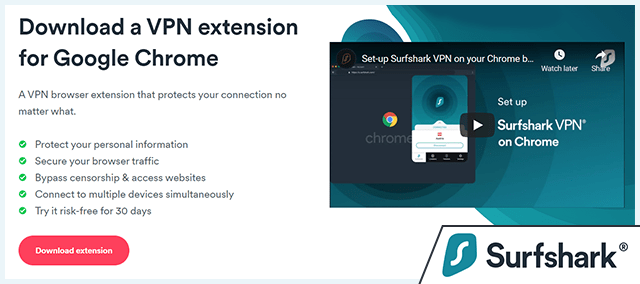
Surfshark works well across all platforms and has a user-friendly extension for Chrome that doesn’t compromise on features. Its Android app is also very reliable, making it ideal for Chromebook users.
In addition to its unlimited connections, Surfshark offers a wide range of cybersecurity features to protect your online activities. It has a strict no-logs policy, so your history and IP address are not exposed. The VPN uses strong encryption protocols, including IKEv2 and OpenVPN, to ensure your data is secure.
With Surfshark, you can enjoy increased speeds while streaming or using the internet. It has a network of over 1,000 servers in more than 60 countries, so you can easily access geo-restricted content. Whether you want to watch Netflix or stream your favorite shows, Surfshark has got you covered.
If you’re concerned about your privacy online, Surfshark has a built-in ad tracker and malware blocker to protect you from malicious websites. It also offers a CleanWeb feature, which blocks annoying ads and pop-ups, making your browsing experience even better.
Surfshark is known for its affordable pricing. It offers a 30-day money-back guarantee, so you can try it out without any risk. Their paid plans start at a very cheap price which is a great deal considering the features you get. Plus, you can use Surfshark on an unlimited number of devices, making it a cost-effective choice for families or individuals with multiple Chromebook devices.
In conclusion, Surfshark is a reliable and feature-rich VPN that offers unlimited connections, strong security protocols, and fast speeds. Whether you want to protect yourself while using public Wi-Fi or stream your favorite content, Surfshark has everything you need to enhance your Chromebook experience.
Private Internet Access: Comprehensive VPN Features for Chromebook
When it comes to choosing a VPN for your Chromebook, one of the top choices should be Private Internet Access (PIA). With its comprehensive features and strong network, PIA allows you to securely access the internet and protect your online privacy.
One of the standout features of PIA is its extensive network coverage. With over 6,500 servers in more than 90 countries, you can be confident that you’ll always have a fast and stable connection. Whether you’re checking emails, streaming content, or participating in online events, PIA has got you covered.
In addition to its wide server network, PIA also offers other essential features to enhance your browsing experience. Split-tunneling allows you to decide which apps or websites should be routed through the VPN, while the Kill Switch feature ensures that your data stays protected even if the VPN connection drops.
Private Internet Access also takes privacy seriously. Their strict no-logs policy means that your online activities are not recorded or stored. They also accept Bitcoin as a payment method, providing an extra layer of anonymity for those who want it.
If you’re using a Chromebook, you don’t have to worry about compatibility issues with PIA. The VPN is available as a Chrome extension, making it easy to install and use. It also supports the ChromeOS split tunneling feature, allowing you to choose which apps or websites should be protected by the VPN.
When it comes to speeds, Private Internet Access delivers. While the average speeds may vary depending on your location and server choice, PIA is known for offering fast and reliable connections. Whether you want to play online games, download or upload files, or use VoIP services, PIA ensures that your connection remains stable and fast.
In summary, Private Internet Access provides comprehensive VPN features for Chromebook users. With its extensive server network, strong privacy policy, and fast speeds, PIA is a reliable choice for anyone looking to protect their online privacy and enhance their browsing experience.
IPVanish: The Best VPN for Torrenting on Chromebook
When it comes to finding a reliable VPN for torrenting on your Chromebook, IPVanish is an excellent choice. With its strong focus on privacy and security, IPVanish offers a range of features that make it the top choice for torrent enthusiasts.
One of the main benefits of using IPVanish for torrenting is its ability to avoid bandwidth throttling. Internet Service Providers (ISPs) often slow down your internet speed when they detect torrenting activities. IPVanish has a vast network of servers that constantly change your IP address, making it difficult for ISPs to identify your torrenting activities.
In addition, IPVanish has a strict no-logging policy, which means it does not keep any records of your online activities. This is crucial when downloading torrents, as it ensures your privacy and protects you from any potential legal issues.
IPVanish also offers split-tunneling, a feature that allows you to choose which applications or websites should go through the VPN connection and which ones should bypass it. This is particularly useful for torrenting, as you can route your torrenting traffic through the VPN while directing other non-sensitive traffic through your regular internet connection.
Another advantage of IPVanish is its fast speeds. With an extensive network of servers located around the world, you can always find a server that is close to your location, ensuring a fast and stable connection for your torrent downloads.
IPVanish also has an easy-to-use app that works seamlessly on Chromebook. You can manually select a server from their extensive list, choose a location, and connect with just a few clicks. The app also supports protocols like OpenVPN and IPsec, giving you additional security options.
When it comes to torrenting on a Chromebook, IPVanish is an excellent choice. Its fast speeds, strong security features, and wide range of server locations make it the best VPN for torrenting. So, if you’re looking for a VPN to keep your torrenting activities private and secure, IPVanish is the top recommendation.
VyprVPN: Strong Security and Streaming Capabilities for Chromebook
VyprVPN is one of the top recommendations when it comes to choosing a VPN for your Chromebook. With its strong security features and streaming capabilities, it is ideal for those who want to keep their online activities private and access geo-restricted content.
Pros of VyprVPN
- Lightway protocol for fast and reliable connections
- Owned and operated server network for greater security
- User-friendly Chromebook extension for easy usage
- Available on mobile devices for on-the-go protection
- Streaming-optimized servers for accessing popular platforms like Netflix and Amazon Prime
- Ability to manually select server locations in countries around the world
- Affordable monthly and annual plans for various budget levels
One of the key features of VyprVPN is its lightway protocol, which ensures fast and secure connections. This makes it one of the fastest VPN services available for Chromebook users. In addition, VyprVPN operates its own server network, which means that your data is not routed through third-party servers, providing an extra layer of security and privacy.
Another advantage of VyprVPN is its user-friendly Chromebook extension. With just a few clicks, you can connect to a VPN server and start browsing the web anonymously. The extension also allows you to manually select server locations, giving you more control over your browsing experience.
If you’re a fan of streaming services like Netflix and Amazon Prime, VyprVPN has got you covered. Its streaming-optimized servers ensure that you can access geo-restricted content from different countries. This is especially useful if you want to watch shows or movies that are only available in certain regions.
VyprVPN offers affordable monthly and annual plans, giving you the flexibility to choose the option that works best for your budget. Whether you’re a frequent traveler or just need a VPN for occasional use, VyprVPN has a plan that suits your needs.
In summary, VyprVPN is a reliable and secure VPN service for Chromebook users. With its strong security features, streaming capabilities, and user-friendly interface, it provides an all-round VPN experience. Whether you want to protect your online privacy or access geo-restricted content, VyprVPN is a great choice.
FAQ:
What is a VPN and why do I need it for my Chromebook?
A VPN, or Virtual Private Network, is a service that allows you to create a secure connection to another network over the Internet. It provides an encrypted tunnel for your data to pass through, protecting your online activities from prying eyes. Using a VPN on your Chromebook can help you maintain your privacy, bypass geo-restrictions, and access blocked websites.
Which VPN provider offers the best performance for Chromebook users?
There are several VPN providers that offer excellent performance for Chromebook users. Some of the top picks include NordVPN, ExpressVPN, CyberGhost, and Surfshark. These providers have a large server network, fast connection speeds, and reliable performance, making them ideal for Chromebook users.
Is it legal to use a VPN with my Chromebook?
Using a VPN with your Chromebook is completely legal in most countries. However, it’s important to note that the legality of VPN usage can vary depending on your location and the specific activities you engage in while using the VPN. It’s always a good idea to familiarize yourself with the laws and regulations regarding VPN usage in your country.
Can I use a free VPN with my Chromebook?
Yes, you can use a free VPN with your Chromebook. However, it’s important to keep in mind that free VPNs often come with limitations, such as data caps, slower speeds, and fewer server options. Additionally, some free VPNs may collect and sell your data, compromising your privacy. It’s recommended to choose a reputable paid VPN service for better performance and security.
Are there any VPNs specifically designed for Chromebooks?
Yes, there are VPNs that are specifically designed for Chromebooks. These VPNs often come with dedicated Chrome OS apps or browser extensions that make it easy to set up and use the VPN on your Chromebook. Some VPN providers that offer Chromebook-specific apps include NordVPN, ExpressVPN, and CyberGhost.
Videos:
The Best Free VPN Services for 2023
The Best Free VPN Services for 2023 by Geekman 9 days ago 8 minutes, 11 seconds 5,758 views
Best FREE VPN 2023 Options 💥TOP 5 free VPNs reviewed (HONEST Opinion)
Best FREE VPN 2023 Options 💥TOP 5 free VPNs reviewed (HONEST Opinion) by VPNpro 2 weeks ago 7 minutes, 34 seconds 9,798 views
STOP using a VPN – You don’t really need it!
STOP using a VPN – You don’t really need it! by Liron Segev 1 year ago 5 minutes, 55 seconds 621,701 views
