Get Proton VPN for Chrome OS – A Free Unlimited VPN That Prioritizes Your Online Privacy
Are you a Chromebook user looking for a trustworthy VPN solution? Look no further! UrbanVPN comes to the rescue with its free unlimited VPN for Chrome OS. With UrbanVPN, you can enjoy unrestricted and secure internet browsing on your Chromebook.
UrbanVPN is a free VPN service that provides worldwide access to a vast network of high-speed servers. With a network speed of up to 10 Gbps, you can surf the web, stream content on Netflix, and connect with your favorite apps without any limits or restrictions. And since UrbanVPN is open and independently audited, you can trust its protocols and features to keep your online activities private and secure.
Installing UrbanVPN on your Chromebook is a breeze. Simply head over to the Chrome Web Store and search for UrbanVPN. Click on “Add to Chrome” and let the browser extension handle the rest. Within minutes, you’ll have a total VPN solution to safeguard your online activities.
One of the standout features of UrbanVPN is its ability to easily bypass geo-restrictions. With this VPN, you can access content that is usually not available in your region. Whether you’re an urban dweller or on a long trip, UrbanVPN ensures that you can enjoy an open and free internet with no limitations.
Another noteworthy feature of UrbanVPN is NetShield, an integrated ad-blocker that keeps annoying ads and pop-ups at bay. This ensures a cleaner and more streamlined browsing experience. Additionally, UrbanVPN offers StrongSwan VPN protocols and WebRTC protection, further enhancing the security and privacy of your internet connection.
With UrbanVPN on your Chrome OS device, you can confidently connect to public Wi-Fi networks without worrying about your data being intercepted. UrbanVPN creates a private tunnel for your browsing, encrypting your data and keeping it safe from prying eyes. Say goodbye to slow and unreliable connections, and enjoy a consistently fast and stable internet experience.
In summary, UrbanVPN is the best free VPN addon for your Chromebook. With just a click of a button, you can install the UrbanVPN browser extension and enjoy unlimited, secure, and private browsing on your Chrome OS device. Experience the freedom of the internet without any limitations and stay steadfast in your privacy with UrbanVPN.
Free unlimited VPN for Chrome OS: Protect your online privacy and security
UrbanVPN offers a free unlimited VPN for Chrome OS that helps protect your online privacy and security. With this VPN, Chromebook users can upgrade the security of their internet connection and stay protected while browsing the web.
Using the UrbanVPN Chrome OS add-on, you can split your internet connection between the normal network and the VPN network, ensuring maximum protection for your online activities. This VPN features a strict no-logs policy, meaning that it does not track or store any of your browsing activity.
With a connection speed of up to 1 Gbps, this VPN guarantees fast and secure browsing. Its network is made up of servers located in Switzerland, a country known for its strong privacy laws. This ensures that your online activities remain confidential and protected from any potential privacy-invading entities.
What’s more, the UrbanVPN add-on for Chrome OS is ad-free, offering a seamless browsing experience without any interruptions. You can download and install this VPN from the Chrome Web Store, and it will be ready to use in no time.
If you have any questions about the UrbanVPN Chrome OS add-on or need assistance with its features, you can find comprehensive support and FAQs on the UrbanVPN website. They provide detailed instructions and guidance to ensure that you can easily set up and use their VPN on your Chromebook.
With a free unlimited VPN for Chrome OS, you can browse the web securely and confidently. Protect your online privacy and security with UrbanVPN – the trustworthy VPN solution for Chromebook users.
Stay safe online with independently audited VPN
When it comes to staying safe online and protecting your privacy, using a VPN is essential. With so many options available, it’s important to choose a reliable and trustworthy service like Netshield. Netshield is a free unlimited VPN for Chrome OS that has been independently audited, ensuring that your online activity and personal information are protected.
With Netshield, you can easily install the VPN on your Chromebook with just one click. Once installed, it will encrypt your internet connection and route it through a secure server, giving you maximum privacy and security. Whether you’re browsing the web, streaming content, or accessing geo-blocked websites, Netshield will keep you protected.
One of the standout features of Netshield is its strict no-logs policy. Unlike other VPN services that may keep logs of your online activity, Netshield guarantees that it will not collect any logs of your browsing history. This means that your online activity remains private and anonymous.
In addition to its strong privacy protections, Netshield also offers a range of other benefits. It can help improve your internet speed by bypassing any limitations imposed by your internet service provider. You can also switch between different server locations to access content from around the world, including popular streaming services like Netflix.
Key Features of Netshield
- Free unlimited VPN for Chrome OS
- Independently audited for maximum security
- No-logs policy to protect your privacy
- Strong encryption and kill switch feature
- Access geo-blocked content and streaming services
- Improve internet speed and bypass limitations
- Easy one-click installation and intuitive interface
With Netshield, you can browse the internet with peace of mind, knowing that your personal information and online activity are protected. Install Netshield on your Chromebook today and enjoy a safer and more secure online experience.
Browse without interruptions using NetShield Ad-blocker
When it comes to online browsing, security and privacy are of utmost importance. With the NetShield Ad-blocker, you can browse the web on your Chromebook without interruptions or distractions. This ad-blocker ensures a safe and trustworthy browsing experience by blocking ads on websites, preventing them from appearing on your screen.
The NetShield Ad-blocker goes beyond just blocking ads. It also protects against malware and other online threats that could potentially harm your device. By filtering out malicious content, it creates a secure environment for you to browse, play games, stream videos, and download files without worrying about your security being compromised.
Enabling the NetShield Ad-blocker on your Chromebook is easy. Simply activate the feature in your VPN settings and enjoy an ad-free browsing experience. This ad-blocker is based on independent audits, ensuring that it is effective and trustworthy. Whether you are accessing geoblocked content, shopping online, or reading articles, the NetShield Ad-blocker will enhance your browsing experience by removing ads and keeping your data safe.
In addition to providing maximum security, the NetShield Ad-blocker also helps to improve your browsing speeds. By removing ads from websites, you can enjoy faster page loading times and smoother browsing. This is especially beneficial for those with slower internet connections or limited data. The ad-blocker also saves bandwidth, allowing you to use your Chromebook for longer periods without reaching your data limits.
Furthermore, the NetShield Ad-blocker enhances your privacy by preventing online advertisers from tracking your online activity. It blocks tracking scripts and cookies that are used to collect information about your browsing habits. By doing so, it helps to protect your anonymity and keep your personal data private.
Upgrade your browsing experience on your Chromebook with the NetShield Ad-blocker. Say goodbye to annoying ads and enjoy a safer, faster, and more secure internet experience.
Secure your data on Chrome OS with our free unlimited VPN
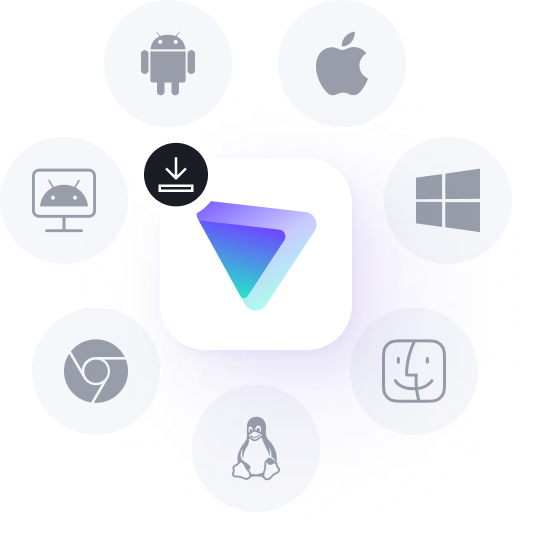
Are you using a Chromebook or other Chrome OS device and in need of strong security and anonymity while browsing? Look no further! Our free unlimited VPN, made specifically for Chrome OS, will protect your data and ensure a secure browsing experience without any limits or restrictions.
With our VPN extension for Chrome OS, you can activate tunneling for your internet connection, ensuring that all data is encrypted and protected from any potential threats or hacks. Our independently audited VPN has been thoroughly tested and found to have strict security measures in place to prevent any data leaks or breaches.
Unlike other VPN providers, we don’t log your browsing history or sell your data to third parties. We value your privacy and ensure that your personal information stays secure. Our VPN uses strict no-logs policy and strong encryption protocols to keep your identity and browsing activities hidden from prying eyes.
Not only does our VPN provide top-notch security, but it also offers blazing-fast speeds. With up to 10 Gbps of global network speeds, you can browse the web, stream content, and download files without any slowdowns or buffering. Our VPN extension is designed to be lightweight and efficient, ensuring that your browsing experience remains smooth and uninterrupted.
Whether you’re using a Chromebook, Chromebox, or any other Chrome OS device, you can easily install and use our VPN extension. Simply add the extension to your Chrome browser, open it, and activate the VPN with a single click. There are no complicated settings or configurations to worry about.
With our free unlimited VPN for Chrome OS, you can browse the web securely, access geo-restricted content, and protect your data from hackers or snoopers. Take control of your online privacy today and enjoy a safe browsing experience on your Chromebook!
Enjoy unrestricted access to websites and content
With our ad-free unlimited VPN service for Chrome OS, you can experience the freedom to access any website or content without any restrictions. Whether you want to browse social media, stream videos, or download files through bittorrent, our VPN ensures that your browsing activities remain protected and your privacy is maintained.
Our VPN for Chromebooks is independently audited and guarantees the highest level of security. Your data is encrypted and your online activities are hidden from prying eyes. You can browse the internet with complete anonymity, knowing that your information is safe and secure.
UrbanVPN offers a global network of servers, allowing you to connect to any location in the world. Whether you want to browse the internet as if you’re in a different country or access geoblocked content, our VPN has got you covered. In just one click, you can switch your browser location and enjoy unrestricted access to any website.
With our VPN addon for Chrome OS, you can enjoy fast browsing speed and unlimited bandwidth. There are no limits on the number of pages you can visit or the amount of data you can stream or download. Our VPN supports all popular apps and services, including Chrome, Firefox, and Android apps, providing seamless browsing and streaming experience on your Chromebook.
UrbanVPN values your privacy and does not sell your data. We have a strict no-log policy, ensuring that your online activities are not tracked or recorded. Your information stays private and secure.
Get our free unlimited VPN service for Chrome OS today and experience safe and unrestricted browsing on your Chromebook!
Protect your online identity with our reliable VPN for Chrome OS
Chrome OS is a popular operating system based on the Chrome browser that offers a fast and secure browsing experience. However, when it comes to online privacy and security, using a VPN is essential. With our free unlimited VPN for Chrome OS, you can easily protect your online identity and browse the web safely and anonymously.
When you’re connected to our VPN, all of your online activity goes through a secure tunneling protocol, ensuring that your data is encrypted and your browsing history remains private. Our independently audited VPN guarantees no-logs policy, so you can browse the internet without worrying about your online activities being tracked or stored.
With our VPN for Chrome OS, you can enjoy maximum anonymity while browsing the web. Our VPN masks your IP address, making it virtually impossible for anyone to track your online activity. Whether you’re in an urban environment or in a remote location, our VPN ensures that your identity and data are protected.
Our VPN for Chrome OS also comes with an ad-blocker, so you can browse the web without seeing intrusive ads. This not only enhances your browsing experience but also protects you from privacy-invading advertisements. Additionally, our VPN supports various protocols, including OpenVPN and WireGuard, providing you with a strong and secure connection.
Using our VPN for Chrome OS is easy. Simply download and install the extension from the Chrome Web Store, then activate it with a single click. Once activated, you can safely browse the internet, stream content, download files, and even use BitTorrent without any limitations. Our global network of servers ensures fast and reliable connections, no matter where you are located.
Don’t compromise on your online privacy and security. With our free unlimited VPN for Chrome OS, you can browse the web with peace of mind, knowing that your online identity is protected. Start using our VPN today and experience the freedom and anonymity it provides.
If you have any questions or need assistance, our support team is always available to help you. So download our VPN for Chrome OS now and start enjoying a safer and more private online browsing experience!
Defend against cyber threats with our trusted VPN solution
When it comes to defending your online safety and protecting your sensitive data, our trusted VPN solution is your best network ally. With our free unlimited VPN for Chrome OS, you can download, install, and use our app with ease, ensuring maximum protection against cyber threats.
Our VPN comes with a range of features that guarantee your safety while browsing the internet. With our strong encryption protocols and no-logs policy, you can hide your online activities and keep your personal information secure. Whether you’re using a Chromebook or any other device, our VPN is designed to provide a secure and open network for you to connect.
With our global network of servers, you can choose from a wide range of locations worldwide. This allows you to access geo-restricted content, stream videos, and browse web pages with lightning-fast speeds. Additionally, our VPN offers an ad-blocker feature, ensuring that you can enjoy a seamless browsing experience without any interruptions.
Key features:
- Unlimited and free VPN service
- Independently audited for trustworthiness
- No-logs policy for maximum privacy
- Strong encryption for secure data transmission
- Global network with servers in over 10 countries
- High-speed connection for smooth streaming and fast downloads
- Easy to use and install
- Support for various devices, including Chrome OS and Android
Whether you need protection while browsing urban areas or want to securely stream content online, our VPN has you covered. With just a click, you can activate our VPN and enjoy the benefits of a secure and open network. Upgrade to our paid plan for even more features and control over your online experience. Download our VPN app from the Chrome Web Store and start defending against cyber threats today.
Experience fast and stable connections on Chrome OS
When it comes to browsing the internet on your Chrome OS device, you want a VPN that can deliver strict speeds and stable connections. Luckily, with our free unlimited VPN for Chrome OS, you can experience just that.
Our network of servers is designed to provide lightning-fast speeds, ensuring that your browsing and streaming activities are never slowed down. Whether you’re checking emails, watching videos, or playing online games, our VPN will seamlessly keep up with your activities while maintaining optimal speed.
With our VPN for Chrome OS, you’ll have complete control over your online activity. You can easily install our safe and audited extension, activate the VPN with just a few clicks, and start browsing ad-free. Our strict no-logs policy ensures that your privacy is protected, and our secure protocols, such as ProtonVPN, guarantee that your browsing is kept private and anonymous.
Our VPN for Chrome OS is also supported on all Chromebooks, so no matter what device you use, you can enjoy the benefits of a safe and fast browsing experience. And the best part? Our VPN is completely free to use, with no limits on data or bandwidth.
Whether you want to access geoblocked content, protect your passwords, or just improve your overall online security, our VPN for Chrome OS has got you covered. With our VPN, you can download and share files, play online games, and browse the web without worrying about your personal information being leaked.
Don’t settle for slow and unsafe browsing on your Chrome OS device. Download our VPN for Chrome OS and experience the freedom and security you deserve.
Keep your online activities private and anonymous
In today’s digital world, it is crucial to protect your online privacy and anonymity. With the support of a strong and trustworthy VPN addon, you can ensure that your online activities remain private and hidden from prying eyes.
When using a VPN on Chrome OS, you can activate a secure connection that encrypts your internet traffic, making it nearly impossible for anyone to intercept and access your data. This added layer of security is especially important when you connect to public Wi-Fi networks, where your activity is more vulnerable to being tracked or hacked.
One of the key features of a reliable VPN is its no-logs policy. This means that the VPN provider does not store or sell any information about your online activity. Instead, it prioritizes your privacy by ensuring that no logs of your browsing history, downloads, or other internet activities are kept.
Additionally, a good VPN can help bypass geoblocked content, allowing you to access streaming platforms like Netflix from anywhere in the world. This is made possible through the use of different protocols and tunneling techniques that create virtual private networks between your device and the VPN server, masking your IP address and granting you access to a wide range of content.
Installing a VPN on Chrome OS is easy and convenient. Just head to the Chrome Web Store and search for a reputable VPN service. Once installed, you can connect to the VPN server of your choice, and enjoy enhanced privacy and security while browsing the internet.
Protect your online activities and keep your Chrome OS device safe by installing a reliable and trustworthy VPN. With features like no-logs policy, strong encryption, and fast connection speeds, you can browse the web with confidence, knowing that your personal information is secure from prying eyes.
Bypass censorship and access geo-restricted content
When it comes to online browsing, security and control are key. With the free unlimited VPN for Chrome OS, you can bypass censorship and access geo-restricted content with ease. Whether you’re using a Chromebook or any other device running on Chrome OS, this VPN is the perfect solution to enhance your internet experience.
The VPN works by creating a secure tunneling connection between your device and the internet. This means that all your online activity is encrypted and protected from prying eyes. The VPN also masks your IP address, ensuring that your browsing remains private and anonymous.
With the free unlimited VPN for Chrome OS, you can safely connect to public Wi-Fi networks without risking your data. The VPN encrypts your connection, making it impossible for anyone to intercept your sensitive information. Whether you’re surfing the web, downloading files, or streaming geoblocked content, you can do it all with maximum security.
One of the best features of this VPN is that it is independently audited. This means that its code and policy have been thoroughly reviewed to ensure its safety and guarantee the protection of your data. Unlike other free VPN apps, which may log your browsing activity or serve you ads, this VPN is strict about your privacy.
If you need even better protection and more features, you can upgrade to a paid account. This will give you access to additional servers and better connection speeds. But even with the free version, you get unlimited browsing and the peace of mind that comes with knowing your online activity is secure.
Take control of your online privacy with our easy-to-use VPN
In today’s internet era, ensuring your online privacy is of utmost importance. With the rise of cyber threats and data breaches, it is essential to take necessary measures to protect your sensitive information. Our easy-to-use VPN for Chrome OS allows you to have complete control over your online privacy and keep your personal information secure.
With our no-logs policy, you can browse the internet without worrying about your online activities being tracked or recorded. We never keep any logs of your browsing history or sell your data to third parties. We prioritize your privacy and understand the importance of keeping your information confidential.
By using our unlimited VPN for Chrome OS, you can enjoy a safe and secure browsing experience. UrbanVPN, independently audited, ensures your data is encrypted and transmitted through a secure network. With up to 10 Gbps of network speed, you can browse the internet without any lag or slowdowns.
Our VPN app for Chrome OS comes with various features to enhance your online privacy. Activate NetShield to protect your connection from potential threats, including malware and phishing attempts. You can also choose from a range of protocols to connect, ensuring that your data is transmitted securely.
What’s more, our VPN for Chrome OS is easy to add and start using. Simply download the UrbanVPN app from the Chrome Web Store, and you’re ready to go. When you open your browser, you can connect to the VPN with just a few clicks. UrbanVPN values user convenience, making it hassle-free to safeguard your online privacy.
Whether you’re surfing the internet from your Chromebook or other devices, our VPN guarantees that your browsing activity remains private. With UrbanVPN, you can browse the internet safely, even when connected to public Wi-Fi networks. Your connection is encrypted, and your personal information is protected.
Take control of your online privacy today and experience the freedom to browse the internet without any restrictions. With our independently audited VPN for Chrome OS, you can enjoy secure and steadfast browsing anytime, anywhere. Protect your personal information and enjoy peace of mind with our easy-to-use VPN.
Protect your personal information from hackers and snoopers
When it comes to your online safety, it’s better to be protected and have peace of mind. With a free unlimited VPN for Chrome OS, you can secure your personal information from hackers and snoopers. Whether you’re using your Chromebook for business or personal use, it’s important to have a steadfast and audited VPN service to keep your data safe.
Proton VPN is a popular VPN provider known for its strong privacy protection and independently audited security protocols. With their free unlimited VPN addon for Chrome OS, you can easily install the extension on your device and enjoy an easy-to-use VPN service that comes with strong encryption and strict no-logs policy.
With Proton VPN, you can surf the web safely and hide your IP address, ensuring that your online activities are kept private. Plus, with their ad-blocker feature, you won’t be bothered by annoying ads while you browse the internet. And if you frequently switch between different pages or websites, Proton VPN’s fast connection speeds will ensure a smooth and uninterrupted browsing experience.
If you’re a fan of streaming services like Netflix or playing online games, Proton VPN has got you covered. Their VPN service supports streaming and gaming, allowing you to access region-restricted content and play your favorite online games without any restrictions. And with their kill switch feature, your connection will be instantly cut off if the VPN connection goes down, ensuring that your data stays protected at all times.
Proton VPN’s free unlimited VPN for Chrome OS is made specifically for Chromebooks, ensuring compatibility and easy installation. And if you ever need support or have any questions about the service, their friendly customer support team is always ready to assist you. With Proton VPN, you can enjoy the best protection for your Chromebook and browse the internet with confidence.
Encrypt your internet traffic on Chrome OS for added security
Using a VPN on your Chrome OS device, such as chromebooks, can greatly enhance your online security and privacy. By encrypting your internet traffic, a VPN ensures that your personal information and online activities remain protected from hackers and surveillance.
With a reliable VPN service like UrbanVPN, you can enjoy the benefits of open and secure internet access. UrbanVPN offers a strong and ad-free VPN experience for Chrome OS users worldwide. Their easy-to-use VPN software allows you to connect to their servers with just a few clicks, ensuring maximum privacy and security.
UrbanVPN has frequently audited its service to guarantee the strictest security standards. Based in Switzerland, UrbanVPN prioritizes user safety and privacy above all. They have a strict no-logs policy, meaning they do not track or store any of your online activity. This further ensures that your data is protected and your browsing history remains private.
By using a VPN on your Chrome OS device, you can also bypass geoblocked content and access streaming services from anywhere in the world. UrbanVPN’s global network of servers allows you to connect to different locations, giving you the ability to enjoy region-specific content without limitations. Whether you want to stream movies, access social media platforms, or use other online services, a VPN on Chrome OS can make a significant difference.
In addition to better online security and access, a VPN also offers faster and more stable internet speeds. UrbanVPN utilizes tunneling technology to optimize your internet connection and provide a seamless browsing experience. This means you can browse, stream, and download content without any interruptions or buffering.
So why wait? Protect your online privacy, encrypt your internet traffic, and enjoy unrestricted access to the web with a free unlimited VPN for Chrome OS like UrbanVPN. With their independently audited service, you can have peace of mind knowing that your data is secure and your online activities are shielded from prying eyes.
Enjoy seamless browsing with our ad-blocking feature
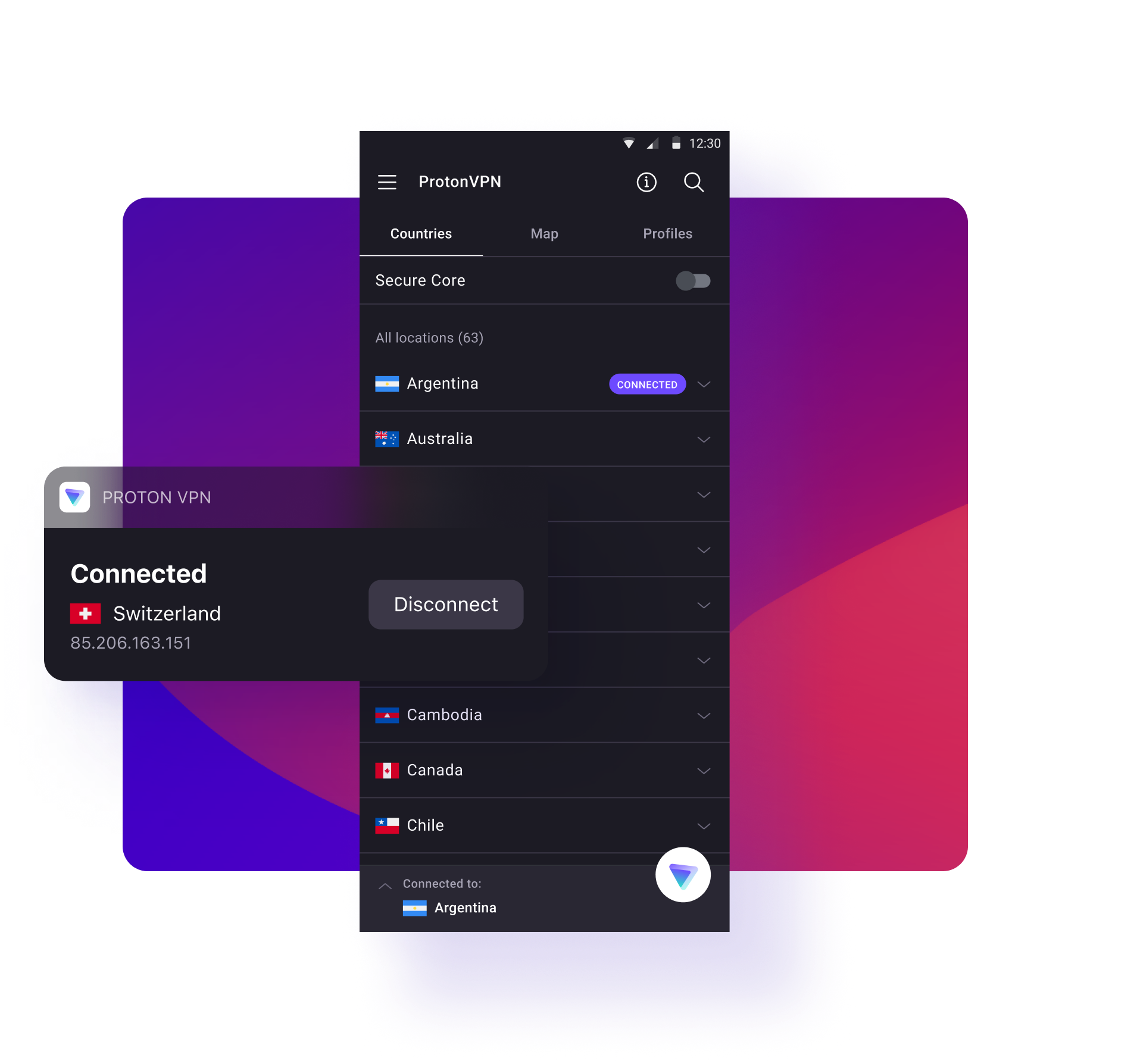
Are you tired of annoying ads popping up every time you browse the internet on your Chromebook? With our free unlimited VPN for Chrome OS, you can say goodbye to those pesky ads and enjoy a seamless browsing experience.
Our VPN extension for Chrome, UrbanVPN, offers an ad-blocking feature that effectively eliminates all types of ads, including banners, pop-ups, and video ads. Whether you’re visiting your favorite websites or exploring new ones, you can trust that our VPN will keep your browsing sessions ad-free.
Not only does our ad-blocking feature enhance your browsing experience by removing distractions, but it also ensures your privacy and protection while online. Many ads are used to track and collect user data, but with UrbanVPN, you can surf the web with peace of mind, knowing that your personal information is shielded from prying eyes.
With the support of a global network of VPN servers, UrbanVPN guarantees fast and reliable ad-blocking functionality. Our network is equipped with high-speed connections that can reach up to 10 Gbps, providing you with a maximum browsing speed without compromising your security.
Unlike other ad-blockers available for Chrome OS, UrbanVPN goes beyond just blocking ads. Our VPN service offers a wide range of features to enhance your online experience, including strict no-logging policies, unlimited bandwidth, and strong encryption protocols. Whether you’re streaming, downloading, or browsing, UrbanVPN is the VPN you can count on.
Upgrade to our paid plan and enjoy even more benefits, such as access to additional servers and support for other devices like Firefox. With our premium plan, you can unlock the full power of UrbanVPN and experience the best VPN service available.
In today’s digital age, where privacy and data protection are frequently threatened, it’s crucial to use a trustworthy VPN that values your anonymity. UrbanVPN is independently audited and follows strict privacy practices, ensuring that your browsing activities are protected at all times.
Start enjoying an ad-free and protected browsing experience on your Chromebook by installing UrbanVPN. With just a few clicks, you can switch to a secure and steadfast connection that will keep your online activities private and your browsing ad-free.
Protect multiple devices with a single VPN account
With the increasing number of devices we use to access the internet, it is more important than ever to ensure their security and privacy. By using a VPN, you can protect multiple devices with just one account.
Having a no-logs policy is essential for a VPN service. It means that the VPN provider does not keep any records of your online activities, ensuring your privacy remains intact. With a steadfast VPN service, you can trust that your data is handled securely.
A strong VPN service makes a difference when it comes to protecting your privacy. Unlike free VPNs that may sell your data or invade your privacy with ads, a paid VPN service like Urban VPN focuses solely on providing a secure and reliable connection. With Urban VPN, you can enjoy unlimited browsing and download speeds up to 1 Gbps, giving you fast and unrestricted access to the internet.
One of the key features that can make a VPN trustworthy is independent auditing. When a VPN service undergoes independent audits, it demonstrates its commitment to transparency and security. Proton VPN is an example of a VPN service that has been independently audited, ensuring your privacy is protected.
To easily protect your Chromebooks and other devices, you can start using Urban VPN on Chrome. With a simple installation process, you can add the VPN extension to your Chrome browser and connect to the internet securely. This also allows you to use other useful features such as an ad-blocker to improve your browsing experience.
With Urban VPN’s support for multiple servers based in different locations, you can hide your online presence and browse the internet anonymously. Whether you need to access region-restricted content or want to secure your connection while using public Wi-Fi, Urban VPN has you covered.
In conclusion, using a VPN like Urban VPN on your Chromebooks and other devices is an easy and effective way to protect your privacy. With strong encryption and tunneling protocols, independently audited services, and support for multiple devices, you can browse the internet safely and confidently.
Download and install our VPN extension for Chrome OS
Are you looking for a way to stream, browse, and play online games on your Chromebook with enhanced privacy and security? Look no further, as our VPN extension for Chrome OS has got you covered.
With our VPN extension, you can enjoy unlimited access to our secure network of servers, which are specifically optimized for fast and reliable connections. Whether you’re streaming, gaming, or just browsing the web, our VPN ensures that your online activity is protected.
Installation is quick and easy – simply download and install our VPN extension directly from the Chrome Web Store. Once installed, our VPN extension seamlessly integrates into your Chrome browser, allowing you to easily enable and disable the VPN with just a few clicks.
By using our VPN extension for Chrome OS, you can access the content and services that are blocked or restricted in your region. Whether it’s accessing geo-restricted streaming platforms, bypassing censorship, or staying protected on public Wi-Fi networks, our VPN has got you covered.
Our VPN extension also comes with a built-in ad-blocker, which blocks ads and trackers for a better and safer browsing experience. Additionally, our VPN extension protects your online privacy by hiding your IP address and encrypting your internet traffic, ensuring that your online activity remains private and secure.
What sets our VPN extension apart is our no-logs policy. We do not track or log your online activity, ensuring that your personal information and browsing history stay private. This makes our VPN extension a trustworthy choice for those who value their online privacy.
So why wait? Download and install our VPN extension for Chrome OS today to enjoy a faster, safer, and more private internet experience. Join our growing community of satisfied users and get the most out of your Chromebook!
Stay protected with automatic VPN connection on Chrome OS
If you are using a Chromebook or any other Chrome OS device, you can guarantee your online safety and privacy by using a VPN. UrbanVPN is a trustworthy VPN with strong security features that can protect your internet activity and personal data on public Wi-Fi networks.
With UrbanVPN, you get a free unlimited VPN with no limits or caps on your data usage. This VPN is independently audited and comes with a built-in NetShield feature that blocks ads, malware, and other online threats to ensure a better browsing experience.
Using UrbanVPN on your Chromebook or Chrome OS device is easy and secure. Simply download and install the UrbanVPN addon from the Chrome Web Store, and with a single click, you can hide your IP address and protect your online anonymity.
UrbanVPN has a widespread network of servers in various locations, split across different pages. This ensures steady and fast connection speeds, so you can enjoy streaming, gaming, or any other online activity without worrying about slow speeds or lag.
When you connect to UrbanVPN, your internet connection will be encrypted and secure. This means that your passwords, personal data, and online activities are safely protected from hackers, ISPs, and other prying eyes. UrbanVPN is Proton-based, which guarantees the highest level of security and privacy for your online activities.
UrbanVPN supports Chromebooks and Android devices, so you can enjoy the benefits of a VPN on multiple platforms. Whether you are using your Chromebook for personal or business purposes, UrbanVPN ensures that your online activity stays private and your data remains secure.
Upgrade to a Premium plan to unlock even more features and benefits with UrbanVPN. With a premium account, you can access servers in over 80 locations worldwide, bypass geo-restrictions, and enjoy an even faster and more reliable VPN connection.
Experience the benefits of a free unlimited VPN for Chrome OS
Are you tired of facing geoblocked content and slow internet speeds on your Chromebook? Look no further! With our free unlimited VPN for Chrome OS, you can enjoy a better browsing experience with no limitations.
Our VPN service, independently audited for your peace of mind, provides a secure and anonymous connection to the internet. This means that you can safely browse the web, stream your favorite movies and TV shows on Netflix, and access any website or online service without worrying about your activity being tracked.
With our easy-to-install Chrome OS extension, you can activate and switch between global VPN servers with just a few clicks. Choose from a wide range of locations to find the best connection speeds for your needs. Whether you’re at home, in the office, or traveling, our VPN service will ensure a strong and fast connection.
As a free VPN provider, we believe in offering you the best user experience. That’s why our service is ad-free, so you can browse without interruptions. Plus, our VPN supports popular protocols like OpenVPN and IKEv2, ensuring the highest level of encryption for your data.
Whether you’re a business professional or a casual Chromebook user, our VPN service is here to enhance your online experience. Start using our free unlimited VPN for Chrome OS today and discover the benefits of a secure and unrestricted internet.
FAQ:
What is a VPN?
A VPN (Virtual Private Network) is a technology that allows you to create a secure and encrypted connection between your device and the internet. It helps protect your privacy by masking your IP address and encrypting your internet traffic.
Why do I need a VPN for Chrome OS?
There are several reasons why you might need a VPN for Chrome OS. Firstly, it helps protect your online privacy and security by encrypting your internet traffic. Secondly, it allows you to bypass geo-restrictions and access content that may be blocked in your region. Additionally, a VPN can also help you stay anonymous online and prevent your ISP or other third parties from tracking your online activities.
Is the free unlimited VPN for Chrome OS safe to use?
Yes, the free unlimited VPN for Chrome OS mentioned in the article is safe to use. It has been independently audited, which means that its security and privacy features have been thoroughly tested by a third-party organization. However, it’s always a good idea to do some research and choose a reputable VPN provider to ensure your online safety.
How can I install the free unlimited VPN on Chrome OS?
Installing the free unlimited VPN on Chrome OS is a simple process. First, you need to visit the Chrome Web Store and search for the VPN extension. Once you find the extension, click on the “Add to Chrome” button and follow the installation instructions. Once the installation is complete, you can activate the VPN and start using it.
Can I use the free unlimited VPN on other devices?
No, the free unlimited VPN mentioned in the article is specifically designed for Chrome OS. However, many VPN providers offer apps or extensions for a wide range of devices and operating systems. So, if you need a VPN for other devices, you can search for a provider that offers compatibility with your specific device.
What are some alternative VPNs for Chrome OS?
There are several alternative VPNs for Chrome OS that you can consider. Some popular options include NordVPN, ExpressVPN, CyberGhost, and Surfshark. These VPN providers offer apps or extensions that are compatible with Chrome OS and provide similar features and security. It’s a good idea to compare the features, pricing, and user reviews of different VPNs to find the one that best suits your needs.
Can I use the free unlimited VPN for streaming and torrenting?
Yes, the free unlimited VPN mentioned in the article can be used for streaming and torrenting. However, it’s important to note that free VPNs may have limitations in terms of speed and data usage, which can affect the quality of your streaming or downloading experience. If you frequently engage in streaming or torrenting activities, you may want to consider a paid VPN service that offers better speed and unlimited data.
Videos:
Free VPN Chrome Extension Recommendations 🔥
Free VPN Chrome Extension Recommendations 🔥 by Geekman 1 year ago 8 minutes, 59 seconds 99,870 views
