Download ZenMate Free VPN on Chrome and explore alternatives to ZenMate VPN
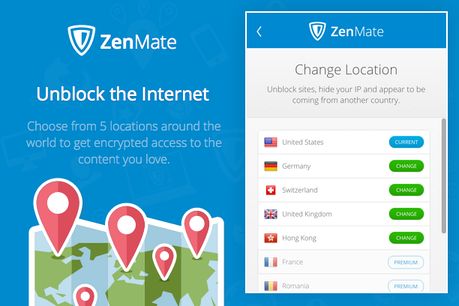
If you want to stay anonymous while browsing the internet and protect your privacy, ZenMate Free VPN is the perfect solution. This add-on for Chrome allows you to hide your IP address and encrypt your internet traffic, making it impossible for anyone to track your online activities.
ZenMate Free VPN not only protects you from advertisers and logs, but it can also be used to access blocked websites and content in certain countries. With this extension, you can browse the web without worrying about any security issues or abuse of your personal information.
Frequently asked questions about ZenMate Free VPN on Chrome:
- How does ZenMate Free VPN work? This extension uses strict encryption protocols to ensure your internet traffic is safe and secure.
- Can I use ZenMate Free VPN for torrenting? Yes, you can use ZenMate Free VPN to protect your connection while torrenting.
- Does ZenMate Free VPN have a premium account? Yes, ZenMate Free VPN also offers a premium version with even more features and faster connection speeds.
If you’re concerned about your privacy and want to enjoy a fast and secure browsing experience, download ZenMate Free VPN on Chrome today. It’s easy to set up and will give you peace of mind knowing that your online activities are protected.
Unlike other VPN alternatives, ZenMate Free VPN works seamlessly with Chrome and doesn’t require any additional software to be installed. It’s very user-friendly and doesn’t slow down your internet connection.
So, if you have any questions about ZenMate Free VPN or if you’re looking for a reliable and fast VPN extension for Chrome, give ZenMate Free VPN a try and experience the benefits yourself.
Frequently Asked Questions
Is ZenMate Free VPN safe to use?
Yes, ZenMate Free VPN is safe to use. It protects your online identity and secures your internet traffic with its strict zero-logs policy. This means that your browsing activity and personal information will remain private and anonymous.
Does ZenMate Free VPN protect my torrent downloads?
Absolutely! ZenMate Free VPN not only protects your torrent downloads, but it also hides your IP address and encrypts your traffic, making it impossible for anyone to track your online activities.
Do I need to create an account to use ZenMate Free VPN?
No, you don’t need to create an account to use ZenMate Free VPN on Chrome. It’s an add-on that you can simply install and start using right away without any registration process.
Can I access content from other countries with ZenMate Free VPN?
Yes, ZenMate Free VPN allows you to access content from other countries by connecting to its dedicated servers located in various countries around the world. This means you can unblock websites and stream geo-restricted content with ease.
Are there any alternatives to ZenMate Free VPN on Chrome?
Yes, there are several alternatives to ZenMate Free VPN on Chrome. Some of the popular ones include Hotspot Shield, TunnelBear, and CyberGhost. It’s always a good idea to compare and choose the one that suits your needs the best.
Does ZenMate Free VPN work on Android devices?
Yes, ZenMate Free VPN is compatible with Android devices. You can download and install the ZenMate VPN app from the Google Play Store to protect your online privacy and browse the internet securely on your Android device.
Can ZenMate Free VPN block ads and protect my privacy?
Yes, ZenMate Free VPN can block ads and protect your privacy. It has built-in ad blocking technology that prevents advertisers from tracking your online activities. Additionally, ZenMate Free VPN uses advanced encryption and security protocols to ensure your data and privacy are always protected.
Is ZenMate Free VPN fast?
Yes, ZenMate Free VPN provides fast and reliable internet speeds. While it may vary depending on your internet connection and the server you’re connected to, ZenMate Free VPN is known for its fast performance, making your browsing experience smooth and seamless.
Can I use ZenMate Free VPN for all my devices?
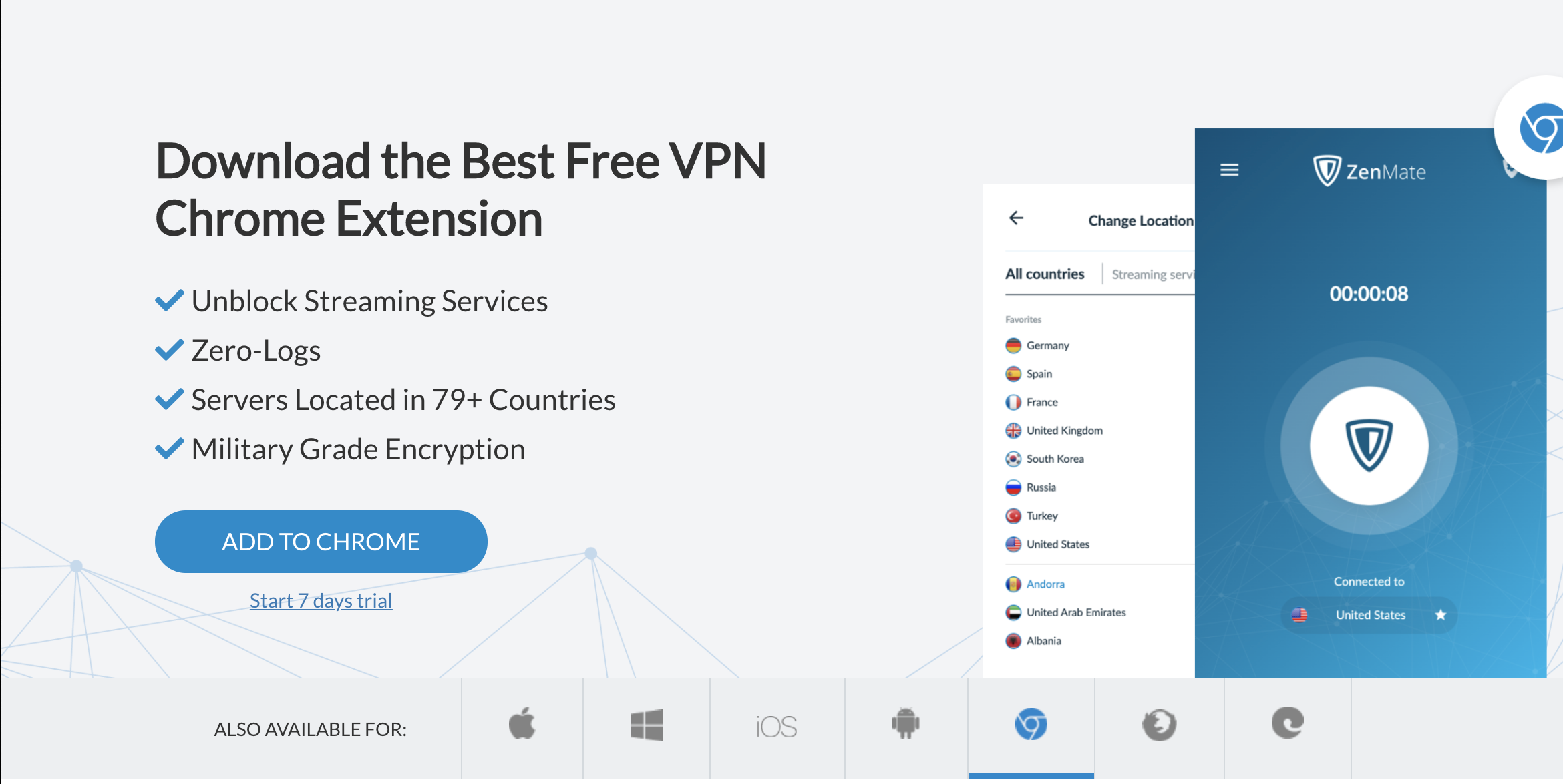
Yes, you can use ZenMate Free VPN for all your devices. It is available as an add-on for Chrome, as well as standalone apps for Windows, Mac, iOS, and Android. This means you can protect all your devices and enjoy secure browsing no matter which platform you’re using.
How can I get ZenMate Free VPN on Chrome?
To get ZenMate Free VPN on Chrome, simply go to the Chrome Web Store and search for “ZenMate VPN”. Click on the “Add to Chrome” button and follow the instructions to install the add-on. Once installed, you can activate ZenMate Free VPN by clicking on its icon in the browser toolbar.
Report this add-on for abuse
If you have any concerns or issues about ZenMate, you can report this add-on for abuse to ensure your safety and security while browsing the internet. ZenMate is a popular VPN service that offers users the ability to protect their privacy and stay anonymous online. With ZenMate, you can easily encrypt your traffic and protect your identity, unlike other alternatives.
ZenMate is a German service that frequently works like a charm. It has premium servers all over the world, which you can use to access content from any country. This extension is perfect for streaming and offers the most reliable protection and privacy for its users. With ZenMate, you can rest assured that your information and browsing habits are kept private and secure.
One of the great features of ZenMate is that it has zero-logs policy, meaning that it doesn’t keep any records of your internet activity. This ensures that your data is not tracked or shared with advertisers. ZenMate also protects your IP address and provides multiple safety options, such as WebRTC protection, to keep your online activities anonymous and secure.
If you have encountered any issues or have questions about ZenMate, you can report them for a better user experience. ZenMate support is very responsive and will assist you with any problems you may have. Whether you’re using ZenMate on Chrome, Firefox, or Android, the support team is there to help. Your feedback is valuable and will help ZenMate improve its service for all users.
Reporting abuse of the ZenMate add-on is easy. Simply go to the ZenMate website and click on the “Report Abuse” button. You will be asked to provide details about the abuse you experienced and any additional information that may be helpful. ZenMate takes all reports seriously and strives to address any issues promptly.
Used by
The ZenMate Free VPN on Chrome is used by millions of users around the world to stay safe and private while browsing the internet. With ZenMate, you can encrypt your traffic and browse from a different country to keep your information secure. It is very easy to download and use the ZenMate extension, and it offers premium features like zero-logs policy and dedicated servers for added safety.
One of the main reasons why ZenMate is used by so many users is its strict privacy policy. ZenMate does not keep any logs of your browsing activities or metadata, ensuring that your identity and online activities remain private. Unlike other VPN services, ZenMate does not sell your information to advertisers or third parties.
In addition to its privacy features, ZenMate is also perfect for streaming content from different countries. It can bypass geo-restrictions and provide access to streaming services like Netflix and Hulu. This makes ZenMate a popular choice for users who want to access their favorite shows and movies while abroad.
Uses for ZenMate Free VPN:
- Secure and private browsing
- Access to restricted content
- Bypassing censorship in strict countries
- Protecting your online identity
- Encrypting your internet traffic
- Safe browsing on public Wi-Fi networks
- Streaming geo-restricted content
- Keeping your information safe from hackers and cybercriminals
If you have any questions about the ZenMate Free VPN service or need help with your account, their dedicated support team is available to assist you. ZenMate also provides different subscription options, including a premium version with even more features and benefits.
In conclusion, ZenMate Free VPN is a popular and reliable VPN service that is used by millions of users worldwide. Its strict privacy policy, fast and secure servers, and easy-to-use extension make it a top choice for users who value their online privacy and security. Whether you’re browsing the internet, streaming content, or just want to stay safe online, ZenMate is a great option to consider.
Ratings about ZenMate VPN
When it comes to ratings, ZenMate VPN has received positive feedback from users. Many appreciate the convenience of using it as a browser add-on, which makes the set-up quick and easy. Users also like the various options it offers, such as choosing from a wide range of servers when browsing the internet.
One of the key reasons why users prefer ZenMate VPN is because it does not keep any logs. When asked about their privacy and security, ZenMate reports that it has a strict no-logs policy, ensuring that users’ browsing data remains private and anonymous. Even if you’re using the free version, ZenMate stays dedicated to keeping your information secure.
ZenMate VPN is known for its fast and reliable connection. Users have reported that the VPN extension works seamlessly with their browsing experience, providing a safe and private way to access the internet. Additionally, ZenMate uses a Webrtc protection code to prevent any leaks of users’ IP addresses.
Another standout feature of ZenMate VPN is its availability across multiple platforms. Apart from the Chrome extension, ZenMate is also available for Android devices. This allows users to stay protected and anonymous even when using their mobile devices.
Overall, ZenMate VPN has received positive ratings for its strong security measures and fast browsing experience. Users appreciate its zero-logs policy, which ensures their online identity remains protected. With ZenMate VPN, users can choose from different servers in various countries, providing them with options to access the internet from different locations.
If you have any questions about ZenMate VPN, there is a frequently asked questions section on their website that provides answers to common queries. Additionally, their customer support is responsive and available to address any concerns or issues that users may have.
Extension Metadata
Protection and Anonymity: ZenMate Free VPN on Chrome is an extension that offers robust protection and anonymous browsing to its users. It protects your online identity and encrypts all your internet traffic, ensuring that your personal information remains private and secure.
Easy to Use: ZenMate is very easy to install and set up. You simply download the extension, add it to Chrome, and you’re ready to go. There are no complicated set-up procedures or codes to enter. It’s a simple add-on that provides instant protection for your browsing activities.
Zero-Logs Policy: ZenMate has a strict zero-logs policy, which means that it does not collect or store any information about your browsing activities. This ensures that your privacy is protected and your online activities are not tracked or recorded.
Premium Features: While ZenMate Free VPN on Chrome is a free extension, there are also premium features available for those who need additional functionality. These features include dedicated server options, German server locations, and even the ability to bypass geo-restrictions for streaming services like Netflix and Hulu.
Support and Feedback: If you have any questions or issues with ZenMate Free VPN on Chrome, the support team is always available to assist you. You can also find answers to frequently asked questions and report any problems through the extension’s feedback system.
Alternative Options: If ZenMate Free VPN on Chrome doesn’t meet your needs, there are alternative VPN extensions available for Chrome that offer different features and browsing security options. It’s always a good idea to explore different options to find the one that works best for you.
Ratings and Reviews: ZenMate Free VPN on Chrome has received positive ratings and reviews from users all over the world. Many users appreciate the ease of use and the level of security it provides. If you’re looking for a free VPN extension for Chrome, ZenMate is definitely worth considering.
ZenMate Free VPN by ZenMate
ZenMate Free VPN is a popular VPN service developed by the German company ZenMate. It allows you to protect your privacy and stay safe online by encrypting your internet traffic and routing it through a server in a different country.
With ZenMate Free VPN, you can browse the internet with a private and secure connection, as it uses industry-leading encryption to protect your data from hackers and snoopers. This VPN also protects your online identity by masking your IP address, making it difficult for advertisers and others to track your online activities.
One of the most frequently asked questions about ZenMate Free VPN is whether it logs user information. Unlike some other VPNs, ZenMate has a strict zero-logs policy, which means it does not keep any metadata or information about your internet usage. This ensures that your privacy and anonymity are preserved.
If you have questions or issues, ZenMate offers dedicated customer support to help you. You can ask questions about the VPN’s features, set-up, or even get assistance with any technical problems you may encounter. They also have a helpful knowledgebase with answers to common questions.
ZenMate Free VPN is perfect for protecting your internet connection, especially when you’re using public Wi-Fi networks. It can also be used for streaming, allowing you to access geo-restricted content from around the world. Additionally, ZenMate offers a premium account option for those who want even more features and benefits.
When it comes to online safety and privacy, ZenMate Free VPN is a reliable option. It keeps your internet traffic encrypted, your identity hidden, and ensures that you stay anonymous while browsing the web. Download ZenMate Free VPN on Chrome to enhance your online security and enjoy a safer internet experience.
ZenMate VPN
ZenMate VPN is a free extension that allows you to protect your identity and stay private while browsing the internet. It offers a fast and secure VPN service with dedicated servers in different countries, including Germany. With ZenMate VPN, you can easily set-up and add-on to your browser to get more privacy and security.
The ZenMate VPN extension protects your browsing traffic, encrypting it with strict security codes. It also masks your IP address and prevents any logs of your online activities. This ensures that your internet browsing and identity stay private.
With ZenMate VPN, you can easily access blocked content and streaming services from different countries. Whether you want to watch your favorite shows or protect your online privacy while torrenting, ZenMate VPN provides options for all users.
If you have any questions or issues with the ZenMate VPN extension, there are helpful FAQs and a report abuse feature available. You can also contact the support team for further assistance.
For users who want more features and options, ZenMate VPN offers a premium service. With a premium account, you’ll get access to more servers, faster speeds, and the ability to connect to multiple devices.
In conclusion, ZenMate VPN is a perfect add-on to protect your privacy and stay safe online. It is easy to use, provides fast and secure connections, and offers options for users’ specific needs. Whether you’re new to VPNs or an experienced user, ZenMate VPN is a reliable choice to enhance your online safety.
Alternatives to ZenMate VPN
1. NordVPN
NordVPN is a popular VPN service that offers a wide range of features and strong security protocols. With servers in different countries, NordVPN allows you to browse the internet anonymously and securely. It has a strict no-logs policy, ensuring that your online activities are not monitored or tracked. NordVPN also offers dedicated IP addresses, double VPN encryption, and protection against cyber threats.
2. ExpressVPN
ExpressVPN is a premium VPN service that provides fast and reliable connections. It offers servers in multiple countries and protects your online privacy with strong encryption. ExpressVPN has a user-friendly interface and allows you to access geo-restricted content and stream videos without buffering. It also has a strict no-logs policy to ensure your online activities remain private and anonymous.
3. CyberGhost
CyberGhost is a VPN service that focuses on providing online privacy and security. It uses military-grade encryption to protect your data and offers servers in 70+ countries. CyberGhost has a user-friendly interface and allows you to connect up to 7 devices simultaneously. It also offers dedicated servers for streaming and torrenting, ensuring a fast and secure connection for your favorite content.
4. Hotspot Shield
Hotspot Shield is a popular VPN service that offers both free and premium plans. It has a large number of servers in different countries and provides a fast and secure connection. Hotspot Shield protects your data with strong encryption and offers a strict no-logs policy. With its easy-to-use interface, you can browse the internet anonymously and access geo-restricted content with ease.
5. Surfshark
Surfshark is a VPN service that focuses on providing a secure and private browsing experience. It offers unlimited simultaneous connections, allowing you to protect all your devices with one account. Surfshark uses strong encryption and has a strict no-logs policy. It also offers features like CleanWeb, which blocks ads and malware, and a built-in kill switch for added security.
Get more safety and privacy with this VPN
If you’re looking for a way to enhance your safety and privacy while browsing the internet, ZenMate Free VPN is the perfect solution. With its powerful encryption technology, ZenMate codes all your Internet traffic, ensuring that your information remains secure and protected.
Unlike other VPN alternatives, ZenMate offers a range of different options to suit your needs. It’s very easy to set up and has a user-friendly interface, making it suitable for both novice and advanced users. Additionally, ZenMate doesn’t keep any logs of your activity, so you can stay anonymous and maintain your privacy at all times.
With ZenMate’s add-on extension, you can easily stay protected no matter where you are in the world. The service is available in over 80 countries, allowing you to access geo-restricted content and browse freely. Whether you’re at home or traveling abroad, ZenMate ensures that your identity and information are always safeguarded.
One of the key features of ZenMate is its dedicated server network, which is used to encrypt and protect your Internet connection. This means that your Internet speed remains fast, even with the added layers of encryption. ZenMate also uses strict security protocols to ensure that your data is safe from any potential breaches.
Frequently asked questions from ZenMate users can be found on the website, providing answers to common queries about the VPN service. If you have any further questions or encounter any technical issues, ZenMate’s support team is available to assist you. Additionally, ZenMate offers a “Report an Issue” feature, allowing users to report any server or connection issues they may experience.
With ZenMate’s free VPN, you can enjoy a more secure and private browsing experience. Say goodbye to worries about your information being tracked by advertisers or third parties, and browse the Internet with peace of mind. Download ZenMate Free VPN on Chrome, and experience the benefits of enhanced safety and privacy today!
FAQ:
What is ZenMate Free VPN?
ZenMate Free VPN is a Chrome extension that allows you to browse the internet securely and anonymously by encrypting your connection and hiding your IP address.
Is ZenMate Free VPN completely free to use?
Yes, ZenMate Free VPN is completely free to use. However, they also offer a premium version with additional features.
How do I download ZenMate Free VPN on Chrome?
To download ZenMate Free VPN on Chrome, you can go to the Chrome Web Store, search for ZenMate, and click on the “Add to Chrome” button.
Can I use ZenMate Free VPN on other browsers?
Yes, ZenMate Free VPN is available for other browsers such as Firefox and Opera. You can find the download links on the ZenMate website.
Does ZenMate Free VPN slow down my internet connection?
ZenMate Free VPN may slightly slow down your internet connection due to the encryption process. However, the difference in speed is usually negligible.
Can I use ZenMate Free VPN to access blocked websites?
Yes, ZenMate Free VPN can help you access blocked websites by bypassing any restrictions imposed by your ISP or government. However, please note that it may not work in all cases.
Is my online activity completely private with ZenMate Free VPN?
While ZenMate Free VPN encrypts your connection and hides your IP address, it’s important to note that no VPN can guarantee complete privacy. Your online activity may still be visible to ZenMate or other third parties.
Videos:
How to Install ZenMate Free VPN–Best VPN for Chrome Extensions 2022
How to Install ZenMate Free VPN–Best VPN for Chrome Extensions 2022 by Tech Clubs 1 year ago 2 minutes, 22 seconds 357 views
Zenmate VPN for Chrome | Should YOU use it? (Full review)
Zenmate VPN for Chrome | Should YOU use it? (Full review) by VPNpro 1 year ago 5 minutes, 16 seconds 7,987 views
