4 ProtonVPN Chromebook: One of the 10 Best VPNs for School Chromebook 2023 – Reviews
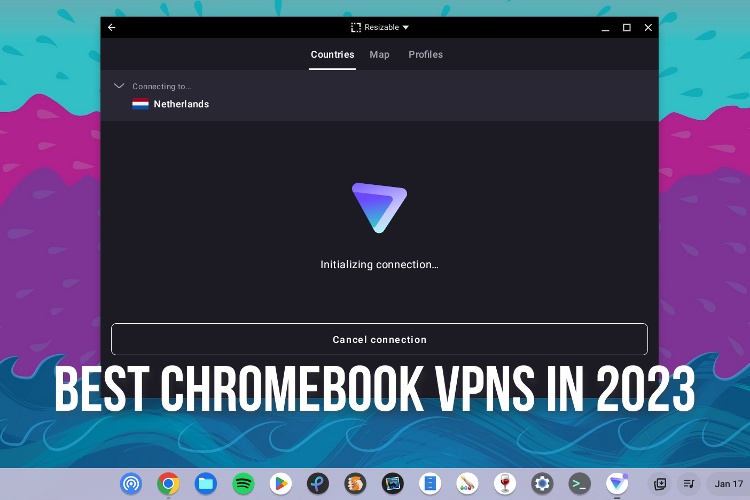
If you frequently find yourself in schools or other educational institutions where website restrictions are often in place, this guide is for you. We recommend using a VPN to bypass these restrictions and gain access to blocked websites and content. VPNs, or virtual private networks, always encrypt your internet traffic to protect against prying eyes. Setting up a VPN on your Chromebook is a simple and effective method to ensure your online activities remain private and secure.
When choosing the best VPN for your Chromebook, there are several reliable providers that we recommend. CyberGhost, for example, offers an easy-to-use Chromebook extension that provides access to over 8,000 servers in different locations around the world. You can easily unblock websites and stream videos without any advertisements. Another reliable option is PrivateVPN, which protects your privacy and allows you to securely browse the web without any restrictions. Their strict no-log policy ensures that no data is stored about your online activities.
If you have kids using a Chromebook, ProtonVPN is a great option. The company offers a free version of their program that is easy for kids to use. The step-by-step guide helps them to determine the best safety mode and protocols to use. They also provide a chat-box where you can contact their support team for any further assistance. By choosing a VPN for your Chromebook, you can gain freedom on the internet and securely browse without any restrictions.
ExpressVPN
ExpressVPN is one of the best VPNs for students to use on their school Chromebooks in 2023. It offers a range of features and benefits that make it an excellent choice for both online activities and privacy protection.
One of ExpressVPN’s key features is its compatibility with various platforms, including Windows, making it easy for students to install and use on their Chromebooks. Additionally, ExpressVPN offers a user-friendly app, ensuring that even those with limited technical knowledge can set it up and get started quickly.
For students looking for a free VPN option, ExpressVPN has a 30-day money-back guarantee, so they can try it out risk-free and see if it meets their needs. While the initial subscription is not free, the money-back guarantee policy allows students to use the service without paying any extra fees.
ExpressVPN also offers a wide selection of servers in several countries, giving students the flexibility to access content from different regions. This is especially important for students who travel or want to unblock websites that may be restricted in their school’s network.
In terms of security, ExpressVPN ensures that students’ online activities are safe and their data is protected from third parties. It uses industry-standard encryption technology and protocol options like WireGuard and NordLynx to ensure a secure connection at all times.
With ExpressVPN, students can be confident that their browsing activities are shielded from prying eyes, whether they are using their Chromebooks at home, school, or other public places. The VPN encrypts all the internet traffic, making it nearly impossible for anyone to intercept or track their online activities.
Overall, ExpressVPN is a comprehensive VPN service that offers a range of features and benefits for students. With its fast and reliable connection, user-friendly interface, and robust security, it is an excellent choice for school Chromebook users in 2023. Whether students need to access blocked websites, protect their privacy, or simply want to browse the internet securely, ExpressVPN is a top choice.
NordVPN
NordVPN is a top-notch VPN service that offers a wide range of features and benefits for Chromebook users. With NordVPN, you can enjoy a secure and private browsing experience, wrap your online activities in a virtual tunnel, and protect your sensitive data from hackers and other third parties.
One of the great things about NordVPN is that it is easy to subscribe and set up on a Chromebook. The step-by-step instructions provided by NordVPN make it a breeze to establish a secure connection, whether you are a tech-savvy user or not.
NordVPN uses advanced encryption technology to ensure that your internet traffic is fully protected. It offers a no-log policy, which means that your online activities are not tracked or stored. This makes NordVPN ideal for school use, as your browsing history and personal information will remain private and secure.
With NordVPN, you can bypass restrictions and unblock websites that may be restricted on your school network. NordVPN has servers in over 60 countries, including the Netherlands, giving you a wide range of options to choose from.
NordVPN is known for its stable and fast connections, making it a perfect choice for streaming, gaming, and downloading files on your Chromebook. You can also connect multiple devices simultaneously, so you can enjoy the benefits of NordVPN on your other devices as well.
In terms of affordability, NordVPN offers different subscription options to cater to your needs. Whether you want to subscribe for a few months or a few years, NordVPN has the finest options for you. With its fantastic speed, stable connections, and top-notch security features, NordVPN is definitely worth the investment.
CyberGhost
CyberGhost is a highly recommended VPN tool for School Chromebook users. Its numerous features and reliable performance make it one of the best options for protecting your online activities on a school network. With CyberGhost, you can count on a secure and encrypted connection that bypasses any blocking or monitoring attempts.
User-friendly Interface
CyberGhost is well-known for its user-friendly interface, making it easy for users to manage their VPN settings. Whether you are a beginner or an advanced user, CyberGhost has tools and FAQs to help you get things done quickly and easily.
Extensions for Chrome
CyberGhost offers extensions for Google Chrome, so you can always have the VPN protection you need. These extensions are easy to install and use, and they allow you to easily change your IP address and access blocked websites.
Reliable Performance
CyberGhost’s network is known for its reliability and fast connection speeds. Whether you are streaming videos or downloading files, CyberGhost will ensure a seamless and encrypted session, protecting your data and privacy.
Bypass School Firewall
CyberGhost is great for bypassing school firewalls and accessing blocked websites. With its advanced tunneling technology, CyberGhost can help you access websites and content that are restricted on your school network.
Fantastic Customer Support
CyberGhost provides fantastic customer support to its users. If you encounter any problems or have any questions, you can easily reach out to their support team through live chat or email. They are always ready to assist you and provide a solution.
Affordable Pricing
CyberGhost offers a variety of pricing plans to cater to different user needs. Whether you need the VPN for a short period or for a longer duration, CyberGhost has a plan for you. They often have discounts and a money-back guarantee to give users the best value for their money.
In conclusion, CyberGhost is one of the best VPN options for School Chromebook users. It provides a reliable and secure solution for bypassing school network restrictions and protecting your online activities. Its user-friendly interface, Chrome extensions, and fantastic customer support make it a top choice for students and educators alike.
Surfshark: The Best VPN for School Chromebooks in 2023
When it comes to finding the best VPN for your school Chromebook, one name that stands out is Surfshark. With its encrypted connections and wide range of servers, it offers a reliable and secure solution for bypassing any limitations imposed by your educational institution.
Surfshark is known for its top-notch privacy features. With its strict no-logs policy and a variety of advanced protocols, you can be confident that your online activities will remain private and anonymous. Plus, Surfshark’s exceptional speed makes browsing and streaming a breeze, allowing you to access all your favorite websites and content without any limitations.
One of the reasons why Surfshark is the best VPN for School Chromebooks is its unlimited device policy. Unlike some other VPNs that limit the number of simultaneous connections, Surfshark allows you to protect all your devices with a single subscription. This means you can use it not only on your school Chromebook but also on your smartphone, tablet, and even your gaming console.
In addition to its extensive network of servers, Surfshark also offers additional features that make it an excellent choice for school Chromebooks. Its Camouflage Mode is specifically designed to bypass any attempts to block VPN traffic, ensuring that you can access any website or online service without being detected. This is especially useful if your school has implemented strict blocking measures.
Surfshark is incredibly easy to use, even for beginners. Its intuitive interface and user-friendly apps for all major platforms make it a great choice for anyone, regardless of their technical knowledge. Plus, Surfshark offers 24/7 customer support, so if you ever have any questions or issues, you can always get the help you need.
In conclusion, Surfshark is the best VPN for School Chromebooks in 2023. Its powerful features, extensive server network, and affordable pricing plans make it the ideal solution for students looking to bypass restrictions and access the full potential of the internet. Subscribe to Surfshark today and enjoy secure, private, and unrestricted browsing on your school Chromebook.
Private Internet Access
Private Internet Access, also known as PIA, is a popular VPN service that offers great compatibility with Chromebook. PIA is a trusted VPN provider that has been around for many years, making it a reliable choice for Chromebook users. Whether you are a student, teacher, or administrator, PIA can help you protect your privacy and bypass any restrictions set by your school or network administrator.
Easy Installation
Installing Private Internet Access on your Chromebook is a breeze. PIA provides step-by-step instructions on their website that guide you through the entire process. With just a few clicks, you can have PIA up and running on your Chromebook in no time.
No-Logging Policy
One of the key features of Private Internet Access is its strict no-logging policy. This means that PIA doesn’t keep any records of your online activities, ensuring your privacy and keeping your browsing history hidden from prying eyes. With PIA, you can surf the internet with peace of mind, knowing that your information is secure.
High-Quality Connections
Private Internet Access offers fast and reliable connections, ensuring that you can browse the web without any interruptions. PIA has servers in over 50 countries, allowing you to switch between different locations to access content that may be restricted in your region. Whether you’re streaming videos, gaming, or just browsing the web, PIA provides a smooth and high-quality experience.
Value for Money
PIA offers competitive pricing, making it an affordable option for students and educators alike. They also frequently run special promotions and discounts, so keep an eye out for any deals that may be available. With PIA, you get a great VPN service at a reasonable price, ensuring that you get the most value for your money.
24/7 Customer Support
If you ever run into any issues or need assistance, Private Internet Access provides 24/7 customer support. Their support team is always ready to help you with any questions or problems you may encounter. You can reach out to them through their live chat box on their website, ensuring that you have the help you need whenever you need it.
Overall Recommendation
Overall, Private Internet Access is a top choice for Chromebook users who are looking for a reliable and secure VPN service. With its easy installation, no-logging policy, high-quality connections, and affordable pricing, PIA is a great option for anyone who wants to protect their privacy and bypass any restrictions. Whether you’re a student, teacher, or administrator, Private Internet Access can provide the freedom and security you need while using your Chromebook.
VyprVPN
VyprVPN is an encrypted VPN service that provides comprehensive safety and privacy for students using Acer Chromebooks. With VyprVPN, students can surf the internet securely and anonymously, without worrying about their sensitive online activities being tracked or monitored by third parties.
One of the key features of VyprVPN is its easy-to-use Chrome extension, which allows students to establish secure connections with just a few clicks. The extension supports multiple protocols, including OpenVPN and IKEv2, ensuring fast and reliable VPN connections.
VyprVPN also offers a no-logging policy, meaning that it does not track or store any information about a user’s online activity. This ensures that students’ privacy is always protected, and their browsing history is kept private.
In addition to its strong privacy features, VyprVPN also provides a money-back guarantee. If students are not satisfied with the service within the first 30 days of subscribing, they can request a full refund. This makes VyprVPN a risk-free choice for students looking for a reliable and secure VPN service.
To get started with VyprVPN on an Acer Chromebook, students can follow the step-by-step instructions provided on the VyprVPN website. The setup process is quick and easy, and students can be up and running with VyprVPN in no time.
By choosing VyprVPN for their Chromebooks, students can enjoy a safe and unrestricted internet experience. They can bypass any blocking or restrictions imposed by their school’s network, and access websites and online resources that may otherwise be limited or blocked.
In conclusion, VyprVPN is an excellent VPN choice for students using Acer Chromebooks. Its strong encryption, no-logging policy, and easy-to-use setup make it a comprehensive and reliable VPN service. With VyprVPN, students can surf the internet safely and securely, without worrying about their online activities being tracked or monitored.
IPVanish
IPVanish is a popular VPN provider that offers numerous features and benefits for Chromebook users. It provides a fast and secure internet connection by encrypting your data with its reliable protocols.
One of the pros of IPVanish is its support for the IKEv2 protocol, which makes it one of the fastest VPNs available. This is especially useful for users who need to manage multiple connections or stream content without experiencing any lag.
The company also offers user-friendly apps and browser extensions that are easy to install and use. The VPN extension for Chrome allows users to securely browse the internet by simply clicking on the IPVanish icon. It provides a no-logging policy, ensuring that your online activities are not tracked or recorded.
IPVanish supports a wide range of server locations, allowing you to access geo-restricted content and protect your identity online. It also provides 24/7 customer support, so you can easily get answers to your questions or troubleshoot any issues that you may encounter.
For those who want to try IPVanish before committing to a subscription, the company offers a 30-day money-back guarantee. This gives you the opportunity to test the VPN and determine whether it meets your needs and requirements.
In conclusion, IPVanish is a reliable and secure VPN provider that offers fast speeds, numerous server locations, and top-notch customer support. Whether you want to gain access to geo-restricted content or protect your online privacy, IPVanish is a great option for Chromebook users.
Hotspot Shield
Show your school who’s in charge with Hotspot Shield
Hotspot Shield is a top choice for Chromebook users looking to bypass school restrictions and access blocked websites. With its easy installation and user-friendly interface, this VPN provides maximum security and privacy with just a few clicks. Whether you need to switch your IP address to access content from around the world or simply want to make sure your online activities are always private, Hotspot Shield has you covered.
Secure and Reliable Connection
Hotspot Shield has years of experience in providing stable and reliable VPN services. Their network spans across the globe, with servers in over 80 countries, including the Netherlands. With Hotspot Shield, you can count on a fast and secure connection, no matter where you are.
Unblock Websites and Bypass Restrictions
By using Hotspot Shield, you can access websites and content that is blocked by your school or other internet service providers. Whether it’s streaming platforms like Netflix or social media sites, Hotspot Shield allows you to bypass restrictions and enjoy the full internet experience.
Comprehensive Support and Easy Setup
Hotspot Shield offers comprehensive support and has a team of experts ready to assist you with any questions or issues you may have. Their live chat-box is frequently available and their support team is always ready to help. Additionally, their website provides a comprehensive FAQ section where you can find answers to commonly asked questions before reaching out for support.
Fast Speed and Reliable Performance
When it comes to speed, Hotspot Shield is among the best VPN providers. Their advanced technology ensures that your internet connection remains fast and stable, even when using the VPN. With Hotspot Shield, you can browse, stream, and download without any noticeable decrease in speed.
Ad-free and Privacy-focused
Hotspot Shield’s ad-free experience ensures that you won’t be bombarded with advertisements while browsing. They also prioritize your privacy by offering advanced encryption and other privacy features, keeping your online activities secure and anonymous.
Affordable Pricing Options
Hotspot Shield offers different pricing options to choose from, making it easy to find a plan that suits your needs and budget. Whether you need a short-term subscription or a long-term commitment, Hotspot Shield has flexible options for you.
In conclusion, Hotspot Shield is a fantastic VPN option for Chromebook users who need to bypass school restrictions and access blocked websites. With its easy installation, comprehensive support, and fast and reliable performance, Hotspot Shield is an excellent choice for students and anyone else in need of a reliable VPN solution. Try Hotspot Shield today and see what makes it one of the best VPNs for Chromebook users!
TunnelBear
TunnelBear is a fantastic VPN provider that offers a comprehensive set of tools to ensure your safety and privacy while browsing the internet. With TunnelBear, you get a user-friendly interface that makes it easy to set up and get connected with just a click of a button. It is powered by a state-of-the-art encryption system that keeps your sensitive activity and personal information secure from prying eyes.
One of the key features of TunnelBear is its fast connection speed, which allows you to surf the internet and stream videos without any lag or buffering. With servers in 23 countries, you have plenty of options to choose from and unblock content from all over the world. And if you ever run into any issues, the customer support team is always available via the live chat-box to assist you.
TunnelBear also offers a no-logs policy, meaning that none of your online activity is monitored or stored. This is important for anyone who values their privacy and wants to keep their browsing history private. Additionally, TunnelBear has a strict no-cookie policy, ensuring that your internet activity is not tracked for targeted advertising purposes.
When it comes to security, TunnelBear has you covered. It uses industry-standard protocols like IKEv2 to encrypt your data and protect it from hackers and cyber criminals. It also fixes numerous VPN leaks and offers a kill switch feature to ensure that your connection is never exposed. And if you’re not satisfied with their service, TunnelBear offers a 30-day money-back guarantee.
Windscribe
Windscribe is a popular VPN provider that offers a reliable and secure way to browse the internet on your school Chromebook. In 2023, it continues to be one of the top choices for students and educators alike.
One of the main purposes of Windscribe is to provide users with a simple and user-friendly interface. By clicking on the “Setup” button, you can easily install and configure the VPN on your Chromebook.
Windscribe allows you to encrypt your internet activity and protect your online privacy. They analyze and block any potentially harmful websites or ads, ensuring a safe browsing experience. Additionally, Windscribe provides a no-log policy, which means your online activity is not monitored or tracked.
Whether you want to access blocked content or protect your personal information, Windscribe has you covered. It offers servers in multiple countries and supports various protocols, allowing you to choose the best connection for your needs.
Windscribe is powered by a built-in ad blocker and firewall, known as “The Shields”. This feature helps to block annoying ads and prevents any unauthorized access to your data. With Windscribe, you can enjoy a hassle-free and private browsing experience.
In addition to its VPN services, Windscribe also provides a free trial period, allowing you to test out the service before committing to a subscription. If you decide to upgrade, Windscribe offers affordable pricing plans with a 30-day money-back guarantee.
Overall, Windscribe is a reliable and secure VPN for school Chromebooks in 2023. Its easy setup, strong privacy features, and helpful customer support make it a popular choice among students and educators.
Does PureVPN Support Chromebook?
Yes, PureVPN does support Chromebook, making it a great choice for those looking for a VPN solution for their Chromebook. With PureVPN, you can enjoy a secure and private browsing experience while protecting your sensitive data from prying eyes.
PureVPN offers a user-friendly setup process for Chromebook, allowing you to easily configure and activate the VPN on your device. Whether you’re using a Chromebook for school, work, or personal use, PureVPN is compatible with different models and versions of Chromebook.
When using PureVPN on your Chromebook, you can enjoy benefits such as accessing blocked websites, unblocking geo-restricted content, and changing your virtual location to appear as if you’re browsing from a different country. This is particularly useful for accessing websites and services that are restricted in your location.
Additionally, PureVPN offers a no-log policy, which means they do not track or store your online activities. This ensures that your browsing history, downloads, and other sensitive information are not monitored or stored by PureVPN. This is especially important for maintaining your privacy and anonymity online.
If you’re new to using a VPN on Chromebook, PureVPN provides an easy-to-follow setup guide with step-by-step instructions on how to install and configure the VPN app on your device. This comprehensive guide helps you get started quickly and ensures that you’re set up correctly.
In conclusion, PureVPN is a fantastic option for Chromebook users. It provides a secure and anonymous browsing experience, unblocks geo-restricted content, and offers a user-friendly setup process. If you’re looking for a reliable VPN for your Chromebook, we highly recommend PureVPN.
FAQ:
Are VPNs allowed on school Chromebooks?
Yes, VPNs are usually allowed on school Chromebooks. However, it is essential to check with your school’s IT department or policy to ensure that VPN usage is permitted.
Why would I need a VPN for my school Chromebook?
A VPN can provide several benefits for your school Chromebook. Firstly, it encrypts your internet connection, ensuring that your online activities and data are secure. Additionally, it allows you to bypass any imposed restrictions by your school’s network, enabling access to blocked websites or online services.
What are the main features to consider when choosing a VPN for a school Chromebook?
When selecting a VPN for a school Chromebook, some crucial features to consider include strong security protocols, a large number of servers, fast speeds, user-friendly interface, compatibility with Chrome OS, and reliable customer support.
Can I use a free VPN on my school Chromebook?
While you can use a free VPN on your school Chromebook, it is important to note that free VPNs often come with limitations. These limitations may include data caps, slower speeds, restricted server locations, and potential privacy concerns. It is generally recommended to opt for a paid VPN service for a better user experience.
Which VPN is the best for school Chromebooks?
There are several VPNs available that are suitable for school Chromebooks. Some of the top VPNs for school Chromebooks include NordVPN, ExpressVPN, CyberGhost, Private Internet Access, and Surfshark. It is essential to consider your specific needs and preferences before choosing the best VPN for your school Chromebook.
How do I set up a VPN on my school Chromebook?
To set up a VPN on your school Chromebook, you would generally need to download a VPN client app from the Chrome Web Store or the VPN provider’s website. After installing the app, you would need to launch it, sign in with your VPN account credentials, and choose a server location. Detailed instructions can usually be found on the VPN provider’s website or support documents.
Can a VPN improve my internet speed on a school Chromebook?
In some cases, using a VPN on a school Chromebook can improve internet speed. When you connect to a VPN server, it can help bypass any bandwidth throttling imposed by your school’s network. However, the overall speed may also depend on the VPN provider’s server locations, network congestion, and your internet connection’s quality.
Videos:
The Best VPNs for Chromebook: Our Top 3 Picks in 2023
The Best VPNs for Chromebook: Our Top 3 Picks in 2023 by VPN Wisdom 6 months ago 4 minutes, 18 seconds 850 views
10 Best Website Blockers For School Chromebook
10 Best Website Blockers For School Chromebook by How To Mentor 4 months ago 1 minute 4,962 views
