
15 Best VPN Extensions for Mozilla Firefox, Including the Unique Features of TunnelBear and Ivacy VPN

When it comes to browsing the internet, ensuring your online privacy and security is of utmost importance. With the vast range of VPN extensions available for Mozilla Firefox, you can now safeguard your data and enjoy a private browsing experience.
Mozilla Firefox is one of the favorite browsers for many users due to its advanced features and lightning-fast browsing speed. By leveraging VPN extensions, you can further enhance your online security and anonymity.
One of the top VPN extensions for Mozilla Firefox is TunnelBear. This VPN extension offers a secure and private browsing experience by providing advanced tunneling and data encryption. TunnelBear supports the IKEv2 protocol, which is one of the safest and fastest VPN protocols available. With TunnelBear, you can browse the internet with peace of mind, knowing that your data is protected.
In addition to TunnelBear, there are several other VPN extensions for Mozilla Firefox that deserve recognition. ZenMate is another popular choice among users. With ZenMate, you can mask your IP address, hide your browsing activities, and securely access geo-restricted content. ZenMate also offers a premium version with additional features such as unlimited data and enhanced security.
These VPN extensions not only enable you to access region-locked content but also protect you from malicious websites and ensure your data remains undiscoverable. They also allow you to bypass ISP throttling and enjoy faster and smoother browsing sessions.
With the wide range of VPN extensions available, it can be difficult to choose the best one. However, by considering factors such as pricing, speed, and security features, you can find the perfect VPN extension for your needs. Whether you are looking for a free or fee-based solution, there is a VPN extension that will meet your requirements.
In conclusion, VPN extensions for Mozilla Firefox offer a convenient and secure way to protect your online privacy and access restricted content. Whether you are browsing from home or traveling abroad, these VPN extensions will ensure your data is safe and your browsing activities are private. So why wait? Try out one of these top VPN extensions today and experience the freedom and security they provide.
Discover the 15 Best VPN Extensions for Mozilla Firefox
If you’re looking to enhance your online security and privacy while using Mozilla Firefox, there are plenty of excellent VPN extensions available. These extensions allow you to connect to virtual private networks, providing you with a secure and encrypted connection.
1. TunnelBear
TunnelBear is one of the best VPN extensions for Mozilla Firefox, boasting a user-friendly interface and strong security features. It offers unlimited data and allows you to connect up to 5 devices at the same time. TunnelBear also has a free plan with limited data, as well as affordable paid plans.
2. ZenMate
ZenMate is another popular VPN extension for Mozilla Firefox. It offers unlimited data and provides high-level security. ZenMate also helps you bypass censorship and hide your online traffic, making it perfect for accessing blocked websites and streaming services like Netflix.
3. Surfshark
Surfshark is a VPN extension that offers a large network of servers, allowing you to connect to multiple countries. It supports unlimited device-level connections and offers strong security features. Surfshark also has a strict no-logs policy, ensuring that your data is never stored.
4. CyberGhost
CyberGhost is known for its top-class security and privacy features. It offers unlimited bandwidth and allows you to connect up to 7 devices simultaneously. CyberGhost also has a lightweight software that doesn’t slow down your browsing speed.
5. PureVPN
PureVPN is a VPN extension that offers a wide range of servers across different countries. It allows you to bypass geo-restrictions, making it perfect for accessing region-locked content. PureVPN also supports torrenting and provides strong security protocols.
6. Avast SecureLine
Avast SecureLine is a VPN extension that provides high-level security and privacy. It offers a network of servers across the globe, allowing you to connect from anywhere. Avast SecureLine also has a fast and stable connection, ensuring a smooth browsing experience.
7. Hotspot Shield
Hotspot Shield is a popular VPN extension that offers a user-friendly interface and strong security features. It allows you to connect up to 10 devices simultaneously and supports the industry-standard IKEv2 protocol. Hotspot Shield also boasts fast connection speeds and unlimited bandwidth.
8. NordVPN
NordVPN is known for its strong security and privacy features. It offers a large network of servers in different countries, allowing you to bypass geographic restrictions. NordVPN also provides a range of pricing plans, including affordable options.
9. ExpressVPN
ExpressVPN is a premium VPN extension that offers unlimited bandwidth and high-level security. It allows you to connect from anywhere in the world and provides a range of protocols for different user preferences. ExpressVPN also offers a 30-day money-back guarantee.
10. Windscribe
Windscribe is a VPN extension that provides strong security and privacy features. It offers a free plan with limited data, as well as affordable premium plans. Windscribe also allows you to connect unlimited devices and provides a user-friendly interface.
11. Private Internet Access
Private Internet Access is a VPN extension that focuses on providing strong security and privacy. It offers a large network of servers across different countries and supports multiple protocols. Private Internet Access also has a strict no-logs policy, ensuring your online activities are undiscoverable.
12. Hola VPN
Hola VPN is a unique VPN extension that leverages a peer-to-peer network to provide unlimited and free VPN services. It allows you to connect to servers from different countries, giving you access to a wider range of content. Hola VPN also has a community-powered network, which helps ensure a stable connection.
13. UltraSurf
UltraSurf is a lightweight VPN extension that focuses on providing easy and fast access to blocked websites. It allows you to bypass censorship and hide your online traffic, making it ideal for users in countries with strict internet restrictions. UltraSurf also works well for accessing popular streaming platforms like Netflix.
14. Touch VPN
Touch VPN is a free VPN extension that offers a user-friendly interface and strong security features. It allows you to connect to servers from different countries and provides unlimited bandwidth. Touch VPN also ensures the security of your online data and encrypts your connection.
15. Betternet
Betternet is a VPN extension that provides a free plan with unlimited data. It offers strong security features and allows you to connect to servers across different countries. Betternet also has a premium version with additional features and faster connection speeds.
In conclusion, these are 15 of the best VPN extensions available for Mozilla Firefox. Whether you’re looking for unlimited data, strong security, or access to geo-restricted content, there’s a VPN extension that will suit your needs.
Including What Sets TunnelBear Apart
TunnelBear is a popular VPN extension for Mozilla Firefox that stands out from the competition in several ways.
1. User-Friendly Interface: TunnelBear offers a simple and intuitive user interface, making it easy for users of all technical levels to navigate and use the software effectively.
2. Wide Range of Servers: TunnelBear has servers in more than 23 countries around the world, allowing users to visit websites and access content from different locations with ease.
3. Stable and Optimized Connections: TunnelBear’s software is designed to provide stable and optimized connections, ensuring a smooth browsing experience even when accessing websites with high traffic.
4. Unlocking Geo-Restricted Content: TunnelBear helps users bypass geo-blocking restrictions and access content that is not available in their country, allowing them to enjoy a more diverse online experience.
5. Privacy and Security: TunnelBear prevents ISPs, hackers, and other third parties from tracking and monitoring users’ online activities, ensuring their privacy and security while browsing the web.
6. Built-in AdBlock: TunnelBear has a built-in adblock feature that blocks ads and helps improve browsing speed by preventing unnecessary data usage.
7. Protection Against Malicious Miners: TunnelBear protects users from cryptocurrency miners and other online threats by enabling a secure and private browsing environment.
8. Compatibility with Multiple Platforms: TunnelBear is compatible with various platforms, including Windows, Mac, iOS, and Android, offering users flexibility and convenience in choosing their preferred device.
9. OpenVPN and Standard Proxies: TunnelBear uses OpenVPN and standard proxies to ensure a secure and private connection, allowing users to browse the web without worrying about their data being compromised.
10. Torrenting and P2P Support: TunnelBear supports torrenting and peer-to-peer file sharing, making it a popular choice among users who want to download and share files securely and anonymously.
In conclusion, TunnelBear sets itself apart from other VPN extensions for Mozilla Firefox by offering a user-friendly interface, a wide range of servers, stable and optimized connections, unlocking geo-restricted content, privacy and security features, built-in adblock, protection against online threats, compatibility with multiple platforms, secure connection protocols, and support for torrenting and P2P file sharing.
Exploring the Benefits of Using VPN Extensions
Using VPN extensions has become increasingly popular in today’s digital landscape. With the growing need for online privacy and security, millions of users are turning to VPN extensions to safely browse the internet and protect their sensitive data. Firefox, one of the most popular browsers, offers a wide range of VPN extensions, including top-notch options like TunnelBear, Windscribe, and Ivacy.
One of the unique benefits of using VPN extensions is the ability to access blocked content. Whether it’s websites that are restricted in certain locations or streaming platforms that are only available in specific countries, VPN extensions allow you to bypass these limitations and visit any website you want. With unlimited bandwidth and multiple server locations worldwide, you can easily connect to a server in a different country and enjoy the full benefits of an open internet.
Another advantage of VPN extensions is the enhanced cybersecurity they provide. By encrypting your internet traffic and hiding your IP address, these extensions ensure that your online activities are kept private and secure. Whether you’re browsing, shopping, or streaming, no one will be able to track your online movements or collect your personal data. With advanced protocols like WireGuard or OpenVPN, your connection is not only secure but also blazing fast, ensuring that you won’t experience any speed slowdowns while using a VPN extension.
VPN extensions also come with additional features that make your browsing experience even better. Some extensions include ad blockers, which eliminate annoying pop-up ads and prevent tracking cookies from collecting your data. Others offer advanced settings and customization options, allowing you to tailor your VPN connection to your specific needs.
During the current pandemic, when remote work and online activities have become more prevalent, the need for a reliable VPN extension is greater than ever. VPN extensions offer a range of plans, including free options, making it accessible to anyone who wants to protect their online privacy and enjoy unrestricted access to the internet. Whether you’re a casual user or an active online consumer, a VPN extension is a must-have tool for a safe and anonymous browsing experience.
Why Choose a VPN Extension?
- Securely browse the internet and protect sensitive data
- Access blocked content and bypass restrictions
- Enhance cybersecurity with top-notch encryption
- Enjoy unlimited bandwidth and fast connection speed
- Benefit from additional features like ad blockers and advanced settings
- Choose from a range of plans, including free options
- Safely browse the internet during the pandemic
Top 5 VPN Extensions for Enhanced Privacy and Security
When it comes to online security and privacy, using a virtual private network (VPN) is essential. VPN extensions offer an easy way to protect your information and browse the web securely, right from your Mozilla Firefox browser. Here are the top 5 VPN extensions that provide enhanced privacy and security.
1. CyberGhost VPN
CyberGhost VPN is a popular choice for those who want to improve their cybersecurity. It offers features like strong encryption, active protection against fraudulent websites, and the ability to review the performance of individual servers. With CyberGhost, you can securely browse the internet and prevent tracking by snoopers.
2. PureVPN
PureVPN is another excellent VPN extension for Firefox that serves as an all-in-one cybersecurity platform. It offers increased privacy and security with its zero-logging policy, which ensures that your online activities are not recorded. Additionally, PureVPN provides features such as IP address spoofing and the ability to bypass blocked websites.
3. Windscribe
Windscribe is a feature-rich VPN extension that is known for its easy-to-use interface. It provides strong encryption and ensures that your online sessions are protected. With Windscribe, you can gain access to blocked content and restore your internet freedom. The extension also includes a built-in ad blocker, protecting you from intrusive ads while browsing.
4. Trust.Zone VPN

Trust.Zone VPN offers a reliable and secure VPN network with its fee-based service. It has a wide range of servers in different locations and supports multiple VPN protocols, including IKEv2. Trust.Zone VPN provides enhanced privacy and security for your online activities, ensuring your information remains protected.
5. TunnelBear
TunnelBear is one of the best VPN extensions available for Firefox. It offers an easy-to-use interface and provides strong encryption to protect your data. TunnelBear ensures that your online activities are secure and private, even when using public Wi-Fi networks. With its money-back guarantee, you can try TunnelBear risk-free.
How NordVPN Extension Can Safeguard Your Online Activities
When it comes to protecting your online activities and ensuring your traffic remains private and secure, the NordVPN extension is a reliable solution that won’t disappoint. With its advanced features and user-friendly interface, this extension is designed to enhance your browsing experience and keep you safe from malicious threats.
Stay Secure and Private
The NordVPN extension provides secureline protection, ensuring that your online usage and data remain private. With zero limitations on bandwidth, you can browse the internet at fast speeds without any restrictions. This extension also prevents others from tracking your online activities, making it an essential tool for anyone who values their privacy.
Enhanced Access and Streaming
With the NordVPN extension, you can easily access blocked websites and streaming platforms. Whether you’re watching your favorite TV show or accessing restricted content, this extension allows you to do so securely and without any interruptions. Additionally, it offers enhanced speeds, ensuring smooth streaming and a seamless browsing experience.
Safeguard Against Malicious Threats
The NordVPN extension serves as a protective shield against malicious websites and online threats. It hides your IP address, preventing others from tracking and analyzing your online behavior. This feature also blocks ads and pop-ups, improving your browsing experience and ensuring that you stay safe while surfing the web.
User-Friendly and Easy to Use
With its user-friendly interface, the NordVPN extension is easy to install and operate. Once installed, you can connect to a secure server with just a single click. The extension also provides notifications and alerts, keeping you informed about the status of your connection and ensuring that your online activities are always protected.
In conclusion, the NordVPN extension is a reliable and secure solution for anyone who wants to protect their online activities. Whether you want to stay private, access blocked content, or improve your browsing experience, this extension has got you covered.
Stay Anonymous with ExpressVPN Extension for Firefox
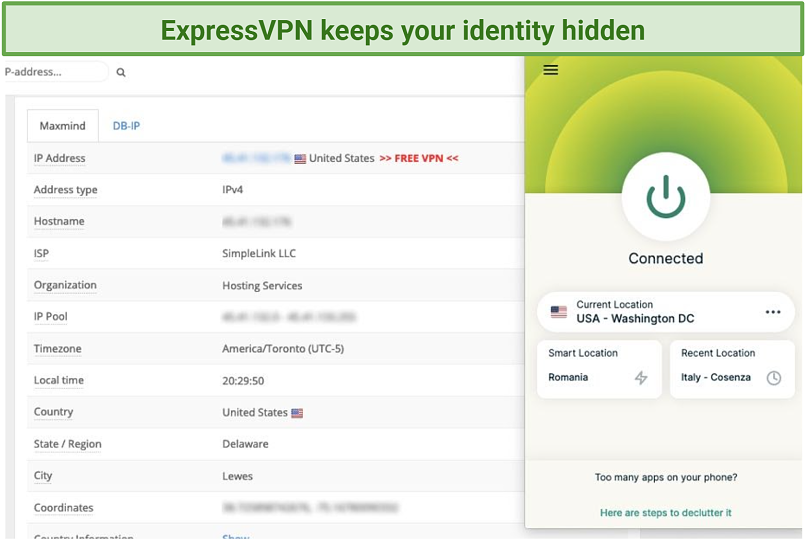
ExpressVPN is a top choice for online privacy and security. With their extension for Firefox, you can stay anonymous and protect your browsing data.
One of the key features of ExpressVPN is its advanced network of servers. With over 3,000 servers in 160 locations across 94 countries, ExpressVPN ensures that you have the ability to surf the web from anywhere in the world.
The ExpressVPN extension for Firefox provides unlimited browsing and protects your privacy by encrypting your online traffic. This is especially important in today’s digital age, where cyber threats are on the rise.
ExpressVPN’s extension for Firefox also allows you to bypass censorship and access blocked websites. Whether you’re traveling to a country with strict internet regulations or just trying to watch your favorite streaming services, ExpressVPN has you covered.
With ExpressVPN, your data is protected with military-grade encryption, ensuring that your online activities are safe from prying eyes. This level of security also makes ExpressVPN a great choice for businesses and individuals who want to protect their sensitive information.
ExpressVPN’s extension for Firefox is easy to use and offers a seamless browsing experience. With just a few clicks, you can connect to a server of your choice and start browsing the web anonymously.
In addition to its impressive security features, ExpressVPN also offers fast and reliable connections. This means that you can stream videos, download files, and browse the web without any buffering or slowdowns.
ExpressVPN also provides excellent customer support. Their team is available 24/7 to assist with any issues or questions you may have.
If you value your online privacy and want to stay anonymous while surfing the web, ExpressVPN’s extension for Firefox is the perfect solution. It offers enhanced security, unlimited browsing, and access to blocked content, all within an easy-to-use interface.
Surf Freely with CyberGhost VPN Extension
CyberGhost VPN is a popular VPN service that offers a dedicated extension for Mozilla Firefox, providing users with a safe and secure browsing experience. The extension, which can be easily installed on your Firefox browser, allows you to surf the web freely and without any restrictions.
One of the standout features of the CyberGhost VPN extension is its ability to block malicious websites and online tracking attempts. By using CyberGhost’s advanced filtering system, you can stay protected from harmful websites and ensure your online privacy.
With CyberGhost VPN’s extension, you can connect to the safest and fastest servers from around the world, ensuring that your connection is always optimized for the best performance. This allows you to browse the internet without any slowdowns or buffering, even when connecting to public Wi-Fi networks.
Another great feature of the CyberGhost VPN extension is its ability to mask your IP address, making you completely anonymous online. This means that no one can track your online activities or monitor your browsing habits. CyberGhost VPN’s strict no-logs policy further ensures that your data is never stored or accessed by anyone.
The CyberGhost VPN extension also allows you to easily access geo-restricted content, such as streaming services and websites that are blocked in your region. With just a few clicks, you can bypass these restrictions and watch your favorite shows and movies from anywhere in the world.
In summary, the CyberGhost VPN extension for Mozilla Firefox is a powerful tool that adds an extra layer of security and privacy to your browsing experience. With its easy-to-use interface and advanced features, it’s the perfect solution for anyone looking to browse the internet safely and anonymously.
Why Hotspot Shield VPN Extension is Worth Considering
Hotspot Shield VPN extension is a commercial VPN service that offers a range of features to improve your online privacy and security. With over 3,200 servers in 80+ countries, Hotspot Shield provides a strong basis for protecting your online activities.
One of the key features of Hotspot Shield VPN extension is its ability to bypass geo-restrictions, allowing you to safely access websites and content from around the world. This can be especially useful for users who want to unlock content that is not available in their country.
Moreover, Hotspot Shield prevents snoopers from analyzing your online activities by encrypting your internet traffic and hiding your IP address. This ensures that your online activities remain anonymous and secure, even while using public Wi-Fi networks.
Hotspot Shield VPN extension also offers a free version, although it has some limitations. The free version has a daily data cap of 500MB, which may not be enough for heavy internet users. For unlimited data and faster speeds, the premium version is available for a monthly or annual fee.
In terms of pricing, Hotspot Shield VPN extension is competitively priced compared to other VPN providers. It offers three pricing plans: a monthly plan, an annual plan, and a three-year plan. The three-year plan provides the best value for money, with a significant discount on the monthly price.
In conclusion, Hotspot Shield VPN extension is a trusted and reliable VPN service that provides increased privacy, security, and freedom while browsing the internet. Whether you’re looking to access geo-restricted content, prevent online tracking, or protect your data on public Wi-Fi networks, Hotspot Shield VPN extension is worth considering for your cybersecurity needs.
Get Unrestricted Access with Windscribe VPN Extension
Windscribe VPN extension offers you the ability to browse the internet without any restrictions or limitations. With Windscribe, you can bypass country-specific restrictions and access content from anywhere in the world. Whether you’re traveling, need to hide your IP address, or want to protect your online activities, Windscribe VPN is the solution you need.
Windscribe VPN provides you with 15 different server locations across the globe, allowing you to choose the country that best suits your needs. This includes popular picks such as the United States, United Kingdom, Canada, and more. Whether you need access to region-locked services or want to protect your data while browsing, Windscribe VPN has you covered.
One of the reasons why Windscribe is a favorite among VPN users is its easy-to-use interface. With just a few clicks, you can connect to a VPN server and enjoy secure and private browsing. Windscribe also offers different VPN protocols, including OpenVPN, IKEv2, and SOCKS, allowing you to choose the one that best suits your needs.
Windscribe VPN is also known for its lightning-fast speed, ensuring that your browsing experience is smooth and uninterrupted. Whether you’re streaming media, downloading files, or just browsing websites, Windscribe’s speed ensures that you can do it all without any lag or buffering.
Moreover, Windscribe VPN includes a built-in adblock feature, providing you with a cleaner and more enjoyable browsing experience. This feature blocks all types of ads, making your browsing faster and safer. Additionally, Windscribe’s adblock feature helps protect you from malvertising and other online threats.
If you’re looking for an affordable and reliable VPN extension for Mozilla Firefox, Windscribe is one of the top choices. With its advanced features and global server network, Windscribe ensures that you have the best VPN experience possible. Downloaded and used by millions of users worldwide, Windscribe VPN is the go-to choice for overcoming geo-restrictions and protecting your online privacy.
So, why wait? Get unrestricted access with Windscribe VPN extension and enjoy the freedom to browse the internet securely and privately.
Safely Browse with Private Internet Access (PIA) VPN Extension
If you’re looking for a reliable and secure VPN extension for Mozilla Firefox, look no further than Private Internet Access (PIA). PIA is a trusted VPN service that offers a Firefox extension to provide you with a private and anonymous browsing experience.
What sets PIA apart from other VPN extensions is its wide range of features and stability. Unlike some other VPN extensions that may have connection issues or slow speeds, PIA offers a stable and fast connection to help you browse the web with ease.
The PIA Firefox extension also helps you stay safe online by encrypting your internet traffic and hiding your IP address. This ensures that your online activities are private and protected from hackers or surveillance.
In addition to its security features, the PIA Firefox extension also allows you to connect to multiple VPN servers in different locations around the world. This makes it easy to access geo-restricted content and unlock websites that may be blocked in your country.
With the PIA Firefox extension, you’ll also have access to PIA’s existing network, which includes over 3,300 servers in 48 locations worldwide. This means that you can enjoy fast and reliable connections no matter where you are.
PIA is available for multiple platforms, including Windows, Mac, iOS, Android, and Linux. So whether you’re using a desktop, laptop, or mobile device, you can install the PIA VPN extension and start browsing securely.
In summary, if you’re in need of a top-notch VPN extension for Mozilla Firefox, Private Internet Access (PIA) is an excellent choice. Its stable and fast connection, wide range of server locations, and strong security features make it one of the best options available. Install the PIA Firefox extension now and enjoy a private and secure online browsing experience.
Enhance your Privacy with ZenMate VPN Extension
When it comes to protecting your online privacy, ZenMate VPN Extension is the right tool to have. It allows you to browse the internet securely and remotely, masking your IP address and overcoming any restrictions or limitations set by websites or governments. With ZenMate, you can surf the web from anywhere in the world, anytime you want.
One of the strong features of ZenMate is its global network of multiple server locations. With over 2,000 servers in countries like the United States, United Kingdom, South Africa, and more, ZenMate offers a wide range of options to choose from. Whether you want to access geo-restricted content or protect yourself when torrenting, ZenMate has got you covered.
ZenMate uses a secure protocol called IPsec, which ensures that your internet connection is encrypted and your data is protected. This allows you to browse the internet with peace of mind, knowing that your private information is safe from snoopers and hackers.
In addition to its strong security features, ZenMate is also known for its user-friendly interface and cheap pricing plans. Whether you’re a beginner or an experienced user, ZenMate is a bright solution that caters to all your privacy needs.
If you’re looking for an alternative to ZenMate, you might consider CyberGhost VPN. Like ZenMate, CyberGhost also offers a wide range of server locations and heavily features protecting your online privacy. However, if you’re looking for a more lightweight and simple VPN extension, TunnelBear could be your favorite choice.
Overall, ZenMate VPN Extension is a reliable and affordable solution to enhance your privacy and overcome any geo-restrictions or limitations set by websites or governments. With its user-friendly interface and strong security features, ZenMate is a must-have for anyone who wants to protect their online privacy.
Explore Geo-Restricted Content with PureVPN Extension
If you want to access geo-restricted content and surf the web with utmost security and privacy, the PureVPN extension is a top choice. With this extension, you can easily bypass any restrictions and enjoy your favorite websites, videos, and streaming platforms from anywhere in the world.
PureVPN provides advanced features such as optimized servers, high speeds, and unlimited bandwidth to ensure a seamless browsing experience. It offers a vast selection of servers in different countries, so you can easily change your IP address and connect securely to any region you desire.
One of the key features of PureVPN is its strong focus on security. It uses the latest encryption protocols like IPsec, ensuring that your data remains private and undiscoverable to any third parties. Whether you’re connecting to public Wi-Fi or accessing sensitive information, PureVPN has you covered.
With PureVPN, you can also enjoy additional benefits such as ad-blocker and malware protection. The extension blocks unwanted ads and prevents tracking, making your browsing experience safer and cleaner. It even has a dedicated split tunneling feature that allows you to selectively choose which applications and websites go through the VPN tunnel.
One of the main reasons why PureVPN is so popular is its user-friendly interface. It seamlessly integrates with your Firefox browser, making it easy to use and navigate. The extension allows you to quickly connect to any server or region with just a few clicks, ensuring a hassle-free experience.
In summary, the PureVPN extension is a powerful tool that not only helps you bypass geo-restrictions but also provides advanced security features to keep your data and privacy intact. Whether you’re a frequent traveler, an avid streamer, or just want to browse the web securely, PureVPN is definitely worth considering.
Secure Your Connection with AVG Secure VPN Extension
AVG Secure VPN is a powerful extension for Mozilla Firefox that allows you to secure your internet connection and protect your online privacy. With AVG Secure VPN, you can browse the internet safely and anonymously, no matter where you are.
One of the key features of AVG Secure VPN is its ability to encrypt your internet traffic and hide your IP address. This means that your internet activity is completely private and undiscoverable by anyone, including your internet service provider and potential hackers.
AVG Secure VPN leverages the trusted OpenVPN protocol to provide you with a secure and fast connection. It also helps you overcome geo-restrictions and access blocked content from around the world. Whether you want to watch your favorite shows on Netflix or access social media platforms in countries where they are blocked, AVG Secure VPN has got you covered.
With AVG Secure VPN, you can connect to servers in more than 50 countries, allowing you to access content from all over the world. Whether you want to browse from the comfort of your home or connect to a server in a different country to bypass censorship, AVG Secure VPN gives you the flexibility and freedom to do so.
Furthermore, AVG Secure VPN offers unlimited bandwidth and allows you to connect up to 8 devices simultaneously. This means that you can protect all your devices in one go, including your smartphones, tablets, and laptops. Whether you’re at home, in a coffee shop, or on a public Wi-Fi network, AVG Secure VPN ensures that your connection is always secure.
In addition to its robust security features, AVG Secure VPN also offers a simple and user-friendly interface. With just a few clicks, you can connect to a server of your choice and start browsing the internet securely. The extension also includes a free trial, allowing you to test out its features before committing to a subscription.
Overall, AVG Secure VPN is a reliable extension for Mozilla Firefox that helps you secure your connection and protect your online privacy. With its optimized protocol and wide range of server locations, AVG Secure VPN is your best bet for staying safe and anonymous while browsing the internet.
Enjoy Fast and Secure Browsing with Surfshark VPN Extension
The Surfshark VPN extension for Mozilla Firefox is a top-class cybersecurity provider that allows you to enjoy fast and secure browsing. With this extension, you can encrypt your online traffic and protect your privacy from prying eyes.
Surfshark leverages multiple protocols, including WireGuard, a lightning-fast and secure protocol, to ensure that your online activities are always protected. This makes Surfshark one of the best VPN extensions for Mozilla Firefox.
One of the standout features of Surfshark is its ability to unlock geographically restricted content. Whether you want to access Netflix from a different country or visit blocked websites, Surfshark’s vast network of servers in over 65 countries allows you to do so easily.
Another advantage of using Surfshark is its strict no-logging policy. Unlike some other VPN providers, Surfshark does not keep any logs of your online activities. This means that your browsing history, data, and personal information remain private and secure.
Surfshark also provides a dedicated VPN app for various devices, including Windows, Mac, iOS, and Android. This means that you can enjoy fast and secure browsing on all of your devices without any hassle.
In addition to its VPN extension, Surfshark offers other features such as ad-blocking, malware protection, and a kill switch to provide you with a total online security solution.
With Surfshark VPN extension for Mozilla Firefox, you can mask your IP address and enjoy anonymous browsing. This is especially useful when accessing public Wi-Fi networks or when you want to keep your online activities private.
In summary, Surfshark VPN extension for Mozilla Firefox is a reliable and secure VPN solution that provides fast and secure browsing, unlocks geographically restricted content, and protects your privacy online.
Protect Your Online Identity with VyprVPN Extension
If you want to ensure the safety and security of your online identity while browsing the web, the VyprVPN Extension is the perfect solution. With this extension, you can protect your personal information and mask your IP address, making it impossible for malicious actors to track or target you.
VyprVPN is a highly trusted VPN provider listed amongst the best VPN extensions for Mozilla Firefox. It provides a secure and encrypted connection, allowing you to browse the internet without any worries of being monitored or compromised.
By connecting to one of VyprVPN’s wireguard-enabled servers, you can enjoy lightning-fast speeds and ensure your online activities remain private. This enables you to bypass geo-restrictions and watch your favorite streaming platforms, like Netflix, from anywhere in the world.
The VyprVPN Extension is lightweight and easy to use. It seamlessly integrates with your Firefox browser, providing advanced protection without slowing down your browsing experience. Whether you’re connected to public Wi-Fi hotspots or accessing sensitive information remotely, VyprVPN’s secure network will keep your data safe.
One of the great features of the VyprVPN Extension is its unlimited data usage and bandwidth. This means you can browse, stream, and download without any restrictions. Additionally, VyprVPN offers a free trial, allowing you to test out the extension before committing to one of their pricing plans.
When using the VyprVPN Extension, your true IP address is concealed, making it virtually undiscoverable. This ensures that your online identity remains protected and your browsing activity stays confidential. Furthermore, the extension includes an advanced WebRTC leak prevention feature, preventing your IP address from being leaked while using WebRTC-enabled websites.
Key Features of VyprVPN Extension:
- Protects your online identity by masking your IP address
- Enables access to geo-restricted content, like Netflix
- Provides a lightweight and fast browsing experience
- Offers unlimited data usage and bandwidth
- Includes an advanced WebRTC leak prevention feature
In conclusion, VyprVPN Extension is a powerful tool that allows you to browse the internet securely and anonymously. By hiding your true IP address and providing advanced security features, VyprVPN ensures that your online identity and data remain protected at all times. Whether you want to access geo-restricted content or stay safe on public Wi-Fi hotspots, VyprVPN is the ultimate solution.
Preserve Online Freedom with ProtonVPN Extension
ProtonVPN Extension for Mozilla Firefox is an excellent tool for preserving online freedom and privacy. With its advanced features and reliable performance, it offers an enhanced browsing experience for users.
The extension allows you to protect your online activities by spoofing your IP address and hiding your browsing history from potential threats. It ensures a secure and high-speed connection, making your online experience even better.
ProtonVPN Extension helps improve your online privacy by providing affordable and unlimited data usage. The strong encryption it offers keeps your data safe from prying eyes and potential hackers.
As a leading VPN provider, ProtonVPN Extension gives you the freedom to bypass geo-restrictions. Whether you want to access content from Great Britain or any other country, this extension has got you covered.
Moreover, with the strict notification system, ProtonVPN Extension ensures that you are always in control of your online privacy. It provides total transparency and a straightforward user experience.
With ProtonVPN Extension, you can improve your control over your online activities. It gives you the ability to choose from a wide range of servers, ensuring that you have 11 options at your disposal.
Additionally, this extension is available on multiple devices, including laptops, smartphones, and tablets. You can enjoy secure and private browsing on your preferred device without any hassle.
ProtonVPN Extension is not only available for Mozilla Firefox; it also works well with other popular browsers like Google Chrome. This versatility allows you to enjoy a secure browsing experience no matter which browser you prefer.
The extension boasts a top-quality VPN service and ensures that your data is always protected from fraudulent activities. Whether you’re browsing the web, streaming media, or just checking your emails, ProtonVPN Extension has you covered.
Furthermore, it leverages the advanced WireGuard protocol, which provides faster connection speeds and increased security. With ProtonVPN Extension, you can experience a seamless and secure browsing experience.
ProtonVPN Extension also offers additional features like ad blocker and protection against miners and malicious websites. It keeps you safe from unwanted ads and ensures that your browsing experience is free from potential threats.
In conclusion, ProtonVPN Extension is a trusted and reliable tool for preserving your online privacy and freedom. It offers advanced features, zero-logs policy, and strong encryption to keep you safe while surfing the web. With this cybersecurity solution, you can confidently browse the internet without worrying about geo-restrictions or potential threats.
Bypass Censorship with Browsec VPN Extension
Browsec VPN extension is a powerful tool that allows users to bypass censorship and access blocked websites. With Browsec, users can regain their freedom to browse the internet without any restrictions imposed by their country or strict networks.
One of Browsec’s unique features is its device-level software, which allows users to securely connect to the internet from any location, regardless of the existing restrictions. Whether you’re traveling abroad, working remotely, or simply want to access a website that is blocked in your country, Browsec has got you covered.
Browsec’s top-class VPN technology prevents snoopers and hackers from gaining access to your private browsing data. Leveraging this technology, you can browse anonymously and prevent tracking of your online activities, ensuring your online privacy is always protected.
When it comes to speed, Browsec is at the top of its game. Its built-in speed feature ensures that your browsing experience remains fast and seamless, without any compromise on performance. With Browsec, you can enjoy the freedom to access your favorite websites and content without any buffering or lag.
Browsec is available as a free VPN extension in the Firefox store, making it easily accessible to users. However, if you want to unlock its full potential, Browsec offers a premium version with even more advanced features and unlimited bandwidth.
Key features of Browsec VPN extension:
- Bypass censorship and access blocked websites
- Surf anonymously and prevent tracking of your online activities
- Gain freedom to browse without restrictions
- Securely connect to the internet from any location
- Top-notch cybersecurity with built-in speed for fast browsing
If you’re looking for a reliable VPN extension that can help you overcome censorship and enjoy a truly unrestricted browsing experience, Browsec is the way to go. Start using Browsec today and regain control over your online privacy and freedom.
Why Trust Trust.Zone VPN Extension for Firefox
1. Advanced Security Features: Trust.Zone VPN extension for Firefox offers advanced security features to ensure your online privacy and protect your sensitive data. With features like encryption, IP masking, and DNS leak protection, Trust.Zone ensures that your internet connection is secure and your online activities are private.
2. Fast and Stable Connection: Trust.Zone VPN extension provides a fast and stable connection, allowing you to browse the internet without any interruptions. Whether you are streaming media, gaming, or simply browsing the web, Trust.Zone ensures a seamless and reliable connection.
3. Access to Restricted Content: Trust.Zone VPN enables you to access geo-restricted websites and content. With its wide range of server locations, you can easily switch your virtual location and bypass any restrictions that may prevent you from accessing certain websites or services.
4. Built-in Ad Blocker: Trust.Zone VPN extension comes with a built-in ad blocker, which helps improve your browsing experience by blocking annoying ads and pop-ups. It not only enhances your privacy but also helps in faster page loading times.
5. No Logging Policy: Trust.Zone VPN follows a strict no-logging policy, which means that they do not track or store any of your online activities. This ensures that your data remains private and undiscoverable.
6. User-Friendly Interface: Trust.Zone VPN extension for Firefox has a simple and user-friendly interface, making it easy to install and use. It doesn’t require any technical knowledge and can be set up with just a few clicks.
7. Compatible with Multiple Devices: Trust.Zone VPN extension can be used not only with Firefox but also with other browsers and devices. You can use it on your desktop, laptop, or mobile devices, ensuring that your online activities are protected across all platforms.
8. Affordable Pricing: Trust.Zone VPN offers competitive pricing plans, making it an affordable option for individuals who are looking for a reliable VPN service. With different pricing options and flexible payment plans, you can choose the plan that suits your needs and budget.
| Trust.Zone VPN Extension | Other VPN Extensions |
|---|---|
| Advanced security features for online privacy | Basic security features |
| Fast and stable connection | Slower connection speeds |
| Wide range of server locations | Limited server options |
| Built-in ad blocker | No ad-blocking feature |
| No logging policy | Possible logs of user data |
Hoxx VPN: A Closer Look at a Free and Secure VPN Extension
When it comes to VPN extensions for Mozilla Firefox, Hoxx VPN is one that stands out. This free and secure VPN extension provides users with a range of features and benefits that make it a top choice for anyone looking to improve their browsing experience and ensure their online privacy.
Easy to Install and Use
One of the reasons why Hoxx VPN is so popular is its easy installation process. With just a few clicks, you can add this extension to your Firefox browser and start using it right away. Plus, with its user-friendly interface, even those who are new to VPNs can navigate and utilize Hoxx VPN effortlessly.
Safeguard Your Online Privacy
Hoxx VPN helps to ensure your online privacy with its secure and encrypted connection. By rerouting your internet traffic through their servers, Hoxx VPN hides your true IP address and protects your data from fraudulent activities. It leverages top-class security protocols such as IPsec and PPTP to ensure that your online activities are safe from prying eyes.
Bypass Geo-blocking and Access Restricted Content
With Hoxx VPN, you can easily bypass geographical restrictions and access content that is blocked in your region. Whether you want to watch your favorite TV shows or visit a website that is only available in certain countries, Hoxx VPN provides you with a worldwide network of servers to choose from, allowing you to surf and stream without limitations.
Enhance Your Browsing Experience
In addition to its privacy and accessibility features, Hoxx VPN also offers other benefits to enhance your browsing experience. This extension includes built-in adblock, which ensures that you won’t be bothered by annoying ads while you surf the web. It also helps to improve your browser’s speed by reducing throttling and optimizing your internet connection.
Compatible with Multiple Devices
Hoxx VPN is not limited to just Firefox. It can also be installed and used on other popular browsers like Chrome, Opera, and Edge. This means that you can enjoy its security and features regardless of your preferred browser.
Conclusion
Hoxx VPN is a reliable and affordable VPN extension that offers a range of features to protect your online privacy, bypass geo-blocking, and enhance your browsing experience. Whether you’re a casual internet user or a frequent traveler, Hoxx VPN is a valuable tool to have installed on your device. Give it a try and discover the benefits for yourself!
Expanding Your VPN Options with the Hoxx VPN Extension
When it comes to protecting your online privacy and accessing geo-restricted content, having a reliable VPN extension for your browser is essential. The Hoxx VPN extension is a popular choice that offers a wide range of features to enhance your browsing experience.
Secure and Anonymous Browsing
The Hoxx VPN extension encrypts your internet traffic and allows you to browse the web safely and anonymously. It redirects your connection through a virtual private network, making your online activities virtually undiscoverable by third parties, including your ISP.
Access Geo-Restricted Content
With the Hoxx VPN extension, you can bypass geo-restrictions and access content that is only available in certain countries. Whether you want to stream your favorite shows on Netflix or access websites that are blocked in your country, Hoxx VPN has optimized servers in various locations around the world to provide fast and reliable connections for your browsing needs.
Switch Between Virtual Locations
Hoxx VPN allows you to switch between virtual locations, giving you the flexibility to browse the web from different countries. Whether you want to access content specific to a particular location or improve your connection speed, you can easily switch between servers with just a few clicks.
Surf Safely on Public Wi-Fi
Using public Wi-Fi hotspots can put your personal information at risk. Hoxx VPN prevents others from intercepting your data by encrypting your connection, ensuring that your sensitive information remains secure while using public networks.
Easy to Use
Hoxx VPN is easy to install and use, with a user-friendly interface that makes it accessible to both beginners and advanced users. Simply download the extension for your preferred browser, create an account, and you’re ready to start browsing securely.
Premium Features for a Fee
While the basic version of Hoxx VPN is free, there is also a premium option available for a fee. With the premium version, you can enjoy faster speeds, access to a larger network of servers, and other top-notch features that enhance your browsing experience.
Verdict: A Reliable VPN Extension
Overall, the Hoxx VPN extension is a reliable choice for anyone looking to expand their VPN options. With its secure and anonymous browsing, ability to access geo-restricted content, and easy-to-use interface, Hoxx VPN provides the necessary tools to protect your online privacy and enhance your browsing experience.
FAQ:
What are VPN extensions for Mozilla Firefox?
VPN extensions for Mozilla Firefox are small software programs that can be added to your Firefox browser to enhance its functionality and provide you with a secure and private connection to the internet. These extensions encrypt your data, hide your IP address, and allow you to access websites and services that may be blocked in your region.
Why should I use a VPN extension for Mozilla Firefox?
There are several reasons why you should use a VPN extension for Mozilla Firefox. Firstly, it adds an extra layer of security to your internet browsing by encrypting your data and protecting it from hackers and surveillance. Secondly, it allows you to bypass censorship and access geo-restricted content by masking your IP address. Lastly, it provides you with a more private browsing experience by hiding your online activities from your ISP and other third parties.
Which VPN extension is best for Mozilla Firefox?
There are many great VPN extensions available for Mozilla Firefox, but some of the best ones include TunnelBear, ExpressVPN, NordVPN, CyberGhost, Hotspot Shield, and Windscribe. Each of these extensions has its own unique features and advantages, so the best one for you will depend on your specific needs and preferences.
What sets TunnelBear apart from other VPN extensions for Mozilla Firefox?
TunnelBear stands out from other VPN extensions for Mozilla Firefox due to its user-friendly interface, strong encryption, and generous data allowance. It offers a simple and intuitive user experience, making it easy for even beginners to use. Additionally, TunnelBear uses industry-standard AES-256 encryption to ensure the privacy and security of your data. Lastly, it provides users with a generous free data allowance of 500MB per month, making it an attractive option for those on a budget.
Can I use a VPN extension for Mozilla Firefox on multiple devices?
Yes, most VPN extensions for Mozilla Firefox can be used on multiple devices. However, the number of devices you can use depends on the specific VPN provider and subscription plan you choose. Some VPN providers allow you to connect multiple devices simultaneously, while others may have a limit on the number of devices you can connect at the same time. It is important to check the terms and conditions of the VPN provider before using their extension on multiple devices.
How do I install a VPN extension for Mozilla Firefox?
The process of installing a VPN extension for Mozilla Firefox is relatively simple. First, open your Firefox browser and go to the Firefox Add-ons website. Search for the VPN extension you want to install, such as TunnelBear. Click on the “Add to Firefox” button next to the extension, and then click on “Install” when prompted. Once the installation is complete, the VPN extension will appear in your Firefox browser’s toolbar. Click on the extension icon to activate the VPN and start using it.
Videos:
Best VPN for Firefox browser 2021 ✅ 3 most reliable VPN extensions
Best VPN for Firefox browser 2021 ✅ 3 most reliable VPN extensions by VPNpro 1 year ago 4 minutes, 50 seconds 6,970 views
Best FREE VPNs For Chrome in 2023 — Extensions & Full Apps
Best FREE VPNs For Chrome in 2023 — Extensions & Full Apps by VPN Brain 8 months ago 4 minutes, 29 seconds 30,019 views
STOP using a VPN – You don’t really need it!
STOP using a VPN – You don’t really need it! by Liron Segev 1 year ago 5 minutes, 55 seconds 621,711 views
