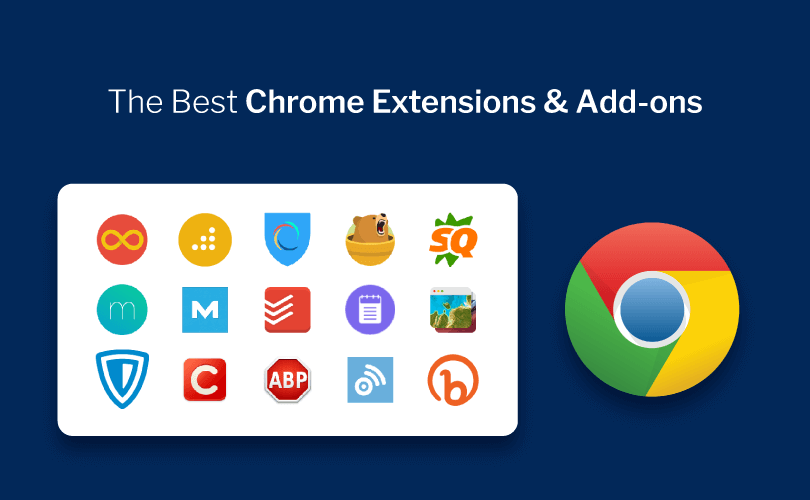
11 Best VPN Extensions for Google Chrome in 2023: Find the Perfect Betternet Option

In today’s interconnected world, where our lives revolve around online networks and digital communications, having a reliable VPN for Google Chrome has become a necessity. With the rise of cyber threats and the increasing surveillance by both governments and marketers, ensuring our online privacy and security is of utmost importance.
When it comes to choosing a VPN extension for Chrome, there are plenty of options available, each with its own set of features and capabilities. With so many choices, it can be overwhelming to find the best one that suits your needs. Back in the day, Betternet was one of the few options available, and it was considered a solid choice. However, the VPN landscape has evolved, and there are now better and more comprehensive options to consider.
One such option is VeePN. It offers a wide range of features that go beyond just encrypting your online traffic. With VeePN, you get access to servers in over 50 countries, ensuring you can browse the web from any corner of the planet. Moreover, it has a zero-logs policy, which means your online activities are not logged or stored, providing you true anonymity. Additionally, VeePN has a kill switch feature, which prevents your connection from being exposed if the VPN connection drops.
If you prefer a completely free VPN, DotVPN is an interesting choice. Although it comes with some limitations, such as monthly data caps and slower speeds, it still offers a decent level of privacy and security. The DotVPN extension is easy to use, reducing the hassle of configuring multiple servers or choosing specific countries. It also includes a built-in ad blocker, protecting you from intrusive ads and unwanted tracking.
For those looking for a super secure VPN, NordVPN is undoubtedly one of the best options on the market. It encrypts your data with military-grade encryption and offers advanced features like a double VPN, which routes your traffic through two different servers for added security. NordVPN also has a strict no-logs policy, meaning your online activities are not recorded or monitored. With servers in over 60 countries, you can enjoy unrestricted access to content from around the globe.
In conclusion, when it comes to choosing the best VPN for Google Chrome in 2023, there are numerous options to consider. Whether you prioritize speed, privacy, or a combination of both, there is a VPN extension out there that can meet your needs. By taking advantage of the comprehensive capabilities offered by VeePN, the convenience and comfort of DotVPN, or the advanced security features of NordVPN, you can ensure your online activities remain hidden from prying eyes and stay protected in this interconnected world.
The Importance of VPN for Google Chrome
Undoubtedly, Google Chrome is one of the most popular web browsers used by millions of users worldwide on different devices. While Chrome offers various features, the usage of a VPN adds an extra layer of security and privacy to your online activities.
When you browse the internet, your data is vulnerable to potential threats in public networks. Using a VPN, you can encrypt your internet connection, ensuring that your data is secure and protected from hackers, scams, and other malicious activities in the dark corners of the web.
One of the most essential benefits of using a VPN for Google Chrome is its ability to spoof your location. By connecting to a remote server in a different country, you can access geo-restricted content and bypass censorship controls. This feature is especially useful if you want to stream content from other countries or visit websites that are blocked in your region.
Moreover, a VPN provides you with more control over your online privacy. It reduces the chances of your ISP or other entities tracking your browsing history, giving you the freedom to explore the web without worrying about being monitored.
Considering the market is filled with VPN options, it’s important to choose the best one for your needs. There are several VPN extensions for Google Chrome, including Betternet, Browsec, and NordVPN. Each extension boasts its own set of features and claims to be the fastest or most secure option. However, it is crucial to do your research and consider factors such as speed, setup capabilities, and server options before making a final decision.
In this article, we will explore 11 Betternet alternatives for Google Chrome. We’ll delve into their features, setup process, and how they can enhance your browsing experience. Whether you’re looking for a VPN for streaming, remote access, or multilingual capabilities, this article will provide you with all the information you need to make an informed decision.
How to Choose the Best VPN for Google Chrome
When it comes to choosing the best VPN for Google Chrome, you have several choices available. Making the right decision will ensure that you have a secure and reliable browsing experience.
1. Security: Look for a VPN that offers secureline encryption and enables you to browse the web anonymously. This will guarantee that your personal information is protected.
2. Unblock Websites: One of the main advantages of using a VPN is that it allows you to unblock websites that may be restricted in your location. Make sure the VPN you choose has servers around the world to access all the content you want.
3. Speed: Speed is a critical factor to consider when choosing a VPN for Google Chrome. Look for one that offers fast browsing speeds to ensure a smooth online experience.
4. Privacy: Ensure that the VPN you choose has a no-logs policy and does not track your browsing activity. This will help to keep your online activities private and secure.
5. Compatibility: Check if the VPN is compatible with all your devices, including Google Chrome and other popular browsers like Firefox. This will ensure that you can stay protected while using any device.
6. Pricing: Consider the pricing plans offered by different VPN services. Look for a VPN that offers a relatively low monthly subscription fee and provides value for money.
7. Customer Support: Ensure that the VPN you choose has a responsive and reliable customer support team. This will help you get assistance whenever you encounter any issues or have questions about the VPN service.
8. Additional Features: Some VPNs offer additional features like ad-blocking, malware protection, and anti-tracking. These features can enhance your browsing experience and provide extra security.
In conclusion, when choosing the best VPN for Google Chrome, you should consider factors such as security, ability to unblock websites, browsing speeds, privacy, compatibility, pricing, customer support, and additional features. By taking the time to research and compare different VPN solutions, you can find the best option that suits your needs and provides a secure and reliable browsing experience.
Benefits of Using VPN Extensions for Google Chrome
VPN extensions for Google Chrome offer numerous advantages that make them a popular choice for users all over the world.
1. Enhanced Privacy and Security
Thanks to VPN extensions, users can rest assured that their online activities are logged and encrypted, providing them with a secure digital browsing experience. This heightened security helps to set VPN extensions apart from regular browsers.
2. Easy to Download and Use
The process of downloading and using VPN extensions is straightforward. Users can simply choose the extension they prefer, sign up or log in, and start protecting their online privacy without hassle. This user-friendly interface makes VPN extensions an excellent choice for both beginners and advanced users.
3. Access to Geo-Restricted Content
One of the main benefits of using VPN extensions is the ability to unblock and access geo-restricted content. By connecting to a server in a different location, users can bypass regional restrictions and enjoy content that may not be available in their own country.
4. Increased Bandwidth and Fast Speeds
VPN extensions often offer faster speeds and increased bandwidth compared to free VPN services. For example, some VPN extensions provide unlimited bandwidth, allowing users to stream videos and browse the internet without experiencing lag or disruptions.
5. Protection Against Scams and Malicious Websites
VPN extensions are equipped with built-in security features that protect users from scams and malicious websites. With features like ad blocking and malware protection, VPN extensions ensure a safer browsing experience.
6. Multi-Device Compatibility
Most VPN extensions are compatible with multiple devices, including Windows, Mac, iOS, and Android. This compatibility makes it convenient for users to switch between devices while maintaining their privacy and security.
7. Choice of VPN Protocols
VPN extensions offer a variety of protocols to choose from, such as OpenVPN, L2TP/IPsec, and IKEv2. Users can select the protocol that best suits their needs, whether it’s speed, security, or both.
8. Customer Support and Frequently Asked Questions

In addition to providing secure browsing, many VPN extensions offer comprehensive customer support and frequently asked questions sections. This allows users to find answers to their queries quickly and easily, ensuring a smooth experience.
Overall, VPN extensions for Google Chrome provide a range of benefits that make them a great option for anyone looking to enhance their privacy, access restricted content, and browse the internet securely.
Top 11 VPN Extensions for Google Chrome
1. Betternet
Betternet is a popular VPN extension for Google Chrome that offers excellent speed and secure browsing. It comes with an easy-to-use setup and provides a comprehensive and secure connection. It also offers a killswitch feature, ensuring your safety while browsing.
2. DotVPN
DotVPN provides a secure and accessible browsing experience. It offers a large number of server locations, allowing you to choose the best one for your needs. The extension also includes a killswitch feature to enhance your online security.
3. NordVPN
NordVPN is a highly recommended VPN extension that has been in the market for a long time. It offers a comprehensive set of features, including secure streaming and excellent speed. The extension is also known for its ability to unblock Netflix and other streaming websites.
4. Hola VPN
Hola VPN is an extension that has gained popularity for its easy-to-use interface and vast number of server locations. It allows you to safely browse the web and access geo-restricted websites. However, it is important to note that Hola VPN has been frequently criticized for its involvement in scams and shady practices.
5. Urban VPN
Urban VPN is a secure and popular VPN extension that offers a comprehensive set of features. It provides secure browsing, encryption, and the ability to choose from multiple server locations. The extension is compatible with both Chrome and Android devices.
6. SecureLine VPN
SecureLine VPN is a reliable and secure extension for Google Chrome. It offers a simple and user-friendly interface, making it easy to use for beginners. The extension also supports the Webrtc protocol, ensuring your online activities are not exposed.
7. CyberGhost VPN
CyberGhost VPN is a well-known VPN service that provides an excellent browsing experience. It offers a large number of server locations, making it easy to bypass geo-restrictions and access region-locked content. The extension also comes with a killswitch feature to protect your privacy.
8. Hotspot Shield
Hotspot Shield is a popular VPN extension that offers fast and secure browsing. It provides a large number of server locations, allowing you to choose the best one for your needs. The extension also offers a built-in ad blocker, blocking annoying ads and trackers.
9. Windscribe
Windscribe is a comprehensive VPN extension that prioritizes security and privacy. It offers a strong encryption protocol and supports various server locations. The extension also provides a generous amount of data for free users, making it an excellent choice for occasional users.
10. TunnelBear
TunnelBear is a user-friendly VPN extension that offers a simple and intuitive interface. It provides a secure browsing experience and supports a wide range of server locations. The extension also offers a free plan with enough data for regular browsing.
11. ExpressVPN
ExpressVPN is a top choice for many users due to its speed and reliable service. It offers a large number of server locations and supports streaming platforms such as Netflix. The extension also provides a killswitch feature and excellent customer support.
Betternet VPN Chrome Extension: Features and Benefits
When it comes to VPN Chrome extensions, Betternet is one of the best options available. With its server presence across multiple countries, Betternet offers a wide range of options for users to choose from. Whether you’re looking to access content from a specific country or switch between servers for better performance, Betternet has you covered.
One of the most interesting features of Betternet VPN Chrome extension is its dark mode setting. This allows users to enjoy a dark and comfortable browsing experience, reducing strain on the eyes. Moreover, with its super-fast connection speed, Betternet ensures that you can browse the internet with ease and without any lag.
Unlike some other free VPN extensions, Betternet offers unlimited bandwidth, allowing you to utilize the internet to its fullest potential. This is especially useful when streaming content or downloading large files. Moreover, Betternet does not sell your data, ensuring that your online activities are kept safe and secure.
For users looking for more advanced features, Betternet also offers a premium subscription, which unlocks additional benefits. With the premium subscription, you can access servers in more countries, enabling you to bypass geo-restrictions and access content from all around the world.
Benefits of Betternet VPN Chrome Extension:
- Easy-to-use and great for beginners
- Enables anonymous browsing
- Offers fast and secure connection
- Allows you to switch between servers with ease
- Provides access to content from different countries
- Keeps your online activities private and secure
- Reduces latency and improves browsing performance
- Can be used on both Google Chrome and Firefox
- Works with popular websites and streaming platforms like Netflix
- Compatible with Wi-Fi and mobile data connections
- Supports multiple devices, including laptops, smartphones, and tablets
If you’re looking for the best VPN Chrome extension in 2023, Betternet is definitely a top contender. With its wide range of features and benefits, it provides a reliable and secure browsing experience for users around the world.
In conclusion
Whether you’re concerned about your privacy, want to access geo-restricted content, or simply want to browse the internet without any limitations, Betternet VPN Chrome extension is the answer. With its fast and unlimited bandwidth, advanced features, and availability on multiple devices, Betternet is a reliable and versatile VPN service that caters to the needs of all users.
Hotspot Shield VPN Chrome Extension: Features and Benefits
If you’re looking for a reliable VPN extension for Google Chrome, the Hotspot Shield VPN Chrome Extension is one option to consider. With over 9 million users, this extension offers a range of features and benefits that make it a popular choice among internet users.
Secure Browsing: The Hotspot Shield VPN Chrome Extension ensures that your online activities are kept private and secure. It encrypts your internet traffic and offers protection against hackers and cybercriminals who may be lurking on public Wi-Fi networks.
Fast Connection Speeds: Speed is a key benefit of using the Hotspot Shield VPN Chrome Extension. It offers fast connection speeds, allowing you to stream HD videos, download files, and browse the web without any buffering or slowdowns.
Bypass Restrictions: One of the main benefits of using a VPN is the ability to bypass geo-restrictions and access content that is not available in your country. The Hotspot Shield VPN Chrome Extension grants you access to websites and streaming platforms from around the world, making it an ideal choice for users who want to access region-locked content.
Easy-to-Use: The Hotspot Shield VPN Chrome Extension is incredibly easy to use. Once you’ve signed up and logged in, you can simply click on the extension icon in your browser to connect to a VPN server. It’s a hassle-free solution for those who want to protect their online privacy without any technical complications.
Unlimited Bandwidth: Unlike some other VPN providers that limit your bandwidth usage, the Hotspot Shield VPN Chrome Extension offers unlimited bandwidth. This means you can browse, stream, and download as much as you want without worrying about hitting any caps.
Strong Privacy Protection: Privacy is a top priority when it comes to using a VPN. The Hotspot Shield VPN Chrome Extension has a strict no-logs policy, meaning it does not track or sell your private information. You can browse the web with peace of mind knowing that your online activities are kept private.
Multiple Server Locations: With over 1,800 servers in more than 80 countries, the Hotspot Shield VPN Chrome Extension gives you plenty of options when it comes to selecting a server. You can easily switch between server locations to find the best connection speed and access content from different regions.
In addition to the Hotspot Shield VPN Chrome Extension, there are other VPN options available for Google Chrome users. For example, CyberGhost and Browsec are two popular choices that offer similar features and benefits. Ultimately, the best VPN for you will depend on your specific needs and preferences.
NordVPN Chrome Extension: Features and Benefits
The NordVPN Chrome extension is undoubtedly one of the best VPN extensions available for Google Chrome. With its powerful features and benefits, it offers a secure and private browsing experience for users.
1. Spoofing Your Location
The NordVPN Chrome extension allows you to spoof your location, making it appear as if you’re browsing from a different country. This is especially useful for accessing geo-restricted content and bypassing censorship.
2. Dark Web Protection
NordVPN also offers protection against potential threats on the dark web. With this extension, your browsing activity remains secured, even when venturing into the darker corners of the internet.
3. Access Restricted Content with Hola Extension Compatibility
The NordVPN Chrome extension is compatible with the Hola extension, which gives you access to even more restricted content. This combination of VPN and proxy capabilities ensures maximum accessibility.
4. Enhanced Data Security
With NordVPN’s robust encryption protocols, your data is protected from prying eyes. It provides an extra layer of security when browsing, keeping your sensitive information safe.
5. Fast Connection Speeds
NordVPN offers fast connection speeds, allowing you to browse, stream, and download content without any noticeable lag. You can enjoy a seamless online experience without compromising on speed.
6. Unlimited Bandwidth
The NordVPN extension enables you to make the most out of your internet connection by providing unlimited bandwidth. You can stream, download, and browse as much as you want, without worrying about exceeding limits.
7. Access Blocked Websites
By masking your IP address, the NordVPN Chrome extension allows you to access blocked websites and bypass online restrictions. You can enjoy freedom and explore the internet without limitations.
8. User-Friendly Interface
The NordVPN Chrome extension features a user-friendly interface that is easy to navigate. You can connect to a server and activate the VPN with just a few clicks, making it accessible for all types of users.
9. Kill Switch Functionality
The extension includes a kill switch functionality that ensures your browsing activity remains private even if the VPN connection drops unexpectedly. This feature provides an added layer of security.
10. Full Google Chrome Integration
NordVPN integrates seamlessly with Google Chrome, allowing you to take full advantage of its features while using the browser. You can secure your browsing activities right from the Chrome interface.
11. Recommended by Experts
NordVPN is highly recommended by experts in the VPN industry. Its strong encryption, vast server network with over 5,500 servers in 59 countries, and excellent customer support make it a top choice for users.
If you’re looking for a VPN solution for Google Chrome, the NordVPN Chrome extension is definitely worth considering. Its features and benefits provide a secure, private, and unrestricted browsing experience, making it one of the best VPN extensions on the market.
ExpressVPN Chrome Extension: Features and Benefits
If you are looking for a powerful VPN extension for Google Chrome, the ExpressVPN Chrome Extension is worth considering. With its easy-to-use setup and fast speeds, it offers a range of features and benefits that make it one of the best options available.
Enhanced Security: ExpressVPN Chrome Extension provides a secure connection by encrypting your internet traffic with the highest level of security. It uses the OpenVPN protocol, known for its strong encryption and reliability.
Seamless Integration: The ExpressVPN Chrome Extension seamlessly integrates with the ExpressVPN desktop app, allowing you to switch between your browser and other applications without any hassle.
Location Masking: With this extension, you can mask your IP address and choose from a wide range of server locations around the world. This allows you to browse the internet anonymously and access geographically restricted content.
Faster Speeds: The ExpressVPN Chrome Extension leverages ExpressVPN’s fast global network, ensuring that you experience blazing-fast speeds while browsing or streaming. Whether you are watching videos or downloading files, you won’t be hindered by slow connection speeds.
Reliable Connection: This extension ensures a reliable connection, preventing any sudden disconnections or interruptions while browsing. You can browse with confidence, knowing that your connection will always remain stable and secure.
Unlimited Bandwidth: ExpressVPN Chrome Extension offers unlimited bandwidth, allowing you to browse and stream without any restrictions. Whether you are a heavy internet user or just use it occasionally, you won’t have to worry about running out of bandwidth.
User-Friendly Interface: The user-friendly interface of the ExpressVPN Chrome Extension makes it incredibly easy to use. With just a few clicks, you can connect to a VPN server and start browsing the web securely.
24/7 Customer Support: ExpressVPN provides round-the-clock customer support, so if you have any questions or issues with the extension, you can get assistance from their knowledgeable support team. They are available to help you via live chat or email.
Multiple Device Support: ExpressVPN Chrome Extension allows you to use your subscription on multiple devices. This means you can protect not only your Chrome browser but also other devices such as your smartphone, tablet, or desktop computer.
In conclusion, the ExpressVPN Chrome Extension is an excellent choice for those looking to enhance their online security and privacy. With its easy setup, fast speeds, and reliable connection, it provides all the features and benefits you need for a seamless browsing experience.
CyberGhost VPN Chrome Extension: Features and Benefits
The CyberGhost VPN Chrome extension offers a range of features and benefits that enhance your browsing experience and provide privacy and security while surfing the internet.
One of the standout features of the CyberGhost VPN Chrome extension is its ease of use. The interface is straightforward and intuitive, making it simple for anyone to navigate and configure their VPN settings.
With CyberGhost VPN, you can safely browse the web from any network, whether it’s public or private. This is particularly useful when accessing sensitive information or making online transactions, as it protects your data from potential threats and scams.
Another advantage of using the CyberGhost VPN Chrome extension is the ability to choose from a wide range of server locations. With more than 3,700 servers in over 90 countries, you can easily switch between different locations to access geographically restricted content or improve your browsing speed.
Furthermore, the CyberGhost VPN Chrome extension offers unlimited bandwidth, ensuring that you can stream and download content without any restrictions. This makes it an ideal choice for users who frequently consume media online.
Additionally, CyberGhost VPN has a strict no-logs policy, meaning that your online activities are not recorded or monitored. This provides peace of mind and ensures that your personal information remains confidential.
Lastly, the CyberGhost VPN Chrome extension seamlessly integrates with other popular browsers such as Firefox and Brave, allowing you to protect your privacy and security across multiple devices.
In conclusion, the CyberGhost VPN Chrome extension is a reliable and user-friendly option for those looking to enhance their online privacy and security. With its extensive server network, unlimited bandwidth, and strict no-logs policy, it’s definitely a VPN worth considering.
Surfshark VPN Chrome Extension: Features and Benefits
If you’re looking for a comprehensive VPN setup for your Google Chrome browser, consider the Surfshark VPN Chrome extension. With this extension, you can enjoy all the benefits of a VPN without any hassle. With Surfshark VPN, your internet traffic will be encrypted and your online activities will be kept private and secure.
Surfshark VPN offers a user-friendly interface that makes it easy to install and configure. It’s perfect for users who are new to VPNs or those who want a simple and straightforward solution. The extension allows you to connect to VPN servers in over 65 countries, giving you access to geo-restricted websites and content.
One of the standout features of Surfshark VPN is its fast connection speeds. Unlike some other VPN extensions, Surfshark VPN provides high-speed connections that won’t slow down your browsing experience. Whether you’re streaming videos or downloading large files, Surfshark VPN has got you covered.
Another great feature of Surfshark VPN is its ability to unblock popular streaming websites. With Surfshark VPN, you can easily bypass geo-restrictions and access streaming platforms like Netflix, Hulu, and Amazon Prime Video from anywhere in the world. This is a major plus for users who want to enjoy their favorite shows and movies while traveling.
Furthermore, Surfshark VPN offers unlimited bandwidth, allowing you to browse and stream without worrying about data caps. This is particularly useful for users who consume a lot of media or engage in online gaming.
In terms of security, Surfshark VPN is top-notch. It uses AES-256 encryption to protect your data and keeps no logs of your online activities. This means that even if someone were to gain access to your connection, they wouldn’t be able to see what you’ve been doing online.
In conclusion, the Surfshark VPN Chrome extension is a popular and highly-rated option for users who want a fast, secure, and easy-to-use VPN for their Google Chrome browser. With its comprehensive features and excellent performance, it’s definitely worth considering if you’re in the market for a VPN extension.
Private Internet Access VPN Chrome Extension: Features and Benefits
The Private Internet Access VPN Chrome extension is a popular choice for Google Chrome users who want to enhance their online privacy and security. With its wide range of features and benefits, it is considered as one of the best VPN extensions available.
One of the main features of the Private Internet Access VPN Chrome extension is its easy activation process. Users can simply click on the extension icon in their Chrome browser to activate the VPN and start browsing the web securely.
Another super useful feature that users prefer about the Private Internet Access VPN Chrome extension is its interface. With its user-friendly interface, it is effortless to navigate and configure the different settings according to your preferences.
One of the best benefits of using the Private Internet Access VPN Chrome extension is the access to a vast network of servers. With over 5,000 servers in 82 countries around the world, users have the option to select the fastest server or choose a specific location to bypass geo-restrictions. This ensures that you can access content from anywhere on the planet.
The Private Internet Access VPN Chrome extension also offers a dark mode feature, which is ideal for users who prefer a darker interface. This feature reduces eye strain and provides a more comfortable browsing experience, especially during nighttime browsing sessions.
When it comes to speed, the Private Internet Access VPN Chrome extension delivers fast and reliable connections. By using its zero-log proxy servers, the extension ensures that your browsing activities are kept private and secure, without sacrificing speed.
If you have any questions or encounter any issues while using the Private Internet Access VPN Chrome extension, there is a comprehensive FAQ section available on their website. This section covers common questions and provides helpful solutions for users.
In conclusion, the Private Internet Access VPN Chrome extension offers a wide range of features and benefits that make it an excellent choice for Google Chrome users. With its easy activation process, user-friendly interface, vast network of servers, dark mode option, fast speeds, and comprehensive FAQ section, it is undoubtedly one of the best VPN extensions available in the market in 2023.
ZenMate VPN Chrome Extension: Features and Benefits
If you want to explore the internet with an added layer of security and privacy, the ZenMate VPN Chrome Extension is worth considering. This easy-to-use extension provides users with a range of features and benefits that enhance their online experience.
Features:
- Virtual location: With ZenMate VPN, you can choose your desired country and surf the web as if you were physically there.
- Hotspot protection: Stay protected while using public Wi-Fi networks by encrypting your data and preventing unauthorized access.
- Addition to security: ZenMate VPN adds an extra layer of security to your browsing experience, making it harder for hackers to access your personal information.
- One-click activation: Simply click the ZenMate button to activate the VPN and start browsing securely.
- Zero-logging policy: ZenMate VPN claims to have a strict zero-logging policy, meaning they don’t collect or store any of your browsing data.
Benefits:
- Fastest speeds: Enjoy fast and reliable browsing speeds while connected to the ZenMate VPN extension.
- Best for streaming: ZenMate VPN is recommended for streaming content as it allows you to access geo-restricted websites and enjoy buffer-free streaming.
- Easy to upgrade: If you want to upgrade to a premium version, ZenMate VPN provides a seamless upgrade process.
- Share with friends: ZenMate VPN allows you to share your VPN connection with up to 10 devices.
- Multilingual support: ZenMate VPN offers support in multiple languages, making it accessible for users around the world.
In conclusion, the ZenMate VPN Chrome Extension is an essential tool to consider if you value privacy, security, and a seamless browsing experience. It provides the comfort of knowing that your data is protected behind a secure connection, and it doesn’t sell your information to third parties. Unlike other VPN extensions, ZenMate VPN offers fast speeds, a user-friendly interface, and a range of features that make it one of the best options available for Google Chrome users.
TunnelBear VPN Chrome Extension: Features and Benefits
If you’re looking for a reliable VPN extension for Google Chrome, TunnelBear VPN should definitely be on your list of choices. This extension offers a wide range of features and benefits that can enhance your browsing experience and keep your online activities secure.
One of the greatest advantages of TunnelBear VPN is its user-friendly interface. With just a few clicks, you can easily encrypt your internet connection and protect your data from cyber threats. Whether you’re browsing on public Wi-Fi or accessing sensitive information, this extension ensures that your information is safe.
TunnelBear VPN also offers fast connection speeds, making it a great option for users who value speed and efficiency. With this extension, you can enjoy a smooth browsing experience without any lag or interruptions.
In addition to its speed and security features, TunnelBear VPN is also multilingual. It supports multiple languages, allowing users from all around the world to take advantage of its benefits. Whether you’re browsing in English, Spanish, French, or any other language, this extension has got you covered.
Moreover, TunnelBear VPN has an official Chrome extension that grants users more control over their browsing experience. With just a click of a button, you can connect to a VPN server in a different country, giving you access to region-restricted content and websites.
When it comes to security, TunnelBear VPN offers a strong guarantee. It encrypts your data and keeps it secure, ensuring that your online activities remain private. Whether you’re browsing social media, shopping online, or banking, you can have peace of mind knowing that your information is protected.
Furthermore, TunnelBear VPN is compatible with other popular VPN services, such as NordVPN, CyberGhost, Veepn, and Surfshark. If you’re already using one of these services, you can simply upgrade to TunnelBear VPN and enjoy the additional benefits it offers.
In conclusion, TunnelBear VPN is a reliable and secure VPN extension for Google Chrome. It offers a wide range of features and benefits, including fast speeds, multilingual support, easy-to-use interface, and strong security. Whether you’re looking to browse anonymously, access region-restricted content, or keep your data private, TunnelBear VPN is a great choice.
Hotspot VPN Chrome Extension: Features and Benefits
Are you looking for a reliable VPN extension for Google Chrome? Look no further than the Hotspot VPN Chrome extension. Unlike other VPN extensions like Betternet, Hotspot offers a multitude of features and benefits that make it a top choice for Chrome users.
Access to blocked websites: One of the most notable benefits of using the Hotspot VPN extension is its ability to unblock websites. Whether you want to access Netflix or any other geo-restricted website, Hotspot enables you to safely and securely bypass any restrictions and freely browse the web.
High-speed connections: With its advanced protocol and infrastructure, Hotspot VPN provides super-fast and reliable connections. You can enjoy seamless browsing and streaming without any lags or buffering.
Enhanced security: Hotspot VPN offers a killswitch feature that ensures your internet connection is always protected, even if the VPN server experiences any disruptions. This means your data and identity stay safe and secure at all times.
Multiple server locations: Hotspot VPN has an extensive network of servers located in various countries around the world. This allows you to switch between different server locations to find the one that offers the best speed and performance for your specific needs.
No monthly bandwidth limits: Unlike some other VPN extensions that impose monthly bandwidth limits, Hotspot VPN allows you to enjoy unlimited browsing and streaming without any restrictions. This is especially useful for users who frequently use streaming services or download large files.
Multilingual support: Hotspot VPN is designed to be accessible and user-friendly for people from different language backgrounds. It supports multiple languages, making it easier for users to navigate and control the extension.
Affordable pricing: Hotspot VPN offers a competitive and affordable pricing structure. Whether you prefer a monthly, yearly, or a longer-term subscription, Hotspot VPN’s pricing options are designed to suit different budgets and needs.
In conclusion, the Hotspot VPN Chrome extension is undoubtedly one of the best choices for users who want to enhance their browsing experience and ensure their online privacy and security. With its wide range of features, fast connections, and user-friendly interface, Hotspot VPN offers a valuable and useful extension for Google Chrome.
Hola VPN Plus Chrome Extension: Features and Benefits
Hola VPN Plus is a great option if you’re looking for a VPN extension for Google Chrome. With Hola VPN Plus, you can use all the features offered by Hola VPN in an easy-to-use and convenient Chrome extension.
One of the best features of Hola VPN Plus is its multilingual support. It allows you to choose from 8 different languages, making it suitable for users from all over the world. Whether you’re in the United States or Europe, Hola VPN Plus has got you covered.
Moreover, Hola VPN Plus encrypts your internet connection, ensuring that your browsing activity and personal information are kept secure and private. This is especially important when using public Wi-Fi networks, as it reduces the risk of your data being intercepted by hackers or marketers.
Hola VPN Plus also offers super-fast speeds, so you can enjoy smooth browsing and streaming without any lag or buffering. Whether you want to stream your favorite Netflix shows or download large files, Hola VPN Plus can handle it all with ease.
Another interesting feature of Hola VPN Plus is its Smart Tunnel feature. This allows you to selectively activate the VPN for specific websites or apps, giving you more control over your online privacy and security. You can choose which websites or apps you want to use Hola VPN Plus with, and it will automatically activate whenever you visit them.
Furthermore, Hola VPN Plus offers a 30-day money-back guarantee, so you can try it out risk-free and see if it meets your needs. If you’re not satisfied with the service, you can get a full refund within 30 days of your purchase.
In conclusion, Hola VPN Plus is a reliable and feature-rich VPN extension for Google Chrome. Whether you’re looking for better security, faster speeds, or more control over your online privacy, Hola VPN Plus has got you covered. Give it a try and experience the best that VPNs have to offer!
Hotspot Shield VPN Chrome Extension: Advantages and Disadvantages
Hotspot Shield VPN is a strong choice for Google Chrome users who want to enhance their online privacy and security. With the Hotspot Shield VPN Chrome extension, you can consider allowing your browsing activity to be encrypted and protected with just a few clicks.
Here are the 9 advantages of using Hotspot Shield VPN Chrome extension:
- 1. It offers a free version that provides basic VPN capabilities.
- 2. You can choose from 9 server locations to hide your IP address and access region-restricted websites.
- 3. Hotspot Shield claims to be the best VPN for Google Chrome in 2022, based on its user-friendly features and ease of use.
- 4. It uses the best protocol to ensure your privacy and security while browsing the internet.
- 5. Hotspot Shield VPN Chrome extension keeps your online activities private by encrypting your connection.
- 6. It enables you to access blocked websites and content that may be restricted in your country.
- 7. Hotspot Shield VPN offers both free and paid plans, giving you the option to choose the one that best fits your needs.
- 8. It is available not only for Google Chrome but also for Firefox, allowing you to set up the VPN on multiple devices.
- 9. Hotspot Shield VPN Chrome extension is secure and constantly increasing its server network to provide better speeds and more secure connections.
However, there are a few disadvantages to consider:
- 1. It may not be enough for users who require advanced privacy and security features.
- 2. The free version of Hotspot Shield VPN Chrome extension has limitations in terms of bandwidth and server locations.
- 3. The official website claims that Hotspot Shield VPN is the best VPN, which can be seen as a marketing strategy rather than an objective assessment.
- 4. Some users have reported connection issues and slow speeds when using the Hotspot Shield VPN Chrome extension.
- 5. There are other VPN solutions like NordVPN, CyberGhost, and HideMe that offer more advanced features and a more private browsing experience.
In conclusion, the Hotspot Shield VPN Chrome extension is a secure and convenient solution for Google Chrome users who want to enhance their online privacy and access blocked websites. However, whether it is the best choice for you depends on your specific needs and preferences. If you want more advanced features and a wider range of server locations, you may want to consider other VPN services.
FAQ:
What is a VPN extension for Google Chrome and why do I need it?
A VPN extension for Google Chrome is a tool that allows you to encrypt your internet connection and hide your IP address while using the Chrome browser. It helps to protect your privacy online and bypass censorship or geo-blocked content. With a VPN extension, you can browse the web anonymously and securely, especially when connected to public Wi-Fi networks.
Are there any free VPN extensions for Google Chrome?
Yes, there are free VPN extensions available for Google Chrome. One popular option is Betternet, which offers a free version with limited features and a paid version with additional benefits. However, it’s important to note that free VPNs often have limitations, such as slower speeds, limited server locations, and data restrictions. Additionally, free VPNs may not provide the same level of security and privacy as paid options. If you require more advanced features and better performance, it’s usually worth considering investing in a paid VPN extension.
Videos:
Best VPN browser extensions in 2023 | CHECK THIS OUT!
Best VPN browser extensions in 2023 | CHECK THIS OUT! by Anonymous Browsing 2 months ago 4 minutes, 53 seconds 270 views
