
How to Install CyberGhost VPN on Your Android TV for Faster Connections and No Throttling
Are you tired of slow internet speeds and constant throttling while watching your favorite shows or movies on your Android TV? Look no further – the CyberGhost VPN team has a solution for you. With their VPN, you can unchain yourself from these limitations and enjoy unlimited and faster connections.
CyberGhost VPN is a user-friendly and reliable VPN that uses the latest encryption technology to ensure the highest quality and security. It offers a variety of server options that cater to your specific needs. For example, if you are looking to unlock content from a specific country, CyberGhost VPN has dedicated servers in Canada that work well with Disney+.
In addition to faster speeds and no throttling, CyberGhost VPN also offers streaming-optimized servers that can handle ultra-HD content with ease. This means you can enjoy your favorite shows and movies without any buffering or interruptions.
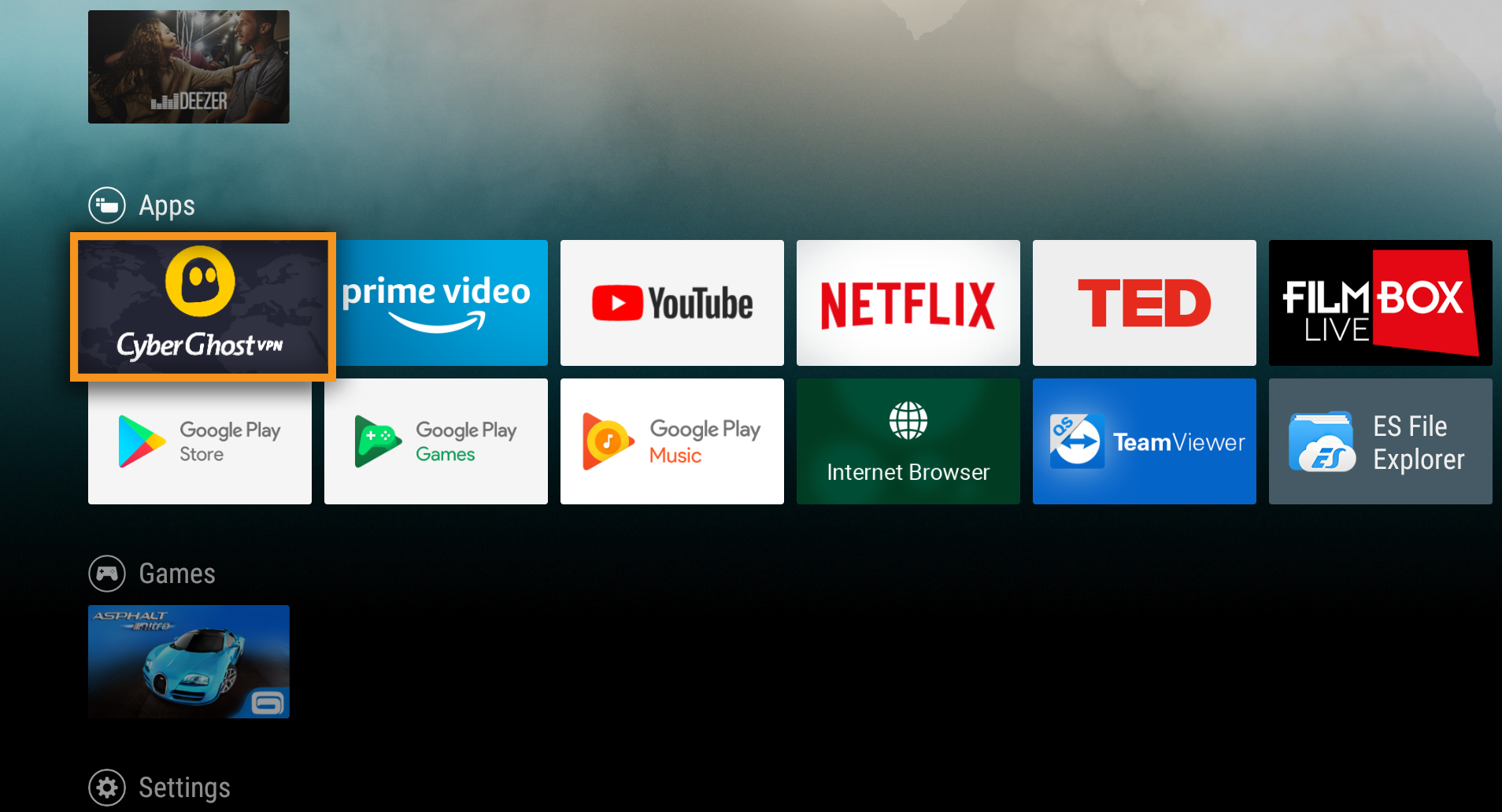
CyberGhost VPN is available for Android TV and can be easily installed from the Google Play Store. Once installed, you can simply connect to any server of your choice and start enjoying the benefits of a secure and private internet connection. And with a subscription plan starting at just $5 per month, it’s a small price to pay for the peace of mind and freedom that CyberGhost VPN offers.
So, if you’re tired of slow speeds and intentional throttling from your ISP, install CyberGhost VPN on your Android TV today and start enjoying a faster, airtight, and limitless internet experience.
How to install CyberGhost VPN on your Android TV:
- Go to the Google Play Store.
- Search for the CyberGhost VPN application.
- Click on the “Install” button to download and install the application.
- Once installed, open the application and enter your credentials (username and password) to log in.
- Choose a server location of your choice and click on the “Connect” button to establish a secure connection.
- You are now ready to enjoy faster connections and no throttling while watching your favorite content on your Android TV!
For more information and frequently asked questions about CyberGhost VPN, you can visit their website. They have a dedicated FAQ section that covers everything you need to know about the VPN and how to make the most out of it.
Why Use a VPN on Android TV?
When it comes to the world of online streaming and gaming, having a VPN installed on your Android TV can provide several significant advantages. Whether you want to protect your privacy, access geo-restricted content, or enhance your online security, using a VPN can help meet all these needs and more.
1. Access Geo-Restricted Content
With the help of a VPN, you can bypass geo-restrictions and access your favorite content from anywhere in the world. For example, if you’re in Australia and want to watch popular TV shows or movies that are only available in the US, a VPN can allow you to connect to US servers and enjoy unrestricted streaming.
2. Protect Your Privacy and Security
One of the most critical reasons to use a VPN on Android TV is to protect your online privacy and security. A VPN encrypts your internet connection, making it more secure and preventing third parties from tracking your online activities. This is especially important when using public Wi-Fi networks, as it ensures that your data remains safe from prying eyes.
3. Increase Online Security
By hiding your IP address and encrypting your internet connection, a VPN adds an extra layer of security to your Android TV. This prevents hackers and cybercriminals from gaining access to your personal information or sensitive data while using the internet.
4. Overcome Throttling and Bandwidth Limitations
Internet service providers (ISPs) are known to throttle internet speeds, especially when streaming high-quality content. By using a VPN, you can bypass this throttling and enjoy faster connections with no limitations. This ensures a smooth and uninterrupted streaming experience on your Android TV.
5. Unlock Gaming Potential
Many popular gaming systems and apps are now available on Android TV. Using a VPN can help you access geo-restricted gaming content and improve your gaming experience. It also provides a more secure connection and protects against DDoS attacks, ensuring that your gaming sessions are always safe and uninterrupted.
6. No-Log Policy for Added Privacy
A no-log policy is an essential feature to consider when choosing a VPN provider. It means that the VPN provider doesn’t intentionally collect or store any logs of your online activities. This ensures that your information remains private and protected, giving you peace of mind while using your Android TV.
7. Choose from a Variety of VPN Providers
When it comes to VPN providers, there are plenty of choices available. Some of the most popular and reliable VPNs include CyberGhost, NordVPN, and ExpressVPN. Each of these providers supports Android TV and offers dedicated apps for easy installation. You can choose the one that best meets your needs based on factors such as server locations, connection speeds, and pricing.
8. Money-Back Guarantee
If you’re unsure about committing to a VPN provider, many offer a money-back guarantee within a certain time frame. This allows you to try out the VPN on your Android TV and see if it meets your expectations. If it doesn’t, you can get a refund and explore other options.
Conclusion
Using a VPN on your Android TV provides multiple benefits, including accessing geo-restricted content, enhancing online security, and bypassing throttling and bandwidth limitations. With the variety of choices available and the added privacy features like a no-log policy, having a VPN installed ensures you always have a safe and reliable connection on your Android TV.
The Benefits of Installing CyberGhost VPN on Your Android TV
Installing CyberGhost VPN on your Android TV brings a multitude of benefits to enhance your streaming experience. By combining the capabilities of CyberGhost VPN with the power of your Android TV, you can enjoy faster connections and avoid throttling issues.
Faster Connections with No Throttling
CyberGhost VPN is known for its fast and reliable network, offering numerous servers across the globe. By installing it on your Android TV, you can bypass bandwidth limitations imposed by your internet service provider and enjoy seamless streaming of your favorite shows and movies.
Complete Online Security
CyberGhost VPN ensures your online activities remain private and secure. With built-in encryption, it protects your personal data from hackers and cyber threats. Installing it on your Android TV gives you an extra layer of protection while you browse, stream, or download content.
Unblocking Geo-Restricted Content
With CyberGhost VPN on your Android TV, you can easily access geo-restricted content from around the world. Whether you want to watch Netflix, Hulu, or any other streaming platform, CyberGhost VPN allows you to pick a server location, enabling you to bypass regional restrictions and enjoy your favorite shows and movies.
Multiple Devices + Dedicated IP
When you install CyberGhost VPN on your Android TV, you also gain the ability to connect multiple devices simultaneously using a single account. Additionally, CyberGhost VPN offers dedicated IP plans, which allow you to have a unique IP address for better privacy and faster connections.
Flexible Pricing Plans
CyberGhost VPN offers flexible pricing plans to suit your needs. You can choose to pay on a monthly, annual, or 2-year basis. By opting for a longer plan, you can often get a better price per month and take advantage of a money-back guarantee, giving you more time to evaluate the service.
Easy Installation and User-Friendly Interface
Installing CyberGhost VPN on your Android TV is a straightforward process. The CyberGhost client app is optimized for Android TV, making the installation and setup process seamless. The user-friendly interface allows you to easily navigate through the app and connect to the server of your choice.
Fastest VPN Network
CyberGhost VPN is known for having one of the fastest VPN networks in the market. With optimized servers in dozens of countries, you can ensure a smooth streaming experience on your Android TV. Whether you want to watch content from the US, Canada, or any other country, CyberGhost VPN will hide your IP and provide you with a fast and stable connection.
In conclusion, installing CyberGhost VPN on your Android TV is one of the best decisions you can make to enhance your entertainment experience. With faster connections, complete online security, and the ability to unblock geo-restricted content, you can enjoy a wide range of shows and movies on your TV. Coupled with a user-friendly interface and flexible pricing plans, CyberGhost VPN is a top choice for Android TV users.
Step-by-Step Guide: Installing CyberGhost VPN on Your Android TV
Are you tired of dealing with slow internet speeds and throttling when streaming movies on your Android TV? Installing CyberGhost VPN on your Android TV can help you avoid these issues and enjoy faster connections. In addition, CyberGhost VPN offers a variety of other benefits, such as enhanced security and access to geo-restricted content.
To get started, follow these simple steps:
Step 1: Choose the Best CyberGhost VPN Plan

The first step in installing CyberGhost VPN on your Android TV is to choose the best plan that suits your needs. CyberGhost VPN offers different plans at various price points, so you can select the one that fits your budget and requirements. They also offer a money-back guarantee if you’re not satisfied with their service.
Step 2: Install CyberGhost VPN from the Google Play Store
Once you’ve chosen your plan, go to the Google Play Store on your Android TV and search for “CyberGhost VPN.” Click on the “Install” button and wait for the app to download and install on your device. CyberGhost VPN is user-friendly and easy to navigate, making it a popular choice among users.
Step 3: Launch the CyberGhost VPN App
After the installation is complete, locate the CyberGhost VPN app on your Android TV’s home screen and open it. You will be prompted to log in or create a new account if you don’t have one already. Once logged in, you can start using the app to protect your online privacy and access geo-restricted content.
Step 4: Connect to a VPN Server
Now that you’re in the CyberGhost VPN app, select a VPN server from the list of available options. CyberGhost VPN has servers located in various countries around the world, allowing you to choose the one that suits your needs. Connecting to a VPN server will encrypt your internet traffic and prevent your ISP from throttling your connection.
Step 5: Enjoy Fast and Secure Internet
Once connected to a VPN server, you can enjoy fast and secure internet on your Android TV. CyberGhost VPN uses industry-leading encryption protocols like WireGuard and OpenVPN to ensure your online activities are safe from prying eyes. You can now watch movies, surf the web, and use other apps on your Android TV without worrying about speed or security issues.
Step 6: Get Support Whenever Needed
If you encounter any issues during the installation or have any questions, CyberGhost VPN provides excellent customer support. You can reach out to their support team via live chat or email, and they will be happy to assist you with any problems or concerns you may have.
In conclusion, installing CyberGhost VPN on your Android TV is a simple and effective way to keep your online activities anonymous, avoid throttling, and access geo-restricted content. By following the step-by-step guide mentioned above, you can enjoy a safer and more enjoyable streaming experience on your Android TV.
Troubleshooting: Common Issues and Solutions for Installing CyberGhost VPN on Android TV
If you are experiencing issues while installing CyberGhost VPN on your Android TV, there are several common problems that you might encounter. Fortunately, there are solutions available to help you resolve these issues and get your VPN service up and running smoothly. Here are a few troubleshooting tips to consider:
1. Network Connection
Firstly, ensure that your Android TV is connected to a stable internet network. A weak or unstable connection can cause interruptions during the installation process. If your connection is unreliable, try moving your Android TV closer to your router or consider using an Ethernet cable for a more stable connection.
2. Android TV Version
Check if your Android TV is up to date with the latest software version. Older versions may not be compatible with the CyberGhost VPN app, resulting in installation issues. Update your Android TV to the latest version available.
3. Storage Space
Make sure that your Android TV has sufficient storage space to accommodate the CyberGhost VPN app. Insufficient storage can cause installation failures. Remove any unnecessary apps or files to free up space for the VPN app.
4. VPN App Compatibility
Ensure that the CyberGhost VPN app you are trying to install is compatible with your specific Android TV model and operating system. Some apps may only work with certain versions or models, so double-check the compatibility before proceeding with the installation.
5. Google Play Store Issues
If you are experiencing issues with the Google Play Store, such as slow download speeds or frequent errors, try clearing the cache and data of the Play Store app. You can do this by going to Settings > Apps > Google Play Store, and then selecting “Clear Cache” and “Clear Data”. Restart your Android TV and try installing the VPN app again.
6. Customer Support
If you have tried all the above solutions and are still unable to install CyberGhost VPN on your Android TV, it is recommended to reach out to the CyberGhost customer support team. They can provide specific troubleshooting steps based on your device and help resolve any issues you may be facing.
By following these troubleshooting steps, you should be able to successfully install CyberGhost VPN on your Android TV and enjoy the benefits of secure browsing, access to geo-restricted content, and protection against hackers and online threats.
What is Throttling and How a VPN can Help
Throttling refers to the intentional slowing down of internet speeds by ISPs, usually for various reasons such as managing network congestion or imposing limits on data usage. This can result in slow and frustrating internet connections, especially when streaming or downloading large files.
In addition, some ISPs may also engage in throttling specific types of content, such as video streaming services, in order to promote their own content or prioritize certain applications. This can be particularly problematic for users who want to enjoy a smooth streaming experience without any interruptions.
A VPN, or virtual private network, can help combat throttling by encrypting your internet traffic and redirecting it through a secure and private server. When you connect to a VPN, your ISP will no longer be able to see the contents of your data or identify what you are doing online, making it more difficult for them to throttle your connection.
Furthermore, a VPN can also help you bypass geographical restrictions and access content that may be blocked in your region. For example, if you are in Australia and want to watch content that is only available in the US, you can connect to a VPN server in the US and enjoy unrestricted access.
Why People Choose VPNs to Avoid Throttling
There are several reasons why people choose to use VPNs to avoid throttling:
- VPN providers offer a variety of server locations, allowing users to connect to a server that meets their needs for speed and performance.
- VPNs often have no-logs policies, which means that they do not keep records of your online activities. This ensures your online privacy and keeps your data safe.
- VPNs can help you bypass ISP data caps or limits, allowing you to freely stream and download without worrying about hitting a usage limit.
- VPNs provide an extra layer of security by encrypting your internet traffic, making it more difficult for hackers or third parties to intercept and access your sensitive information.
In conclusion, a VPN can be a great tool for avoiding throttling and enjoying fast and uninterrupted internet connections. Whether you want to stream content, download files, or simply browse the web, a VPN can help ensure that your online activities remain private and your speeds remain fast. So, if you have noticed slow internet speeds or want to bypass restrictions, consider using a VPN and experience the benefits for yourself!
Reasons for Throttling and How CyberGhost VPN Can Prevent It
Throttling is a frustrating issue that many internet users face. It occurs when your internet service provider (ISP) intentionally slows down your internet connection speed. There are several reasons why ISPs engage in throttling, including:
- Managing network congestion: ISPs may throttle certain types of data, such as video streaming, to prevent network congestion and ensure a smooth experience for all users.
- Implementing data caps: Some ISPs may throttle your internet speed once you reach a certain amount of data usage, often referred to as a data cap.
- Controlling bandwidth usage: ISPs could throttle your connection to limit the amount of bandwidth you consume, especially during peak times when the network is heavily used.
Throttling can be frustrating, especially when you’re trying to enjoy a seamless streaming experience or need a fast, reliable internet connection for other purposes. This is where a VPN like CyberGhost can help.
How CyberGhost VPN Prevents Throttling
CyberGhost VPN routes your internet traffic through its own servers, masking your IP address and making it difficult for your ISP to monitor and throttle your connection. By providing a new IP address, CyberGhost VPN creates a secure, private tunnel for your data to pass through, ensuring that your online activities remain hidden.
In addition to preventing throttling, CyberGhost VPN offers other benefits:
- Access to geo-restricted content: By connecting to one of CyberGhost’s servers in a different location, you can bypass geo-restrictions and access content that is normally unavailable in your region, such as streaming services like Netflix or BBC iPlayer.
- Enhanced security and privacy: CyberGhost VPN uses strong encryption algorithms to protect your data, keeping it safe from hackers and other malicious actors.
- Faster connection: CyberGhost VPN has a vast network of servers worldwide, ensuring that you will always find a server that meets your needs. By choosing the server closest to your location, you can achieve faster connection speeds.
In summary, by installing and using CyberGhost VPN on your Android TV, you can avoid throttling, access geo-restricted content, and enjoy a faster, more secure internet connection. Don’t let your ISP dictate your internet experience – take control with CyberGhost VPN!
The Top 5 VPNs for Android TV Box
If you own an Android TV Box and want to enhance your streaming experience, getting a VPN is a must. A VPN (Virtual Private Network) allows you to bypass censorship, access geo-restricted content, and protect your online privacy.
1. CyberGhost VPN: CyberGhost is a top-rated VPN service that offers a streaming-optimized server network. With servers in over 90 countries, you can play and stream your favorite content without worrying about buffering or throttling. Plus, CyberGhost has a user-friendly client that is easy to install and use on your Android TV.
2. NordVPN: NordVPN is another excellent choice for Android TV Box. It has a vast server catalog, with servers optimized for streaming from popular platforms like Netflix, Hulu, and Amazon Prime Video. With NordVPN, you can enjoy fast and reliable connections without any buffering or slowdowns.
3. ExpressVPN: ExpressVPN is known for its ultra-fast servers, making it perfect for streaming in HD or even 4K on your Android TV. It has a strict no-logs policy, ensuring your online activities are always private. Additionally, ExpressVPN offers a 30-day money-back guarantee, so you can try it out risk-free.
4. Surfshark: Surfshark is a budget-friendly VPN option that doesn’t compromise on features. It offers unlimited simultaneous connections, so you can protect all your devices with a single subscription. Surfshark also has a built-in ad and malware blocker, keeping you safe while browsing.
5. Private Internet Access: Private Internet Access (PIA) is a reliable VPN service that has been around for years. It has a large server network, allowing you to access content from anywhere in the world. PIA also offers a built-in kill switch, ensuring your connection is always secure.
In summary, whether you want the fastest speeds, the best streaming support, or a budget-friendly option, there is a VPN for you. Before making a decision, consider the features and pricing plans of each VPN, and check user reviews to get a better idea of their reliability. With a VPN, you can enjoy your Android TV Box to the fullest, without any restrictions or worries about your online privacy and security.
ExpressVPN: Fast and Reliable VPN for Android TV
ExpressVPN is a top choice for Android TV users who want a fast and reliable VPN service. With its ultra-high definition streaming capabilities, you can watch your favorite shows and movies in full HD without any buffering or lag.
The kill switch feature will ensure that your internet connection is cut off if the VPN disconnects, preventing any accidental exposure of your online activities. Plus, ExpressVPN has a strict no-logs policy, so you can rest assured that your browsing history is not being recorded.
With servers in over 160 locations and 94 countries, ExpressVPN grants you access to an extensive network that spans the globe. Whether you want to unlock content from Netflix, Hulu, or BBC iPlayer, ExpressVPN works effortlessly to unblock these services and more.
Installation is a breeze, with a dedicated Android TV client available on the Google Play Store. Simply download and install the application, enter your credentials, and you’re ready to go. ExpressVPN also offers 24/7 customer support via live chat, so if you ever run into any issues, assistance is just a click away.
High-Speed Streaming
ExpressVPN provides lightning-fast speeds, allowing you to enjoy seamless streaming on your Android TV device. Whether you’re watching a live sports event or a high-action movie, you won’t experience any buffering or lag.
Multiple Device Support
With ExpressVPN, you can protect and secure multiple devices with just one account. Whether you have an Android TV, Apple TV, or Samsung Smart TV, ExpressVPN is compatible with a wide range of devices.
An Annual Plan for Better Value
ExpressVPN offers flexible pricing plans to suit your needs. By choosing their annual plan, you’ll enjoy better value and save money compared to the monthly subscription. You can pay with a credit card, PayPal, or other secure payment methods.
In conclusion, if you’re looking for a fast, reliable, and secure VPN for your Android TV, ExpressVPN is the way to go. With its extensive server network, high-speed streaming capabilities, and dedicated support, you can enjoy a limitless streaming experience and prevent any unauthorized access to your sensitive information.
NordVPN: Secure Your Android TV with this VPN
If you are looking for a reliable and secure VPN for your Android TV, NordVPN is one of the most popular choices. With NordVPN, you can protect your online privacy and securely access a world of content.
When it comes to security, NordVPN has got you covered. With its military-grade encryption, your data is protected from prying eyes. Plus, NordVPN has a strict no-log policy, so your browsing sessions are completely private.
With NordVPN, you can bypass regional restrictions and access your favorite content from anywhere in the world. Whether you want to watch Netflix, Hulu, or any other streaming service, NordVPN gives you plenty of choices.
One of the great benefits of NordVPN is that it offers fast connections. With its extensive network of servers, you won’t experience any slow-downs or buffering when you’re streaming your favorite shows or playing games. NordVPN also supports multihop, which means your connection gets bounced through several locations, making it even more secure.
Setting up NordVPN on your Android TV is easy. Just download the NordVPN app from the Google Play Store, sign in to your account, and you’re good to go. NordVPN also offers support for other types of devices, so you can use it on your phone, tablet, or laptop as well.
Surfshark: Affordable VPN Solution for Android TV
If you’re looking for an affordable VPN solution for your Android TV that can help you bypass geo-restrictions and protect your online privacy, Surfshark is a smart choice. With their extensive network of servers located around the world, you can easily access content from different regions without any limitations.
Surfshark offers a simple and user-friendly interface, making it easy for anyone to use. The process of installing and setting up the VPN on your Android TV is quick and straightforward. You can choose from a variety of servers to connect to, allowing you to access popular streaming services like Netflix, BBC iPlayer, and more.
One of the standout features of Surfshark is their unlimited simultaneous connections policy. This means that you can use the VPN on as many devices as you want at the same time, without any hassle. Furthermore, Surfshark does not keep any logs of your online activities, ensuring that your browsing sessions remain private and secure.
Surfshark also offers a 30-day money-back guarantee, so you can try out their service risk-free. Their pricing plans are some of the best in the industry, giving you high-quality VPN protection at affordable prices. In addition to Android TV, Surfshark is compatible with various other platforms and operating systems, making it a versatile choice for all your VPN needs.
If you’re concerned about your online security and want to enjoy streaming content on your Android TV without any restrictions, consider subscribing to Surfshark. Their reliable and feature-packed VPN solution will keep you safe from hackers and allow you to access the content you love with just a click of a button.
IPVanish: VPN for Android TV with Multiple Servers Worldwide
IPVanish is a top-rated VPN service that offers a user-friendly VPN app for Android TV. With IPVanish, you can connect to multiple servers worldwide, giving you the flexibility to choose the best server for your needs. Whether you want to bypass geo-restrictions, secure your connection, or prevent hackers from accessing your personal information, IPVanish has got you covered.
One of the standout features of IPVanish is its vast server network. With over 1,500 servers in more than 75 countries, you have plenty of choices when it comes to finding the best server for your needs. Whether you want to unlock streaming services like Netflix, Hulu, or Disney+, or simply improve your connection’s speed and stability, IPVanish has a server that will work perfectly for you.
Another great thing about IPVanish is its no-logs policy. Your online activities are not recorded, ensuring your privacy and anonymity while using the VPN. This means that even if someone were to request your data, there would be no information to provide, giving you peace of mind.
IPVanish also offers unlimited bandwidth, meaning you can download, stream, and game to your heart’s content without worrying about hitting any caps. The VPN works seamlessly with Android TV, providing a complete entertainment and gaming experience without any throttling or interruptions.
Why choose IPVanish for your Android TV?
- Multiple servers worldwide: IPVanish has a vast server network, giving you plenty of choices for a better connection.
- No-logs policy: Your online activities are not recorded, ensuring your privacy.
- Fast and reliable: IPVanish offers unlimited bandwidth and works seamlessly with Android TV, providing a complete entertainment and gaming experience.
- Bypass geo-restrictions: With IPVanish, you can unlock streaming services like Netflix, Hulu, and Disney+, no matter where you are.
- Secure your connection: IPVanish helps prevent hackers from accessing your personal information and keeps your data safe.
Overall, IPVanish is a top choice for Android TV users who want a reliable VPN with multiple servers worldwide. Whether you’re looking to improve your streaming experience, enhance your security, or simply browse the internet with complete privacy, IPVanish has the features and support to meet your needs. Install IPVanish on your Android TV and enjoy a faster, more secure internet connection.
Private Internet Access (PIA): Enhanced Privacy on Android TV
When it comes to privacy and security on your Android TV, Private Internet Access (PIA) is a top choice. With PIA, you can enjoy enhanced privacy and protection for your online activities, ensuring that your personal information remains secure.
One of the key takeaways of using PIA on Android TV is its ability to bypass geo-restrictions. Whether you want to access streaming services from another country or browse the internet freely, PIA allows you to choose from a wide range of servers across the globe. This means you can effectively bypass any restrictions and enjoy a safe and unrestricted internet experience.
With a network of over 3,300 servers in 48 countries, PIA offers plenty of choices when it comes to server locations. Whether you’re in Australia, the US, or anywhere else in the world, you’re likely to find a server close by that provides fast and reliable connections. This ensures that you can stream content, browse the web, and play games without any interruptions or slow speeds.
In terms of privacy, PIA is committed to keeping your online activities private and secure. PIA is one of the few VPN providers that have undergone independent security audits to verify their no-logging claims. For example, Deloitte and Cure53 have both conducted audits on PIA and found no evidence of any logs being kept. This means your online activities are truly private and not stored or monitored by PIA.
Paying for PIA is also a breeze, as they offer a range of payment options including credit card, PayPal, and even anonymous payment methods like cryptocurrency. This ensures that you can sign up for the service without having to provide any personal information if you don’t want to.
When it comes to performance, PIA doesn’t disappoint. They offer WireGuard, a cutting-edge VPN protocol that provides fast and secure connections. Whether you’re streaming content, downloading files, or simply browsing the web, PIA’s network is designed to deliver high-quality and reliable performance.
In conclusion, if you’re looking for enhanced privacy and security on your Android TV, Private Internet Access (PIA) is a great choice. With their wide range of server locations, no-logging policy, and fast connections, you can enjoy a safe and unrestricted internet experience. Whether you want to watch geo-restricted content or simply protect your online activities, PIA has got you covered. Say goodbye to interruptions and slow bandwidth – with PIA, you can browse securely and freely.
Comparison: Features and Pricing of the Top 5 VPNs for Android TV Box
When it comes to having a secure and reliable VPN for your Android TV box, there are plenty of choices available. In this article, we will compare the features and pricing of the top 5 VPNs that are specifically designed for streaming on your Android TV box.
1. CyberGhost VPN
- Features: CyberGhost VPN offers streaming-optimized servers, which provide faster and smoother streaming experience. It also has a strict no-logs policy to protect your privacy and prevent hackers from accessing your data.
- Pricing: CyberGhost VPN offers different pricing plans, including an annual plan, a 3-year plan, and a monthly plan. The annual plan is the most cost-effective option, while the 3-year plan offers the best value for money.
2. ExpressVPN
- Features: ExpressVPN is known for its user-friendly interface and strong encryption. It also offers a wide range of server locations around the world, allowing you to easily connect to your favorite streaming services.
- Pricing: ExpressVPN offers a slightly higher price compared to other VPNs, but it’s worth the investment considering its fast and reliable connection.
3. NordVPN
- Features: NordVPN offers a vast network of servers and high-speed connections, making it an ideal choice for streaming ultra-HD videos. It also provides additional security features such as Double VPN and CyberSec to protect your online credentials.
- Pricing: NordVPN offers various pricing plans, including a monthly plan, a 1-year plan, and a 2-year plan. The longer the subscription, the more you can save.
4. Surfshark VPN
- Features: Surfshark VPN allows you to connect unlimited devices simultaneously, making it a cost-effective option for those with multiple Android TV boxes or other devices. It also has a feature called CleanWeb, which helps prevent ads and malware.
- Pricing: Surfshark VPN offers a low-cost monthly plan, as well as a 2-year plan that provides even more savings. It’s a great choice for those looking for a cheap yet reliable VPN.
5. IPVanish VPN
- Features: IPVanish VPN offers robust security and privacy features, including a strict no-logs policy and strong encryption. It also has a user-friendly interface, making it easy to connect and navigate on your Android TV box.
- Pricing: IPVanish VPN offers different pricing options, including a monthly plan and an annual plan. While the monthly plan may seem expensive, the annual plan provides a significant discount.
When choosing the best VPN for your Android TV box, consider factors such as the features you need, pricing, and the reputation of the VPN provider. Each VPN has its pros and cons, so it’s important to select the one that best suits your streaming needs and budget.
Choosing the Best VPN for Your Android TV: Factors to Consider
When it comes to streaming on your Android TV, having a reliable VPN is crucial. With so many options available, it’s important to consider certain factors to choose the best VPN for your needs. Let’s take a look at what you should know:
1. Streaming-Optimized Servers
- One of the main reasons people use a VPN on their Android TV is to access geo-restricted streaming content. Look for a VPN provider that supports streaming-optimized servers in different countries, so you can unlock limitless streaming options.
- Some popular streaming platforms like Hulu, Netflix, and Amazon Prime Video have VPN limits due to content licensing agreements. Make sure the VPN you choose can bypass such restrictions.
2. Bandwidth and Connection Speed
- A VPN can sometimes slow down your internet connection, which can be frustrating when you’re trying to stream in high quality. Look for a VPN that guarantees fast and consistent speeds.
- Consider the amount of bandwidth needed for streaming. Choose a VPN that offers plenty of bandwidth to ensure smooth streaming without buffering.
3. Privacy and Security
- Your online privacy is of utmost importance. Look for a VPN provider that has a strict no-logs policy, ensuring that your activity is not tracked or stored.
- Make sure the VPN uses encryption protocols to protect your data and keep your connection secure.
4. User-Friendly Interface
- An Android TV VPN should have a user-friendly interface that is easy to navigate on a TV screen. Look for an application that is designed specifically for Android TV or one that can be easily used on your TV’s operating system.
- Consider VPN providers that offer a single button to connect and disconnect, making it simple to deal with VPN settings on your TV.
Final Takeaways
Choosing the best VPN for your Android TV can greatly enhance your streaming experience. Consider the streaming-optimized servers, connection speed, privacy and security features, and user-friendly interface to make the right choice. With the right VPN, you can enjoy fast connections, unlock geo-restricted content, and save on bandwidth while streaming your favorite shows and movies.
How to Set Up a VPN on Android TV Box
Setting up a VPN on your Android TV box can help you secure your connections and unlock geo-restricted content. Here’s how you can do it:
- First, pick a VPN service that is compatible with Android TV. There are many options available, so it’s important to do some research and choose the one that fits your needs.
- Before installing the VPN application, check if the VPN has dedicated servers located in the countries you want to stream content from. This is crucial for faster speeds and better streaming experience.
- Once you have selected a VPN, download and install the application on your Android TV box. This can usually be done through the Google Play Store or by sideloading the app.
- Open the VPN application and sign in with your credentials. If you don’t have an account yet, you will need to create one. Most VPNs offer different plans and prices, so choose one that suits you best.
- Select a server from the available options. If you want to stream content from Australia, for example, pick a server located there.
- Once you have connected to a server, you’re ready to stream content on your Android TV box. The VPN will encrypt your traffic and hide your IP address, giving you privacy and security.
- One thing to keep in mind is that using a VPN may slightly decrease your internet speeds. However, a good VPN service will offer fast and reliable connections.
In conclusion, setting up a VPN on your Android TV box can provide you with the advantages of unlocking geo-restricted content, secure connections, and privacy. Just make sure to choose a VPN that is user-friendly, has servers in the locations you need, and offers good speeds. With the right VPN, you can enjoy a seamless streaming experience on your Android TV box.
FAQ:
What is CyberGhost VPN?
CyberGhost VPN is a virtual private network service that allows you to securely connect to the internet and protect your online privacy. It encrypts your internet traffic and routes it through a remote server, hiding your IP address and making it difficult for others to track your online activities.
Why should I install CyberGhost VPN on my Android TV?
Installing CyberGhost VPN on your Android TV can provide several benefits. Firstly, it can help you achieve faster internet connection speeds by bypassing ISP throttling. Secondly, it can enhance your online privacy and security by encrypting your internet traffic and hiding your IP address. Lastly, it can allow you to access geo-blocked content and streaming services that may be unavailable in your region.
Can I use CyberGhost VPN on multiple devices simultaneously?
Yes, you can use CyberGhost VPN on multiple devices simultaneously. With a single subscription, you can connect up to 7 devices at the same time. This allows you to protect your online activities on various devices, such as your Android TV, smartphone, tablet, and computer, all at once.
Does CyberGhost VPN have a money-back guarantee?
Yes, CyberGhost VPN offers a 45-day money-back guarantee. If you are not satisfied with the service, you can request a refund within 45 days of your purchase. This allows you to try out the VPN and see if it meets your needs without any risk.
What is ISP throttling?
ISP throttling, also known as bandwidth throttling, is the intentional slowing down of internet connection speeds by an Internet Service Provider (ISP). This practice is often used to control network congestion and limit bandwidth usage. However, it can negatively impact the speed and performance of your internet connection, especially when streaming or downloading large files. By using a VPN, like CyberGhost VPN, you can bypass ISP throttling and enjoy faster internet speeds.
Can I use CyberGhost VPN for torrenting and P2P file sharing?
Yes, you can use CyberGhost VPN for torrenting and P2P file sharing. CyberGhost VPN has dedicated servers optimized for torrenting, which allow you to download and share files anonymously and securely. The use of a VPN for torrenting can help protect your online identity and activities from being monitored by third parties.
Videos:
Double your Internet Speed by changing 1 thing on your Smart TV!
Double your Internet Speed by changing 1 thing on your Smart TV! by Liron Segev 1 year ago 5 minutes, 18 seconds 2,483,191 views
