Get Surfshark VPN for Android – 3200+ Servers Worldwide
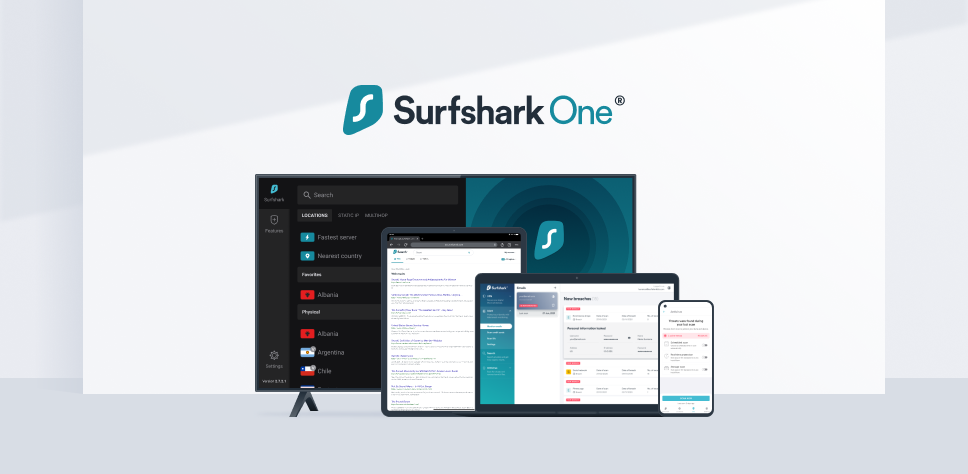
When it comes to protecting your online privacy and security, no one does it better than Surfshark VPN. With just a few simple steps, you can install and open the latest version of Surfshark on your Android device, ensuring that your internet browsing is secure and untraceable.
Surfshark offers a wide range of features that make it one of the best VPNs available. With over 3200+ servers in different locations worldwide, you can browse the internet as if you were in Switzerland, Germany, or any other country of your choice. This allows you to bypass any restrictions and access the content you want, even if it is geo-blocked in your current location.
One of the most important features of Surfshark is its kill switch. This feature prevents any data leaks by disconnecting your internet connection if the VPN connection drops. By prioritizing your privacy and security, Surfshark ensures that your online activity remains encrypted and untraceable, no matter what.
Surfshark also offers unlimited simultaneous connections, which means you can use the VPN on all your devices without any additional costs. Whether you want to secure your Android phone, tablet, or even your smart TVs, Surfshark has got you covered.
With Surfshark, you can also enjoy blazing-fast speeds. The VPN uses the latest VPN protocol and core technology to provide the best possible speeds for its users. This means that you can stream, download, and play online games without any interruptions or slow speeds.
If you’re looking for a premium VPN that ticks all the boxes, Surfshark is definitely a good choice. With its worldwide server coverage, advanced security features, and unlimited connections, Surfshark offers everything you need for a secure and private online experience. Don’t wait any longer, download Surfshark for Android now and take the first step towards a safer internet!
Download Surfshark VPN for Android
If you’re looking for a modern VPN service that offers secure and anonymous browsing, Surfshark is the perfect choice for you. With its 3200+ servers in various locations worldwide, you can enjoy fast and reliable internet connections no matter where you are.
By downloading Surfshark VPN for Android, you can keep your personal information safe while browsing the internet. Whether you’re at home, work, or traveling, Surfshark ensures that your online activities are protected from prying eyes and potential threats.
The installation process is simple and quick – you can download and install the app in just a few steps. Once installed, you can easily connect to any of the available servers and switch between different locations to access geographically restricted content. It even has a built-in kill switch option to ensure your internet connection stays secure.
Surfshark also offers additional features to enhance your online security. The NetShield feature blocks ads, trackers, and malicious websites, providing you with an undisturbed and safe browsing experience. With Surfshark, you can protect multiple devices under a single subscription, making it a convenient option for individuals and families.
One of the best things about Surfshark is its strict no-logs policy. This means that the service does not store any information about your online activities, ensuring your privacy is always protected. You can browse the internet with peace of mind, knowing that your online activities are not being tracked or monitored.
In addition to its security features, Surfshark also offers a good selection of server locations. Whether you want to access content from Australia, Switzerland, or any other country, Surfshark has got you covered. With its wide range of servers, you’ll be able to connect to the internet from virtually anywhere in the world.
If you have any questions or need help with the download or setup process, Surfshark’s customer support team is available 24/7 to assist you. They provide prompt and helpful assistance to ensure that you have the best possible experience with the service.
So, don’t hesitate – download Surfshark VPN for Android now and enjoy a premium VPN service that can keep you secure and anonymous while browsing the internet. Upgrade your online security and browse with peace of mind.
Step 1: Go to the Google Play Store

If you want to download Surfshark VPN for Android, the first step is to go to the Google Play Store. This is where you can find the app and download it to your device.
When you open the Google Play Store, you will see a search bar at the top of the screen. Type in “Surfshark VPN” to the search bar and press enter.
A list of search results will appear, and you should click on the Surfshark VPN app to view its details and download options.
Before downloading the app, make sure you have an active internet connection to ensure a smooth download process.
Once you have confirmed your internet connection, simply click on the “Install” button to start downloading Surfshark VPN to your Android device.
The app is free to download, but if you want to unlock more features and access to premium servers worldwide, you can upgrade to a paid subscription. Surfshark VPN offers a 30-day money-back guarantee, so you have nothing to lose!
Step 2: Search for “Surfshark VPN”
Once you’ve downloaded Surfshark VPN for Android, you’re ready to find the app and install it onto your device. To start the process, search for “Surfshark VPN” in the Google Play Store or any other trusted app store of your choice.
When you search for Surfshark VPN, you’ll have access to the latest version of the app that comes with all the new features and security enhancements. It’s always a good idea to use the latest version to ensure you have the most secure and reliable service.
Surfshark VPN is one of the most secure and trusted VPN services available for Android. With a network of over 3200+ servers worldwide, you can connect to a server in Switzerland or any other country to hide your IP address and protect your online privacy.
One of the best things about Surfshark VPN is its fast speeds. With this VPN, you can enjoy smooth browsing, streaming, and downloading without any lag or buffering issues. Their servers are optimized to provide you with the best possible speed.
Surfshark VPN also prioritizes security. They use end-to-end encryption to ensure that your online activity and personal information are kept safe and untraceable. Their strict no-logs policy means that they don’t collect or store any information about your internet usage.
In addition to its security features, Surfshark VPN also offers a kill switch and CleanWeb feature. The kill switch ensures that your internet connection is severed in case the VPN connection disconnects, keeping your identity and data protected. CleanWeb prevents ads, malware, and other unwanted content from infecting your device.
With Surfshark VPN, you can connect to multiple devices with just one premium account. This means that you can protect all your devices, including your Android phone, tablet, laptop, and more, with a single subscription.
So, if you’re looking for a secure VPN with unlimited features and a wide range of servers worldwide, Surfshark VPN is definitely worth considering. It’s affordable, easy to use, and provides you with the peace of mind that your online activities are safe and private.
Step 3: Click on the Surfshark VPN app
Once you have downloaded the Surfshark VPN apk file to your Android device, you need to open the app to start using it. Here’s how to do it:
- Go to your home screen and find the Surfshark VPN app icon.
- Tap on the app icon to open it.
- On the main screen of the app, you will see a button to connect to a VPN server. Tap on this button to establish a secure connection.
If this is your first time using Surfshark VPN, you may be asked to grant permissions for the app to access certain features on your device. Simply follow the on-screen instructions to proceed.
Once you are connected to a VPN server, Surfshark will automatically choose the best server for you based on your location and the server’s load. However, if you want to connect to a specific server, you can do so by manually selecting it from the list of available servers.
Surfshark VPN has a vast network of servers located in over 65 countries, including popular locations such as the United States, United Kingdom, Canada, Germany, Switzerland, and many more. This allows you to browse the internet from different locations, making it appear as if you are accessing the internet from a different country.
One of the most frequently asked questions about VPNs is whether they keep logs of your internet activity. With Surfshark VPN, you can rest assured that your online activities are completely untraceable. The app uses AES-256-GCM encryption, which is the same encryption standard used by most banks and financial institutions.
Surfshark VPN also has a built-in Kill Switch feature, which ensures that your internet connection is instantly severed if the VPN connection drops. This prevents your true IP address and online activities from being exposed.
In addition to its premium security features, Surfshark VPN also offers fast speeds and unlimited bandwidth. This means you can browse the internet, stream the latest movies, and watch your favorite TV shows without any restrictions or buffering issues.
So, if you’re looking for a safe and secure way to browse the internet on your Android device, without worrying about your privacy or data being compromised, the Surfshark VPN app is definitely worth considering.
Step 4: Click “Install” to download the app
After you’ve found the Surfshark VPN app on the Google Play Store, you’re just a step away from having a secure and private internet connection. Simply click on the “Install” button to start the download process.
Once the app is downloaded and installed on your Android device, you can open it and start enjoying all the benefits it has to offer.
Surfshark VPN is a modern and reliable VPN provider with over 3200+ servers worldwide. It prioritizes your security and privacy, ensuring that all your online activity is safe and untraceable.
With Surfshark, you won’t have to worry about your data being logged or your privacy being compromised. The VPN uses the latest protocols and core encryption to keep your connection secure at all times.
In addition to providing a secure and anonymous internet connection, Surfshark also offers unlimited speeds and does not throttle your connection, allowing you to browse the internet at high speeds.
Surfshark is compatible with both newer and older Android devices, so you can download and use it on any mobile device you have.
If you’re not satisfied with the service, Surfshark offers a money-back guarantee, so you can try it risk-free.
Switch to Surfshark VPN today and upgrade your internet experience with fast speeds, unlimited bandwidth, and top-notch security.
Got any questions? Surfshark’s customer support is available 24/7 to assist you.
Download Surfshark VPN now and enjoy a safe, secure, and untraceable internet connection.
Step 5: Open the app on your Android device
Once you have downloaded and installed Surfshark VPN on your Android device, it’s time to open the app and get started. Launch the app by tapping on its icon from your app drawer or home screen.
When you open the app, you will be greeted with a login screen. If you already have an account, simply enter your login credentials. If you don’t have an account yet, you can create one by signing up on the Surfshark website.
After logging in, you will be taken to the main interface of the Surfshark app. Here, you will find various options and settings to customize your VPN experience. You can choose your desired server location from the list of 3200+ servers worldwide to improve your internet speeds and security.
Surfshark offers a wide range of server locations, including options like Switzerland, which is known for its strong privacy laws. By connecting to a server in a different country, you can bypass geolocation restrictions and access content that may not be available in your own region.
If you’re concerned about your online privacy, Surfshark has you covered with its strict no-activity-logs policy. This means that the service does not keep any logs of your online activity, ensuring that your digital footprint remains undisturbed.
Surfshark also offers several security protocols to choose from, including the newer WireGuard protocol. These protocols help to encrypt and protect your internet traffic, preventing any unauthorized access and ensuring that your data remains secure.
One of the key features of Surfshark is the ability to connect multiple devices simultaneously. This means that you can have the VPN connected on your Android device, your computer, and even your smart TV, all at the same time.
If you’re on a mobile data plan, Surfshark can help you save on data costs by compressing and optimizing your internet traffic. This can lead to faster speeds and more efficient use of your data allowance.
To ensure a smooth and uninterrupted experience, Surfshark offers a kill switch option. This feature automatically disconnects your internet connection if the VPN connection drops, preventing any data leaks or exposing your real IP address.
Surfshark’s user-friendly interface and intuitive design make it easy to use, even for beginners. Whether you want to browse the internet anonymously, access geo-restricted content, or enhance your online security, Surfshark has you covered.
So, don’t wait any longer. Open the Surfshark app on your Android device and start enjoying a safer, faster, and more secure internet experience today!
Step 6: Create a new account or log in to your existing account
Once you have downloaded Surfshark VPN for Android, you will need to create a new account or log in to your existing account to start using the mobile app. Creating a new account is quick and easy, and it allows you to access all the features and benefits that Surfshark VPN has to offer.
If you already have an account with Surfshark VPN, simply enter your login credentials to log in and start browsing the internet securely. Surfshark VPN provides a safe and unlimited browsing experience, allowing you to browse the internet anonymously and without any restrictions.
With Surfshark VPN, your online activity is untraceable, and your connection is secure. The latest encryption and security features ensure that your personal information is protected from hackers and cyber threats.
By connecting to one of Surfshark VPN’s 3200+ servers worldwide, you can access geo-restricted content and stream your favorite shows and movies from anywhere. Whether you want to watch Netflix, play online games, or browse the internet without any limitations, Surfshark VPN has got you covered.
Surfshark VPN also offers additional features to enhance your browsing experience. NetShield, for example, protects you from malware, ads, and trackers, ensuring a safe and uninterrupted browsing session. You can also prioritize certain apps or devices, ensuring a faster and more reliable connection for those activities that require it.
Surfshark VPN is a trusted and reliable VPN provider. It does not keep any logs of your online activity, ensuring your privacy and anonymity are always protected. The company is based in the privacy-friendly jurisdiction of Switzerland, where data protection laws are strict and user privacy is prioritized.
Furthermore, Surfshark VPN offers a 30-day money-back guarantee, so you can try out the service risk-free. If you are not satisfied with the service for any reason, you can simply contact the customer support team and request a refund.
In summary, creating a new account or logging into your existing account with Surfshark VPN for Android is a simple and straightforward process that opens up a world of possibilities. With the latest security features and a vast network of servers, you can browse the internet safely, securely, and without any restrictions. So why wait? Download Surfshark VPN for Android today and experience the benefits for yourself!
Step 7: Choose a subscription plan
Once you’ve downloaded Surfshark VPN for Android and experienced its latest features and fast data speeds, you’ll want to choose a subscription plan that meets your needs. Surfshark offers a variety of options to ensure you get the most out of your internet connection and enjoy top-notch security on your mobile device.
With Surfshark, you can choose from different subscription plans, including a monthly plan, a 6-month plan, and a 2-year plan. Each plan includes the same great features and security benefits, so you can rest assured that you’re getting a good deal, no matter what option you choose.
One of the great things about Surfshark is that it offers unlimited connections, so you can protect all of your devices with just one subscription. Whether you’re using your Android phone, tablet, or any other device, you can enjoy the benefits of Surfshark’s encryption, kill switch, and no-activity-logs policy.
Surfshark has a network of over 3,200 servers in more than 65 countries worldwide, so you can connect to the server location that suits your needs. If you want to watch content that is geo-restricted to Australia, for example, you can easily switch your connection to a server in that country. Or if you’re in Germany and want to browse the internet with more privacy, you can choose a server location in a different country.
With Surfshark’s premium version, you also get access to additional features like NetShield and CleanWeb. NetShield blocks ads and trackers, while CleanWeb protects you from malware and phishing attempts. These features ensure that your internet experience is safe and secure.
To upgrade to the premium version of Surfshark, you can do so directly from the app. You won’t be asked for any additional information, and the upgrade process is quick and easy. Once you’re upgraded, you’ll have access to all of the advanced features and enjoy a more robust and secure VPN service.
So if you’re looking for a reliable and feature-packed VPN provider, look no further than Surfshark VPN for Android. Download the APK file, choose a subscription plan to unlock all of the benefits, and start enjoying a safe and secure internet connection on your mobile device today.
Step 8: Enter your payment details
Once you have downloaded and installed Surfshark VPN on your Android device, you will need to enter your payment details to activate the service. This is an important step in ensuring that you have full access to all of Surfshark’s features and servers worldwide.
If you have any questions about the payment process or need assistance, don’t hesitate to reach out to Surfshark’s customer service team. They are always ready to help and can provide guidance if you encounter any issues.
Surfshark offers various payment options, including credit cards, PayPal, and even cryptocurrencies for added privacy. You can choose the option that best suits your preferences and complete the payment process securely.
When entering your payment details, it’s important to keep in mind that Surfshark has a strict no-logs policy. This means that your payment information is kept confidential and not stored on their servers. You can rest assured that your financial information is safe and protected.
By entering your payment details and subscribing to Surfshark, you unlock a range of benefits. You gain access to over 3200 servers in different locations worldwide, including countries like Switzerland, where the end-to-end encryption provided by Surfshark ensures your internet traffic is secure and undisturbed.
With Surfshark, you can browse the internet freely, without any restrictions. The VPN service helps protect your privacy by preventing anyone from tracking your online activities or collecting your personal information.
Surfshark’s modern and secure protocols, such as OpenVPN and IKEv2, ensure that your connection is encrypted and that your data cannot be intercepted. Netshield, Surfshark’s feature, helps you avoid ads, malware, and tracking attempts, making your online experience even more enjoyable.
Surfshark can be installed on multiple devices, and you can use one subscription to connect all your devices simultaneously. This means you can enjoy the benefits of Surfshark on your Android device, as well as on your other devices, such as smartphones, tablets, computers, and even smart TVs.
If you love to watch content from different locations, Surfshark allows you to switch between servers, giving you access to thousands of versions of websites and online platforms. You won’t have to miss out on any shows or movies just because they’re not available in your country.
Overall, by entering your payment details and downloading Surfshark VPN on your Android device, you’re upgrading your internet connection to a secure and untraceable one. It’s a smart decision that will help protect your privacy and ensure a safe online experience wherever you browse.
Step 9: Click “Connect” to start using Surfshark VPN
Once you have completed the previous steps and have configured your preferences, you can now connect to Surfshark VPN by simply clicking on the “Connect” button. This will initiate a secure and encrypted connection, allowing you to browse the internet anonymously and protect your online activities.
When you connect to Surfshark VPN, your IP address is switched to one of their 3200+ servers worldwide, making it virtually impossible for anyone to trace your online activities back to you. This not only enhances your privacy, but also helps to keep your personal and sensitive data secure.
Surfshark VPN also offers a range of other features such as CleanWeb, which protects you from malware, trackers, and ads while you browse the internet. This ensures a clean and safe online experience, free from intrusive advertisements and potential security threats.
By using Surfshark VPN, you can also prioritize your internet traffic to ensure a faster and smoother browsing experience. This is especially useful when streaming or downloading large files, as it allows you to make the most of your internet connection speed.
Furthermore, Surfshark VPN does not keep any logs of your online activity, providing you with an added layer of privacy and security. Their modern and user-friendly app is easy to install and use, even for beginners, and is available for both Android devices and other platforms.
With Surfshark VPN, you can enjoy the latest in VPN technology without compromising on speed or security. Their network of thousands of servers worldwide ensures that you always have a reliable and stable connection, no matter where you are.
In conclusion, downloading and using Surfshark VPN on your Android device is a cost-effective way to increase your online security and protect your personal data from being tracked or intercepted. Whether you’re browsing the internet, streaming content, or simply checking your emails, Surfshark VPN has the features and capabilities to keep you safe and secure.
So why wait? Install Surfshark VPN today and start enjoying the benefits of a secure and untraceable internet connection.
Step 10: Select a server from the list of 3200+ servers worldwide
Once you have downloaded and installed the Surfshark VPN app on your Android device, you can start browsing securely and anonymously. One of the key features of Surfshark VPN is its vast network of servers. With 3200+ servers worldwide, you have plenty of options to choose from.
Choosing the right server is crucial to ensure a fast and reliable connection. Some servers might be closer to your physical location, which can result in faster speeds. Others might be located in specific countries, allowing you to access geo-restricted content.
If you love streaming movies and TV shows from abroad, selecting a server in a different country can give you access to content that is not available in your region. For example, if you want to watch a show that is only available in Australia, you can simply connect to a Surfshark VPN server in Australia and enjoy unlimited streaming.
If your core concern is data security and privacy, you can choose a server that is optimized for maximum security. Surfshark VPN uses industry-standard encryption to protect your internet activity. By connecting to one of the servers in the Surfshark VPN network, you can ensure that your data is encrypted and your online presence remains anonymous.
To select a server from the list of 3200+ servers worldwide, simply open the Surfshark VPN app on your Android device. The app will display a list of available servers categorized by location and other criteria. You can manually browse through the list to find a server that meets your specific needs.
Step 11: Click “Connect” to establish a VPN connection
Once you have downloaded and installed the Surfshark VPN app on your Android device, it’s time to establish a secure connection. Follow these simple steps:
- Open the Surfshark app on your Android device.
- Click on the “Connect” button to initiate the VPN connection.
- The app will automatically select the fastest server for you, ensuring optimal speeds and performance.
- If you want to connect to a specific server, you can manually choose from the thousands of servers available worldwide.
- Surfshark VPN prioritizes your privacy and security by encrypting your internet traffic with end-to-end encryption. This ensures that your data is secure and protected from any potential threats.
- By establishing a VPN connection, you can enjoy a more anonymous online experience, preventing anyone from tracking your online activities or accessing your personal information.
- Surfshark VPN gives you the option to switch between different VPN protocols, allowing you to customize your connection based on your specific needs.
- By using Surfshark VPN, you can bypass geographical restrictions and access content from around the world. Whether you want to watch your favorite shows or stay connected while traveling, Surfshark has you covered.
- The Surfshark app for Android comes with a range of features to enhance your browsing experience, such as a kill switch that automatically disconnects your internet if the VPN connection drops, preventing any potential data leaks.
- Surfshark VPN works on multiple devices, so you can enjoy secure and unrestricted internet access on all your devices, including smartphones, tablets, and even smart TVs.
- By using Surfshark, you can enjoy fast and reliable speeds, ensuring a seamless browsing experience without any buffering or slowdowns.
So, download Surfshark VPN for Android today and experience the benefits of a secure and private internet connection with over 3200 servers worldwide!
Step 12: Enjoy secure and private browsing on your Android device
Once you’ve completed the previous steps and have successfully installed Surfshark VPN on your Android device, you can now enjoy secure and private browsing on the internet. With Surfshark’s modern and user-friendly interface, you can easily navigate through the app and take advantage of its various features.
One of the most useful features of Surfshark VPN is NetShield. NetShield is a built-in feature that offers an extra layer of security by blocking ads, malware, and other potentially harmful content while you browse the internet. You can easily enable or disable NetShield with just a few taps on your Android device.
Surfshark VPN provides you with a vast network of over 3200+ servers in different locations worldwide. This extensive server network allows you to access the internet with ease and ensures that you’ll always find a reliable and fast connection no matter where you are. You can browse websites, stream content, and download files without any restrictions or limitations.
Furthermore, Surfshark VPN offers a Kill Switch feature to ensure that your internet connection is secure at all times. The Kill Switch automatically disconnects your device from the internet if the VPN connection drops, preventing your data from being exposed. This feature is especially useful if you frequently use public Wi-Fi networks or have a less stable internet connection.
With Surfshark VPN, you can also enjoy the benefits of CleanWeb, which helps to block ads, trackers, and malware-infected websites. CleanWeb ensures a cleaner and more enjoyable browsing experience by removing unwanted distractions and enhancing your online privacy.
If you have any questions or need assistance, Surfshark’s customer support team is available 24/7 to help you. You can contact them via live chat or email, and they will be happy to assist you with any concerns or issues you may have.
In conclusion, by following the previous steps, you can easily install and set up Surfshark VPN on your Android device. Surfshark VPN offers a secure and private browsing experience, with features like NetShield, Kill Switch, and CleanWeb to enhance your online security. With its extensive server network and user-friendly interface, Surfshark VPN is a reliable and efficient service to protect your data and ensure your anonymity while browsing the internet.
Step 13: Customize your VPN settings
After downloading Surfshark VPN for Android and setting up the app, you can customize your VPN settings to enhance your online experience. Here’s what you need to know:
1. Increase your security and anonymity:
By using Surfshark VPN, you can increase the security of your internet activity. It includes a core set of features, such as Kill Switch and No Logs policy, which protect your data and prevent any tracking.
2. Take control of your VPN connection:
If you want more control over your VPN connection, Surfshark VPN allows you to manually switch between different servers. You can also prioritize certain servers or countries to optimize your browsing experience.
3. Customize the app according to your preferences:
Surfshark VPN for Android has a user-friendly interface that allows you to customize the app to suit your needs. You can choose the language, enable the app to start up automatically, and much more.
4. Enjoy the benefits of NetShield:
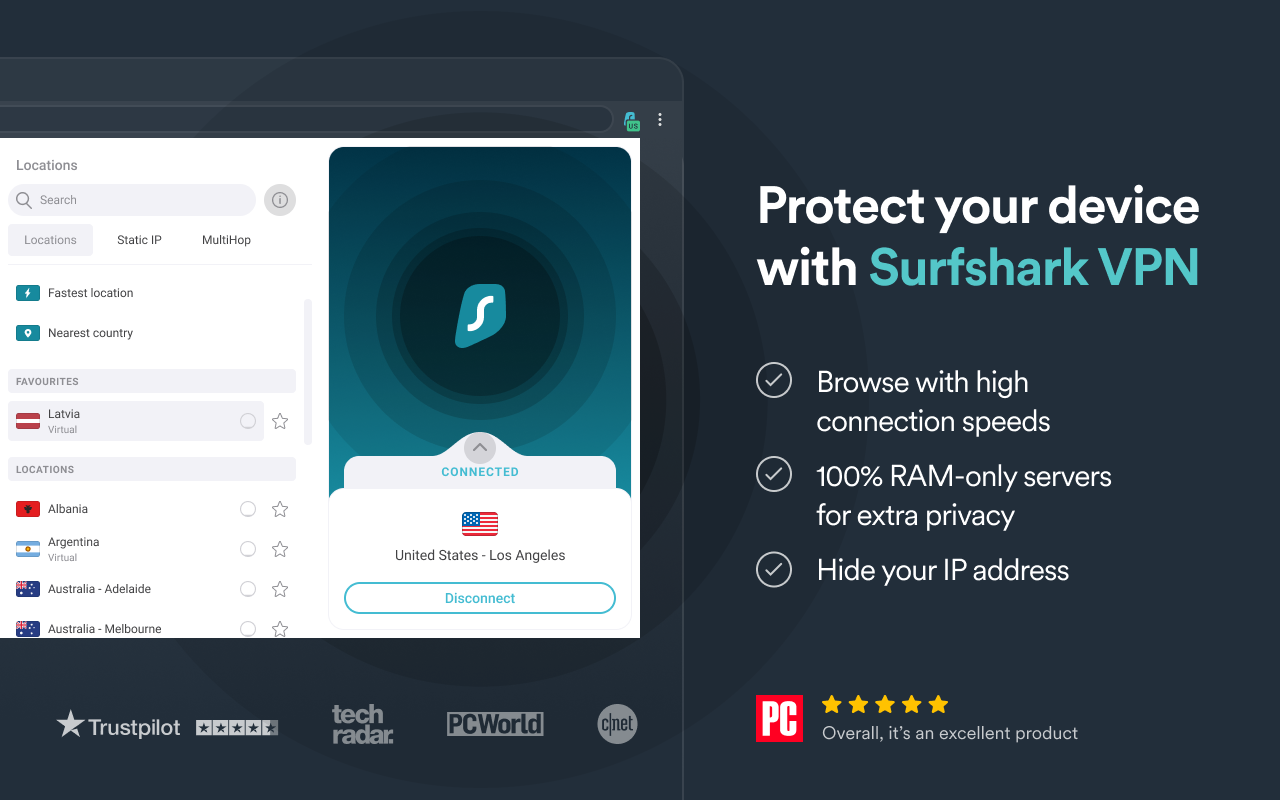
The Surfshark VPN Android app includes a premium feature called NetShield, which blocks ads, trackers, and malware to ensure a safe browsing experience while also improving your internet speed.
5. Customize your VPN settings for specific actions:
If you frequently use specific apps or websites, Surfshark VPN allows you to customize the VPN settings for those actions. For example, you can set the VPN to automatically connect when you open a banking app or when you download a file.
6. Stay up to date with the latest version:
To ensure that you have the latest security features and updates, it is recommended to regularly upgrade to the newest version of the Surfshark VPN app. This will guarantee you the best possible service and protection.
In conclusion, by customizing your VPN settings with Surfshark VPN for Android, you can have more control over your online privacy and security. Take advantage of the various options available to personalize your VPN experience and enjoy a safe and unrestricted internet.
Step 14: Enable the Kill Switch feature for added security
The Kill Switch feature is a powerful tool that can enhance your security while using Surfshark VPN on your Android device. Here’s how you can enable it:
- Upgrade to the latest version: Before enabling the Kill Switch, make sure you have the newer version of the Surfshark VPN app installed on your Android device. You can download the latest version from the official website or the Google Play Store.
- Open the app: Once you have the latest version installed, open the Surfshark VPN app on your Android device.
- Go to the settings: In the app, navigate to the settings menu. You can usually find it by tapping on the three horizontal lines in the top-left corner of the screen.
- Enable the Kill Switch: In the settings menu, look for the Kill Switch option and toggle it on. Once enabled, the Kill Switch will automatically disconnect your device from the internet if the VPN connection drops, ensuring that your data stays secure and private.
- Enjoy added security: With the Kill Switch feature enabled, you can browse the internet with peace of mind, knowing that your online activities are protected even if the VPN connection is interrupted.
Note: Enabling the Kill Switch feature may slightly decrease your internet speeds, as it prioritizes security over speed. However, Surfshark’s 3200+ servers worldwide and built-in protocols help optimize the connection and provide fast speeds for a seamless browsing experience.
If you have any questions or need help with the Kill Switch feature or any other aspect of Surfshark VPN, you can always refer to the Surfshark support team or consult the thorough FAQ section available on their website.
Step 15: Use the CleanWeb feature to block ads and malware
One of the great features of Surfshark VPN for Android is CleanWeb. With CleanWeb, you can block ads and malware while browsing the web. This feature ensures a seamless and uninterrupted browsing experience by eliminating annoying ads and protecting your device from potential threats.
Whether you want to browse the internet without any distractions or you’re concerned about the security of your device, CleanWeb has got you covered. It protects your privacy by blocking trackers that monitor your online activities and ensures that your personal data remains secure.
Using CleanWeb is easy. Once you have downloaded and installed Surfshark VPN on your Android device, simply enable CleanWeb in the settings. This will activate the ad-blocking and malware-blocking functionality, giving you a clean and safe browsing experience.
Surfshark VPN is a reliable and trusted VPN provider with a vast network of over 3200 servers worldwide. With servers in Australia and many other countries, you can connect to the server of your choice and enjoy fast and secure internet connections.
When it comes to privacy and anonymity, Surfshark VPN is the best choice. It adheres to a strict no-activity-logs policy, ensuring that your online activities remain private and untraceable. This means that even your internet service provider won’t be able to see what you do online.
Surfshark VPN uses the latest encryption technology to protect your internet connection. This ensures that your data is encrypted and secure, even when you’re connected to public Wi-Fi networks.
In addition to CleanWeb, Surfshark VPN also offers other features to enhance your online experience. These include a built-in ad and malware bypasher, unlimited simultaneous connections, and a kill switch that protects your privacy in case the VPN connection drops.
With Surfshark VPN, you can prioritize your activities online. Whether you want to stream your favorite TV shows, download large files, or browse the web, Surfshark VPN ensures fast and reliable speeds.
So, if you’re looking for a premium VPN service that offers excellent privacy and security features, look no further than Surfshark VPN for Android. Download the app today and enjoy a safe, secure, and unblocked internet experience.
Step 16: Connect to dedicated P2P servers for torrenting
If you want to download torrents, Surfshark VPN provides dedicated P2P servers that are optimized for fast and secure torrenting.
With over 3200+ servers worldwide, you can choose from a wide range of server locations to ensure a smooth and fast downloading experience.
To connect to a dedicated P2P server in Surfshark VPN, simply open the Surfshark app on your Android device and search for the server location you want to connect to.
Once connected, Surfshark VPN will automatically protect your internet connection and prevent anyone from monitoring or tracking your torrent downloads. This ensures that you stay anonymous and your privacy is intact.
Surfshark VPN uses industry-leading protocols like OpenVPN and IKEv2 to provide secure and reliable connections. These protocols encrypt your data and ensure that it remains protected while you download torrent files.
In addition, Surfshark VPN includes a kill switch feature that automatically disconnects you from the internet if your VPN connection drops. This prevents any accidental exposure of your real IP address and ensures that your online activities remain private.
With Surfshark VPN, you can also bypass any geo-restrictions or censorship imposed by your internet service provider or government. This means you can access and download content from any part of the world without any restrictions.
To make sure that you’re connected to a dedicated P2P server, just go to the server list in the Surfshark app and look for servers with a P2P or torrent icon. These servers are specifically optimized for torrenting and provide the best speeds for downloading.
In conclusion, if you’re a Torrent lover, Surfshark VPN is the perfect choice for you. With its unlimited bandwidth, secure protocols, and dedicated P2P servers, you can download as much as you want without worrying about your privacy or security.
Step 17: Access Geo-Restricted Content with Surfshark VPN
Surfshark VPN offers a convenient solution for accessing geo-restricted content on the internet. With its untraceable and encrypted connection, Surfshark prioritizes your online activity and ensures that you can browse the web with premium speed and security.
By connecting to one of Surfshark’s 3,200+ servers worldwide, you can play your favorite movies and TV shows without being asked to switch from one country to another. Even if you are located in a country with frequent restrictions, Surfshark VPN can make it more likely for you to bypass these limitations and enjoy the content you love.
Surfshark’s modern protocols and no-activity-logs policy protect your internet connection, preventing any third parties from monitoring your online activities. With Surfshark’s latest netshield and kill switch features, you can browse the internet with peace of mind, knowing that your data is safe and secure.
Here’s how you can access geo-restricted content with Surfshark VPN:
- Download and install the latest version of Surfshark VPN on your Android device.
- Open the Surfshark app and sign in with your credentials.
- Select a server from a list of thousands of servers worldwide.
- Connect to the chosen server to protect your connection and access content from that region.
- Enjoy unlimited access to geo-restricted apps, websites, and streaming services like Netflix, Hulu, BBC iPlayer, and more.
With Surfshark VPN’s help, you can switch between different countries and regions to access content that is not available in your own country. For example, if you are in Germany and want to watch a Netflix show that is exclusive to the United States, you can simply connect to a Surfshark server located in the US to access that content.
Surfshark makes it easy for you to protect your privacy and access the content you want. By preventing any logs of your online activity, Surfshark ensures that your browsing habits remain private and secure.
Don’t miss out on your favorite TV shows and movies. Upgrade to Surfshark VPN today and enjoy unrestricted access to geo-restricted content from anywhere in the world.
FAQ:
What is Surfshark VPN?
Surfshark VPN is a virtual private network service that allows users to securely browse the internet and protect their online privacy. It encrypts your internet traffic and hides your IP address, making it difficult for anyone to track your online activities.
How does Surfshark VPN work on Android?
Surfshark VPN works on Android by creating a secure tunnel between your device and the internet. When you connect to the VPN server, all your internet traffic is encrypted and routed through that server, making it impossible for anyone to intercept or monitor your online activities. It also hides your IP address, allowing you to access blocked websites and services.
How many servers does Surfshark VPN have worldwide?
Surfshark VPN has over 3200 servers worldwide. These servers are located in different countries and cities, allowing users to choose from a wide range of server locations and quickly connect to the nearest and fastest server.
Can I use Surfshark VPN to access content from other countries?
Yes, you can use Surfshark VPN to access content from other countries. By connecting to a server located in a specific country, you can bypass geo-restrictions and access websites, streaming services, and other content that is only available in that country. Surfshark VPN provides a list of server locations to choose from.
Is Surfshark VPN safe to use on Android?
Yes, Surfshark VPN is safe to use on Android. It uses industry-standard encryption protocols to secure your internet connection and protect your data. It also has a strict no-logs policy, which means it doesn’t keep any records of your online activities. Additionally, Surfshark VPN has built-in features like a kill switch and DNS leak protection to ensure your privacy and security.
Can Surfshark VPN help me protect my online privacy?
Yes, Surfshark VPN can help you protect your online privacy. By encrypting your internet traffic and hiding your IP address, it prevents anyone from monitoring or tracking your online activities. It also allows you to browse the internet anonymously, without revealing your real identity or location. Surfshark VPN’s no-logs policy ensures that your browsing history and personal information are not stored or shared with anyone.
Does Surfshark VPN work in China?
Yes, Surfshark VPN works in China. It has special servers optimized for bypassing internet censorship and accessing blocked websites and services in China. However, due to the constantly changing nature of internet censorship in China, Surfshark VPN’s effectiveness may vary. It is recommended to contact their customer support for the latest information and updates.
Videos:
How to set up Surfshark VPN on Smart TV (2021 Tutorial)
How to set up Surfshark VPN on Smart TV (2021 Tutorial) by Surfshark Academy 1 year ago 2 minutes, 31 seconds 39,921 views
How to Use Surfshark VPN in 2023 | Easy Surfshark Tutorial
How to Use Surfshark VPN in 2023 | Easy Surfshark Tutorial by Consumer Research Studios 6 months ago 3 minutes, 30 seconds 14,971 views
Surfshark VPN Testbericht 2023: Günstig, Aber Ist Es Sicher?
Surfshark VPN Testbericht 2023: Günstig, Aber Ist Es Sicher? by VPN Bewertung 2 months ago 9 minutes, 39 seconds 230 views
