Get Lifetime Free Android VPN – VPN Free 1042

When it comes to online security and privacy, having a secure connection is essential. With the VPN Free 1042 app, you can easily establish a secure tunnel to prevent any unauthorized access to your information. With this free VPN, you can browse the web, use apps, and send emails with complete peace of mind.
One of the key features of VPN Free 1042 is its selection of secure servers from around the world. With over 3 servers to choose from, you can see that this VPN does not compromise on the number of options available to you. Whether you want to browse local websites or access geo-restricted content, VPN Free 1042 has got you covered.
Not only does VPN Free 1042 provide a secure connection, but it also works on any mobile device. Whether you’re using your phone, tablet, or smart TV, you can install and use this VPN without any hassle. Plus, with its auto-reconnect feature, you don’t have to worry about losing your connection when your internet becomes unstable. It will automatically reconnect and keep you secure.
One of the best things about VPN Free 1042 is that it doesn’t keep any logs. Your privacy is of utmost importance, and with this VPN, you can be sure that your online activities are not being tracked or recorded. With its no-log policy, VPN Free 1042 ensures that your information remains completely private.
Features of VPN Free 1042
Auto Reconnect: VPN Free 1042 offers an auto reconnect feature, which ensures that your connection is always up and running. No matter what happens, you can stay connected.
Smooth Speeds: With VPN Free 1042, you can enjoy smooth and fast speeds. It optimizes your connection and ensures that your apps and websites load quickly.
Multiple Device Support: VPN Free 1042 works well on up to 2 devices, allowing you to protect your privacy and data on multiple devices simultaneously.
Complete Anonymity: VPN Free 1042 provides complete anonymity by hiding your IP address and encrypting your internet traffic. This ensures that your online activities remain private and secure.
Lifetime Free Service: VPN Free 1042 offers a lifetime free service, so you can enjoy all its features without any cost. You don’t have to worry about subscription fees or limited trial periods.
Log-free Policy: VPN Free 1042 supports a log-free policy, meaning it does not keep any records of your online activities. Your browsing history and personal information remain protected.
Unlimited Server Selection: VPN Free 1042 provides you with a wide selection of servers from all over the world. You can choose the server location that suits your needs and establish a secure connection.
Easy to Install and Use: VPN Free 1042 is easy to install and use. With just a few clicks, you can establish a VPN tunnel and enjoy a secure and private browsing experience.
GPS Block: VPN Free 1042 also has a GPS block feature, which prevents apps from tracking your location. You can keep your GPS disabled while using certain apps or websites.
Email Support: If you have any questions or issues, VPN Free 1042 provides email support. You can reach out to their support team for quick and helpful answers.
Battery Drain Protection: VPN Free 1042 protects your battery life by optimizing its usage. It ensures that the VPN does not drain your device’s battery quickly.
Recommended by Experts: VPN Free 1042 is highly recommended by experts for its reliable and secure service. With its advanced features, it guarantees your privacy and online safety.
How to install VPN Free 1042 on Android
If you want to ensure the best security and privacy for your Android device, VPN Free 1042 is the perfect solution. This free VPN program supports all android devices and works with any network connectivity.
To install VPN Free 1042 on your Android device, follow these easy steps:
- Go to the Google Play Store and search for “VPN Free 1042”.
- Select the app from the search results and click “Install”.
- Once the installation is complete, open the app.
- You will be asked to sign up with your email, but don’t worry, it’s not required.
- Now, you can choose the server location from a wide selection of servers around the world.
- Click on “Connect” and the VPN tunneling process will start.
- You’ll see that your connection is now secure and protected. You can browse the internet undisturbed and with complete privacy.
VPN Free 1042 also offers some additional features to enhance your browsing experience. The auto-connect feature ensures that you never lose your VPN connection, even if your network is unstable. This program also has a quick connect feature, which allows you to connect to the best server based on your location.
With VPN Free 1042, you won’t have to worry about logs or losing battery life. This program is designed to work efficiently and securely in the background, and it won’t drain your device’s battery.
If you have any questions or need help with the setup, VPN Free 1042 has a team of experts ready to assist you. Just send an email to their support team, and they will be happy to assist you in any way they can.
Benefits of using VPN Free 1042 on Android
When it comes to protecting your mobile devices in the digital world, using a VPN is recommended. VPN Free 1042 offers a range of features that ensure your security and anonymity while using your Android device.
- Security: VPN Free 1042 establishes a secure tunneling connection between your Android device and the VPN servers. This protects your data from any potential threats or cyber attacks that may happen when you are connected to public Wi-Fi networks.
- Anonymity: By using VPN Free 1042, you can hide your IP address and browse the internet anonymously. This helps to block any tracking attempts from advertisers or other third parties who may try to collect your personal information.
- Smooth and fast speeds: VPN Free 1042 ensures that your internet usage speeds while connected to the VPN are not affected. You can enjoy fast and seamless browsing, streaming, and downloading experiences without any hiccups.
- Selection of servers: With VPN Free 1042, you have access to a wide selection of servers from all around the world. This allows you to choose a server location that best suits your needs, whether you want to access region-restricted content or ensure faster connection speeds.
- User-friendly interface: The VPN Free 1042 Android app is designed to be easy to navigate and use. With just a few clicks, you can connect to the VPN and start enjoying all the benefits it offers.
- No registration required: Unlike some VPN services that require you to sign up with an email or create an account, VPN Free 1042 allows you to use it without any registration. You can start using the VPN right away without any hassle.
- Battery-friendly: VPN Free 1042 does not drain your device’s battery excessively. You can use the VPN actively without worrying about your battery life getting consumed quickly.
- 24/7 customer support: In case you have any questions or encounter any issues while using VPN Free 1042 on your Android device, the customer support team is available round the clock to provide assistance and help you troubleshoot.
Discover the many benefits of using VPN Free 1042 on your Android device and ensure a secure and private online experience.
Privacy and Security with VPN Free 1042
When it comes to protecting your privacy and ensuring your online security, VPN Free 1042 is here to help. With this lifetime free Android VPN, you won’t have to worry about anyone tracking or monitoring your online activities.
With VPN Free 1042, you can install the app on your Android device and enjoy the benefits of a secure and private internet connection. It works by creating a tunnel between your device and the VPN server, which encrypts all your online data. This means that even if someone tries to intercept your information, they won’t be able to read it.
One of the great features of VPN Free 1042 is that it allows you to browse the web and access apps anonymously. This helps prevent websites and apps from tracking your location or gathering your personal information without your consent.
Furthermore, VPN Free 1042 supports split tunneling, which means you can choose which apps or websites you want to route through the VPN server. This gives you more control over your online privacy and allows you to customize your browsing experience.
With VPN Free 1042, you can also connect to servers in different locations around the world. This not only helps you hide your true IP address, but it also allows you to access geo-restricted content. Whether you want to watch a movie that is only available in a specific country or access a website that is blocked in your region, VPN Free 1042 can help you bypass these restrictions.
VPN Free 1042 ensures fast and stable connection speeds, so you can browse the internet without any lags or buffering. It automatically selects the best server for you, based on your location and network conditions, to provide optimal performance.
To enjoy the benefits of VPN Free 1042, all you need to do is download and install the app on your Android device. There is no registration required, and you can start using it right away. Plus, with a lifetime subscription, you won’t have to worry about any additional costs or monthly fees.
In summary, VPN Free 1042 is a reliable and secure VPN that helps protect your privacy and secure your online activities. With its easy-to-use features, you can browse the internet anonymously, access blocked content, and enjoy fast and stable connection speeds. So why wait? Get lifetime free Android VPN – VPN Free 1042 today and take control of your online privacy!
Bypassing restrictions with VPN Free 1042 on Android
VPN Free 1042 is an Android application that allows users to bypass local restrictions and access blocked websites and apps. Whether you’re at school, work, or in a country with heavy censorship, this VPN provides a secure way to browse the internet and access the content you’re after.
One of the key features of VPN Free 1042 is its fast connection speeds. It ensures that you can enjoy a smooth and undisturbed browsing experience without any lag or buffering. Whether you’re streaming videos, downloading files, or simply browsing websites, this VPN keeps your internet connection fast and reliable.
Not only does VPN Free 1042 protect your privacy and secure your online activities, but it also helps to conserve your device’s battery. Unlike other VPNs that drain your battery quickly, this application is designed to ensure that you can use your device for longer periods without worrying about running out of power.
When it comes to VPN selection, VPN Free 1042 has got you covered. It offers a wide range of server locations to choose from, so you can select a location that suits your needs best. Whether you want to access content that is geographically restricted or simply want to stay anonymous online, their extensive server selection ensures that you can do so easily.
Worried about reconnecting to the VPN every time your internet connection drops? VPN Free 1042 has a built-in auto-reconnect feature that ensures your VPN connection stays active at all times. This feature is especially useful for users whose internet connections are unstable or prone to disconnect frequently.
In addition, VPN Free 1042 does not log your online activities, ensuring complete privacy and anonymity. Your browsing history, downloads, and any other online activity are kept private and secure. With this VPN, you can browse the internet with peace of mind, knowing that your personal information is protected.
Installing VPN Free 1042 on your Android device is a quick and easy process. Simply sign up for an account, download and install the application, and follow the step-by-step instructions provided. Once installed, you can configure the VPN settings according to your preferences and start enjoying unrestricted and secure internet access.
Overall, VPN Free 1042 is a recommended VPN solution for Android users who are looking for a secure, fast, and reliable way to bypass restrictions and access blocked content. Whether you want to stream movies and TV shows, hide your GPS location, or simply browse the internet without any limitations, this VPN has all the features you need to ensure a seamless browsing experience.
Troubleshooting common issues with VPN Free 1042 on Android
1. Loss of Internet Connection
If you’re experiencing a loss of internet connection after installing VPN Free 1042, there are a few steps you can take to resolve this issue. First, make sure that the VPN service is active and connected properly. You can check this by looking for the VPN icon in the status bar of your Android device. If the VPN is active and you still don’t have internet access, try reconnecting to the VPN or restarting your device. If the problem persists, contact our experts for further assistance.
2. Slow Internet Speeds
If you notice a decrease in internet speeds while using VPN Free 1042, there are a few factors that may be contributing to this issue. First, check your network connection to ensure that it is stable. If you’re using a mobile network, switching to a Wi-Fi connection may help improve speeds. Additionally, keep in mind that using a VPN can result in slightly slower speeds due to the encryption and tunneling processes. If you require faster speeds, you may want to consider upgrading to a premium VPN service.
3. GPS Issues
In some cases, using VPN Free 1042 may cause GPS-related issues, such as inaccurate location or failure to establish a GPS signal. This is because the VPN may redirect your device’s traffic through a different location, which can interfere with the GPS reception. If you encounter GPS problems while using the VPN, try disconnecting from the VPN and see if the issue is resolved. If not, ensure that your device’s GPS settings are configured correctly.
4. App Compatibility
While VPN Free 1042 supports a wide range of applications, there may be some compatibility issues with certain apps. If you notice that specific apps are not working properly or can’t establish a connection while the VPN is active, try disabling the VPN for those particular apps. You can do this by going to the VPN settings and selecting the apps you want to exclude from the VPN tunnel. Keep in mind that disabling the VPN for certain apps may compromise your privacy and security.
5. Battery Drain
If you experience excessive battery drain after installing VPN Free 1042, there are a few things you can do to minimize this issue. First, make sure that you’re using the latest version of the VPN application, as updates often include bug fixes and optimizations. Additionally, try closing any unused apps running in the background and reduce the number of active connections. Enabling the VPN’s battery-saving features, if available, can also help prolong your device’s battery life.
6. Error Logs and Privacy
VPN Free 1042 does not log your online activities, ensuring your privacy and anonymity while browsing the internet. However, the VPN application may generate error logs for troubleshooting purposes. These logs do not contain any personally identifiable information and are typically used by the developers to identify and fix technical issues. If you have concerns about privacy, rest assured that your online activities are not being tracked or logged by the VPN service.
Frequently asked questions about VPN Free 1042 on Android
1. What is VPN Free 1042 and how does it work?
VPN Free 1042 is a secure tunnel that allows you to protect your privacy and establish a secure connection between your Android device and the internet. It works by encrypting your internet traffic and routing it through our servers, hiding your IP address and ensuring that your data remains private and secure.
2. Why should I install VPN Free 1042 on my Android device?
Installing VPN Free 1042 on your Android device provides several benefits, such as enhanced privacy, the ability to access blocked websites and apps, and improved security when using public Wi-Fi networks. Additionally, VPN Free 1042 offers fast connection speeds and a wide selection of servers around the world to ensure the best possible browsing experience.
3. How do I sign up for VPN Free 1042?
Signing up for VPN Free 1042 is easy. Simply download the application from the Google Play Store, install it on your Android device, and follow the on-screen instructions to create an account. No registration or log-in is required, and you can start using the service immediately after installation.
4. Will using VPN Free 1042 drain my battery?
No, using VPN Free 1042 should not significantly drain your device’s battery. We’ve implemented efficient algorithms to minimize battery consumption, ensuring that you can enjoy the benefits of VPN without sacrificing battery life.
5. What happens if my connection to VPN Free 1042 is lost?
If your connection to VPN Free 1042 is lost, the app will automatically try to reconnect to the nearest server. In the event that the connection is unstable, the app will prompt you to manually select a different server. Rest assured that your privacy and security will not be compromised during these reconnecting processes.
6. Can I use VPN Free 1042 with other apps on my Android device?
Yes, VPN Free 1042 works with all apps on your Android device. Whether you’re browsing the internet, using social media, or streaming video, your data will be encrypted and protected by VPN Free 1042 to ensure your privacy and anonymity.
7. Does VPN Free 1042 keep logs of my internet activity?
No, VPN Free 1042 does not keep logs of your internet activity. We believe in protecting your privacy and ensuring that your data remains confidential. We have a strict no-logs policy, which means that we do not collect or store any information about your online activities.
8. Can VPN Free 1042 bypass blocked websites and apps?
Yes, VPN Free 1042 can help you bypass blocked websites and apps. By routing your internet traffic through our secure servers, VPN Free 1042 allows you to access content that may be restricted or blocked in your country or region.
Compatibility of VPN Free 1042 with Android devices
The VPN Free 1042 is a free VPN service that provides lifetime access to its users. Developed specifically for Android devices, this VPN ensures compatibility with the popular mobile operating system.
With VPN Free 1042, you can quickly and easily install the program on your Android device to ensure complete privacy and security while browsing the internet. Whether you’re using Wi-Fi or a mobile network, this VPN protects your connection and prevents any unauthorized access to your personal information.
One of the key features of VPN Free 1042 is its ability to establish a secure tunneling connection that encrypts all your data. This ensures that even if your connection is unstable or loses speed, your information remains protected. The VPN also prevents any logs from being kept, ensuring that your browsing history remains confidential.
VPN Free 1042 works effortlessly in the background, so you can continue to use your Android device for all your needs. Whether you’re streaming movies, browsing social media, or accessing local apps, this VPN works silently to ensure your privacy and anonymity.
Our server network spans across the world, giving you the ability to browse content from different countries with ease. Say goodbye to region restrictions and access any website or TV show, bypassing any local limitations.
In addition to its compatibility with Android devices, VPN Free 1042 also offers various plans to cater to different user needs. Whether you need a free plan or want to upgrade for more features, VPN Free 1042 has got you covered.
In conclusion, if you’re looking for a VPN that is easy to install, compatible with Android devices, and provides a lifetime of free service, VPN Free 1042 is the best choice. It ensures your privacy, protects your data, and works seamlessly in the background to enhance your browsing experience. Discover the benefits of VPN Free 1042 today and start browsing with complete peace of mind.
VPN Free 1042 vs other VPN services for Android
When it comes to VPN services for Android, VPN Free 1042 stands out from the crowd. Here’s why:
1. Wide selection of servers
VPN Free 1042 offers servers around the world, ensuring fast and reliable connectivity no matter where you are. With a large number of servers, you can easily connect to the one that works best for you and your needs.
2. Secure and private browsing
With VPN Free 1042, your online activities are protected through a secure tunnel that encrypts your data. This ensures that your personal information and browsing history are kept private and secure, preventing any unwanted access or tracking.
3. Battery drain prevention
One common issue with VPN services is the drain on the device’s battery. However, with VPN Free 1042’s advanced technology, it is designed to minimize battery consumption, allowing you to use the VPN for extended periods of time without worrying about your battery dying quickly.
4. Quick and easy setup
Getting started with VPN Free 1042 is as simple as signing up for the service and downloading the app. There is no complicated registration process or additional email verification required. Just sign up, download the app, and you’re ready to go.
5. Excellent customer support
If you have any questions or need assistance, VPN Free 1042 has a team of experts available to help. Their customer support is always ready to provide quick and accurate answers to your queries, ensuring a smooth experience with the VPN service.
6. Works with all Android devices
Whether you have a mobile phone, tablet, or Android TV, VPN Free 1042 supports all Android devices. You can easily install and use the VPN on any device you own, ensuring secure connectivity and protection across all your devices.
7. Auto reconnect and split tunneling
VPN Free 1042 makes sure your connection stays active at all times. In case of any interruptions, the VPN will automatically reconnect, providing uninterrupted browsing and streaming experiences. Additionally, the split tunneling feature allows you to choose which apps use the VPN tunnel, giving you full control over your internet usage.
With all these features and more, VPN Free 1042 is a reliable and efficient VPN service for Android users. Take advantage of its high speeds, secure browsing, and excellent support to enhance your online experience.
Setting up VPN Free 1042 to automatically connect on Android
VPN Free 1042 provides a lifetime free VPN service on Android devices, ensuring that your online activity is secure and your data is protected. To enjoy the benefits of VPN Free 1042, you can set it up to automatically connect on your Android device. This way, you won’t have to manually establish a VPN connection every time you want to browse the web or access blocked content.
Step 1: Install VPN Free 1042
To get started, install the VPN Free 1042 app from the Google Play Store. It’s easy and quick to download.
Step 2: Enable Auto Connect
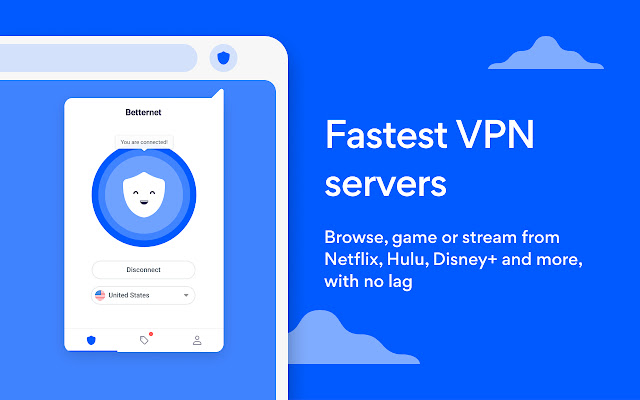
Once the VPN Free 1042 app is installed, open it and go to the settings. Look for the “Auto Connect” feature and enable it. Now, whenever you turn on your device, VPN Free 1042 will automatically establish a VPN connection, ensuring that your online activities are protected.
Step 3: Choose a Server
VPN Free 1042 offers a variety of servers from different locations around the world. You can select the server of your choice or let it choose the best server for you. This way, you can enjoy a smooth browsing experience, while VPN Free 1042 protects your data and ensures your privacy.
Step 4: Enjoy Undisturbed Browsing
With VPN Free 1042’s auto connect feature enabled, you can browse the internet without any interruptions. VPN Free 1042 works in the background and keeps your connection secure, even when you switch networks or move around. This way, you can stay connected and enjoy a secure browsing experience at all times.
In conclusion, setting up VPN Free 1042 to automatically connect on your Android device is recommended if you want to ensure your online privacy and protect your data. With a lifetime free VPN service, VPN Free 1042 gives you the peace of mind that your information is secure, and none of your online activities are being tracked. So, go ahead and install VPN Free 1042 on your Android device, and enjoy a secure and stable VPN service.
How to choose the best server location with VPN Free 1042 on Android
When it comes to using a VPN on your Android device, the server location you choose can greatly impact your internet experience. VPN Free 1042 offers a feature that allows you to easily select the best server location based on your needs.
With VPN Free 1042, you have access to servers from all over the world. This means that you can connect to a server in a different country and enjoy an internet browsing experience as if you were physically there.
So, how does the server selection feature of VPN Free 1042 work? It’s simple. After installing the VPN on your Android device, all you have to do is launch the program and you will be presented with a list of available servers. The recommended server will be automatically selected based on your location, but you can choose a different server if you prefer.
But what factors should you consider when choosing the best server location? Firstly, think about your internet usage. If you want to access local content that is only available in a specific country, then selecting a server in that country would be the right choice.
Additionally, if you want to stream videos or TV shows, selecting a server location that is closer to the content’s source can improve the speed and prevent any buffering issues. VPN Free 1042 supports fast connections and unlimited bandwidth, so you won’t have to worry about slow streaming speeds.
Another important consideration when choosing a server location is security. VPNs are known for their ability to protect your identity and block any attempts to log or track your online activities. By selecting a server that is located in a country with strong privacy laws, you can further enhance your security and prevent any unwanted surveillance or data breaches.
In summary, VPN Free 1042 makes it easy to choose the best server location for your Android device. Whether you’re looking to access local content, improve your internet speed, or enhance your privacy and security, the server selection feature offers all the choices and answers you need. With lifetime free service and no required registration, VPN Free 1042 is a reliable and convenient VPN solution for all your connectivity needs.
Improving VPN performance on Android with VPN Free 1042
With VPN Free 1042, you can enhance the performance of your VPN on Android devices.
When it comes to VPN connectivity, unstable connections can be a real problem. VPN Free 1042 helps you overcome this issue by providing a selection of reliable servers to connect to. All of our servers are optimized to ensure smooth and fast browsing, so you don’t have to worry about losing connection or experiencing lag.
VPN Free 1042 protects your privacy and security on all your Android devices.
Our program prevents any unauthorized access to your personal and sensitive information. By encrypting your data, it ensures that no one can intercept or view your online activities. VPN Free 1042 also hides your IP address, making it difficult for anyone to track your online presence or location.
Discover all the benefits of using VPN Free 1042 for Android.
If you’re concerned about usage limits, VPN Free 1042 offers a lifetime free VPN service. You can browse the internet without any restrictions or worries about exceeding your usage quota. With our VPN, you can also access blocked content, such as streaming services or websites that are not available in your country.
Get quick and easy access with VPN Free 1042 for Android.
Our user-friendly interface and simple settings ensure that anyone can use VPN Free 1042 with ease. If you’re not sure how to connect or have any questions, our support team is always ready to help. Whether it’s through email or our online support forums, we’ve got experts standing by to assist you.
Prevent battery drain and ensure a smooth VPN experience on your Android device.
VPN Free 1042 is designed to work efficiently without draining your battery. While the VPN is active, you can browse and use your device as usual, without any significant impact on your battery life. We’ve optimized the program to ensure that it goes unnoticed in the background, allowing you to enjoy a seamless VPN experience.
Why wait? Install VPN Free 1042 and experience a faster and more secure browsing.
With VPN Free 1042, you can browse the internet with peace of mind, knowing that your privacy and security are protected. Say goodbye to blocked content and unstable connections. Join the VPN Free 1042 community and discover a world of secure and unrestricted browsing on your Android device.
Maintenance and updates for VPN Free 1042 on Android
Maintenance and regular updates are crucial for keeping VPN Free 1042 running smoothly on Android devices. Without proper maintenance, the application may experience issues such as information loss, unstable servers, and slow connection speeds. To ensure complete and uninterrupted service, we’ve implemented a comprehensive maintenance program.
Our team of experts constantly works to address any issues that may arise with VPN Free 1042. If you ever experience any troubles, such as difficulties reconnecting to servers or any signs of an unstable connection, please don’t hesitate to contact us via email. We are here to assist you and provide the best possible service.
One of the key aspects of our maintenance program is updating the VPN Free 1042 application itself. With each update, we aim to improve the performance, reliability, and speed of the VPN service. These updates also enable us to address any potential security vulnerabilities, ensuring that your online identity and information remain protected.
While the process of updating the application may seem like a small inconvenience, it is essential for maintaining a smooth and secure VPN experience. We recommend keeping your VPN Free 1042 app up to date to benefit from the latest improvements and features.
During the maintenance process, you may experience temporary disruptions in the VPN service. This typically happens when we need to update servers or make changes to the infrastructure. We work diligently to minimize these interruptions and ensure that your VPN connection remains stable throughout the maintenance period.
In addition to maintenance, we also offer lifetime free registration for VPN Free 1042 on Android. This means that once you’ve registered, you can enjoy the benefits of VPN protection without any additional costs. Our commitment to your privacy and online security goes hand in hand with our commitment to making VPN access as easy and convenient as possible.
Setting up VPN Free 1042 on your Android device is simple and straightforward. With just a few easy steps, you can discover the benefits of a secure and anonymous internet connection. The application supports multiple server connections, allowing you to choose the best server for your needs. By using VPN Free 1042, you can prevent any attempts to block or track your online activity, ensuring your privacy and anonymity.
Furthermore, our VPN service helps conserve your device’s battery life. It does this by optimizing server selection and connection speeds, ensuring that your device’s resources are not unnecessarily drained. With VPN Free 1042, you can browse the internet freely and safely, without worrying about compromising your device’s performance.
In conclusion, maintenance and regular updates are vital for a smooth and secure VPN experience on Android. Our team is dedicated to keeping VPN Free 1042 working flawlessly, while also improving its performance and security. Take advantage of the lifetime free registration and discover the benefits of our easy-to-use VPN application. Protect your identity, block unwanted access, and enjoy a worry-free internet experience.
Pros and Cons of Using VPN Free 1042 on Android
Pros:
- Free Lifetime Access: VPN Free 1042 gives you a lifetime subscription for free.
- Increased Speed: By using VPN Free 1042, you can ensure faster connections and smooth browsing.
- GPS Privacy: While using VPN Free 1042, your GPS location remains private, protecting your identity.
- Secure Servers: VPN Free 1042 has a wide range of secure servers around the world, offering strong encryption and secure browsing.
- Auto Connect Feature: VPN Free 1042 has an auto-connect feature, allowing you to connect to the VPN service automatically.
- Recommended Apps: VPN Free 1042 suggests and recommends trusted and secure apps for your mobile device.
- Block Ads: VPN Free 1042 has the ability to block ads, providing you with an ad-free browsing experience.
- Quick and Easy Installation: Installing VPN Free 1042 is quick and easy, ensuring a hassle-free experience.
- Privacy and Security: VPN Free 1042 ensures the privacy and security of your online activities, protecting your identity and data.
Cons:
- Inconsistent Connectivity: The connection can sometimes be unstable, resulting in intermittent service.
- Battery Drain: Continuous usage of VPN Free 1042 may drain your device’s battery faster.
- No 24/7 Support: VPN Free 1042 does not offer round-the-clock customer support.
- Limited Features: Compared to paid VPN services, VPN Free 1042 may have limited features and options available.
- No Streaming Support: VPN Free 1042 does not support streaming services like Netflix or Hulu.
- No Logs Policy: VPN Free 1042 may keep logs of your online activities, potentially compromising your privacy.
- Unstable Performance: The VPN service may experience occasional performance issues, affecting browsing speed and stability.
- No Dedicated IP: VPN Free 1042 does not provide dedicated IP addresses to its users.
Overall, VPN Free 1042 is a convenient and easy-to-use Android application that offers lifetime free access to a VPN service. It provides enhanced security and privacy features, although there are some limitations and potential issues with connectivity and performance. Users should weigh the pros and cons before deciding to use VPN Free 1042.
How to cancel VPN Free 1042 subscription on Android
If you’ve decided to cancel your VPN Free 1042 subscription on your Android device, we’re here to help! Follow these step-by-step instructions to ensure the cancellation process goes smoothly.
Step 1: Open the VPN Free 1042 app
To begin the cancellation process, open the VPN Free 1042 app on your Android device. You should see the app icon on your home screen or in the app drawer.
Step 2: Go to the settings
Once you have opened the app, navigate to the settings. You can usually find this option by tapping on the menu icon in the top-left corner of the screen or by swiping from the left side of the screen.
Step 3: Locate the subscription settings
In the settings menu, look for the subscription or account settings. This section may be labeled differently depending on the app version you’re using. Look for terms like “subscription,” “account,” or “billing.”
Step 4: Cancel the subscription
Once you have found the subscription settings, tap on it to open the options. Look for the “Cancel Subscription” or similar button and tap on it to initiate the cancellation process.
Step 5: Confirm the cancellation
After tapping on the “Cancel Subscription” button, you will usually be asked to confirm your decision. Follow the on-screen instructions to verify that you want to cancel your VPN Free 1042 subscription.
Step 6: Check for confirmation
After confirming the cancellation, check your email for any confirmation or receipt from VPN Free 1042. They may send you an email to acknowledge the cancellation and provide you with further instructions or information.
If you encounter any issues or have further questions about canceling your VPN Free 1042 subscription on Android, it’s recommended to reach out to their support team. They are the experts and will be able to assist you with any concerns you may have.
FAQ:
How can I get the lifetime free Android VPN?
You can get the lifetime free Android VPN by downloading the VPN Free 1042 app from the Google Play Store. Once you install the app, you will have access to the VPN service for free, without any time restrictions.
Does the VPN Free 1042 app support all Android devices?
Yes, the VPN Free 1042 app supports all Android devices running Android 4.1 and above. Whether you have a smartphone or a tablet, you can download and use the app to get a lifetime free VPN service.
Is the VPN service in VPN Free 1042 reliable and secure?
Yes, the VPN service in VPN Free 1042 is reliable and secure. It encrypts your internet connection and protects your privacy by hiding your IP address. However, it’s important to note that as a free service, it may have some limitations compared to paid VPN services.
What are the limitations of the lifetime free Android VPN in VPN Free 1042?
The limitations of the lifetime free Android VPN in VPN Free 1042 include limited server locations, slower connection speeds compared to paid VPN services, and possible advertisements. Additionally, the free VPN might have restrictions on the amount of data you can use or the type of content you can access.
Videos:
Best FREE VPN: 100% no sign up! ALL DEVICES! 2022 UPDATE & HOW TO USE ONE!
Best FREE VPN: 100% no sign up! ALL DEVICES! 2022 UPDATE & HOW TO USE ONE! by Doc Squiffy 1 year ago 8 minutes, 58 seconds 71,577 views
Best FREE VPN 2023 | (Without paying ANYTHING) 😎
Best FREE VPN 2023 | (Without paying ANYTHING) 😎 by VPN Gratis org 🛡️ 5 months ago 6 minutes, 36 seconds 92,683 views
5 Best Free VPN for Android – No Sign Up & Data Limit
5 Best Free VPN for Android – No Sign Up & Data Limit by Be Productive 1 year ago 6 minutes, 6 seconds 3,761 views
