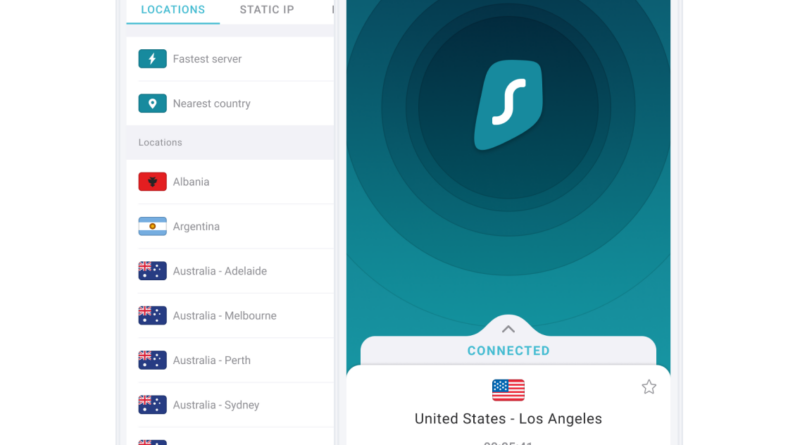
10 Best Android Web Browsers With VPN in 2023 – Surfshark – Best Android VPN for Families and Large Companies

In today’s digital age, online privacy and security have become paramount concerns. With cybercrime on the rise, it’s crucial for individuals and companies alike to protect their sensitive information while browsing the web. That’s why many people turn to virtual private networks (VPNs) to safeguard their internet connection.
When it comes to choosing the best Android web browser with a VPN, there are several options available. One popular choice is Surfshark, which is known for its comprehensive protection and user-friendly interface. Surfshark is an ideal VPN for families and large companies, as it allows for multiple connections and provides a secure and private browsing experience.
ExpressVPN is another well-liked option, offering a split tunneling feature that allows users to route certain apps or websites through the VPN while keeping others on their regular internet connection. This can be particularly useful for individuals looking to unblock streaming services or access region-restricted content.
NordVPN is also highly regarded in the cybersecurity community, with a strict no-log policy and a wide range of server locations to choose from. ProtonVPN is another standout, offering a free option with limited bandwidth and a paid version that provides unlimited data. Both NordVPN and ProtonVPN offer strong encryption protocols to protect user data.
One should know that while VPNs offer increased protection and anonymity online, they can sometimes slow down internet speeds. This is a common downside with most VPN services, but some providers prioritize speed more than others. Overall, the best Android web browser with a VPN in 2023 is a personal choice based on individual needs and preferences.
Best Android Web Browsers With VPN in 2023
When it comes to browsing the internet on your Android device, it’s important to prioritize your security and privacy. With the increasing number of advertisers and hackers trying to access your personal information, having a VPN integrated into your web browser is essential. We have compiled a list of the top 10 Android web browsers with VPN for 2023 to help you find the best option for your needs.
1. Surfshark
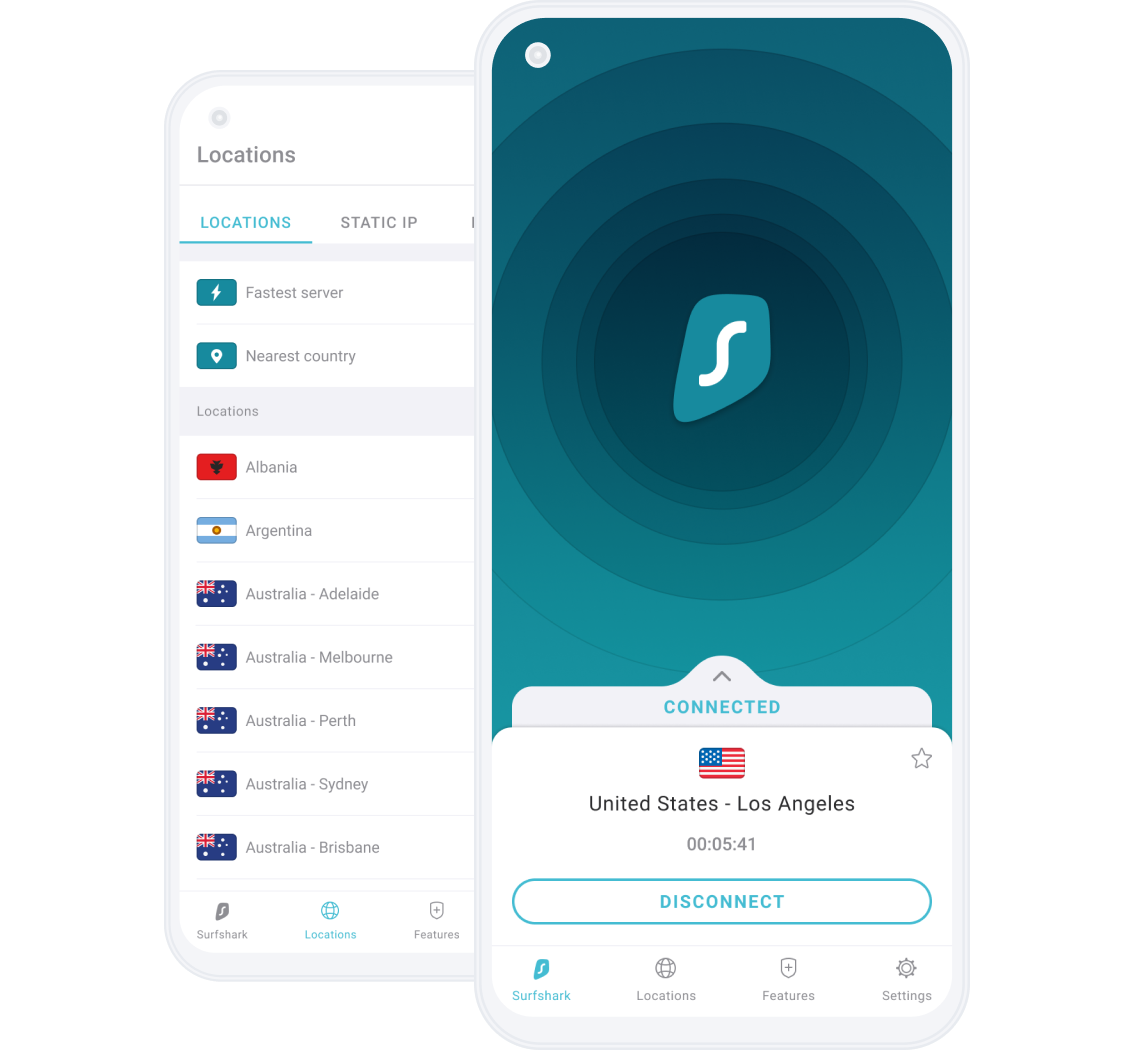
Surfshark is known for its high-level security features and is considered one of the best Android VPNs for families and large companies. With Surfshark, you can browse the internet privately and securely, with no logs of your online activities kept. You can also access a wide range of content from different countries with their VPN network.
2. ProtonVPN
ProtonVPN is another popular choice for Android web browsers with VPN. It offers a no-log policy, guaranteeing your privacy and security. You can choose from a range of countries to connect to and enjoy protection from advertisers and hackers. ProtonVPN also provides a free version, but their premium products offer the highest level of security and features.
3. IPVanish
If you’re looking for a VPN with a large number of servers and countries to connect to, IPVanish is a great choice. With over 1,500 servers in over 75 countries, you can browse the internet anonymously and access geo-restricted content. IPVanish also offers a money-back guarantee if you’re not satisfied with their service.
4. NordVPN
NordVPN is a well-known name in the cybersecurity industry and offers a secure browsing experience on Android devices. With NordVPN, you can protect your data from advertisers and hackers, and access content from abroad. They also offer a 30-day money-back guarantee, so you can test their service with no questions asked.
5. ExpressVPN
ExpressVPN is known for its fast and reliable connection, making it a popular choice for Android web browsers with VPN. With ExpressVPN, you can enjoy a private and secure browsing experience on your Android device. They offer a wide range of server locations and have a high number of positive ratings from users.
6. CyberGhost
CyberGhost offers a user-friendly interface and a wide range of features for Android web browsers with VPN. With CyberGhost, you can enjoy protection from advertisers and hackers, and access content from different countries. They also offer a 45-day money-back guarantee, making it a risk-free option to try.
7. Hotspot Shield
Hotspot Shield is a popular choice for Android web browsers with VPN due to its easy-to-use interface and strong security features. With Hotspot Shield, you can browse the internet privately and securely, with protection from advertisers and hackers. They offer a free version with ads, but their premium version provides extra protection and features.
8. TunnelBear
TunnelBear is a user-friendly VPN option for Android web browsers. It offers a no-log policy and protects your data from advertisers and hackers. TunnelBear also offers a free version with a monthly limit, but their premium version provides unlimited data and better protection.
9. Private Internet Access
Private Internet Access (PIA) is a trusted VPN provider that offers a range of features for Android web browsers. With PIA, you can browse the internet privately and securely, with protection from advertisers and hackers. They offer a wide range of server locations and have a good reputation for their no-log policy.
10. ZenMate
ZenMate is a lightweight and easy-to-use VPN option for Android web browsers. It offers protection from advertisers and hackers, and you can choose from a range of server locations. ZenMate also offers a free version, but their premium version provides better security and features.
In conclusion, when it comes to choosing the best Android web browser with a VPN, there are plenty of options to choose from. Whether you prioritize security, privacy, or a wide range of server locations, there is a browser available that meets your needs. Consider your preferences and choose the one that provides the best protection and browsing experience for you.
Surfshark – Best Android VPN for families and large companies
If you’re looking for the best Android VPN for families and large companies, Surfshark is the top choice to consider. With its many features and customizable options, it offers a range of benefits for both personal and professional use.
Money-back guarantee: Surfshark provides a 30-day money-back guarantee, allowing you to try out the service risk-free and get a refund if you’re not satisfied.
Wide range of countries: With Surfshark, you have access to over 65 countries, allowing you to bypass geo-restricted content and browse the web with ease.
Split tunneling: Surfshark offers split tunneling, which enables you to choose which apps or websites you want to route through the VPN and which ones you want to use your regular internet connection for.
Netflix compatibility: Surfshark works seamlessly with Netflix, so you can stream your favorite shows and movies without any interruptions.
Strong security protocols: Surfshark utilizes industry-leading protocols to ensure the privacy and security of your data. It has a strict no-logs policy and provides protection against DNS and IPv6 leak.
Frequently updated features: Surfshark frequently updates its features to provide the best service to its users. It constantly adds new servers and improves its network infrastructure to ensure fast and reliable connections.
Large user base: Surfshark has a large and growing user base, which is a testament to its popularity and effectiveness in the market.
Easy to install and use: Surfshark is easy to install and use on your Android device. Simply download the app from the Google Play Store, sign in, and you’re connected to the VPN within minutes.
Government alliance: Surfshark is based in the Netherlands, which is a member of the 14 Eyes alliance. This means that the government can potentially request user data, although Surfshark’s strict no-logs policy ensures that there is no data to be shared.
Overall, Surfshark is the best Android VPN for families and large companies, thanks to its extensive features, strong security protocols, and user-friendly interface. Give it a try and experience the benefits of secure and private browsing.
Private Internet Access – Android VPN with the largest server network
Private Internet Access (PIA) is an Android VPN that stands out for its extensive server network. With over 4,000 servers in more than 40 countries, PIA provides users with a wide range of options when it comes to choosing their virtual location. Whether you need to access content that is restricted in your country or simply want to browse the internet anonymously, PIA has you covered.
One of the main advantages of PIA is its commitment to privacy and security. The company is based in the United States, which should be a concern for some users due to the country’s intelligence surveillance alliances. However, PIA has a strict no-logs policy and has even been asked by the government to provide user data in the past, but they were unable to do so.
PIA offers a range of security features, including AES-256 encryption, OpenVPN protocol support, DNS leak protection, and a kill switch. These features ensure that your internet traffic is encrypted and your data is kept secure, even if you are connected to a public Wi-Fi network. Plus, PIA allows for up to 10 devices to be connected simultaneously, making it perfect for families or large companies.
In terms of performance, PIA is known to be fast and reliable. Users have reported that the VPN does not slow down their internet connection, allowing them to stream content, download files, and browse the web without any issues. PIA also works well with popular streaming services, such as Netflix, allowing you to access geo-restricted content from anywhere in the world.
Another great feature of PIA is its affordability. The VPN offers competitive pricing, with plans starting at just $3.33 per month. This makes it one of the most affordable VPNs on the market, especially considering the wide range of features and server network that it offers. PIA also offers a 30-day money-back guarantee, so you can try it out risk-free.
In conclusion, Private Internet Access is an Android VPN that stands out for its large server network, strong privacy and security measures, and affordable pricing. Whether you are looking to browse the web anonymously, access geo-restricted content, or protect your personal data while connected to public Wi-Fi, PIA is a reliable and trusted option worth considering.
ExpressVPN – Android VPN for high-speed browsing and security
High-speed Browsing
ExpressVPN is one of the top VPN providers for Android when it comes to high-speed browsing. With its fast and reliable servers spread over a large number of countries, you can enjoy a seamless browsing experience without any lag or buffering. Whether you’re streaming videos, downloading files, or browsing websites, ExpressVPN ensures that you get the fastest speeds possible.
Security
When it comes to security, ExpressVPN is one of the best options available for Android users. It offers top-of-the-line encryption protocols to protect your online activities from hackers and cybercriminals. ExpressVPN also has a strict no-logs policy, which means that they don’t keep any records of your browsing history or data. This ensures that your online activities remain private and anonymous.
Unblock Geo-restricted Content
ExpressVPN allows you to unblock geo-restricted content from anywhere in the world. Whether you want to access streaming services like Netflix, Hulu, or BBC iPlayer, or visit websites that are blocked in your country, ExpressVPN can help you bypass these restrictions. With its vast network of servers in different countries, you can easily change your virtual location and access content from anywhere.
Wide Range of Protocols
ExpressVPN supports a wide range of protocols, including OpenVPN, IKEv2, and L2TP/IPsec. This allows you to choose the most secure and reliable protocol for your needs. Whether you prioritize speed, security, or both, ExpressVPN has a protocol that will meet your requirements.
User-Friendly Interface

ExpressVPN offers a user-friendly interface that is easy to navigate, even for beginners. With just a few taps, you can connect to a server and start browsing securely. ExpressVPN also offers a dedicated app for Android, which makes it even more convenient to use on your mobile device.
Conclusion
In conclusion, ExpressVPN is an excellent choice for Android users who prioritize high-speed browsing and security. Whether you’re looking to unblock geo-restricted content, protect your online activities from hackers, or simply browse the internet securely, ExpressVPN has you covered. With its fast speeds, wide range of protocols, and user-friendly interface, ExpressVPN is definitely one of the top VPN options in 2023.
NordVPN – Android VPN with advanced security features
NordVPN is a top-rated Android VPN that offers advanced security features for your online privacy and protection. With its no-log policy and military-grade encryption, you can rest assured that your data is safe from hackers and government surveillance.
One of the standout features of NordVPN is its large server network, with over 5,000 servers spread across 59 countries. This means that you can easily connect to a server that suits your needs, whether you want to access geo-restricted content or simply secure your connection. Plus, NordVPN supports all major VPN protocols, including OpenVPN, which is considered to be one of the most secure protocols available.
When it comes to speed, NordVPN performs really well, offering fast and reliable connections without any noticeable slowdowns. In fact, in our comparison of the fastest Android VPNs in 2023, NordVPN ranked near the top. So if speed is a priority for you, NordVPN is definitely a VPN you should consider.
In addition to its security and speed, NordVPN also offers some extra features that set it apart from other VPNs. For example, it has a customizable kill switch that allows you to choose which apps and websites should be blocked if your VPN connection drops. It also has a built-in ad blocker, which can help enhance your browsing experience by blocking annoying ads and pop-ups.
Overall, NordVPN is a top-notch Android VPN that checks all the boxes when it comes to security, speed, and features. Whether you’re a large company or an individual, NordVPN is a VPN that can meet your needs and keep your online activities private and protected.
CyberGhost VPN – Android VPN with easy-to-use interface
If you’re looking for an Android VPN with an easy-to-use interface, CyberGhost VPN is a great option. With its user-friendly design, you can protect your privacy and browse the internet without any hassle. Whether you’re a beginner or an advanced user, you’ll find CyberGhost VPN simple to navigate and use.
One of the features that users have liked about CyberGhost VPN is its easy installation process. Thanks to its intuitive design, you can quickly download and install the app on your Android devices. With just a few taps, you’ll be connected to a secure server and ready to browse the internet privately.
CyberGhost VPN lets you choose from a wide range of server locations, including popular options like NordVPN’s server network. Whether you want to access content from abroad or protect your connection while using public Wi-Fi, CyberGhost VPN has you covered. With its openVPN protocol and no-log policy, you can browse the internet with peace of mind.
If you’re concerned about your cybersecurity, CyberGhost VPN is up-to-date with the latest security features. It offers strong encryption and protects against DNS leaks to ensure that your data stays private. That’s why it’s one of the most trusted VPN services available for Android devices.
One of the standout features of CyberGhost VPN is its compatibility with Netflix. With CyberGhost VPN, you can easily access Netflix from abroad and watch your favorite shows and movies without any restrictions. Its fast servers and reliable connection make streaming a breeze.
Overall, CyberGhost VPN is a top choice for Android users who want a VPN with an easy-to-use interface and strong privacy features. Its customizable settings and wide range of server locations make it a versatile option for individuals and large companies alike. Don’t miss out on the protection and privacy that CyberGhost VPN can provide.
Editorial Disclosure: This article is based on the author’s personal opinion and the information provided is accurate at the time of writing. The author may receive compensation from the advertisers on this site for certain placements of advertisements or any sponsored content. The author is an independent reviewer and is not affiliated with any of the VPN services mentioned.
Hotspot Shield – Android VPN for secure and private browsing
Hotspot Shield is an Android VPN that offers secure and private browsing for Android users. With built-in bandwidth and server test features, Hotspot Shield ensures that you always have a fast and reliable connection.
When it comes to security and privacy, Hotspot Shield has you covered. It uses military-grade encryption to protect your data from government surveillance and hacker attacks. Hotspot Shield also has a strict no-logs policy, which means it doesn’t collect or store any of your personal information.
Fast and reliable:
Hotspot Shield is frequently tested and compared to other VPN services, and it consistently ranks among the fastest VPNs available. Whether you’re browsing the web, streaming videos, or downloading files, you can trust Hotspot Shield to deliver a fast and seamless experience.
Built-in ad blocker:
In addition to its VPN capabilities, Hotspot Shield also has a built-in ad blocker. This feature blocks unwanted ads and ensures a cleaner and more streamlined browsing experience. With Hotspot Shield, you can browse the web without being bombarded by annoying ads.
Large server network:
Hotspot Shield has servers in over 80 countries, allowing you to bypass geo-restrictions and access content from around the world. Whether you want to watch your favorite TV shows or visit a website that’s blocked in your country, Hotspot Shield makes it possible.
Simultaneous connections:
Hotspot Shield allows you to connect up to 5 devices simultaneously with a single account. This means you can protect your Android phone, tablet, and other devices with just one subscription. It’s perfect for families or large companies who need to secure multiple devices at once.
If you’re looking for an Android VPN that offers fast speeds, strong security, and a large server network, Hotspot Shield is a great choice. It provides all the features you need for secure and private browsing on your Android device.
ProtonVPN – Android VPN with strong encryption and privacy
ProtonVPN is an excellent choice for Android users who value strong encryption and privacy in their VPN connection. With a strict no-logs policy and secure protocols, ProtonVPN prioritizes cybersecurity and keeps your online activities private.
Installation is easy: Simply download the ProtonVPN app from the Google Play Store and follow the on-screen instructions to set up your account. Once installed, you can activate the VPN with just a few taps.
Location and server selection: ProtonVPN offers a wide range of servers based in various countries. This allows you to choose the server location that suits your needs, whether you want to access geo-restricted content or simply protect your connection.
Streaming-dedicated servers: One of the things that makes ProtonVPN stand out is its streaming-dedicated servers. These servers are optimized for fast and reliable streaming, allowing you to watch your favorite movies and TV shows without buffering or interruptions.
Split tunneling: ProtonVPN also offers split tunneling, which allows you to route specific apps or websites through the VPN while keeping others on your regular internet connection. This gives you more control over your online activities and ensures that you get the best performance.
Compatibility with popular streaming services: ProtonVPN works well with popular streaming services like Netflix, allowing you to access a wide range of content from different regions.
Value for money: In terms of pricing, ProtonVPN offers a range of plans to suit different needs and budgets. Their plans come with a 30-day money-back guarantee, so you can try it out risk-free.
Pros:
- Strong encryption and privacy
- No-logs policy
- Secure protocols
- Easy installation
- Wide range of server locations
- Streaming-dedicated servers
- Split tunneling
- Compatibility with popular streaming services
- Value for money
- 30-day money-back guarantee
Cons:
- No free version
- Limited number of servers compared to some other VPN providers
Windscribe – Android VPN with free and paid options
When it comes to Android VPNs, Windscribe is a popular choice among users. With both free and paid options, it offers a range of features that cater to different needs and preferences.
Free and paid options
Windscribe offers a free version of their VPN service, which is perfect for those who are on a tight budget. However, if you need more features and a higher level of security, you can upgrade to their paid options, which provide additional benefits such as unlimited data and access to more server locations.
No-logs policy
One of the key features of Windscribe is its strict no-logs policy. This means that your online activities are not monitored or recorded, giving you peace of mind when it comes to your privacy and security.
Unblock content and websites
With Windscribe, you can easily bypass geo-restrictions and access blocked content and websites. This is especially useful if you want to stream your favorite shows or access websites that are restricted in your country.
Multiple devices
Windscribe offers apps for Android devices, as well as other platforms such as Windows, macOS, and iOS. This means that you can protect all of your devices with just one Windscribe account.
Split tunneling feature
Another great feature of Windscribe is its split tunneling feature. This allows you to choose which apps or websites go through the VPN and which ones don’t. This can be useful if you only want to encrypt your browsing activities while leaving other apps or websites unaffected.
Strong encryption and security
Windscribe uses AES-256 encryption to ensure that your data is secure and protected. It also offers a range of security features such as DNS leak protection and a firewall, which provide an extra layer of security for your online activities.
Server locations
Windscribe has servers in over 110 cities across 63 countries, giving you a wide range of options when it comes to choosing a server location. This allows you to enjoy a fast and reliable connection no matter where you are in the world.
Value for money
With its combination of free and paid options, as well as its wide range of features, Windscribe delivers great value for money. Whether you’re a casual user or a power user, Windscribe has a plan that suits your needs and budget.
Conclusion
Overall, Windscribe is an excellent choice for an Android VPN. With its free and paid options, no-logs policy, unblocking features, multiple devices support, split tunneling, strong encryption, and a wide range of server locations, Windscribe offers everything you need for a secure and unrestricted online experience.
TunnelBear – Android VPN with a user-friendly interface
TunnelBear is known as one of the best Android VPNs with a user-friendly interface. If you’re looking for a VPN that is easy to use and navigate, TunnelBear is definitely one to consider.
One of the standout features of TunnelBear is its user-friendly interface, which makes it a great choice for VPN beginners. With just a few taps, you can connect to a VPN server and start protecting your online privacy. The interface is intuitive and visually appealing, making it easy to navigate and understand.
TunnelBear also offers a wide range of features to protect your online privacy. It uses strong encryption to keep your data secure and anonymous, and it has a strict no-logs policy to ensure that your online activity is not tracked or monitored. Additionally, TunnelBear offers a “Vigilant” mode that automatically blocks all internet traffic if your VPN connection is ever disrupted, ensuring that your data is always protected.
Another great feature of TunnelBear is its ability to unblock content from around the world. Whether you want to access streaming services like Netflix or websites that are blocked in your country, TunnelBear can help you bypass these restrictions and access the content you want.
Pros:
- User-friendly interface
- Strong encryption and no-logs policy
- Vigilant mode for enhanced security
- Ability to unblock content
Cons:
- Limited number of servers compared to some other VPNs
- Free version has a data limit of 500MB per month
- Speeds can be slower compared to other VPNs
In conclusion, if you’re looking for an Android VPN with a user-friendly interface and a good balance of features and performance, TunnelBear is definitely worth considering. While it may not have as many servers as some other VPNs, it makes up for it with its easy-to-use interface and strong privacy protections. It’s a great option for beginners and those who value simplicity and ease of use.
Avira Phantom VPN – Android VPN with a built-in ad blocker
When it comes to protecting your online privacy and security, Avira Phantom VPN is a top choice for Android users. This VPN offers a range of features that make it an excellent option for individuals and businesses alike.
One of the standout features of Avira Phantom VPN is its built-in ad blocker. This means that you can browse the internet without being bombarded by annoying ads. It’s a great way to improve your browsing experience and speed up your internet connection.
Avira Phantom VPN also offers a money-back guarantee, so you can try out the service risk-free. If you’re not satisfied with the VPN within the specified time frame, you can get a refund.
With Avira Phantom VPN, you can connect to servers all around the world. This allows you to access content that may be restricted in your location. Whether you want to watch Netflix shows from different countries or access websites that are blocked in your country, Avira Phantom VPN has got you covered.
Another advantage of Avira Phantom VPN is its strong security features. The VPN uses OpenVPN, which is known for its robust encryption. This means that your online activities are protected from prying eyes, whether you’re connected to a public Wi-Fi network or using your mobile data.
In conclusion, Avira Phantom VPN is a reliable Android VPN with a built-in ad blocker. It offers a range of features that enhance your online security and privacy, such as strong encryption and servers in various locations. With its money-back guarantee, you can try out the service without any risk.
PureVPN – Android VPN with a large number of server locations
PureVPN is an Android VPN that offers a large number of server locations for users who need a private and secure browsing experience. With over 2,000 servers in more than 140 countries, PureVPN provides users with unlimited bandwidth and fast speeds.
Privacy is a top priority for PureVPN, and the company has a strict no-logs policy. This means that your online activities and personal information are not recorded or stored by the VPN server. PureVPN also offers split tunneling, allowing you to choose which apps or websites go through the VPN and which ones don’t.
Security is another area where PureVPN excels. The VPN uses strong encryption protocols to protect your data and keeps your connection secure from government surveillance and cyber threats. PureVPN has been independently audited and tested for security vulnerabilities, ensuring that your privacy is always protected.
With a PureVPN account, you can connect up to 10 devices simultaneously, making it an excellent choice for families and large companies. The VPN is easy to install and offers customizable options to tailor your browsing experience to your preferences. You can also benefit from PureVPN’s streaming-dedicated servers, which are optimized for fast and reliable streaming.
In summary, PureVPN is one of the best Android VPNs available, with a large number of server locations, strong security protocols, and the ability to connect multiple devices at once. Whether you’re looking for privacy, security, or fast streaming capabilities, PureVPN has all the features you need.
Hide.me – Android VPN with a strict no-logs policy
Hide.me is an Android VPN that prioritizes privacy with its strict no-logs policy. This means that they do not collect or store any of your personal information while you’re using their VPN service. This level of privacy is important, especially in today’s data-driven world, where most users are concerned about their online activities being tracked.
Hide.me has been tested and proven to be effective in protecting users from hackers and other malicious entities. They have also been independently reviewed and found to be reliable in terms of their connection speed and overall performance. This is crucial for anyone who wants to ensure their internet connection is secure.
One of the notable features of Hide.me is its wide range of server locations around the world. This allows users to easily change their virtual location and bypass geographic restrictions. Whether you need to access blocked content or simply want to browse the web anonymously, Hide.me has got you covered.
In addition to its strong emphasis on privacy, Hide.me also offers a 30-day money-back guarantee, which gives users the peace of mind that they can try out the service risk-free. This is an important feature to have, as it allows users to test the VPN and determine if it meets their needs.
In summary, Hide.me is a reliable Android VPN option that provides a strict no-logs policy, robust security features, a wide range of server locations, and a money-back guarantee. If you’re looking for a VPN that prioritizes privacy and performance, Hide.me should definitely be considered.
VyprVPN – Android VPN with advanced security protocols
VyprVPN is an Android VPN service that offers a range of advanced security protocols to ensure your online privacy. With its well-established reputation, VyprVPN is a top choice for users who want a reliable and secure VPN solution on their Android devices.
One of the unique things about VyprVPN is its Switzerland-based no-log policy. This means that they don’t keep any logs of your online activities, providing an extra layer of privacy and anonymity. Additionally, VyprVPN has a large network of servers spread across the world, allowing you to connect to the best server for your needs.
When it comes to streaming, VyprVPN performs exceptionally well. Whether you want to unblock content from abroad or protect your online activities from prying eyes, VyprVPN has got you covered. When connected to VyprVPN, you can enjoy fast and secure streaming without any interruptions.
VyprVPN offers a variety of protocols to protect your connection, including OpenVPN, L2TP/IPsec, and Chameleon. These protocols ensure that your data is encrypted and your online activities remain private. By using VyprVPN’s advanced security protocols, you can browse the internet with peace of mind knowing that your information is secure.
Another great feature of VyprVPN is its 30-day money-back guarantee. This means that if you’re not satisfied with the service for any reason, you can get a full refund within 30 days of signing up. This guarantee shows how confident VyprVPN is in their service and allows you to test it out risk-free.
In conclusion, VyprVPN is one of the best Android VPNs available in 2023. With its advanced security protocols, no-log policy, and fast streaming capabilities, it’s an excellent choice for individuals, families, and large companies. Whether you need to protect your online privacy, unblock content, or secure your internet connection, VyprVPN has everything you need.
CactusVPN – Android VPN with unlimited bandwidth
CactusVPN is a top-rated Android VPN that offers unlimited bandwidth for a seamless online experience. With its secure and fast connections, it is an excellent choice for individuals, families, and large companies alike.
One of the standout features of CactusVPN is its large alliance of VPN servers in over 7 countries. This wide server network ensures that you can easily find a server based on your needs. Whether it’s for streaming, cybersecurity, or downloading, CactusVPN has got you covered.
When it comes to security, CactusVPN is top-notch. It offers a no-logs policy, meaning your online activities are not recorded or stored. This is crucial for privacy-conscious users who want to protect their personal information from advertisers and other third parties.
CactusVPN uses OpenVPN as its primary VPN protocol, which is known for its strong security and reliability. It also offers a VPN kill switch feature, which ensures that your connection is never compromised, even if the VPN connection drops.
Another great feature of CactusVPN is its split tunneling method. This allows you to choose which apps or websites use the VPN connection and which ones use your regular internet connection. It’s a convenient feature if you want to access region-locked content while still browsing locally.
On the downside, CactusVPN does not have dedicated streaming servers like some other VPN providers. However, it still works well for streaming and can easily bypass geo-restrictions on popular streaming platforms.
In conclusion, CactusVPN is a reliable Android VPN with unlimited bandwidth, strong security features, and a wide range of server options. Whether you’re an individual or part of a large company, CactusVPN has the features to meet your needs.
IPVanish – Android VPN with fast connection speeds
IPVanish is a popular Android VPN service that offers fast connection speeds and a range of features for users. This VPN is known for its fast servers and reliable performance, making it a great choice for users who need a reliable and fast VPN service.
One of the main advantages of IPVanish is its fast connection speeds. With servers in over 75 locations worldwide, users can expect quick and stable connections, allowing them to stream, download, and browse without any interruptions.
Another benefit of IPVanish is its value for money. With its competitive pricing and range of features, users can find a VPN that meets their needs and budget.
IPVanish lets you override geo-restricted websites and browse the internet anonymously from any location. It offers a built-in kill switch that ensures your internet connection is secure, even if the VPN connection drops.
Additionally, IPVanish uses strong security protocols, including OpenVPN and IKEv2, to protect your online privacy. With a zero-logs policy, IPVanish ensures that your browsing history and personal information are not stored, providing you with a more secure browsing experience.
In terms of customer support, IPVanish offers a 24/7 live chat option, as well as a comprehensive knowledge base to help you with any issues or questions you may have.
In conclusion, IPVanish is a reliable and fast Android VPN that offers a range of features and strong security protocols. With its fast connection speeds and competitive pricing, it is a great choice for users who value speed, security, and privacy.
Hotspot VPN – Android VPN with a wide range of server locations
Hotspot VPN is an Android VPN service that offers a wide range of server locations to choose from. Whether you want to access geo-restricted content or need to protect your connection from hackers, Hotspot VPN has you covered.
With Hotspot VPN, you can use any protocol you need to ensure your online activities are secure and private. It also offers customizable VPN services, allowing you to tailor your VPN experience to your specific needs.
One of the standout features of Hotspot VPN is its large number of server locations. With over 30-day and 2,000 server locations to choose from, you can easily find a server that suits your needs, whether you want to unblock a website or protect your account from hackers.
Hotspot VPN is not only used for online protection but also for bypassing geo-restricted content. By connecting to a server in a different country, you can access content that is blocked in your location.
Compared to other VPN providers, Hotspot VPN offers top-notch protection for your internet connection. It uses advanced protocols and encryption to ensure your data is secure and your connection is leak-free.
Hotspot VPN is one of the most popular VPN services on the market, and for good reason. Its user-friendly interface and high-speed connection make it a favorite among users.
Opera Browser – Android browser with a built-in VPN
Opera Browser is a popular choice among Android users who are looking for a browser with a built-in VPN. With its built-in VPN feature, Opera Browser performs a dual function of a web browser and a reliable VPN provider.
The built-in VPN in Opera Browser helps protect your online privacy by encrypting your internet traffic, making it difficult for anyone to track your online activities. It also allows you to bypass any geo-restricted content and access websites or streaming services that may be blocked in your country.
One of the key advantages of using Opera Browser with its built-in VPN is that you can enjoy a secure and private browsing experience without the need for any additional apps or subscriptions. This makes it a convenient option for those who want to protect their online privacy without much hassle.
Opera Browser allows you to choose from multiple VPN server locations, including locations abroad. This feature can be useful if you want to access region-specific content or if you are traveling and want to access websites that may be restricted in your current location.
Another great thing about Opera Browser is its customizable interface. You can personalize the browser’s appearance and layout according to your preferences. This includes features like dark mode, customizable start page, and ad-free browsing.
When it comes to performance, Opera Browser is known for its fast and smooth browsing experience. It has a built-in ad blocker that helps improve page load times and saves bandwidth by blocking unwanted ads and tracking scripts.
Additionally, Opera Browser offers a no-log browsing experience, meaning it does not keep any logs of your online activities. This is important for those who value their privacy and want to keep their online activities secure.
In conclusion, Opera Browser with its built-in VPN is a great option for Android users who want a reliable and customizable browser that also offers VPN protection. Whether you’re looking to protect your online privacy, access geo-restricted content, or enhance your browsing experience, Opera Browser has you covered.
Brave Browser – Android browser with privacy and security features
The Brave Browser is a popular choice for Android users who value their privacy and security. It offers a range of features that protect your data and browsing activity from being tracked by companies and government entities.
One of the standout features of Brave Browser is its built-in ad blocker, which not only removes annoying ads but also prevents them from tracking your online activity. This can significantly improve your browsing experience and save bandwidth.
Another feature that sets Brave Browser apart from others is its integrated VPN functionality. While other browsers may require you to install a separate VPN app, Brave Browser comes bundled with a vpn-friendly feature called “Brave Private Tabs with Tor”. This allows you to browse the internet anonymously and access geo-restricted content by routing your traffic through multiple servers.
In addition to its privacy and security features, Brave Browser is also known for its speed. It uses an open-source Chromium code base and is optimized for performance, making it one of the fastest browsers available for Android.
Brave Browser also puts a strong emphasis on user control and transparency. It has a clear privacy policy and does not collect or sell your personal data. It also offers a feature called “Brave Rewards” which allows you to earn tokens for viewing privacy-respecting ads. These tokens can be used to support your favorite websites or content creators.
If you’re looking for a browser that prioritizes your privacy and security, while also offering fast and reliable performance, Brave Browser is definitely worth considering. It’s a user-friendly and feature-packed option that puts you in control of your online experience.
FAQ:
Is Surfshark the best VPN for Android?
Yes, according to the article, Surfshark is considered the best Android VPN for families and large companies. It offers a wide range of features and benefits, including unlimited device connections, strong security measures, fast speeds, and a user-friendly interface.
What are the main features of Surfshark?
Surfshark offers a variety of features to enhance your browsing experience. Some of the main features include unlimited device connections, AES-256 encryption, a kill switch, split tunneling, and access to a large number of servers in different countries. It also provides ad-blocking and malware detection to ensure a safe and secure browsing experience.
Can Surfshark be used by large companies?
Yes, Surfshark is not only suitable for families but also for large companies. It allows unlimited device connections, making it easy for employees to access the internet securely from multiple devices. It also provides enterprise-level security measures and dedicated servers for business needs.
How does Surfshark protect my online privacy?
Surfshark protects your online privacy through various means. It uses AES-256 encryption to secure your internet traffic, making it nearly impossible for anyone to intercept or decipher. It also has a strict no-logs policy, meaning it doesn’t collect or store any user activity or connection logs. Additionally, Surfshark offers a kill switch feature that automatically disconnects your internet if the VPN connection drops, ensuring your data remains protected.
Does Surfshark offer good customer support?
Yes, Surfshark provides excellent customer support to its users. It offers 24/7 live chat support, where you can quickly get assistance from the support team regarding any queries or issues you may have. They also have a comprehensive knowledge base and frequently asked questions section on their website, providing helpful resources and guides.
Videos:
The BEST VPN in 2023? | Tested TOP 5 VPNs for casual users
The BEST VPN in 2023? | Tested TOP 5 VPNs for casual users by VPNpro 5 months ago 16 minutes 79,487 views
