The Best Free VPNs for Linux: Stay Secure and Unblock More with a Free Linux VPN

If you’re using a Linux operating system, protecting your online connection is crucial. With increasing censorship and surveillance, having a reliable VPN in place is essential for securing your privacy. Thankfully, there are free VPN options available for Linux users that offer excellent security and the ability to bypass restrictions.
When it comes to choosing a free VPN for Linux, there are a few factors to consider. The first is the level of security offered by the VPN. You’ll want to ensure that the VPN you choose has strong encryption protocols and doesn’t keep logs of your online activities. Additionally, the VPN should have a built-in kill switch to ensure that your connection is secure even if the VPN connection drops.
Another important factor to consider is the ability to unblock content. Many popular streaming services, such as Hulu and Prime Video, are often restricted to specific regions. By installing a free VPN on your Linux system, you can bypass these restrictions and enjoy instant access to your favorite media.
While there are many free VPN options available, not all of them are suitable for Linux. Some VPN services may only offer a Windows or Mac client, meaning you won’t be able to use them on your Linux system. However, there are VPN services that offer Linux-compatible options, such as OpenVPN, which is a popular choice for Linux users.
In this in-depth guide, we’ll explore the best free VPNs for Linux and provide answers to frequently asked questions related to securing your connection and unblocking content. With the right VPN, you can protect your online privacy and enjoy a secure browsing experience on your Linux system.
The Best Free VPNs for Linux: Stay Secure and Unblock More with a Free Linux VPN
Introduction
If you’re a Linux user, you know the importance of online security and freedom. By using a Free Linux VPN, you can stay protected and bypass geo-restrictions, allowing you to access content from anywhere in the world. In this article, we’ll explore the best free VPNs for Linux and how they can enhance your browsing experience.
Choosing the Right VPN
When it comes to selecting the best free VPN for Linux, there are a few factors to consider. Firstly, make sure the VPN has a Linux client that is compatible with your distro. Additionally, look for a VPN that offers strong encryption protocols and a strict no-logs policy to prioritize your privacy. Lastly, consider the server network and its speed, as these aspects can greatly impact your browsing experience.
Top Free VPNs for Linux
ExpressVPN is a popular choice that offers a user-friendly terminal interface for Linux users. It provides fast speeds and robust encryption, making it a reliable option. Speedify is another great choice, offering fast connections and unlimited data usage. For a simple GUI option, Shield is worth considering, as it offers a decent free plan with a limited server network but reliable performance.
Additional Benefits and FAQs
In addition to security and unrestricted access, free Linux VPNs can provide other benefits. They can help protect your data from potential hackers and provide anonymity online. When it comes to FAQs, some common questions include “How does a VPN encrypt my data?” and “What happens if I download copyrighted material while using a VPN?”. Overall, free VPNs for Linux are an essential tool for enhancing your online experience and protecting your privacy.
In conclusion, when it comes to choosing the best free VPN for Linux, it’s important to consider the compatibility, encryption, and server network. ExpressVPN, Speedify, and Shield are all reliable options that offer a range of features and benefits. By using a free Linux VPN, you can enjoy limitless browsing and unblock content from anywhere in the world.
Why Do You Need a VPN for Linux?
A VPN (Virtual Private Network) is an essential tool for Linux users who want to enhance their online security and privacy. Here are a few reasons why you need a VPN for Linux:
1. Security:
A VPN encrypts your internet connection, creating a secure tunnel between your device and the websites you visit. This ensures that your sensitive data, such as passwords, financial information, and personal details, are protected from potential threats.
2. Privacy:
With a VPN, you can mask your real IP address and browse the internet anonymously. This prevents websites, advertisers, and even your internet service provider (ISP) from tracking your online activities and collecting your personal information.
3. Access to Blocked Content:
Many websites and streaming platforms impose geo-restrictions on certain content, making it inaccessible from specific locations. A VPN allows you to bypass these restrictions by connecting to a server in a different country, granting you access to a wider range of content.
4. Unblocks Websites and Services:
If your ISP or network administrator has blocked certain websites or services, a VPN can help you bypass these restrictions. By encrypting your online traffic and routing it through a VPN server, you can access blocked websites and enjoy unrestricted internet access.
5. Enhanced Online Gaming:
Sometimes, certain online games may have performance issues or regions that are limited due to network restrictions. By connecting to a VPN server with a faster connection, you can enjoy faster gaming speeds and access game servers that are not normally available in your region.
6. Protection on Public Wi-Fi:
Using public Wi-Fi networks, such as those found in coffee shops, airports, and hotels, can put your personal information at risk. A VPN encrypts your internet connection, keeping your data safe and secure, even on unsecured public networks.
7. Bypass Government Censorship:
In countries like China, where internet censorship is strict, a VPN can be a valuable tool for accessing blocked websites and services. By connecting to a VPN server located outside of the country, you can bypass government censorship and enjoy unrestricted internet access.
In conclusion, a VPN is a must-have tool for Linux users who want to enjoy enhanced security, privacy, and accessibility online. Whether you’re concerned about your online privacy, want to access blocked content, or protect yourself on public Wi-Fi, a VPN provides a reliable solution that is easy to install and use.
What Makes a Good Free VPN for Linux?
When it comes to finding a good free VPN for Linux, there are several key factors to consider. Here are some important features to look for:
- Reliable Downloads: A good VPN for Linux should provide fast and reliable download speeds, allowing you to quickly access the content you need.
- Protection from Hackers and Public Wi-Fi Threats: A reliable VPN should offer strong encryption and security protocols to protect your data from potential hackers and threats on public Wi-Fi networks.
- Good-All-Round Performance: Look for a VPN that offers good overall performance, with minimal impact on your internet speed and connectivity.
- Bypass Censorship and Unlock Geo-Restricted Content: A good VPN should be able to bypass censorship and allow you to access blocked or restricted websites and content from anywhere in the world.
- Kill Switch and DNS Leak Protection: It’s important to choose a VPN that has a kill switch feature and protects against DNS leaks to ensure your online privacy is maintained at all times.
- Compatibility with Different Linux Distributions: Make sure the VPN you choose is compatible with various Linux distributions, including popular ones like Ubuntu, Fedora, and CentOS.
- Easy Installation and Setup: Look for a VPN that offers a straightforward installation process and provides clear instructions on how to set it up on your Linux system.
- Ability to Run in the Background: A good VPN should run in the background without interrupting your normal workflow, allowing you to stay connected and protected at all times.
- No Data or Bandwidth Limits: Choose a VPN that offers unlimited data and bandwidth, so you can use it without any restrictions.
- Helpful Support and FAQs: Look for VPN providers that offer comprehensive support and FAQs to help you troubleshoot any issues that may arise.
By considering these factors, you can find a reliable and effective free VPN for Linux that meets your security and privacy needs.
Top Free VPNs for Linux
If you’re a Linux user looking for a reliable and free VPN, you’re in luck. There are a number of options available that can provide you with more security and help you avoid censorship and website restrictions. Here are some of the top free VPNs for Linux:
1. TunnelBear
TunnelBear is a popular choice among Linux users because it is easy to use and offers good safety features. It doesn’t keep any logs, ensuring your privacy, and has built-in protection against DNS leaks. While the free version has a data limit of 500MB per month, you can earn more data by tweeting about TunnelBear.
2. ProtonVPN
ProtonVPN is a next-generation VPN service that supports Linux distributions like Ubuntu and Kali. It has a free plan that offers unlimited bandwidth, but it only allows you to connect to three locations. ProtonVPN has a no-logging policy and provides strong encryption to keep your connection secure.
3. SecurityKiss
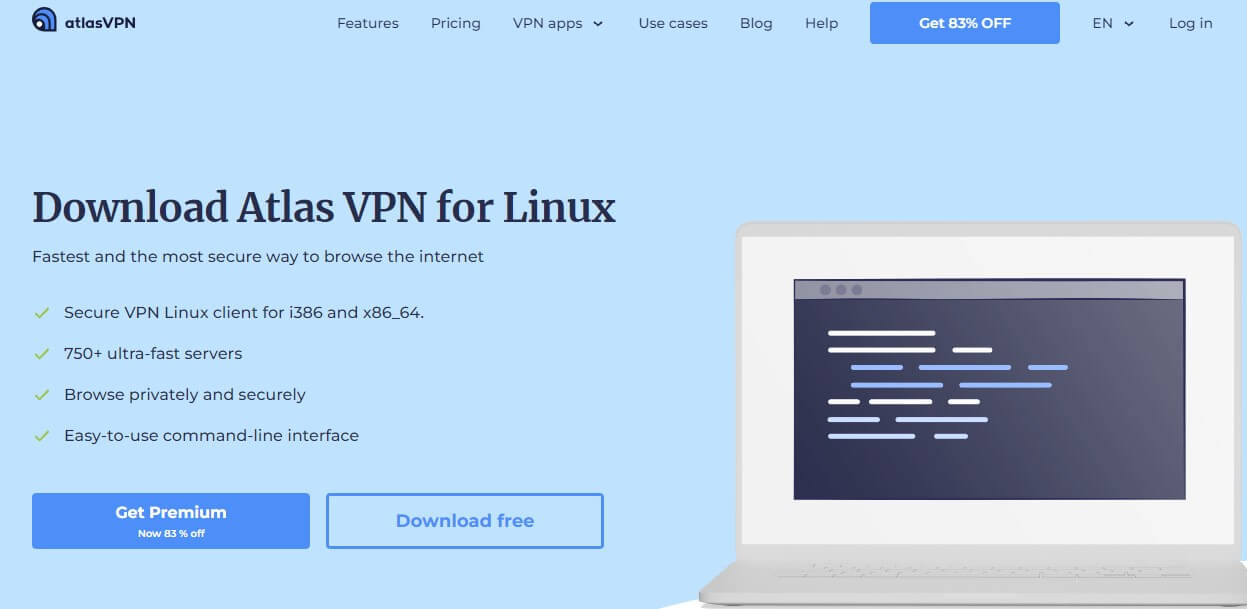
SecurityKiss is another free VPN for Linux that provides users with a secure and fast connection. It offers a 300MB data limit per day and has servers in various countries around the world. SecurityKiss supports OpenVPN and gives you the opportunity to switch between servers anytime you want.
4. CyberGhost
CyberGhost is a popular choice for Linux users because it offers a free plan that doesn’t have any data limits. It has a user-friendly interface and supports various platforms and distributions like Ubuntu and Mint. Although the free version may be slower than the paid options, it still allows you to enjoy a secure and private connection.
These are just a few of the top free VPNs for Linux. Each service has its own unique features and limitations, so be sure to check their websites for more details before choosing the one that best suits your needs. With a free VPN, you can stay safe and unblock websites on your Linux device without spending any money.
How to Choose the Right Free VPN for Linux
When it comes to choosing a free VPN for Linux, there are several important factors to consider. Here are some key points to keep in mind:
Setup and Installation
The setup and installation process of a VPN on Linux should be simple and straightforward. Look for a VPN provider that offers a user-friendly interface and provides clear instructions on how to install and configure the VPN on your Linux system.
Number of Servers
The number of servers available is an important consideration, as it determines the options you have for connecting to different locations. A VPN provider with a large server network will offer more choices and ensure faster and more reliable connections.
Instant Connection
A good free VPN for Linux should offer instant connections, without any delays or limitations. You should be able to connect to the VPN server of your choice with just a few clicks, allowing you to quickly access the internet securely.
Bandwidth Limit
Take into account the bandwidth limit provided by the VPN. Some free VPNs impose a limit on the amount of data you can use per month. Make sure the limit is high enough to meet your needs.
Popular VPNs
Consider using a popular VPN provider that is trusted by a large number of users. Popular VPNs have been extensively tested and are more likely to offer reliable performance and robust security features.
Location
Choose a VPN provider with servers located in the regions you want to access content from. This will allow you to bypass geographical restrictions and access content that is otherwise blocked in your country.
Security Features
Ensure that the free VPN you choose offers sufficient security features to protect your online privacy and data. Look for features like encryption, DNS leak protection, and a strict no-logs policy to ensure your information is safe from hackers and other potential threats.
Performance
The VPN should not significantly affect your internet connection speed. Look for a VPN that offers good performance and does not cause excessive slowdowns or buffering issues.
Customer Support
Consider the level of customer support provided by the VPN provider. They should have a responsive customer support team that can assist you with any issues or questions you may have.
Paid vs Free VPNs
While free VPNs can be useful, a paid VPN often offers superior performance, more features, and better customer support. If you want to avoid potential limitations and enjoy premium protection, it may be worth considering a paid VPN plan.
Final Recommendation
When choosing a free VPN for Linux, consider your specific needs and requirements. Take into account factors such as setup and installation ease, number of servers, instant connection, bandwidth limit, popular VPN providers, server locations, security features, performance, customer support, and the potential benefits of a paid VPN.
Are Free Linux VPNs Safe?
When it comes to free Linux VPN services, they’re a mixed bag in terms of safety. While some free VPNs offer top-notch security features and protocols, others may have less secure practices in place. So, it’s important to do thorough research before choosing a free Linux VPN.
Having an open-source VPN protocol like OpenVPN is a considerable advantage for Linux users. OpenVPN provides better performance and security, making it a popular choice for many Linux VPN providers.
However, it’s worth noting that some free VPNs may collect your sensitive data or sell it to third parties. That’s why it’s important to carefully review their privacy policy before creating an account with any free Linux VPN.
While free Linux VPNs may offer complete privacy and security, there are some limitations that users should be aware of. These limitations can include data caps, slower speeds, limited server locations, and fewer devices supported.
If you’re considering a free Linux VPN, wireguard is another protocol you may come across. While it’s quick to install, it may not be enough for users who require top-notch security.
In conclusion, while some free Linux VPNs can provide a secure and private browsing experience, it’s important to thoroughly research and read reviews before choosing a provider. Additionally, considering a free VPN with a built-in kill switch and a strict no-logs policy can provide added security.
Benefits of Using a Free VPN for Linux
Using a free VPN for Linux comes with several advantages that can greatly enhance your online experience:
Enhanced Privacy and Security
A free VPN for Linux encrypts your data, ensuring complete privacy and security while browsing the internet. It protects your personal information from cyberthreats and unauthorized access. With a VPN, your online activities are shielded from prying eyes.
Access to Restricted Content
With a free VPN, you can unblock websites and bypass censorship. Whether you’re in China and want to access news or you want to watch Netflix from a different region, a VPN allows you to switch servers and enjoy the content you want.
No Cost, No Risk
As the name suggests, a free VPN for Linux doesn’t require any payment. You can enjoy the benefits of a VPN without spending a dime. While some free VPN services may offer paid options, you can still have the freedom to switch providers and try different services without any financial commitment.
Open Source and Transparent
Many free VPNs for Linux are open-source, meaning the source code is freely available for anyone to review and audit. This creates a level of transparency and trust, as the community can ensure the VPN service is secure and doesn’t compromise privacy. Additionally, the open-source nature of these VPNs allows for continuous improvement and development.
Easy to Use
Free VPNs for Linux often come with user-friendly GUIs (Graphical User Interfaces) that make it easy to set up and connect to VPN servers. You don’t need to be a tech expert to use these services. Many VPNs offer step-by-step instructions and tutorials, ensuring a seamless experience for users of all levels of expertise.
Faster Connections
Some free VPNs for Linux use advanced protocols like WireGuard to provide faster and more efficient connections. This can greatly enhance your browsing and streaming experience, ensuring smooth performance and minimal buffering.
In conclusion, using a free VPN for Linux can provide enhanced privacy, access to restricted content, no financial risk, transparency, ease of use, and faster connections. Whether you’re using Debian or other Linux distros, there are several free VPN options available that can help secure your online activities and give you the freedom to explore the internet safely.
Can a Free VPN Unblock Geo-Restricted Content?
Yes, a free VPN can unblock geo-restricted content. By connecting to a VPN server in a different location, you can bypass the restrictions set by websites and streaming platforms. This allows you to access content that may not be available in your current location.
However, not all free VPNs are equally capable of unblocking geo-restricted content. Some may have a limited number of servers, which can restrict your options for accessing content from different countries. Additionally, slower connection speeds can affect the quality of streaming or downloading content.
For strong unblocking capabilities, a useful free VPN should have a wide range of server locations. It should also provide secure and reliable connections, so you can enjoy unrestricted access to geo-restricted content without compromising your online privacy.
Gnome has a built-in VPN functionality that you can use for installation and configuration. However, the options for free VPNs within the Gnome network manager are limited. To access a wider range of choices, you can consider using third-party VPN providers or exploring other Linux distros that offer built-in VPN features.
In terms of speeds, while free VPNs may not provide the same high speeds as a paid service, you can still find options with decent performance. By opting for VPN providers that offer faster speeds even on their free plans, you can enjoy smoother streaming, browsing, and downloading experiences.
If you want a free VPN that can quickly unblock geo-restricted content, TunnelBear is a popular choice. Although it doesn’t have as many server choices as some other providers, it offers a simple and user-friendly interface, making it easy for beginners to use.
Another option you could consider is Windscribe, which allows you to access geo-restricted content on its free plan. With Windscribe, you have the freedom to explore various server locations and enjoy secure downloads.
Overall, while there are limitations compared to paid VPNs, there are still viable options for unblocking geo-restricted content with a free VPN. Just be sure to choose a provider that offers good connection speeds, reliable servers, and secure encryption to enhance your overall VPN experience.
How to Set Up a VPN on Linux
If you are using Linux and want to set up a VPN to stay secure and unblock more, you’re in luck! Setting up a VPN on Linux is relatively straightforward, thanks to the wide range of VPN providers that offer Linux-compatible apps and detailed installation guides.
1. Choose a VPN provider: There are plenty of VPN providers out there, but not all of them offer Linux support. Look for a VPN that has a Linux client or provides detailed instructions on how to set up the VPN manually on your Linux distribution.
2. Install the VPN: Once you have chosen a VPN provider, follow their installation guide to set up the VPN on your Linux device. Most providers offer step-by-step instructions that are easy to follow, even for beginners.
3. Configure the VPN: After the installation, you will need to configure the VPN settings. This includes selecting a server location, adjusting connection protocols, and enabling features like kill switch, DNS leak prevention, and split tunneling.
4. Test the VPN: Once the VPN is set up and configured, it’s important to test its functionality. Make sure it effectively unblocks websites and provides a private and secure connection. You can use websites like IPLeak.net or DNSLeakTest.com to check for any IP or DNS leaks.
5. Explore additional features: Many VPNs offer additional features like ad-blocking, malware protection, and spoofing your location. Explore these features to see if they can enhance your online experience and protect your personal information even further.
6. Enjoy your secure and private browsing: With a VPN set up on your Linux device, you can enjoy the benefits of a secure and private browsing experience. Your internet traffic will be encrypted, making it harder for hackers to intercept your data or track your online activities.
7. Consider upgrading to a premium VPN: While free VPNs can be a good starting point, they often come with limitations in terms of server locations, data caps, and slower performance. If you require higher speeds and more choice, consider upgrading to a premium VPN service.
8. Always prioritize security: Whether you choose a free or premium VPN, always prioritize security and look for a provider that has a no-logs policy, strong encryption, and a transparent privacy policy. Your sensitive information should always be protected, no matter what.
9. Don’t worry about the Linux distribution: VPNs are compatible with various Linux distributions, including Ubuntu, Debian, Fedora, and Kali Linux, among others. So, no matter which distribution you are using, there’s a VPN solution available for you.
10. Follow the FAQs and guides: If you have any questions or encounter any issues while setting up a VPN on Linux, most VPN providers offer FAQs, troubleshooting guides, and even customer support to assist you. Don’t hesitate to seek help whenever needed.
Free VPN vs. Paid VPN for Linux: What’s the Difference?
When it comes to choosing a VPN for your Linux device, you have two main options: free VPNs and paid VPNs. While both types of VPNs can provide you with online security and access to blocked content, there are some key differences to consider.
Free VPNs for Linux
Free VPNs for Linux, such as ProtonVPN, Windscribe, and Tunnelbear, offer basic features at no cost. They usually have a limited number of servers and may have restrictions on data usage and connection speeds. In addition, free VPNs may display ads and log your online activities for advertising purposes.
While free VPNs provide a convenient way to access blocked websites and protect your online privacy, they may not offer the same level of security as paid VPNs. Free VPNs often have weaker encryption protocols and may not undergo regular security audits to ensure their reliability.
Paid VPNs for Linux
Paid VPNs for Linux, such as NordVPN, ExpressVPN, and CyberGhost, offer more advanced features and greater security. These VPNs typically have a larger number of servers in multiple locations, faster connection speeds, and better customer support.
Paid VPNs also usually offer stronger encryption protocols and undergo regular security audits to ensure the safety of their users’ data. They may also provide additional features like a kill switch, which automatically disconnects you from the internet if the VPN connection drops.
Choosing a VPN for Linux
When choosing a VPN for Linux, it’s important to consider your specific needs and priorities. Free VPNs can be a viable option if you have limited data usage and don’t require advanced security features. They are also a good choice if you’re just looking to unblock websites and access region-restricted content.
However, if you value your online privacy and security, and require faster speeds and more server choices, a paid VPN is the way to go. Paid VPNs offer a higher level of encryption, better customer support, and are more likely to work with popular Linux distributions like Ubuntu, Fedora, and GNOME.
In conclusion, while free VPNs for Linux can be useful for certain purposes, they often come with limitations and may not provide the same level of security and performance as paid VPNs. It’s important to carefully evaluate your options and choose a VPN that best fits your needs.
Best Free VPNs for Torrenting on Linux
When it comes to torrenting on Linux, having a reliable and secure VPN is crucial to protect your identity and ensure your online activities remain private. Here are some of the best free VPNs for torrenting on Linux:
VPNBook
VPNBook is a popular choice for torrenting on Linux due to its fast and reliable servers. It offers a free VPN service with no bandwidth limit and supports OpenVPN for secure and encrypted connections. Setting up VPNBook on Linux is simple and the service provides detailed setup guides for various Linux distros.
ProtonVPN
ProtonVPN is another excellent option for torrenting on Linux. It offers unlimited bandwidth and high-speed connections, making it ideal for downloading large files. ProtonVPN also provides strong encryption and has a strict no-logs policy, ensuring your online activities are completely private.
PrivadoVPN
PrivadoVPN is a free VPN service that offers a high level of protection for torrenting on Linux. It has a large network of servers in various locations around the world, allowing you to access geo-restricted content. PrivadoVPN also offers a money-back guarantee, so you can try it out risk-free before committing.
ExpressVPN
Although not a free VPN, ExpressVPN is worth mentioning due to its excellent performance and features. It offers fast and reliable connectivity, allowing you to torrent on Linux without any speed or connectivity issues. ExpressVPN also provides a high level of security and privacy, with its own DNS servers and a strict no-logs policy.
In conclusion, if you want to torrent on Linux without any restrictions and with a high level of privacy and security, these free VPNs are a good option. They provide the necessary protection for your online activities and ensure your identity remains anonymous.
Are There Any Limitations with Free Linux VPNs?
While free Linux VPNs are a popular choice for those looking to secure their online experience and unblock more content, it’s important to be aware of their limitations.
Firstly, many free VPN providers may limit the level of encryption and security features offered, which can prevent you from fully protecting your privacy online. Some may not have strong guarantees in place to keep your data safe.
Secondly, free VPNs usually have a limited number of server choices, which could result in slower speeds and a less optimal browsing experience. This can be especially problematic if the servers are overcrowded and don’t provide enough bandwidth for all users.
Additionally, some free VPNs may only offer a limited amount of data usage per day or month, making them less viable for heavy internet users or those who frequently stream media or download large files.
Furthermore, some free VPNs may require you to watch ads or complete surveys before gaining access to their service, which can be time-consuming and intrusive.
Lastly, it’s important to note that free VPNs may have limitations when it comes to unblocking certain websites or platforms. Some sites or services may block VPN connections, making it difficult to access them even with a free Linux VPN.
In conclusion, while free Linux VPNs can be a useful and cost-effective option for many users, it’s important to be aware of the limitations they may have. Considering the level of encryption, server choices, data usage limits, and the ability to unblock specific sites or platforms can help you make an informed decision before choosing a free VPN provider for your Linux machine.
How Do Free VPNs Make Money?
Free VPNs are a popular choice for many users because they offer a way to protect their online privacy without having to pay for a premium service. But if these VPNs are free, how do they make money? Let’s take a closer look at some of the common ways that free VPNs generate income.
1. Advertisements
One of the most common ways that free VPNs make money is through advertisements. They may display ads within the VPN app or inject ads into the websites that users visit. By partnering with advertisers, VPN providers can generate revenue while still offering their service for free.
2. Freemium Model
Some free VPNs offer a limited version of their service for free, while also providing a paid premium version with additional features. The companies hope that users will eventually upgrade to the premium version, which provides more advanced capabilities and removes any restrictions.
3. Data Collection
Selling user data is another way that free VPNs make money. They may collect information about users’ online activities and sell it to third parties for marketing or analytics purposes. This practice has raised concerns about privacy, as users’ data may be shared without their explicit consent.
4. Affiliate Marketing
Some free VPNs earn commissions by promoting and recommending other products or services. They may receive a commission when users sign up or make a purchase through their affiliate links. This can be a mutually beneficial arrangement for both the VPN provider and the affiliated companies.
5. Partnering with Other Companies
Free VPNs may also partner with other companies to offer bundled services or cross-promotions. For example, a VPN provider might collaborate with a cybersecurity company to offer a combined package that includes both VPN protection and antivirus software.
While free VPNs offer a convenient way to protect your online privacy, it’s important to consider how they generate revenue. Always read the privacy policy and terms of service to understand how your data may be used. If privacy is a top concern for you, a paid VPN service may be a better option.
Is It Legal to Use a Free VPN in Linux?
Using a free VPN in Linux, such as Ubuntu, is generally legal. However, there are certain aspects you need to be aware of to avoid any legal issues. The reason behind this is that some countries have imposed restrictions on VPN usage due to national security concerns. It’s best to research and make sure you’re complying with the laws of your location before using a VPN.
One reason why using a free VPN in Linux isn’t always the best choice is because many of them lack a dedicated client for Linux systems. This can make it really difficult to set up and configure the VPN, especially for those who aren’t tech-savvy. However, there are some VPNs that offer a Linux client, making it convenient and easy to use.
Another consideration is the safety and security of your connections. Free VPNs may not offer the same level of encryption and security audits as paid VPNs, which can leave your data vulnerable to hackers. Furthermore, free VPNs often have slower speeds compared to paid options, which can negatively impact your browsing experience.
If accessing popular streaming sites like Netflix is a priority, free VPNs may not be the best choice. Many free VPNs have limitations that prevent you from bypassing geo-restrictions, while paid VPNs usually offer more reliable access and better speeds.
To ensure you’re securing your Linux system with a reliable VPN, consider using paid options like NordVPN, ExpressVPN, or CyberGhost. These VPNs have proven track records, offer a wide range of features, and have dedicated Linux clients available.
In conclusion, while it is generally legal to use a free VPN in Linux, there are limitations and risks associated with them. To ensure the best safety and performance, it is advisable to invest in a paid VPN subscription.
How to Troubleshoot Common Issues with Free Linux VPNs
If you are using a free VPN for Linux, there are a few common issues you may come across. Here are some tips to help you troubleshoot and resolve them:
1. Slow speeds
If you are experiencing slow speeds with your free Linux VPN, there are a few possible reasons. First, try connecting to a different server location. Some servers may be overloaded, causing slower speeds. You can also try using a different VPN provider or upgrading to a paid plan for faster speeds.
2. Connection issues
If you are having trouble connecting to your free Linux VPN, make sure you have entered the correct server location and authentication details. Double-check your username and password, and ensure you are using the correct protocol (OpenVPN, L2TP, etc.). If you are still unable to connect, contact the VPN provider for further assistance.
3. DNS leaks
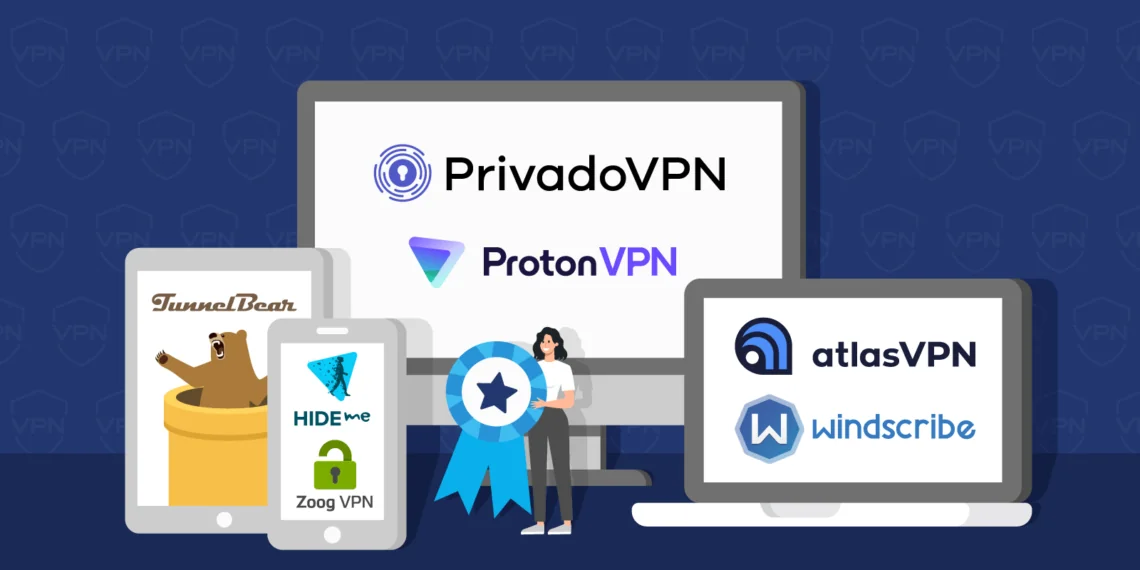
One common issue with free Linux VPNs is DNS leaks, where your DNS requests are not being routed through the VPN tunnel. To avoid DNS leaks, make sure your VPN provider has built-in DNS leak protection. You can also manually set up DNS servers to use with your VPN to ensure all your traffic is encrypted.
4. Compatibility issues
Some free Linux VPNs may not work with all Linux distros. Before choosing a VPN provider, research their compatibility with the Linux distribution you are using. Popular distros like Ubuntu, Fedora, and Debian should have good support. If you encounter compatibility issues, consider switching to a different VPN provider or contacting their support team for assistance.
5. Limited server locations
Free Linux VPNs often have a limited number of server locations available. If you require access to servers in specific countries or regions, a free VPN may not meet your needs. Consider upgrading to a paid plan or trying a different VPN provider that offers a wider range of server locations.
6. Security concerns
While free Linux VPNs can provide some level of protection against online threats, they may not offer the same level of security as paid VPNs. Free VPN providers may have limited security features, such as encryption protocols and malware/phishing protection. If security is a top priority, it is recommended to use a reputable paid VPN service instead.
7. Lack of customer support
Free Linux VPNs may not offer dedicated customer support like their paid counterparts. If you encounter any issues or have questions, you may have to rely on online resources such as FAQs and user forums. Consider this limitation when choosing a free VPN and decide if you are comfortable troubleshooting issues on your own.
Remember, while free Linux VPNs can be a good choice for basic privacy and access to blocked content, they may have limitations in terms of speed, security, and support. If you require a more comprehensive VPN experience, consider investing in a paid VPN provider that offers better features and overall performance.
FAQs
1. Can I use a free VPN on Ubuntu?
Yes, there are several free VPN providers that offer support for Ubuntu, a popular Linux operating system. Some of these providers include Atlas VPN, VPNBook, and Windscribe. You can easily install and use these VPNs on your Ubuntu system.
2. Are free VPNs as secure as paid options?
While free VPNs can provide some level of security, they may not offer the same level of protection as paid VPNs. Paid VPNs usually have stronger encryption protocols and additional security features, making them more secure overall. However, if you’re looking for basic privacy and unblocking capabilities, a free VPN can be a useful option.
3. Can I use a free VPN for torrenting?
Some free VPN providers allow torrenting, but there are usually limitations and restrictions in place. Free VPNs may have data caps or slow speeds, which can make downloading torrents difficult. If you’re serious about torrenting, it’s recommended to choose a paid VPN plan that offers unlimited bandwidth and faster speeds.
4. What is a money-back guarantee?
A money-back guarantee is a policy offered by many premium VPN providers. It allows you to try out the VPN service risk-free for a certain period of time, typically 30 days. If you’re not satisfied with the service, you can request a refund and get your money back.
5. Can I connect to a VPN using the Terminal?
Yes, you can connect to a VPN using the Terminal on Linux systems like Ubuntu. The specific commands may vary depending on the VPN provider and protocol used. For example, to connect to PrivadoVPN, you can use the command “sudo privadovpn connect.”
6. Why should I choose a paid VPN over a free one?
A paid VPN generally offers better performance, faster speeds, more advanced security features, and reliable customer support. Paid VPNs often have broader server networks and allow for simultaneous connections on multiple devices. If you value privacy, security, and overall quality, a paid VPN is the ultimate choice.
Final Thoughts
When it comes to choosing the best free VPN for Linux, there are plenty of options to consider. Whether you’re looking for speed, security, or the ability to unblock content, there is a free VPN out there that can meet your needs.
One of the top choices is Speedify, a free VPN that offers unlimited data and a built-in speed booster. With servers in over 45 locations, Speedify works well on popular Linux distributions like Ubuntu, Mint, and Kali. It also supports multiple connections, so you can easily switch between different VPN servers for optimal performance.
If security is your top priority, ProtonVPN is a great choice. ProtonVPN uses strong encryption to protect your data while also providing built-in protection against DNS leaks. With ProtonVPN, your browsing activity and personal information are kept private and secure.
For those who want to unblock content, Atlas VPN is worth considering. With over 100 server locations, Atlas VPN allows you to access geo-restricted content from anywhere in the world. Its fast speeds make streaming and downloading a breeze, and its user-friendly interface makes it easy to connect and navigate.
While these free options are great, it’s important to note that paid VPN services typically offer more features and better performance. VPN providers like NordVPN and ExpressVPN have a larger number of servers, faster speeds, and more in-depth security measures. So if you’re looking for the best VPN experience on Linux, it might be worth considering a paid option.
The bottom line is that with the right VPN, you can stay secure and unblock more content on your Linux system. Whether you choose a free VPN like Speedify or ProtonVPN, or decide to go with a paid option, the important thing is to protect your data and browse the internet without restrictions. So give one of these VPNs a try and enjoy a limitless online experience on your Linux system!
FAQ:
What is a VPN and why do I need it?
A VPN, or Virtual Private Network, is a service that encrypts your internet connection and hides your IP address. It provides a secure and private browsing experience by routing your internet traffic through servers located in different locations. You may need a VPN for various reasons, such as accessing geo-restricted content, protecting your online privacy, and ensuring your online activities are not monitored by your ISP or government.
Can I use a free VPN on Linux?
Yes, there are free VPNs available for Linux. While some free VPNs have limitations, such as data caps or limited server locations, they can still be useful for basic internet browsing and securing your connection. However, keep in mind that free VPNs may have slower speeds and less reliable performance compared to paid VPN services.
What are some of the best free VPNs for Linux?
Some of the best free VPNs for Linux include ProtonVPN, Windscribe, and TunnelBear. These VPNs offer good security features, decent connection speeds, and have Linux-compatible apps. However, it’s important to note that free VPNs may have limitations compared to their premium counterparts, such as limited server options or slower speeds.
How do I install a VPN on Linux?
The installation process for a VPN on Linux may vary depending on the VPN provider you choose. In most cases, you can find installation instructions on the provider’s website. Generally, you’ll need to download the VPN app for Linux, which is usually available in the .deb or .rpm format. Once downloaded, you can run the installer and follow the on-screen instructions to complete the installation.
Are free VPNs safe to use?
While free VPNs can provide some level of security, it’s important to be cautious when using them. Some free VPNs may track and sell your data, while others may have vulnerabilities that can be exploited by hackers. It’s best to choose a reputable VPN provider, even if it means paying a small fee, to ensure your online privacy and security.
Can I use a free VPN to access Netflix or other streaming services?
While some free VPNs may claim to unblock streaming services like Netflix, the reality is that many of them are unable to bypass the geo-restrictions put in place by these services. If you’re looking to access specific streaming content, it’s recommended to use a premium VPN that offers dedicated servers for streaming or one that is known to consistently work with streaming services.
What are the disadvantages of using a free VPN on Linux?
There are several disadvantages to using a free VPN on Linux. Firstly, free VPNs often have limitations, such as data caps or limited server locations. This can restrict your browsing experience and prevent you from accessing certain content. Additionally, free VPNs may have slower speeds and less reliable performance compared to paid VPNs. Lastly, some free VPNs may collect and sell your data, compromising your privacy and security.
Videos:
Best Free VPN 2023 | The ACTUAL 3 Best Free VPN to use in 2023
Best Free VPN 2023 | The ACTUAL 3 Best Free VPN to use in 2023 by VPNpro 6 months ago 8 minutes, 52 seconds 449,630 views
Set up a Free VPN in Kali Linux || Using Openvpn in 2023
Set up a Free VPN in Kali Linux || Using Openvpn in 2023 by void looper 2 years ago 3 minutes, 22 seconds 44,818 views
