How Many Devices Can You Connect to ExpressVPN at Once? Is Five Simultaneous Connections Enough?

ExpressVPN is a popular VPN service that allows you to secure your internet connection and protect your privacy. One of the key features of ExpressVPN is the ability to connect multiple devices to the VPN at the same time. But how many devices can you connect to ExpressVPN at once, and is five simultaneous connections enough?
ExpressVPN’s standard subscription allows you to connect up to five devices simultaneously. This means that you can secure your laptop, smartphone, tablet, and a few more devices, all while using ExpressVPN. While this limit may be enough for most people, there are some cases where it may not be sufficient.
With the increasing number of internet-connected devices in households around the world, it is not uncommon for a single person to have multiple devices. From smartphones to laptops to gaming consoles, people use a variety of devices to browse the internet, stream content, and communicate with others. Additionally, if you have a large family or live with roommates, the number of devices in your household can quickly add up.
Although five simultaneous connections is a generous limit, there may be instances where you need to connect more devices to ExpressVPN at once. For example, if you have multiple smartphones or tablets, or if you want to secure the internet connection on your smart TV and gaming console, five connections may not be enough. In these cases, you may need to consider using ExpressVPN’s router app or configuring your router to connect more devices to the VPN.
ExpressVPN offers a handy guide on how to set up a router to work with the VPN. By using a compatible router, you can connect an unlimited number of devices to the VPN. This means that all the devices in your household can be protected by ExpressVPN, regardless of the number. Routers from popular brands like Netgear and Linksys are supported, and the setup process is straightforward with step-by-step instructions provided by ExpressVPN.
It’s important to note that using a router to connect multiple devices to ExpressVPN will not affect the bandwidth or speed of your internet connection. The VPN will still provide fast and secure browsing, streaming, and downloading, regardless of the number of devices connected. This is because ExpressVPN’s central servers handle the encryption and verification process, so the VPN’s performance is not limited by the number of devices connected to it.
So, while five simultaneous connections may be enough for most people, ExpressVPN offers options for those who need to connect more devices at once. Whether you choose to use a router or configure your current router to work with ExpressVPN, you can enjoy the benefits of a secure and private internet connection on all your devices.
In conclusion, ExpressVPN is a reliable VPN service that allows you to secure multiple devices simultaneously. While the standard subscription limits you to five connections, there are ways to connect more devices if needed. With ExpressVPN’s router app and setup guide, you can ensure that all your devices are protected and that you have a seamless internet browsing experience regardless of how many devices you have.
How Many Devices Can You Connect to ExpressVPN at Once?
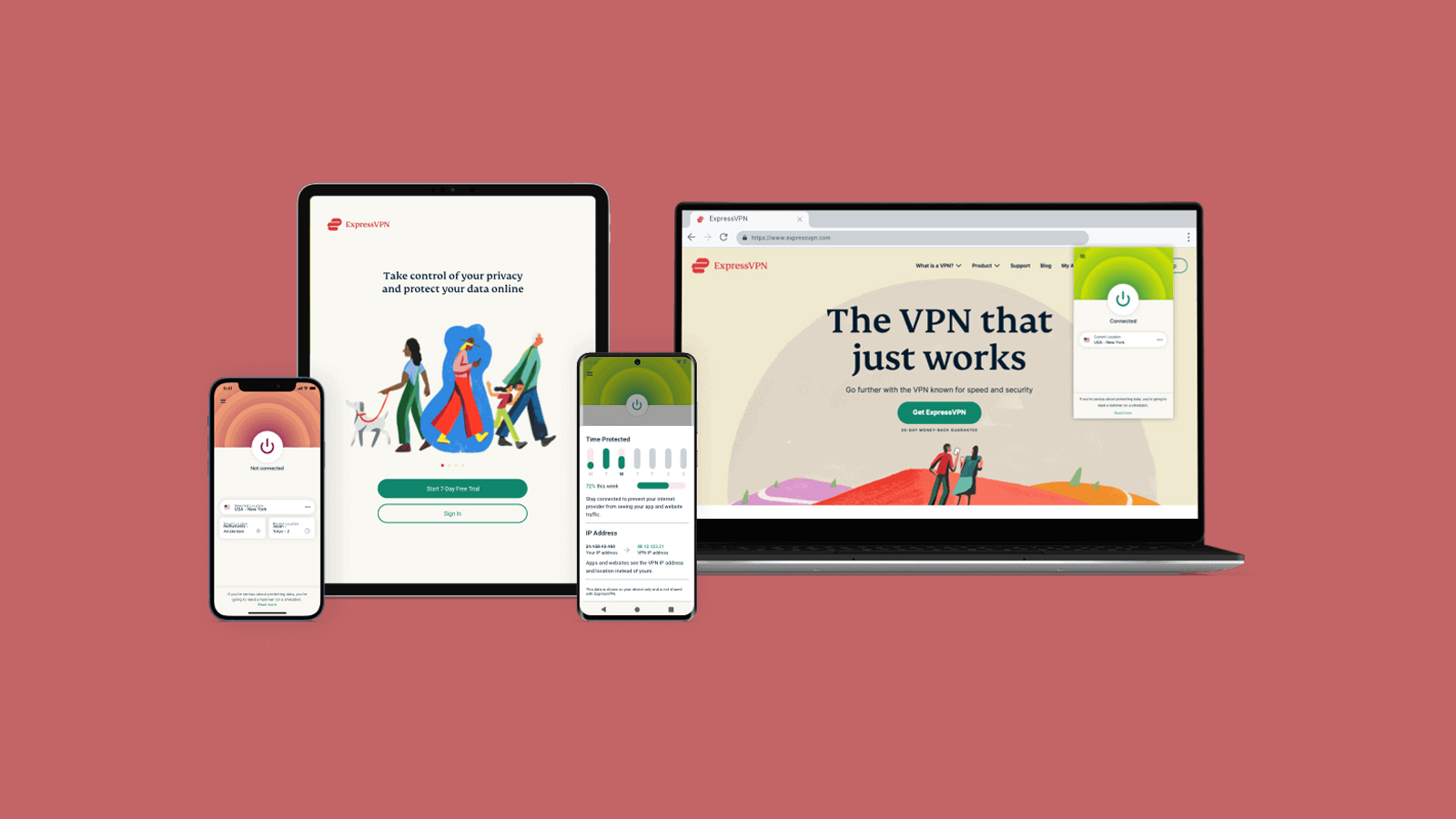
ExpressVPN allows you to connect up to five devices simultaneously on one subscription. This means that you can have multiple devices, such as your laptop, smartphone, tablet, and even your smart TV, all connected to ExpressVPN at the same time. This is a generous limit compared to other VPN services, which often only allow three or four simultaneous connections.
While five simultaneous connections may be enough for most people, if you have more devices that you wish to connect, ExpressVPN offers an option to connect even more. By using a router with ExpressVPN, you can set up a central VPN connection that allows all devices connected to the router to access the VPN service. This way, you are not limited by the five simultaneous connection limit.
Another benefit of using ExpressVPN is that it does not limit your bandwidth or speed when connected to multiple devices. This means that you can stream, download, and game without any slowdowns or interruptions, regardless of how many devices you have connected.
If you are running an Android device, ExpressVPN is also compatible with it. You can connect your Android smartphone or tablet to ExpressVPN and secure your internet traffic when using Wi-Fi networks, for example, while traveling or in public places.
In conclusion, ExpressVPN allows you to connect up to five devices simultaneously, but if you need to connect more devices, you can do so by using a router or by contacting ExpressVPN’s support. This feature is helpful for people who have multiple devices and want to manage their VPN connections without limitations.
Is Five Simultaneous Connections Enough?
If you are wondering how many devices you can connect to ExpressVPN at once, the answer is five. ExpressVPN allows you to connect up to five devices simultaneously, which is a decent number for most users. However, you might find yourself in a situation where you need to connect more than five devices at the same time. This is especially true if you have a large family or multiple devices such as smartphones, tablets, laptops, smart TVs, and gaming consoles.
While five simultaneous connections may be sufficient for many users, there are cases where this limit might not be enough. For example, if you have a busy household with multiple people who frequently use different devices at the same time, you may reach this limit quickly. Moreover, if you have multiple platforms and wish to use ExpressVPN on all of them at the same time, the five connection limit can be restrictive.
However, don’t worry if you have more than five devices to connect. ExpressVPN offers a solution to this issue. You can use a router to connect multiple devices to the VPN at once. By installing ExpressVPN on your router, all devices connected to that router will be automatically protected with the VPN, regardless of the five device limit. This is a convenient way to extend the number of devices you can have connected to ExpressVPN.
But what about the bandwidth? Some users might be concerned that connecting multiple devices to ExpressVPN at once will slow down their internet connection. However, ExpressVPN assures that their service can handle multiple connections without compromising speed or performance. As long as you have a reliable and fast internet connection, you should be able to stream, download, and surf the web smoothly on all connected devices.
ExpressVPN compatibility with different devices:
- ExpressVPN can be used on various platforms including Windows, macOS, Linux, Android, and iOS.
- It can also be set up on routers, allowing you to protect all devices connected to the router.
- ExpressVPN offers dedicated apps and installation guides for different devices and operating systems, making it easy to set up and use.
In conclusion, while ExpressVPN does have limits on the number of simultaneous connections, you can overcome these limits by using a router or choosing a VPN service that offers more connections, such as Surfshark. Whether you choose to stick with ExpressVPN’s five connections or opt for more, it’s essential to consider your specific needs and usage conditions to ensure the best VPN experience for all your devices.
How Many Devices Can be Connected to ExpressVPN Simultaneously on One Subscription?

When it comes to securing your internet connection and protecting your privacy, using a reliable VPN service like ExpressVPN is essential. One common question that users have is how many devices can be connected to ExpressVPN at the same time on one subscription.
ExpressVPN allows you to connect up to five devices simultaneously on a single subscription. This should be enough for most people to follow their daily browsing and streaming needs. Whether you’re using it on your Windows PC, Android device, or even on your router, you can have multiple devices connected and benefit from ExpressVPN’s wide range of features.
While the five device limit is set by ExpressVPN, it’s always helpful to manage your connections effectively. If you have more than five devices you want to connect, you can explore different options like using the VPN directly on your router. This way, all devices connected to the router will be secured, regardless of the number.
Additionally, if you’re using ExpressVPN on a device and want to connect more than five devices simultaneously, you can choose to disconnect one device and connect another. This way, you can enjoy the benefits of ExpressVPN on multiple devices one at a time.
It’s worth noting that other VPN services may have different limits or even no limits at all. For example, Surfshark allows unlimited simultaneous connections on a single subscription. So if connecting multiple devices without any limitations is a priority for you, it may be worth looking into other VPN options on the market.
In conclusion, ExpressVPN allows you to connect up to five devices simultaneously on a single subscription. While this limit may not be enough for some users, there are options like using it on your router or managing your connections effectively to make the most out of the service. Regardless of the limits, ExpressVPN provides reliable speeds, wide platform support, and an extensive server network to ensure a secure and seamless browsing experience.
Вопрос-ответ:
How many devices can I connect to ExpressVPN at the same time?
You can connect up to five devices to ExpressVPN simultaneously using one account.
What happens if I try to connect more than five devices to ExpressVPN?
If you try to connect more than five devices at the same time, you will need to sign out from one of your currently connected devices in order to connect a new one.
Is five simultaneous connections enough for me and my family?
Five simultaneous connections should be enough for most families. However, if you have more than five devices that require VPN protection, you may need to consider using a router with ExpressVPN installed to cover all your devices.
Does ExpressVPN have an app for Wi-Fi routers?
Yes, ExpressVPN offers a custom firmware for select routers, which enables you to protect all devices connected to your Wi-Fi network with the VPN. This means you can connect an unlimited number of devices to ExpressVPN by using it on your router.
Видео:
BEST VPN FOR MULTIPLE DEVICES 3 Best VPN for Multiple Devices ✅ UNLIMITED Simultaneous Connections
BEST VPN FOR MULTIPLE DEVICES 3 Best VPN for Multiple Devices ✅ UNLIMITED Simultaneous Connections by VPN Club 1 year ago 7 minutes, 12 seconds 56 views
