
Get ExpressVPN for Windows for Free: Discover the Top Features and Value for Your Money

ExpressVPN is a highly recommended VPN service that provides a private and secure internet browsing experience. Its user-friendly interface makes it easy to install and use on Windows devices. With over 3,000 servers in 160 different locations, ExpressVPN offers a wide range of options for changing your virtual location and bypassing geographical restrictions.
One of the top features of ExpressVPN is its fast and reliable connection speeds. Whether you’re streaming, gaming, or downloading, ExpressVPN ensures that your internet connection remains stable and uninterrupted. With unlimited bandwidth and no speed throttling, you can enjoy a seamless online experience.
ExpressVPN also offers a variety of protocols to choose from, including OpenVPN, WireGuard, and Lightway. These protocols provide different levels of security and speed, allowing you to customize your VPN experience based on your preferences. Whether you’re using ExpressVPN for personal or professional use, there’s a protocol that’s perfect for you.
Another standout feature of ExpressVPN is its ability to protect your privacy and hide your online activity. With its advanced encryption and strict no-logs policy, ExpressVPN ensures that your personal information and browsing history remain confidential. You can browse the internet with peace of mind, knowing that your data is secure.
ExpressVPN also enables you to access your favorite online content, even if it’s restricted in your country. By connecting to one of ExpressVPN’s servers located in a different country, you can bypass censorship and enjoy unrestricted access to websites and streaming platforms like Netflix, Hulu, and BBC iPlayer.
Furthermore, ExpressVPN allows you to simultaneously connect up to five devices. Whether you’re using a Windows PC, Mac, smartphone, or tablet, you can protect all your devices with a single ExpressVPN subscription. This makes it a cost-effective solution for households and small businesses.
In conclusion, downloading ExpressVPN for Windows offers a plethora of benefits, including enhanced online security, access to restricted content, and the ability to bypass geographical restrictions. With its top-notch features, ExpressVPN is definitely one of the best VPN options available.
Download ExpressVPN for Windows Free
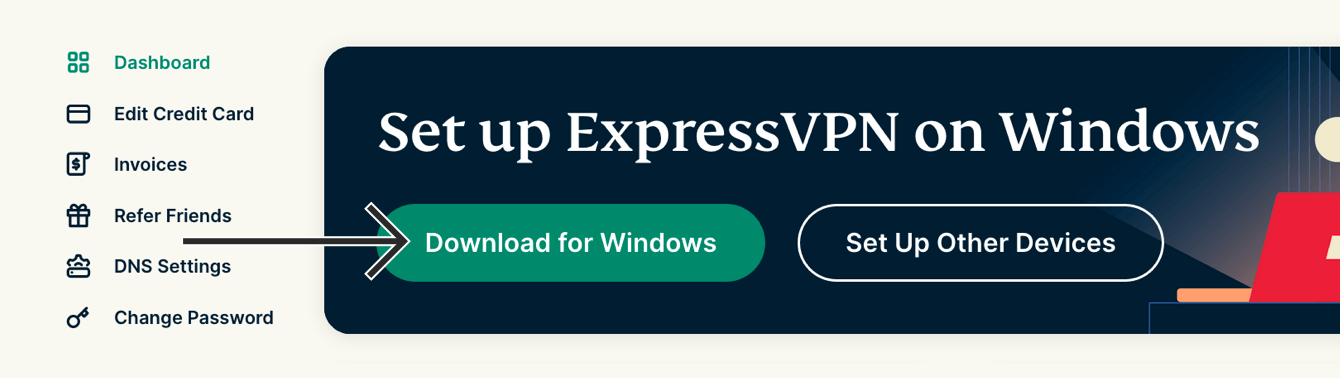
If you are looking for a great VPN solution for your Windows system, ExpressVPN is a top choice. With its user-friendly interface and powerful features, ExpressVPN offers a fast and secure way to browse the internet, protect your privacy, and bypass geoblocks.
ExpressVPN, such as NordVPN, has a large network of servers located in different countries around the world. This gives you the freedom to connect to your favorite websites and streaming services from anywhere, using different IP addresses. Whether you want to access content that is blocked in your country or simply want to protect your online activities, ExpressVPN has the servers to help you achieve that.
One of the great features of ExpressVPN is its support for multiple protocols. It uses the industry-standard OpenVPN protocol, as well as other encryption protocols, to ensure the security of your internet connections. This makes it a reliable and trustworthy VPN provider that you can count on.
ExpressVPN is equally suitable for bypassing geoblocks and securing your online activities. Whether you want to use it for streaming movies and TV shows, playing games, or accessing work-related websites, ExpressVPN provides a fast and reliable connection that allows you to enjoy your favorite content without interruptions.
When it comes to privacy and security, ExpressVPN has been tested and is considered one of the most secure VPNs on the market. Its latest version includes important security updates and routes your internet traffic through a secure tunnel, ensuring that your confidential information is protected from hackers and data breaches.
One of the key advantages of ExpressVPN is its compatibility with Windows operating systems. Whether you are using Windows 7, 8, or 10, you can download and install ExpressVPN directly from their website. The installation process is quick and easy, and once installed, ExpressVPN runs in the background, providing you with a secure and private internet connection.
If you are often on the go or work in a remote office, ExpressVPN also offers portable versions that you can install on a USB drive. This is a great feature if you need to access websites and online services while using a public Wi-Fi network, as it allows you to connect securely and bypass any restrictions or filters that may be in place.
In conclusion, ExpressVPN is a top-rated VPN service that provides a fast, secure, and reliable connection for Windows users. Whether you want to access blocked content, protect your online activities, or enjoy a better gaming experience, ExpressVPN has the features and technical capabilities to deliver excellent results. Download ExpressVPN for Windows Free and experience the benefits yourself!
Top Features of ExpressVPN

1. High level of security: With ExpressVPN, your data is encrypted and your online activities are kept confidential. ExpressVPN uses advanced protocols to ensure that your information is protected from any potential threats.
2. Fast and optimized for speed: ExpressVPN is designed to provide fast and optimized connection speeds, allowing you to browse, stream, and download content without any interruptions or buffering.
3. Wide device compatibility: ExpressVPN can be installed on various devices, including PC, Mac, smartphones, tablets, and routers. This ensures that you can stay protected and secure across multiple platforms.
4. Unlimited bandwidth and server switches: With ExpressVPN, you can enjoy unlimited bandwidth, allowing you to browse and download without any restrictions. Additionally, ExpressVPN offers a vast number of server switches, giving you more options and locations to choose from.
5. Split tunneling feature: ExpressVPN offers a split tunneling feature, allowing you to choose which traffic goes through the VPN and which traffic bypasses it. This can be helpful if you want to access local content or use specific apps without going through the VPN.
6. Advanced privacy features: ExpressVPN does not log or share your online activities. It also offers a kill switch feature, which automatically disconnects your internet connection if the VPN connection drops, ensuring that your data remains secure.
7. 24/7 customer support: ExpressVPN provides round-the-clock customer support to assist you with any technical issues or questions you may have. Their support team is always available to help you, ensuring a smooth and hassle-free experience.
8. Risk-free trial and money-back guarantee: ExpressVPN offers a 30-day money-back guarantee, allowing you to try their service risk-free. If you’re not satisfied with the results, you can get a full refund within the specified time.
9. Access to geo-restricted content: ExpressVPN allows you to bypass restrictions and access geo-restricted content from anywhere in the world. You can enjoy your favorite shows, movies, and websites without any limitations or tracing.
What Do You Get for Your Money

When you subscribe to ExpressVPN, you get a comprehensive suite of features that enhance your online experience and provide you with the reliability you need. Whether you use it on your desktop, laptop, or mobile devices like tablets and mobiles, ExpressVPN ensures that your internet connection is secure and your data is encrypted.
One of the most popular features of ExpressVPN is its VPN service, which enables you to bypass restrictions and access your favorite websites and online services from anywhere in the world. With ExpressVPN, you can download and save files, surf the internet, and stream videos faster and more securely.
ExpressVPN also provides a full range of options for gaming enthusiasts. Whether you’re into console gaming or PC gaming, ExpressVPN has got you covered. Its fast and reliable network routes your gaming traffic through optimized servers, allowing you to enjoy lag-free gaming sessions.
With ExpressVPN, your online activities are protected not only on desktop and laptops but also on popular browsers like Google Chrome. It encrypts your data and ensures that your confidential information remains secure, even during browsing sessions. ExpressVPN also protects your system from malware and viruses by offering a built-in scan and heal feature.
Key Features of ExpressVPN:
- Unlimited server locations
- Access to popular streaming platforms
- Reliable encryption and security
- Bypasses internet restrictions and censorship
- Fast and reliable connection
In conclusion, ExpressVPN provides a comprehensive package that caters to all your online security and privacy needs. With its user-friendly interface and fast servers in different locations, ExpressVPN is a top choice for millions of users worldwide. So, why wait? Get ExpressVPN and enjoy a faster, safer, and more enjoyable online experience today.
Вопрос-ответ:
Can I download ExpressVPN for free on Windows?
Yes, you can download ExpressVPN for Windows for free. However, it does require a subscription to use the VPN service.
What are the top features of ExpressVPN?
ExpressVPN offers several top features, including high-speed connections, strong encryption, a large network of servers in multiple countries, and support for various devices and platforms.
How does ExpressVPN compare to free VPNs?
ExpressVPN provides a much higher level of security, speed, and reliability compared to free VPNs. Free VPNs often have limitations on bandwidth and server availability, and may not offer the same level of encryption and privacy protections as ExpressVPN.
Can I use ExpressVPN for streaming and torrenting?
Yes, ExpressVPN is a great choice for streaming and torrenting. It offers fast and stable connections, as well as dedicated servers optimized for these activities, ensuring a smooth and secure experience.
Is it easy to set up and use ExpressVPN on Windows?
Yes, ExpressVPN is designed to be user-friendly and easy to set up on Windows. The installation process is straightforward, and the VPN app has a simple interface that makes it easy to connect to servers and customize settings.
Does ExpressVPN offer a money-back guarantee?
Yes, ExpressVPN offers a 30-day money-back guarantee. If you’re not satisfied with the service, you can request a full refund within 30 days of your purchase.
Can I use ExpressVPN on multiple devices?
Yes, ExpressVPN allows you to use your subscription on multiple devices simultaneously. You can install the VPN app on your Windows PC, as well as on other devices such as smartphones, tablets, and routers.
Видео:
Get ExpressVPN on your home router
Get ExpressVPN on your home router by ExpressVPN 2 years ago 51 seconds 29,857 views
