Enhance Your Privacy with NAT Firewall: Best VPN Services for Linux Users
Linux users who value their privacy need reliable VPN services to protect their data and stay anonymous while browsing online. With so many options available, it can be challenging to choose the best VPN. In this article, we will introduce the top VPN services that cater to privacy-minded Linux users.
One of the most recommended VPN services for Linux users is NordVPN. It provides advanced encryption and protection, allowing users to browse privately and securely. NordVPN supports various Linux distros and also offers user-friendly apps for Android and desktop devices.
If you want a VPN with fast speed and worldwide servers, then FastestVPN is a great option. It not only hides your identity but also protects your data with advanced firewall and data encryption features. FastestVPN supports up to 10 devices simultaneously and is available for as low as $1.01 per month.
Mullvad is another excellent VPN service for Linux users who want to protect their privacy. It offers a dynamic IP address, making it difficult for hackers to track your online activities. Mullvad also supports P2P and torrenting, ensuring safe and anonymous file sharing.
For Linux users who prioritize unblocking content, PureVPN is the go-to choice. Its dedicated app for Linux provides access to popular streaming platforms like Netflix, BBC iPlayer, and more. PureVPN also includes an ad-blocker feature, enhancing your online experience by blocking annoying ads.
Protecting your data and staying private on Linux is crucial, especially in today’s digital world. By choosing one of these VPN services, you can encrypt your internet connection, hide your identity, and enjoy a secure browsing experience without leaks or compromises.
Mullvad
Mullvad is a popular choice among privacy-minded Linux users looking for a seamless VPN service. It allows you to choose from a wide range of countries and provides advanced features such as an ad-blocker and a firewall. Additionally, Mullvad does not keep any logging data, ensuring that your online activities are safeguarded.
You can easily install Mullvad on Linux distributions like Fedora and Ubuntu, as well as on other platforms such as Android and Windows. It also supports IPv6 and prevents DNS and WebRTC leaks, ensuring that your internet connection remains private and secure.
Mullvad offers fast speeds, as we have tested it along with other VPN alternatives. It also supports P2P file sharing, making it a good choice for those who want to hide their activities while downloading or uploading files. In addition, Mullvad allows you to access popular streaming platforms like Netflix and BBC iPlayer, opening up a world of entertainment.
One unique feature of Mullvad is its account numbers – instead of using usernames and passwords, you are given a randomly generated number for added privacy. This ensures that your personal information cannot be linked to your VPN usage.
Furthermore, Mullvad is committed to privacy. It does not collect any personal information during the signup process, and it even accepts cash payments. This makes it an excellent choice for anyone concerned about their online privacy.
ExpressVPN
ExpressVPN is a highly secured VPN service that is widely used by privacy-minded Linux users. It offers a user-friendly interface and works seamlessly on all major Linux distributions, including Ubuntu, Fedora, and Arch. ExpressVPN allows users to set up a VPN connection on up to 5 devices simultaneously, and it includes a 30-day money-back guarantee for a risk-free trial.
ExpressVPN offers a vast network of servers in over 160 locations and 94 countries, which enables users to unlock geo-restricted content from all around the world. For example, with ExpressVPN, Linux users can easily access streaming services like Hulu and BBC iPlayer.
ExpressVPN uses advanced protocols such as OpenVPN and IKEv2 to protect users’ data and privacy. It also features a built-in DNS leak protection, a kill switch, and split tunneling, allowing users to select which queries should be routed through the VPN tunnel and which should bypass it.
ExpressVPN works well with Linux’s native network management system, making it effortless to install and configure on any Linux distribution. It offers 24/7 customer support, ensuring that users can get assistance whenever they need it. The pricing of ExpressVPN is slightly higher compared to some other VPN providers, but the robust features and excellent performance make it worth the investment for privacy-minded Linux users.
NordVPN
NordVPN is one of the best VPN services for privacy-minded Linux users. With its easy-to-use and command-line friendly features, NordVPN is highly recommended for those who want to ensure their online privacy while using Linux.
One of the key features of NordVPN is its worldwide server network. With over 5,100 servers in 62 different countries, NordVPN allows you to access geo-restricted content and bypass censorship with ease. Whether you want to unblock streaming services, access social media platforms, or surf the internet freely, NordVPN has got you covered.
NordVPN offers a high level of security and privacy with its advanced encryption and tunneling protocols. It uses OpenVPN as the default protocol, which ensures secure and private connections. NordVPN also provides a double VPN feature, which routes your traffic through two different physical servers, making it even harder for anyone to trace your online activities.
In addition to its robust security features, NordVPN also offers protection against DDoS attacks and has a built-in ad-blocker. The service also supports P2P file sharing, making it a great choice for those who want to torrent files anonymously.
NordVPN offers different plans to cater to the needs of different users. The plans range from a monthly subscription to a three-year plan. While the longer plans are more cost-effective, NordVPN also provides a 30-day money-back guarantee if you are not satisfied with the service.
Overall, NordVPN is a reliable and privacy-focused VPN service that offers a wide range of features and excellent customer support. Whether you are a Linux user or not, NordVPN is definitely worth considering for your online privacy needs.
ProtonVPN
ProtonVPN is a highly recommended VPN service for privacy-minded Linux users. With its support for the WireGuard protocol, it offers one of the fastestVPN connections in the market.
Our ProtonVPN comes with a public audit of its VPN servers as well as privacy-focused features such as a strict no-logs policy. It is also supported by the highly reputable ProtonMail, giving users an additional layer of privacy.
For users who want to bypass geo-restrictions, ProtonVPN has servers in multiple countries to cater to different needs. It also provides a secure connection that protects your online identity and prevents censorship.
ProtonVPN works well with both static and dynamic IP addresses. It also works on various Linux distributions, making it a versatile VPN service for Linux users. Whether you are using Ubuntu, Debian, Fedora, or any other Linux system, ProtonVPN is easy to install and configure.
Main Features:
- Fast and secure VPN connection using the WireGuard protocol
- Publicly audited servers for transparency
- No-logs policy to protect your privacy
- Support for various Linux distributions
- Ability to bypass geo-restrictions
- Protection against censorship
- Easily install and configure
ProtonVPN provides a lifetime free plan with limited features, as well as paid plans with more advanced features along with 10 simultaneous connections. If you are looking for a reliable VPN service that helps you protect your privacy and browse the internet freely, ProtonVPN is one of the top alternatives to consider.
Other top VPN services for privacy-minded Linux users include NordVPN, ExpressVPN, Mullvad, and AirVPN. Each of these services has its own set of features and strengths, so it’s important to find the best one that suits your needs and preferences.
Private Internet Access
Private Internet Access (PIA) is a popular VPN service that prioritizes privacy for Linux users. With PIA, you can browse the internet securely and anonymously, protecting your online activities from threats and hackers. PIA supports various Linux-based operating systems, including Ubuntu, Mint, Arch, and more, making it accessible to a wide range of users.
One notable feature of PIA is its strong encryption and security protocols. It utilizes AES-256 encryption and supports OpenVPN, WireGuard, and other secure protocols to ensure your data is well-protected. Additionally, PIA provides a kill switch feature, which will disconnect your internet connection if the VPN connection drops, ensuring that your online activities remain hidden.
PIA allows you to connect up to 10 devices simultaneously with a single account, making it a convenient choice for those with multiple devices. They also offer a 30-day money-back guarantee, so you can try out their service and get a refund if you’re not satisfied. Moreover, PIA is compatible with popular streaming platforms like Netflix and Hulu, allowing you to unlock region-restricted content.
With PIA, you can also utilize their MACE feature, which acts as a built-in ad-blocker and protects you from malware and other online threats. This is particularly useful for Linux users as it enhances their browsing experience and adds an extra layer of protection to their system. PIA also supports port forwarding, which can be beneficial for certain applications and activities, such as torrenting.
In conclusion, Private Internet Access is a reliable VPN service for privacy-minded Linux users. It offers strong encryption, supports various protocols, and provides additional features like ad-blocker and port forwarding. With its compatibility with Linux-based systems and ability to unlock streaming platforms, PIA ensures that you can browse the internet safely and securely.
IPVanish
Seamlessly Protect Your Privacy on Linux
IPVanish is a highly recommended VPN service for Linux users who prioritize their privacy. With IPVanish, you can work on your Linux machine without worrying about your online activities being tracked or monitored.
One of the reasons why IPVanish is a popular choice among Linux users is its easy-to-use interface. Once you install IPVanish on your Linux system, you can quickly connect to their servers and start hiding your IP address.
IPVanish offers a wide range of protocols, including OpenVPN and WireGuard, to ensure that all your internet traffic is encrypted and secure. This helps prevent any unauthorized access to your sensitive data and keeps your identity safe.
Moreover, IPVanish supports both IPv4 and IPv6 connections, making it a reliable VPN service for Linux users. It also has a built-in firewall that adds an extra layer of protection to your Linux desktop, blocking any potential threats or attacks from the outside world.
With IPVanish, you can easily bypass geo-restrictions and access popular streaming sites, ensuring that you can enjoy your favorite content from anywhere in the world. Additionally, IPVanish offers unlimited bandwidth, allowing you to stream and download without any speed limitations.
IPVanish offers a 30-day money-back guarantee, so if you’re not satisfied with their service, you can get a full refund. They also provide 24/7 live chat support to assist you with any queries or concerns you may have.
Overall, IPVanish is an excellent choice for Linux users who want to keep their online activities private and secure. Its user-friendly interface, strong encryption protocols, and reliable network make it a top VPN service for Linux users. Whether you’re using Ubuntu, Debian, Fedora, or any other Linux distro, IPVanish has got you covered.
Surfshark
Surfshark is a popular VPN service that provides strong encryption to protect your online privacy. It offers a wide range of features specifically designed for Linux-based systems.
Surfshark does not keep any logs of your online activities, ensuring that your browsing history remains private. It also prevents IPv6 leaks and offers dynamic server-switching to ensure a seamless browsing experience.
One of the standout features of Surfshark is its split tunneling functionality, which allows you to choose which apps or websites should be routed through the VPN connection. This can be useful for accessing local content or certain websites without going through the VPN tunnel.
Surfshark provides apps for popular Linux distributions such as Ubuntu and Arch, making it easy to install and use on your preferred Linux system. It also offers browser extensions for Chrome and Firefox, allowing you to secure your browsing sessions on those platforms as well.
As for pricing, Surfshark is an affordable choice, offering unlimited connections per account, which means you can protect all of your devices without any additional costs. It also offers a 30-day money-back guarantee, allowing you to test out the service and determine whether it meets your needs.
In conclusion, Surfshark is a strong VPN option for privacy-minded Linux users. With its strong encryption, wide range of features, and affordable pricing, it is a reliable choice for protecting your online privacy and ensuring a secure browsing experience.
Windscribe
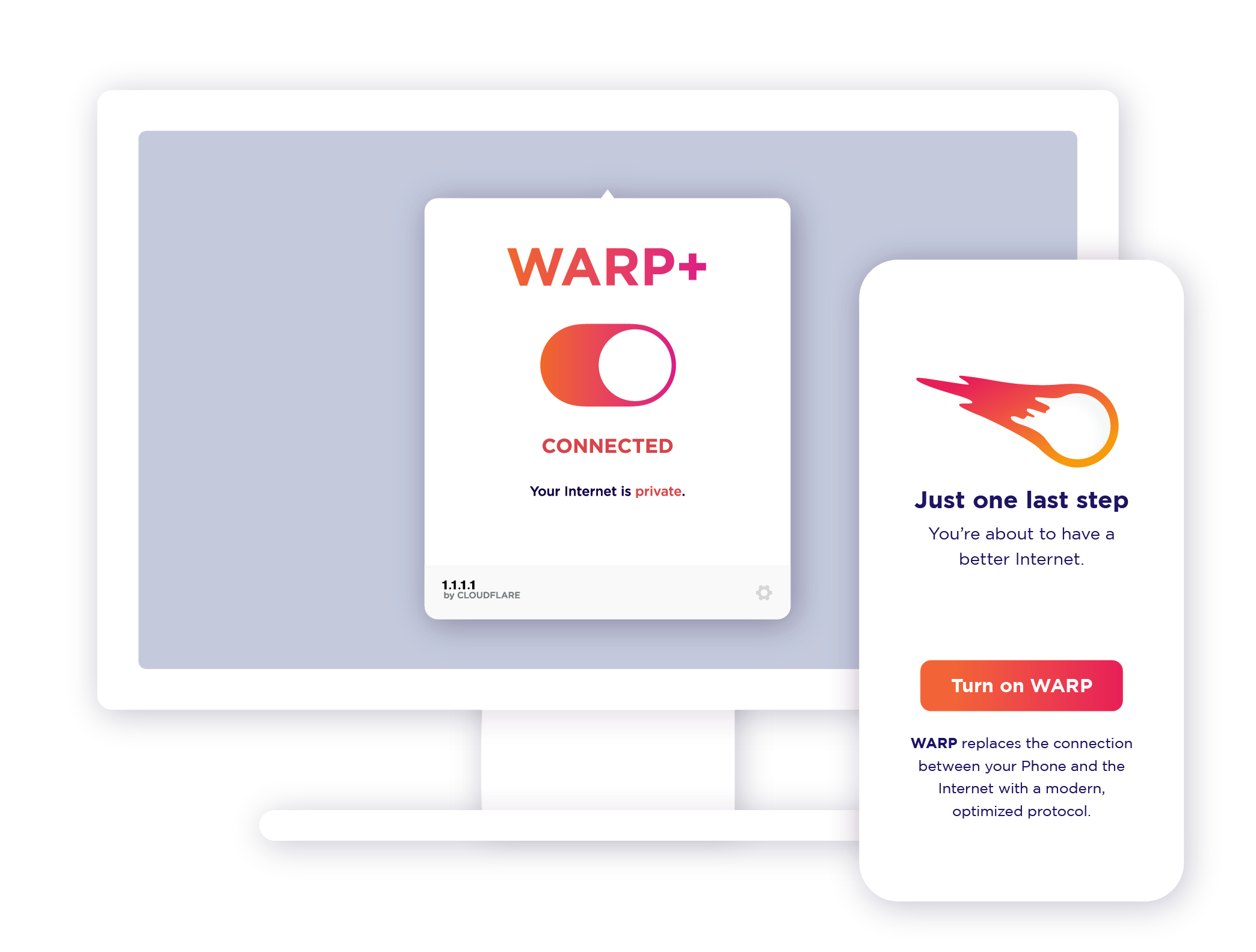
Windscribe is an advanced VPN service that offers a variety of features for privacy-minded Linux users. One of its standout features is Warp, which is a protocol specifically designed for faster and more secure connections. With Warp, you can ensure that your online activities are protected and your data is encrypted.
Windscribe has dedicated apps for most Linux distributions, including Ubuntu, Debian, Fedora, and more. It also offers apps for other platforms such as Windows, macOS, Android, and iOS. This means that you can easily use Windscribe on multiple devices.
One notable feature of Windscribe is its ad-blocker, which helps prevent unwanted ads and other online distractions. Additionally, Windscribe offers a free plan with limited features, making it a great option if you want to try out the service before committing to a paid plan.
Another benefit of Windscribe is its wide network of servers. It has servers in over 60 countries, allowing you to unblock geo-restricted content and access websites and services from around the world.
Windscribe also protects your identity and helps hide your IP address. By encrypting your internet connection, it safeguards your online activities from prying eyes and potential cyber attacks. Along with its strong security measures, Windscribe also offers protection against DDoS attacks, ensuring that your internet connection remains stable and secure.
When it comes to pricing, Windscribe offers flexible plans to suit different needs. You can choose from monthly, yearly, and even build-your-own plans. It also has a 3-day money-back guarantee, allowing you to try the service risk-free. Windscribe also has a dedicated support team that you can reach via live chat or email for any questions or concerns you may have.
In summary, Windscribe is an excellent choice for privacy-minded Linux users. It offers advanced features like Warp, a wide range of servers, and strong security measures. Whether you want to encrypt your connection, unblock geo-restricted content, or protect your identity, Windscribe has you covered. With its user-friendly apps and affordable pricing plans, Windscribe is definitely a VPN service worth considering.
CyberGhost
CyberGhost is a well-known VPN service that offers excellent privacy and security features for Linux users. It is known for its unblocking capabilities, allowing you to enjoy restricted content from around the world. With CyberGhost, you can experience fast speeds, thanks to its optimized servers and robust infrastructure. It also supports other platforms, such as Windows, macOS, iOS, and Android, so you can utilize it on multiple devices.
Privacy and Security
CyberGhost enables you to surf the web with complete privacy, thanks to its no-logging policy. It guarantees that your online activities are not recorded or shared with anyone. It also offers advanced features like DNS and IP leak protection, as well as kill switch functionality, ensuring that your data and identity are always secured.
Server Network
CyberGhost has an extensive network of servers spread across more than 90 countries. With over 7,000 servers to choose from, you can easily access content from different regions and bypass geo-restrictions. This network also ensures that you can enjoy fast and reliable connections, no matter where you are in the world.
Protocol and Encryption
CyberGhost supports various protocols, including OpenVPN, WireGuard, and IKEv2. These protocols offer strong encryption to protect your data from eavesdropping and other malicious attacks. It also provides an option to enable IPv6 support and prevent any potential security vulnerabilities that may arise from it.
Compatibility and Ease of Use
CyberGhost is compatible with a wide range of devices and operating systems, including Linux distributions like Ubuntu and Mint. It also has dedicated apps for Windows, macOS, iOS, and Android, making it convenient to use across different platforms. The user-friendly interface and simple setup process ensure that you can start using the VPN without any hassle.
Customer Support and Pricing
CyberGhost offers 24/7 customer support to assist you with any queries or issues you may encounter. It also provides a 45-day money-back guarantee, allowing you to test the service risk-free. The pricing options are affordable, with a one-month plan, a one-year plan, and a three-year plan available. Additionally, CyberGhost frequently offers discounts and promotions, making it even cheaper to use.
Alternatives
If you’re looking for alternatives to CyberGhost, there are other VPN services like ExpressVPN and NordVPN that also provide excellent privacy and security features. ExpressVPN allows you to enjoy live chat support and offers a double VPN feature for added protection. NordVPN has a vast server network and supports multiple simultaneous connections.
Overall, CyberGhost is a reliable VPN service for privacy-minded Linux users. Its robust network, advanced security features, and user-friendly interface make it a top choice for anyone seeking to enhance their online privacy and security.
Hide.me
Hide.me is a popular VPN service that offers privacy-minded Linux users a reliable and secure way to protect their online activities. Whether you are using Ubuntu, Linux Mint, or any other Linux distribution, Hide.me provides a powerful and user-friendly VPN solution.
What sets Hide.me apart is its commitment to privacy. Hide.me ensures that your online activities are kept private and your identity is protected. Their strict no-logs policy means that they do not track or store any of your personal information, providing you with complete anonymity.
Hide.me offers a range of plans to choose from, including a free plan that provides limited features and 2GB of data per month. If you want unlimited data and access to all their features, you can choose from their Plus or Premium plans which offer extra benefits like faster speeds and support for multiple devices.
Hide.me also has built-in features like a firewall that prevents malicious websites from accessing your data, and a split tunneling feature that allows you to choose which apps or sites should use the VPN connection and which ones should not.
Hide.me has a user-friendly interface that makes it easy to connect to a VPN server. You can also choose from their wide range of server locations across the globe, with over 75 locations in 45 countries to choose from. Whether you want to access geo-restricted content or want to prevent throttling by your ISP, Hide.me has you covered.
Hide.me has been tested and proven to be one of the fastest VPNs available, ensuring that you can enjoy a smooth and seamless browsing experience. With their 30-day risk-free trial, you can start using Hide.me with peace of mind and see if it meets your needs.
In addition to their VPN service, Hide.me offers other security features like an ad-blocker that prevents ads from tracking your online activities, and a SOCKS proxy that enables you to route specific web traffic through a different IP address.
Whether you are using Linux for work or leisure, Hide.me is a reliable choice for protecting your privacy and keeping your online activities secure. With their user-friendly interface and wide range of features, you can browse the internet with confidence, knowing that your data is safe from hackers and your identity is protected.
So, if you are a privacy-minded Linux user, give Hide.me a try and experience the benefits of their secure and reliable VPN service.
TorGuard – A Powerful VPN Service for Privacy Minded Linux Users
TorGuard is an excellent VPN service that offers a range of features to ensure the privacy and security of Linux users. With its advanced tools and robust network, TorGuard is a top choice for those who value their online privacy.
One of the standout features of TorGuard is its ability to bypass Netflix and other streaming services, allowing users to access their favorite content from anywhere in the world. This is made possible through TorGuard’s vast network of servers and its support for a wide range of protocols.
When it comes to protecting user data, TorGuard has a solid plan in place. The service offers strong encryption and a firewall that prevents unauthorized access to your personal information. TorGuard also enables users to create secure connections between different devices, providing an extra layer of protection against data breaches and cyber threats.
One of the reasons why TorGuard is a popular choice among privacy-minded Linux users is its support for various Linux-based distributions. Whether you’re using Ubuntu, Mint, or any other distribution, you can be sure that TorGuard will be compatible with your system. Additionally, TorGuard provides detailed setup guides and excellent customer support to help users with the installation and configuration process.
Another standout feature of TorGuard is its commitment to privacy. The service does not keep any logs of user activity, ensuring that your online activities remain private and anonymous. Additionally, TorGuard offers a secure DNS service and an ad-blocking tool to further enhance your privacy while browsing the web.
In terms of performance, TorGuard has a network of over 3,000 servers in more than 50 countries, ensuring fast and reliable connections. With its unlimited bandwidth and no throttling, you can stream, download, and play games without any interruptions or slowdowns.
If you’re looking for alternatives to TorGuard, there are several other VPN services worth considering. ExpressVPN, Mullvad, Ivacy, and Surfshark are some of the top choices that provide similar levels of privacy, security, and performance. Each service has its own unique features and advantages, so be sure to research and choose the one that best meets your specific needs.
In conclusion, TorGuard is a powerful VPN service that offers comprehensive privacy and security features for Linux users. Its wide range of servers, strong encryption, and commitment to privacy make it an excellent choice for those who want to browse the web privately and securely. Whether you’re a beginner or an advanced user, TorGuard has the tools and support to help you get started and ensure your online activities are protected.
AirVPN
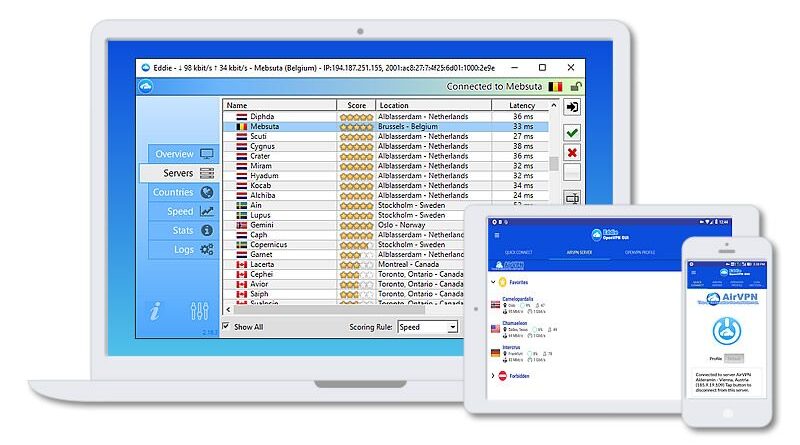
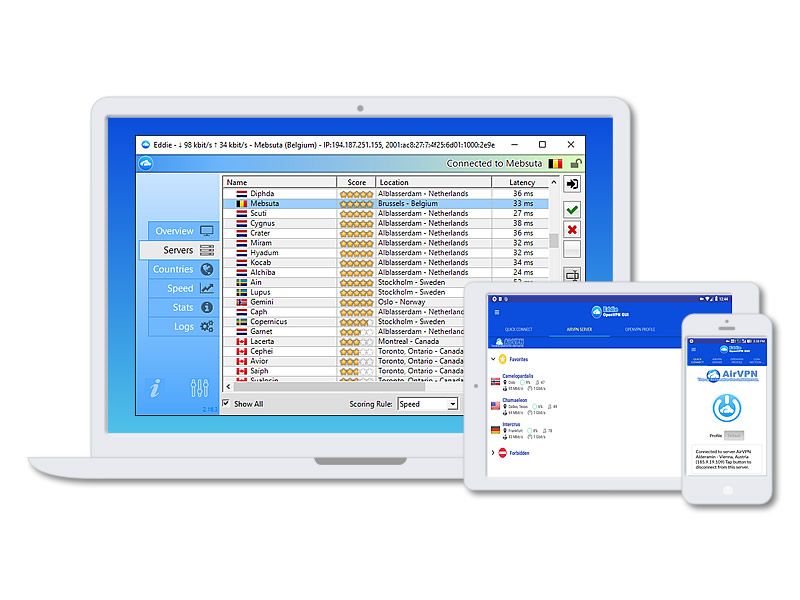
AirVPN is a popular VPN service that is widely used by privacy-minded Linux users. It offers a wide range of features, including 24/7 server-switching and unlimited server connections, which allows users to easily switch between different servers while ensuring uninterrupted and seamless browsing experience.
One of the key advantages of AirVPN is its availability on multiple platforms, making it a convenient choice for Linux users. Whether you’re working on Ubuntu, Fedora, or any other Linux distribution, you can easily install and configure AirVPN to protect your online identity and stay safe from hackers and surveillance.
Another noteworthy feature of AirVPN is its pricing options. It offers various pricing plans, including a lifetime option, allowing users to choose the plan that best suits their needs and budget. This flexibility is especially helpful for users who are looking for a long-term VPN solution.
In terms of security, AirVPN utilizes strong encryption and tunneling protocols to protect users’ internet traffic from any potential threats. It also includes a built-in firewall and an ad-blocker to further enhance users’ privacy and protect their online activities from being tracked.
One of the standout features of AirVPN is its wide server network. With servers in over 70 countries, users have the option to connect to servers in different locations, whether it’s to unblock restricted content or to access services that are only available in specific regions. This makes AirVPN an ideal choice for users who require access to geo-restricted content.
In conclusion, AirVPN is a reliable and feature-rich VPN service for privacy-minded Linux users. With its strong security measures, wide server network, and affordable pricing options, it offers a comprehensive solution to protect users’ online privacy and security.
VyprVPN
VyprVPN is a VPN service that offers a variety of features and benefits for privacy-minded Linux users. With a VyprVPN account, you can securely access the internet and encrypt your online activities, ensuring that your data remains private and protected.
Supported Platforms and Services
VyprVPN is supported on various Linux distributions, making it compatible with a wide range of operating systems. Additionally, it offers apps for Windows, Mac, Android, and iOS, allowing you to use the service across multiple devices.
Advanced Features and Set Up
VyprVPN offers advanced features such as a kill switch, which helps protect your privacy in case the VPN connection drops. It also supports P2P file sharing and offers servers specifically optimized for this purpose. The service also has an advanced settings menu, allowing you to customize your VPN experience to suit your specific needs.
Fast and Worldwide Servers
VyprVPN boasts a network of servers located worldwide, ensuring fast and reliable connections no matter where you are. Its server network includes prime locations such as the United States, Europe, and Asia, giving you access to geographically restricted content and bypassing censorship.
Limited Browser Extension
VyprVPN offers a browser extension for Chrome, Firefox, and Opera browsers, allowing you to easily access the VPN service while browsing the web. However, please note that the browser extension has limited features compared to the full VPN service.
Money-Back Guarantee
To help you make sure that VyprVPN is the right choice for you, the service offers a 30-day money-back guarantee. This allows you to try out the VPN and see if it meets your needs. If you’re not satisfied, you can easily get a refund within the specified period.
Alternatives to Consider
If VyprVPN doesn’t meet your requirements, there are several alternatives to consider. NordVPN, Mullvad, ProtonVPN, and Private Internet Access (PIA) are all popular options that offer their own unique features and benefits. Compare these options to find the best VPN service for your Linux system and overall privacy needs.
Hotspot Shield
Hotspot Shield is a popular VPN service that is widely used by privacy-minded Linux users. It offers a range of features and benefits that make it an ideal choice for those who want to protect their online privacy and security.
One of the main advantages of Hotspot Shield is its ability to bypass censorship and access geo-restricted content. It has servers in all major countries allowing users to access streaming services like Netflix, Hulu, and BBC iPlayer from anywhere in the world.
Additionally, Hotspot Shield prevents your identity and online activities from being tracked by encrypting your internet traffic. It uses OpenVPN tunneling protocol along with strong encryption to protect your data. This means that even if someone tries to intercept your data, they won’t be able to read it.
Hotspot Shield also offers server-switching capability, allowing users to connect to different VPN servers to hide their physical location. This is particularly useful for users who want to access region-restricted content or avoid online censorship.
Another notable feature of Hotspot Shield is its ad-blocker, which helps to prevent ads and trackers from invading your browsing experience. It also helps to save bandwidth and improve page loading times.
Hotspot Shield is available for multiple platforms, including Linux-based systems. It provides a user-friendly interface and seamless integration with the Linux desktop environment, making it easy to use even for beginners.
With Hotspot Shield, you can also protect your online activities on other devices such as gaming consoles. It offers dedicated apps for platforms like Windows, macOS, Android, and iOS, so you can utilize its privacy and security benefits on all your devices.
If you are new to Hotspot Shield, you can start with a 7-day free trial to test out all the features and see if it meets your requirements. The trial period allows you to use the VPN service without any limitations, including access to servers and bandwidth.
In summary, Hotspot Shield is a reliable and powerful VPN tool for privacy-minded Linux users. It offers all the features you need to protect your identity, prevent logging of your online activities, and bypass censorship. Whether you want to stream content, play games, or download torrents, Hotspot Shield has alternatives that can help you do it securely.
PureVPN
PureVPN is one of the most popular VPN services for privacy-minded Linux users. It offers a wide range of features and tools to enhance your online security and protect your privacy.
With PureVPN, you can enjoy secure tunneling for your internet connection, ensuring that your data remains private and protected. It supports a variety of protocols, including OpenVPN, which is known for its strong encryption and security.
If you’re a Linux-based user, you’re in luck – PureVPN has a dedicated app for Linux Mint and other Linux distributions. The app is easy to set up and provides a seamless VPN experience on your Linux system.
One of the key advantages of PureVPN is its fast connection speeds. Whether you’re streaming content, gaming, or just browsing the web, PureVPN can provide a fast and reliable connection.
If you want to access geo-restricted content, PureVPN has you covered. It supports unblocking popular streaming platforms like Netflix, Hulu, BBC iPlayer, and more. You can also use PureVPN for secure and anonymous torrenting with its P2P support.
In terms of pricing, PureVPN offers different plans to cater to your needs. You can choose a monthly plan, a 1-year plan, or even a lifetime plan. With a 30-day money-back guarantee, you can try PureVPN risk-free and see if it’s the right choice for you.
Whether you’re a Linux user or not, PureVPN has apps for Windows, Mac, Android, and other platforms. Along with its easy-to-use interface, PureVPN provides 24/7 customer support to assist with any queries or issues you may have.
In summary, PureVPN is a reliable and feature-rich VPN service that can protect your privacy and offer enhanced security on your Linux-based system. With its fast speeds, unblocking capabilities, and strong encryption, PureVPN is a solid choice for privacy-minded Linux users.
Ivacy
Ivacy is a privacy-minded VPN service that is set to protect your online activities on Linux. It offers a wide range of features that ensure your privacy and security are maintained while you browse the internet.
One of the key features of Ivacy is its strong encryption that keeps your data safe from hackers and other malicious entities. It also has a built-in kill switch that helps prevent any leaks if the VPN connection drops.
Ivacy supports a wide range of protocols, including OpenVPN and L2TP/IPsec, which allows you to connect to the VPN server without any issues. With Ivacy, you can also bypass geo-restricted content and access websites and services from any country.
When it comes to server-switching, Ivacy offers over 1000 servers in more than 100 countries worldwide. This allows you to find the perfect server for your needs, whether you want to hide your IP address, access certain content, or simply have a fast and stable connection.
Ivacy also provides excellent customer support, with a live chat feature that is available 24/7. If you have any queries or issues, you can reach out to their support team and get a prompt response.
In terms of pricing, Ivacy offers affordable plans, with options for monthly, quarterly, and yearly subscriptions. They also have a 30-day money-back guarantee, so you can try their service risk-free.
If you’re a privacy-minded Linux user looking for a reliable and feature-rich VPN service, Ivacy is definitely worth considering.
PrivateVPN
PrivateVPN is a top choice for privacy-minded Linux users who want a VPN service that provides split tunneling and advanced security features.
The service helps users keep their online activities private by offering unlimited bandwidth and easy-to-use apps for Linux-based devices. It also prevents hackers and other malicious entities from accessing your data by using advanced encryption protocols, including OpenVPN with IPv6 leak protection.
PrivateVPN has been tested for its ability to unblock geo-restrictions and bypass censorship in different countries. With a 31-day money-back guarantee, users can try out the service risk-free.
In addition to its privacy features, PrivateVPN also includes an ad-blocker and a static IP option. This helps to keep your browsing fast and secure, while also preventing social and advertising trackers from collecting your data.
The service supports all major Linux distributions, including CentOS and Ubuntu, and offers easy installation through standard package managers. Additionally, PrivateVPN has dedicated apps for Android and iOS devices, making it a versatile choice for users who want VPN protection on all their devices.
PrivateVPN’s pricing starts at $10 per month for a one-month plan and goes down to $4 per month for a 12-month plan. This affordable pricing makes it an attractive option for Linux users who want a high-speed VPN service without breaking the bank.
With its advanced security features, fast speeds, and wide range of supported platforms, PrivateVPN is an excellent choice for Linux users who want to unblock geo-restricted content and browse the internet securely.
FAQ:
What are the best VPN services for Linux users who prioritize privacy?
There are several VPN services that are highly recommended for privacy-minded Linux users. Some of the top options include NordVPN, ExpressVPN, ProtonVPN, and Mullvad. These providers have a strong commitment to privacy and offer features like strict no-logs policies, strong encryption, and a variety of secure protocols.
How does a VPN enhance privacy for Linux users?
A VPN enhances privacy for Linux users by encrypting their internet traffic and routing it through a remote server. This prevents their ISP, government, or other third parties from monitoring their online activities. Additionally, a VPN can hide the user’s IP address, making it difficult for websites and online services to track their location and identity.
What factors should Linux users consider when choosing a VPN for privacy?
When choosing a VPN for privacy on Linux, there are several factors to consider. These include the provider’s privacy policy, jurisdiction, encryption protocols used, speed and performance, server network size and locations, compatibility with Linux devices, and additional features like a kill switch or split tunneling. It’s important to thoroughly research and compare different VPN services to find the best fit for your needs.
Are there any free VPN options available for Linux users who prioritize privacy?
While there are some free VPN options available for Linux users, it’s important to exercise caution when using them for privacy purposes. Free VPNs often come with limitations, such as data caps, slower speeds, and fewer server locations. Additionally, some free VPN providers may compromise user privacy by logging and selling their data. It’s generally recommended to opt for a reliable paid VPN service that prioritizes privacy.
Videos:
Now THIS is What a Private VPN Looks Like
Now THIS is What a Private VPN Looks Like by Mental Outlaw 1 year ago 12 minutes, 2 seconds 373,538 views
