Contacting ExpressVPN Customer Support in the UK: A Guide to Submitting Support Tickets
If you are an ExpressVPN user in the UK, you may encounter some technical issues or have queries regarding the service. In such cases, it is important to know how to get in touch with ExpressVPN customer support for timely assistance. This article provides a comprehensive guide on submitting support tickets to ExpressVPN in the UK.
ExpressVPN is a leading VPN service provider that offers a range of benefits, including enhanced online privacy, bypassing geo-restrictions on websites like Amazon, and improved security while using public Wi-Fi networks. The software provides top-notch performance and is compatible with various devices, such as Windows, Mac, iOS, and Android.
Submitting a support ticket is a quick and efficient way to reach out to ExpressVPN’s customer support team. To do this, you need to log in to your ExpressVPN account and navigate to the support page. There, you will find an option to submit a ticket. Once you provide details about your query or issue, ExpressVPN’s support team will analyze the information and respond accordingly.
When submitting a support ticket, it is important to be as specific as possible about the issue you are facing. Include relevant details such as the setup you are using, the devices involved, and any troubleshooting steps you have already performed. This will help the support team in providing a more accurate and effective solution to your problem.
ExpressVPN takes customer support seriously and ensures that all queries and issues are addressed promptly. The support team strives to provide timely and personalized responses to ensure customer satisfaction. ExpressVPN also offers a 30-day money-back guarantee, so if you are not satisfied with the service, you can request a refund.
In conclusion, if you are an ExpressVPN user in the UK and need assistance or have queries, you can easily submit a support ticket for personalized and efficient customer support. ExpressVPN’s support team is dedicated to resolving your issues and ensuring a seamless experience with their VPN service.
Understanding the Support Ticket System
The support ticket system is a reliable and efficient way to contact ExpressVPN’s customer support team. Whether you have questions about their products, pricing, or need assistance with technical issues, submitting a support ticket is the best way to get in touch.
When you visit ExpressVPN’s website, you’ll find a user-friendly interface that allows you to easily navigate to the support ticket submission page. This page is compatible with popular browsers like Chrome and protects your security while you browse.
Submitting a support ticket is a straightforward process. You simply fill out the required fields with information about your issue, such as the registered email address, a brief description of the problem, and any relevant attachments or files. Once you click submit, your ticket will be considered and an answer will be provided as quickly as possible.
ExpressVPN’s customer support team is known for their high-quality service and their expertise in the field of online security. They offer support in multiple areas, such as connectivity issues, troubleshooting, and general inquiries about their software and services.
ExpressVPN uses advanced protocols and safe tunneling to ensure that your data and online activity are protected. Their software has undergone rigorous tests and analysis, performing above average in terms of security and reliability.
Although ExpressVPN is owned by Kape Technologies, an online privacy company, they have maintained their commitment to customer privacy and security. Your information will not be exposed or shared with third-party companies.
In terms of pricing, ExpressVPN offers competitive prices for their services. Their website provides information about their different subscription plans, allowing you to choose the option that best fits your needs and budget.
ExpressVPN’s customer support team is available 24/7 to assist you with any questions or concerns you may have. Whether you’re a new customer or have been using their services for years, their team is dedicated to providing you with the best solution possible.
Navigating the ExpressVPN Website
When it comes to navigating the ExpressVPN website, users will find a user-friendly layout that allows for easy access to information and resources. The website is designed to be user-friendly, with important information and features prominently displayed at the center of the homepage.
One of the main areas users will want to explore is the “Products” section, where they can find all the different VPN plans and pricing options that ExpressVPN offers. This section provides detailed information about the features and benefits of each plan, allowing users to choose the one that best suits their needs.
In addition to VPN plans, the website also offers a range of other tools and resources to help users get the most out of their VPN experience. These include an advanced speed test tool that allows users to check the speed of their internet connection and identify any vulnerabilities that may be affecting their browsing experience.
Furthermore, the ExpressVPN website provides a range of support resources, including troubleshooting guides, setup tutorials, and a live chat option for users who prefer to get immediate assistance. Users can also submit support tickets through the website and receive a prompt response from the ExpressVPN customer support team.
Overall, navigating the ExpressVPN website is a seamless and user-friendly experience. Whether you’re looking to purchase a VPN plan, troubleshoot an issue, or get expert advice, the website provides all the tools and information you need to make the most of your VPN connectivity.
Accessing the Support Ticket Submission Form
To access the ExpressVPN support ticket submission form, customers can follow a few simple steps. First, they need to visit the ExpressVPN website and navigate to the “Support” section. Once there, they can click on “Contact Us” to open the support ticket submission form. This form is an easy and convenient way to get in touch with ExpressVPN customer support for any technical issues or questions.
When accessing the support ticket submission form, customers will be prompted to fill in certain details. They will need to provide their name and email address, so that the support team can contact them back. Additionally, there will be a field to select the appropriate category for their query, such as “Connectivity Issues” or “Billing and Account.” This helps in ensuring that the query is directed to the right department for swift resolution.
Once the necessary information is filled, customers can proceed to describe their issue or request in the comments section of the form. It is advisable to explain the problem fully, providing any relevant details or steps already taken, to enable the support team to provide a comprehensive and effective solution. ExpressVPN values customer feedback and comments, as they contribute to improving their service.
Before submitting the form, customers also have the option to attach any relevant files or screenshots that may assist in resolving the issue. This can be particularly useful for technical troubleshooting. By including visual support, customers can provide the support team with more information and help them understand the problem better.
Filling out the Support Ticket Form
When contacting ExpressVPN customer support in the UK, one of the most efficient ways to get assistance is by filling out their support ticket form. This form can be found on expressvpn’s official website and provides a convenient way to submit your queries and troubleshoot any issues you may be experiencing with their VPN service.
Before filling out the support ticket form, it is important to provide some necessary information about your issue. Firstly, you will need to select the category of your problem, such as “Connection Issues” or “Account and Billing.” This will help the company understand the nature of your query and provide the most relevant assistance.
Next, you will be prompted to enter your email address, which will be used for further communication regarding your support ticket. It is important to provide a valid email address to ensure you receive timely responses from the customer support team. Additionally, you may also be asked to provide your name and account username to further assist with troubleshooting.
When describing your issue in the support ticket form, it is essential to be as detailed as possible. Clearly explain the problem you are facing, including any error messages or specific steps you have taken to reproduce the issue. Providing this information will enable the support team to analyze the problem more effectively and provide accurate solutions.
Finally, after filling out the form, you can submit your support ticket and await a response from ExpressVPN. The average response times may vary but are generally within one to three business days. During this time, make sure to regularly check your email for updates and responses from the customer support team.
Providing Detailed Information
When contacting ExpressVPN customer support, it is important to provide detailed information about your issue in order to receive quick and efficient assistance.
First, make sure to include specific details about the problem you are experiencing. For example, if you are having speed issues, mention the specific date and time when you noticed the slowdown, as well as the locations you were trying to connect from.
If you are using ExpressVPN on a Windows device, it is helpful to mention the version of Windows you are running and any recent updates you may have installed. This can help the support team diagnose and troubleshoot the problem more effectively.
It is also recommended to include information about the VPN protocols you are using. ExpressVPN offers a variety of protocols, including OpenVPN, which is generally considered the most secure option. If you are using a different protocol, such as L2TP or PPTP, be sure to mention it so that the support team can provide accurate guidance.
If you are encountering issues with access to certain websites or services, indicate which specific sites or services are blocked. This can help the support team understand the nature of the issue and provide appropriate solutions or workarounds. In particular, if you are located in China and experiencing difficulties with bypassing censorship, be sure to mention this so that the team can prioritize your request.
The more details you provide, the better the support team can assist you. If you have any additional information that you think might be relevant, such as error messages or screenshots, feel free to include this as well.
It’s worth noting that ExpressVPN has a strict no-logs policy, meaning that they do not collect any information about your online activities. This ensures that your data and privacy are protected. However, it is still important to exercise caution and avoid sharing sensitive information with anyone other than authorized ExpressVPN agents.
In conclusion, by providing as much detailed information as possible when contacting ExpressVPN customer support, you can help ensure a quick and positive resolution to your issue. Remember to include specific details about the problem, the devices and protocols you are using, and any relevant error messages or screenshots. With this information, the support team can promptly address your concerns and help you get back to enjoying a secure and reliable VPN experience.
Choosing the Most Relevant Category
When contacting ExpressVPN customer support in the UK, it is important to choose the most relevant category for your support ticket. ExpressVPN offers various options for different types of inquiries and issues. By selecting the correct category, you can ensure that your query or problem is addressed promptly and efficiently.
One of the options is to select the “Other” category. This category is useful when your query or issue doesn’t fit into any of the predefined categories. It allows you to provide a detailed description of your problem or request, giving the customer support team a better understanding of how they can assist you.
If you are having specific issues with the ExpressVPN Chrome or Firefox extensions, you can choose the “Extensions” category. This category is specifically tailored for queries and problems related to these browser extensions. ExpressVPN provides fully audited extensions for Chrome and Firefox, ensuring their security and reliability.
According to an article published by Sven, ExpressVPN has passed an audit conducted by Cure53, a reputable and independent third-party auditor. This audit confirms that ExpressVPN takes user privacy and security seriously, providing satisfactory solutions for its users.
If you have any questions regarding ExpressVPN’s privacy policies or the logging of user data, you can choose the “Logs and Privacy” category. ExpressVPN is committed to protecting user privacy and has a strict no-logs policy. They do not keep any activity or connection logs that could be used to identify users.
For queries related to account management, billing, or refund requests, the “Account and Billing” category should be selected. ExpressVPN offers a 30-day money-back guarantee, ensuring that users can get a refund if they are not satisfied with the service. The dedicated customer support team will handle these queries promptly and provide solutions accordingly.
If you are experiencing technical issues or have questions regarding ExpressVPN’s apps and services on different platforms, you can choose the respective platform category. ExpressVPN supports a wide range of platforms, including Windows, Mac, iOS, Android, and more. The customer support team is knowledgeable and can assist with any issues or queries you may have.
By selecting the most relevant category, you can ensure that your support ticket is directed to the appropriate department within ExpressVPN. This helps in providing faster response times and a more satisfactory resolution to your query or issue.
Uploading Relevant Files
When contacting ExpressVPN customer support in the UK, one important feature to take advantage of is the ability to upload relevant files. Whether it’s a video demonstrating an issue you’re experiencing or a log file from your device, providing these files can greatly assist the support agents in understanding and resolving your problem.
Uploading files can be done easily through the support ticketing system. Simply attach the files to the ticket before submitting it. This feature is particularly useful when dealing with complex technical issues that may require detailed information or evidence to be shared with the support team.
For example, if you’re experiencing slow connection speeds, you can upload a speed test result to show the support agents the actual performance you’re getting. If you’re having trouble accessing a specific website or service due to regional blocking, you can upload a screenshot or error message that you’re seeing.
By providing the support team with relevant files, you enable them to have a better understanding of your specific situation, allowing them to provide more accurate and tailored solutions to your problem. Without these files, it may be difficult for the support agents to fully grasp the issue at hand and offer appropriate assistance.
Understanding Response Times
When it comes to contacting ExpressVPN customer support in the UK, understanding response times is crucial. ExpressVPN is a no-log VPN service that prioritizes user privacy and security. With their strong encryption and useful features, they strive to provide top-notch support to their customers.
Response times can vary depending on the method of contacting support. Below, we’ll tell you more about the different ways to reach ExpressVPN’s customer support and the expected response times for each:
Email Support:
- Email support is available 24/7 and is a great way to get in touch with ExpressVPN.
- The response time for email support is generally within 24 hours. This allows the support team to thoroughly review your issue and provide a detailed and helpful response.
Live Chat:

- ExpressVPN offers a live chat option where users can chat with a support advisor in real-time.
- The response time for live chat support is usually very quick, with users often receiving assistance within minutes.
FAQ and Support Center:

- ExpressVPN has a comprehensive FAQ and support center where users can find answers to common questions and troubleshoot issues.
- The response time for the support center is immediate, as it provides self-help resources that can be accessed at any time.
It’s important to consider that response times can be affected by various factors, such as the volume of support requests and the complexity of the issue. ExpressVPN puts a high priority on resolving customer issues in a timely manner, particularly when it comes to privacy-conscious VPN services.
So, whether you contact ExpressVPN’s customer support through email, live chat, or by using their FAQ and support center, you can rest assured that your questions and concerns will be addressed in a timely and secure manner.
Checking the Status of Your Support Ticket
If you have submitted a support ticket to ExpressVPN’s customer support in the UK, you may want to check the status of your ticket to ensure it is being addressed. Fortunately, ExpressVPN provides a simple way for you to track the progress of your ticket and stay informed throughout the resolution process.
To check the status of your support ticket, you can log in to your ExpressVPN account and navigate to the “Support” section. From there, you will find a “My Tickets” tab where you can view all the tickets you have submitted. Each ticket will have a status attached to it, indicating where it stands in the support process.
ExpressVPN’s customer support team is committed to providing prompt and accurate responses to all support requests. Therefore, you can expect regular updates on the status of your ticket, ensuring that you have the most up-to-date information regarding the progress of your issue or inquiry.
In the event that you encounter any issues or concerns about the progress of your support ticket, you can always reach out to ExpressVPN’s customer support team for further assistance. Whether it’s a technical problem, a billing inquiry, or any other matter, they will be more than happy to provide the necessary support and guidance.
Checking the status of your support ticket is essential to ensure that your issue is being addressed in a timely manner. ExpressVPN’s customer support team understands the value of high-quality customer service and strives to deliver prompt and efficient assistance to all users.
By regularly checking the status of your support ticket, you can stay on top of any updates or developments regarding your issue. This not only gives you peace of mind but also allows you to plan accordingly and make any necessary adjustments while awaiting a resolution.
Follow-Up Communication
Once you have submitted a support ticket, you may need to communicate with ExpressVPN customer support for further assistance or to follow up on the progress of your inquiry. Fortunately, ExpressVPN provides several options for ongoing communication to ensure that you receive the best support possible.
Emailing ExpressVPN Customer Support
If you prefer to communicate via email, ExpressVPN customer support will typically respond within 24 hours. They are known for their prompt and helpful email responses, making it an efficient way to resolve any issues you may be experiencing. Whether you need more information, have additional questions, or want to provide more details about your problem, email is a reliable method to continue the conversation.
Contacting ExpressVPN Customer Support through Live Chat
If you prefer a more instantaneous interaction, ExpressVPN offers live chat support. This allows you to communicate with a support representative in real-time, getting immediate answers to your questions or concerns. It is a convenient option for discussing ongoing issues and getting real-time troubleshooting guidance. ExpressVPN’s live chat support is available 24/7, making it convenient regardless of your location or time zone.
Using ExpressVPN’s Resources and Support Center
In addition to direct communication, ExpressVPN provides a comprehensive support center and resources page on its website. Here, you can find answers to common questions, step-by-step guides, troubleshooting articles, and more. This can be a valuable self-help resource that allows you to find solutions to common issues without needing to contact customer support. The resources provided by ExpressVPN cover a wide range of topics, including installation guides, troubleshooting VPN connection issues, and information about different features and plans.
If you encounter technical difficulties during your usage of ExpressVPN services, don’t hesitate to reach out to their customer support team for help. Whether you choose to email, use live chat, or utilize the available resources, the ExpressVPN customer support team is dedicated to providing timely and satisfactory assistance to their customers.
Alternative Methods of Contact
If you prefer not to submit a support ticket, ExpressVPN offers a few alternative methods of contact that you can try:
Live Chat
ExpressVPN has a live chat feature that can be accessed through their website. This is a convenient option if you have a quick question or need immediate assistance. Simply click on the chat icon in the bottom right corner of the screen to start a chat session with a customer support representative.
Email Support
If you would rather communicate via email, you can reach ExpressVPN’s customer support team by sending an email to the address provided on their website. This is a good option if you have a more complex issue or want to provide detailed information about your problem.
FAQs and Guides
ExpressVPN has a comprehensive FAQ section on their website that covers a wide range of topics. You can browse through the FAQs to see if your question has already been answered. They also provide helpful guides and tutorials that can assist you in troubleshooting common issues or configuring ExpressVPN on different devices.
Social Media
ExpressVPN has active social media accounts on platforms like Twitter and Facebook. You can try reaching out to them via direct message or by tweeting at them with your question or concern. While response times may vary, this can be a good option if you prefer a more informal way of contacting customer support.
Overall, ExpressVPN offers multiple methods of contact to ensure that their customers can easily get in touch with their support team. Whether you choose to submit a support ticket, use live chat, email support, or explore their FAQs and guides, they strive to provide prompt and helpful assistance to address any issues or questions you may have.
Troubleshooting Common Issues
If you are experiencing any issues with your ExpressVPN service, the following overview may help you troubleshoot and resolve them.
Network Connectivity
One common issue that users may encounter is network connectivity. If you are unable to connect to the VPN server, check your internet connection. Ensure that your device is connected to a stable and reliable network.
Streaming and File Downloads
If you are having trouble streaming or downloading files while connected to ExpressVPN, try connecting to a different server. Some servers may have restrictions on streaming and P2P file sharing, so switching servers can often resolve this issue.
Excellent Prices and Passes
ExpressVPN offers excellent prices and passes that provide access to servers in many different countries. If you are having trouble with a specific server, try connecting to a different one to access the content you need.
FAQ and Knowledge Base
If you have questions or need more information about ExpressVPN, the company’s FAQ and knowledge base are valuable resources. They address common issues, provide troubleshooting guides, and offer detailed explanations of various features and functionalities.
Platforms and Protocol Compatibility
ExpressVPN supports a wide range of platforms and protocols, including Windows, Mac, Android, iOS, Linux, Chromebook, and more. Ensure that you have the correct software installed for your device and that you are using the recommended protocol for optimal performance.
Encryption and Privacy Policy
ExpressVPN uses industry-leading encryption technologies to protect your online privacy. The company also has a strict no-logs policy and is based in a jurisdiction that respects user privacy rights. If you have concerns about privacy, ExpressVPN’s policies and practices provide peace of mind.
Prompt Customer Support
If you have tried troubleshooting on your own and still require assistance, ExpressVPN offers prompt customer support. Contact their support team via live chat or submit a support ticket. Their knowledgeable and friendly experts will be happy to assist you.
30-Day Money-Back Guarantee
ExpressVPN is confident in the quality of their service. If you are not satisfied with your subscription, they offer a 30-day money-back guarantee. You can request a refund within 30 days of your purchase, no questions asked.
ExpressVPN Live Chat in the UK: A Real Person
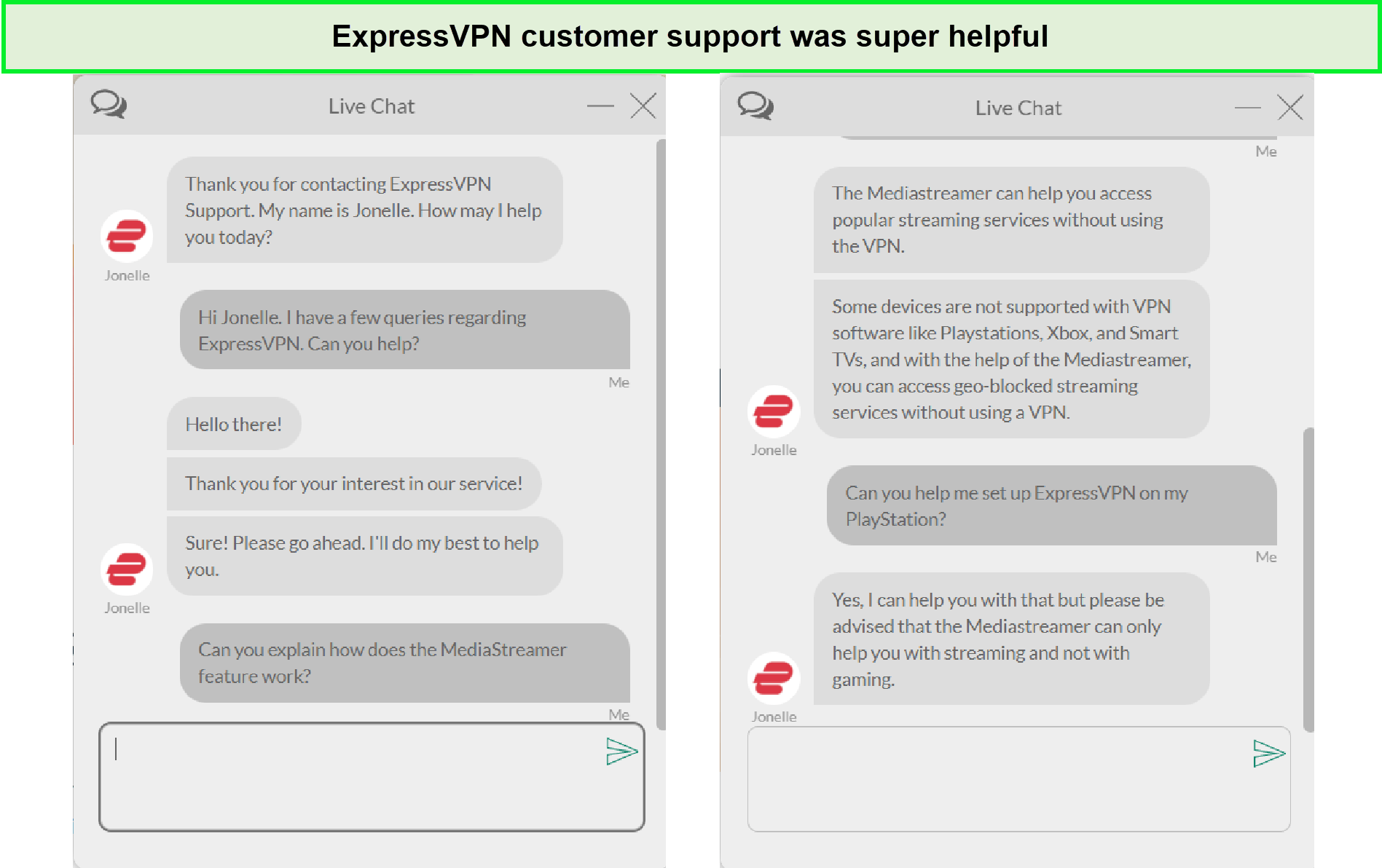
ExpressVPN offers an excellent live chat support service in the UK. With this option, users can connect with a real person to get assistance with any issues they may be facing. Unlike other methods such as emailing support tickets, the live chat feature takes away the waiting time and allows for instant communication.
One good aspect of the live chat support service is that it lets users bypass the need to go through a lengthy setup or risk exposure of their personal info. The real-time connectivity means that users can get answers to their queries or troubleshoot any problems they are experiencing much faster.
In terms of reliability, the live chat support service also scores well. ExpressVPN has a team of experienced support engineers who are available 24/7 to help users with their technical needs. They can identify and provide solutions to any connectivity issues users may be facing.
While the live chat feature is available in various countries, its availability in the UK is particularly appreciated. Users in the UK can rest assured that they are speaking with someone who understands their specific needs and can provide relevant assistance.
ExpressVPN’s live chat support service also operates with a guarantee of privacy and security. The chat session is encrypted to ensure that users’ personal and sensitive information remains protected. This level of security is crucial, especially given the increasing number of cyber threats and data breaches.
In comparison to other support channels like phone numbers or emails, the live chat option offers an appreciable difference. Users don’t have to spend time waiting on hold or risk getting disconnected during a phone call. Emailing support tickets may lead to longer response times, while live chat ensures users get immediate help.
Overall, the live chat support service provided by ExpressVPN in the UK is a reliable and efficient means of getting assistance. It offers a real person to address any queries or issues and ensures fast and secure communication. Whether it’s troubleshooting, setting up devices, or improving network connectivity, the live chat feature is an excellent choice for ExpressVPN users in the UK.
Importance of Polite and Respectful Communication
When contacting ExpressVPN customer support in the UK, it is important to approach your communication in a polite and respectful manner. This not only applies to the initial submission of your support tickets but also throughout any follow-up conversations you may have with the customer support team.
Being polite and respectful in your communication is particularly important when seeking assistance or information from a company. By maintaining a respectful tone, you can increase your chances of receiving a helpful and satisfactory response to your query.
ExpressVPN is a well-known VPN provider that offers a high level of service and a range of features. Their customer support team is available to assist users with any concerns or issues they may have.
In order to receive a prompt response, it is important to review the ExpressVPN website and FAQs before submitting a support ticket. This will help ensure that your query has not already been answered in the available resources, and will help you provide the necessary information for the customer support team to assist you effectively.
ExpressVPN offers a wide range of features, including tunnelling protocols like OpenVPN, which is known for its strong security. They also have a large network of servers in various locations around the world, allowing users to easily switch between server locations depending on their needs.
The company also emphasizes its commitment to user privacy, stating that they have a strict no-logs policy. This means that they do not collect or store any data related to your online activities. This can provide users with additional peace of mind when using the VPN service.
In conclusion, when contacting ExpressVPN customer support in the UK, remember the importance of polite and respectful communication. By approaching your communication in this way, you increase your chances of receiving the assistance you need in a prompt and satisfactory manner.
Escalating Issues to Higher Levels of Support
While ExpressVPN Customer Support aims to assist customers with their issues in a timely manner, there may be occasions when a problem requires more advanced technical assistance. In such cases, customers have the option to escalate their issues to higher levels of support.
Communication Channels: ExpressVPN offers several communication channels through which customers can escalate their issues. These channels include email, live chat, and phone support, ensuring that customers can choose the most convenient and preferred method of contacting support.
Elevated Support Teams: ExpressVPN has dedicated teams of highly trained and experienced professionals who are equipped to handle complex technical issues. These escalated support teams have access to additional resources, expertise, and tools that enable them to provide more in-depth assistance for customers’ problems.
Specialized Technical Knowledge: The escalated support teams at ExpressVPN possess specialized technical knowledge in various aspects of the VPN service. They are well-versed in troubleshooting connectivity issues, resolving software or compatibility problems, and addressing any other advanced technical concerns that customers may encounter.
Advanced Testing and Troubleshooting: When an issue is escalated to higher levels of support, ExpressVPN’s experts conduct advanced testing and troubleshooting to identify the root cause of the problem and develop an appropriate solution. These tests may involve running specific diagnostic tools, analyzing network components, and exploring different configurations for optimal performance.
Rapid Response Time: One of the advantages of escalating an issue is that customers can typically expect a faster response time from the elevated support teams. This ensures that urgent or critical issues are addressed promptly, minimizing any disruption to the customer’s VPN experience.
Effective Issue Resolution: The goal of the escalated support teams at ExpressVPN is to provide customers with effective and satisfactory solutions to their problems. By leveraging their expertise and resources, these teams can deliver comprehensive troubleshooting and resolution, ensuring that customers can enjoy a seamless VPN experience.
Customer Satisfaction: ExpressVPN prides itself on delivering top-notch customer support and ensuring customer satisfaction. By offering the option to escalate issues to higher levels of support, ExpressVPN aims to meet and exceed customer expectations, providing them with the best possible assistance and resolving their concerns in a timely and efficient manner.
Overall, the ability to escalate issues to higher levels of support is one of the many benefits that ExpressVPN provides to its customers. By offering specialized technical knowledge, advanced testing, and rapid response times, ExpressVPN ensures that customers can receive the assistance they need to resolve any complex or challenging issues they may encounter.
Seeking Additional Resources and Documentation
If you’re looking for additional resources and documentation to enhance your streaming experience, ExpressVPN has you covered. With its user-friendly software and reliable network, ExpressVPN is absolutely the go-to solution for UK customers. Whether you’re a beginner or an advanced user, the ExpressVPN website offers a wealth of information and guides that can help you navigate through any issue you might encounter.
If you’re just starting out and need some guidance, ExpressVPN’s blog is an excellent resource. It covers topics from tips on how to maximize streaming speeds to step-by-step guides on how to perform specific tasks. The blog is regularly updated with fresh content, ensuring that you’ll always be up-to-date with the latest solutions.
In addition to the blog, ExpressVPN also offers an online knowledge base that covers a wide range of topics. This comprehensive library of articles and FAQs is created to address common queries and provide users with simple, straightforward solutions. So, whenever you have a question or need assistance, you can refer to the knowledge base for the steps to troubleshoot your issue.
Furthermore, ExpressVPN has official support agents available 24/7 to assist you. If you prefer a more personal touch, you can reach out to an advisor via live chat or submit a support ticket. The support team is highly trained and can provide you with expert guidance and assistance. They will go to great lengths to ensure that your experience with ExpressVPN is smooth and seamless.
ExpressVPN also offers a 30-day money-back guarantee so that you can test out their service without any risk. If for any reason you’re not satisfied, you can simply request a refund. This guarantee shows how confident ExpressVPN is in their service, and it’s one of the key reasons why they have such a positive reputation among customers.
In conclusion, if you’re in the UK and looking for a reliable VPN for streaming and other online activities, ExpressVPN is a top choice. With its excellent customer support, user-friendly software, and reliable network, ExpressVPN has proven to be one of the best in the market. So don’t hesitate to seek out the additional resources and documentation that ExpressVPN offers to enhance your VPN experience.
Wrapping Up
In conclusion, ExpressVPN is a reliable VPN service provider based in the British Virgin Islands. They have a strict no-logs policy and offer top-notch security protocols to ensure the privacy and security of their users’ data. ExpressVPN’s customer support is known for their prompt and helpful responses, and submitting a support ticket is a quick and easy way to get assistance with any issues or questions you may have.
If you encounter any technical difficulties or have any questions about their services, you can contact ExpressVPN’s support team by clicking on the Support button in the top-right corner of their website. From there, you will be redirected to their support page on Zendesk, where you can submit a support ticket. Alternatively, you can also reach out to them via email at support@expressvpn.com.
ExpressVPN’s support team is available 24/7 and they strive to provide the best solutions for their customers. It’s worth mentioning that ExpressVPN has a registered office in the British Virgin Islands and their parent company is owned by a British organization. Additionally, ExpressVPN has a bandwidth limitation of 5GB per month that can be increased by referring friends or family members to use ExpressVPN.
If you’re looking for a VPN provider that is fully audited and has a strict no-logs policy, ExpressVPN is definitely a great choice. Their customer support is known for being prompt, knowledgeable, and helpful. They also offer a wide range of servers in various locations around the world, including the latest protocols for optimal security. In addition to their VPN services, ExpressVPN also offers other products such as a browser extension and a reliable DNS service that can be set up on your devices.
ExpressVPN offers secure and anonymous payment options, including credit cards, PayPal, and Bitcoin. They also have a 30-day money-back guarantee in case you’re not satisfied with their services. If you’re looking for a VPN provider that values your privacy and security, ExpressVPN is definitely worth considering.
If you wish to switch to ExpressVPN or want to learn more about their features, you can visit their official website or read customer reviews on platforms like Trustpilot. By clicking on the link provided on their website, you can easily purchase ExpressVPN on Amazon as well.
ExpressVPN is constantly working on the development of new features and improvements to provide their customers with the best VPN solution on the market. They have dedicated resources in Seattle, where their tech team is based, to ensure that their service is always up to date and reliable.
In February 2022, ExpressVPN was part of a seizure operation by law enforcement agencies, during which some unencrypted customer data was obtained. ExpressVPN has since cooperated fully with the authorities and has made changes to their policies and procedures to prevent similar incidents from happening in the future.
No VPN provider is perfect and ExpressVPN has its limitations. However, overall, they are one of the best VPN services available in the market today with excellent customer support and a wide range of features.
Вопрос-ответ:
How can I contact ExpressVPN customer support in the UK?
You can contact ExpressVPN customer support in the UK by submitting a support ticket through the online form on their website.
Is there a specific support tab on the ExpressVPN website for UK customers?
Yes, there is a support tab specifically for UK customers on the ExpressVPN website. You can find it by navigating to the support section of the website.
What information do I need to provide when submitting a support ticket?
When submitting a support ticket, you will need to provide your email address, a description of the issue you are experiencing, and any relevant details or screenshots that can help the support team understand and troubleshoot the problem.
How long does it typically take to receive a response to a support ticket?
The response time for support tickets can vary depending on the volume of inquiries, but ExpressVPN aims to respond within 24 hours. However, it is possible to receive a faster response in some cases.
Can I contact ExpressVPN customer support via phone in the UK?
No, ExpressVPN does not provide phone support in the UK. The primary method of contact is through the support ticket system on their website.
Is the customer support available 24/7 for UK customers?
Yes, ExpressVPN customer support is available 24/7 for UK customers. You can submit a support ticket at any time, and the support team will respond as soon as possible.
Видео:
How to get ExpressVPN FOR FREE | ExpressVPN FREE guide 2023
How to get ExpressVPN FOR FREE | ExpressVPN FREE guide 2023 by CyberNews 2 weeks ago 5 minutes, 22 seconds 4,591 views
ExpressVPN Customer Support: What You Need to Know
ExpressVPN Customer Support: What You Need to Know by CyberGeeks 4 months ago 3 minutes, 3 seconds 325 views
ExpressVPN vs NordVPN (Part 11) – Customer Service
ExpressVPN vs NordVPN (Part 11) – Customer Service by Geekman 1 year ago 4 minutes, 34 seconds 1,103 views
