Adding VPN to Router: How to Get Started, Benefits, Testimonials, and FAQs
Are you tired of slow internet speeds or restricted access to certain websites? Adding a VPN to your router may be the solution you’ve been looking for. By installing a VPN directly onto your router, you can enjoy a secure and encrypted internet connection for all your devices, without the need to manually configure each device separately.
One of the main benefits of adding a VPN to your router is that it allows you to protect all of your devices at once. Whether you’re using a desktop computer, a smartphone, or a gaming console, having a VPN on your router will ensure that all of your internet traffic is being encrypted and that your online activities are being hidden from prying eyes.
Another advantage of using a VPN on your router is that it can help you bypass censorship and access blocked websites, no matter where you are. Whether you’re traveling and want to watch your favorite TV shows from back home, or you live in a country with strict internet restrictions, a VPN on your router will allow you to browse the internet with the same freedom and access as if you were in a different location.
When it comes to getting started, the process of installing a VPN on your router will vary depending on the make and model of your router. Many routers support VPNs out of the box, while others may require you to flash third-party firmware, such as DD-WRT or Tomato, onto your router. You can usually find detailed instructions on how to set up a VPN on your router on the VPN provider’s website or by reaching out to their customer support.
Once you have your VPN configured on your router, all of the devices connected to your Wi-Fi network will automatically benefit from the VPN connection. You won’t need to manually turn on the VPN on each device or worry about forgetting to enable it. The VPN will be active at all times, providing you with complete peace of mind.
If you’re wondering whether adding a VPN to your router will slow down your internet connection, you’ll be happy to know that most modern routers are optimized to handle VPN encryption without a significant decrease in speed. However, if you do experience any performance issues, such as a slow connection, you can always adjust the VPN settings for better results or seek help from the VPN provider’s support team.
Nowadays, having an active VPN on your router is becoming increasingly popular, and many users have positive testimonials about the benefits it provides. Users appreciate the added security and privacy that a VPN offers, as well as the ability to bypass regional restrictions and access blocked content. Whether you’re a casual internet user or an advanced techie, a VPN on your router can greatly enhance your online experience.
If you have any questions or concerns about adding a VPN to your router, don’t worry, you’re not alone. Many VPN providers have comprehensive FAQs or online communities where you can find answers to common questions. Additionally, their support teams are usually available to assist you with any issues or concerns you may have along the way.
So, if you want to ensure the security and privacy of your internet connection, bypass censorship and access blocked content, and enjoy a faster and more complete online experience, adding a VPN to your router is a great option. Start today and thank yourself later!
Router VPN Frequently Asked Questions
1. How do I know if my router supports VPN?
If you are uncertain whether your router supports VPN, you can check the manufacturer’s website or the router’s manual for information on VPN capabilities. It is important to note that not all routers have this feature, so it may not be available on your specific model.
2. Do I need a special VPN subscription or account to use VPN on my router?
No, you don’t need a special VPN subscription or account to use VPN on your router. If you already have a VPN account, you can use the same account to connect your router. However, if you don’t have a VPN account, you will need to sign up for one with a VPN provider of your choice.
3. How does a VPN on a router work for multiple devices?
When you set up a VPN on your router, all devices connected to the router will be automatically routed through the VPN. This means that all traffic, including from devices that don’t have built-in VPN support, will be secured and private.
4. Can I bypass geo-restrictions with a VPN on my router?

Yes, a VPN on your router can help you bypass geo-restrictions. By connecting to a VPN server in a different country, you can appear as if you are accessing the internet from that location, allowing you to access geo-restricted content and websites.
5. Can I use a VPN on my router to hide my internet activity from my ISP?
Yes, a VPN on your router can help hide your internet activity from your ISP. By encrypting your data and routing it through a VPN server, you can prevent your ISP from seeing what websites you are accessing and what you are doing online.
6. Will installing a VPN on my router slow down my internet connection?
Installing a VPN on your router may slow down your internet connection slightly, but it shouldn’t be significant. Most reputable VPN providers have optimized their servers to provide fast speeds. However, it is worth noting that if you have a slow internet connection to begin with, a VPN may further reduce your speed.
7. How do I connect to a VPN on my router?
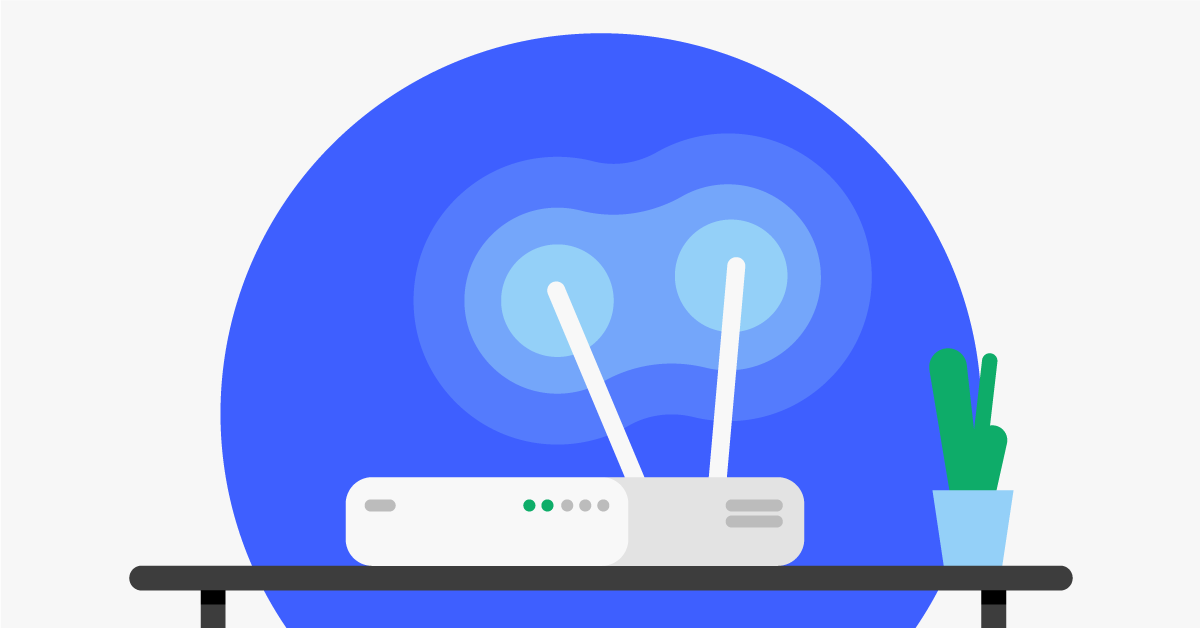
To connect to a VPN on your router, you will need to access your router’s settings and enter the necessary VPN configuration details. This usually involves entering the VPN server address, username, and password provided by your VPN provider. The exact steps may vary depending on your router model.
8. How can a VPN on my router protect my devices?
A VPN on your router can protect your devices by encrypting your internet traffic and routing it through a secure connection. This ensures that your data is protected from hackers, government surveillance, and other online threats. It also helps to prevent your devices from being directly targeted by cyber attacks.
9. Are there any restrictions on the devices that can use a VPN on my router?
Most routers that support VPN will allow any device connected to the router to use the VPN. This means that you can use a VPN on your computer, smartphone, tablet, smart TV, and other internet-enabled devices without any limitations.
10. Can a VPN on my router work in countries with strict internet censorship like Russia or China?
While VPNs can be effective in bypassing internet censorship, it is important to note that some countries, like Russia and China, have implemented strict measures to block VPN usage. In such cases, accessing a VPN may be difficult or even impossible. It is recommended to research the specific laws and regulations regarding VPN usage before relying on it in such countries.
VPN for Routers – Router VPN Hide traffic from your ISP
Adding a VPN to your router is a smart and convenient way to ensure all devices connected to your network are protected. By installing the necessary software onto your router, you can secure your internet traffic and hide it from your ISP.
Having a VPN on your router is especially important for security-conscious individuals who want to keep their online activities anonymous and secure. With a router VPN, you can access the internet without having to worry about your ISP monitoring your activity.
One of the key benefits of using a VPN for routers is the ability to bypass restrictions imposed by your ISP. Whether you’re in a country like Russia where internet freedom is limited, or you simply want to access blocked websites, a router VPN can provide you with the freedom you desire.
Setting up a VPN on your router is a straightforward process, and many routers, including popular models like DD-WRT and Tomato, have built-in capabilities for VPN integration. If your router doesn’t have this feature, there are third-party firmware options available that can be easily installed.
Once connected to a VPN server, all of the internet traffic from your devices will be encrypted and protected. This means that even if your ISP tries to snoop on your online activities, they won’t be able to see what websites you’re visiting or what data you’re transmitting.
By using a router VPN, you can also ensure that all devices connected to your network, including smart TVs, game consoles, and IoT devices, are fully protected. This can give you peace of mind knowing that every device in your home is safe from potential threats.
With a VPN for routers, you can enjoy the benefits of anonymous and secure internet access without the need for individual VPN subscriptions for each device. Simply connect your router to a VPN server, and all devices connected to your network will be protected.
Many VPN providers offer router-compatible apps and detailed setup guides on their websites, making it easy for users to install and configure a VPN on their routers. Additionally, some VPN providers even offer pre-configured routers, further simplifying the process.
If you have any questions or need assistance, most VPN providers have a dedicated support team available to help you with any issues or concerns you may have. They can guide you through the process of setting up a router VPN and ensure everything is running smoothly.
In conclusion, adding a VPN to your router is a great way to enhance your online security and privacy. It allows you to hide your internet traffic from your ISP, bypass restrictions, and ensure that all devices connected to your network are protected. With the wide range of VPN options available, you can easily choose a suitable VPN solution for your needs.
No censorship or geo restrictions
One of the major benefits of adding a VPN to your router is that it allows you to bypass any censorship or geo restrictions that may be in place. Whether you’re being blocked from accessing certain websites or streaming platforms, a VPN can help you overcome these limitations. By routing your internet traffic through a private and secure tunnel, a VPN hides your IP address and replaces it with one from the server location you choose, making it appear as if you’re accessing the internet from a different location.
Using a VPN on your router ensures that all devices connected to the network, including smart TVs, gaming consoles, and IoT devices, can benefit from the freedom to access online content without any limitations. This is especially useful for users in countries like Russia, where there may be strict online censorship policies in place.
By encrypting your data and providing a secure connection, a VPN on your router also enhances your privacy and security. Without a VPN, your ISP can see everything you do online, including the websites you visit and the data you transmit. However, with a VPN, your traffic is encrypted, so your ISP can only see that you’re connected to a VPN server and nothing more.
In terms of performance, adding a VPN to your router can sometimes slow down your internet speed. However, most VPN providers offer routers that are specifically optimized for VPN use, ensuring that the impact on your internet speed is minimal. Additionally, certain VPN protocols, such as WireGuard, are known for their fast and efficient performance, providing a good balance between speed and security.
Overall, adding a VPN to your router is a great solution for users who want to protect their privacy, bypass censorship, and access geo-restricted content on multiple devices. It offers a convenient way to ensure that all devices connected to your router are using a secure and anonymous connection without having to install VPN software on each individual device. It’s a simple and effective way to take control of your online freedom and protect your sensitive information.
You have an access to router’s settings
If you’re looking to add a VPN to your router, you’re in luck because you have access to your router’s settings. This means you can easily configure your router to use a VPN, bringing a whole range of benefits to your network.
By adding a VPN to your router, you can bypass censorship and restrictions imposed by your ISP or government. This allows you to access blocked websites and content while keeping your online activities private and secure.
When you connect your devices to a VPN-enabled router, all of your internet traffic will be encrypted and routed through the VPN server. This ensures that your data is safe from being intercepted by hackers or spies.
Adding a VPN to your router also allows you to enjoy a fast and stable internet connection. VPNs often provide faster speeds than your ISP, and some VPN providers even support advanced features like split-tunneling and dedicated IP addresses.
With a VPN on your router, you can ensure that all of your devices, including gaming consoles and smart TVs, are protected and can access the internet securely. You won’t have to manually configure each device to use a VPN, saving you time and hassle.
Many VPN providers offer easy-to-follow setup guides and provide customer support to help you get started. They often have user-friendly interfaces that allow you to configure your router with just a few clicks. This makes it a great solution for even the most novice users.
Stop ISP Throttling
If you’ve ever experienced slow internet speeds or noticed a decrease in performance over time, chances are you’ve been a victim of ISP throttling. ISPs have the ability to control and limit your internet connection, affecting the speed and overall experience you have online. This can be frustrating, especially if you’re paying for a high-speed internet plan.
At ZoogVPN, we understand the importance of having a fast and reliable internet connection. That’s why we’ve developed a VPN service that helps customers bypass ISP throttling and enjoy a seamless online experience. Our customers have been satisfied with the care and support we’ve provided, and the testimonials speak for themselves.
By adding a VPN to your router, you can ensure that all the devices connected to your network are protected and their traffic is encrypted. This not only helps you bypass ISP throttling, but it also keeps your data safe from any potential hackers or surveillance. With ZoogVPN’s features and settings, you have full control over your VPN connection, including which websites and services are allowed to bypass the VPN.
While there are many VPN providers to choose from, not all of them support router installations. ZoogVPN, however, offers a user-friendly setup process for various router models, including DD-WRT routers. Once you have a subscription to our service, you can easily install the VPN onto your router and have all your traffic routed through it. This means that all devices connected to your router, including smart TVs, gaming consoles, and IoT devices, will benefit from the VPN’s protection and bypass ISP throttling.
In countries like Russia, where internet freedom is limited, having a VPN on your router can help you bypass censorship and access blocked websites. ZoogVPN’s bank-grade encryption and active account management ensure that your data and online activities are protected, no matter where you are.
Stop ISP throttling and take back control of your internet connection. Join ZoogVPN and experience the freedom and security our VPN service has to offer. Thank you to all our customers who have trusted us to protect them, and thank you for choosing ZoogVPN!
You have active ZoogVPN account
Congratulations! You have an active ZoogVPN account, which means you can now enjoy the freedom and security of a VPN on all your devices. Whether you’re browsing the internet, streaming content, or accessing blocked websites, ZoogVPN ensures your online activities are private and protected.
Once you connect to ZoogVPN, your internet traffic is encrypted and tunneled through one of our secure servers. This means that most ISPs, government agencies, and even hackers won’t be able to monitor or track your online activities. ZoogVPN allows you to bypass restrictions and access geo-blocked content from anywhere in the world.
If you’re tired of slow Wi-Fi speeds or being throttled by your internet service provider, ZoogVPN is the solution for you. Our customers have reported significant improvements in their internet speeds and overall performance after installing our VPN service on their router. With ZoogVPN, you can have a fast, secure, and private connection on all your devices at the same time.
But don’t just take our word for it. Here are some testimonials from real ZoogVPN customers who have already started using our VPN on their routers:
- “I’ve been using ZoogVPN on my router for about a month now, and I couldn’t be happier. It was very easy to set up, and I love how I can connect all my devices to it. The speeds are great, and I feel so much more secure knowing that my internet traffic is encrypted.” – John D.
- “ZoogVPN has been a game-changer for me. I travel a lot for work and rely heavily on public Wi-Fi. With ZoogVPN on my router, I no longer have to worry about my personal information being stolen. It’s a complete peace of mind.” – Sarah P.
- “I was skeptical at first, but ZoogVPN has exceeded my expectations. The installation process was simple, and I immediately noticed a boost in my internet speeds. I can now access blocked websites and stream content without any issues.” – Mark T.
If you have any questions or need assistance with setting up ZoogVPN on your router, our friendly customer care team is available on our website 24/7. We’ve also provided a detailed manual on how to connect ZoogVPN to various router models, including DD-WRT, so you can find the information you need. Join our community of satisfied customers and experience the benefits of adding a VPN to your router today!
Why use VPN for a router – Anonymous and safe browsing
When it comes to protecting your online privacy and ensuring your security, using a VPN for your router is a wise choice. But why should you use a VPN on your router in the first place?
Here are a few reasons:
- Anonymous and safe browsing: By installing a VPN on your router, you can encrypt all the traffic that passes through it, ensuring that your online activities are hidden from prying eyes. This means that even your ISP won’t be able to see what you’re doing online, providing you with a higher level of privacy.
- Freedom from throttling: Many Internet Service Providers engage in throttling, which slows down your internet connection when you stream videos or download large files. By using a VPN on your router, you can bypass these restrictions and enjoy faster speeds for all of your internet activities.
- Geo-restricted content: If you want to access geo-restricted content, such as streaming services or websites that are only available in certain countries, using a VPN on your router is the way to go. With a VPN, you can connect to servers in different locations and appear as if you’re browsing from that country, giving you access to a world of content.
- Supported on all devices: When you install a VPN on your router, all devices connected to the router will automatically be protected. This means that you don’t have to worry about installing a VPN client on every device individually.
- Enhanced security: A VPN creates a secure and encrypted tunnel between your device and the websites you visit, making it extremely difficult for anyone to intercept your data. This is particularly important if you’re using public Wi-Fi networks, as these are often unsecured and pose a risk to your privacy.
Overall, using a VPN on your router is a great way to ensure not only your privacy and security but also to enjoy the freedom and all the features that come with it. Whether you want to access geo-restricted content, protect your personal information, or simply browse the internet anonymously, a VPN on your router is a must-have.
Router VPN Testimonials
1. Increased Protection and Online Privacy
Many users have reported feeling more secure and protected online after adding a VPN to their router. By encrypting all traffic that passes through the router, VPNs ensure that your sensitive information and online activities are kept private from hackers, ISPs, and other prying eyes. With a VPN, you can browse the web, stream, and download files without any worries about your online privacy being compromised.
2. Improved Speed and Performance
One of the most common benefits mentioned in router VPN testimonials is the improved speed and performance. By accessing the Internet through a VPN, users have noticed faster browsing speeds and reduced latency. This is because VPNs can optimize your traffic and choose the most efficient server for your needs. Additionally, a VPN can help prevent ISP throttling, allowing you to enjoy a smooth and uninterrupted online experience.
3. Access to Geo-Restricted Content
Another advantage highlighted by users is the ability to access geo-restricted websites and content. With a VPN on your router, you can bypass geographical restrictions imposed by streaming services, social media platforms, and other websites. Whether you want to watch your favorite show while traveling or access blocked news websites in countries like Russia, a VPN service that supports routers will ensure you have unrestricted access to the content you want.
4. Support for Multiple Devices
Many users appreciate the fact that adding a VPN to their router allows them to protect multiple devices simultaneously. Whether it’s smartphones, tablets, smart TVs, or gaming consoles, all devices connected to the router will be covered by the VPN. This eliminates the need to install separate VPN apps on each device, making it easier to maintain privacy and security across your entire network.
5. Ease of Use and Community Support
Several testimonials mention the user-friendly nature of VPN router setup and the helpful support offered by the VPN community. Setting up a VPN on your router is typically a straightforward process, and many VPN providers have step-by-step guides and video tutorials to assist you. Additionally, the VPN community is known for providing helpful tips, answering questions, and sharing experiences, making it easier for users to get started and troubleshoot any issues that may arise.
How to get started
Adding a VPN to your router is an easy and effective way to ensure that all of your devices are protected while browsing the internet. Whether you’re using a computer, tablet, smartphone, or smart home devices, having a VPN connection at the router level allows you to encrypt and secure your data on each device.
When choosing a VPN provider, it’s important to consider the features and performance they offer. Each VPN provider has its own optimized servers and features, so make sure to ask questions and do research to find the best provider that meets your needs. ZoogVPN is a great option, providing fast and reliable performance at affordable prices.
To get started, you’ll need to sign up for an account with a VPN provider. ZoogVPN offers easy registration through their website, so you can be up and running in no time. Once you have an account, the installation process is simple. Just follow the step-by-step instructions provided by the VPN provider and you’ll be connected in no time.
Once you’re connected, all of your internet traffic will be routed through a secure tunnel, ensuring that your data is protected from hackers, your ISP, and any other prying eyes. This is important, especially if you’re using public Wi-Fi networks or accessing sensitive information online.
Having a VPN at the router level also allows you to bypass geographical restrictions and access content that may be blocked in your location. With ZoogVPN, you have access to servers in different countries, giving you the freedom to enjoy content from around the world.
With ZoogVPN, you can connect multiple devices to your account, so you don’t have to worry about purchasing separate subscriptions or dealing with slow performance. Whether you want to connect your computer, smartphone, tablet, or smart home devices, ZoogVPN has you covered.
Testimonials from other users have praised ZoogVPN for its high connection speeds, reliable server performance, and helpful customer support. So, if you’re looking for an easy and effective solution to add a VPN to your router, ZoogVPN is a great option to consider.
Secure all devices with Router VPN
Adding a VPN to your router is a smart and efficient way to secure all of your devices and protect your browsing experience. By installing a VPN on your router, you can ensure that every device connected to your home network is encrypted and anonymous.
With a router VPN, you can bypass geographic restrictions, censorship, and ISP monitoring. Your internet traffic is routed through a secure server, making it impossible for anyone to intercept or track your online activities.
Setting up a router VPN is a simple process that just requires you to connect your router to a VPN service. Many VPN providers offer detailed instructions and even pre-configured VPN routers to make the setup process as easy as possible.
Once your router is connected to a VPN service, all of your devices, including smartphones, tablets, computers, and smart devices, will be protected. This means that no matter where you browse, your traffic will be secure and protected.
Choosing the right VPN provider is essential when adding a VPN to your router. Look for a provider that offers strong encryption, a large server network, and supported software for your router model. Additionally, make sure the provider has good customer reviews and testimonials to ensure their service is reliable.
ZoogVPN offers a router VPN service that is trusted by customers since 2013. Their VPN service covers all devices and provides secure and anonymous access to the internet. With ZoogVPN, you don’t have to worry about being restricted by your ISP or government censorship. Additionally, they offer competitive prices and have manual settings available for those who want more control over their VPN connection.
With a router VPN, you can be confident that all of your devices and internet traffic are protected and secure. Whether you’re using a smartphone, tablet, computer, or smart device, a VPN on your router gives you peace of mind knowing that your data is encrypted and your privacy is safeguarded.
FAQ:
How do I add a VPN to my router?
To add a VPN to your router, you need to first check if your router supports VPN. If it does, you can usually find the VPN settings in the router’s admin panel. You will need to enter the VPN server address, your username, and password. Once you save the settings, your router will connect to the VPN and all devices connected to the router will be protected by the VPN.
What are the benefits of adding a VPN to my router?
Adding a VPN to your router has several benefits. Firstly, it protects all devices connected to the router, including smart TVs, game consoles, and IoT devices. Secondly, it allows you to bypass geolocation restrictions and access content that might be blocked in your country. Additionally, it encrypts your internet traffic and enhances your online privacy. Lastly, it allows you to connect multiple devices to the VPN without needing individual VPN subscriptions.
Can I use any VPN with my router?
No, not all VPNs are compatible with routers. You need to choose a VPN that offers support for routers. Make sure to check if the VPN provider offers detailed instructions on how to set up their VPN on different router models. Alternatively, you can purchase a router that is pre-configured with a VPN, which eliminates the need for manual setup.
Do I need to have technical knowledge to add a VPN to my router?
Adding a VPN to your router does require some technical knowledge, but it is not overly complicated. Most VPN providers offer step-by-step instructions on how to set up their VPN on various routers. If you follow these instructions carefully, you should be able to set up the VPN without any issues. However, if you are not comfortable with the technical aspects, you can always seek assistance from the VPN provider’s customer support.
Can I still use my regular internet connection when using a VPN on my router?
Yes, you can still use your regular internet connection when using a VPN on your router. The VPN will encrypt and reroute your internet traffic, but you will still have access to all the websites and services as usual. However, keep in mind that using a VPN might slightly slow down your internet speed due to the additional encryption and data routing processes.
Are there any downsides to adding a VPN to my router?
While adding a VPN to your router has many benefits, there are a few potential downsides to consider. Firstly, setting up a VPN on your router might require technical knowledge and can be time-consuming. Secondly, using a VPN can slightly decrease your internet speed due to the encryption and routing processes. Lastly, some websites and services might block or limit access to users using VPNs, so you might encounter some compatibility issues.
What are some popular VPNs that are compatible with routers?
There are several popular VPNs that are compatible with routers. Some of the top choices include NordVPN, ExpressVPN, CyberGhost, and Surfshark. These VPNs offer detailed instructions and support for setting up their VPN on different router models, making it easier for users to add a VPN to their routers.
Videos:
Should You Use a VPN on a router?
Should You Use a VPN on a router? by Surfshark Academy 2 years ago 2 minutes, 5 seconds 21,231 views
How VPN really works? Understand Virtual private network in 5 mins (2023)
How VPN really works? Understand Virtual private network in 5 mins (2023) by IT k Funde 3 years ago 5 minutes, 56 seconds 353,880 views
How to install VPN on a router? (Actual tutorial)
How to install VPN on a router? (Actual tutorial) by CyberNews 1 year ago 7 minutes, 18 seconds 30,890 views
