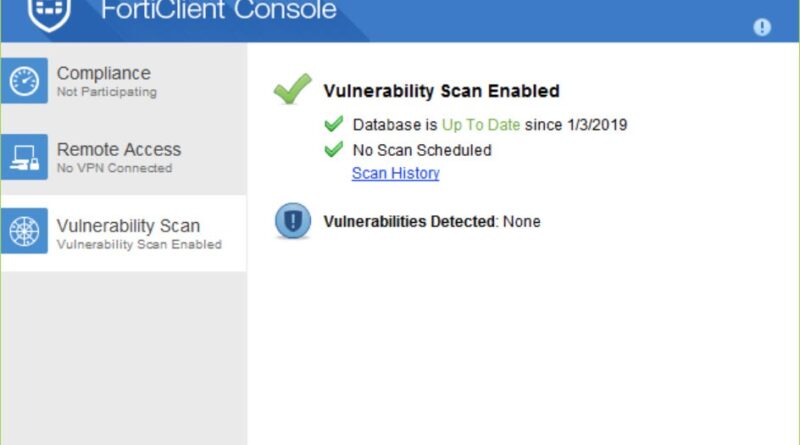
VPN FortiClient for Windows – Compatibility, License, and Features
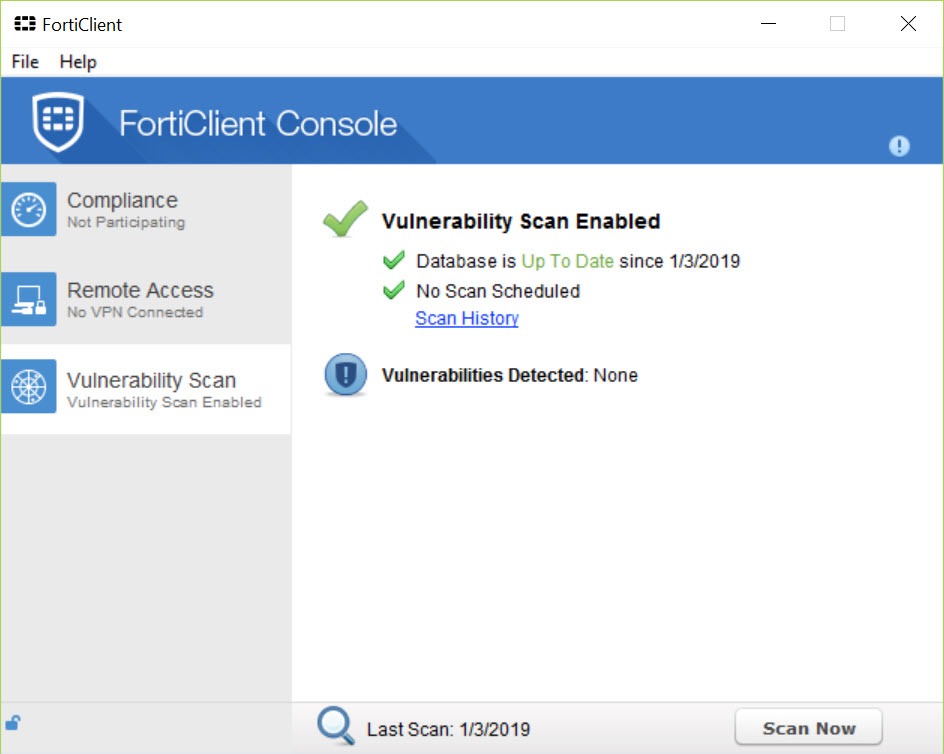
The VPN FortiClient for Windows is a powerful software that protects your network from threats and provides real-time security. It is compatible with Windows operating systems and can be used on endpoints for advanced security capabilities.
The FortiClient software functions as a VPN client, allowing secure connections to be established for remote access or when running applications on the web. It also includes a firewall and web filtering to ensure that your network is protected from malicious threats.
The FortiClient software is free to download and use. It provides antivirus and malware protection, including real-time threat detection and filtering. With FortiClient, you can rest assured that your network is secure from any potential threat.
For more information on the compatibility, license, and features of FortiClient 7070345, including installation instructions and details on its capabilities, please visit the FortiClient website. If you have any questions or need assistance, the FortiClient staff is available to help you.
VPN FortiClient for Windows – Compatibility, License, and Features
The VPN FortiClient for Windows is a powerful client software that allows users to establish secure and private connections to remote networks. It provides advanced security features and protects against various threats, including malware and web-based attacks.
Compatibility and License
The FortiClient VPN software is compatible with Windows operating systems and can be used on both 32-bit and 64-bit versions. It is available as freeware, allowing users to download and use the client for free.
To use the VPN FortiClient, you will need a valid license. There are different licensing options available, including a free version with limited features, and paid versions that provide additional capabilities and functionality.
Features and Protection

The VPN FortiClient offers a range of features to enhance security and protect your network connections. It has a built-in firewall that filters and blocks unwanted traffic, ensuring that only authorized applications can run on your endpoint.
In addition to firewall capabilities, the FortiClient provides real-time malware protection. It scans and detects malware threats on the fly, ensuring that your system is always protected against the latest threats.
Furthermore, the FortiClient VPN software allows for advanced web filtering, giving you control over the websites and applications that can be accessed through the VPN connection. This helps to prevent unauthorized access to sensitive information and enhances overall network security.
Installation and Usage
To install the FortiClient VPN software, simply download the appropriate version from the official website. Once installed, you can configure the client to connect to your desired VPN server.
The FortiClient provides a user-friendly interface and makes it easy to manage and monitor your VPN connections. You can view detailed information about your connections, including the time of connection and current usage statistics.
Please note that while the FortiClient VPN software is powerful and feature-rich, there are also other VPN solutions available. Some popular alternatives include ShrewSoft VPN and Malwarebytes VPN, each with their own unique features and capabilities.
Download FortiClient 7070345
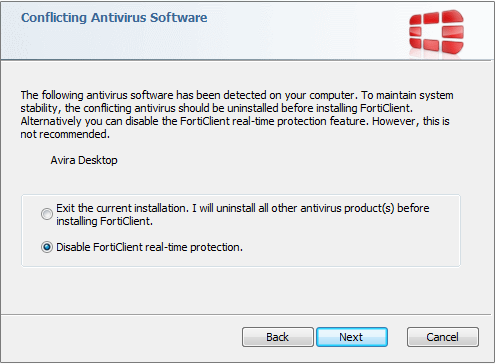
FortiClient 7070345 is the latest version of FortiClient, a VPN client and antivirus software that provides advanced security capabilities for Windows. This version is compatible with Windows operating systems and offers a wide range of features to protect your network and client information.
The FortiClient 7070345 software includes a VPN function, allowing you to create secure connections and access resources on your network from anywhere. This VPN feature also provides real-time threat filtering, protecting your device from malware and other online threats.
In addition to its VPN capabilities, FortiClient 7070345 offers an antivirus function that protects your device from various security threats. It scans and filters both incoming and outgoing traffic, ensuring that your system is safe from malware and other potential risks.
The installation process of FortiClient 7070345 is simple and can be completed quickly. Once installed, you can easily configure the software to meet your specific security needs. The user-friendly interface allows for easy navigation and provides detailed information and usage statistics.
FortiClient 7070345 is a free software, which means you can download and use it without any cost. It provides essential security features for your Windows device, including advanced firewall capabilities and real-time threat protection.
Forticlient 7070345 has been tested on various applications and software, ensuring compatibility with different network environments. It provides a reliable and secure connection, allowing you to browse the web and access network resources without compromising security.
Overall, FortiClient 7070345 is an advanced security solution that protects your device from both known and unknown threats. By downloading this version, you can ensure that your Windows device is well-protected and secure.
Features of FortiClient
FortiClient is a versatile software that provides advanced security features for Windows users. It is compatible with Windows operating systems and offers a range of capabilities to protect your endpoint devices from threats.
- Antivirus and Malware Protection: FortiClient includes real-time antivirus and malware protection to safeguard your system from potential security threats. Its powerful scanning engine can detect and remove viruses, spyware, and other malicious software.
- Firewall Filtering: FortiClient offers firewall functionality that allows you to filter network traffic and block unauthorized access. This feature helps in preventing intrusions and protects your system from external attacks.
- VPN Functionality: FortiClient includes VPN capabilities that allow you to securely connect to remote networks. It ensures the confidentiality and integrity of your data while transmitting over a public network.
- Web Filtering: FortiClient provides web filtering capabilities to block access to malicious or inappropriate websites. It helps in preventing phishing attacks and ensures safe browsing for users.
- Endpoint Protection: FortiClient delivers comprehensive endpoint protection by combining antivirus, firewall, and VPN functionalities. It offers real-time threat intelligence and detects and blocks advanced threats.
- Easy Installation and Usage: FortiClient can be easily downloaded and installed on Windows devices. It provides user-friendly instructions for quick setup and configuration. Users can run the software with minimum effort.
- Compatibility with Other Applications: FortiClient is compatible with various applications and can be integrated seamlessly with existing security systems. It enhances the overall security posture of your network and ensures comprehensive protection.
FortiClient 7070345 is a freeware version of FortiClient that includes all the essential features mentioned above. It provides advanced security functionalities for Windows users, making it an ideal choice for individuals and businesses.
FortiClient 7070345 Endpoint protection app for Windows
FortiClient 7070345 is an endpoint protection app specifically designed for Windows. It offers comprehensive security features to protect your device and network from malware threats in real-time. This freeware software is licensed for free usage and provides advanced capabilities for antivirus and firewall protection.
Being compatible with Windows, FortiClient 7070345 allows you to run the client on your device while filtering and protecting your network. It ensures the safety of your applications and web usage by blocking malicious content and unauthorized access.
FortiClient 7070345 provides a user-friendly interface with easy-to-follow instructions for download and installation. Once installed, it offers a wide range of security features, including malware protection, firewall, VPN, and more. It also supports compatibility with other VPN clients, such as ShrewSoft, making it versatile and convenient for different usage scenarios.
The endpoint protection function of FortiClient 7070345 ensures the safety of your device and network by constantly monitoring and defending against malware threats. It runs in background mode, providing real-time protection without interrupting your regular activities on Windows.
In summary, FortiClient 7070345 is a powerful endpoint protection app for Windows that offers a comprehensive set of security features, including antivirus, firewall, and VPN capabilities. It is easy to download and install, providing real-time protection against malware threats. To ensure the safety and security of your device and network, consider using FortiClient 7070345 for enhanced protection.
Download
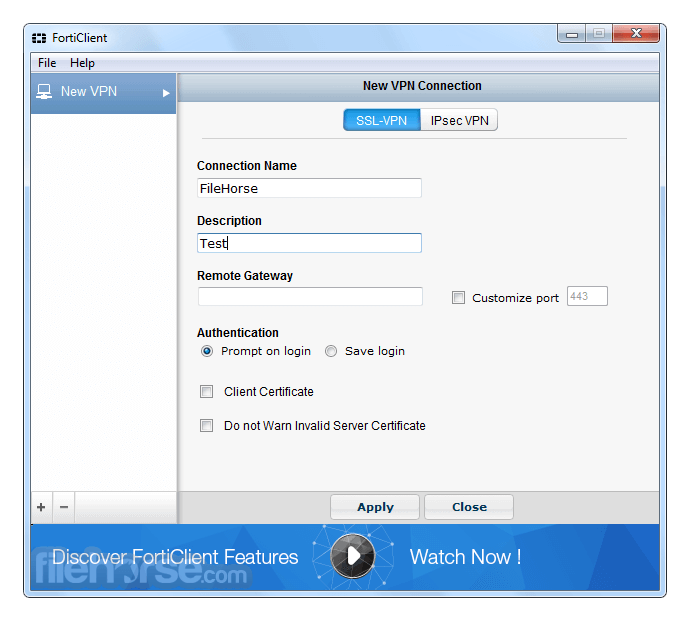
If you’re looking to download the VPN FortiClient for Windows, compatibility should be one of your top considerations. The FortiClient software is compatible with Windows, making it an ideal choice for users who want to ensure their online security while using this operating system.
When it comes to security, the FortiClient VPN offers a robust set of features. With its advanced firewall and antivirus capabilities, the VPN FortiClient can provide real-time protection against malware threats. This means that your personal and sensitive information is safe from potential attacks while connected to the VPN.
Downloading the FortiClient VPN is easy, as the application is available as freeware. This means that you can download and use it for free, without any time restrictions. The software is regularly tested and updated to ensure the best performance and protection.
Once you have downloaded and installed the FortiClient VPN, you can enjoy a wide range of features and functions. The software allows for multiple VPN connections, so you can securely access different networks and applications. It also provides web filtering capabilities, allowing you to block unwanted advertisements and filter out potentially harmful websites.
If you’re unsure about how to download the FortiClient VPN for Windows or need further instructions, you can refer to the official website or seek assistance from their support staff. They can guide you through the download process and provide additional information on how to use the software on your Windows device.
FortiClient: All-in-One Security Solution for Windows
FortiClient is a powerful and comprehensive security software designed for Windows users. It is an all-in-one solution that combines the features of a VPN, antivirus, firewall, and endpoint protection. Tested and trusted by thousands of users, FortiClient provides advanced security capabilities to safeguard your network and protect your data in real-time.
Key Features:
- Virus and Malware Protection: FortiClient’s antivirus and anti-malware capabilities ensure that your system is protected from various threats, including viruses, spyware, and ransomware.
- VPN Function: This feature allows you to create secure and encrypted connections, ensuring your online activities are private and protected from prying eyes.
- Firewall and Web Filtering: FortiClient’s built-in firewall and web filtering capabilities give you control over the websites and content accessed on your device, keeping unwanted and potentially harmful sites at bay.
- Endpoint Protection: FortiClient protects your endpoints, such as laptops and mobile devices, from threats and vulnerabilities, ensuring your data is safe, even outside your network.
Compatibility and Installation
FortiClient is compatible with Windows operating systems, including Windows 7, 8, and 10. It is available as a free download from the official Fortinet website.
To install FortiClient on your Windows device, follow these simple instructions:
- Visit the Fortinet website and navigate to the FortiClient download page.
- Choose the appropriate version of FortiClient for your operating system.
- Click on the download link to start the download process.
- Once the download is complete, run the installation file.
- Follow the on-screen instructions to complete the installation.
Usage and Protection
Once installed, FortiClient runs in the background and provides real-time protection from various threats. It constantly monitors your system for any suspicious activity and blocks malicious files and websites.
In addition to its advanced security features, FortiClient also offers detailed reporting and monitoring capabilities. You can view information about network connections, threat detections, and usage details to keep track of your device’s security status.
For more information about FortiClient and its features, including licensing details and advanced capabilities, please visit the official Fortinet website. Stay protected with FortiClient’s comprehensive security solution on Windows!
Software that provides advanced threat protection including antivirus firewall web filtering and VPN capabilities
In today’s digital age, it is crucial to have robust security measures in place to protect your system from various threats. One such software that is specifically designed to provide comprehensive protection is VPN FortiClient for Windows.
VPN FortiClient is an advanced software that offers a range of capabilities, including antivirus, firewall, web filtering, and VPN features. These features work together to protect your system and network from malware, viruses, and other online threats.
With VPN FortiClient, you can enjoy a secure and private connection to the internet, even when accessing public Wi-Fi networks. This software allows you to browse the web anonymously and encrypts your data, ensuring that your sensitive information remains protected.
One of the key features of VPN FortiClient is its compatibility with Windows operating systems. Whether you are using Windows 7, 8, or 10, this software is designed to run smoothly and provide reliable protection.
VPN FortiClient is available for free as a freeware version, which offers basic protection. However, for more advanced features and capabilities, you can opt for the licensed version, which provides additional benefits and enhanced security measures.
Installing VPN FortiClient on your Windows system is a simple process. Just follow the instructions provided during the installation, and within no time, you will have a powerful software running to safeguard your system.
In addition to its antivirus and firewall functions, VPN FortiClient also offers web filtering capabilities. This feature allows you to control and limit access to certain websites or content, making it an ideal software for families or organizations.
Overall, VPN FortiClient is a reliable and comprehensive software that provides advanced threat protection for your Windows system. Whether you are concerned about malware, viruses, or unauthorized access, this software has the features and capabilities to keep your system secure.
What version of Windows can FortiClient run on
FortiClient is compatible with various version of Windows, including Windows 7, Windows 8, and Windows 10. This compatibility allows for widespread usage and protection across different Windows operating systems.
FortiClient provides advanced security features for Windows users, including real-time malware protection and firewall capabilities. The software allows for the filtering and blocking of malicious websites and applications, protecting users from online threats.
In addition to compatibility with Windows, FortiClient also offers support for other VPN clients such as ShrewSoft VPN client, allowing for seamless integration within existing network infrastructures.
FortiClient is available for free download and usage. The freeware license provides users with access to a wide range of features and capabilities, including endpoint protection and advanced threat detection.
Installation instructions for FortiClient on Windows are provided in detail, ensuring a smooth and hassle-free setup process. The software allows for easy configuration of VPN connections, providing secure access to the network.
For more information on the compatibility of FortiClient with your Windows version, please refer to the official FortiClient website or contact the support staff for further details.
More information
The FortiClient VPN software provides advanced endpoint protection, including antivirus, firewall, and malware threat detection. It is compatible with Windows operating systems and can be downloaded for free from the Fortinet website.
FortiClient 7070345 allows you to run the VPN client on your Windows device, protecting your network from threats in real-time. The software has been tested and provides reliable protection against malware and other malicious applications.
In addition to its security capabilities, FortiClient also provides compatibility with other VPN software, including ShrewSoft VPN and the web-based FortiClient VPN client. This allows for flexible and easy usage of the software depending on your specific needs.
FortiClient is a versatile application that goes beyond VPN functionality. It offers advanced firewall features, web filtering, and real-time threat protection. With the freeware version of FortiClient, you can enjoy some of these features for free, while the paid versions provide even more capabilities.
If you need more information on the installation and usage of FortiClient, please refer to the instructions provided on the Fortinet website. FortiClient ensures secure remote endpoint protection for Windows devices, providing peace of mind for both users and IT staff.
With FortiClient, you can have the confidence that your Windows device is protected against various threats and vulnerabilities, both known and unknown. So, whether you are an individual user or a part of an organization, FortiClient is a reliable choice for VPN and endpoint protection.
Compatibility and License
The VPN FortiClient for Windows is designed to be compatible with various versions of Windows operating systems, including Windows 7, 8, and 10. This ensures that users can take advantage of its capabilities regardless of the version of Windows they are using.
This software provides advanced threat protection for endpoints, making it suitable for both personal and business use. It includes antivirus and firewall features to filter and block malware, ensuring the security of your network and information.
The FortiClient for Windows VPN client is available as a free download and is licensed as freeware. This allows users to take advantage of its features without any additional cost. The installation instructions are straightforward and can be followed by both technical and non-technical staff.
With the VPN FortiClient for Windows, users can establish secure VPN connections to access their network resources remotely. This means they can run applications and access files as if they were directly connected to the network, providing flexibility and convenience.
In addition to its VPN capabilities, the FortiClient for Windows also provides real-time protection against threats. It can detect and block malware in real-time, preventing any potential damage to your system. This feature is particularly useful for businesses that deal with sensitive information and need to ensure the security of their endpoints.
For more advanced security features, the FortiClient for Windows can be used in conjunction with other Fortinet products, such as FortiGate firewalls. This allows for more comprehensive protection and monitoring of network traffic, ensuring that no malicious activities go unnoticed.
In summary, the compatibility and license of the VPN FortiClient for Windows make it a reliable choice for both personal and business use. Its advanced security features, compatibility with different versions of Windows, and freeware license provide users with a comprehensive and cost-effective solution for their endpoint protection needs.
Вопрос-ответ:
How can I download FortiClient for Windows?
You can download FortiClient for Windows by going to the official Fortinet website and navigating to the downloads section. From there, you can select the Windows version of FortiClient and click on the download link to begin the downloading process.
What are the features of FortiClient?
FortiClient provides advanced threat protection for Windows and includes features such as antivirus, firewall, web filtering, and VPN capabilities. It is a comprehensive endpoint protection app that helps keep your computer safe from various cyber threats.
Can FortiClient run on any version of Windows?
FortiClient can run on various versions of Windows, including Windows 7, Windows 8, and Windows 10. However, it is recommended to check the compatibility requirements on the official Fortinet website to ensure that your specific Windows version is supported.
Is there a license required to use FortiClient?
Yes, there is a license required to use FortiClient. However, Fortinet offers both free and paid versions of FortiClient, so you can choose the option that best fits your needs. The free version of FortiClient provides basic features, while the paid version offers additional advanced features and support.
Where can I find more information about FortiClient?
You can find more information about FortiClient, including its features, compatibility, and licensing details, on the official Fortinet website. They provide comprehensive documentation and resources to help users understand and effectively use FortiClient for Windows.
Видео:
How To Fix Unable To Establish The VPN Connection. The VPN Server Maybe Unreachable. In FortiClient
How To Fix Unable To Establish The VPN Connection. The VPN Server Maybe Unreachable. In FortiClient by KNOW IT FAST 1 year ago 1 minute, 37 seconds 38,394 views
