Secure Your Brave Browsing with Brave Browser Firewall and NordVPN’s Onion Over VPN Servers

When it comes to browsing the internet, it is important to prioritize your online security and privacy. With the increasing number of cyber threats and data breaches, finding a browser and VPN combination that provides a secure and private browsing experience is essential.
If you’ve been looking for a reliable and user-friendly browser, you need to get Brave Browser. Brave Browser is a free and open-source browser that not only provides a fast browsing experience but also includes built-in features to enhance your security and privacy.
Brave Browser has an impressive built-in ad blocker that blocks unwanted ads and trackers, making your browsing experience faster and more secure. Additionally, Brave Browser’s built-in tracker blocker prevents third parties from tracking your online activity, ensuring that your data remains private.
To further enhance your security and privacy, you can combine Brave Browser with NordVPN’s Onion Over VPN servers. NordVPN is one of the most reliable and secure VPN services in the world, providing you with a secure encrypted tunnel to browse the internet anonymously.
By using NordVPN’s Onion Over VPN servers in combination with Brave Browser, you can add an extra layer of security to your browsing. The Onion Over VPN servers route your internet traffic through the Tor network, making it nearly impossible for anyone to track your online activities or trace them back to your IP address.
In addition to NordVPN, other VPN services like CyberGhost and PIA also offer multi-hop VPN connections for maximum anonymity. These multi-hop VPN connections allow you to select multiple VPN servers and route your traffic through different locations, further masking your online identity.
In conclusion, if you want to secure your brave browsing and protect your online privacy, consider using Brave Browser with NordVPN’s Onion Over VPN servers. This combination offers a secure and private browsing experience, ensuring that your data remains protected while you explore the internet.
Protect Your Online Privacy with Brave Browser’s Built-in Firewall
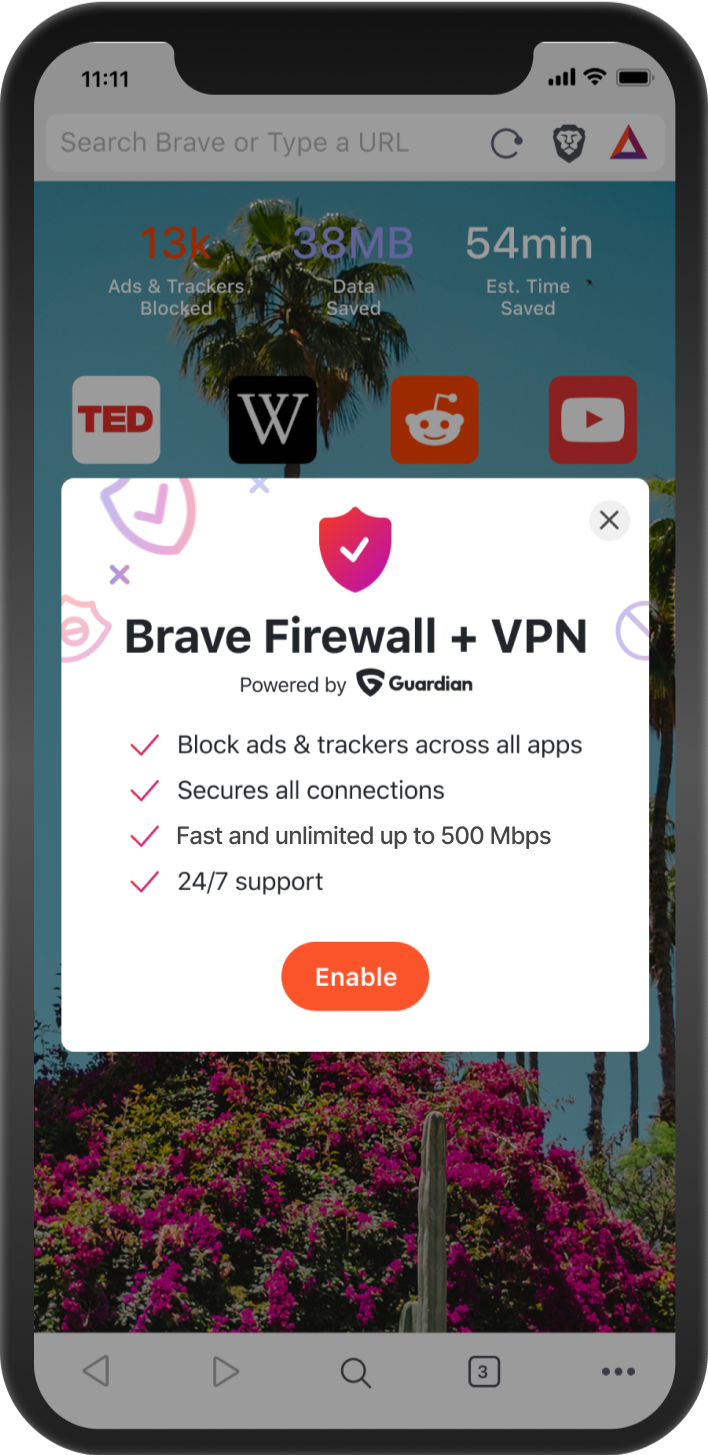
When it comes to safeguarding your online privacy, Brave Browser’s built-in firewall is a smart choice. With its strict security measures and impressive abilities, this open-source browser ensures that your browsing activities are protected from malicious attacks and prying eyes.
One of the best features of Brave Browser’s firewall is its ability to encrypt your internet connections. This means that all your online activities are encrypted and secure, making it difficult for anyone to intercept or record your data. Whether you’re browsing websites, streaming media, or using online services, you can be confident that your information is safe.
Unlike other browsers, Brave Browser’s firewall goes a step further by offering built-in proxy support. This allows you to enhance your privacy by using proxies from trusted providers. By connecting to these proxies, you can mask your IP address and browse the internet anonymously.
Another essential feature of Brave Browser’s firewall is its integration with NordVPN’s Onion over VPN servers. These servers provide an additional layer of privacy and security by routing your internet traffic through the Tor network. This makes it extremely difficult for anyone to track your online activities or identify your real IP address.
Brave Browser’s firewall also works seamlessly with other popular VPN services, such as ExpressVPN and PIA. Whether you’re using NordVPN or any other VPN provider, you can easily install and connect to their servers within the browser’s interface. This ensures that all your online connections are encrypted and private, no matter which VPN service you choose.
In comparison to other browsers, Brave Browser’s firewall offers impressive speeds and reliable connections. Whether you’re streaming videos, downloading files, or simply browsing the web, you can enjoy ultra-fast speeds without compromising your privacy. With unlimited bandwidth and plenty of server locations to choose from, you’ll have a smooth and secure browsing experience every time.
So, why wait? Install Brave Browser’s firewall and ensure that your online privacy is protected. With its advanced security features, strict encryption, and compatibility with popular VPN services, you can browse the internet safely and confidently. Don’t let others invade your privacy – choose Brave Browser’s built-in firewall to safeguard your online activities.
Enhance Your Security with NordVPN’s Onion Over VPN Servers
When it comes to online security, using a virtual private network (VPN) is crucial. However, if you want to take your security to the next level, using NordVPN’s Onion Over VPN servers is the way to go. This combination offers enhanced protection and privacy for your browsing activities.
What is Onion Over VPN?
Onion Over VPN is a feature offered by NordVPN that combines the power of the Tor network and VPN technology. It allows you to route your internet traffic through NordVPN’s servers first, and then through the Tor network, adding an extra layer of encryption and anonymity to your online activities.
Why should I use Onion Over VPN?
Using Onion Over VPN provides several advantages. First and foremost, it ensures that your online activities and personal information are protected from snoops and unwanted eyes. Additionally, it allows you to access websites and content that may be blocked in your region.
How does it work?
When you activate Onion Over VPN, NordVPN creates a secure connection between your device and their VPN servers. From there, your traffic is encrypted and sent to the Tor network. This means that your internet service provider, as well as any potential attackers or trackers, won’t be able to see your browsing activities.
How to start using Onion Over VPN
To start using Onion Over VPN, all you need to do is install the NordVPN application on your device. It is available for Windows, Mac, Android, iOS, and more. Once installed, simply choose an Onion Over VPN server from the list and connect. NordVPN also offers detailed setup tutorials and FAQs on their website to help you get started.
Is Onion Over VPN free?
No, Onion Over VPN is not offered for free. However, NordVPN offers affordable pricing plans, and using Onion Over VPN is included in their subscription. So, you can enjoy the enhanced security and privacy without any extra costs.
Conclusion
In conclusion, enhancing your security with NordVPN’s Onion Over VPN servers is a smart choice. It offers an extra layer of encryption and anonymity to protect your online activities. Whether you’re concerned about privacy, accessing blocked content, or browsing safely, taking advantage of Onion Over VPN can give you the peace of mind you need.
Enjoy Anonymous Browsing and Protection from Brave Browser
The Brave browser offers a range of features designed to enhance your browsing experience and protect your personal information. One of the key features is the built-in firewall, which adds an extra layer of security to your browsing sessions. Whether you’re using Brave on your iPad, Windows PC, or Linux device, the firewall ensures that your connections are secure.
With Brave’s firewall, you can rest easy knowing that your online activities are shielded from unwanted tracking and analysis. It works silently in the background, blocking dangerous and potentially harmful connections. This allows you to browse the web with peace of mind.
Choosing Brave as your browser also means enjoying faster and more efficient browsing. The Brave browser is known for its speed and efficiency, with a focus on blocking ads and trackers to ensure a smoother experience. Plus, with the option to open tabs with a quick click, you can easily switch between multiple websites without slowing down.
In addition to its security and speed features, Brave also offers compatibility with a wide range of services. Whether you use it for basic browsing, torrenting, or downloading, Brave has the necessary features to support your needs. Its user-friendly interface makes it easy to customize your browsing experience and adapt it to suit your preferences.
If you want to take your security and anonymity to the next level, you can even combine Brave with a VPN service like NordVPN. NordVPN’s Onion over VPN servers provide an extra layer of protection, routing your traffic through the Tor network before it reaches its destination. This further ensures that your online activities remain hidden from prying eyes.
In conclusion, Brave browser is an ideal choice for those who value security, privacy, and speed. Its firewall feature, combined with other security enhancements and compatibility with various services, makes it a top choice for anyone looking for a reliable and secure browsing experience. Give Brave a try today and experience the benefits it has to offer.
Benefit from NordVPN’s Double Layer of Encryption with Onion Over VPN
When it comes to online security and privacy, you should always take extra precautions to protect your sensitive information. That’s where NordVPN’s Onion Over VPN feature comes in handy. By combining the power of NordVPN’s top-notch encryption and the Tor network, you can ensure that your online activities are kept safe and anonymous.
Onion Over VPN provides an extra layer of security by encrypting your internet traffic not once, but twice. This double layer of encryption helps to prevent any unwanted surveillance or monitoring of your online activities. By routing your traffic through NordVPN’s servers first and then through the Tor network, you can ensure that your real IP address is hidden and your online identity is protected.
One of the main benefits of using NordVPN’s Onion Over VPN is the ability to access the Tor network without the need for any additional software or configurations. By simply choosing one of NordVPN’s Onion Over VPN servers, you can enjoy the benefits of Tor without having to switch between different applications or locations.
Whether you’re using NordVPN on Windows, macOS, Linux, or Android, Onion Over VPN is compatible with all major platforms, ensuring that you can enjoy its impressive security features on any device. This also includes the NordVPN browser extensions for Chrome and Firefox, allowing you to enhance your online security even further.
By using NordVPN’s Onion Over VPN, you can also benefit from the top-notch performance and unlimited bandwidth that NordVPN is known for. This means that you can browse the internet, stream content, and download files at high speeds, all while enjoying the enhanced security and anonymity that Onion Over VPN provides.
In summary, using NordVPN’s Onion Over VPN feature is a great way to enhance your online security and privacy. The double layer of encryption protects your sensitive information from any potential risk, while the ability to access the Tor network without compromising performance allows you to browse the internet anonymously. Whether you’re a regular user or a tech-savvy individual, NordVPN’s Onion Over VPN is a must-have feature for anyone who wants to stay safe and secure online.
Safeguard Your Internet Connection with Brave Browser Firewall
With the growing threat of cyber attacks and online surveillance, it is crucial to ensure the security of your internet connection. Brave Browser’s firewall feature provides a global layer of protection, making your browsing experience safer and more secure.
Brave Browser’s firewall works by blocking malicious content and preventing unauthorized access to your personal information. It filters out unwanted ads, trackers, and other potential threats, protecting your sensitive data from snoops and hackers.
One of the standout features of Brave Browser’s firewall is its compatibility with NordVPN’s Onion over VPN servers. This onion routing protocol adds an extra layer of security by encrypting your internet traffic and routing it through multiple volunteer-operated servers. This makes it nearly impossible for anyone to trace your online activities or identify your real IP address.
When using Brave Browser with NordVPN’s Onion over VPN servers, you can also ensure that your connection is private and anonymous. This is especially important if you frequently access sensitive information or engage in activities that require a high level of privacy.
Another advantage of using Brave Browser’s firewall is that it is free to use. Unlike other specialty browser extensions or apps, Brave Browser offers this feature as part of its core offering, without any additional cost or limited time trials. This means that you can enjoy a secure browsing experience without having to pay extra or worry about time limitations.
Additionally, Brave Browser’s firewall is compatible with Windows, Mac, and Linux operating systems, making it accessible to a wide range of users. Whether you are a casual internet user or a tech-savvy professional, you can easily integrate this feature into your preferred browsing platform.
In conclusion, if you want to ensure the security and privacy of your internet connections, Brave Browser’s firewall is a reputable and reliable solution. By combining the power of Brave Browser’s browsing capabilities with NordVPN’s Onion over VPN servers, you can make your online activities more secure and protect your personal information from prying eyes.
Achieve Ironclad Security with NordVPN’s Onion Over VPN Feature
When it comes to online security and privacy, NordVPN is a well-known name that offers plenty of features to ensure a full, protected browsing experience. One of these impressive features is Onion Over VPN, which takes your security to the next level.
Onion Over VPN combines the power of NordVPN’s secure VPN network with the Tor network’s anonymity. By routing your traffic through multiple encrypted servers, this feature masks your IP address and ensures that your online activities remain hidden from prying eyes.
With NordVPN’s Onion Over VPN, you can surf the web with peace of mind, knowing that your sensitive information and browsing history are protected. This feature blocks malicious websites and malware, making sure that you stay safe while exploring the online world.
But why should you choose NordVPN’s Onion Over VPN instead of other VPN providers? Firstly, NordVPN is known for its reliability and top-notch security features. Their VPN network spans across the globe, with plenty of servers in different locations, including Australia. This ensures that you can connect to the VPN with unlimited bandwidth and enjoy fast and secure browsing.
NordVPN’s Onion Over VPN also takes steps to ensure the privacy of its users. They have a strict no-logs policy, which means they don’t record any of your online activities or personal information. This level of privacy protection is crucial in today’s world, where data breaches and unauthorized access are a constant issue.
Furthermore, NordVPN’s Onion Over VPN is continuously tested to ensure its reliability and abilities to block unwanted content. It prevents any non-VPN or proxy connections and protects your browsing experience from unwanted ads and extensions. Additionally, the feature is based on the Chromium browser engine, the same engine used by popular browsers like Brave and Google Chrome.
To make the deal even better, NordVPN offers a user-friendly interface and easy-to-use apps for various platforms. With their VPN, you can enjoy the convenience of a VPN manager that automates the connection process and ensures that you are always masked and protected.
In conclusion, if you’re looking for ironclad security and want to ensure your privacy while browsing the internet, NordVPN’s Onion Over VPN feature is a reliable and impressive choice. With its powerful VPN network, ability to block unwanted content, and commitment to user privacy, NordVPN offers the protection you need to stay safe in the digital world.
Ensure Your Web Traffic Remains Private with Brave Browser Firewall
When it comes to protecting your online privacy, the Brave Browser Firewall is an excellent choice. This innovative feature enhances the security of your browsing experience by blocking unwanted tracking and ensuring that your web traffic remains private.
One of the advantages of using Brave Browser is its built-in firewall, which offers a great alternative to using third-party extensions or plugins. With the Brave firewall, you can browse the internet with peace of mind, knowing that your data is protected from prying eyes.
The Brave Browser Firewall works by blocking unwanted connections and preventing websites from collecting your personal information. This means that you can surf the web without being tracked or targeted by third parties who may have nefarious intentions.
Unlike other browsers that rely on external VPN services, Brave Browser’s firewall is fully integrated, making it easier to use and install. You don’t need to waste time searching for a reliable VPN extension or worry about the installation process.
Additionally, Brave Browser Firewall allows you to take advantage of VPN protocols like NordVPN’s Onion Over VPN servers or Surfshark’s industry-leading security. By connecting to these servers, you can further enhance your online privacy and ensure that your web traffic remains secure.
In terms of usability, the Brave Browser Firewall is highly adjustable. You can customize its settings according to your preferences, making your online experience even safer. Whether you’re browsing the web casually or engaging in more sensitive activities like online banking or shopping, the firewall ensures that your personal information stays protected.
Brave Browser offers many other great features in addition to its firewall. The browser has a built-in ad-blocker, which reduces the risk of encountering unwanted and potentially malicious advertisements. It also has a strict no-logs policy, ensuring that your browsing history remains private and is not recorded.
To start using Brave Browser Firewall, simply download and install the browser on your device. Whether you’re using Windows, macOS, or Linux, Brave Browser can be downloaded and installed in just a few short steps.
With its fully-loaded features and emphasis on privacy and security, Brave Browser Firewall is a great choice for anyone looking for a safer and more private browsing experience. Make sure to give it a try and see the difference it can make in keeping your web traffic secure.
Access Restricted Content Safely with NordVPN’s Onion Over VPN
NordVPN’s Onion Over VPN is a feature that enhances your browsing experience by providing a secure and private connection to the internet. It allows you to access restricted content and websites with ease, while keeping your online activities hidden from prying eyes.
One of the key features of NordVPN’s Onion Over VPN is its strict no-logs policy. This means that your online activities are not recorded or stored, ensuring your privacy and anonymity. This is in comparison to other popular VPN services, such as CyberGhost and PIA, which may have limited logging practices.
By using NordVPN’s Onion Over VPN, you can connect to the internet through a global server base, giving you access to websites and content that may be restricted in your location. With servers in locations all around the world, you can easily bypass censorship and access the information you need.
In addition, NordVPN’s Onion Over VPN offers ultra-fast connections, which means you can browse the web without buffering or experiencing slowdowns. This is especially important for streaming services or accessing content that requires a high-speed connection.
To activate NordVPN’s Onion Over VPN, all you need to do is connect to one of NordVPN’s servers and enable the feature within the settings. This makes it easy for even the most novice users to enjoy the benefits of enhanced security and privacy.
NordVPN’s Onion Over VPN also offers adjustable encryption settings, allowing you to choose the level of security that suits your needs. Whether you’re browsing at home, in a coffee shop, or using a public Wi-Fi connection, you can adjust the encryption to ensure your data is protected.
With NordVPN’s Onion Over VPN, you can access the dark web and browse hidden websites without compromising your privacy or security. This is a great feature for users who need to visit certain websites or access content that is not available on the regular internet.
In summary, NordVPN’s Onion Over VPN is a complete solution for enhancing your online browsing experience. It offers secure and private connections, access to restricted content, and adjustable security settings. Whether you’re a casual user or a privacy enthusiast, NordVPN’s Onion Over VPN is a great tool to have.
Securely Browse the Web with Brave Browser’s Advanced Firewall
Brave Browser’s Advanced Firewall is a prime feature that sets it apart from other browsing options. With this advanced firewall, you can ensure your online activity stays private and protected at all times.
Here’s what Brave Browser’s Advanced Firewall offers:
- Full Protection: Brave Browser’s firewall will block all unwanted and malicious connections from reaching your device, keeping you safe from cyber threats.
- Easy to Install: The Brave Browser extension is compatible with all major browsers, making it incredibly easy to set up and start using.
- Privacy at Every Layer: Brave Browser’s firewall protects your personal information and browsing history, ensuring that it remains secure and private.
- Top Reputable Services: Brave Browser has partnered with reputable VPN services like NordVPN, CyberGhost, and ExpressVPN. These services offer unlimited browsing and multi-hop servers to further enhance your security.
- Risk-Free Browsing: By using Brave Browser’s Advanced Firewall in conjunction with NordVPN’s Onion Over VPN servers, you can browse the web without any compromises or risks, ensuring that your online activities are fully protected.
With Brave Browser’s Advanced Firewall, you no longer have to worry about your online security. Enjoy safer browsing with this powerful tool that protects you from all cyber threats.
Protect Your Data with NordVPN’s Onion Over VPN Servers
In today’s digital age, it’s more important than ever to protect your data from snoops and hackers. One useful tool that can enhance your online security is a virtual private network (VPN). NordVPN’s Onion Over VPN servers provide an extra layer of encryption to keep your data safe.
When you connect to NordVPN’s Onion Over VPN servers, your browsing becomes fully encrypted and anonymous. This means that even if someone is able to compromise your connection, they won’t be able to access your data. Plus, the large number of NordVPN servers accessible through the Onion network ensures that you will always have a fast and reliable connection.
One advantage of using NordVPN’s Onion Over VPN servers is the seamless connectivity it provides. You can use this feature with NordVPN’s user-friendly application and enjoy secure browsing without any additional setup. Whether you’re a tech-savvy user or new to VPNs, NordVPN’s Onion Over VPN servers are compatible with all devices and operating systems, including Android and iOS.
The Benefits of NordVPN’s Onion Over VPN Servers
- Enhanced security: By encrypting your data twice, NordVPN’s Onion Over VPN servers keep your information safe from prying eyes.
- Access to blocked websites: NordVPN’s Onion Over VPN servers allow you to bypass geo-restrictions and access websites that may be blocked in your location.
- Protection against data leaks: The double encryption provided by Onion Over VPN servers ensures that your data stays private even if there is a leak in the VPN connection.
- Improved anonymity: By routing your traffic through the Tor network, NordVPN’s Onion Over VPN servers add an extra layer of anonymity to your browsing activities.
So, if you’re looking to keep your data safer while browsing the internet, NordVPN’s Onion Over VPN servers are an excellent choice. Download the NordVPN app today and take advantage of the enhanced security and privacy features it provides. With NordVPN’s Onion Over VPN servers, you can browse with peace of mind and protect your valuable information from any potential threats.
Defend Against Hackers and Malware with Brave Browser Firewall
In today’s digital age, having robust security measures in place is essential to protect your personal information from hackers and malware. One powerful tool that can help defend against these threats is the Brave Browser Firewall.
The Brave Browser Firewall is specifically designed to provide an extra layer of protection when browsing the web. It works by blocking malicious websites and preventing hackers from gaining access to your sensitive data. With this firewall, you can browse the internet with peace of mind, knowing that your personal information and online activities are secure.
One of the key features of the Brave Browser Firewall is its ability to block malware and intrusive ads. It uses advanced algorithms to detect and block malicious content, ensuring that your browsing experience is safe and free from unwanted distractions. By blocking these ads and trackers, the Brave Browser Firewall also helps to optimize your browsing speed, allowing you to load webpages faster.
The Brave Browser Firewall also offers a built-in VPN feature, which allows you to browse the internet anonymously. With a single click, you can activate the VPN and hide your IP address, making it difficult for third parties to track your online activities. This feature is especially useful when using public Wi-Fi networks or accessing sensitive websites, such as online banking or shopping platforms.
Moreover, the Brave Browser Firewall supports multiple protocols, including NordLynx, which offers fast and secure connections to NordVPN’s server network. With NordVPN’s Onion Over VPN servers, you can create a secure and anonymous browsing experience, as your internet traffic is routed through the Tor network. This ensures that your online activities are completely private and protected from prying eyes.
In addition to its robust security features, the Brave Browser Firewall offers a user-friendly interface, making it easy for everyone to navigate and customize their browsing settings. You can easily adjust the level of protection and choose which websites or content you want to block. There are also plenty of other useful features, such as tab management and a built-in search engine, making the Brave Browser Firewall a great alternative to other popular browsers like Chrome or Firefox.
In conclusion, the Brave Browser Firewall is a powerful tool for defending against hackers and malware. Its advanced features, including malware blocking, VPN support, and anonymous browsing, provide complete protection for your personal information and ensure a secure online experience. Whether you’re browsing the web, doing online banking, or streaming content, the Brave Browser Firewall is here to keep you safe and secure.
Enjoy High-Speed Streaming and Torrenting with CyberGhost on Brave
Brave Browser is known for its privacy-focused features and enhanced security. By combining it with the power of CyberGhost VPN, you can enjoy high-speed streaming and torrenting while keeping your online activities private and secure.
One of the main benefits of using CyberGhost VPN on Brave is the ability to access streaming platforms without any unwanted restrictions. Whether you want to watch your favorite movies and TV shows on Netflix, Hulu, or BBC iPlayer, CyberGhost VPN ensures that your connection is fast and reliable, allowing for seamless streaming experiences.
Not only does CyberGhost VPN enhance your streaming capabilities, but it also provides a secure environment for torrenting. With its robust encryption and anonymous server network, you can safely download torrent files without worrying about your online activities being tracked or monitored by third parties.
When using CyberGhost VPN on Brave, your IP address is masked and replaced with one from their server network, making it nearly impossible for anyone to trace your activities back to your real identity. This adds an extra layer of security and anonymity to your browsing experience.
Another advantage of using CyberGhost VPN on Brave is the ability to bypass geographical restrictions. Many websites and streaming platforms limit access to certain content based on the user’s location. With CyberGhost VPN, you can easily select a server from a different country and access content that is otherwise blocked in your region.
CyberGhost VPN also offers a range of other features that can enhance your browsing experience on Brave. These include advanced security measures, such as data encryption and malware protection, as well as the option to browse the web without leaving any traces behind.
In conclusion, CyberGhost VPN is a recommended VPN provider for Brave Browser users who want to enjoy high-speed streaming and torrenting while maintaining their privacy and security. With its extensive server network, fast connections, and advanced features, CyberGhost VPN is an excellent choice for anyone looking to enhance their Brave browsing experience.
Unlock Geo-Restricted Content with CyberGhost’s Optimized Servers
When it comes to accessing geo-restricted content, CyberGhost’s optimized servers are worth considering. These servers are designed to ensure faster and safer browsing, allowing you to access your favorite content from anywhere in the world.
Whenever you find yourself unable to access certain websites or streaming platforms due to geo-restrictions, CyberGhost’s optimized servers come to your rescue. These servers have a global base, which means you can connect to them from anywhere in the world and unlock the content you desire.
CyberGhost’s optimized servers also offer additional features and extensions that enhance your browsing experience. The adjustable settings allow you to choose the best protocol for your needs, and the smart DNS feature protects your DNS requests from snoops and analysis, ensuring your complete online safety.
Whether you’re traveling abroad, living in a country with limited internet freedom, or simply want to explore content from a different region, CyberGhost’s optimized servers will make sure you can always stay connected with the content you want.
Another advantage of using CyberGhost’s optimized servers is that they are designed to provide faster speeds, reducing any potential slowdowns that you might experience when accessing geo-restricted content. This means you can stream videos, download files, or engage in online activities without interruptions.
It’s also worth mentioning that while CyberGhost’s optimized servers focus on unlocking geo-restricted content, they don’t neglect your online security. With their advanced encryption and protection against malicious websites, you can rest assured that your browsing sessions are always protected from any dangerous threats.
So, if you’re looking for a solution to access geo-restricted content and ensure your online safety, consider using CyberGhost’s optimized servers. With their extensive global base, faster speeds, and enhanced protection features, they are the perfect choice to unlock the content you want and stay safe while doing so.
Experience Seamless Streaming and Downloading with CyberGhost on Brave
CyberGhost is a reputable VPN service that offers impressive features to ensure your streaming and downloading experience on Brave browser is seamless and secure.
One of the key features of CyberGhost is its large base of servers, which come in handy when you want to access popular streaming platforms like Hulu and Amazon Prime. With CyberGhost, you can browse and stream your favorite shows without buffering or geo-restrictions.
Another essential feature offered by CyberGhost is its optimized servers for P2P file sharing. Whether you want to download torrents or share files, CyberGhost provides fast and reliable connections that keep your personal data secure and your activities private.
CyberGhost also offers a built-in ad blocker and tracker blocker to block third-party trackers and ensure your browsing sessions are free from annoying ads and potential threats. This feature helps to enhance your online privacy and security.
With CyberGhost’s Onion over VPN feature, you can activate an additional layer of security by routing your traffic through the Tor network. This not only keeps your online activities anonymous but also protects you from surveillance and monitoring.
CyberGhost is available on various platforms, including Windows, Mac, iOS, and Android, so you can enjoy seamless streaming and downloading on Brave browser regardless of the device you’re using.
In summary, CyberGhost is a reliable VPN service that is optimized for streaming and downloading on Brave browser. Its impressive features include a large server base, P2P support, ad and tracker blocking, Onion over VPN, and compatibility with multiple platforms. By using CyberGhost, you can ensure a better browsing experience with enhanced privacy and security.
Optimize Your Browsing Experience with CyberGhost’s Streaming Servers
When it comes to streaming your favorite content online, CyberGhost’s streaming servers are an essential tool. Whether you’re watching movies, TV shows, or sports events, these specialized servers will provide you with a safer and more optimized browsing experience.
With CyberGhost’s streaming servers, you can say goodbye to annoying buffering times and blocked content. These servers act as a proxy, allowing you to seamlessly access streaming services like Hulu, Netflix, and Amazon Prime from anywhere in the world.
What makes CyberGhost’s streaming servers truly impressive is their compatibility with a wide range of devices and operating systems. Whether you’re using Windows, Mac, or Linux, CyberGhost will enhance your streaming experience with their fully-loaded and high-speed servers.
CyberGhost’s streaming servers also prioritize your privacy and security. By encrypting your connections and having a strict no-logs policy, you can browse the web without worrying about snoops or malicious actors. Additionally, their RAM-only servers guarantee that your data is wiped every time you disconnect.
With CyberGhost’s streaming servers, you can also enhance your experience on the dark web. By using their Onion Over VPN servers, you can access websites and services that are otherwise blocked or hidden. This combination of a VPN-enabled browser extension with CyberGhost’s streaming servers opens up a whole new world of possibilities.
If you’re wondering how to set up and start using CyberGhost’s streaming servers, their website provides a wealth of FAQs and guides to help you get started. Whether you’re a beginner or an experienced user, you’ll find all the information you need to optimize your browsing experience.
So why wait? Start working with CyberGhost’s streaming servers today and enjoy a safer, faster, and more convenient way to stream your favorite content from around the world.
Protect Your Privacy While Streaming and Torrenting on Brave Browser
Streaming and torrenting have become increasingly popular ways to access and enjoy content online. However, these activities can also leave you vulnerable to prying eyes and potential privacy breaches. Fortunately, with Brave Browser, you can ensure your privacy and security while streaming and torrenting.
Secure Your Streaming:
Brave Browser offers a range of privacy features that make your streaming experience safe and anonymous. By using Brave’s built-in VPN functionality, you can hide your browsing activities from snoops and enjoy your favorite content without any worry. Brave Browser also allows you to activate NordVPN’s Onion Over VPN servers for an extra layer of security, ensuring that your IP address remains concealed.
Torrent with Confidence:
Brave Browser provides a smart and secure way to torrent. Its advanced firewall feature creates a ram-only and fully-loaded environment that encrypts your connections, making it safer for you to download content. With Brave Browser, you can easily manage your torrent downloads and stay safe from cyber threats.
Choose Your VPN Provider:
When it comes to staying secure while streaming and torrenting on Brave Browser, choosing a reliable VPN provider is essential. NordVPN and CyberGhost are two great options, offering global network coverage and strong encryption protocols like WireGuard. With their easy installation and user-friendly apps, you can select a VPN plan that suits your needs and keep your private information protected.
FAQs:
If you have any questions about how to protect your privacy while streaming and torrenting on Brave Browser, here are some frequently asked questions to guide you:
- Why should I use a VPN while browsing? A VPN encrypts your internet connection, making it harder for anyone to intercept your data and ensuring your online activities remain private.
- What are the benefits of using a proxy server? Proxy servers allow you to mask your IP address and access region-restricted content, enhancing your browsing experience.
- Is it safer to use a proxy or a VPN? While both proxy servers and VPNs provide privacy and security benefits, VPNs offer a more comprehensive solution as they encrypt all your internet traffic.
- Can I use a VPN with services like Hulu and BBC iPlayer? Yes, most VPNs are compatible with streaming services like Hulu and BBC iPlayer, allowing you to access geo-blocked content from anywhere in the world.
- Are VPN plans expensive? VPN plans vary in price, but you can find affordable options that offer the level of protection you need. It’s important to choose a reputable provider that offers value for money.
By following these tips and utilizing Brave Browser’s privacy features and VPN providers like NordVPN and CyberGhost, you can enjoy streaming and torrenting while keeping your personal information private and secure.
Enjoy Fast and Secure Streaming with CyberGhost’s Optimized Servers
CyberGhost is a reputable VPN service that offers an optimized streaming experience with their specially designed servers. With CyberGhost, you can enjoy fast and secure streaming in 2023 and beyond.
One of the best features of CyberGhost is its large network of servers, located in popular locations all over the world. This ensures that you can always find a server that is close to you, providing you with the fastest possible connectivity. Plus, with their continuous server updates, you can be sure that you’re always connected to the best server available.
CyberGhost also offers a firewall feature that protects your data from external parties. This firewall blocks any incoming connections that may pose a threat to your browsing experience. It ensures that your browsing remains anonymous and keeps your data secure from malware and tracking.
With CyberGhost, you can browse seamlessly with their adjustable settings. Whether you need to hide your browsing history, block ads, or create an anonymous connection, CyberGhost has got you covered. The user-friendly interface allows you to easily adjust these settings with just a few clicks, making it easy for anyone to use.
In addition to their customized browsing experience, CyberGhost also offers WireGuard, a new and innovative VPN protocol designed to provide even faster and more secure connections. With WireGuard, you can enjoy ultra-fast streaming and browsing, while still maintaining the highest level of security.
CyberGhost is also well-known for its customer base, which includes millions of satisfied users. Their reputable customer base speaks to the quality of their service and the trust people have in their VPN solution.
To top it all off, CyberGhost offers a 45-day money-back guarantee, ensuring that you have plenty of time to try out their service and see what it’s all about. So why wait? Give CyberGhost a try and start enjoying fast and secure streaming today!
Вопрос-ответ:
What is Brave Browser Firewall?
Brave Browser Firewall is a security feature that protects your browsing activities by blocking unwanted incoming connections and preventing malicious websites from accessing your device.
How does Brave Browser Firewall work?
Brave Browser Firewall works by analyzing incoming network traffic and comparing it to a list of known threats. It blocks any connections that are flagged as suspicious or dangerous, ensuring that your browsing remains secure.
Can I use Brave Browser Firewall with NordVPN’s Onion Over VPN Servers?
Yes, you can use Brave Browser Firewall with NordVPN’s Onion Over VPN Servers. By combining the two, you can enjoy an extra layer of protection and ensure that your browsing activities are completely secure.
What are NordVPN’s Onion Over VPN Servers?
NordVPN’s Onion Over VPN Servers are servers that allow you to access the Onion network (also known as the dark web) while using a VPN for enhanced privacy and security. These servers route your traffic through the Onion network, encrypting it and hiding your IP address.
Are NordVPN’s Onion Over VPN Servers safe to use?
Yes, NordVPN’s Onion Over VPN Servers are safe to use. They provide an additional layer of encryption and anonymity, ensuring that your online activities are protected from prying eyes. However, it is important to note that while using the Onion network can enhance your privacy, it does not make you completely anonymous.
How can I set up and configure Brave Browser Firewall?
Setting up and configuring Brave Browser Firewall is easy. Simply open the browser settings, navigate to the security section, and enable the firewall feature. You can also customize the firewall settings to meet your specific needs, such as blocking certain types of connections or allowing connections from trusted sources.
Видео:
Onion Over VPN: An Unbreakable Wall of Protection for Your Online Life
Onion Over VPN: An Unbreakable Wall of Protection for Your Online Life by VPN Wisdom 3 months ago 6 minutes, 11 seconds 380 views
Stop Using Chrome (use THIS instead)
Stop Using Chrome (use THIS instead) by All Things Secured 7 months ago 6 minutes, 32 seconds 153,159 views
Stop using VPNs for privacy.
Stop using VPNs for privacy. by Wolfgang’s Channel 3 years ago 7 minutes, 32 seconds 2,460,534 views
