Secure and Fast: Astrill VPN App 3126 Download For Windows PC
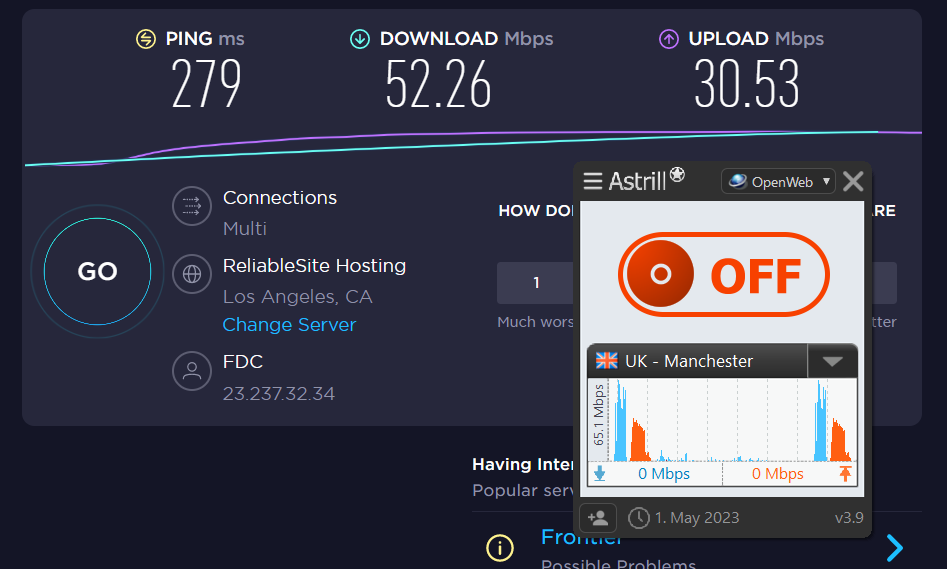
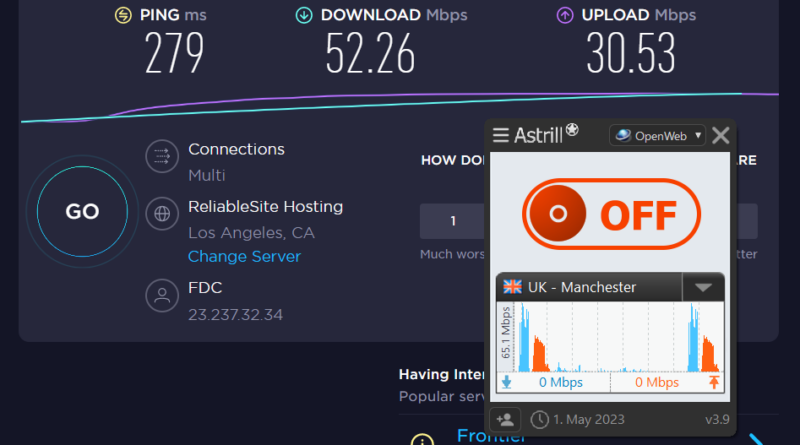
The Astrill VPN App 3126 is a powerful application that provides a secure way to surf the internet and protect your online privacy. With thousands of IP addresses and multiple methods of encryption, this app offers a reliable solution for users who want to stay anonymous while browsing the web.
One of the key features of the Astrill VPN App 3126 is its ability to run on Windows PC. This means that you can easily configure the VPN on your computer and initiate secure connections with just a few clicks. Whether you’re using a Windows PC or another device, this app has you covered.
With the latest version of the Astrill VPN App 3126, there are several improvements and fixes that have been made. For example, the wireguard and OpenVPN methods have been enhanced to provide faster speeds and improved security. Additionally, the full IP address selection and split tunneling features allow you to choose which traffic to forward through the VPN.
When using the Astrill VPN App 3126, you can be confident that your online activities are protected. The app uses strong encryption methods and does not store any logs of your internet usage. This means that your personal data and browsing history are kept private and cannot be tracked by third-party providers or hackers.
Whether you need to access websites that are blocked in your country or want to keep your online activities private, the Astrill VPN App 3126 is the perfect solution. With its easy installation and user-friendly interface, you can start using the app in no time. Download the latest version now and enjoy a safer and more secure internet browsing experience.
About Astrill VPN App 3126 Download For Windows PC
The Astrill VPN App 3126 is the latest version of the Astrill VPN application specifically designed for Windows PC. It is a powerful tool that allows users to securely browse the internet and bypass restrictions. Whether you want to access geo-restricted content, protect your online privacy, or stay anonymous while browsing, Astrill VPN can help you achieve that.
Downloaded and Installed
Once downloaded and installed, the Astrill VPN App 3126 provides users with a user-friendly interface, making it easy to navigate and configure. Users can sign in directly to their Astrill VPN account or create a new one if they don’t have an account yet. The app can be freely downloaded and used for a trial period, allowing users to experience its features and capabilities before deciding to purchase the full version.
VPN Features and Benefits
Astrill VPN offers a wide range of features and benefits to enhance your online experience. With its strong encryption and multiple server locations, you can easily bypass geo-restrictions and access content from different parts of the world. The VPN also helps protect your online privacy by encrypting your internet traffic, preventing anyone from spying on your online activities or collecting your personal information.
Some of the key features of Astrill VPN App 3126 for Windows PC include:
- Secure and private browsing
- Access to geo-restricted content
- Multiple server locations
- High-speed connections
- Strong encryption
How to Use Astrill VPN App 3126
Using Astrill VPN App 3126 for Windows PC is straightforward. After signing in or creating a new account, you can choose your desired server location from the available options. Simply select a server in the desired continent, and the VPN will establish a secure connection. You can also initiate the VPN’s sleep mode, which will activate automatically when your PC goes to sleep, helping conserve resources while maintaining your privacy.
Other VPN Options
In addition to Astrill VPN, there are several other VPN applications available for Windows PC users. Some popular alternatives include ExpressVPN, VyprVPN, and NordVPN. Each VPN has its own set of features, so it’s recommended to try them out and see which one best suits your needs and preferences.
Conclusion
Astrill VPN App 3126 for Windows PC is a reliable solution for those looking to enhance their online privacy and access geo-restricted content. With a user-friendly interface and powerful features, Astrill VPN ensures a secure and private browsing experience. Whether you’re browsing the web, streaming content, or playing online games, a VPN can help protect your identity and data.
Overview of Astrill VPN App 3126
The Astrill VPN App 3126 provides a secure and private internet connection for users across various platforms including Windows, Linux, Android, iOS, and more. Whether you want to browse the internet anonymously, access region-restricted content, or protect your online data, Astrill VPN has got you covered.
One of the key features of Astrill VPN App 3126 is its easy-to-use interface that allows users to connect to servers in different countries with just a few clicks. This ensures that your IP address is masked and your online activities remain hidden from prying eyes. Whether you’re in the United States, China, or any other country, Astrill VPN allows you to access blocked websites and services.
Moreover, Astrill VPN provides high-speed connections, thanks to its use of cutting-edge technologies such as the OpenSSL protocol. This ensures that your internet speed remains unaffected while using the VPN. You can also choose from various server options, allowing you to find the one that offers the best speed and performance for your needs.
In terms of security, Astrill VPN App 3126 follows a strict no-logs policy, meaning it does not collect any information about your online activities. This ensures that your privacy is protected and your data remains secure. Additionally, Astrill VPN uses advanced encryption methods to safeguard your connection, making it virtually impossible for anyone to intercept or decipher your data.
Another noteworthy feature of Astrill VPN App 3126 is its ability to bypass geo-restrictions, allowing you to access websites and services that are blocked in your country. Whether you want to stream your favorite TV shows, play online games like PUBG, or access social media platforms, Astrill VPN can help you bypass these restrictions and enjoy an unrestricted internet experience.
In conclusion, Astrill VPN App 3126 is a reliable and efficient VPN solution that provides users with the ability to browse the internet securely and anonymously. With its user-friendly interface, high-speed connections, advanced security features, and ability to bypass geo-restrictions, Astrill VPN is a top choice for anyone looking to protect their online privacy and access blocked content.
Features of Astrill VPN App 3126
The Astrill VPN App 3126 offers a variety of features that make it a popular choice among users. Whether you are looking to bypass internet restrictions, increase your online security, or improve your browsing speed, this app has got you covered.
1. Strong VPN Encryption
The Astrill VPN App 3126 uses strong encryption methods, such as OpenSSL, to ensure that your data is protected and secure. This will help you browse the web safely, especially when using public Wi-Fi networks.
2. Bypass Internet Restrictions
With Astrill VPN, you can easily bypass internet restrictions and access blocked websites and content. Whether it’s streaming sites or social media platforms, you can freely browse the internet without any limitations.
3. Improved Performance
The latest version of the Astrill VPN App 3126 has been optimized to provide you with faster speeds and improved performance. You will notice a significant difference in the speed and stability of your internet connection.
4. User-Friendly Interface
The interface of the Astrill VPN App 3126 is intuitive and easy to navigate. You can quickly connect to a VPN server, change settings, and view your connection status all from the app’s main panel.
5. Multi-Device Support
Astrill VPN can be installed on a wide range of devices, including Windows PCs, Android devices, iPads, and more. You can protect multiple devices with one subscription, making it convenient for those with multiple devices.
6. No Advertisement
Unlike other VPN applications, Astrill VPN App 3126 does not display any advertisements. This ensures a distraction-free browsing experience and allows you to focus on your online activities without any interruptions.
7. Spam and Malware Protection
The app’s built-in spam and malware protection feature ensures that your device remains safe and secure while browsing the internet. It blocks malicious websites and protects your device from potential threats.
8. Automatic Reconnects
If your VPN connection gets interrupted, the app will automatically reconnect to the server, ensuring that your data remains secure at all times. This feature is especially useful when your internet connection is unreliable.
9. Leave Comments and Get Support
Astrill VPN App 3126 allows users to leave comments and get support directly within the application. If you have any questions or issues, you can leave a comment and a support representative will assist you.
10. Optimize DNS for Better Speed
You can optimize the DNS settings of your device to achieve better browsing speed. By selecting the “opt-cn1dns2usecom” option, you can enhance the performance of your Astrill VPN connection.
How to Download and Install Astrill VPN App 3126 on Windows PC
If you are concerned about your online security and want to protect your personal information from hackers, it is important to use a VPN (Virtual Private Network). Astrill VPN is one of the most popular VPN services available, offering a secure and private connection to the internet.
To download and install Astrill VPN App 3126 on your Windows PC, you can follow these steps:
- Go to the Astrill VPN website and find the download section.
- Click on the “Download” button to initiate the download. Depending on your settings, you may be prompted to save the file or it may be downloaded automatically.
- Once the file is downloaded, locate it on your computer and double-click on it to start the installation process.
- Follow the instructions provided by the installation wizard to complete the installation. You may need to agree to the terms and conditions and select the installation location.
- After the installation is complete, launch the Astrill VPN App.
- If you are a new user, you will need to create an account. Provide your email address and choose a password to create your account.
- Once you have logged in, you will have access to the main interface of Astrill VPN App.
- From here, you can select different VPN options, such as connecting to a specific server location, enabling the kill switch, or configuring additional settings.
- To connect to the VPN, simply click on the “Connect” button. Once connected, your internet connection will be encrypted and your online activities will be secure.
By using Astrill VPN App 3126, you can avoid the tracking of your online activities and protect your sensitive information from hackers. It provides a fast and reliable connection, ensuring that you can browse the internet freely and securely.
Remember, using a VPN is not only beneficial for protecting your privacy, but it also allows you to bypass censorship or access geo-restricted content.
Step-by-Step Guide to Set Up Astrill VPN App 3126 on Windows PC
1. Download and install Astrill VPN App 3126
Start by downloading the Astrill VPN App 3126 for Windows PC from the official website. Once the download is complete, run the installation file and follow the on-screen instructions to install the app on your computer.
2. Create an Account or Log In
If you are a new user, you will need to create an account by providing a username and password. If you already have an account, simply log in with your existing credentials.
3. Choose VPN Protocols
After logging in, you can choose the VPN protocols you want to use. Astrill VPN supports a variety of protocols, including OpenVPN, WireGuard, StealthVPN, L2TP/IPSec, and more. Select the protocols according to your preferences.
4. Customize Settings
You can customize the VPN settings to optimize your VPN experience. For example, you can enable or disable features like Kill Switch, App Guard, and Stealth Mode to enhance your privacy and security.
5. Select a Server
Select a server from the available options. Astrill VPN offers a wide range of server locations around the world to provide you with the best connection speeds and access to geo-restricted content.
6. Connect to VPN
Click the “Connect” button to initiate a VPN connection. Once connected, all your internet traffic will be encrypted and routed through the VPN server, ensuring your privacy and security.
7. Enjoy Secure Browsing
Once the VPN connection is established, you can now browse the internet safely and anonymously. Your personal data and online activities will be protected from prying eyes, and you can access geo-restricted content without any restrictions.
8. Disconnect from VPN
To disconnect from the VPN, simply click the “Disconnect” button. Your internet traffic will return to its normal route without going through the VPN server.
Note: It is always recommended to use a VPN when accessing the internet, especially when using public Wi-Fi networks or when privacy is a concern. Astrill VPN App 3126 is designed to ensure the security and privacy of your data and improve your browsing experience.
Pros and Cons of Astrill VPN App 3126
Pros:
- Easy to use: The Astrill VPN app is user-friendly and can be easily navigated by both beginners and experienced users.
- Advanced configuration: The app allows for advanced configuration options, giving users more control over their VPN settings.
- Multiple server locations: Astrill VPN offers a wide selection of server locations to choose from, allowing users to access geo-restricted content from different regions.
- Reliable performance: The app provides fast and reliable performance, allowing for smooth browsing and streaming experiences.
- Stealth mode: Astrill VPN’s stealth mode feature helps users bypass firewalls and censorship, allowing them to access blocked websites and services.
- Compatibility: The app is available for various platforms, including Windows, Mac, Linux, iOS, and Android, ensuring that users can use it on their preferred devices.
- Improved security: Astrill VPN offers improved security measures, including encryption and IP masking, to protect users’ online privacy and data.
Cons:
- Occasional connection issues: Some users have reported occasional connection issues, such as slow speeds or difficulties connecting to certain servers.
- Limited free version: The free version of Astrill VPN has limited features and data caps, making it less ideal for heavy VPN users.
- Complex setup: The initial setup process can be complex, especially for users who are not familiar with VPN settings and configuration.
- No logs policy not verified: While Astrill VPN claims to have a strict no-logs policy, it has not been independently verified, raising some concerns about data privacy.
- Slightly higher pricing: Compared to some other VPN providers, Astrill VPN’s pricing plans might be slightly higher, which could be a drawback for budget-conscious users.
FAQs about Astrill VPN App 3126
1. What does the latest version of the Astrill VPN App 3126 offer?
The latest version of Astrill VPN App 3126 offers improved speeds and security features, as well as an updated user interface. The app now uses the latest cryptographic handshake protocols, ensuring stronger encryption and privacy for your online activities.
2. Can I use the Astrill VPN App 3126 on my Windows PC?
Yes, the Astrill VPN App 3126 is compatible with Windows operating systems. You can download and install the app on your Windows PC to protect your online privacy and bypass geographical restrictions.
3. How do I configure the Astrill VPN App 3126 for optimal performance?
To ensure the best performance, make sure you select a server location that is closest to your physical location. Additionally, check if your firewall or antivirus software is blocking the VPN connection. If you experience slow speeds or connection issues, try connecting to a different VPN server.
4. Can I use the Astrill VPN App 3126 on multiple devices?
Astrill VPN offers multi-device support, allowing you to use the app on multiple devices simultaneously. This means you can protect your entire family’s devices with a single Astrill VPN account.
5. How do I activate the Astrill VPN App 3126 on my device?
To activate the Astrill VPN App 3126, simply sign in to your Astrill VPN account on the app and follow the on-screen instructions. Once activated, you can start using the VPN services to encrypt your internet traffic and browse anonymously.
6. Can the Astrill VPN App 3126 help me bypass content restrictions?
Yes, the Astrill VPN App 3126 can help you bypass content restrictions imposed by websites or streaming services. By connecting to a VPN server located in a different country, you can access geo-blocked content and enjoy a more unrestricted internet experience.
7. What should I do if the Astrill VPN App 3126 crashes or disconnects frequently?
If you are experiencing frequent crashes or disconnections with the Astrill VPN App 3126, try reinstalling the app or updating to the latest version. You can also check your internet connection and ensure that there are no issues with your network. If the problem persists, contact Astrill VPN customer support for further assistance.
8. Are there any tips for improving the security of my Astrill VPN connection?
To enhance the security of your Astrill VPN connection, make sure you enable the kill switch feature. This feature will automatically disconnect your internet connection if the VPN connection drops, preventing any of your data from being exposed. Additionally, regularly update your VPN app to ensure you have the latest security patches.
Comparison of Astrill VPN App 3126 with Other VPN Apps
Astrill VPN App 3126 offers a range of features and functionality that make it stand out from other VPN apps on the market. One key advantage is its user-friendly interface, which allows members to easily navigate through the app and access the desired features. Astrill VPN also provides a warning system that helps users identify potential threats and avoid them.
Unlike other VPN apps, Astrill VPN App 3126 offers support for multiple devices, including iPad, ensuring that users can enjoy a secure browsing experience across all their devices. The app also provides a commentsforms section where users can provide feedback and suggestions, allowing the developers to continuously improve the software and meet user needs.
In terms of functionality, Astrill VPN App 3126 offers a reliable and fast service, with a variety of options to choose from. Users can download the latest version of the app to access all the features and ensure a smooth browsing experience. The app also has a session management feature, which allows users to easily track their usage and prevent any unauthorized access to their data.
Astrill VPN App 3126 is designed to help users stay safe and secure while browsing the internet. It offers methods to prevent any potential threats, such as OpenSSL configuration options, which can be activated to encrypt data and ensure a secure connection. The app also has a mirror feature, which allows users to access blocked content and bypass any geographical restrictions.
One of the standout features of Astrill VPN App 3126 is its speedtest option. This allows users to test the speed of their internet connection and identify any potential bottlenecks. The app also provides support for Ivacy, a popular VPN service, allowing users to seamlessly switch between different VPN options and find the best one for their needs.
When using Astrill VPN App 3126, users can be assured that their personal information is kept safe and secure. The app has a strict no-logs policy, meaning that no data is stored or tracked. Additionally, the app does not provide any spam or advertisement, ensuring a clean and uninterrupted browsing experience.
In conclusion, Astrill VPN App 3126 offers a range of features and functionality that set it apart from other VPN apps. Its user-friendly interface, speedtest option, and support for multiple devices make it a popular choice among users. With its focus on security and privacy, Astrill VPN App 3126 provides a reliable and secure browsing experience.
Compatibility and System Requirements for Astrill VPN App 3126
The Astrill VPN App 3126 is compatible with various operating systems and devices. Let’s take a look at its compatibility and system requirements:
Windows
The Astrill VPN App 3126 can be easily installed on Windows PCs. Whether you are using Windows 10, Windows 8, or Windows 7, this app is designed to work seamlessly with all these versions.
Security
Astrill VPN App 3126 ensures high-security standards for its users. It uses advanced encryption techniques and secure protocols to guarantee a safe browsing experience.
User-Friendly Menus
With the Astrill VPN App 3126, you can easily navigate through user-friendly menus and customize settings according to your preferences. This intuitive interface ensures a hassle-free VPN experience.
Cross-Platform Support
Whether you are using Windows, macOS, iOS, or Android, the Astrill VPN App 3126 provides cross-platform support, allowing you to maintain a secure connection across all your devices.
Third-Party Apps Integration
The Astrill VPN App 3126 easily integrates with third-party applications, ensuring that your online activities remain protected even while using other services or software.
Data Privacy
When using the Astrill VPN App 3126, you can rest assured that your data is secure and private. The app does not collect any logs about your online activities, ensuring complete anonymity.
Fast and Stable Connection
The Astrill VPN App 3126 provides thousands of servers in various countries, ensuring a fast and stable connection. You don’t have to wait or experience any delays while browsing online.
Astrill VPN Plugin
The Astrill VPN App 3126 offers a plugin that can be activated with just a few clicks. This plugin enhances your online security and allows you to access blocked websites or files.
Asian Mirror
Astrill VPN App 3126 offers a unique Asian mirror that allows users in Asian countries to bypass censorship and access online content that may be restricted in their country.
Export Full Forms
With the Astrill VPN App 3126, you can export full forms and protocol information, enabling you to have a transparent view of your VPN connection and settings.
Optimized for iOS
If you are using an iPad or other iOS devices, the Astrill VPN App 3126 is optimized to provide a seamless VPN experience on these devices, ensuring privacy and security while browsing online.
Overall, the Astrill VPN App 3126 is a reliable and secure VPN service that offers compatibility across various operating systems and devices. It ensures the privacy and security of your online activities, allowing you to browse the internet freely and access restricted content without any worries.
Pricing Options for Astrill VPN App 3126
When it comes to pricing options for the Astrill VPN App 3126, users have a few choices to fit their needs. The app offers a family plan that allows multiple devices to be connected simultaneously, making it a cost-effective option for households with several users. Additionally, users can choose between different subscription lengths, such as monthly, quarterly, and annual plans, giving them flexibility in their commitment to the service.
For users who need a unique level of security and privacy, Astrill offers a plugin system that allows for the addition of extra features and functionalities. This way, users can tailor their VPN experience according to their specific needs and preferences.
Subscription Options
- Family plan: Ideal for households with multiple users
- Subscription lengths: Monthly, quarterly, and annual plans available
Optional Plugins
- Extra security features: Users can enhance their VPN experience by adding additional plugins that provide advanced security functionalities
- Customization: Plugin system allows users to tailor the VPN experience according to their needs
Astrill VPN App 3126 also offers a free trial period for users to test the software before committing to a subscription. This way, users can experience the features and benefits of the app firsthand and make an informed decision.
It’s important to note that the pricing options may vary depending on the user’s geological location and the specific terms and conditions of the subscription. Users should carefully review the pricing details and terms before making a selection.
Customer Reviews and Ratings for Astrill VPN App 3126
When it comes to choosing a VPN, customer reviews and ratings can be incredibly helpful to gauge the experience of other users. The Astrill VPN App 3126 has received a lot of attention and here are some of the reviews from satisfied customers.
1. Fast and Reliable Connection
Many users have praised the Astrill VPN App 3126 for its fast and reliable connections. The app ensures that your internet data is stored securely and encrypted, giving you peace of mind while browsing the web. Users have reported that they can access their favorite websites, streaming platforms, and social media without any lag or restrictions.
2. Wide Range of Server Locations
The Astrill VPN App 3126 offers server locations across multiple continents, including popular Asian locations. This allows users to sign in from different parts of the world and access content that might be restricted in their own country. Users have specifically mentioned the availability of Asian servers, which are crucial for those who wish to browse the internet from that specific continent.
3. User-Friendly Interface
Astrill VPN App 3126 is known for its user-friendly interface, making it easy for even beginners to navigate and set up. Users can choose from multiple protocols, including OpenVPN and WireGuard, to customize their connection according to their needs. The app provides step-by-step instructions to guide users through the setup process, making it hassle-free.
4. Exceptional Customer Support
Many users have praised the exceptional customer support provided by Astrill. Whether you are having trouble with the setup or facing any technical issues, Astrill’s customer support team acts promptly to resolve your queries or concerns. Users have also mentioned how the team goes the extra mile to ensure customer satisfaction.
5. Improved Speed and Performance
With the latest version of Astrill VPN App 3126, users have reported improved speed and performance. The app includes a speed test feature that allows users to check their internet speed before and after connecting to the VPN. This feature has been highly appreciated by users who require fast and reliable connections for online gaming, streaming, or downloading large files.
6. Strong Privacy and Security Features
Astrill VPN App 3126 prioritizes the privacy and security of its users. The app uses advanced encryption to protect your data from third-party surveillance. Users have mentioned that they feel safe browsing the internet, knowing that their personal information is secure and their online activities are not being tracked.
7. Seamless Transition between Servers
Astrill VPN App 3126 offers a seamless transition between servers, allowing users to switch locations without any interruptions. This feature is particularly useful for users who need to connect to different servers for various purposes, such as accessing geo-blocked content or bypassing restrictions placed by certain websites.
8. Continuous Updates and Development
Astrill VPN App 3126 is constantly updated and improved to meet the evolving needs of its users. Users have mentioned the regular addition of new features and protocols, such as VyprVPN and OpenVPN, to enhance the overall functionality of the app. This dedication to improvement ensures that users always have access to the latest technology.
9. Compatibility with Multiple Devices
Astrill VPN App 3126 is compatible with a wide range of devices, including smartphones, tablets, computers, and routers. Users have mentioned using the app on their iPhone, iPad, Android devices, and even gaming consoles. This versatility allows users to protect their privacy and secure their internet connection across all their devices.
10. User-Friendly and Informative Website
In addition to the app itself, Astrill’s website has been praised for being user-friendly and informative. The website provides detailed tutorials and guides to help users set up the VPN on their chosen devices. Users have also mentioned the availability of a knowledge base and frequently asked questions section, which prove to be valuable resources for troubleshooting and general information.
In conclusion, the Astrill VPN App 3126 has received positive customer reviews for its fast and reliable connection, wide range of server locations, user-friendly interface, exceptional customer support, improved speed and performance, strong privacy and security features, seamless server transitions, continuous updates and development, compatibility with multiple devices, and a user-friendly and informative website.
Privacy and Security Features of Astrill VPN App 3126
The Astrill VPN App 3126 offers a range of advanced privacy and security features that ensure your online activities remain private and protected. Whether you’re using it on Windows, Mac, iOS, or Android devices, Astrill VPN 3126 has you covered.
Powerful Encryption and Security Measures
Astrill VPN 3126 uses strong encryption protocols to secure your internet connection and protect your data from eavesdroppers. With military-grade encryption, you can confidently browse the web, access restricted websites, and communicate online without worrying about your privacy being compromised.
Improved anonymity with a No-Logs Policy
Astrill VPN 3126 has a strict no-logs policy, which means it does not track or store any of your online activities. This ensures that your browsing history, downloads, and connection logs are not recorded, providing you with an extra layer of privacy and anonymity.
Advanced Routing and Firewall
Astrill VPN 3126 implements advanced routing techniques and a built-in firewall to protect your online activities from potential threats. It helps to create a secure and private network by routing your internet traffic through encrypted tunnels, making it virtually impossible for anyone to intercept or monitor your data.
Auto-Connect and On-Demand Reconnection
The Astrill VPN 3126 app provides an auto-connect feature that ensures your VPN connection is always on. This means that whenever you go online, the VPN automatically connects, ensuring that all your internet traffic is encrypted and secure. Additionally, the app has an on-demand reconnection feature that instantly reconnects your VPN in case of any disruptions, maintaining a seamless and secure browsing experience.
User-Friendly Interface and Easy Installation
Astrill VPN 3126 offers a user-friendly interface that allows you to easily navigate through the different menus and options. The installation process is quick and straightforward, enabling you to set up the VPN on your Windows PC or iPad within minutes. With its intuitive interface, even beginners can use Astrill VPN 3126 without any hassle.
Export Logs and Analyze Results
Astrill VPN 3126 gives you the option to export logs, allowing you to analyze your connection and browsing data. This feature enables you to track your online activities and identify any unusual behavior or potential security issues. With this valuable information, you can take necessary measures to further enhance your privacy and security.
Compatible with Multiple Operating Systems
Astrill VPN 3126 is compatible with various operating systems, including Windows, Mac, iOS, and Android. Whether you’re using a desktop, laptop, or mobile device, you can enjoy the full benefits of Astrill VPN 3126, ensuring privacy and security across all your devices.
Latest Updates and Improvements in Astrill VPN App 3126
The latest version of Astrill VPN App 3126 brings several new features and improvements to enhance your online experience and protect your privacy. Here are some of the key updates:
New Protocol for Improved Performance
AstrillVPN now supports the latest protocol for better performance and faster speed. Whether you are browsing the web, streaming videos, or downloading files, you can expect a seamless and lag-free experience.
Enhanced Security with Updated Handshake
The updated handshake mechanism in Astrill VPN App 3126 ensures a secure connection between your device and the VPN servers. Your data will be encrypted and transmitted safely, protecting your sensitive information from unauthorized access.
Improved Routing for Access to Blocked Websites
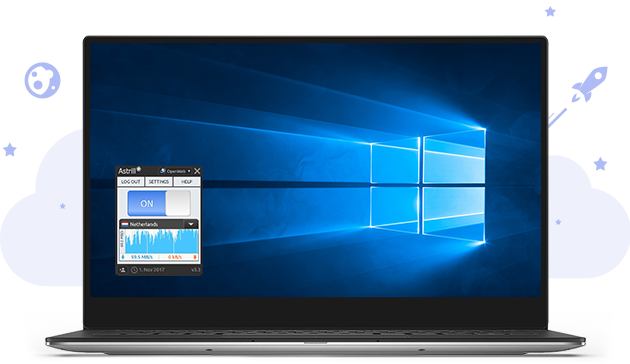
AstrillVPN now provides better routing options to help you access blocked websites and overcome internet censorship. With the improved routing system, you can bypass restrictions and enjoy unrestricted access to your favorite content.
Optimized App for Android Devices
Astrill VPN App 3126 offers a fully optimized experience for Android devices. The app’s interface has been revamped to provide a user-friendly and intuitive design, making it easier for you to connect to VPN servers and manage your settings.
Multiple Device Support
AstrillVPN now allows you to connect multiple devices simultaneously, ensuring that your whole family can enjoy a secure and private internet experience. Whether it’s your smartphone, tablet, or computer, you can protect all your devices with just one AstrillVPN account.
Improved Plugin Integration
The new update also includes improved plugin integration, allowing you to customize your VPN settings based on your specific needs. Whether you want to initiate the VPN connection on startup or automatically enable the VPN for selected websites, AstrillVPN has you covered.
Crash and Bug Fixes
Astrill VPN App 3126 comes with various crash and bug fixes to ensure a smooth and stable experience. The app has undergone rigorous testing and optimization, ensuring that it performs flawlessly and doesn’t interrupt your online activities.
In conclusion, the latest update of Astrill VPN App 3126 brings numerous enhancements, from improved performance and security to better routing and plugin integration. Whether you are an individual, a family, or a business, AstrillVPN has the features you need to protect your online privacy and access the internet freely.
Troubleshooting Common Issues with Astrill VPN App 3126
Using the Astrill VPN App 3126 can greatly enhance your online security and privacy. However, sometimes you may encounter some common issues that can affect the functionality and performance of the app. Here are some troubleshooting tips to help you resolve these issues:
1. Connection Issues
If you are experiencing connection issues with Astrill VPN App 3126, try switching to a different server or protocol. Astrill VPN offers a variety of server locations and protocols to choose from, so you can find the best one for your needs. Additionally, check your internet connection and make sure it is stable.
2. Inconsistent Performance
If you notice that the performance of Astrill VPN App 3126 is not consistent, try closing other programs or applications that may be using a lot of bandwidth. This can help optimize the performance of the VPN app. Additionally, ensure that you are using the latest version of the app, as updates often include performance improvements.
3. Compatibility Issues
Astrill VPN App 3126 is compatible with various platforms, including Windows, iOS, Android, and Mac. However, if you are experiencing compatibility issues, make sure that your operating system is up to date and meets the minimum system requirements for the app. You can also reach out to Astrill VPN support for further assistance.
4. Blocked Websites
If you are unable to access certain websites while using Astrill VPN App 3126, try changing the VPN server location. Some websites may block certain IP addresses associated with VPN services. By switching to a different server, you can bypass these restrictions and access the websites you need.
5. DNS and IP Leaks
If you suspect that your DNS or IP address is leaking while using Astrill VPN App 3126, consider using additional methods to prevent leaks. For example, you can enable the DNS leak protection feature in the app settings or use a third-party DNS resolver, such as Ivacy or Surfshark, to ensure that your DNS requests are routed through the VPN.
6. Auto-Start Issues
If Astrill VPN App 3126 is not starting automatically when you boot up your device, check the autostart settings in the app preferences. Make sure the autostart option is enabled. Additionally, ensure that the app is updated to the latest version, as software updates often include bug fixes and improvements.
By following these troubleshooting tips, you can resolve common issues with Astrill VPN App 3126 and enjoy a secure and private online browsing experience.
Alternatives to Astrill VPN App 3126
If you are looking for alternative VPN solutions to the Astrill VPN App 3126, there are several options available that can provide you with similar features and functionality. Here are a few alternatives you may consider:
1. Ivacy
Ivacy is a popular VPN software that can be downloaded and used on various platforms, including Windows and Mac. It offers multiple protocols and encryption methods to ensure your online activities remain secure and private. Ivacy also has a strict no-logging policy, providing you with peace of mind knowing that your personal information won’t be stored or tracked.
With Ivacy, you can bypass geo-restrictions and access websites and content from around the world. It also provides a solution for overcoming ISP throttling and can be used to protect your online activities from hackers and other malicious individuals.
If you are concerned about your privacy and want a reliable VPN solution, Ivacy is worth considering as an alternative to the Astrill VPN App 3126.
2. NordVPN
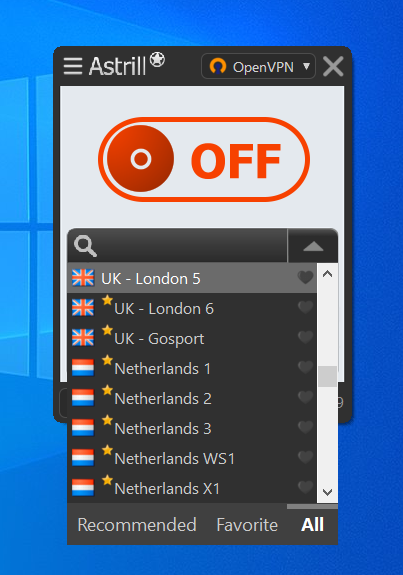
NordVPN is another popular VPN service that offers a wide range of features and benefits. It has a user-friendly interface and supports multiple platforms, including Windows and Mac. NordVPN utilizes advanced encryption protocols, including OpenSSL, to ensure your online activities remain secure and private.
With NordVPN, you can connect to servers in many different countries and access content that may be blocked or restricted in your location. It also provides a solution for bypassing ISP throttling and ensuring your internet speed remains fast and consistent.
NordVPN has a strict no-logging policy and offers 24/7 customer support to assist you with any issues or concerns you may have. If you are looking for a reliable VPN solution, NordVPN is definitely worth considering.
3. ExpressVPN
ExpressVPN is a well-known VPN provider that offers a user-friendly interface and supports multiple platforms, including Windows and Mac. It utilizes advanced encryption methods to ensure your online activities remain secure and private.
With ExpressVPN, you can access websites and content from around the world, bypassing geo-restrictions and censorship. It also provides a solution for overcoming ISP throttling and ensuring your internet speed remains fast and consistent.
ExpressVPN has a strict no-logging policy and offers 24/7 customer support to assist you with any issues or concerns you may have. If you are looking for a reliable VPN solution with a wide range of features, ExpressVPN is worth considering.
In conclusion, if you are looking for alternatives to the Astrill VPN App 3126, there are many options available that can provide you with the security and privacy you need. Consider trying Ivacy, NordVPN, or ExpressVPN to find the best VPN solution for your needs.
Astrill VPN App 3126 vs Free VPN Services – Which is Better?
Astrill VPN App 3126 is a reliable and secure VPN software that allows users to stay connected to the internet while keeping their online activities private and anonymous. It is compatible with Windows operating systems and ensures that your IP address is hidden and your data is encrypted.
On the other hand, free VPN services are widely available and supported by many platforms including Windows, iOS, and Android. However, these services often come with limitations and may not offer the same level of security and privacy as paid VPN services like Astrill VPN.
One of the key benefits of using Astrill VPN App 3126 is its vast network of servers, especially in Asian countries. With Astrill VPN, you can bypass geo-restrictions and access websites and content that are otherwise blocked in your country.
Another advantage Astrill VPN has over free VPN services is the stability of its software. Free VPNs may crash or have compatibility issues with certain devices, such as iPads, that can’t be resolved easily. In contrast, Astrill VPN is designed to work seamlessly across different platforms and devices.
In terms of speed and performance, Astrill VPN outperforms many free VPN services. It offers fast connection speeds and has a large number of servers spread across different countries. This ensures that you can find a server that suits your needs and enjoy a smooth browsing experience.
Astrill VPN also provides a higher level of security and privacy compared to free VPN services. It uses advanced encryption protocols to protect your data and ensures that your online activities are not tracked or monitored by third parties.
When it comes to customer support, Astrill VPN has a dedicated support team that is available 24/7 to assist you. Free VPN services often lack this level of support, leaving users to troubleshoot issues on their own.
In conclusion, while free VPN services may seem like a convenient option, they often come with limitations and may not provide the same level of security, privacy, and performance as Astrill VPN App 3126. If you value your online privacy and want a reliable and efficient VPN service, Astrill VPN is definitely worth considering.
Leave a Reply Cancel reply
When using the Astrill VPN app 3126 for Windows PC, you may encounter situations where you need to leave a reply or cancel a task. This feature can be helpful in various settings.
For example, if you are working on a download and you have already initiated the process, but for some reason, you need to cancel it, you can simply click on the “Cancel” button within the app. This will stop the download and allow you to start a new one if needed.
In addition, there may be times when you can’t access certain websites or content from your current location. In this case, you can leave a reply or ask for help directly within the app. The support team can provide you with alternative methods to bypass any restrictions and gain access to the desired content.
If you are experiencing issues with the VPN connection or your traffic is not being routed properly, you can leave a reply and ask for assistance. The Astrill VPN app offers various troubleshooting methods to help you resolve any connection problems and ensure a secure and smooth browsing experience.
Furthermore, if you are using other VPN services such as ExpressVPN or VyprVPN, you can leave a reply or cancel your subscription directly within the Astrill VPN app. This can be convenient if you are not satisfied with the service or if you want to switch to a different VPN provider, such as NordVPN.
Astrill VPN app version 3126 has been redesigned to provide you with the best user experience possible. The new user interface is more user-friendly and intuitive, making it easier for you to leave a reply or cancel any ongoing tasks. The app now also supports Windows operating systems, including Windows 10.
Changing Data in Astrill VPN App
Astrill VPN App provides you with the ability to change and customize your data in various ways. One of the unique features of Astrill VPN App is its support for the WireGuard protocol, which offers faster and more secure connections. With Astrill VPN App, you can freely access the internet without being tracked or your data being accessible to third-party hackers or cookies.
When using Astrill VPN App, you have multiple options to change and configure your data based on your specific preferences. You can easily switch between different protocols, such as OpenVPN, WireGuard, or IPsec, depending on your needs. This allows you to avoid any possible performance issues and achieve the best results.
Another way to change your data in Astrill VPN App is by selecting different VPN servers. Astrill VPN App provides you with a global network of servers located on every continent, giving you the flexibility to connect to servers in specific countries or regions. This allows you to change your virtual location and access region-restricted content or services.
In addition to changing protocols and servers, Astrill VPN App also offers various methods to protect your data. You can enable features like DNS and IPv6 leak protection, which prevent your real IP address or DNS queries from being exposed. With the Astrill VPN App, you can have peace of mind knowing that your data is secure and your online activities remain private.
Furthermore, Astrill VPN App is constantly improving and updating its features. The app’s interface has been redesigned to be more user-friendly, ensuring that you can easily navigate through its options and settings. It always stays up-to-date to provide the best experience and performance.
In conclusion, Astrill VPN App offers a wide range of options to change and customize your data. Whether it’s selecting different protocols, switching VPN servers, or enabling additional security features, Astrill VPN App gives you the freedom to control your online privacy and access the internet the way you want.
FAQ:
Can I use the Astrill VPN App on my Mac?
Yes, the Astrill VPN App is available for both Windows and Mac operating systems. You can download the app from the official website and install it on your Mac. It offers the same features and functionality as the Windows version.
Is the Astrill VPN App free to download and use?
The Astrill VPN App is not free, but it offers a free trial period for new users. You can download the app for free and use it for a limited period of time to test its features and performance. After the free trial period ends, you will need to purchase a subscription plan to continue using the app. Astrill offers various subscription plans with different pricing options to suit your needs.
Is Astrill VPN fast and reliable?
Yes, Astrill VPN is known for its fast and reliable performance. The app uses advanced VPN protocols and technologies to ensure high-speed connections and stable performance. Astrill has a large network of servers located in different countries, allowing you to choose the server closest to your location for optimal speed and performance. However, the actual speed and reliability may vary depending on your internet connection and the server you are connected to.
Videos:
How To Setup a VPN on Windows | Easy VPN Setup Guide
How To Setup a VPN on Windows | Easy VPN Setup Guide by VPN Prince 2 months ago 4 minutes, 36 seconds 610 views
